How do I Export Emails from Combell on Mac & Windows?
Thinking about exporting Combell emails locally for safety purposes and therefore wondering how do I export emails from Combell on Mac with attachments without data loss with ease! Constantly seeking for an effective and trouble-free process for the same? Not to worry at all because in the write-up we will explore a solution that will precisely export emails from Combell on Mac with attachments without data loss.
Combell Email is an email hosting service. It is offered by Combell itself and is known for delivering variety of email solutions such as basic mailboxes, Exchange Hosting, and Microsoft 365 integration, all tied to a custom domain name. Furthermore, they provide different email marketing tools and 24/7 support.
Combell Email is just like any other email service but it has potential drawbacks. Common challenges are deliverability problems, security vulnerability, potential for spam filtering, phishing and hacking, risk of information overload, and distractions. And like other web hosts, Combell also experience service disruptions from time to time or have limitations on email size or features.
Thus, exporting emails from Combell on Mac sometimes become essential to prevent data from corruption and loss. So, in the next segment you will discover a method that will directly export emails from Combell on Mac OS (all versions supported).
How do I Export Emails from Combell on Mac? – Direct & Effective Solution
The direct process to export emails from Combell on Mac is by utilizing MacMister IMAP Backup Tool Mac & Windows. The tool is direct, effective, and user-friendly. It supports an environment that is manageable by anyone without trouble. With the help of the application, users can effectively export Combell emails to 15+ saving options such as PST, PDF, MSG, EML, HTML, DOC, CSV, Yahoo, Office 365, and more.
Moreover, the software is programmed with remarkable features that help users to export emails from Combell on Mac with attachments according to the requirements. It has Filters section as well that are helpful in exporting selected emails from Combell on Mac. However, to experience the same, download the free demo of the app and check the detailed export process of Combell emails for free.
Know Step-by-Step Software Working to Export Emails from Combell on Mac
Step 1. Download, launch, and operate the software on your Mac.
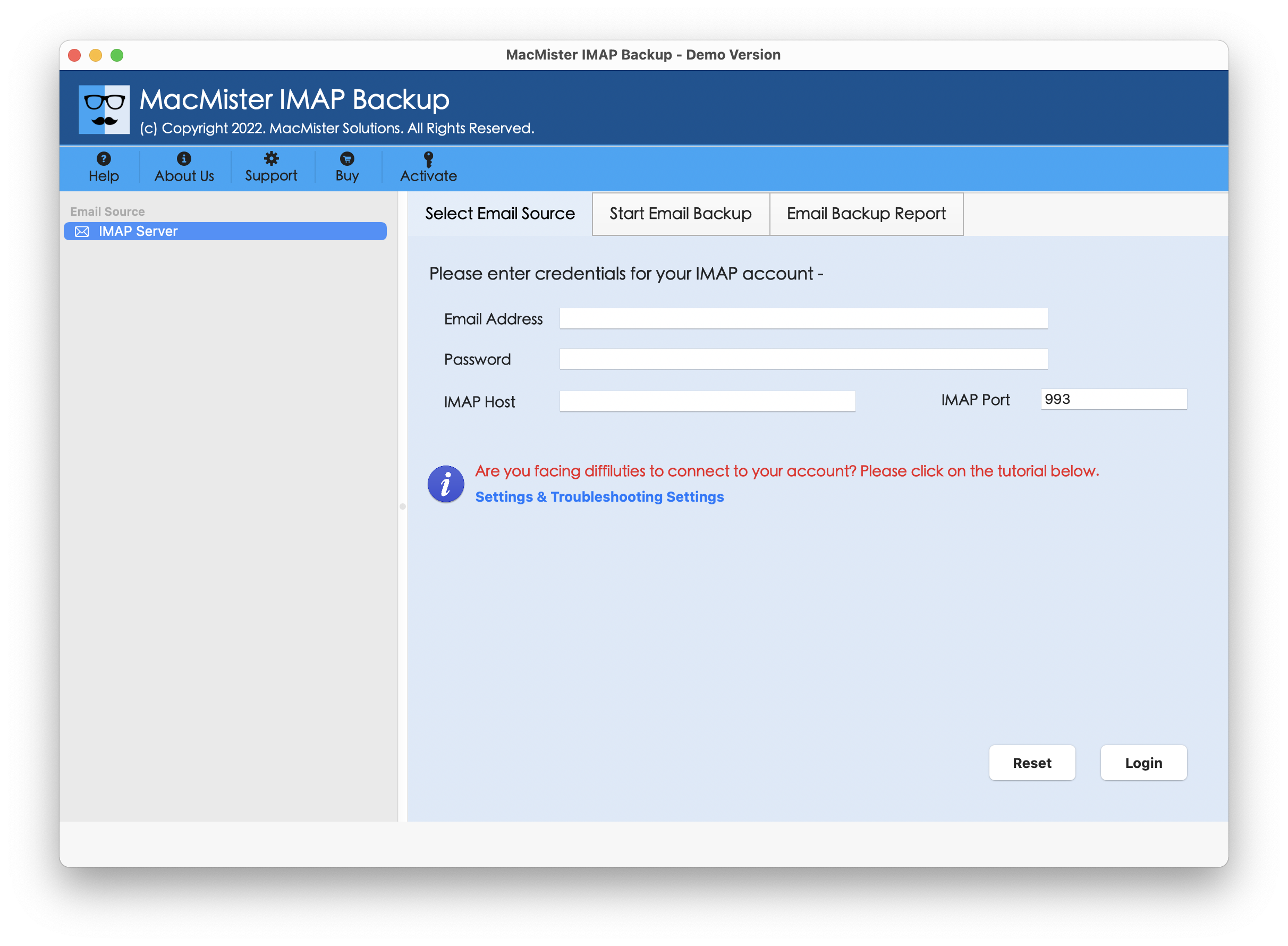
Step 2. Add Combell credentials with IMAP host & port number. Click Login button.
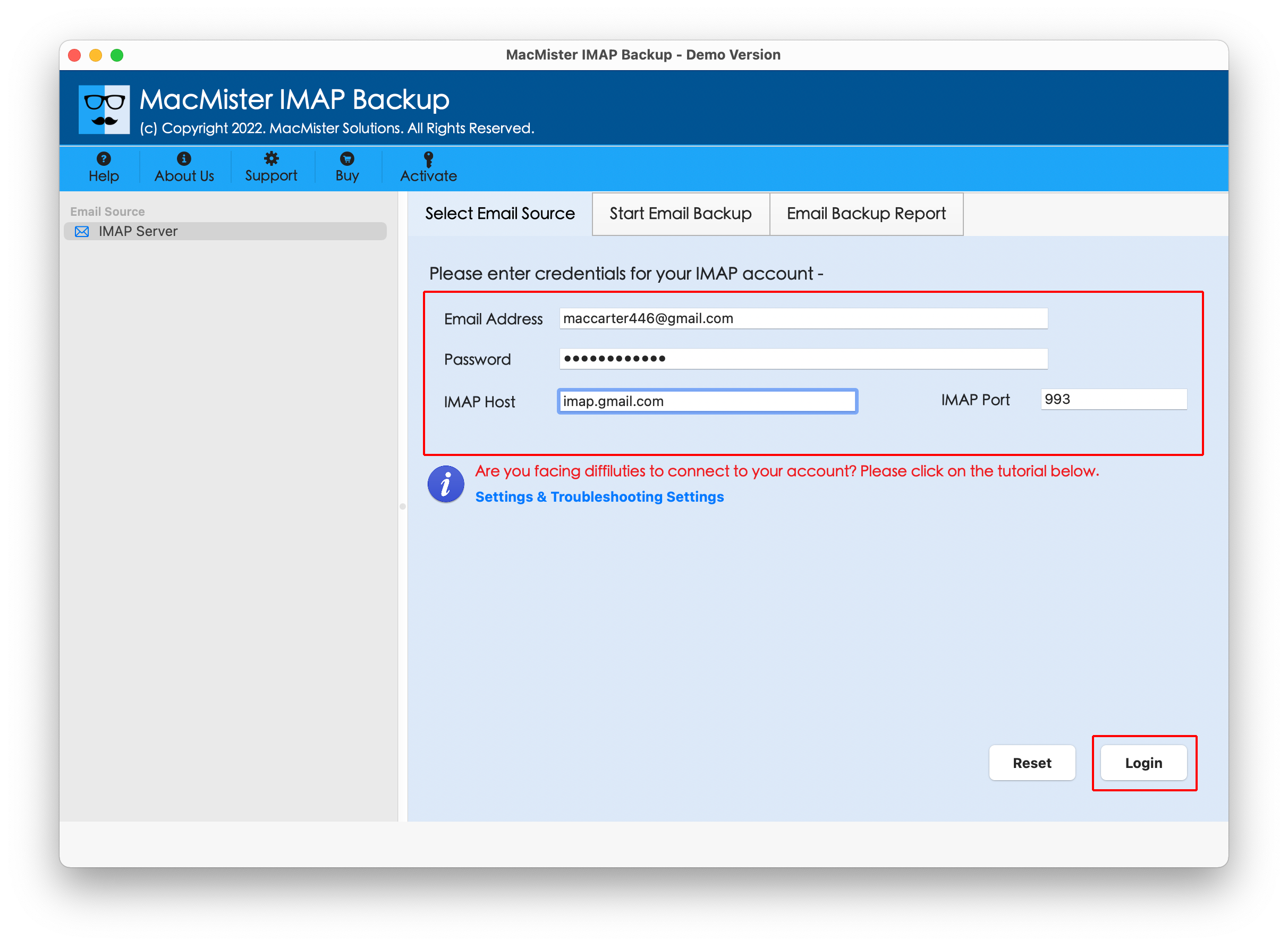
Step 3. Now, the tool will connect with Combell account and display Combell folder items on the left pane of the software screen.
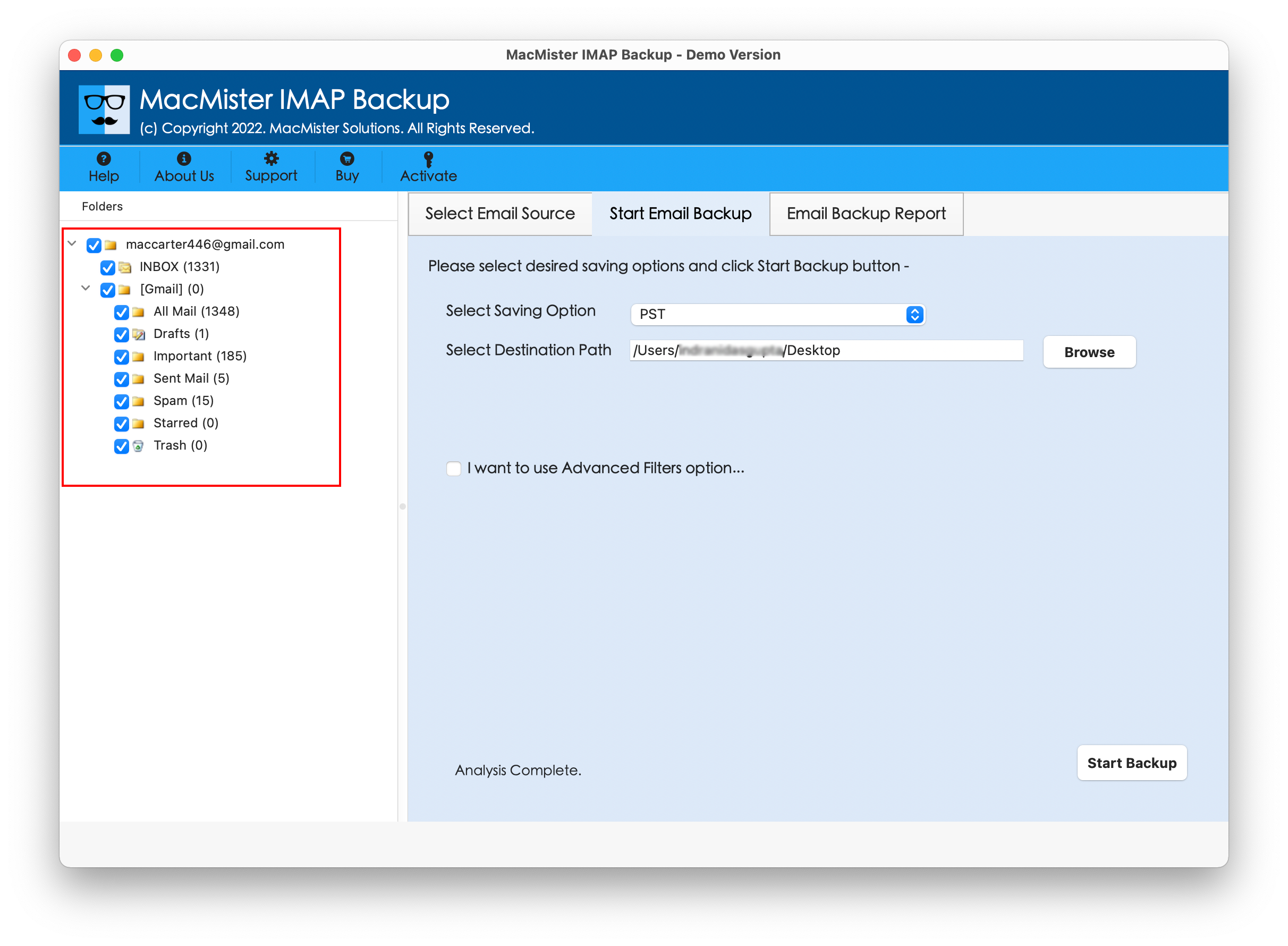
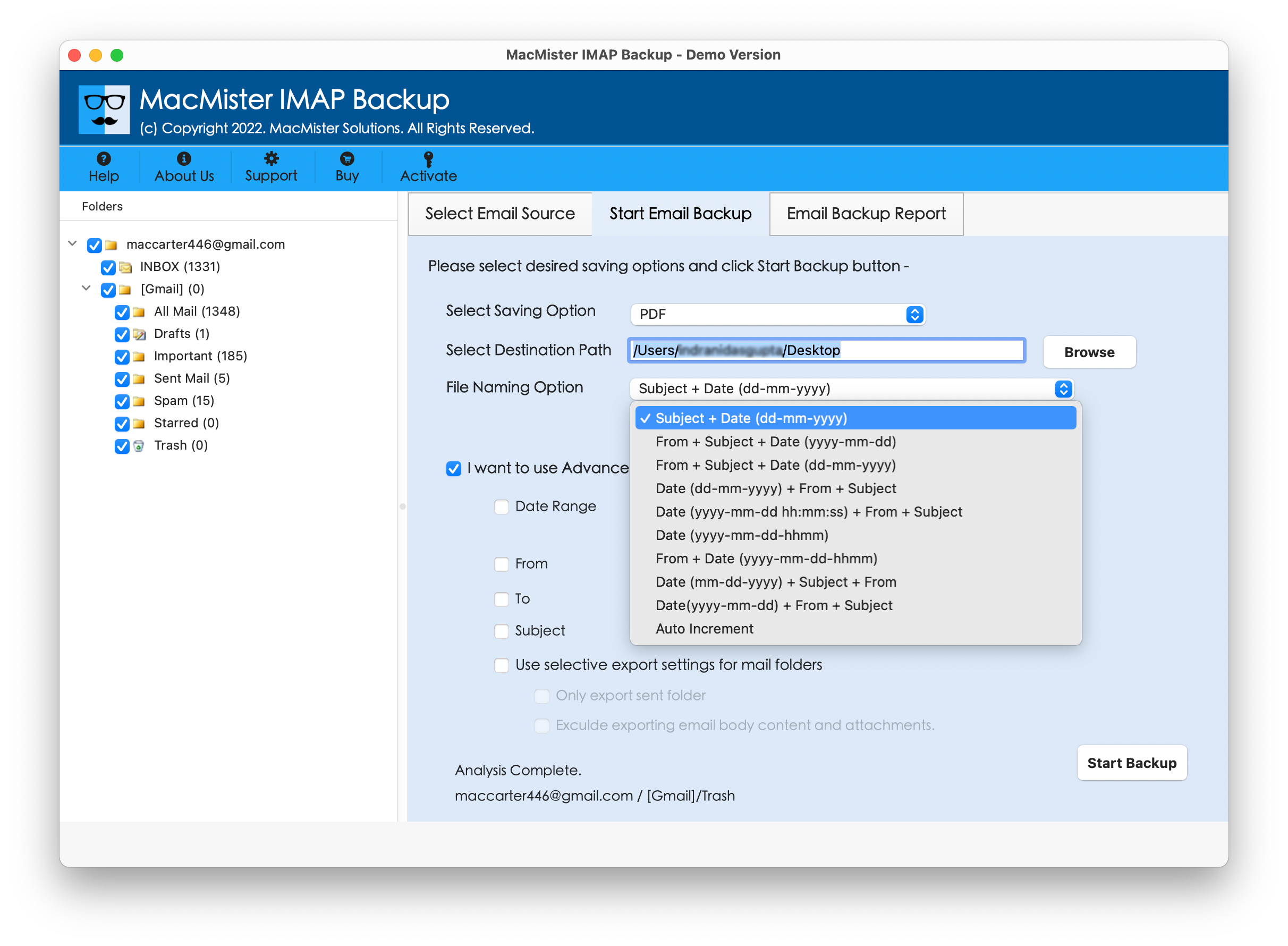
Step 4. Go to the right side of the app, then click the Select Saving Options, and choose the desired saving type from the menu.

Step 5. Apply the options accordingly. Set required filter type, if needed. Then, tap Start Backup button.
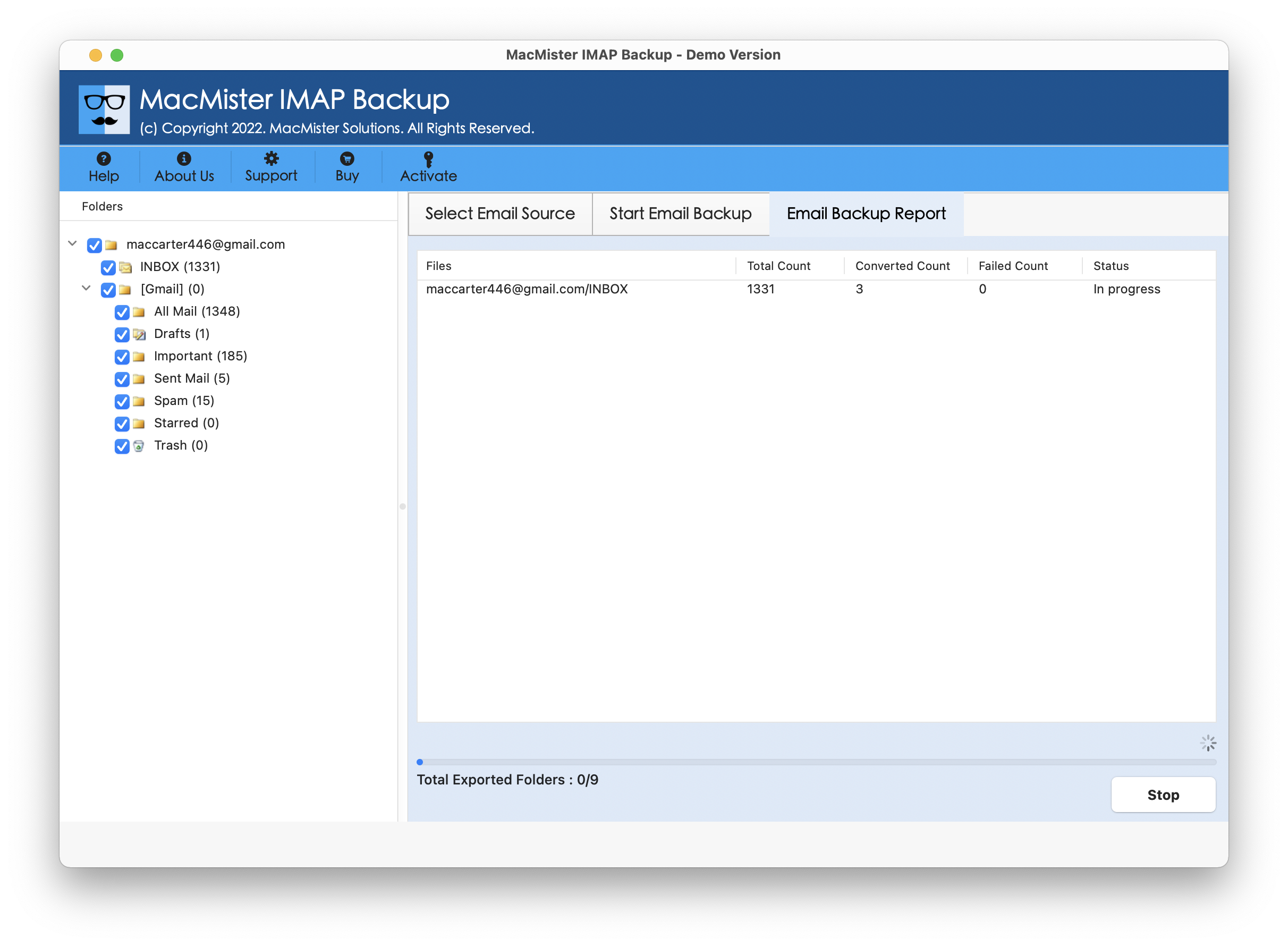
Step 6. The Email Backup Report will display that provides the details of live export progress of Combell emails to users.
Within seconds, the tool completes the process and then “Process Completed” notification appears on the screen. Click OK and then go to the specified destination path to check resultant files. You will see that the app has handled the entire process perfectly. All the emails after the process will appear with correct content, data integrity, and layout.
Benefits of Choosing MacMister Combell Backup Tool
There are many benefits for choosing the application; some of them are mentioned here –
Directly export Combell emails on Mac
The tool has the ability to export Combell emails directly on Mac OS. It only requires the login details of Combell email account with IMAP host & port number. Once they are provided, then the app will connect with Combell account and allow users to export all the important emails into the desired Mac-supported saving type easily.
Support Multiple Saving Types for Export
The application has many saving options for export. It provides over 15 saving options to export Combell email files such as PST, PDF, MSG, EML, HTML, CSV, DOC, Yahoo, IMAP, Gmail, Office 365, and more. Users can select the necessary saving type and perform the export process without issues.
Different Types of Filter Options Available
The software has multiple filter options available which are useful in exporting specific Combell emails on Mac. It includes date range, subject, to, etc. One may set them as per their needs and export required Combell emails within seconds.
Export Combell Emails on all Mac & Win OS
The tool is available for Mac & Windows OS versions both. Mac users can use the app on the complete range of Mac OS versions including Mac OS Sequoia and Windows users can download and operate the process on all Windows OS versions including Windows 11.
Epilogue
The write-up here provided a matchless process to fix how do I export emails from Combell on Mac & Windows. Combell Email Backup Software Mac & Windows is an app that safely creates connection with Combell account and export unlimited Combell emails with attachments at once. Users will also encounter multiple saving types; they can select the required saving option and perform the process accordingly. Its interface is also friendly, thus anyone can utilize the app effortlessly. Even, the advanced features will help users exporting Combell emails on Mac as per requirements. However, it is advised to download the free demo version of the tool to understand the detailed software working for free. One can even export 25 Combell emails free of cost.