How do I Forward my AOL Email to Yahoo on Mac & Windows?

Have you recently moved to Yahoo from AOL Mail? Searching for a proficient approach for how do I forward my AOL email to Yahoo on Mac & Windows. No worries because in the article we have discussed a solution that will help you to directly transfer all the necessary emails from your AOL account to Yahoo without any hassle. But, before that, let us first understand a little bit about AOL and Yahoo webmail servers.
AOL was originally popular as American Online and earlier renowned as AOL Inc. It is an American Web Portal & Online Service Provider based in New York City. The company launched its first webmail service in 1997. It was the world’s largest email service provider with approx. 9 million subscribers. The webmail was completely free to use and offers a functioning similar to other available online email services. But, with time, technology become more advanced and so have the applications. In today’s era, users want an email program that can handle quick operations as well as ease their work in an organization. And, so, many are moving to Yahoo. Let us check some more reasons behind the migration of AOL to Yahoo.
Some Common Reasons behind AOL to Yahoo Migration
There are so many causes due to which users are moving from AOL Mail to Yahoo. Some of them are mentioned below-
- Slow sign-in consumes a lot of users’ time.
- Unexpectedly goes offline without any reason.
- Frequent pop-ups of error messages.
- Taskbar is not up to the mark.
- It does not allow reading messages offline.
- AOL freezes the computer multiple times in a day.
Why Opt for Yahoo over other Webmail Service Providers?
Yahoo is a feature-rich email program that many users make use of for communication management. The service was launched in 1997 and is widely popular for its wonderful options such as unlimited storage space, SMS texting, social networking, and instant messaging. Some of its popular highlights are discussed here:
- Yahoo Mail is accessible on many devices and different email programs.
- A free email account with Yahoo delivers 1 TB of online storage.
- One will get up to 200 Filters that will help in assisting instant messaging contacts as well as email addresses.
- Yahoo email messages are receivable on another email address.
- Uses 2-step authentication & Yahoo account key to safeguard essential data.
- Includes virus scanning and blocked-by-default remote images feature to protect from malicious attack.
How to Forward AOL Mail to Yahoo on Mac & Windows?
MacMister AOL Backup Tool for Mac is a cost-effective and secure utility that directly forward AOL email to Yahoo on Mac & Windows with attachments. The software is quick and proficient. Also, any technical and non-technical user can utilize the application without any difficulty and forward AOL emails to Yahoo within seconds. Even, the steps in the utility are not very lengthy. By tapping three easy clicks, users can instantly receive all emails from AOL to Yahoo.
Moreover, the features equipped in the application will help users to perform the migration between AOL and Yahoo as per their own specific needs. However, the tool has a trial edition with the help of which users can experience the working steps for free.
Working Steps to Forward AOL Emails to Yahoo on Mac
Step 1. Download, and open AOL to Yahoo Backup Tool for Mac on Mac OS.
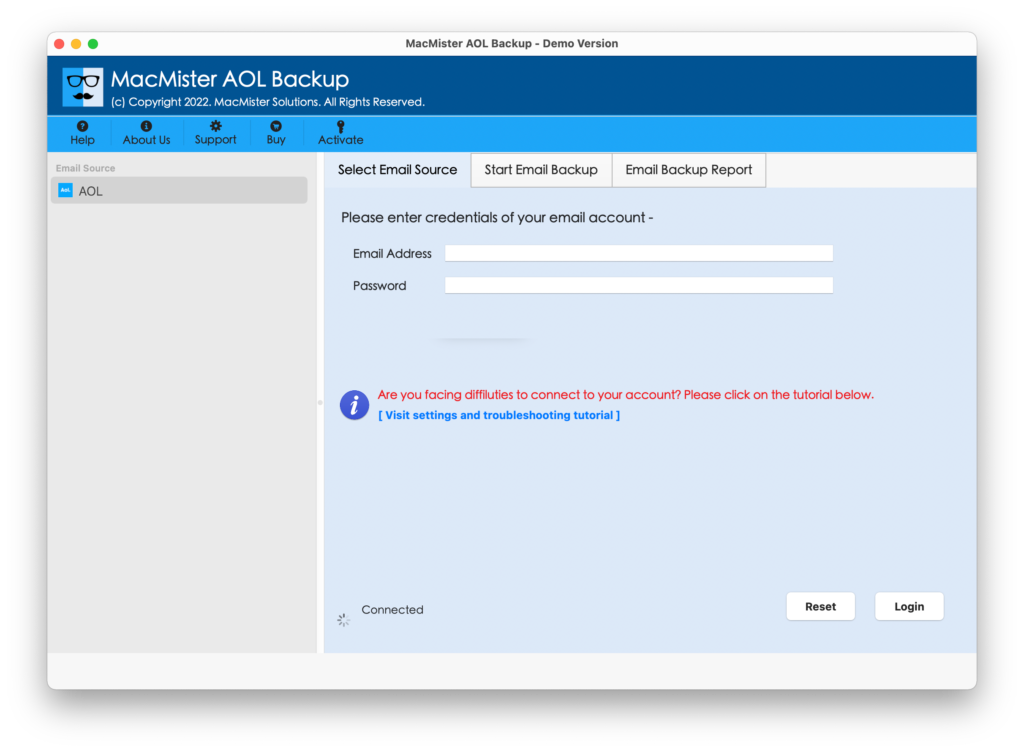
Step 2. Enter AOL account details in required fields and press Login button.
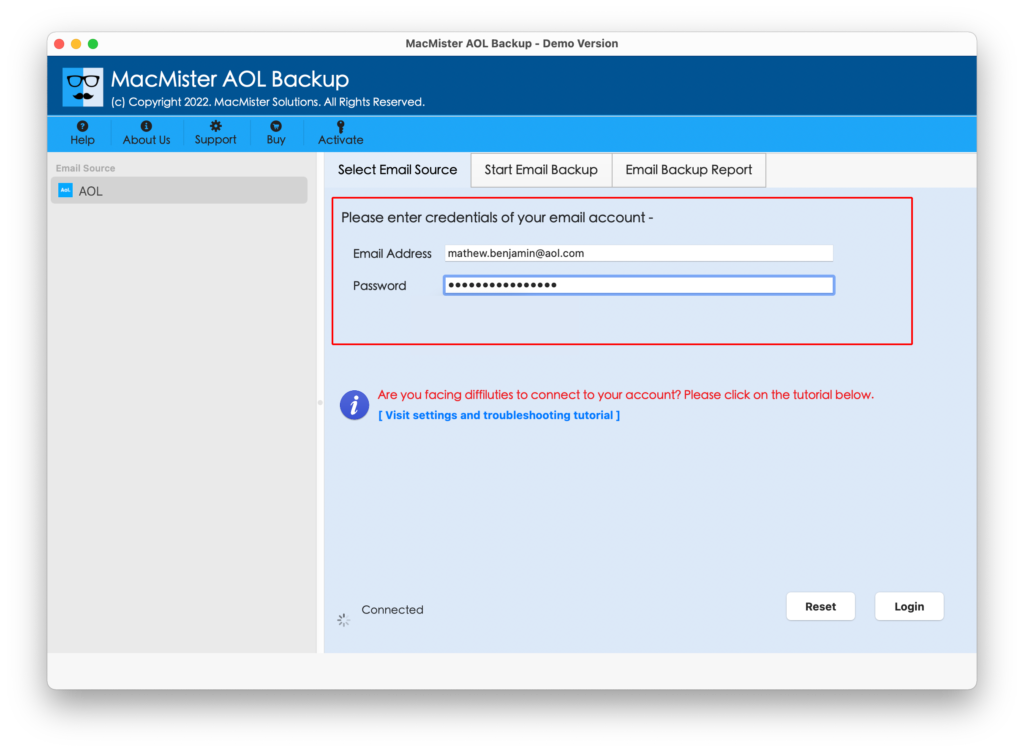
Step 3. AOL account will successfully connect with the application and its mailboxes will quickly appear on the software pane.

Step 4. You can now take cursor to Select Saving Options property and pick Yahoo from the list.

Step 5. Add Yahoo email ID and app password accordingly. And, you can even set filters as per your choice if you want to forward selective AOL emails to Yahoo on Mac. Last, hit Start Backup button.
Step 6. The AOL to Yahoo procedure is now live and their current progress will appear on Email Backup Report window.
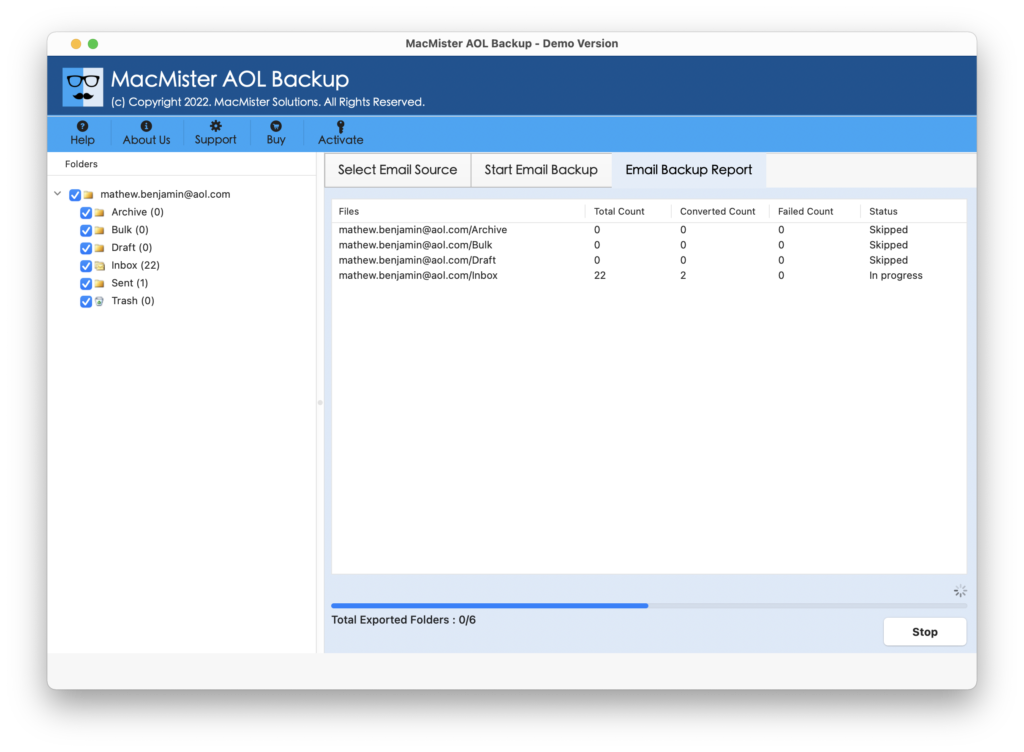
After the process, one will receive the confirmation showing “Process Completed” message. Click OK and go to Yahoo account to check the resultant files. The data will be accurate and will appear with correct metadata properties.
Why AOL to Yahoo Solution is Preferable?
There are n number of positive reasons for utilizing the application to forward AOL email to Yahoo and some are listed here:
Direct AOL Emails to Yahoo in Seconds
The application delivers direct migration functioning that will save the time of those who need to quickly access AOL emails in their Yahoo account. The only thing users need to do is to provide the credentials of both AOL and Yahoo accounts. After that, click the Start Backup button. As soon as you click on the button, the tool will start transferring all emails from AOL to Yahoo.
Filters Present for Selective Mail Migration
The utility is equipped with a section of Filters through which users will be able to migrate specific emails from AOL accounts to YMail. It includes options such as date range, subject, to, from, etc. One can set or apply the filters accordingly and perform the process according to particular necessities.
Protects Yahoo Account during the Process
The software is highly advanced and it was launched after being approved by top-level experts. The task of the tool is not only to transfer critical data from one account to another but also to make sure to protect the user’s account. And, so it will ask to enter the App Password of Yahoo instead of the original password.
Simple Interface with User-friendly Steps
The GUI of the tool is easy and anyone can effortlessly execute the desired task with the help of the application. No technical skills will be necessary to migrate all emails from AOL to Yahoo account. Even, the operational steps are easy-to-manage. They help users to complete the whole process in minimum time.
Move AOL Mails to Yahoo on all Mac & Win OS
The tool offers two different versions for both Mac and Windows users. Moreover, it supports all the earlier and latest versions of Mac and Windows operating systems. The app allows Mac users to forward AOL emails to Yahoo with attachments on macOS Ventura, Monterey, Big Sur, etc. And, Windows users can perform the process on Win 11, 10, 8.1, etc.
Quick Note. You can use FREE DEMO and check more software features for free.
Epilogue
The entire post has offered a remarkable procedure to forward AOL email to Yahoo on macOS and Windows. The MacMister AOL Email Backup Software for Mac possesses instant functioning and delivers the output with 100% accuracy. Anyone can operate the utility and transfer AOL emails to Yahoo. The tool provides a freeware version with the help of which one will be able to test the working steps for free. It allows forwarding the first 25 AOL emails to YMail free of cost with attachments.