How to download all Yahoo Emails to Thunderbird on Mac & Windows?
If you are struggling with how to download all Yahoo emails to Thunderbird on Mac or Windows, then keep all your worries aside. Just follow the guidance given in the segment that will help you to download emails from Yahoo to Thunderbird efficiently. The first is the manual method. It will configure the Yahoo account to Thunderbird with IMAP. The second method is direct i.e. Yahoo Backup Tool for Mac that will directly download all Yahoo emails to Thunderbird on Mac with attachments accurately.
Although there are a few limitations associated with the manual procedure that we will discuss later in the section. Before discussing this further, we should be aware of the reasons due to why users need to migrate emails from Yahoo to Thunderbird accounts. We have highlighted some disadvantages of using Yahoo Mail and the benefits of using Mozilla Thunderbird.
Yahoo Mail is a widely used webmail service that many users make use of to exchange emails. But in recent times, Yahoo launched a few updates and people started experiencing problems with oversized mailboxes and frequent outages caused by Yahoo. Due to this, a lot of users are finding a solution for executing Yahoo Mail migration to Gmail, Office 365, iCloud, etc.
Some Reasons to download all Yahoo Emails to Thunderbird
Go through some reasons explained here that will help you juxtapose both services and understand why it is beneficial to download all emails from Yahoo to Thunderbird. Some of them are:
Disadvantages of using Yahoo Mail
- The recent update of Yahoo has put a lot of its clients in difficulty as they are facing a lot of problems while managing large amount of data.
- Yahoo upgraded to the new version in which some features are technical and cannot be used appropriately by non-technical ones.
- Difficulty in accessing emails Yahoo instantly as an internet connection is a must.
- Interruption of lots of ads can cause disturbance in the user’s workflow.
- Its auto-saving feature is unlikeable by many users.
- Yahoo has uneven compatibility. It works the same in a few web-browser and in some like Mozilla Thunderbird show the least problem with the webmail service.
Benefits of using Mozilla Thunderbird
- Thunderbird has a spam filtering option that keeps track of spam messages and automatically send them to the junk folder.
- Includes offline email encryption and so offers several layers of protection to avoid phishing and remote images.
- Supports remote server functionality that keeps personal offline email servers with additional storage and safety.
- It allows the functionality to access emails of Thunderbird in an offline mode.
How to Download all Yahoo Emails to Thunderbird?
There are two ways to download all emails from Yahoo to Thunderbird:
- Manual Method
- Automated Method
Let’s get started with the manual method and then we’ll discuss the procedure using the automated method.
Method 1. Download Yahoo Emails to Thunderbird Manually
- Open Mozilla Thunderbird on your macOS.
- Now you will see Create a new account tab option and choose the Email option.
- A dialogue box will appear showing Welcome to Thunderbird. Click the option of Skip This and use my existing email.
- Select the IMAP option appearing under Manual Configuration Option error and specify the server settings.
- Incoming Mail Server: imap.mail.yahoo.com
- Outgoing Mail Server: smtp.mail.yahoo.com
- Incoming Port: 993 with SSL
- Outgoing Port: 465 with SSL or port 587 with SSL or TLS
Click the Retest option and then press the Done button to start the configuration process for Yahoo and Thunderbird.
The only concern is that it consumes user’s lot of time and energy. Also, it is a must to have the support of experts while performing the procedure manually. Because the missed out of a single step can cause an error.
Method 2. Download Emails from Yahoo to Thunderbird Directly
By using MacMister Yahoo Email Backup Software for Mac & Windows, users can directly download Yahoo emails to Thunderbird with attachments on both Mac & Windows OS. The software contains a simplified platform and a user-friendly operational environment that anyone can manage effortlessly and download emails from Yahoo to Thunderbird with attachments. Even, the steps are short and limited and will save the time of users by performing the entire task in a minimum time.
Moreover, the application is equipped with numerous features that users can take support to get the desired results. However, the free demo of the tool is available with the help of users who can check the migration process of the tool for free.
Steps to Download Emails from Yahoo to Thunderbird on Mac
Step 1. Download and run Yahoo to Thunderbird Converter for Mac on macOS.
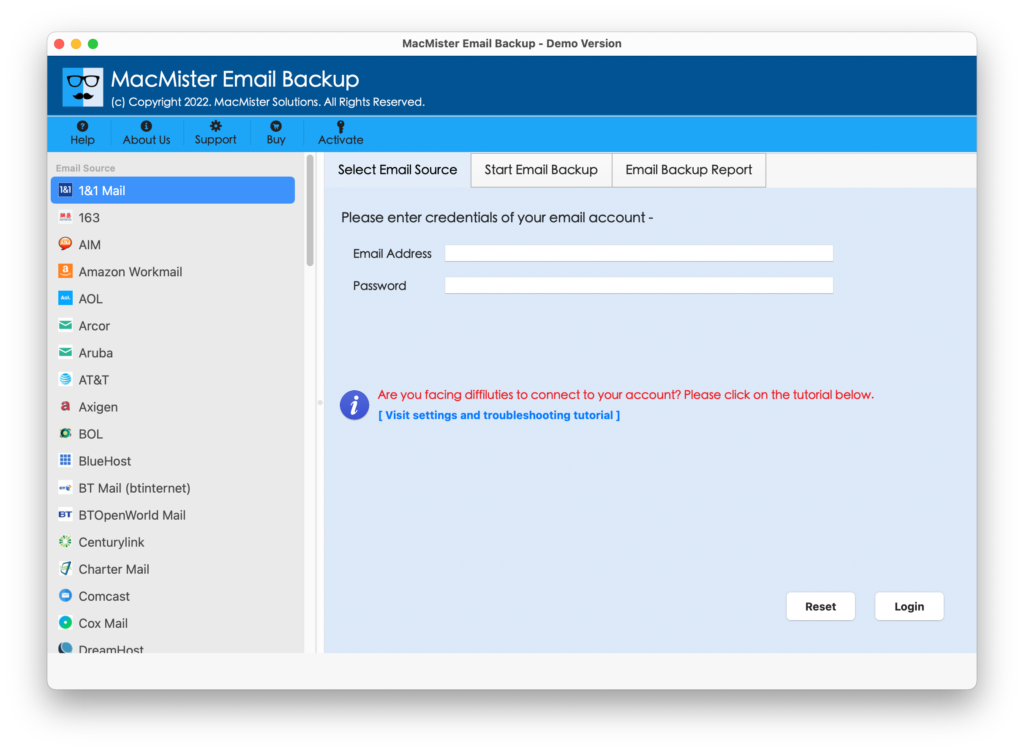
Step 2. Select Yahoo option from the left as a source. Provide the credentials and click the Login button.
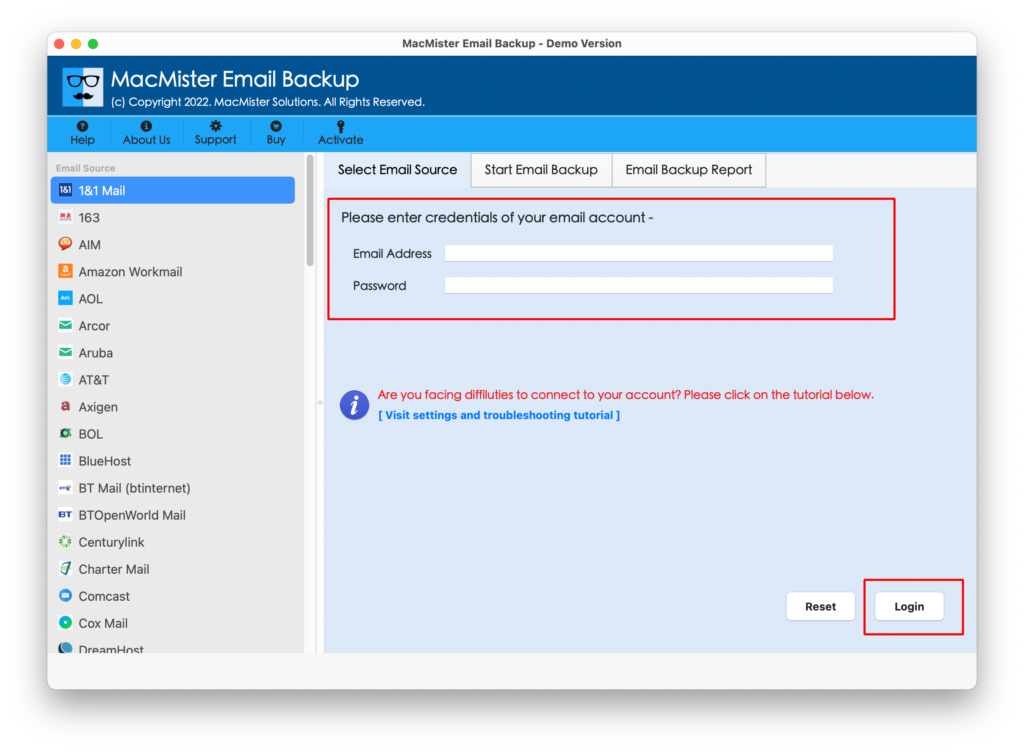
Step 3. The tool will connect with the specified Yahoo account and start listing its mailboxes on the software pane.
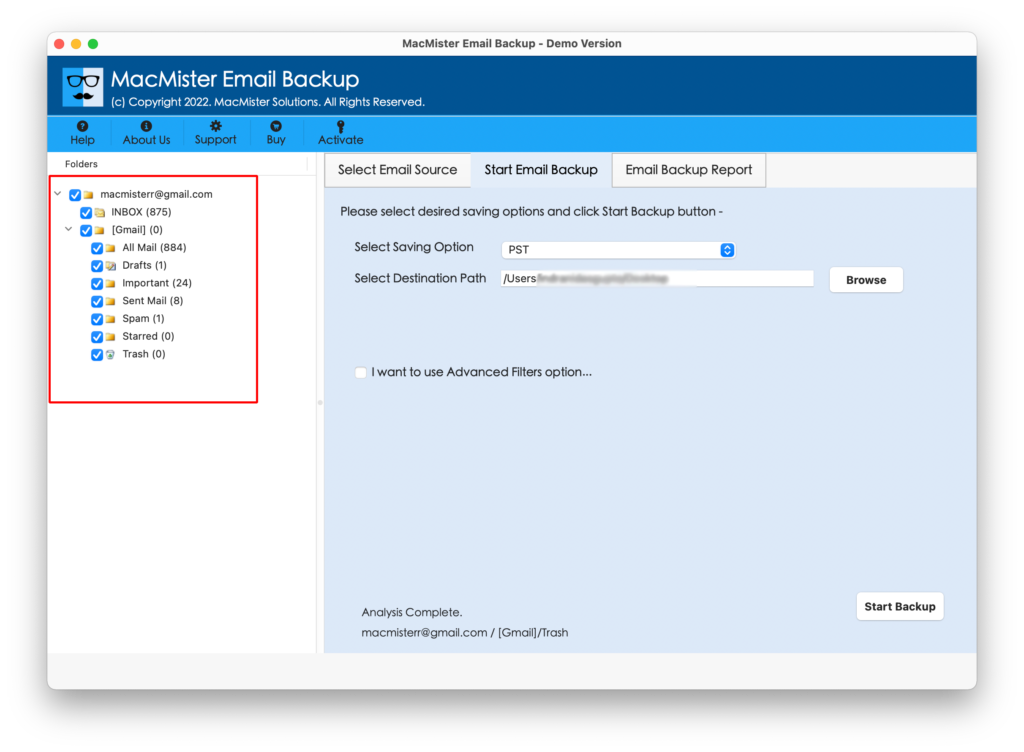
Step 4. Go to Select Saving Options and select the Thunderbird option from its list.
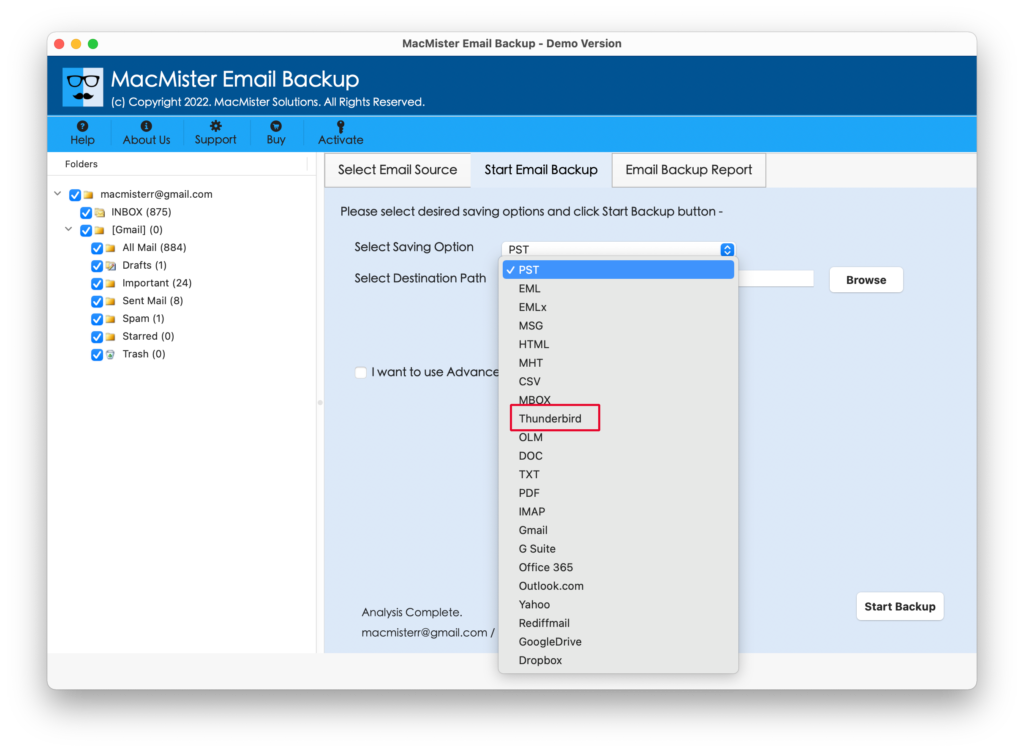
Step 5. Set the options as per your requirements. And, apply Filters if you want to download specific Yahoo emails to Thunderbird. Last, click Start Backup button.
Step 6. The process will run and display Email Backup Report through which one can track the ongoing migration progress of Yahoo emails.
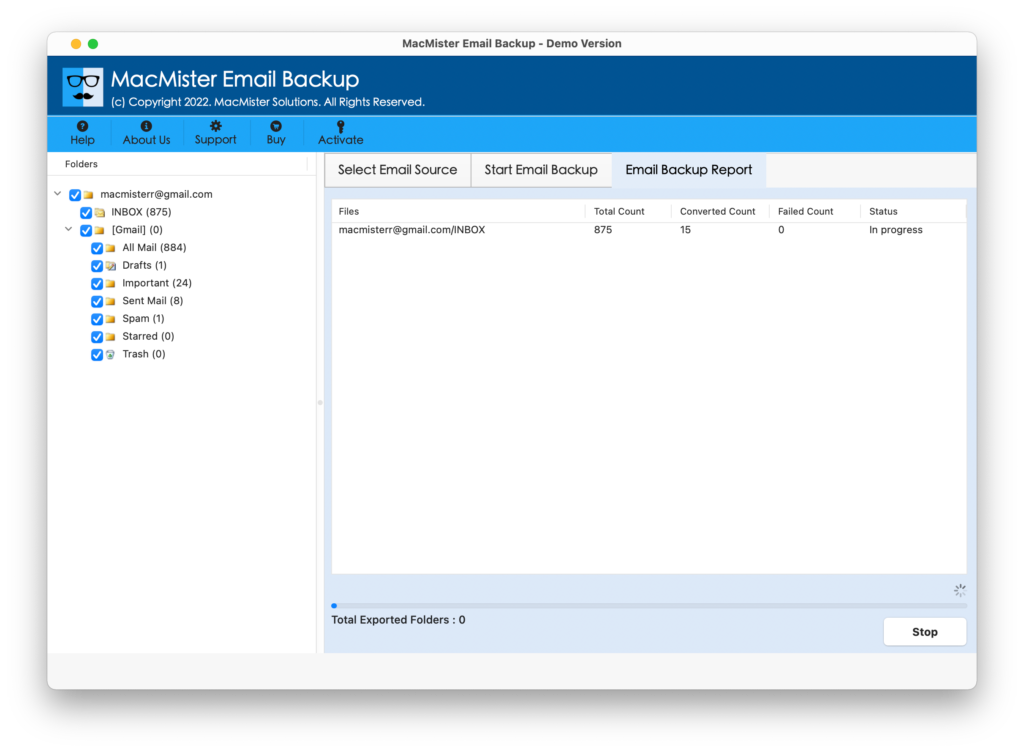
The entire task will finish in a few seconds and users will get a confirmation message i.e. Process Completed. Click the OK button and go to the profile location of Thunderbird to check the downloaded emails.
The data will not be affected and users will receive accurate email messages with precise formatting properties.
Epilogue
The write-up has provided multiple approaches to download all Yahoo emails to Thunderbird on Mac & Windows. Method 1 will help in downloading Yahoo emails manually. However, it can take a little bit of your time as the steps are technical and require the support of skilled professionals. Method 2 is automated and is independently executable. No technical skills are necessary to operate the app. Anyone can use it and perform the process without any difficulty. It has a free demo that users can use to test the working of the software as it allows them to download 25 Yahoo emails free of cost.
Quick Note. For software-related assistance, contact MacMister Support.