How to Export Hey Email to Outlook on Mac & Windows?
Are you migrating to Outlook email client from Hey Mail? But some critical emails are stored in Hey account that you want to export and import into new Outlook profile? Thereby wondering how to export Hey email to Outlook with attachments safely? Searching for a trouble-free and effective solution for the same? No worries, simply follow the write-up and you will end up with a methodology that will help in exporting Hey email to Outlook account.
Hey Mail is an email service that is launched by Basecamp in June 2020. It is easily accessible through the HEY website and through applications supported by Mac OS, Linux, Windows, and iOS. But it is not as popular as Microsoft Outlook which is considered as one of the incomparable email applications of today’s era.
Microsoft Outlook is a world’ most used email application that is equally popular on Windows and Mac operating systems. It is renowned as a Personal Information Manager because it helps in managing users’ emails, calendar events, tasks, notes, contact list, and other items with ease. Initially, Microsoft introduced the email client on Windows and after gaining worldwide popularity, the email platform released for Mac OS. The email application is easy-to-setup and use. Users can easily add necessary email service provider and start using Outlook email services without any difficulties.
The only challenge is how to export Hey emails to Outlook. Because, Hey Mail and Outlook are different email clients. Their way of storing data is also different. Hey Mail export users emails and attachments in MBOX whereas Microsoft Outlook make use of PST on Windows and OLM on Mac. Although, Outlook for Mac provides import option to import PST files as well.
Therefore, in the further section we have discussed the techniques to export Hey Mail to Outlook on both Mac & Windows. But before that, we have explained how to export emails from Hey Mail account.
How to Export Emails from Hey Mail account?
Follow the steps to export all emails from Hey Mail account:
Step 1. Login to Hey Mail account.
Step 2. Click Me at the top-right corner and select Account Setup.
Step 3. Tap Export your Data option.
Step 4. Select Export my Emails.
Step 5. After the export is done, tap Download emails.
The emails will be downloaded in a mailbox file which will be represented as .mbox.
How to Export Hey Email to Outlook on Mac & Windows?
The easy way to export Hey email to Outlook is MacMister MBOX to PST Mac Converter Tool. It is a solution that allow users to batch export Hey Mail mailboxes to PST at once with emails and attachments. It is a user-friendly application which is easily operable by all technical and non-technical users to export Hey mailboxes into Outlook. The application also provides OLM as a saving option that necessary users can choose if they want to export Hey email to OLM file format.
Moreover, there are wide-ranging features available that allow users to export Hey email to Outlook according to their requirements. However, the software also provides freeware version with the help of users can check the entire working for free.
Working Steps to Export Hey Email to Outlook on Mac
Step 1. Download and run MacMister MBOX Converter for Mac app on Mac OS.
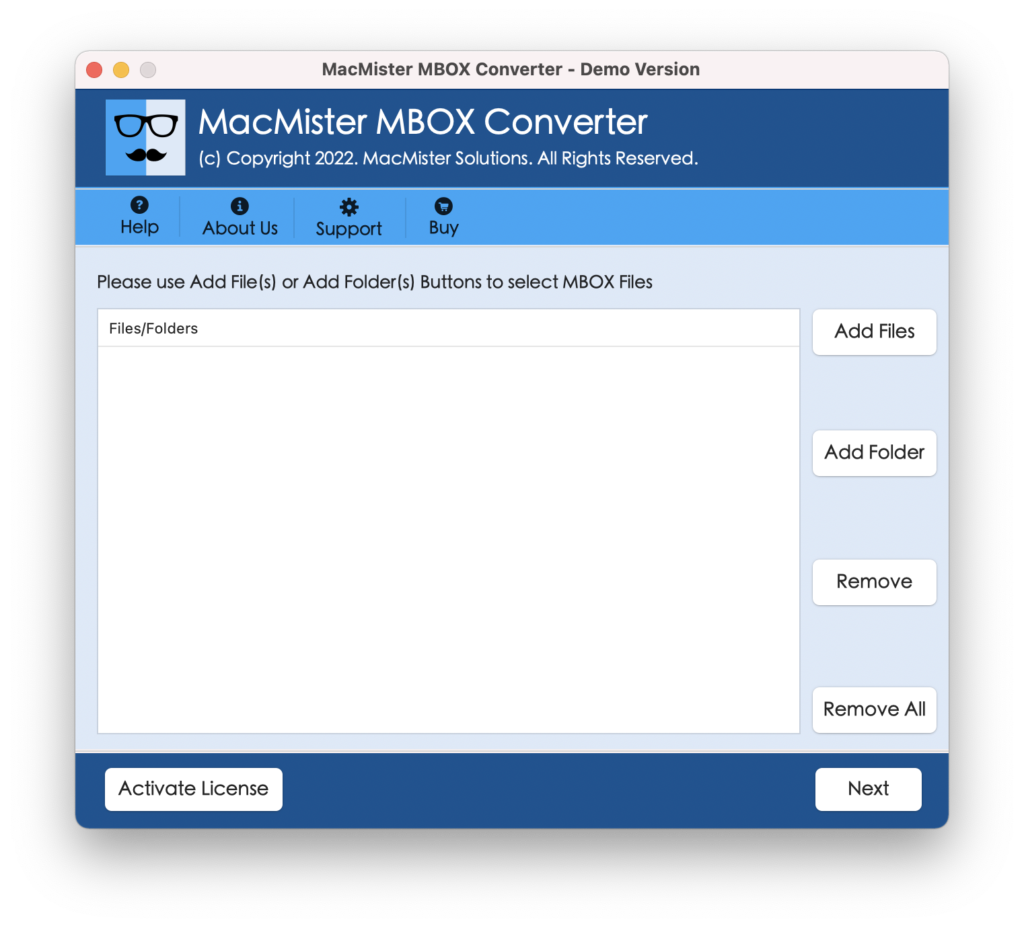
Step 2. Add Hey Mail downloaded email files on the application with the help of Add File(s)/Add Folder options. Click Next to continue.
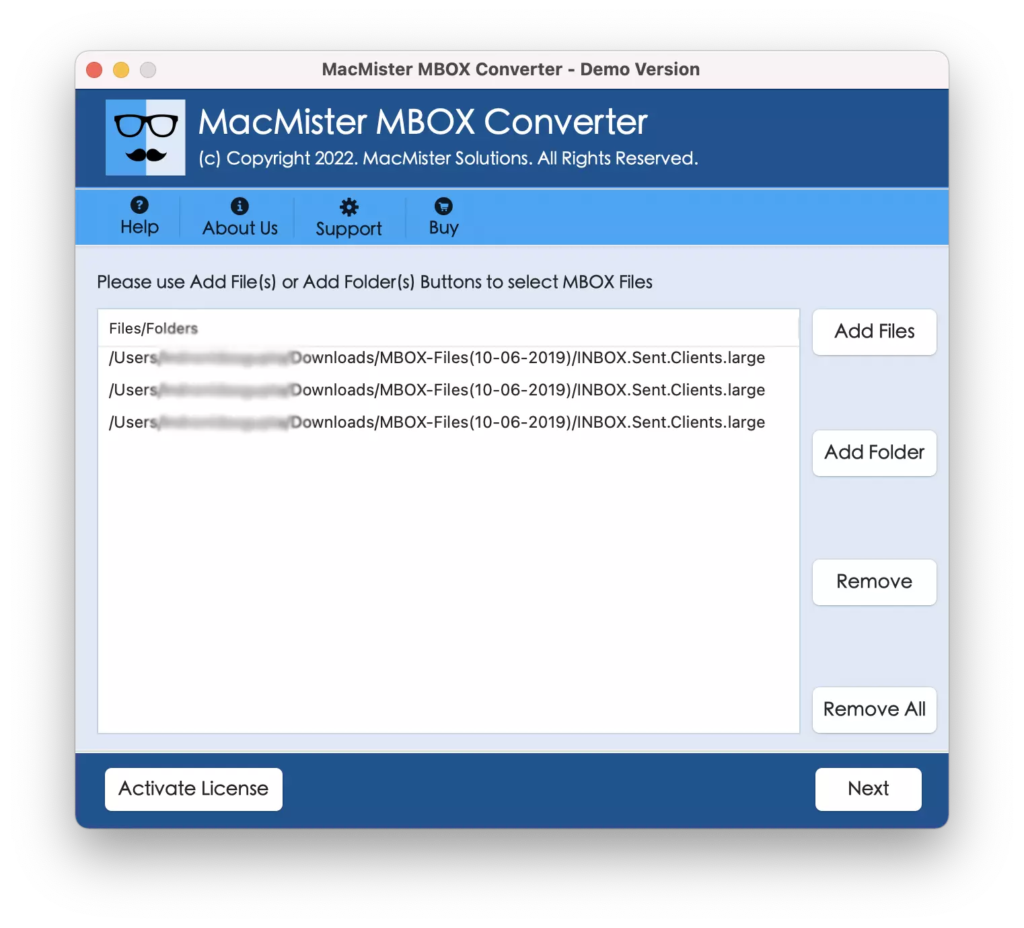
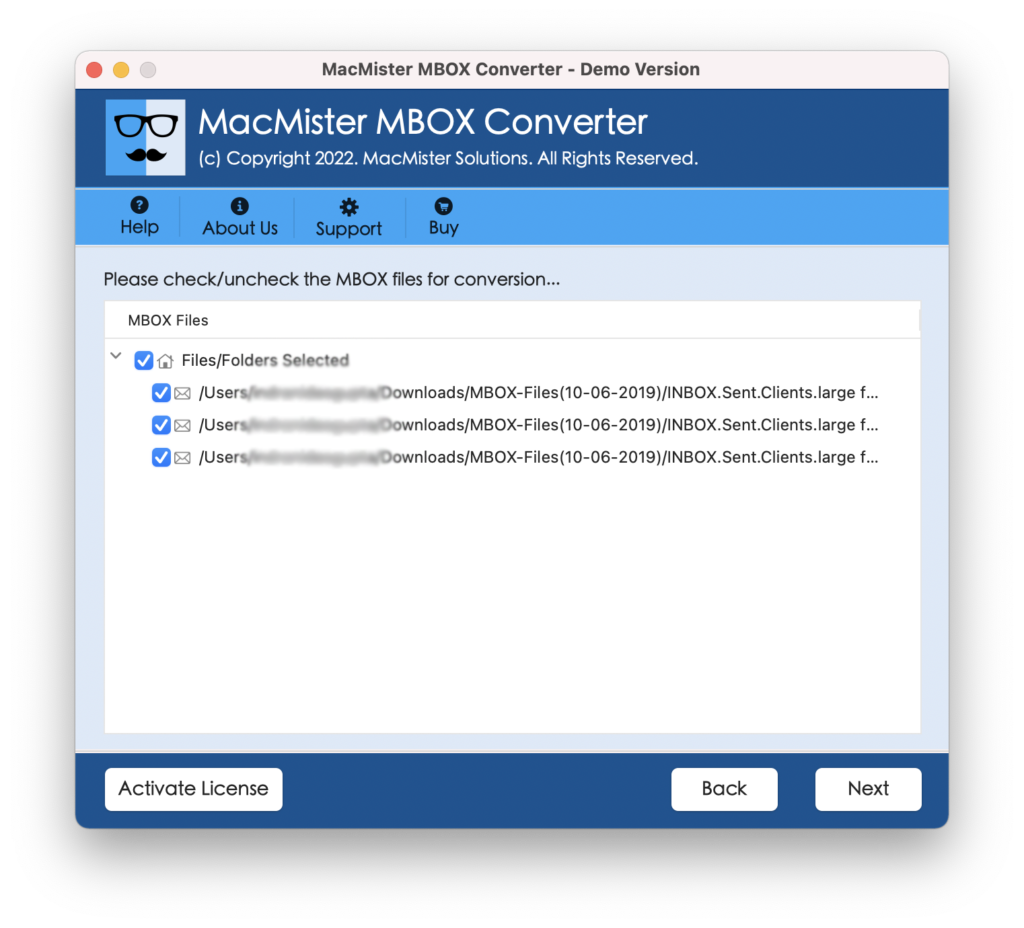
Step 3. The tool start adding Hey Mail files with selected checkboxes one-by-one. However, users can deselect the unnecessary checkboxes and only export selected mailboxes to Outlook-supported file formats, if required otherwise click Next to continue.
Step 4. Click on the Select Saving Options and choose PST/OLM file saving formats from the menu.
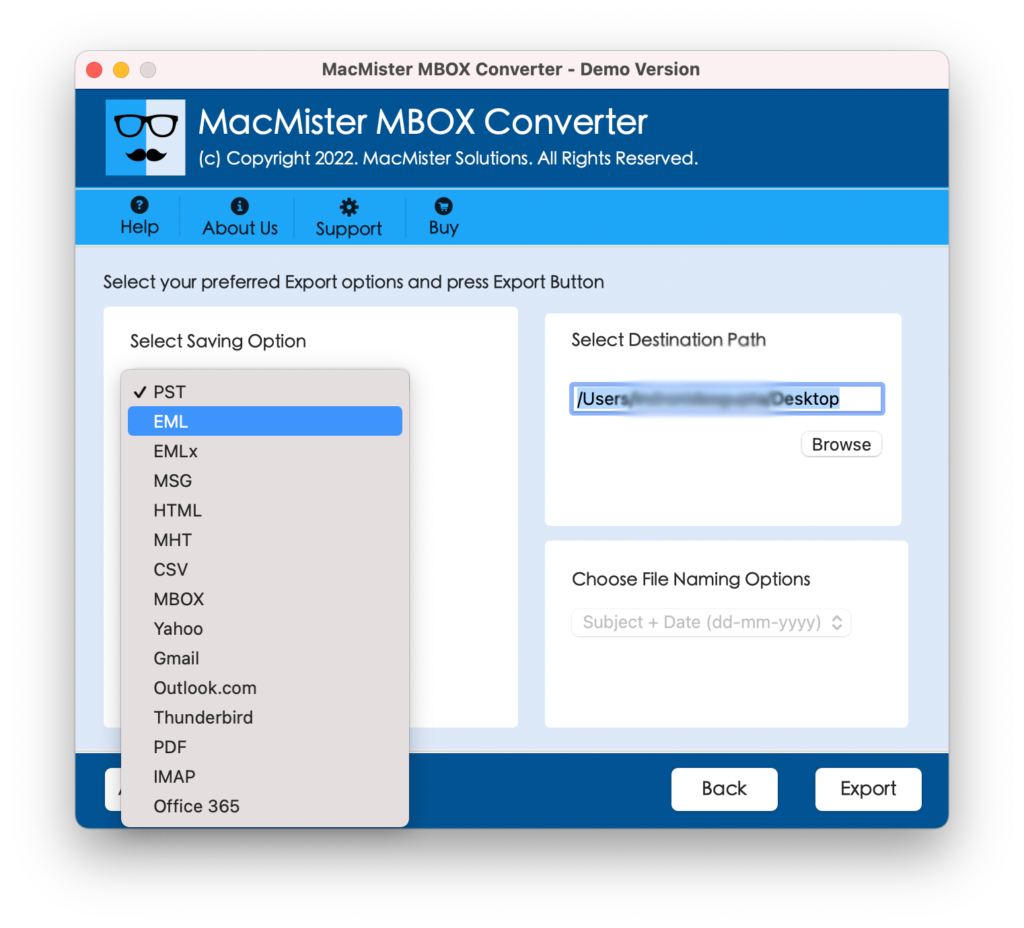
Step 5. Set their options according to your requirements and click Export button.
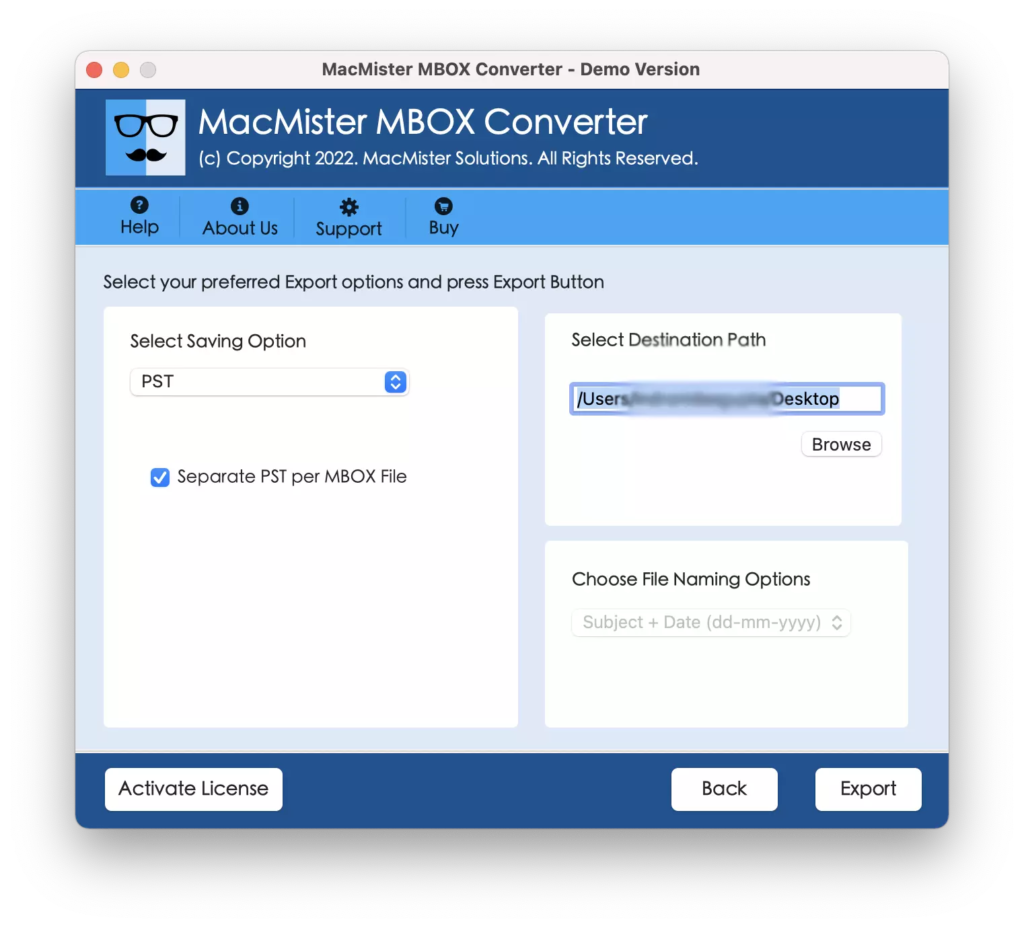
Step 6. The application will start the process and users will be able to track the ongoing conversion progress of Hey Mail mailboxes.
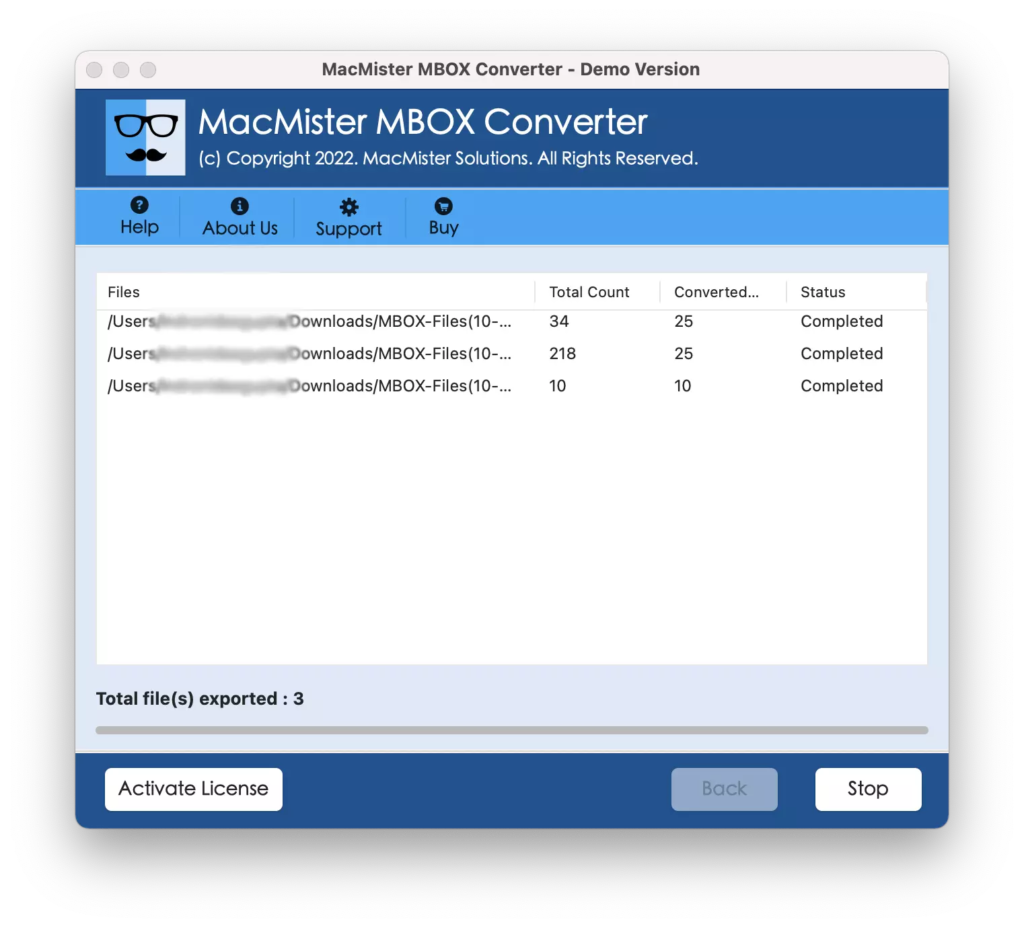
The process will be completed with a message “Conversion Completed” confirming that the application has successfully converted Hey emails to Outlook. Now, you can import the resultant files in required Microsoft Outlook account. Either you can import both PST or OLM file into Outlook for Mac or you can move the resultant PST files on Windows through cloud-based service or external storage drive.
However, you will find no change in your files. Every email will appear with accurate content and formatting properties.
Why Choosing MacMister Hey Mail to Outlook Solution is Beneficial?
MacMister Hey Mail to Outlook is known for its smooth process and accurate delivery of the result. It is designed with many features and options that will help users in saving Hey emails to Outlook according to their requirements. We have discussed some of them in brief below-
- The tool has a user-friendly interface which can be managed and operated independently by anyone.
- Offers dual options such as Add File(s)/Add Folder options to add Hey Mail mailboxes on the software for conversion into PST/OLM formats.
- Supports multiple saving options including PST & OLM i.e. EML, MBOX, EMLx, CSV, DOC, MSG, IMAP, Thunderbird, Gmail, G Suite, Yahoo, Office 365 and more.
- Allows to set the destination path as per choice to save resultant files.
- Able to batch export Hey Mail mailboxes to Outlook without data loss at once.
- Keeps the formatting properties of emails and attachments intact during the process.
- Maintains the originality of email content and email layout after conversion.
- Runs on both Mac & Windows operating systems and also supports their complete range of editions.
Epilogue
In the write-up, we have discussed the easiest and safe way to export Hey email to Outlook on Mac & Windows. The solution is reliable, cost-effective, and secure. It possesses a simplified environment so that any user can operate it effortlessly and easily export all Hey emails with attachments to Outlook in a few seconds. And besides PST & OLM, users can use the same application to export Hey emails to EML, EMLx, MHT, HTML, CSV, DOC, IMAP, Thunderbird, Gmail, G Suite, and more.