How to Export Spicebird Email to Outlook PST Folder on Mac?
Are you having Spicebird mailboxes but looking for a solution to import it into PST format on mac OS platform? If yes, then simply continue reading the article because here we are offering the easy and time-saving application that will instantly export Spicebird email to Outlook PST on any Mac OS version effortlessly. But what is more important is why Mac users want to export Spicebird emails into PST.
Spicebird is a known Thunderbird based email client which is designed by an Indian organization Synovel. It is integrated with E-Mail, Instant Messaging, Google Accounts, Calendar, Instant Messaging and Google Accounts. The email app offers a collaborative platform which ease the communication services by utilizing integrated tools. Moreover, it is a personal information manager because it smoothly manages the user’s personal account database. Spicebird has marvellous features but currently it is not available in the market as it is lacking in providing good official support. And, these days, people are moving to Windows Outlook. Because, Windows Outlook is more comfortable to use and offers easy accessibility options with a good support to its users.
Spicebird keeps its user mailbox email files in a single .mbox format. And, Windows Outlook is an email client that make use PST folder to store user items. Thus, to export Spicebird email to Outlook PST, one need to perform the conversion of MBOX to PST Mac. But, how? The solution is easy but before knowing that, let us first know the steps to extract MBOX files from Spicebird account because then only we will be able to migrate Spicebird email into Outlook PST.
Steps to Extract Emails from Spicebird Account
Follow the steps and know the steps to extract Spicebird mailbox files:
- Open Spicebird >> Select Tools from drop-down menu.
- Choose Account Settings from drop-down menu.
- Select Server Settings from Account Settings window.
- Last, copy path to local directory.
- Paste the path in the search bar of File Explorer window to extracted mailbox.
How to Export Spicebird Mailbox to Outlook PST?
MBOX Converter is the only solution which allow users to export Spicebird mailbox to Outlook PST. The application has two versions, one is for Windows platform and another is for Mac. The software carries easy GUI and fast processing environment. Users with professional and non-professional knowledge can use the solution instantly to export Spicebird emails to Outlook.


Moreover, the application has many excellent features that are designed in a way that users can execute the conversion of Spicebird emails to Outlook PST as per requirements. And even, the trial edition is available that one can use straightaway to check the procedure to export emails from Spicebird to Outlook.
Steps to Export Spicebird Mail to Outlook PST on Mac
Step 1. Run Spicebird to PST Converter Tool on macOS.
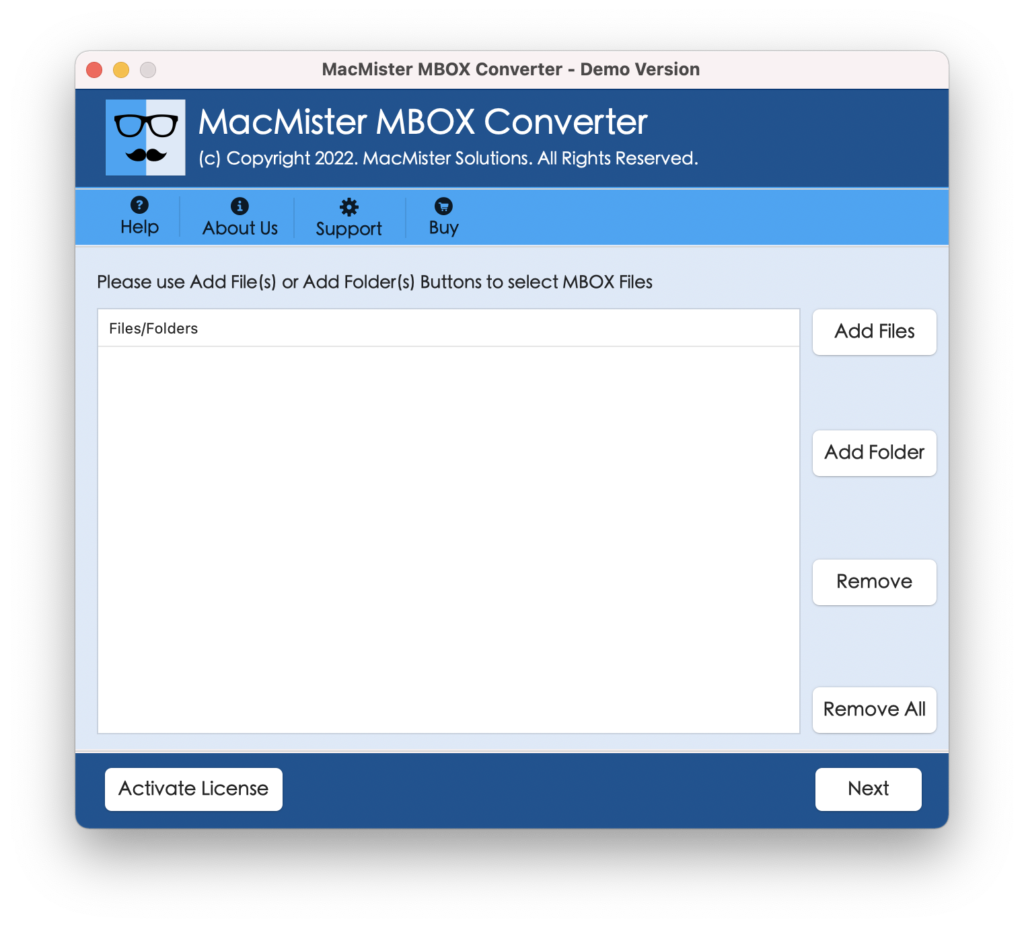
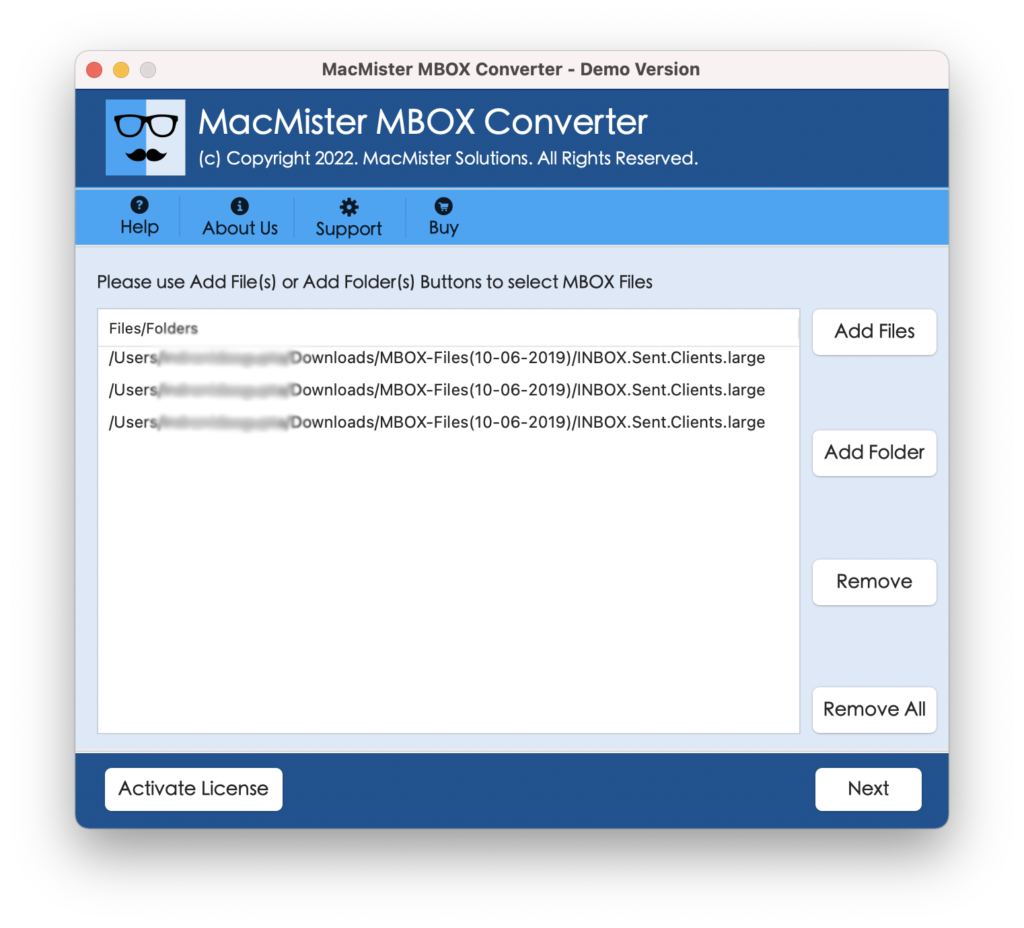
Step 2. Use the tool Add Files or Add Folder button to load required Spicebird mailboxes on the software pane. Click Next.
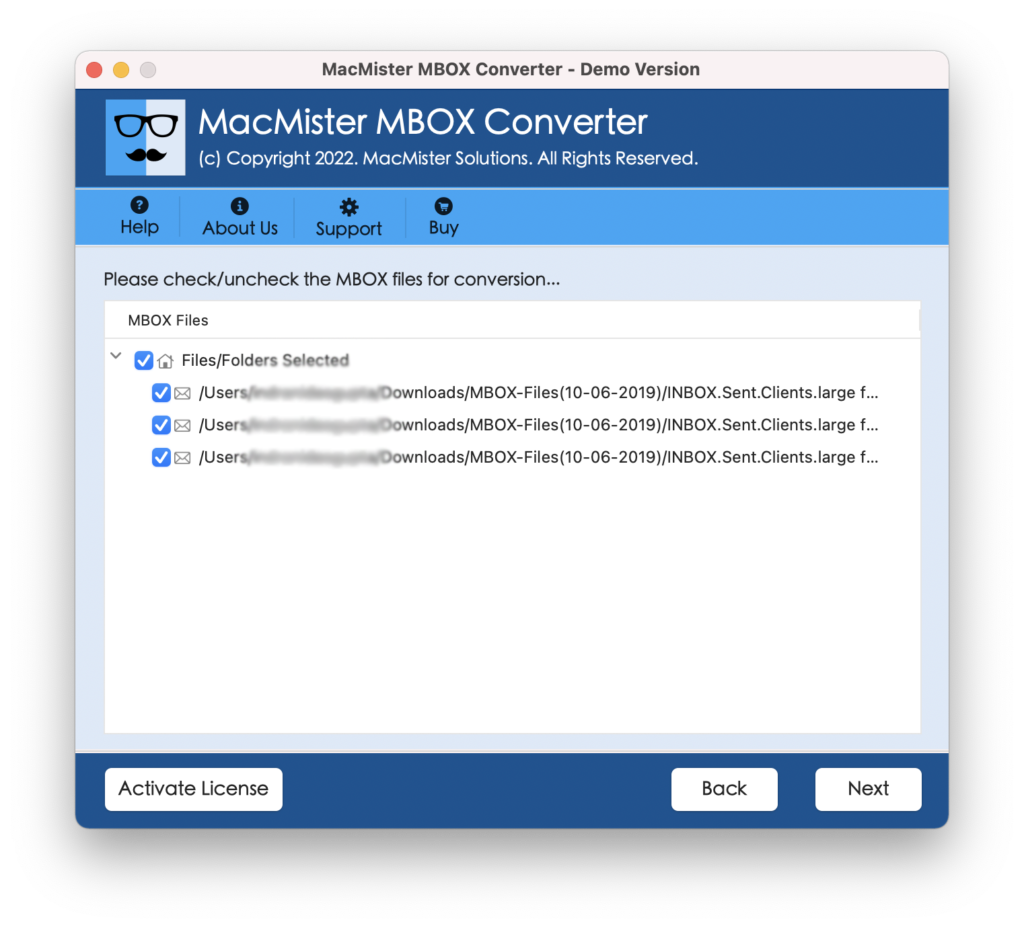
Step 3. Spicebird mailboxes are now listing one by one on the screen with a checkbox. The use of a checkbox is to migrate selective Spicebird emails into PST. Click Next.
Step 4. Select the PST format from Select Saving Option drop-down menu.
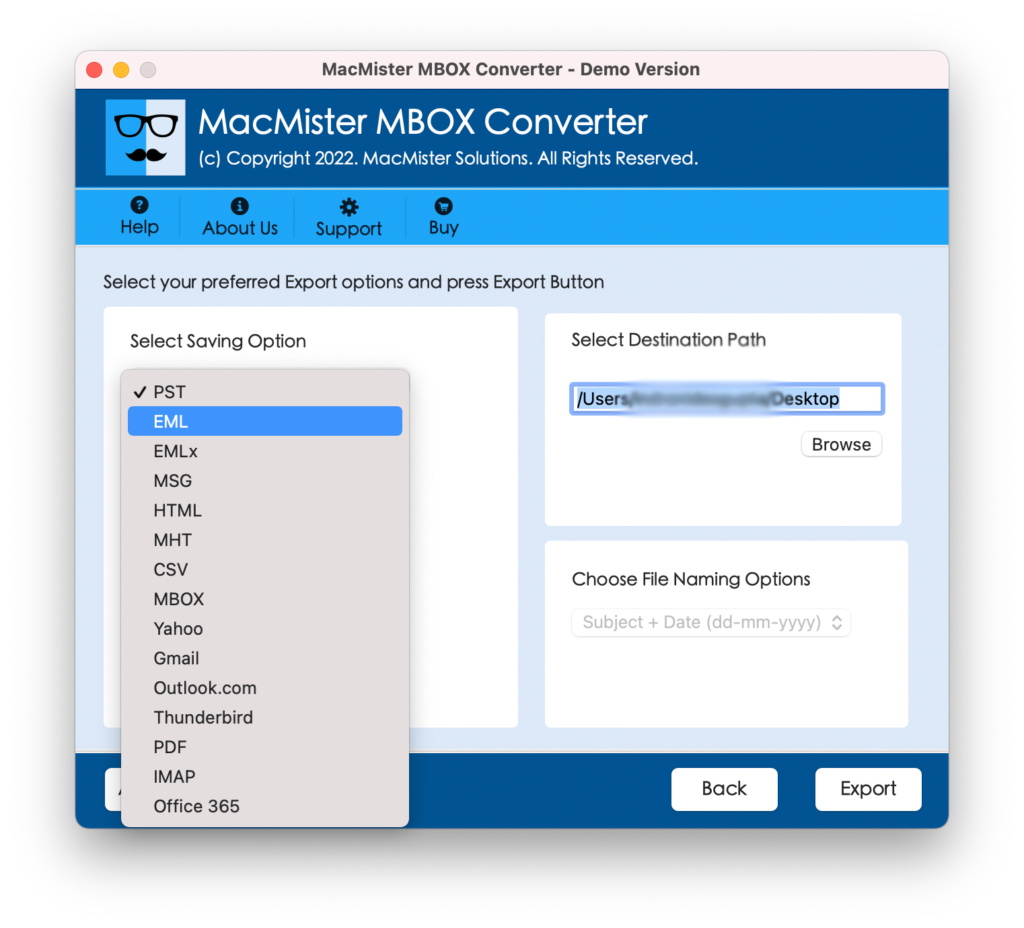
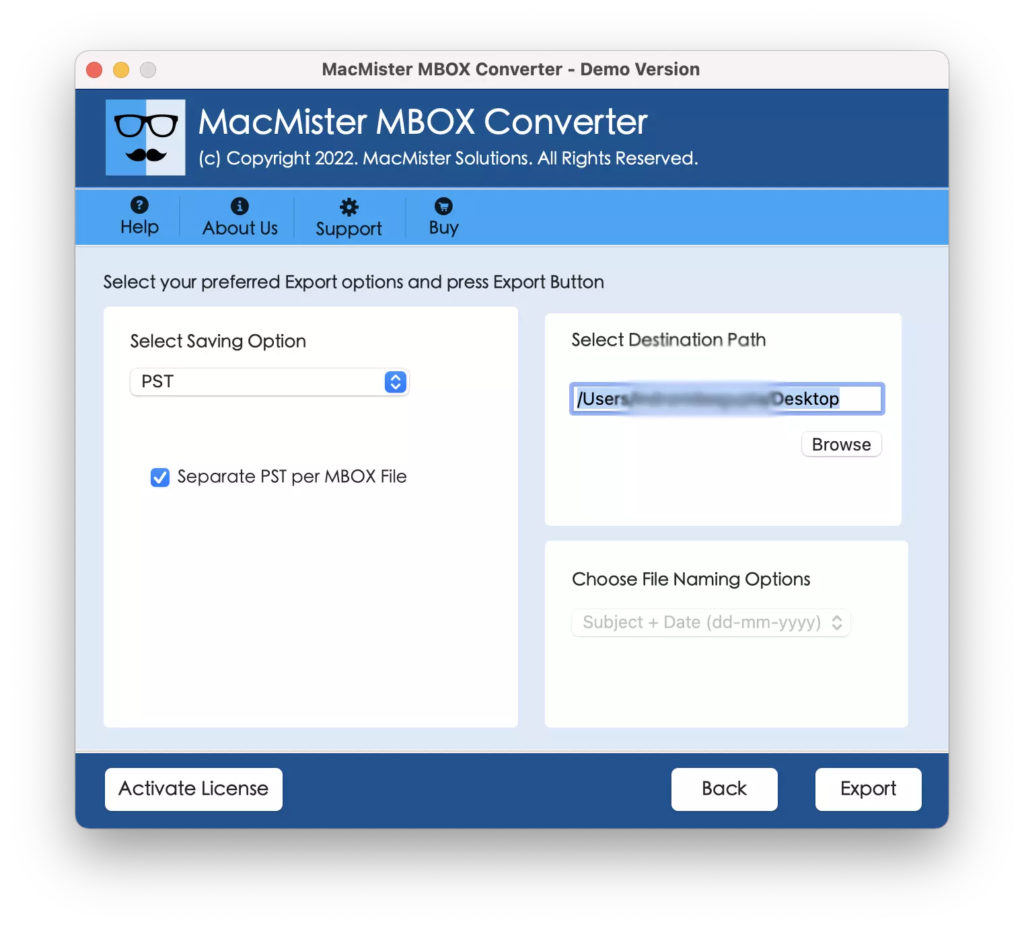
Step 5. Set the given PST sub-options as per need and click on Export button.
Step 6. Check the Live Spicebird to Outlook PST Process. Also, track the total emails converted and total emails left for conversion.
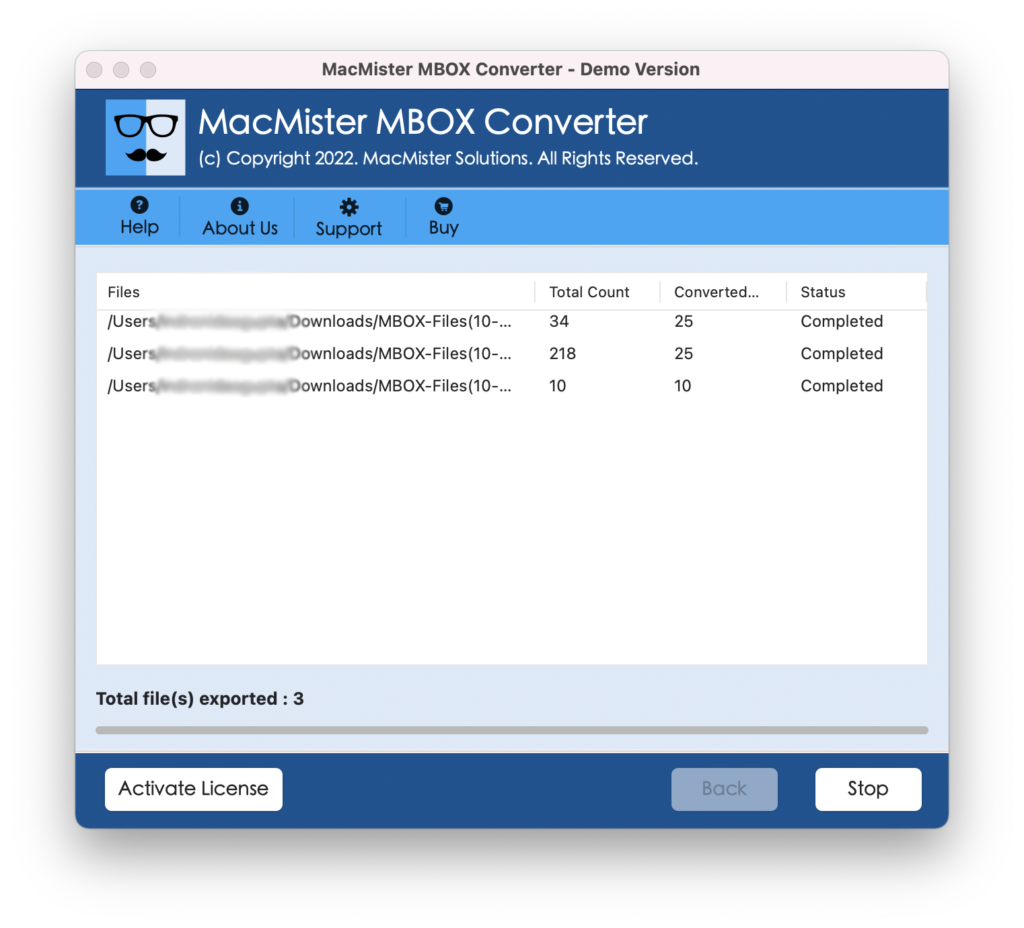
After the complete and successful conversion, users will receive “Conversion Completed” pop-up on their screen. Click OK and save PST file in external storage drive or upload it on a cloud drive in order to transfer it to Windows operating system.
Steps to Export Spicebird Mail to Outlook PST on Windows
Step 1. Run Windows Spicebird to PST Application on Windows.
Step 2. Go to Add Files option appearing on top left. Then click on Select Files or Select Folder button to upload required Spicebird mailboxes on the software.
Step 3. You can use the Preview section to view the data of required email.
Step 4. Go to Export button now and select PST file type from Select Saving Option.
Step 5. Set filters and other sub-options appearing under PST file and click on Convert button.
Step 6. The process will start immediately and after conversion shows “Conversion Successfully Completed” message on the screen. Click OK.
Step 7. Now, import resultant PST file in Windows Outlook on Windows OS.
What are the Advantages of Choosing Solution?
There are many advantages of choosing the application and some of them are as listed:
Batch Mode
The app is programmed with a batch mode option that allow users to batch export Spicebird files to PST at once. And, this will achieve by using the software’s Select Folder button. Users need to simply save multiple MBOX files in a single folder and then add it with the help of the property for batch conversion in a single time.
Advance Filters
With the help of the Filters option, users will be able to save the required Spicebird mailboxes into PST format. If users are using Windows version of the tool, then they will find two different filter options i.e. All Items and Apply Filters. All Items option will export all MBOX file data and Apply Filters allow users to apply the date range, subject, to, from, etc. to save specific Spicebird data to PST.
Easy Interface
Both the versions have a simple GUI structure and carries easy manageable steps. Users do not need any help from specialists in executing the procedural steps of the tool. Even novice users can use the solution without external help and effortlessly export Spicebird mailbox to Outlook PST.
Supports all Mac OS and Windows OS
The software works on all macOS and Windows OS versions. Users can download the tool and perform the migration process on macOS Ventura, Monterey, Big Sur, Catalina, High Sierra and earlier versions. On the other hand, Windows users can download and use the tool on Windows 11, 10, 8.1, 8 and on previous versions.
Final Thoughts
The article here has focused on an approach that works on Windows and Mac OS. The application is easy, reliable and quick to operate. Both versions have a free demo that are added so that users will get the practical experience of the software working for free. It allows to save 25 Spicebird emails to PST free of cost. For any queries, contact MacMister Support team and they will do everything to provide you with best support.