How Mac Users can open MBOX File without Apple Mail?
Are you having MBOX files but not Apple Mail? Wondering how Mac users can open MBOX file without Apple Mail account effortlessly? Looking for a simple and quick approach to implement the required task? Not to worry because in the article we have discussed an incredible solution which Mac users can use to open MBOX file without Apple Mail email client.
MBOX is a widely used file format which many email applications support to store the list of email messages and attachments. A lot of Apple Mail users store essential emails in MBOX from time-to-time because email applications are susceptible to threats which can lead to severe loss of data anytime. However, MBOX is a platform-dependent file format, although it can be accessed with the help of any text-editor but this will not show appropriate content to users. That is why many start searching for a suitable technique which could help them to open MBOX file without Apple Mail.
Quick Note. Try MacMister MBOX Converter for Mac Tool to export bulk .mbox files into 15+ saving options. The app enable users to export .mbox files into Mac-supported file formats and email clients such as PST, EML, HTML, OLM, DOC, CSV, Gmail, Yahoo Mail, Office 365, and more.
Why Users Pick PDF Format to Open MBOX File without Apple Mail?
PDF stands for Portable Document Format; it is a file which users can open anytime on any device. However, it cannot be modified but easily shared and printed. Even, one can capture the elements of a printed document as an electronic image which one can view, navigate, print or forward to others. The file is independent of the software, hardware or operating system they are viewed on.
PDF has plentiful benefits; some of them are highlighted here:
- It is easily accessible from anywhere anytime.
- Easily compress large files for easy sharing.
- Supports multiple security options to safeguard PDF document.
- Integration with different content types such as images, videos, 3D models, animation, etc.
- Shows PDF document with exact content and layout on any platform.
Overall, PDF is a right choice for every user who wants to open MBOX file without Apple Mail.
How Mac Users can open MBOX File without Apple Mail? – [SOLVED]
The simple and effective way to open MBOX file without Apple Mail is MacMister MBOX to PDF Converter Mac. With the help of the tool, users can batch convert MBOX to PDF at once and open MBOX file without Apple Mail with ease. The application also contains friendly interface that professional and non-professional users can independently operate to implement the required process. Even, the three-step process will save users time, helping them to accomplish the process in few seconds.
Moreover, the software provides many features which can be applied to obtain the required results. However, you may download the trial edition of the application to experience the working steps for free.
Working Steps to Open MBOX File without Apple Mail
Step 1. Download and run the app on your Mac.
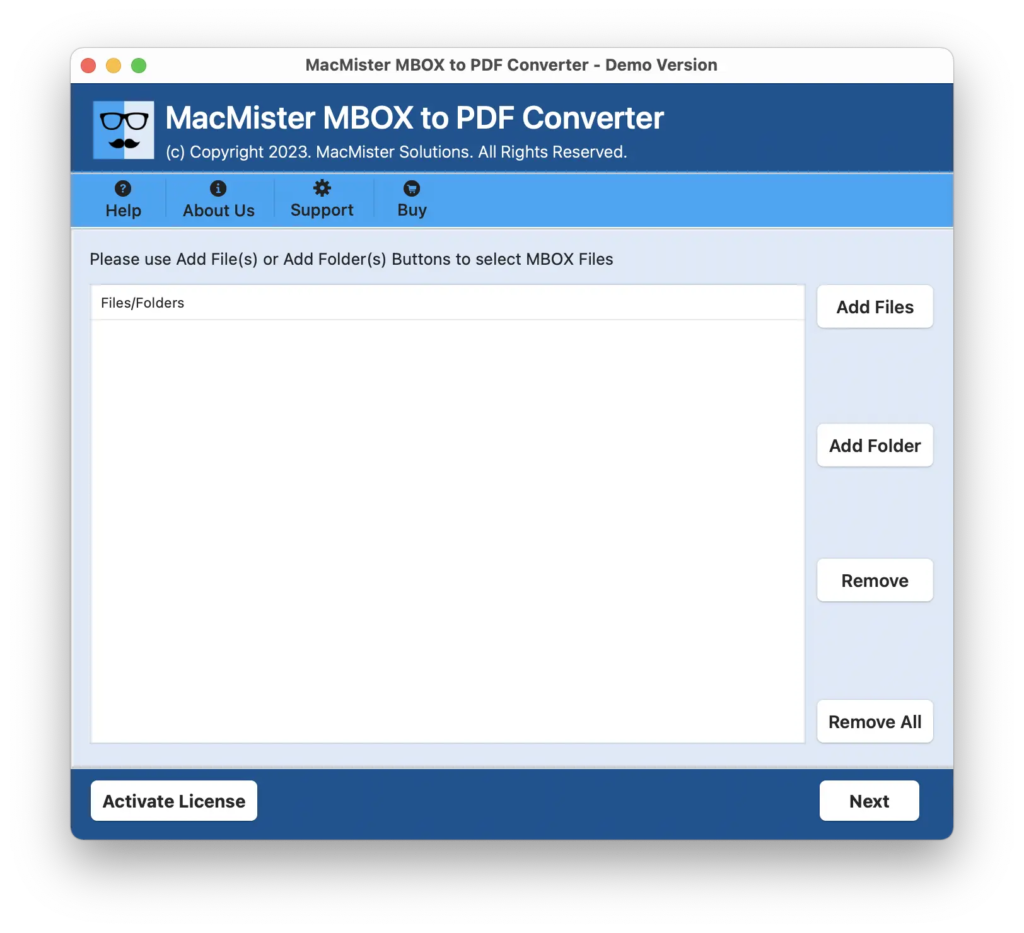
Step 2. Add MBOX files on the application with the help of Add File(s)/Add Folder button. By clicking on the Add File(s) button, users can add individual MBOX files on the tool. And by clicking Add Folder button, users can add a folder entirely containing unlimited MBOX files on the application. Click Next to continue.
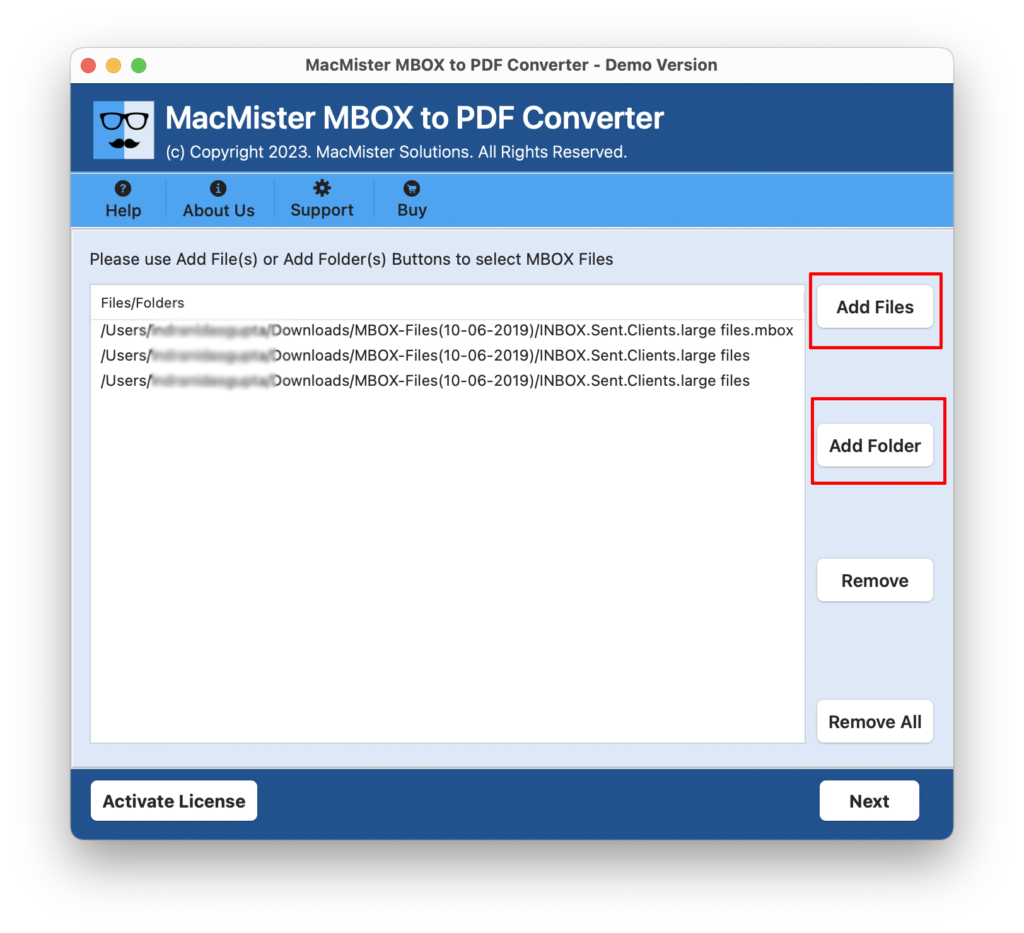
Step 3. The application now starts displaying MBOX files with checkboxes one-by-one. By default, the entire checkboxes are selected but you can deselect them and select them again according to your requirements if you need selective conversion. Otherwise, click Next to continue.
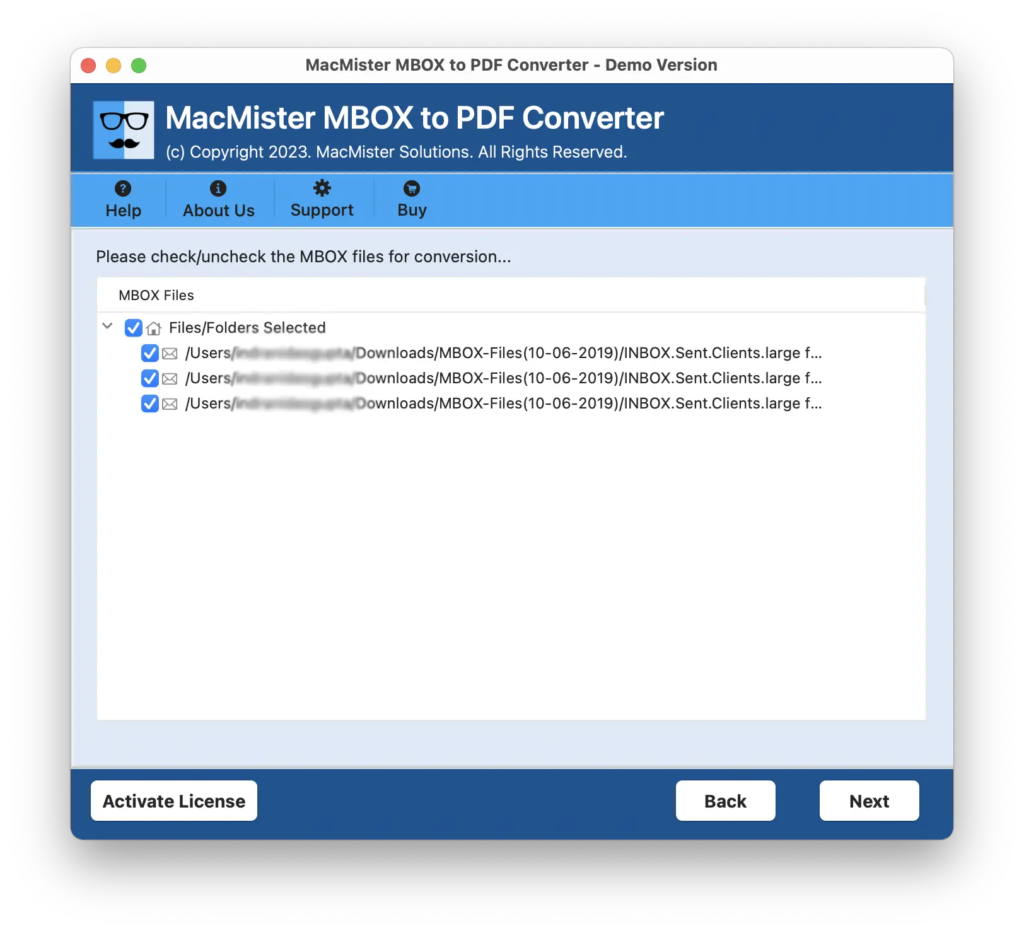
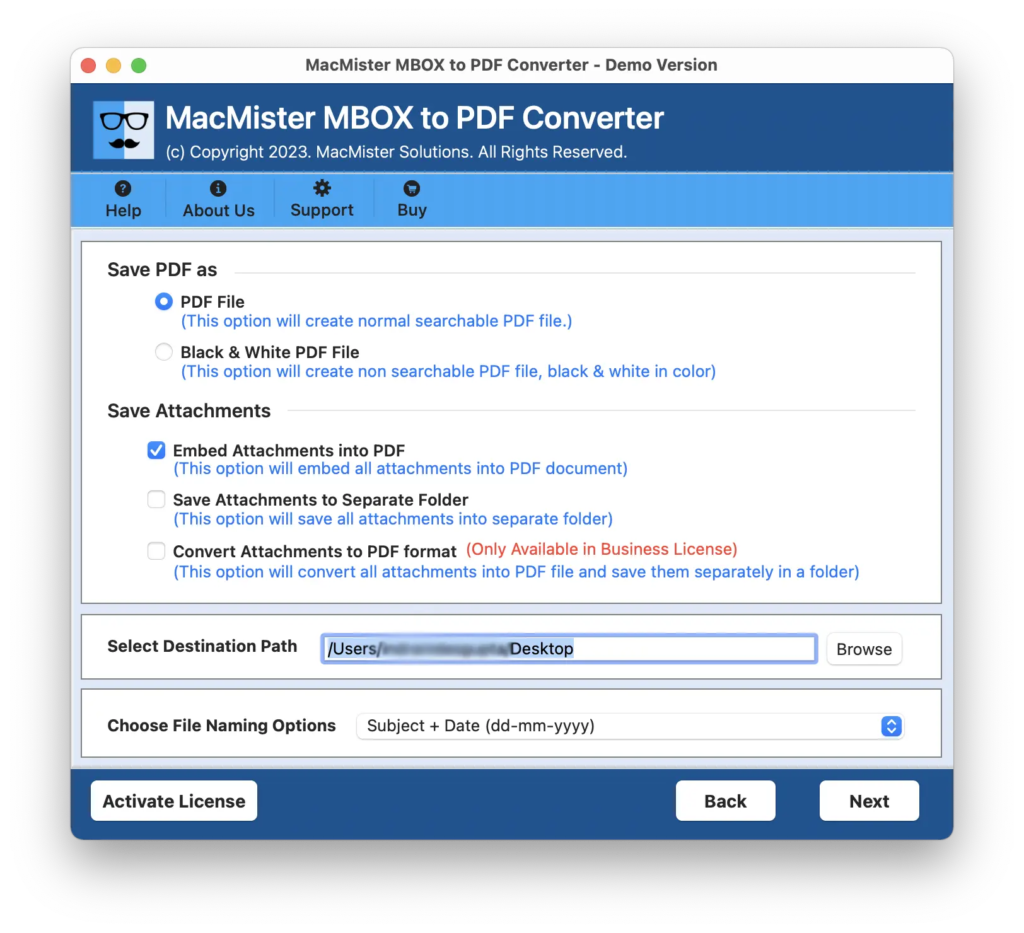
Step 4. Now, set the PDF options according to your requirements such as Save PDF file, Black & White Colour, Save Attachments to Separate Folder, Embed Attachments to PDF, Convert Attachments into PDF, File Naming Options, and Set Destination Path. Click Next to continue.
Step 5. Apply Filters of your choice and click on Export button to start the process.
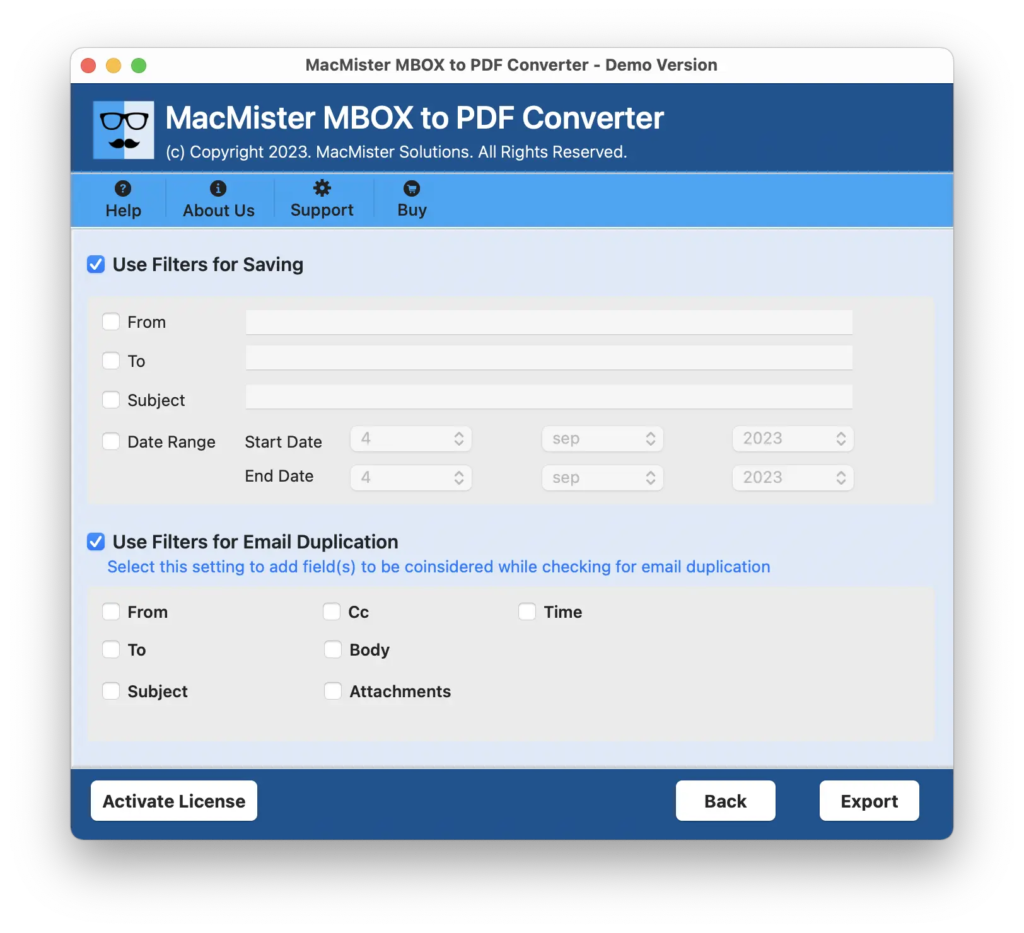
Step 6. Now, you can view the live conversion of MBOX files which will also help you to track the ongoing conversion progress of MBOX files.
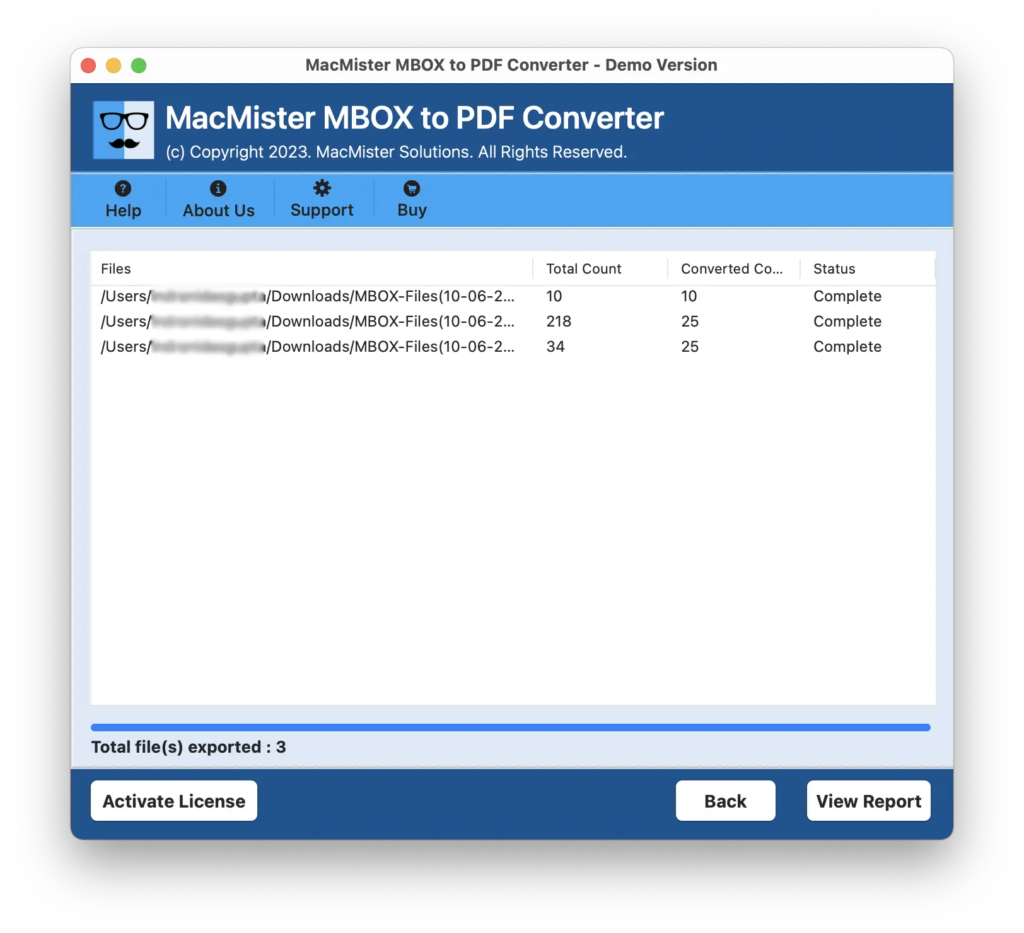
In few seconds, the process will finish and the application will show “Conversion Completed” message which confirms that the process is completed successfully. Click on OK and go to location where PDF files are saved. By opening the required PDF document, you will see that the content is accurate and precise. The formatting properties and layout is also appearing precise.
Main Benefits of the Application
- Able to implement batch process at once.
- Keeps the MBOX data secure and protected during conversion.
- Supports different options to save attachments such as embed attachments to PDF, convert attachments to PDF, and save attachments to separate folder.
- Different filter options are also present such as subject, date range, from, to, etc. that user may take help of to save specific .mbox files as PDF.
- Includes Select Destination Path option that enable users save resultant files at desired system location.
- File Naming options are also available with the help of one can preserve their outcome in an organized way by applying different naming combinations.
- Available in Windows and Mac versions.
Epilogue
In the write-up we have provided an exceptional solution that perfectly resolves “How Mac users can open MBOX file without Apple Mail?” The solution is 100% safe to opt. It is certified which makes the application trustworthy and reliable. Moreover, its simplified interface is accessible by anyone with ease. You can download the free demo version now to understand the whole process for free. It also allows importing 25 MBOX files to PDF free of cost.