How to Backup & Save Hotmail Emails to Hard Drive on Mac?

Are you in a need of technique to download Hotmail emails to hard drive directly on Mac? Then no worries, simply follow the article providing appropriate solution to save Hotmail emails to hard drive. Moreover, the complete process is discussed further that directly allows to backup Hotmail account with mails and attachments.
Hotmail is one of the oldest and popular webmail server that firstly introduced in 1966. It is completely free to use and comes with unlimited storage space. A year later, it was acquired by Microsoft and then it became popular as MSN Hotmail. The rebranding didn’t stop here. After MSN Hotmail, it later rebranded as Windows Live Hotmail but in 2013 again changed to Outlook.com. However, the Hotmail is quite popular for the following features –
- The A-Level security save users credentials from phishing attack.
- Free Microsoft web apps can be accessed easily by users. Users can easily view, edit and share office documents without downloading them locally.
- Office colleagues and friends can work on the same document at one time.
- Allows to edit the document online. Also, before user edits the document, Hotmail will automatically copies the document in Windows Live Skydrive account.
- Hotmail is integrated with Skydrive. So, users can send file upto 10 GB in a single mail.
However, Hotmail has many benefits but there could be some challenges as well that pressurise users to backup Hotmail emails locally.
Why to Backup Hotmail Emails to Hard Drive?
There are many reasons to backup Hotmail emails to hard drive. Hotmail is a cloud-based server and nowadays many users are switching to cloud-based platform. However, there are many popular cloud applications which makes the work easier for large organizations and even for users who are using personal account. But, on the other side, it is also true that cloud-supported applications are quite unsafe if not strongly protected.
So, if a webmail server does not offer appropriate and high security protection then it will keep the users data at risk. Because, these days many hackers able to hack the account due to which all the users data lost immediately. Some of the popular reasons to download & save Hotmail emails to hard drive are –
- Susceptible of hacking and different dangerous virus attacks.
- Users can only view the email and document when connected with the internet.
- Sudden server shutdown could make the account inaccessible for some time.
- Switching onto a different email client from Hotmail.
- Delete emails that are marked as junk without providing notice to users. Sometimes, erases important mails as well.
How to Download Hotmail Emails to Hard Drive on Mac?
With the help of Hotmail Backup Tool, users can precisely save all Hotmail emails to hard drive on Mac with attachments. The application delivers facility of saving emails from Hotmail account directly. However, the GUI of the tool as well the friendly operational steps saves the time of users helping them implementing the process quickly and accurately. Moreover, the utility has the ability to save Hotmail emails into 15+ Mac supported saving types such as PDF, OLM, MBOX, MSG, EML, PST, EMLx, MHT, HTML, DOC, Thunderbird and more.

The features of the software provides remarkable result. They can be applied according to user requirements. Moreover, the tool offers free demo version that will help users to test each and every option without any charges.
Steps to save all Hotmail Emails to Hard Drive Mac
Step 1. Run Hotmail Email Backup Software for Mac on macOS.
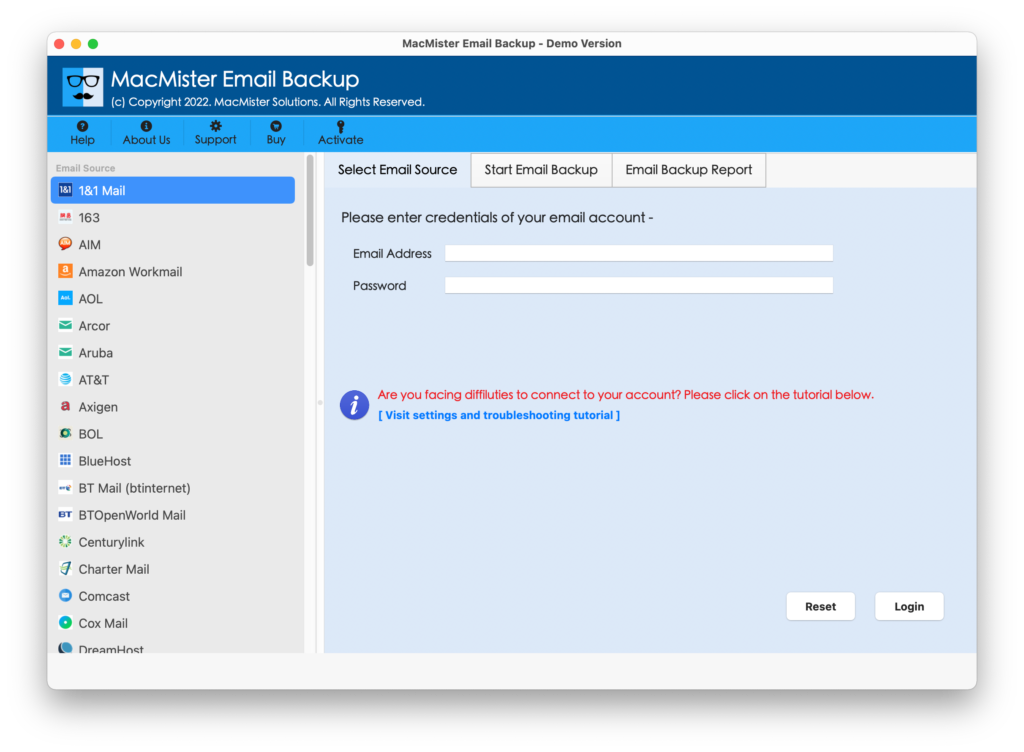
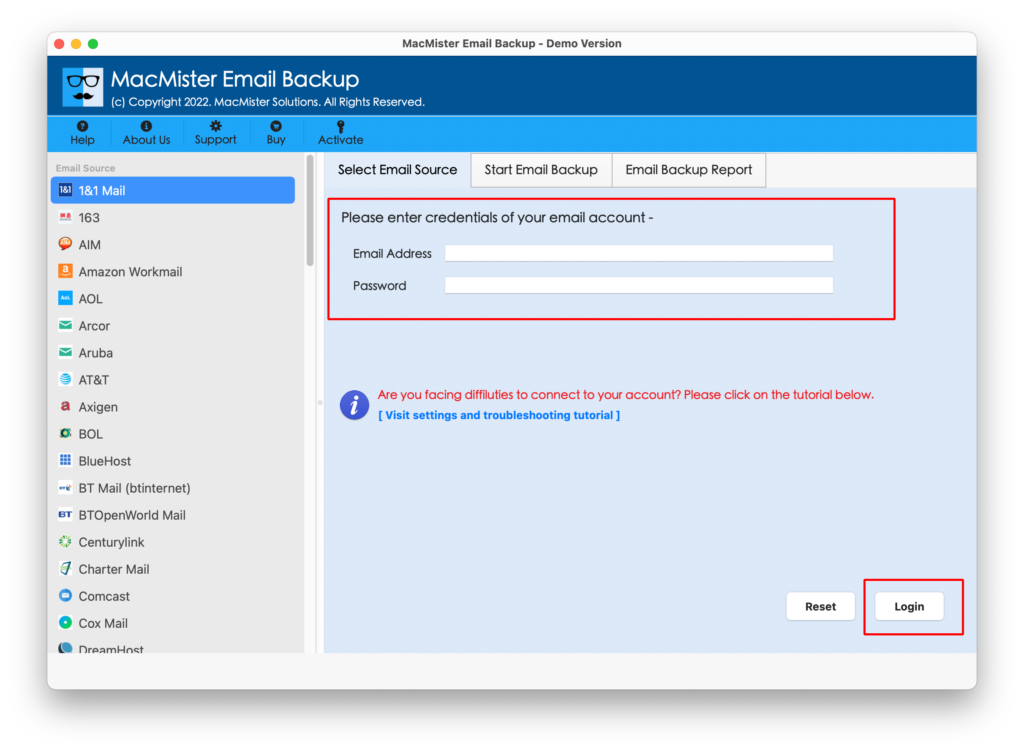
Step 2. Choose Hotmail as a webmail source from the left pane >> enter Hotmail login details and click on Login button.
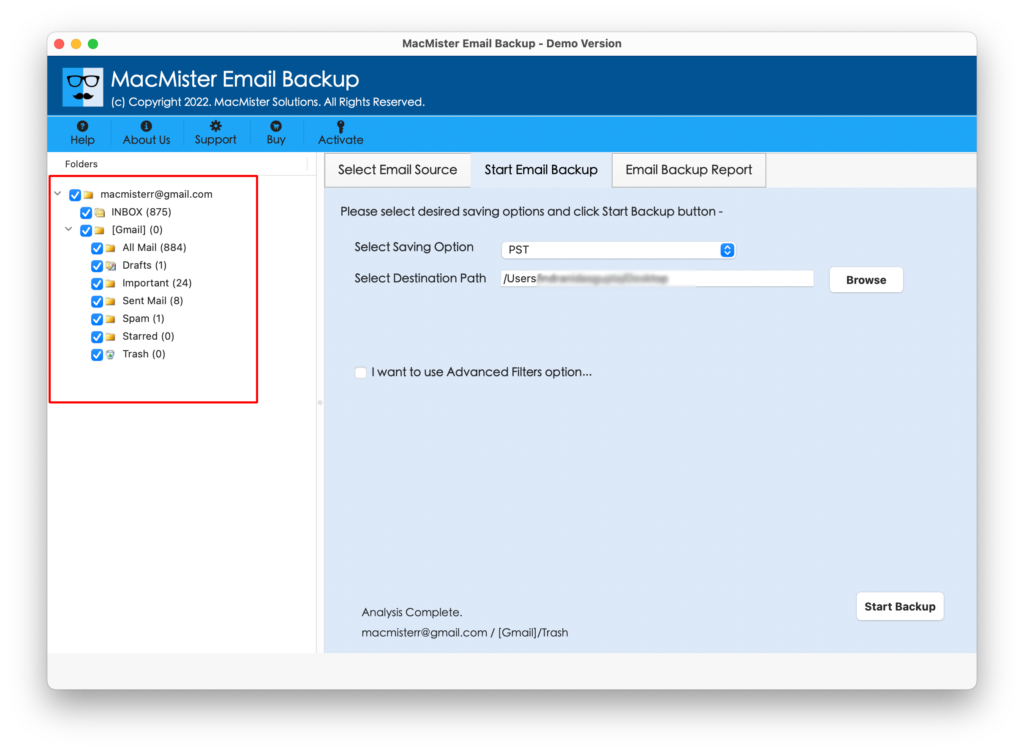
Step 3. Hotmail account will connect to the tool and start showing its all item folders in an exact structure.
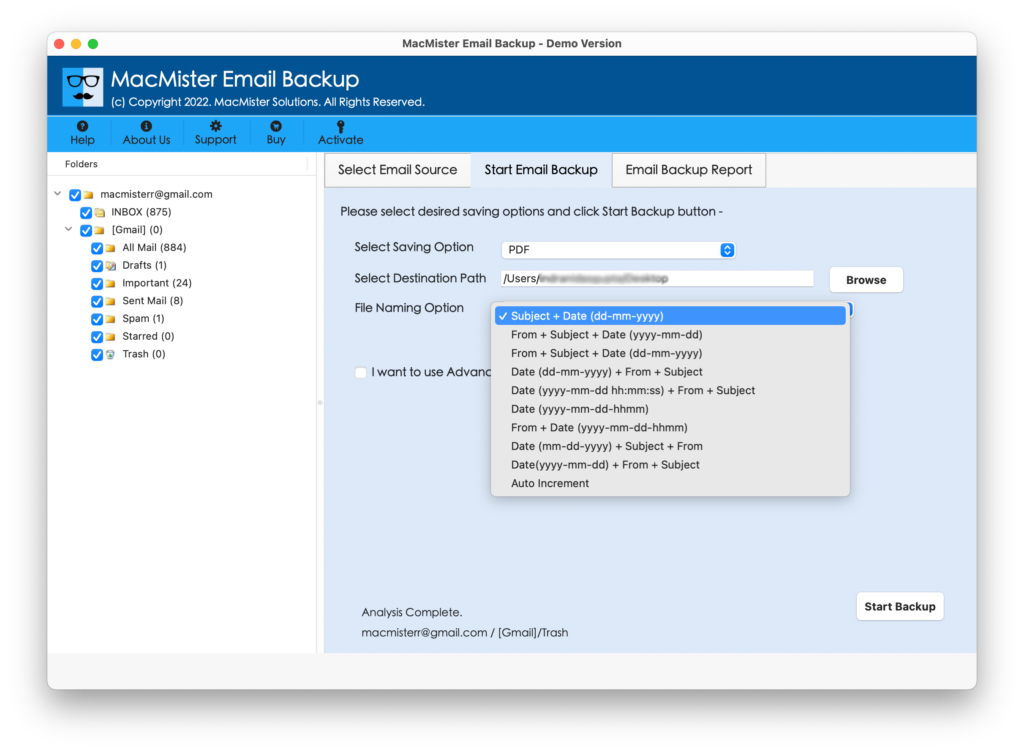
Step 4. Go to Select Saving Option and choose the required file type.
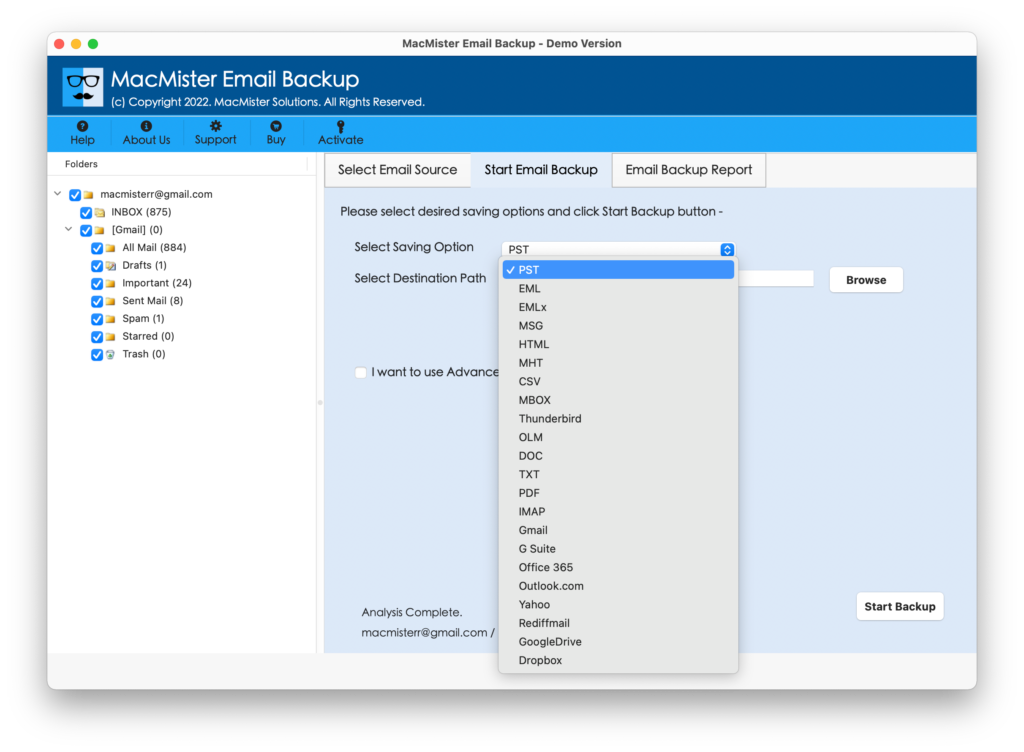
Step 5. Each saving type offers different and unique properties that users can apply as per their requirements and save resultant file accordingly. After this, press Start Backup button.
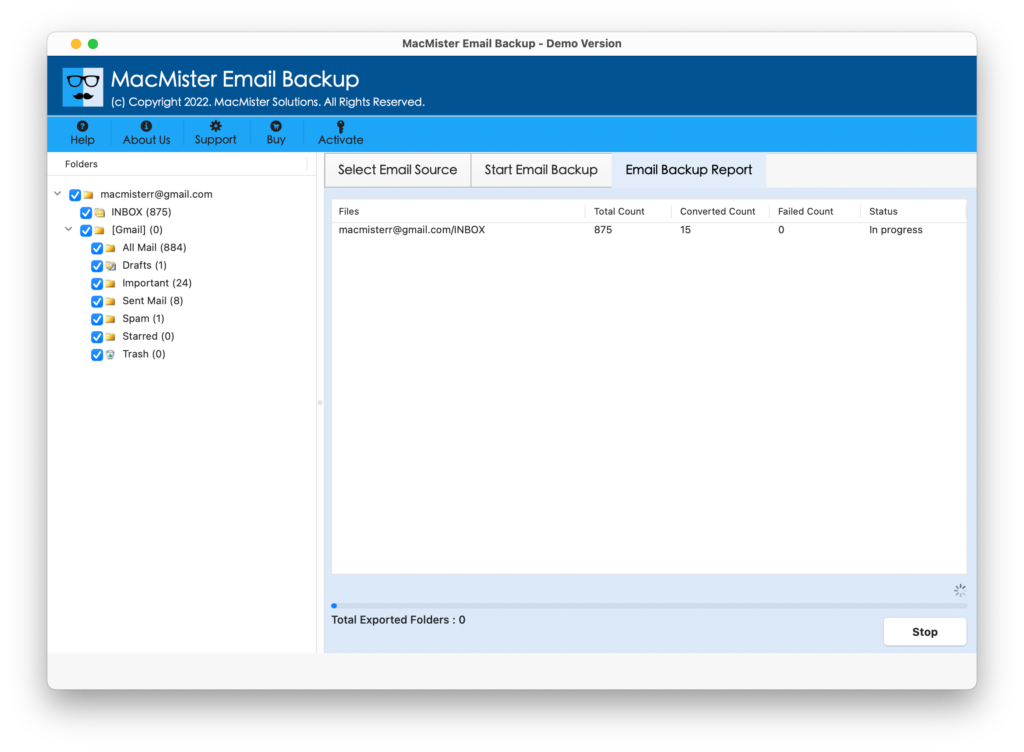
Step 6. Check Email Backup Report and view the live migration status as shown-
At the end of the process, users will get “Conversion Completed” message on the screen. Click the OK button attached to it. Now, review the complete details of the process with the help of the log report that is appearing on the screen after you click the OK button. It will show the saving option, saving path, start and end time process, total items converted, etc. The file can be saved at desired location if needed for future use.
Why the tool is so demanding?
Save Hotmail Emails to Hard Drive on macOS directly
The software has the ability of saving emails from Hotmail account to hard drive on Mac directly. Users only need to enter the Hotmail account login details and set the saving option. Once this is done, the tool will directly download Hotmail emails into the selected saving type.
Avail Multiple Advance Filters and Ease your Task
The application provides different filters which help users saving the specific Hotmail emails to hard drive. The date range, to, subject, from and multiple exclude options provides the flexibility to users to save the Hotmail emails according to particular filter option. So, it will be beneficial for those who need to save specific Hotmail emails on the system.
Download Hotmail Emails to Popular Saving Options
The tool allow users to backup Hotmail emails into required Mac-based saving option. It includes PDF, PST, MSG, MBOX, OLM, Thunderbird, CSV, MHT, HTML, DOC, IMAP Server, Outlook.com and more. Users can choose the desired saving option and perform the process.
Provides Email Backup Report to Track the Process
The software offers in-built Email Backup Report that allows users to track the migration process. So, when the user clicks on Start Backup button, the window will automatically appear and shows the status of the process such as total items converted, items left and export status.
Easy to Download and Use on all Versions of Mac OS
The application enable users to download the application on the entire range of Mac OS editions including the latest one. Moreover, the GUI of the tool and its operational steps are very easy to use that any user can use without putting efforts.
Final Thoughts
The blog has focused mainly on the issue of how to download Hotmail emails to hard drive on Mac. The Email Backup Software Mac is launched with many amazing options that eases the work for users and help them to access emails of one webmail app into another without any stress. However, the free demo version of the tool will give them the idea of the process as it allows to backup first 25 Hotmail emails to hard drive on Mac free of cost.