How to Convert MSG to MBOX File on Mac?

Are you having several MSG files on the system? Wondering how to access MSG files on Mac? Using Apple Mail email application for managing personal data? Want to convert MSG to MBOX file on Mac? If yes, then not to worry because MacMister solution is here to help you out!
Both MSG and MBOX are popular file formats and is compatible with numerous email clients such as Microsoft Outlook, Mozilla Thunderbird, Apple Mail, MDaemon etc. Each email client has advance email services and each application offers different GUI. However, in order to experience a different environment and structure, users frequently switches from one email application to another.
Also Read
However, Windows Outlook message file is quite popular as a file extension of Windows Outlook. It stores user’s single email message in the same. Moreover, it is only readable by Windows users. On the other hand, MBOX is a file type of numerous email programs and also it is an extension which user can view and read on both Windows and Mac.
Many times, Mac users receive Outlook message files of Windows on their system due to which they struggle to access MSG data on macOS. Because many Mac users use Apple Mail, Outlook for Mac or Thunderbird email client to manage the personal database. Thus, in order to extract and analyze MSG data, users need to export MSG files into MBOX. The process can only be performed with the help of strong and powerful MacMister MSG Converter for Mac Tool.
So, without wasting any time, let’s get ahead with the solution and check how to convert MSG to MBOX file on Mac easily.
Powerful Method to Convert MSG to MBOX File on Mac
MSG to MBOX Tool for Mac is an advance and cost-effective way out for converting Windows Outlook message files to MBOX in bulk at once. The application has a friendly and trouble-free GUI that technical and non-technical users as well as all organizations can precisely use for converting .msg files to MBOX on Mac. The instant few easy steps make the application time-saving and the secure functioning of the tool gives safe implementation.

The advance Mac software is built-up with many amazing features that benefit users in getting resultant file as per requirement. Moreover, the app has a trial edition that users can download to convert first 25 files free of cost.
Steps to Convert MSG to MBOX File on Mac
Step 1. Run MSG to MBOX Tool on Mac OS (any version).
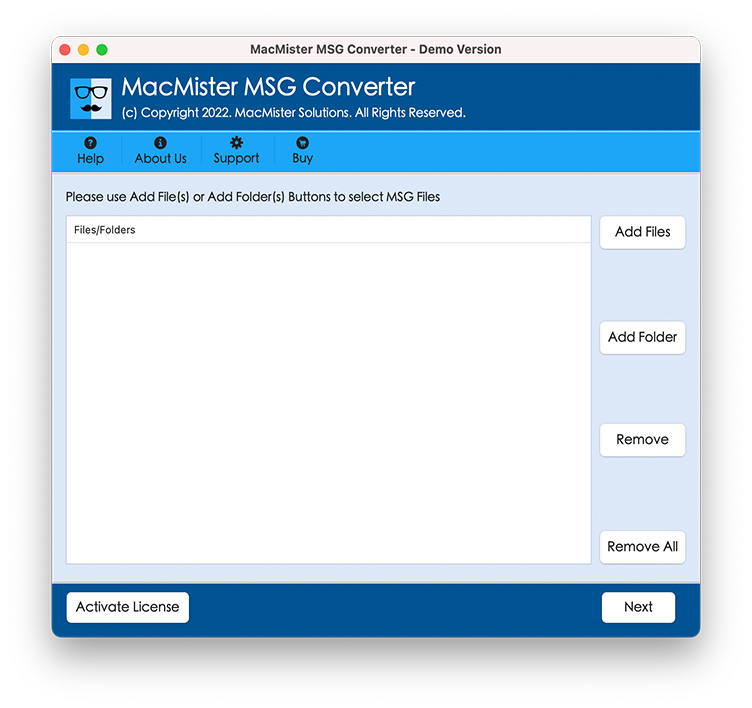
Step 2. Click Add Files or Add Folder button to add required MSG files on the application that are required for conversion into MBOX. Click Next.
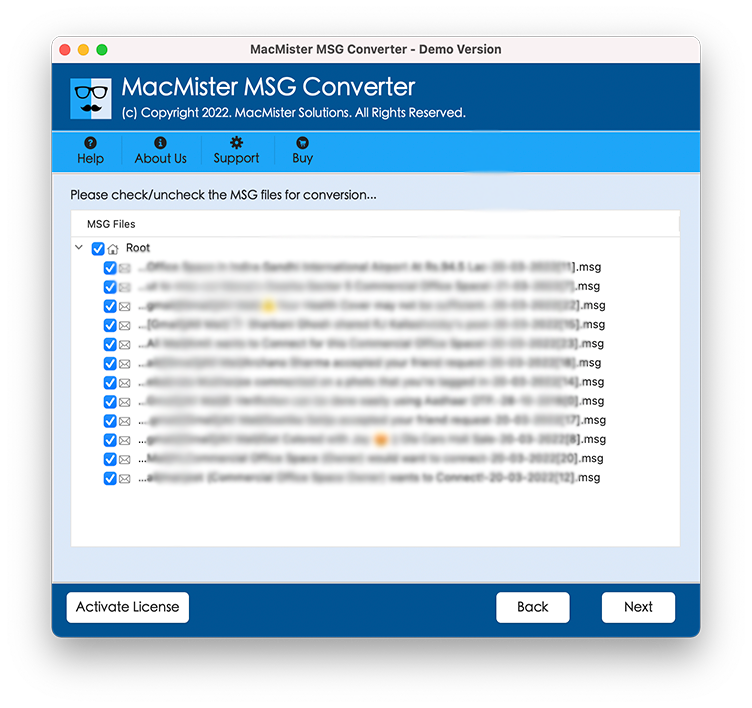
Step 3. Tool start to scan MSG file and list all Win Outlook message files with checkboxes one by one on the software. The checkbox will help in selective MSG conversion. Click Next.
Step 4. Choose MBOX from Select Saving Option list.
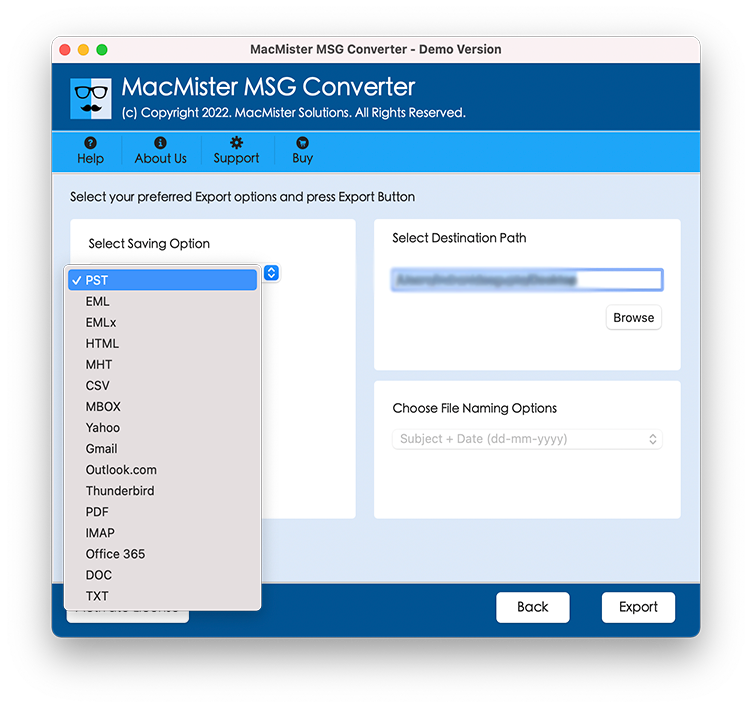
Step 5. Now, after selecting MBOX format, you will see multiple sub-options present that you can apply to save MSG file into MBOX as per need. Once done, click Export.
Step 6. The Live Conversion of .msg file to MBOX will be shown on the screen. You can track total items converted, total items left and status of conversion from the same.
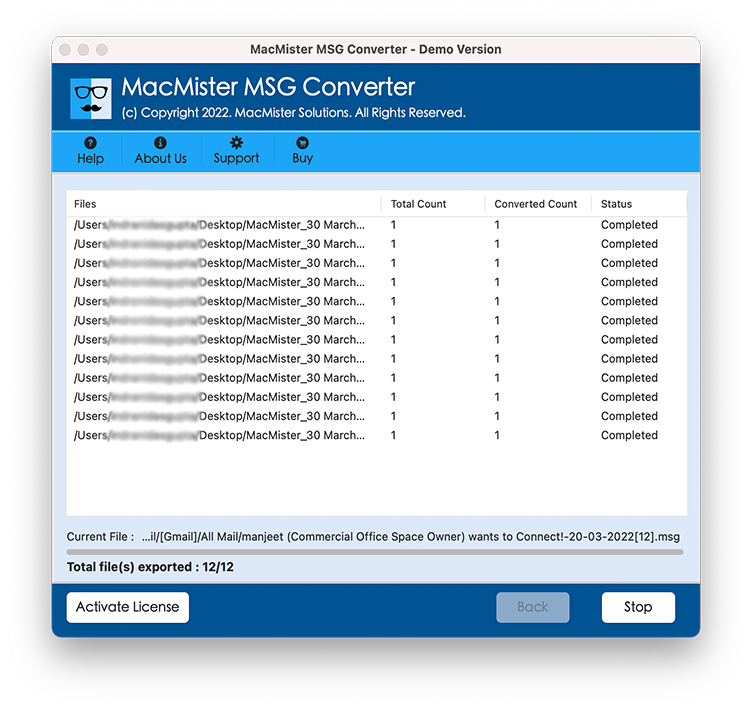
After this, go to the specified location you have set after choosing MBOX file format during the process and check the converted data. However, in order to do the same, you need to import MBOX file into desired email application. Once you have done this, check the originality of the resultant file. You will see that file formatting properties and folder structure is same as before.
Note. In case you encounter any change in your resultant file, you can contact our support team any time. They will guide you during the conversion and help you in carrying out accurate output.
Features of MSG to MBOX Tool for Mac
Batch Convert MSG Files to MBOX
The application offers the option of Add Folder which allows batch conversion of Outlook messages to MBOX. With the help of this button, users can load entire folder of multiple MSG files and perform the conversion of the same at once.
Export MSG file on all Mac OS Versions
The MSG to MBOX Tool for Mac has the ability to export MSG files on all Mac OS versions. Users can download and use the solution for the conversion of MSG files to MBOX on Mac Monterey, Big Sur, Catalina, High Sierra, etc.
Save MSG as MBOX at desired location
The software provides the “Set destination location” option. By clicking the Browse button associated with this option, users can choose the saving path as per the requirement to store MBOX files on the chosen location.
Selective MSG File to MBOX Conversion
Once the files are uploaded by the tool, they all will be listed with checkboxes. These checkboxes can be selected by users as per their requirements if they want to convert desired Outlook message files to MBOX.
Designed with Three Easy Step Process
The MSG to MBOX Tool for Mac is built-up with three easy conversion steps. In the first step, users need to upload MSG files. In a second step, users need to choose saving option and in the third step, users need to click on Export button. This will save the time of users.
Conclusion
The complete write-up discussed here is easy and gives direct conversion facility without data loss. The MSG to MBOX Converter for Mac possesses friendly environment which is adaptable by all users and organizations. However, you can check each option of the software with the help of free download edition and convert 25 MSG files to MBOX free of cost.