How to Convert PST to ICS File on Mac & Windows?
Are you having a lot of PST files that you want to convert into PST? Thereby wondering how to convert PST to ICS with ease? Searching for a trouble-free and effective method for the same? No worries, read the segment and you will encounter a solution that will successfully convert PST to ICS file on Mac & Windows.
Microsoft Outlook is a widely used email client that provides numerous functions including task management, contact management, web browsing, calendaring, and journal logging. Initially, the email application was introduced for Windows but after achieving a lot of popularity, the company immediately launched it for Mac. Now, on both operating systems the email application is getting a lot of attention.
PST is generally created by Windows Outlook. It stands for Personal Storage Table which is represented as .pst and contains the copy of emails, calendars, briefcases, tasks, notes, and journals.
ICS, on the other hand, is an iCalendar file. It is compatible with most major calendar applications including Microsoft Outlook, Apple Calendar, Google Calendar, and Mozilla Thunderbird—the file helps in sending meeting requests to the people working within or outside the organization.
Why do Users want to Convert PST to ICS File?
There are several reasons why users want to perform the conversion of PST to ICS file, however some of them are mentioned below –
- Converting PST files to ICS will make the calendar data accessible and compatible with different applications.
- Share calendar information easily with others with the help of web or supported ICS applications.
- Copying PST files to ICS will work as a backup and protect your calendar data from sudden disaster.
- ICS is a universally supported calendar format and is thus accessible by most calendar applications.
- PST files are easily corrupted, so keeping PST items in ICS is a safe option.
Therefore, in the next section, we have discussed multiple approaches which you can undertake to convert PST to ICS file on Mac & Windows.
How to Convert PST to ICS File on Mac & Windows?
There are multiple approaches to opt to convert PST files to ICS file. In the first method, we will be discussing the manual steps to export PST to ICS file on Windows followed by the professional solution.
Method 1. Convert PST to ICS File on Windows Manually
The manual method is divided into two categories:
Step 1. Importing PST File in Outlook.
Step 2. Exporting PST Calendar to ICS.
Let’s get started with Step 1 without more ado.
Step 1. Import PST File in Windows Outlook
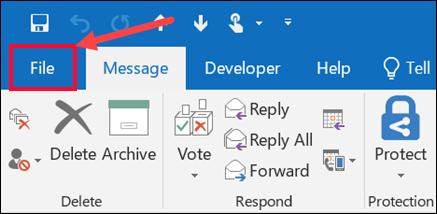
Step 1. Open Outlook on your Windows and go to File.
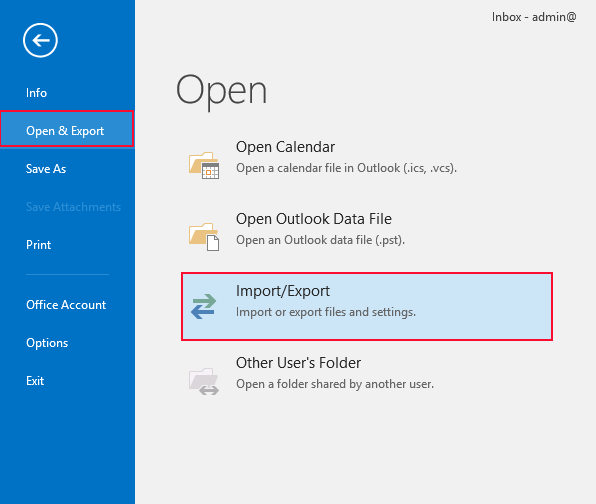
Step 2. Select Import & Export option and choose Import/Export option to proceed.
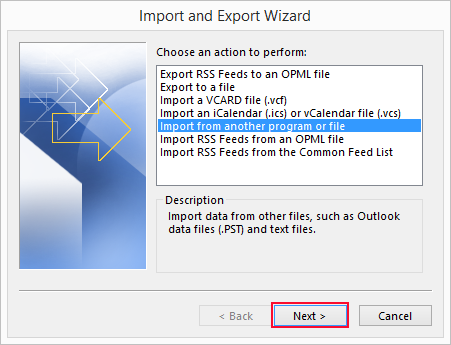
Step 3. Continue with Import from another program or file option. Click Next.
Step 4. Select Outlook Data File (.pst) option and press Continue.
Step 5. Browse and choose PST file and press Next button.
Step 6. You can now import the entire file and select the folders you need to import i.e. only the calendar folder or list of mailboxes folders.
Step 7. Tap Finish button to finish the whole process.
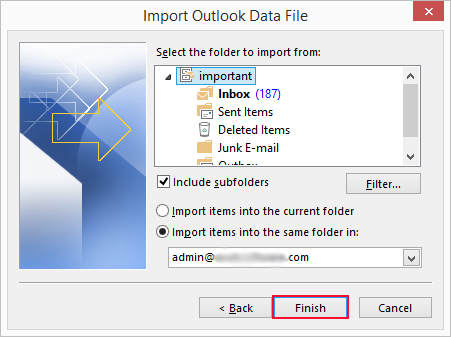
PST file is successfully imported in Windows Outlook. You can move to next step where you need to export PST calendar to ICS format.
Step 2. Export PST Calendar in ICS File
Step 1. Start Microsoft Outlook on your system.
Step 2. Navigate to PST file that you imported in Step 1 and click on Calendar item to select.

Step 3. Choose the required calendar to convert from the various options.
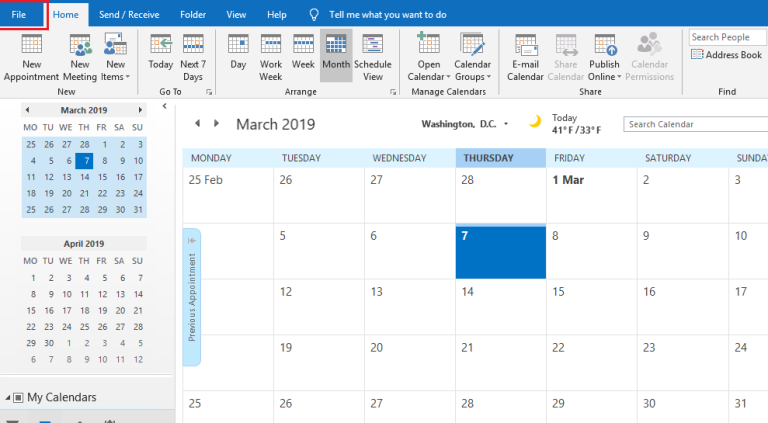
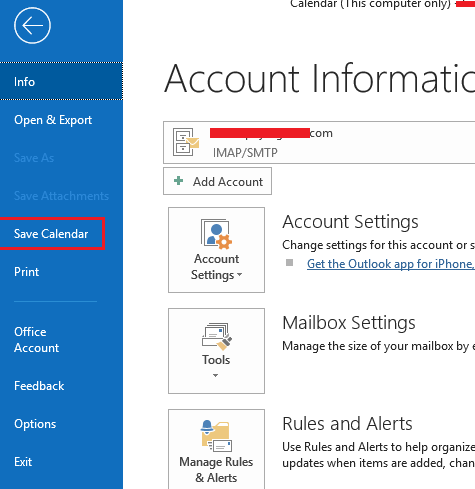
Step 4. Now, go to File and select Save Calendar option from its menu.
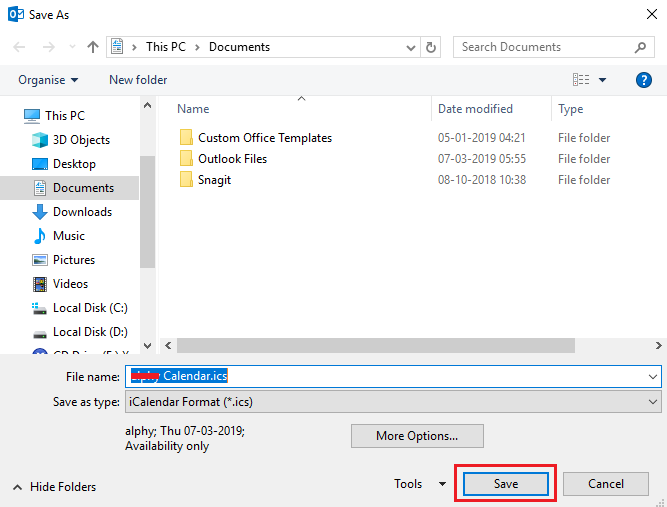
Step 5. A new window will appear, choose the destination required to save ICS file.
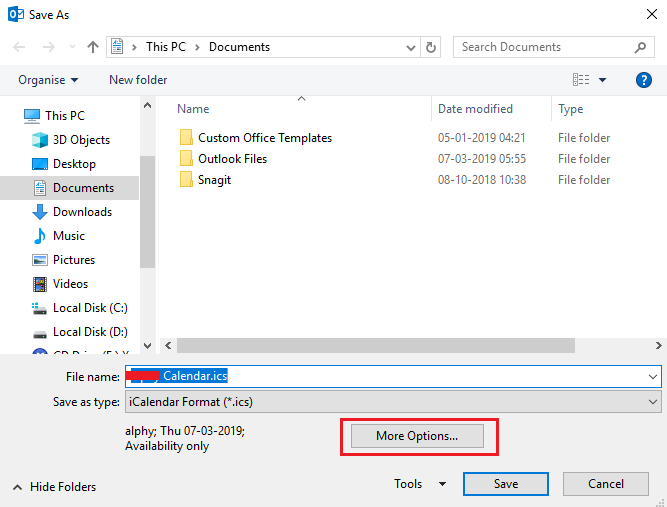
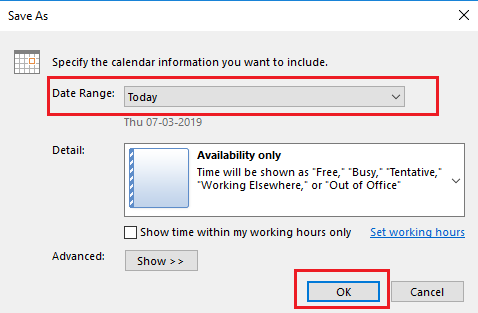
Step 6. Apply Date Range by clicking its drop-down button and click on OK button.
Step 7. Click on Save to finish the process.
Hence, it is a free method but it has some drawbacks which you need to remember.
Drawbacks of Manual Method
- Microsoft Outlook installation is must.
- Users should have good technical knowledge.
- Ensure to have a spare time because the entire process can take hours.
- If you missed out a single step, then you need to implement the entire process from the start.
However, it is recommended to opt for a professional and safe solution because that will not just perform the conversion but also take care of your PST database during the process.
Method 2. Convert PST to ICS File on Both Mac & Windows
The easy method to convert PST to ICS file is MacMister PST Converter for Mac & Windows application. With the help of the software, users can convert unlimited PST files to ICS format at once. It is built with a friendly and intuitive interface. Any user can operate it effortlessly and perform the conversion without encountering any challenges. The steps are also limited which will save users time and effort.
Moreover, the application has many features which users can apply according to their requirements to get the desired results. You can download the trial edition and check the working steps for free.
Working Steps to Convert PST to ICS on Mac
Step 1. Download and launch MacMister PST to ICS Converter on a Mac system.
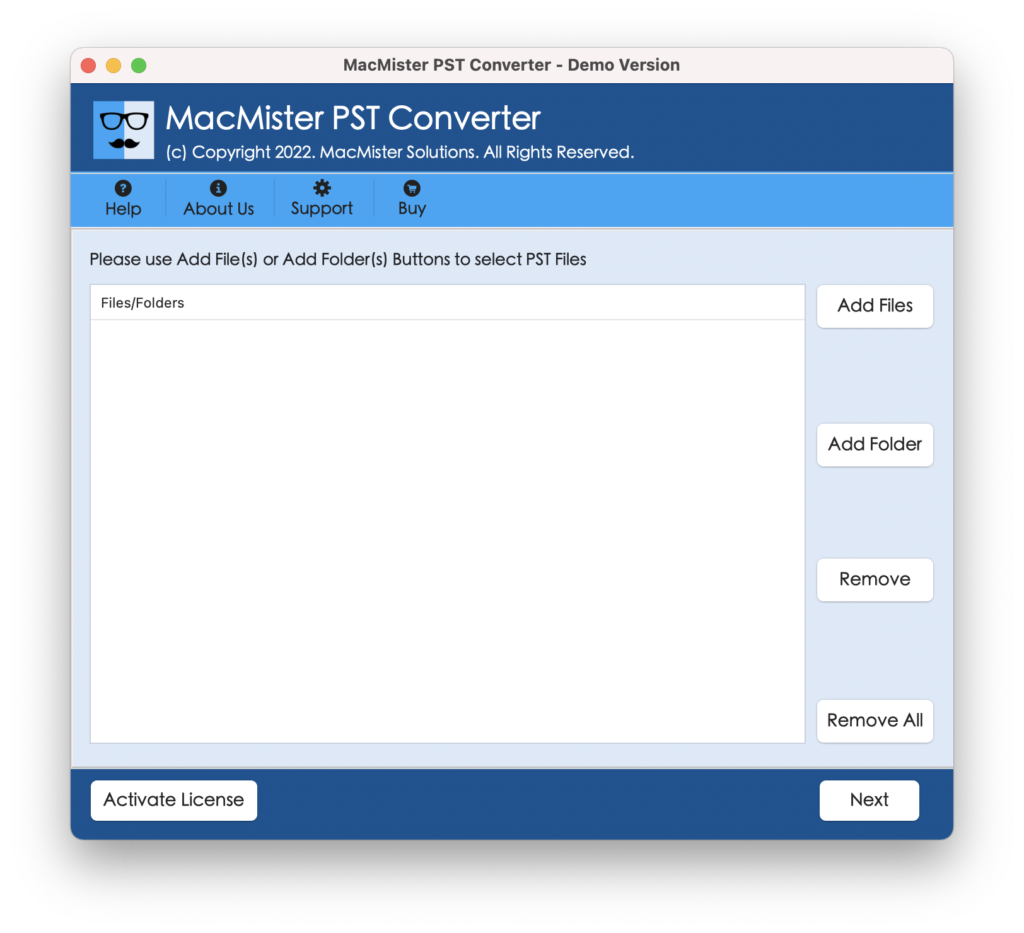
Step 2. Add PST files on the tool for conversion with the help of Add File(s) and Add Folder options. Click Next.
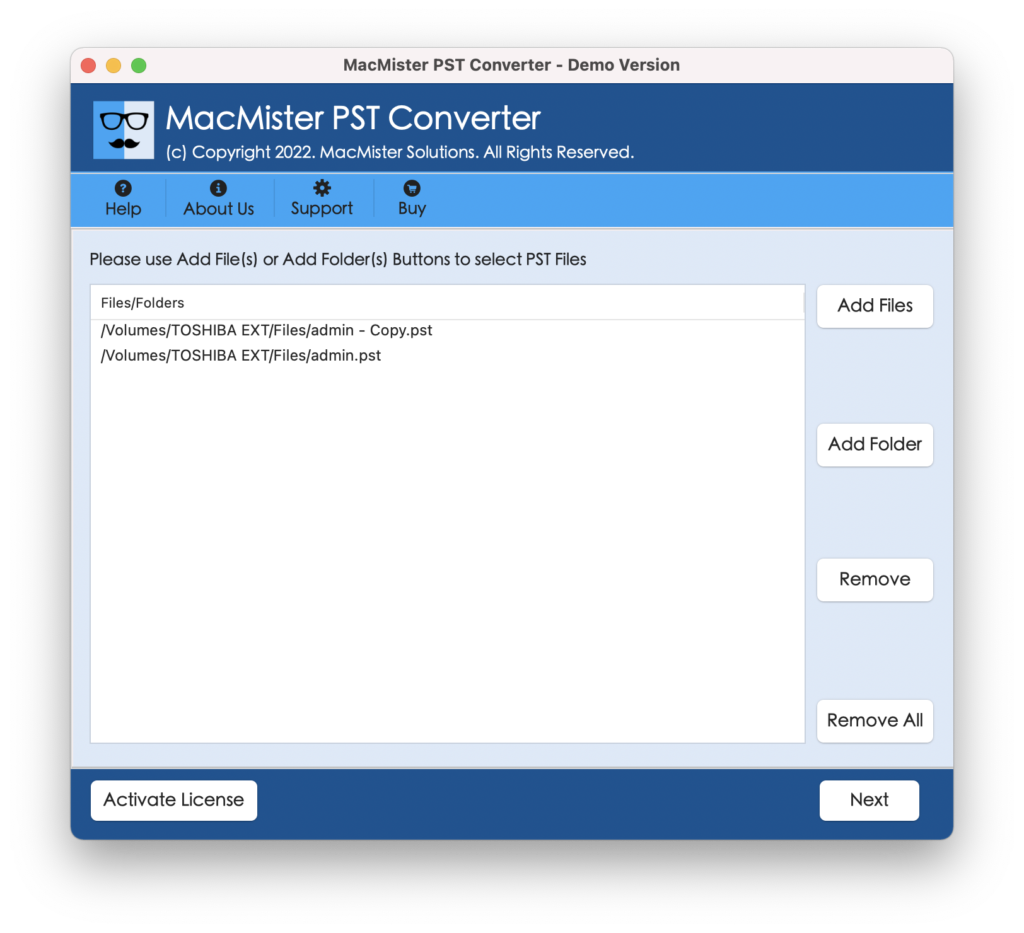
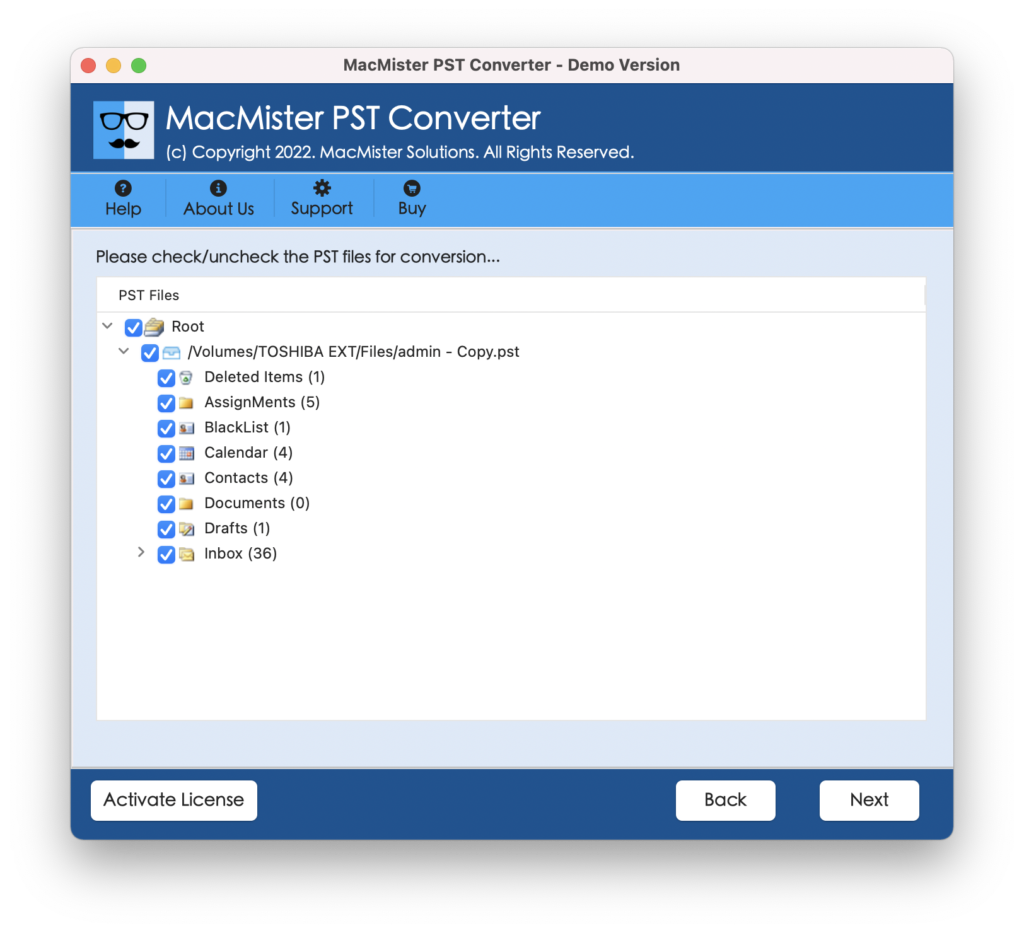
Step 3. The application will list PST files with checkboxes one-by-one. By default, all the checkboxes will be selected but you can deselect them and select them again as per your needs for selective conversion. Click Next.
Step 4. Go to Select Saving Options menu to choose ICS format.
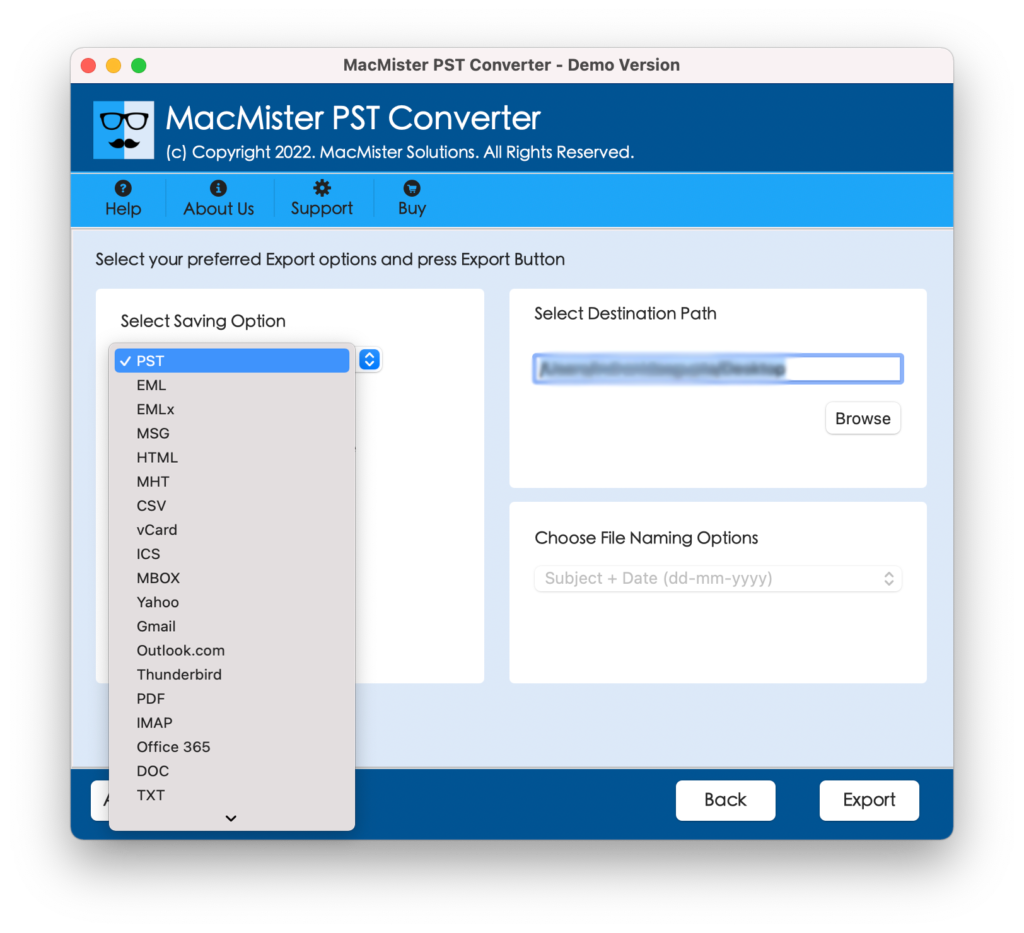
Step 5. Apply ICS options as per your preferences and click Export button.
Step 6. View the live process and track the export status of PST files.
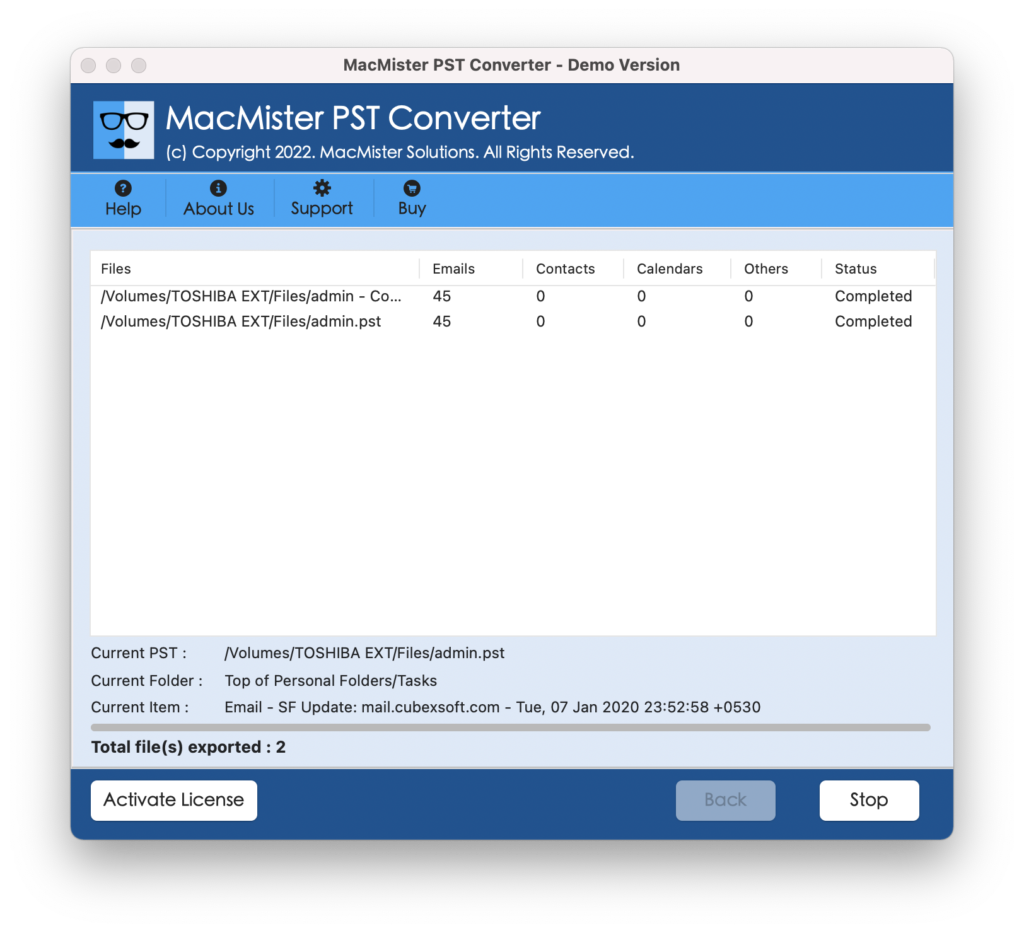
The process will be complete in a few seconds. After this, a “Conversion Completed” message will appear that confirms that the tool has successfully converted the PST file to ICS. Click on OK and go to the location where the ICS file is saved. You can open the same to verify the results. However, you will see that the data is accurate after the conversion. It is suggested to not be so worried about your database because the tool guarantees a smooth and safe process.
Epilogue
The write-up has discussed two ways to convert PST to ICS files on Mac & Windows. MacMister PST to ICS Converter is a tested solution that Mac & Windows users can opt to convert unlimited PST files to ICS on Mac & Windows operating systems.
However, you can experience the entire process with the help of a free demo that allows you to convert the first 25 PST files to ICS free of cost. Moreover, besides ICS, you can download the application for converting PST files into 15+ saving options such as PST to OLM, PDF, MBOX, EML, EMLx, MHT, HTML, CSV, Thunderbird, IMAP, Yahoo, Office 365, Outlook.com, and more.