How to Download Emails from Webmail to MacBook?

Why to Download Emails from Webmail to MacBook?
Webmail service providers have become very essential nowadays. There are several organizations and individuals who sometimes need to send important documents from one place to another urgently. And, with the help of webmail servers one can easily do the required task. Not only this, Webmail help in managing the large amount of database on cloud. Due to this, people these days prefer Webmail over desktop-supported email clients. Because, one can access emails and other data any time from any location. Undoubtedly, webmail delivers wonderful services but there is also a truth that they are prone to malicious attacks. Many times, organizations need to suffer from data thefts that lead to a major loss in business. Therefore, they think about taking backup of webmail to MacBook. And, so they start searching for a technique that could help in downloading critical emails from required webmail source to MacBook.
How to Download Emails from Webmail to MacBook?
MacMister Email Backup Software Mac is one of the easiest and a secure approach that downloads and archives Webmail emails to MacBook hard drive. The software is completely Mac based and helps users to instantly save all emails from Webmail to MacBook with attachments at once. It has 90+ webmail servers and 15+ saving options. And so, one can opt for a required webmail client and quickly download emails from Webmail to MacBook supported saving option. It has the ability to download emails from AOL, Aruba, GMX, Gmail, G Suite, IMAP, Office 365, Outlook.com, RediffMail, ProtonMail, iCloud, and more.

Moreover, you will get the opportunity to save download emails from Webmail to MBOX, OLM PST, PDF, MSG, EML, MHT CSV, RTF, etc. It also includes multiple different Webmail/IMAP/Cloud accounts for the same such as Gmail, G Suite, Exchange Server, Hosted Exchange Server, GoDaddy, Yahoo Mail, AWS, Hostgator and many more.
Why to Choose Webmail Backup Software?
- Direct solution to download emails from Webmail to MacBook in a bulk at one time.
- Advance Filters available to download selective Webmail emails to Computer hard drive.
- Provide many desktop-supported formats such as PST, OLM, PDF, MSG, EML, MBOX, MHT and more.
- Includes cloud based apps to transfer emails to cloud such as Office 365, Gmail, G Suite, Exchange, Outlook.com, Hostgator, GoDaddy, AWS, Yahoo Mail and more.
- Provides the saving option of Dropbox and Google Drive to upload required emails.
- Facility to browse and set the destination path to download Webmail emails to MacBook at desired location.
- Delivers hassle-free and understandable functioning that is easily accessible by all types of technical and novice users.
- Offers multiple Filters to save specific Webmail emails with attachments to MacBook.
- Maintains email file formatting properties during the entire process.
- Supported by all the range of Mac OS versions including Mac OS Ventura.
Step-by-Step Process to Download Emails from Webmail to MacBook
Step 1. Quickly run Webmail Migration Tool Mac on any Mac OS.
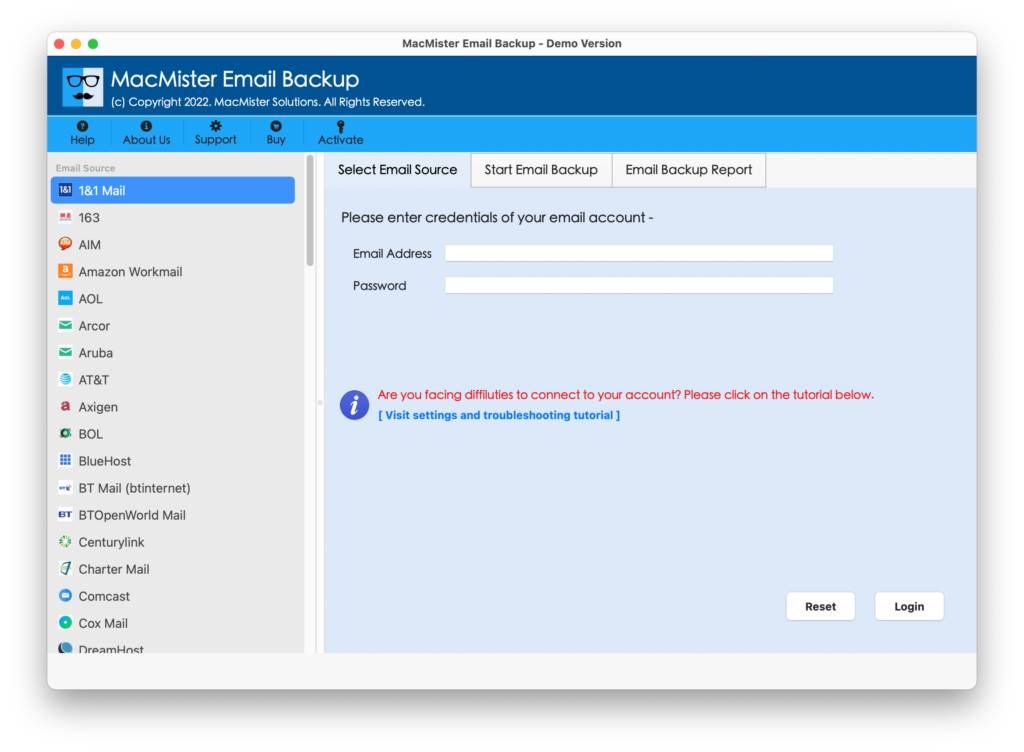
Step 2. List of email source will display on the left software window. You can choose the desired webmail server whose data you want to download. Provide the login details of the same and click Login button.
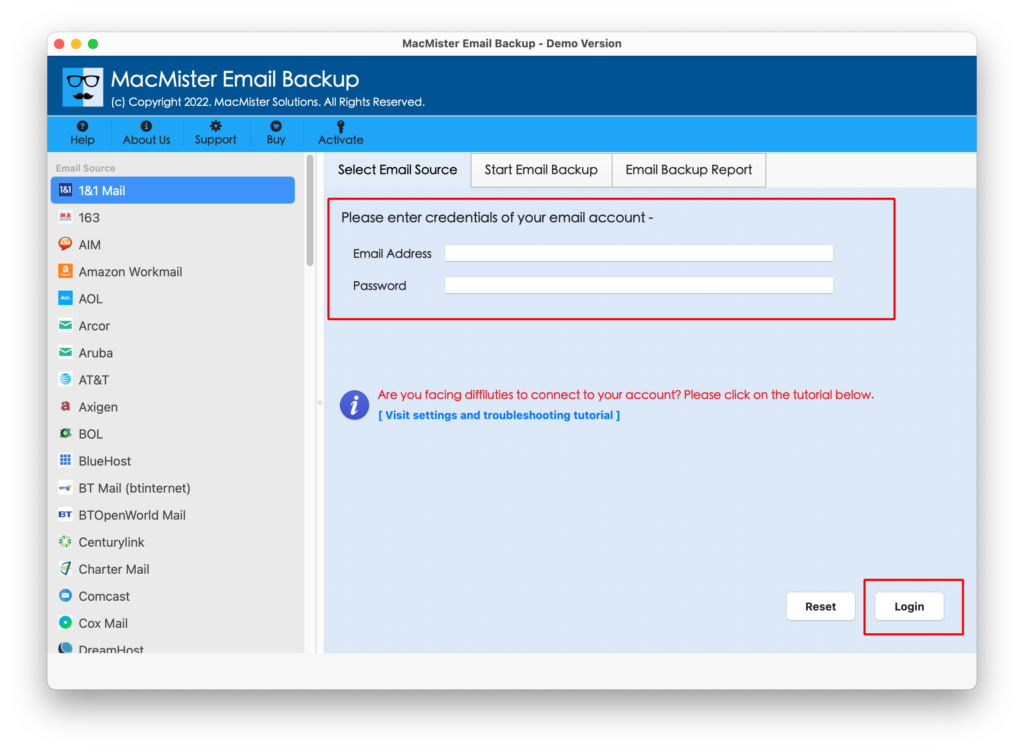
Step 3. Software will start listing the folder list of a selected webmail server with checkboxes on the left side of the pane.
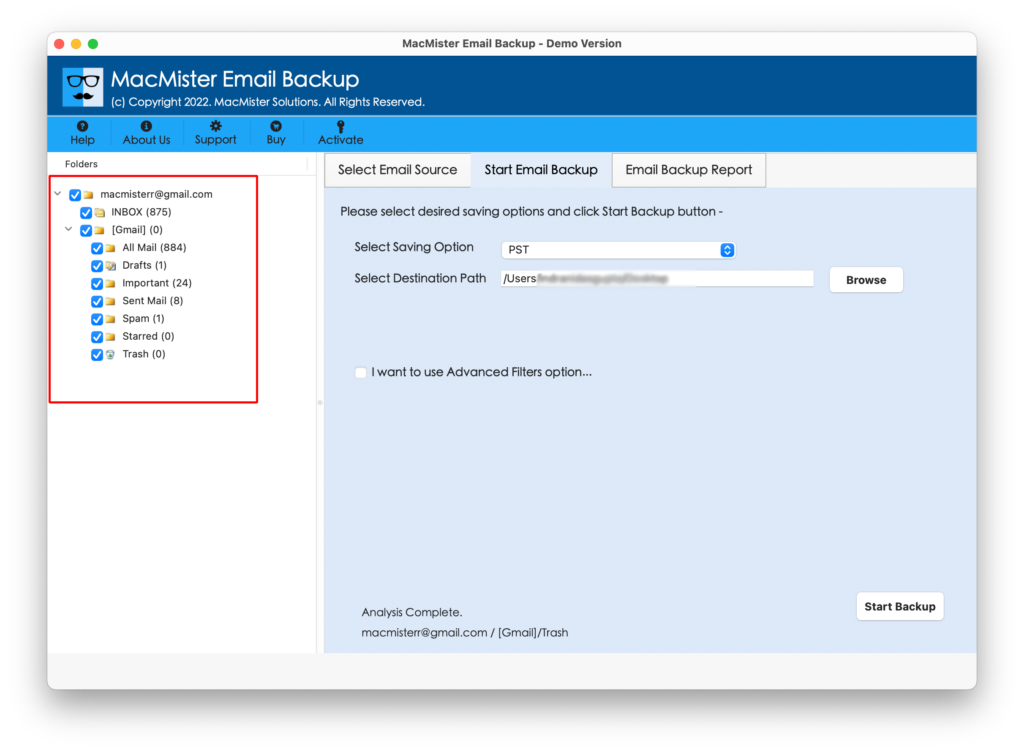
Step 4. Now, choose the required saving option by clicking on the drop-down icon appearing on Select Saving Option.
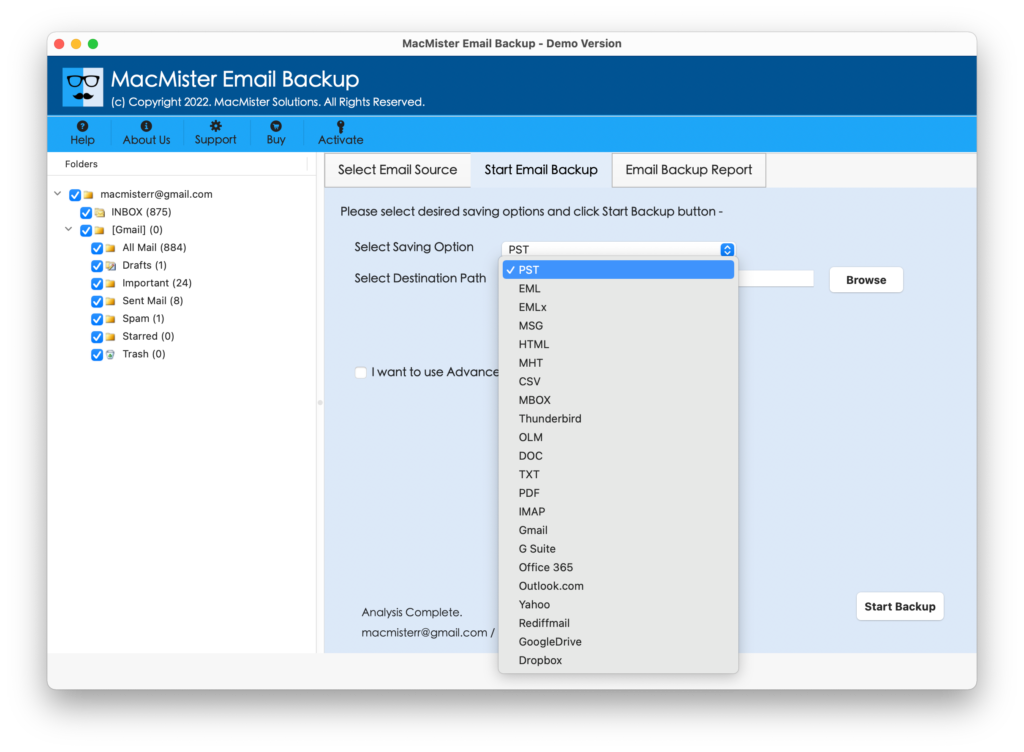
Step 5. Set the sub-options of a particular format as per need and simultaneously apply the date filters, if needed. After that, click on Start Backup button.

Step 6. The process will start and the tool now show Email Backup Report window on the software. It will help you to track the current backup status of Webmail server.
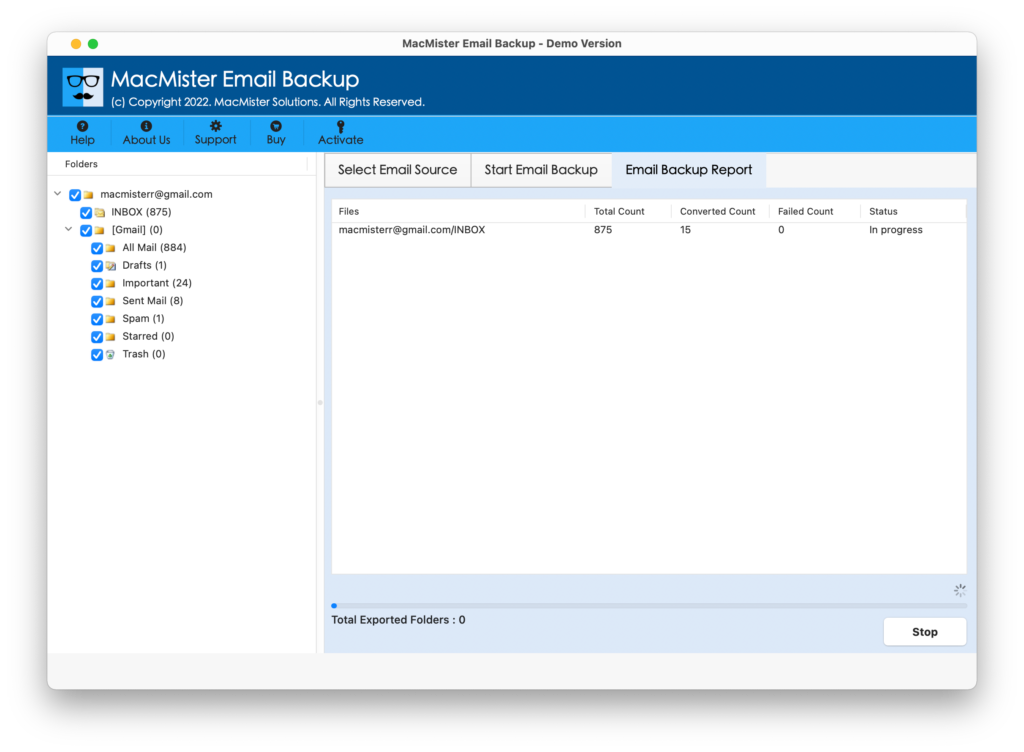
By performing the steps a user can easily archive Webmail emails to Computer with attachments in just seconds.
Noteworthy Features of Webmail Backup for MacBook
Complete Webmail Migration Solution
The software allows to migrate emails from multiple webmail accounts to other webmail, cloud, web server and email server accounts. It includes AOL, Aruba, Amazon Webmail, BT Mail, iCloud, IMAP, Gmail, Office 365 and more to various file types, email accounts, webmail servers and cloud drives.
Move Emails to 15+ Saving Options Mac
The application supports webmail email conversion into multiple formats anywhere on the local system. Quickly save emails and attachments to PST, PDF, MSG, DOC, MHT, HTML, OLM, CSV, MBOX, IMAP, Thunderbird, Gmail, G Suite, Office 365, Google Drive, Dropbox, and more.
Use Different Naming Options to Save Data
The utility allow users to save emails of particular account to text-based file format using desired naming option. This will help in file management and easy accessibility of resultant file after the process. The naming options include the combination of subject, date and from such as date + subject + from, from + date + subject, from + date + subject etc.
Advanced Filters to Save Specific Emails
The software has a separate section of Advanced Filters with the help of which users can download specific webmail emails with attachments. It includes date range, subject, from, to, and other options that users can set as per need and carry out the migration of selective webmail emails.
Maintains Folder Hierarchy Structure
The application is designed by experts using advance algorithms in order to make the process simple for all users. And so, the tool will make sure to preserve the folder structure of entire mailboxes during the process. Because it will help users to access the desired file without facing any trouble.
Tool Supports all Editions of Mac OS
The tool has the ability to download and save all emails from Webmail to MacBook with attachments on all macOS versions. Mac users can easily download Webmail emails on macOS Ventura, Catalina, Monterey, Big Sur, and, etc.
Conclusion:
MacMister Webmail Migration Tool is one of the recommended and easy methods to download emails from Webmail to MacBook hard drive with attachments. The data received by the users will be accurate and unaltered. Download the freeware edition of the tool now that allows downloading first 25 emails from Webmail to MacBook free of cost. With the help of FREE DEMO, a user will get to know about the entire software functioning and features it deliver to users.