How to Export Netfirms to Office 365 on Mac & Windows?
Are you currently utilizing Netfirms and thinking about switching to Office 365 environment for official reasons? Wondering how to export Netfirms to Office 365 with emails and attachments accurately on Mac operating system? Looking for a trouble-free and effective approach for the same? Then not to worry anymore, just follow the segment and you will discover a brilliant method that will help you to directly export Netfirms to Office 365 without any trouble.
Netfirms is a Canadian organization that delivers web hosting service tailored for small and medium-sized businesses. It deals in email services, online marketing, SSL, and cost-effective domain names. Moreover, the company offers variety of communication tools and helps integrating Google Workspace with its email services. Undoubtedly, Netfirms holds essential information in free domain services including URL forwarding and email forwarding.
Microsoft Office 365, on the other hand is a cloud-based data management platform. It is a productivity suite that offers variety of applications to manage large amount of database with ease. Additionally, one can access its services from anywhere anytime.
However, Office 365 is a feature-rich application; it possesses a remarkable feature that makes it a worthy suite for users.
Reasons to Choose Microsoft 365 over Netfirms
There are plentiful reasons to choose Office 365 over Netfirms, some of them are explained below –
- Allow teams to work simultaneously by storing, sharing, and managing documents at one place.
- Equipped with robust-security measures such as blocking malware, remotely erasing data from a stolen device, and phishing attacks.
- Provides multiple productivity tools that help employees to work efficiently and collaboratively.
- Help users to access files and applications from any device anywhere anytime.
- It is a subscription-based model that enables users to easily scale the business by adding or removing users.
- Accessibility and flexibility support mobile workforces, allowing businesses to operate effectively regardless of location.
How to Migrate Netfirm to Office 365 on Mac & Windows?
There are multiple ways available to carry out migration process. One can use Horde Email, Roundcube Webmail, or Exchange Admin Center to manually migrate Netfirm account emails to Office 365 or, utilizes the automated approach for the same. However, making use of Horde Email and Roundcube will become lengthy and complicated. Both of these platforms will be failed to perform the migration solely.
Manually Transfer NetFirm Email to Office 365
In Horde Email
You will receive MBOX file that needs to be converted into PST format which can be import into Office 365.
In Roundcube
It will create EML files that later can be transformed into PST and then uploaded to Office 365.
EAC, however can finish the whole process solely. Although, it holds some limitations that are discussed in the next section.
Export Netfirm Emails to Office 365 by using EAC
To implement the migration manually, execute the steps discussed below –
Step 1. Go to Office 365, add Netfirm domain and create users profile.
Step 2. Add the users you need to migrate and assign the licenses at the same time.
Step 3. Create an Excel Sheet with the names and credentials of user accounts.
Step 4. Go to Recipients, Migration, and More to generate Migration endpoints in Exchange Admin Center. Select the option of Migration endpoints and specify Netfirm IMAP details.
Step 5. Update DNS records to access Netfirm emails in Office 365.
Step 6. Once the records are updated, stop the synchronization of mailboxes.
Step 7. Move to Exchange Admin Center and erase migration batches.
Limitations
- One should have appropriate knowledge of EAC.
- No guarantee of complete email transfer.
- Migrating multiple email accounts will be time-consuming and difficult.
- Files and folder hierarchy will not be preserved after migration.
Directly Transfer NetFirm to Office 365 with Emails & Attachments
The direct way to migrate Netfirm to Office 365 is MacMister IMAP Backup Tool Mac & Windows. With the help of the application, users can directly export Netfirm emails to Office 365 with attachments without losing data integrity. Meanwhile, the credentials of both the accounts will remain protected. The tool is built with a friendly interface. So, all users can easily utilize the application and perform the migration process effortlessly.
Moreover, the application has many features with the help of users can export Netfirm to Office 365 according to the requirements. Besides, a trial edition is available that users may download on any macOS to experience the migration steps for free.
Know Software Working Steps to Directly Transfer Netfirm to Office 365 on Mac
Step 1. Download, launch, and open Netfirm to Office 365 Email Backup Software Mac on any macOS platform.
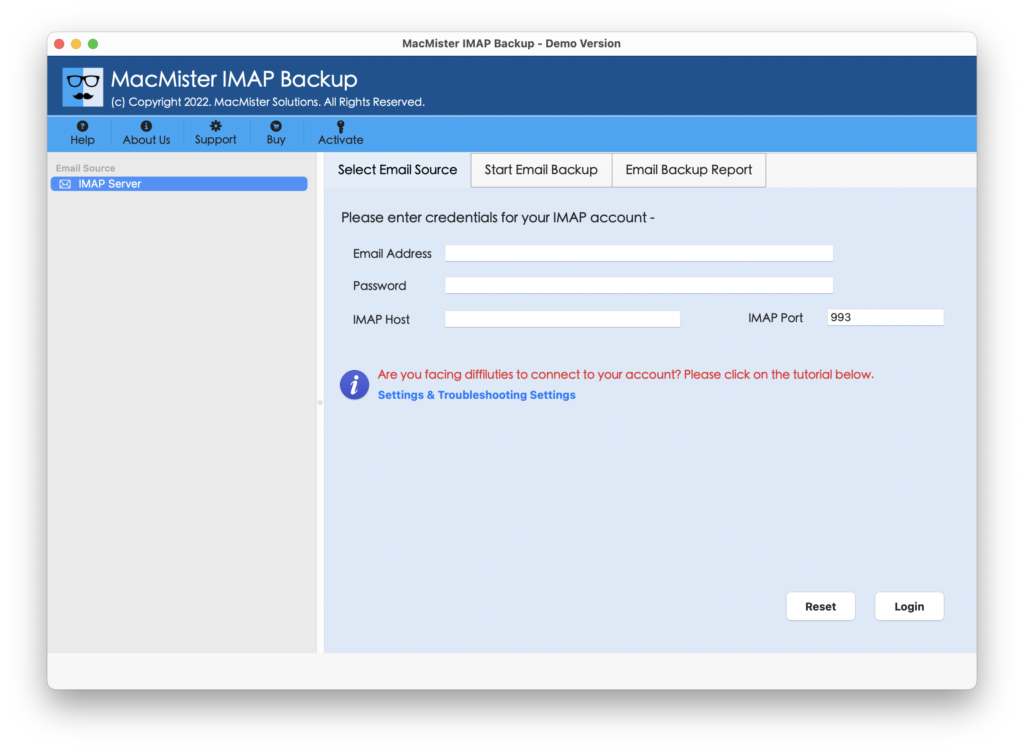
Step 2. Add Netfirm credentials with IMAP host and port number and click Login button.
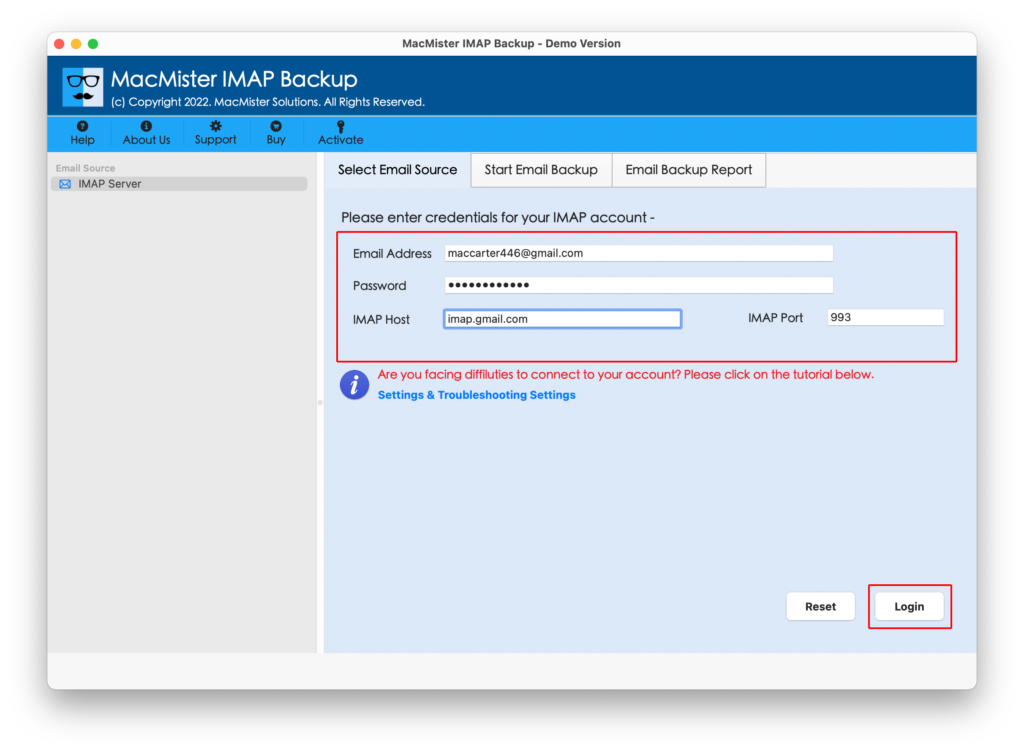
Step 3. After Netfirm email account is connected, its mailboxes start to appear on the left pane of the application.
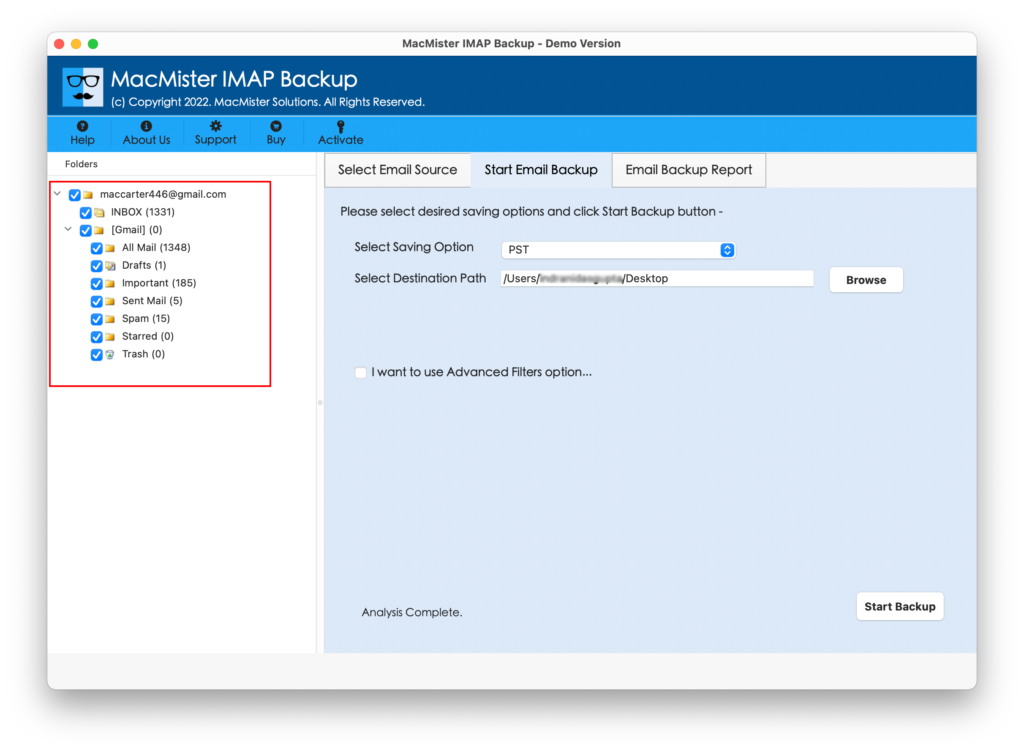
Step 4. Go to the right-side, click Select Saving Options and choose Office 365 from the drop-down list.
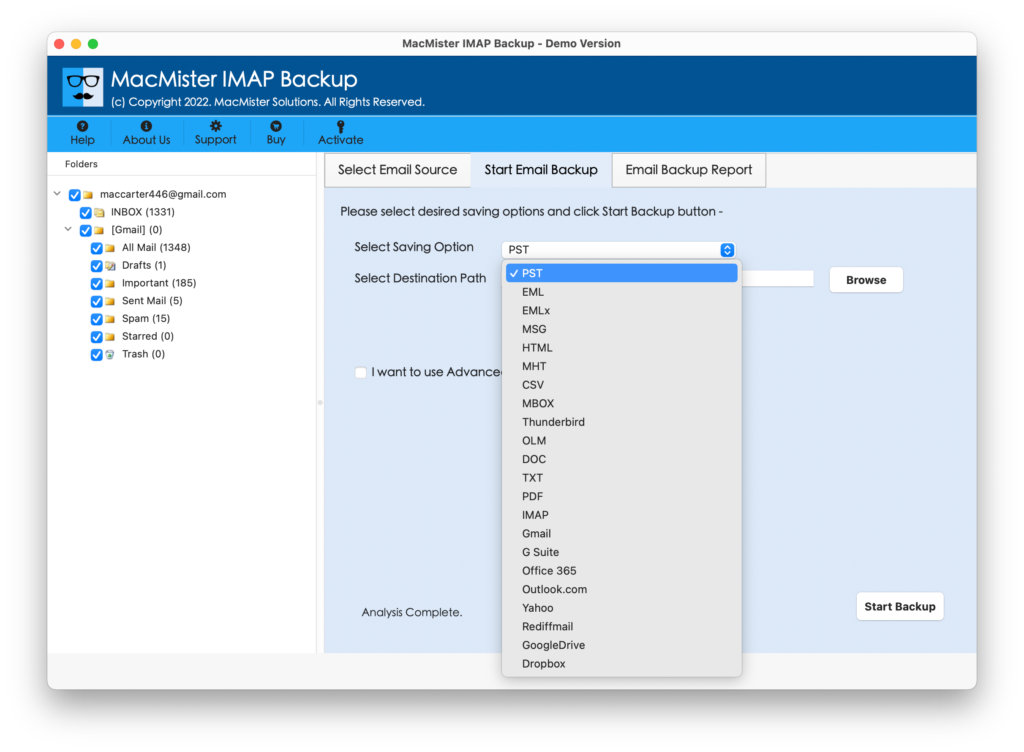
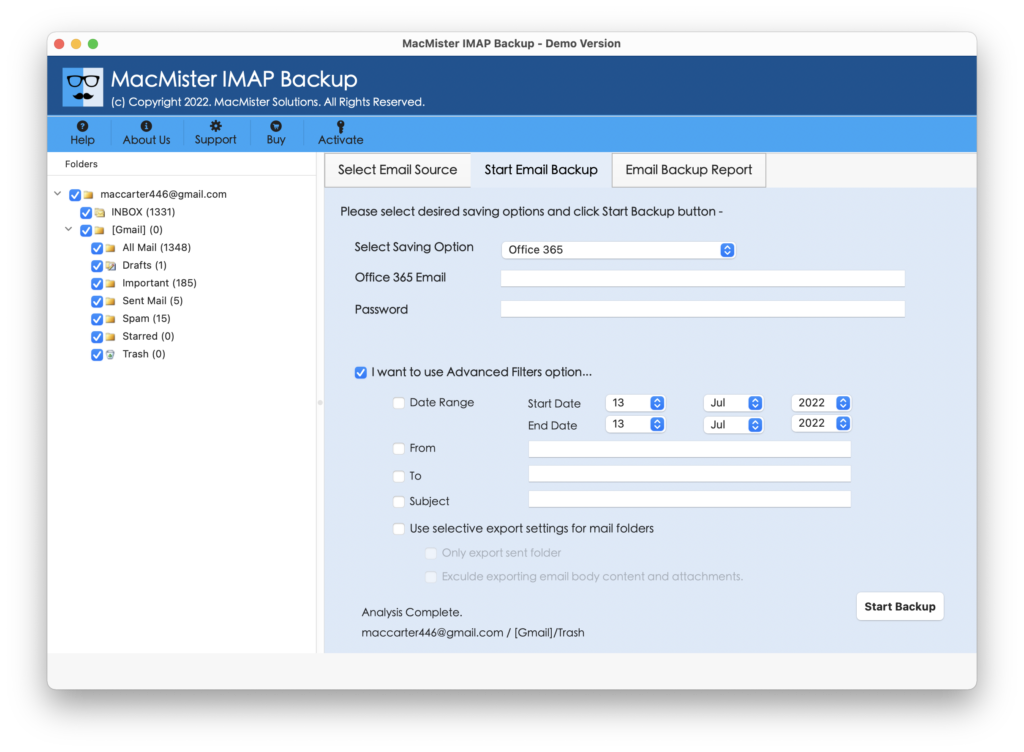
Step 5. Provide Office 365 credentials, set necessary filters (if needed) and click Start Backup button.
Step 6. The Email Backup Report will be generated which shows the live migration of Netfirm emails to Office 365.
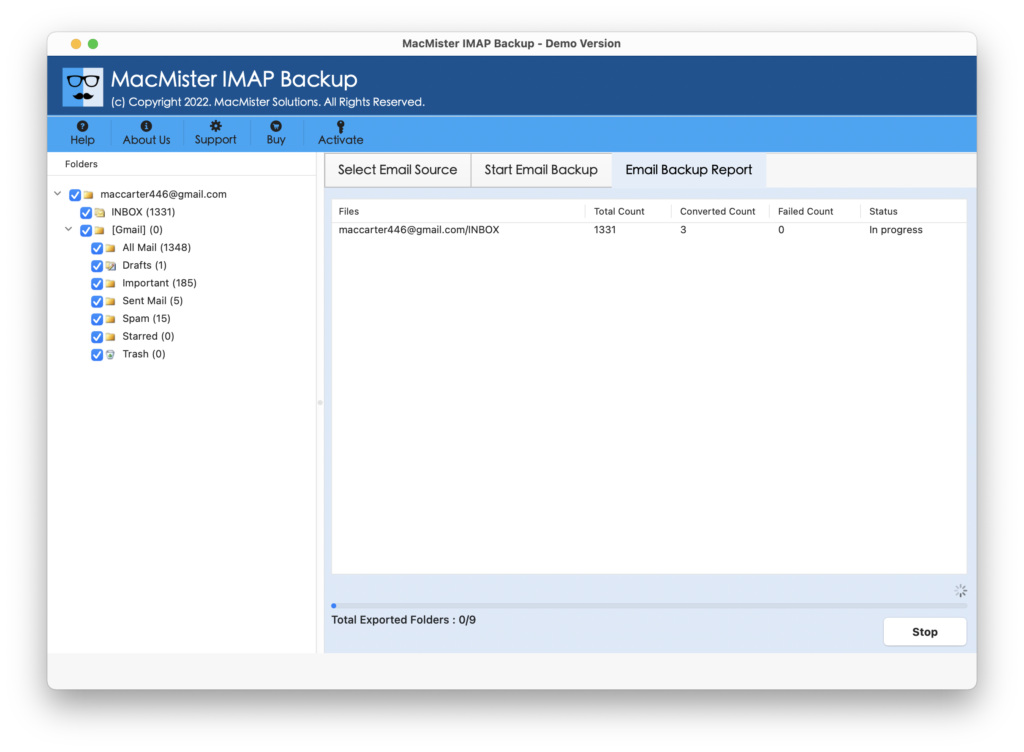
In few seconds, the tool will complete the process and show “Process Completed” message on the screen. Click OK button and go to Office 365 account to check imported files. Now, open the required email file to view the results. You will see that the email messages are accurate. The content, layout, and metadata properties will not get affected during the process.
Overall, it is a best and perfect way to migrate Netfirm emails to Office 365 with attachments without data loss.
Epilogue
In the blog, we have mentioned multiple methods to fix “how to export Netfirm to Office 365 on Mac & Windows” with emails and attachments. The manual method is free to use but a good technical skills are needed to implement it. One should have knowledge of Horde Email, Roundcube, and EAC for the same. The direct method is simple, secure, and easy to use. Anyone can utilize it and execute the process effortlessly. Also, it has many features that help users to transfer Netfirm to Office 365 according to the requirements. Furthermore, the free demo of the tool will help users to migrate first 25 Netfirm emails to Office 365 free of cost.