How to Extract Attachments from PST File? – Complete Tutorial [2026]
As we already are aware of the fact that in today’s growing digital era, we require email applications to manage sending/receiving of emails. Outlook is a popular widely used email client program which is developed by Microsoft. It delivers powerful features and solid security to its users. Furthermore, it makes use of PST file type to save database of email account.
Additionally, in case if users need to extract attachments from PST file, then proper research is necessary to find the right method. This is needed when the emails are carrying large number of attachments, making it difficult to handle PST file. Then you are not aware of this fully. Today, with the help of the guide, we will highlight different methods to download entire list of Outlook attachments. They will help in saving attachments from multiple emails in Outlook. Now, without more ado, let’s explore the process in detail.
Overview of PST File
PST files hold the database of Microsoft Outlook such as emails, calendar, contacts, etc. Attachments from such emails are merged within PST files, resulting in increase file size. Such attachments are accessible to enhance accessibility, simplifying data retrieval, and decrease file size.
However, after understanding about PST files, let’s move further and know some of the reasons behind extracting attachments from PST file.
Reasons to Extract Attachments from Outlook PST File
There are numerous essential reasons behind extracting the attachments from .pst files. Some of them are discussed below –
Better Accessibility – Separated attached files from PST will ease the search of important information within file. Users can manage certain files without having going through large count of emails.
Data Organization – Extracting attachments help in better data organization by managing files as per the relevance or nature. This adds to the formation of structured data repository.
Storage Optimization – Large size PSTs takes up a lot of storage space. You may decrease file size by separating attached files. This will enhance the system performance and storage capacity.
Till now we have a better understanding about PST file as well as the reasons behind extracting PST file attachments. Now, in the further section, we will go through some techniques that will extract attachments from Outlook PST file.
Method 1. Extract Attachments from PST File – Manual Approach
In case you are looking to extract attachments from Outlook data file manually, then follow the steps mentioned here. But it has some shortcomings.
Check the process and if it looks suitable to you, then follow the same –
Step 1. Run Microsoft Outlook.
Step 2. Select the required email carrying attachment.
Step 3. Right-click on the attachment and choose Save all Attachments appearing in the menu.
Step 4. Tap OK button and choose the required location. Then press Save.
Limitations of a Manual Method
The process supports the extraction of all the attachments carried by single email at once. Furthermore, it is important to have Outlook on the system as the entire process will be performed through Outlook. Besides, the folder hierarchy of attachments will be altered after you save them. Also, it is important to have technical knowledge of Outlook. And the missed out of a single step can result in severe loss of data. However, the steps are lengthy as well which make the process very time-consuming for those who want to extract attachments from PST files urgently.
In case you find manual method challenging and risky, then it is recommended to make use of expert’s solution to extract attachments from PST file.
How to Extract Attachments from PST File? – Recommended Method
If manual technique is not suitable, then utilize MacMister PST Converter for Mac & Windows app. It has over 15 saving types including PDF. The PDF saving option is equipped with Extract Attachments to PDF option which is helpful in extracting attachments of PST emails into PDF. Its interface possesses intuitive approach. All professional and novice users can utilize the solution without any issues and perform the process with 100% accuracy. Even, the advanced features of the app allow users to implement the process as per their needs. Download its free demo and check how to extract attachments from Outlook PST file for free –
Step 1. Download, launch, and run the app on a Mac-supported system.
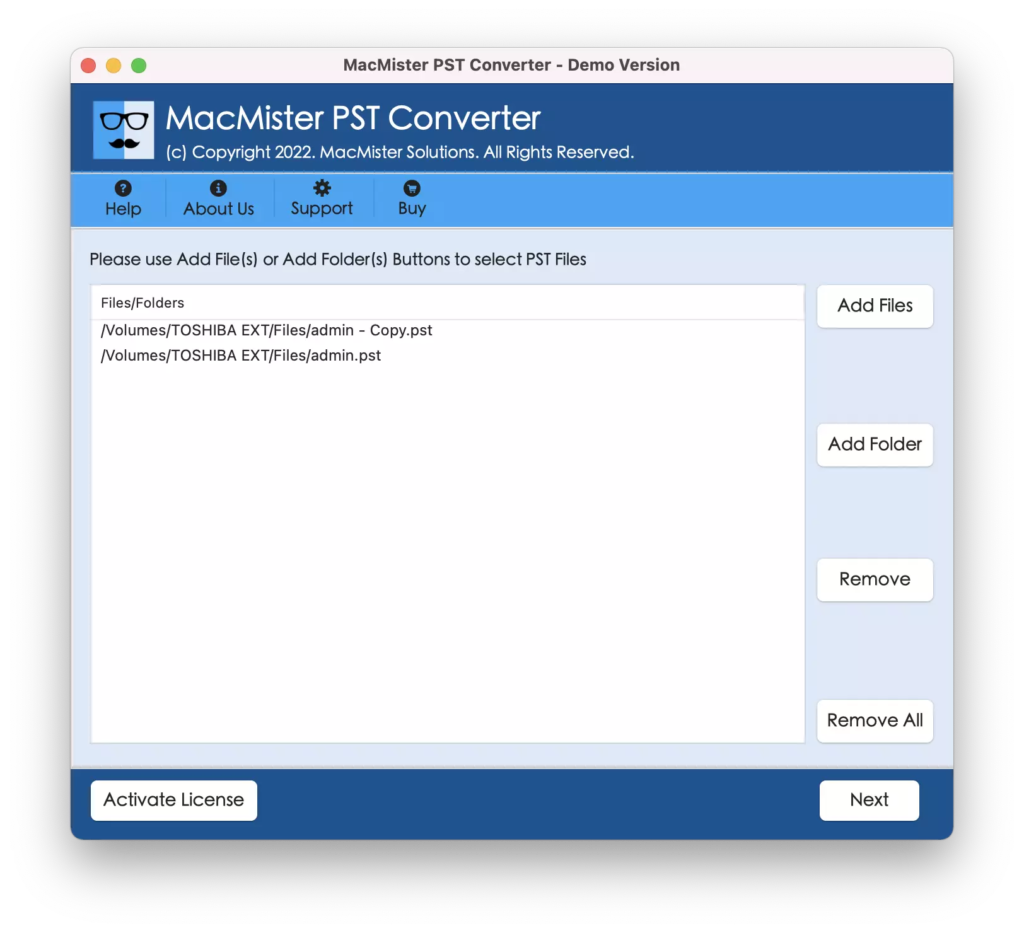
Step 2. Utilize the dual options present to load PST files. The Add File(s) option will allow to add .pst files individually on the software and the Add Folder allows creating a folder and add all the necessary PST files containing attachments. Use the option to upload the same folder and extract attachments to PDF in bulk. Click Next to proceed.
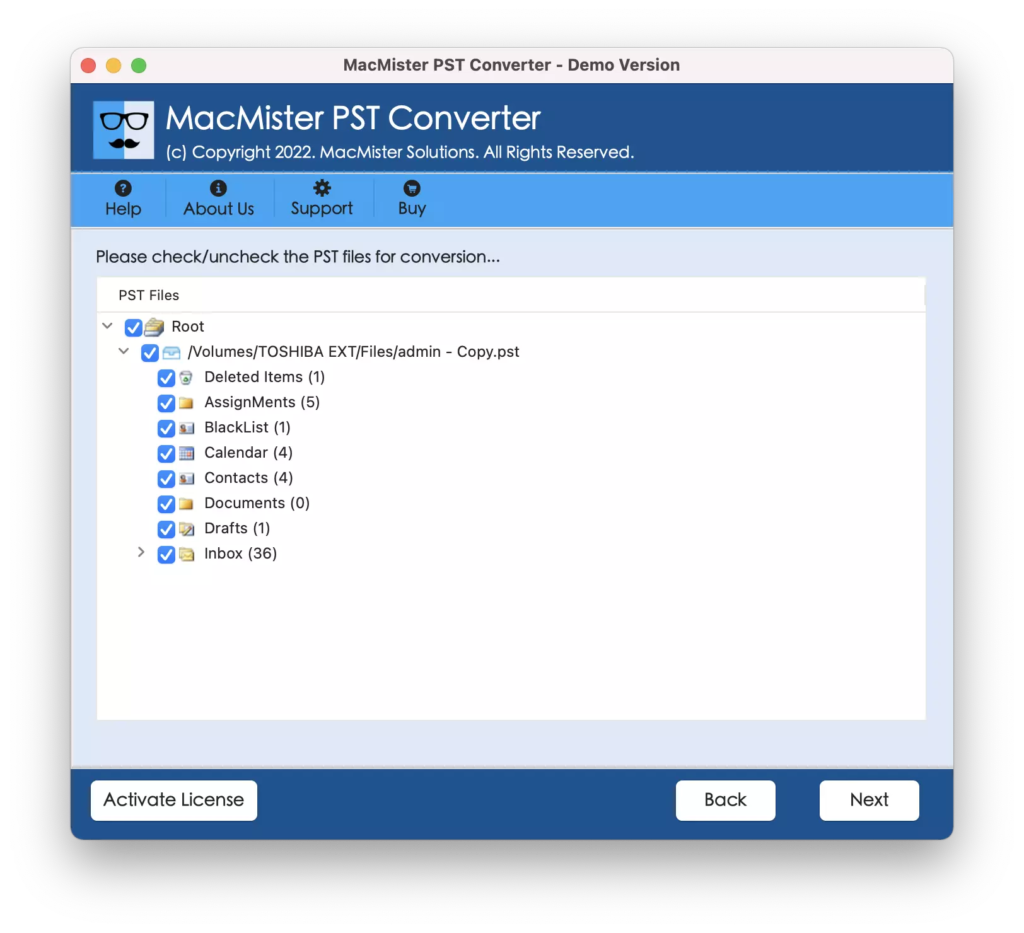
Step 3. The tool starts displaying PST files on the panel with checkboxes. By default these checkboxes will be selected. But users can deselect them and select the checkboxes as per their necessities. Click Next to continue.
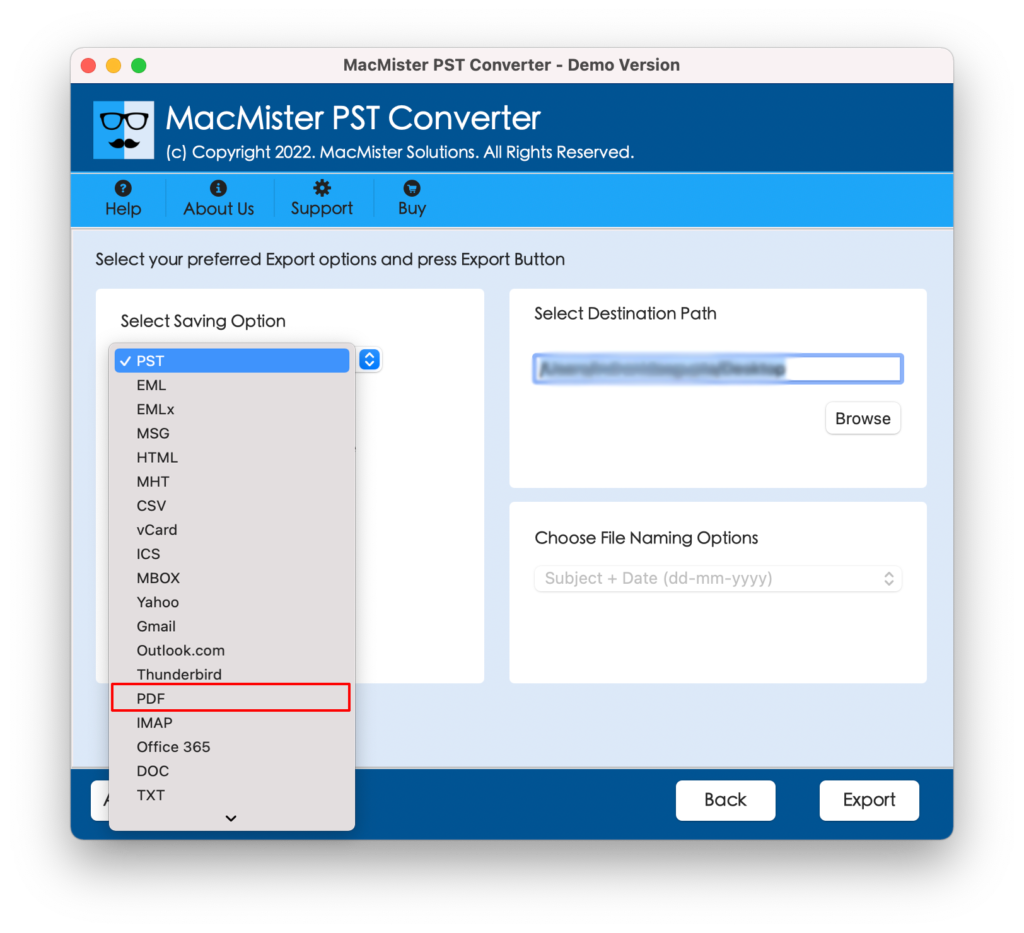
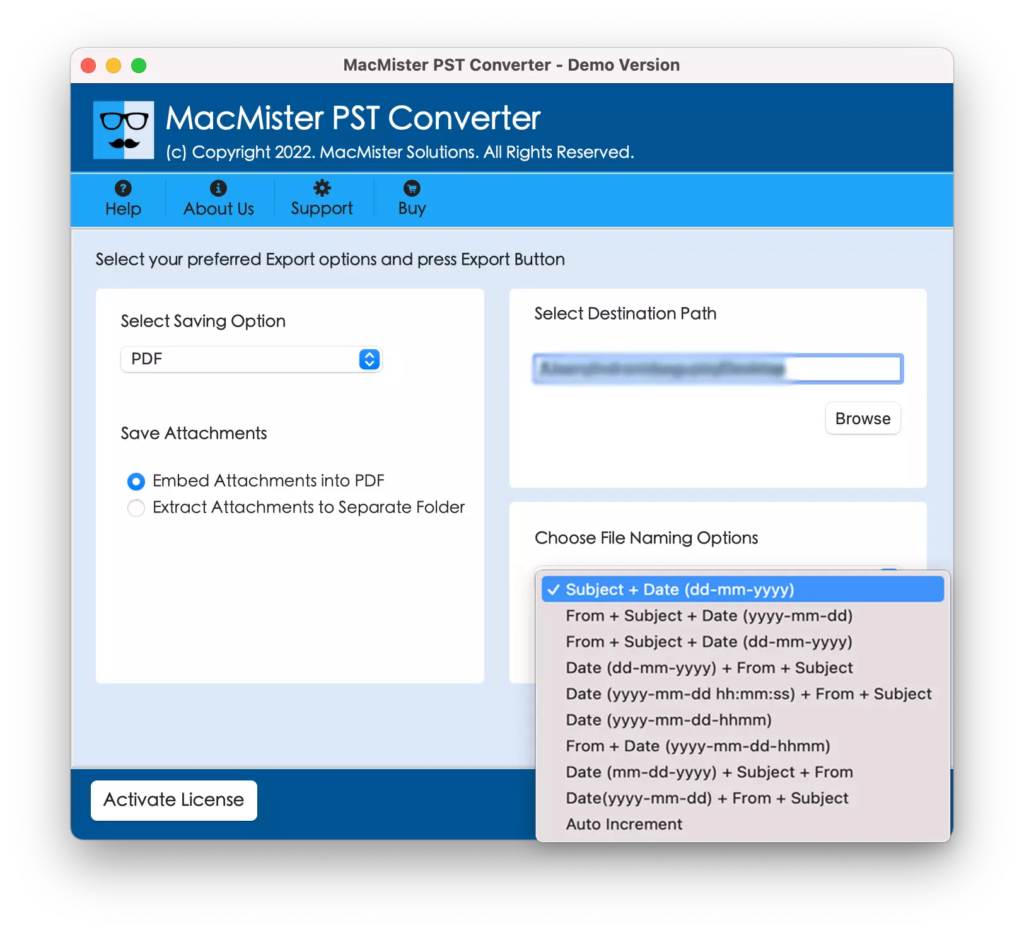
Step 4. Choose PDF from Select Saving Options drop-down menu.
Step 5. Select Extract attachments to PDF option. Then, set the destination path and simultaneously use the required file naming option. Then press Export.
Step 6. The tool will display Live Conversion Report and provide the live attachment extraction status to users.
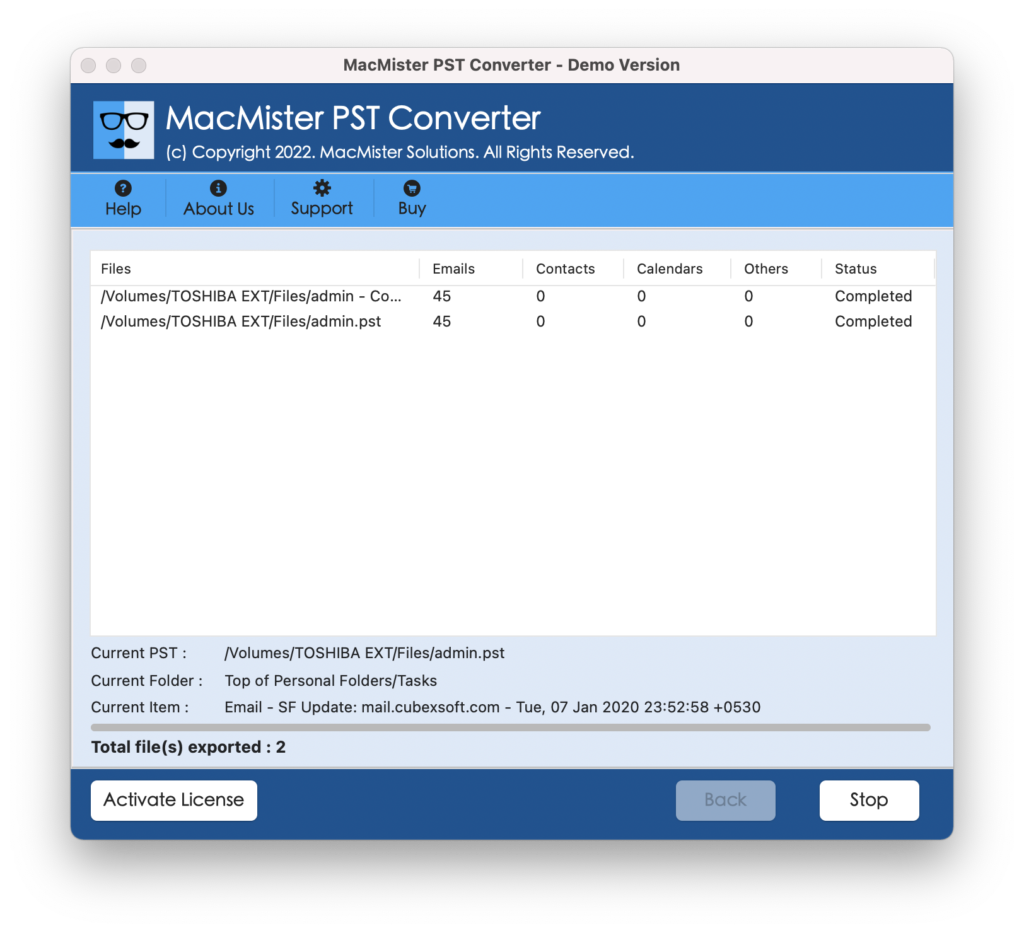
In just few seconds, the task will be finished and then “Conversion Completed” notification will display on the screen. Click OK and then go to the specified destination to verify resultant files. After opening the necessary PDF file you will see that the attached files are appearing correctly. Even their data is precise.
Epilogue
The write-up here provided exceptional ways to fix how to extract attachments from PST file. The manual method is free to use. But it possesses technical steps that will make the process complicated for non-technical ones. Also, the lengthy steps of the application will consume users’ lot of time and energy. Thus, it is advised to go with the recommended approach. It is simple, effective, and secure. Anyone can easily perform the operation using the tool and extract attachments from Outlook PST file within seconds. Also, it has a free demo with the help of users can extract 25 attachments from PST file for free.