How to Forward SBCGlobal Email to another Email Account on Mac & Windows?
Are you finding SBCGlobal outdated and wondering how to forward SBCGlobal email to another email account safely? Looking for an instant, secure and direct approach for the same? Then no worries at all because in the segment we have explained an outstanding methodology that will directly forward SBCGlobal email to another email account without losing essential data.
SBCGlobal.net is a widely used e-mail service provider that was originally introduced by Southwestern Bell Corporation and is now subsidiary of AT&T. Many people make use of it to handle personal accounts. However, SBCGlobal webmail accounts have been migrated to AT&T Yahoo! And the customers having SBCGlobal email addresses do not need to worry about it because they are still supported. The emails of SBCGlobal.net are accessible using AT&T’s webmail service or users can use e-mail applications such as Mailbird, Apple Mail, or Microsoft Outlook for the same.
Why Users Need to Forward SBCGlobal Email to another Email Account?
Numerous users are dependent on email services for maintaining professional and personal communication. Moreover, migration from one email platform to another has become common these days because different email services possess different functionalities that help businesses to grow further.
The common reason why users need to forward SBCGlobal email to another email account is that SBCGlobal.net does not offer email scheduling or advanced filtering options. It is drawback for many users who need advanced tools to manage Inbox folder. Also, the compatibility could be the problem for many as there are some web-browsers that do not support SBCGlobel.net. However, you can update the browser or clear the entire browsing history, cookies, and cache and then login to your account.
How to Forward SBCGlobal Email to another Email Account on Mac & Windows?
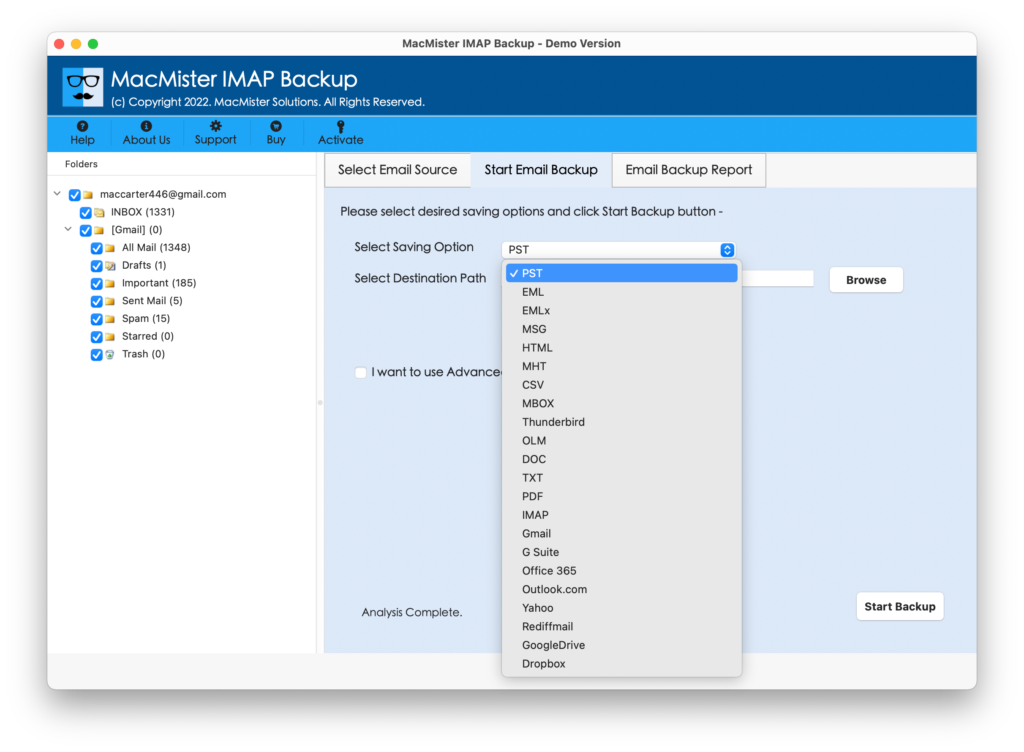
The simple method to forward SBCGlobal.net email to another email account is by using MacMister IMAP Backup Tool Mac & Windows. The application connects with SBCGlobal.net email account and allows users to forward all its emails to required email account with ease. The tool has 15+ saving options such as PST, PDF, MSG, EML, EMLx, MBOX, MHT, HTML, DOC, IMAP, Yahoo, Office 365, Gmail and more. Users can choose the required saving type and then forward SBCGlobal email to another email account with 100% accurate results.
Moreover, the application has variety of features with the help of users can forward SBCGlobal.net emails to required email account as per specific requirements. Download its free demo version to understand the step-by-step migration steps of the tool for free.
Working Steps to Forward SBCGlobal Email to another Email Account on Mac
Step 1. Download and run the application on a required Mac-based system.
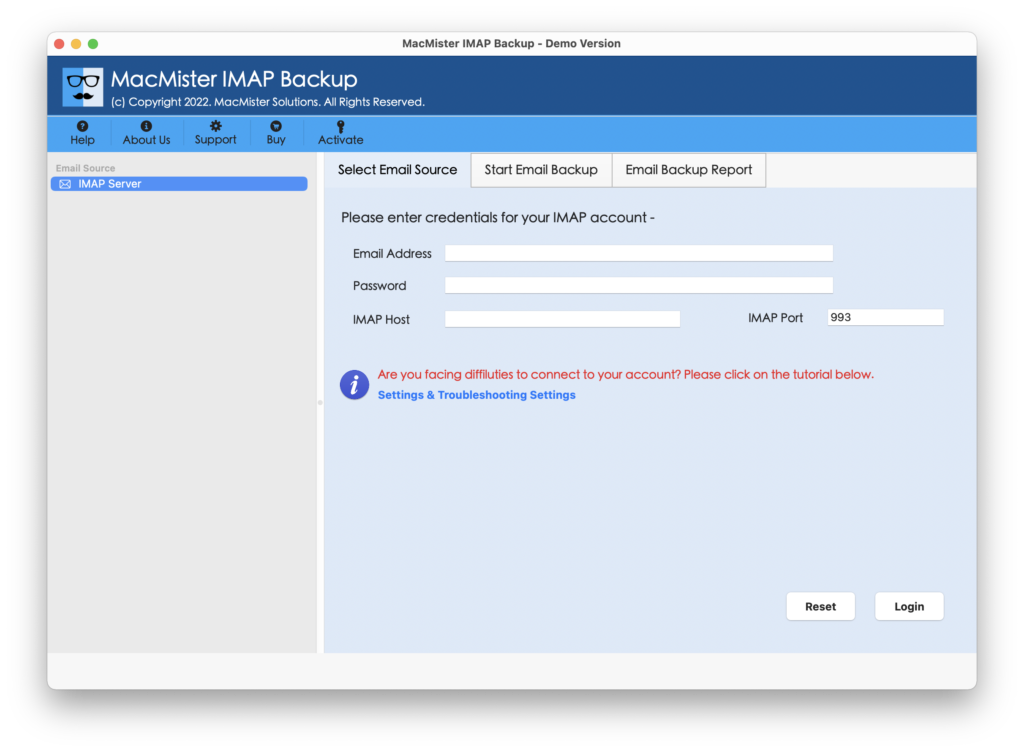
Step 2. Provide SBCGlobal login details with IMAP Host and Port Number and click Login button.

Step 3. When SBCGlobal account connects with the tool, it will start loading entire list of mailboxes start appearing on the left software pane.
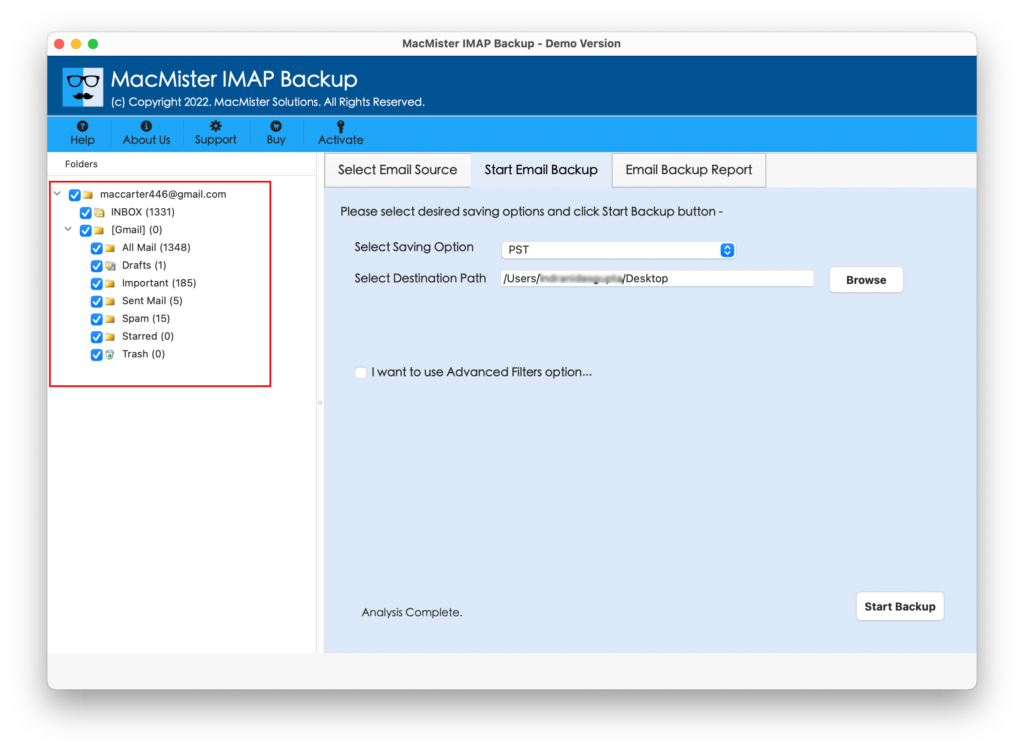
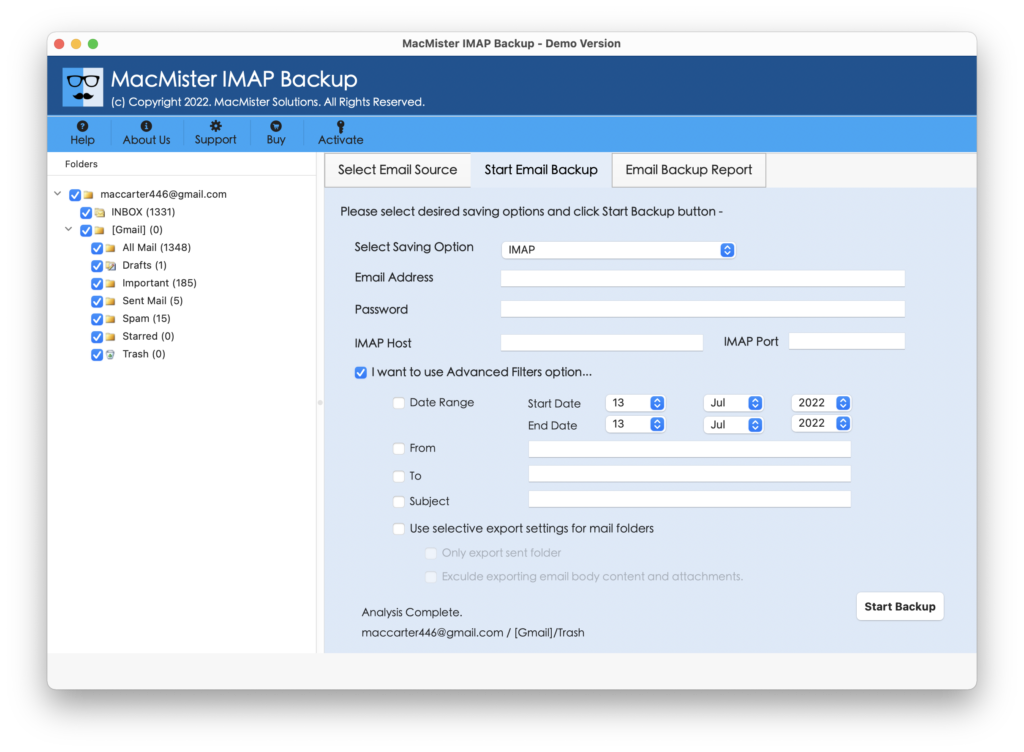
Step 4. On the right-side of the application, click on the Select Saving Options property and choose the required saving type from drop-down list.
Step 5. Now, set the options appearing under selected saving type according to the requirements and click on the Start Backup button.
Step 6. The Email Backup Report screen will appear that shows the total count of files forwarded, files left to transfer, and the current backup status.
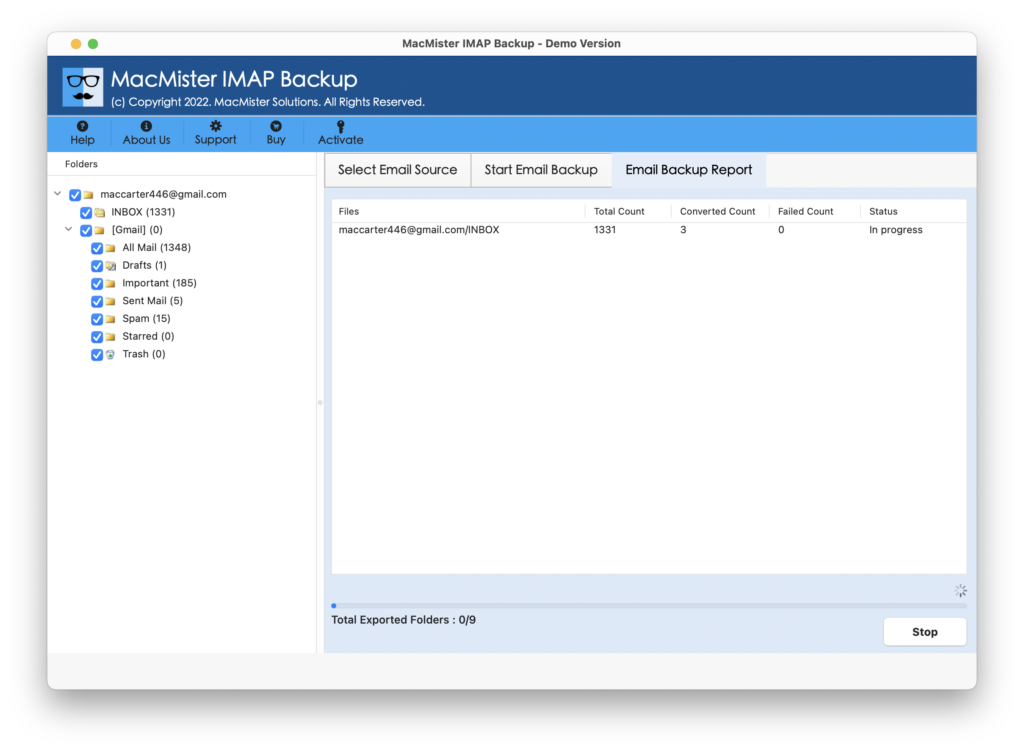
The process will terminate with a notification message “Process Completed”. Click on the OK button and go to the location where resultant files are stored. Now, choose the necessary file to check the results. However, you will see that the email messages are completely accurate and precise. Even, the layout and metadata properties of SBCGlobal emails will display without any alteration.
Why to Prefer MacMister SBCGlobal Email Migration Tool for Mac?
The remarkable solution not only forward SBCGlobal email to another email account but also provides many features with the help of users can perform the process as required. Some of them are –
- Directly forward emails from SBCGlobal to another account with attachments on Mac & Windows.
- Offers Filter options such as date range, from, to, subject, etc. which can be applied according to the requirements to forward specific SBCGlobal emails to specific e-mail account.
- Includes easy-to-use and intuitive interface which is easily manageable by all professional and non-professional users.
- Supports 15+ saving options in which users can forward SBCGlobal email messages.
- Protects the login details of specified account throughout process.
- Makes sure to safeguard the folder structure of SBCGlobal email account when transferring the data to another e-mail service.
- The three-step procedure of the application will save the time and efforts of users.
- Live Email Backup Report will help in tracking the ongoing migration progress of SBCGlobal emails.
- Capable to forward SBCGlobal email to another email account on Mac OS Sonoma and earlier versions.
- Tool is also operable on Windows OS supports all the earlier and latest versions.
Epilogue
In the write-up, we have offered trouble-free approach to fix “how to forward SBCGlobal email to another email account”. The solution is not complicated at all, it has a simple and intuitive environment. All technical and non-technical users can utilize the application effortlessly and able to quickly transfer all emails from SBCGlobal to a different e-mail service with attachments.
Moreover, the features of the software are also advanced. They will help users obtaining the desired results in minimum time. Download the free demo of the application to explore the complete process for free. It also allows forwarding first 25 SBCGlobal emails to another e-mail account free of cost.
Quick Note. Download MacMister Email Backup Software Mac & Windows that delivers 30+ webmail sources. Users can choose the required source and save the entire list of email messages into 15+ saving options.