How to Import PST to ProtonMail on Mac? – Verified Solution
Did you receive PST files from a Windows user but don’t know how to open them in ProtonMail? Wondering how to import PST to ProtonMail on Mac with emails and attachments properly? Looking for a reliable and effective approach for the same? No worries, read the whole segment to know the solution that will successfully import PST to ProtonMail on Mac accurately.
PST aka Personal Storage Table is a default storage file format of Windows Outlook. It stores emails, contacts, calendars, tasks, notes, and other essential database of users. The file is platform-dependent, which means it is only accessible in its respective platform. So, if you want to access PST files in ProtonMail, then you need to import PST to IMAP.
But first, let’s gather a little bit information about ProtonMail.
Why ProtonMail is widely used by Users?
Protonmail is end-to-end encrypted service that was founded in 2013 by CERN physicist Max Schrems, known for its client-side encryption to protect email content and user data before they are sent to ProtonMail server. It delivers the services for both Web and Mobile Platforms. The storage limit is 500 MB and per day email limit is 150.
Many Mac professionals need to use ProtoMail like services everyday because it helps in encrypting the confidential emails with a password.
It is considered as an ideal webmail service for those who have privacy concerns about traditional email providers, anyone wanting to communicate with the sensitive information such as companies with the data security requirements or journalists who are living under oppressive regimes.
How to Import PST to ProtonMail on Mac?
The remarkable way to import PST to ProtonMail on Mac is MacMister PST Converter for Mac. The application is not only advanced and powerful but also a reliable source for importing unlimited PST files to ProtonMail with emails and attachments. Its GUI is friendly that can be used by all types of professional and non-professional users. Even, users will be able to quickly import PST to ProtonMail as the operational steps are limited and help you to implement the complete migration of PST files in just three seconds.

Moreover, the software is programmed with several excellent features and options that can be applied by a user to get the desired results. However, the trial edition of the application is present that will help users to experience the practical working of the tool for free.
Working Steps to Import PST to ProtonMail on Mac
Follow the instructions discussed below to import multiple PST files to ProtonMail directly:
Step 1. Download and run MacMister PST to IMAP Migration Tool on macOS.
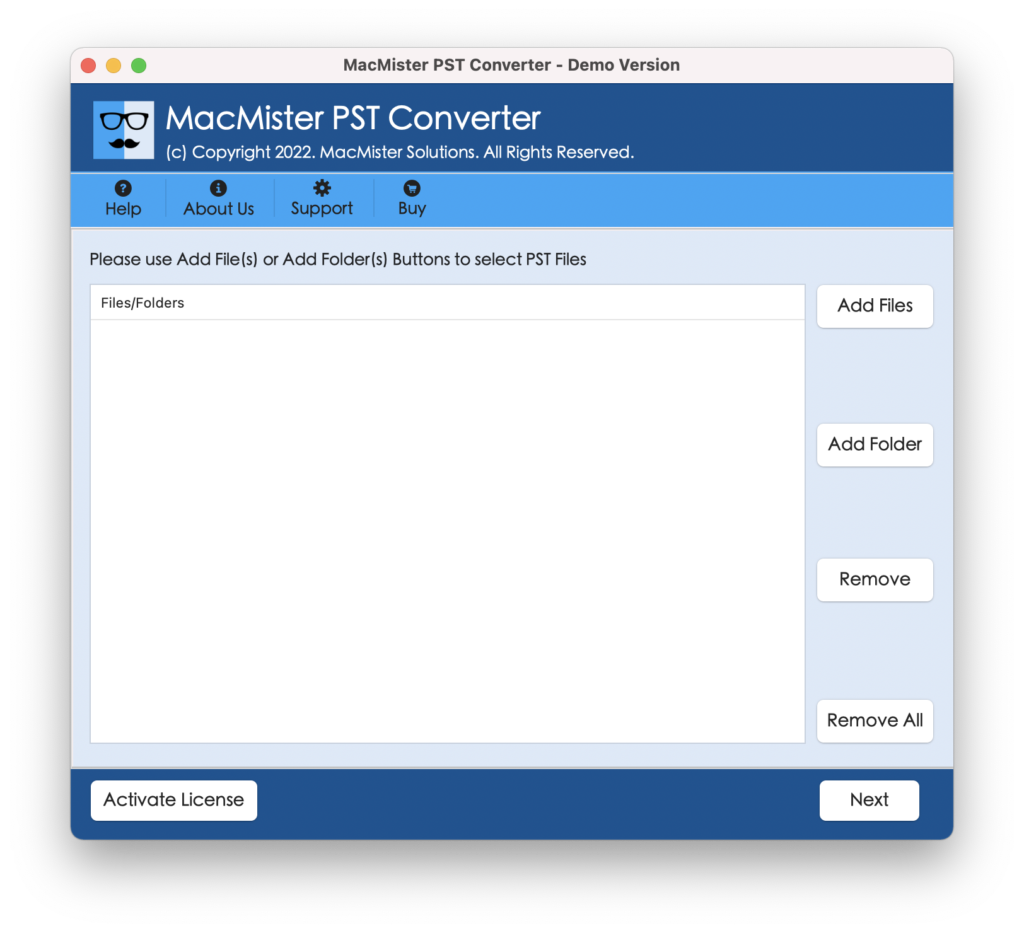
Step 2. Load PST files on the tool with the help of the dual modes i.e. Add File(s) and Add Folder buttons and click on Next.
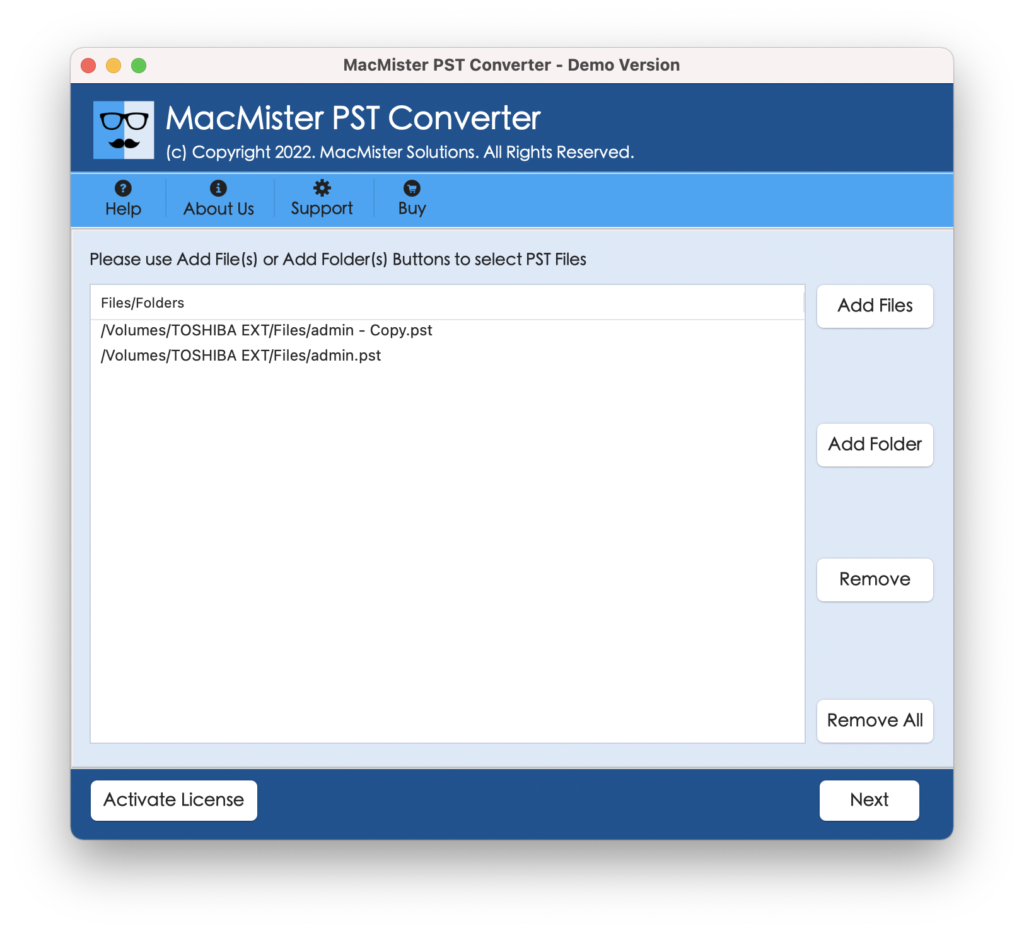
Step 3. The files start to list PST files on the software one by one with checkboxes. You can use the checkbox to perform the selective migration of PST files. Click Next.
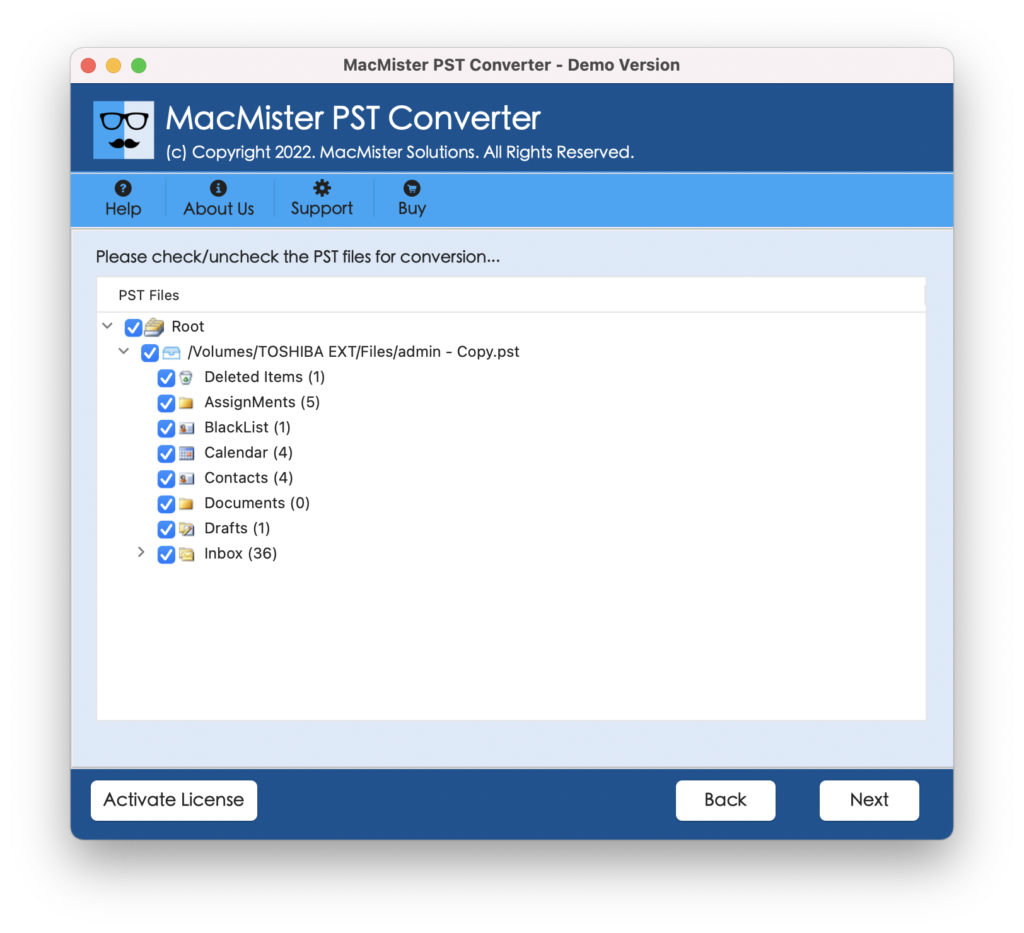
Step 4. You can click Select Saving options and choose IMAP option from the drop-down.
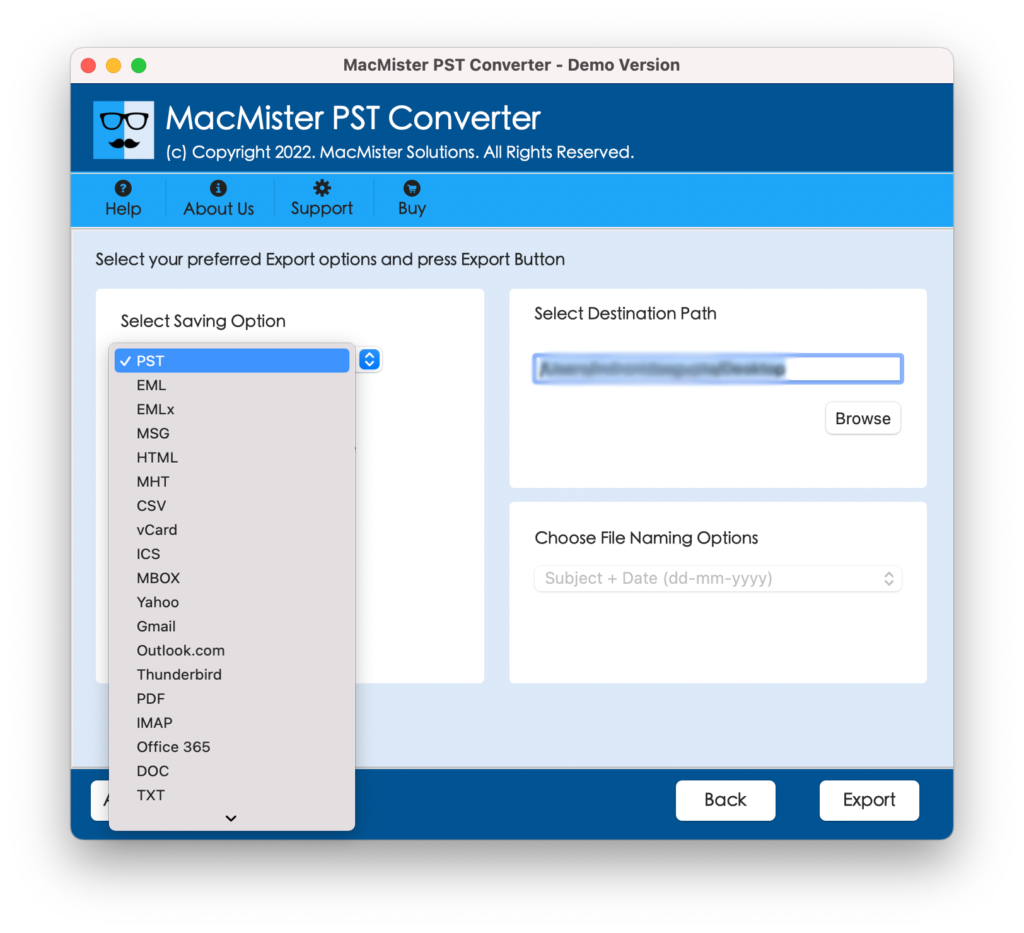
Step 5. Enter ProtonMail email address as well as password with IMAP host and port number. And click on Export.
Step 6. The process will be live and a Live Conversion Window will appear that shows the ongoing export progress of PST files.
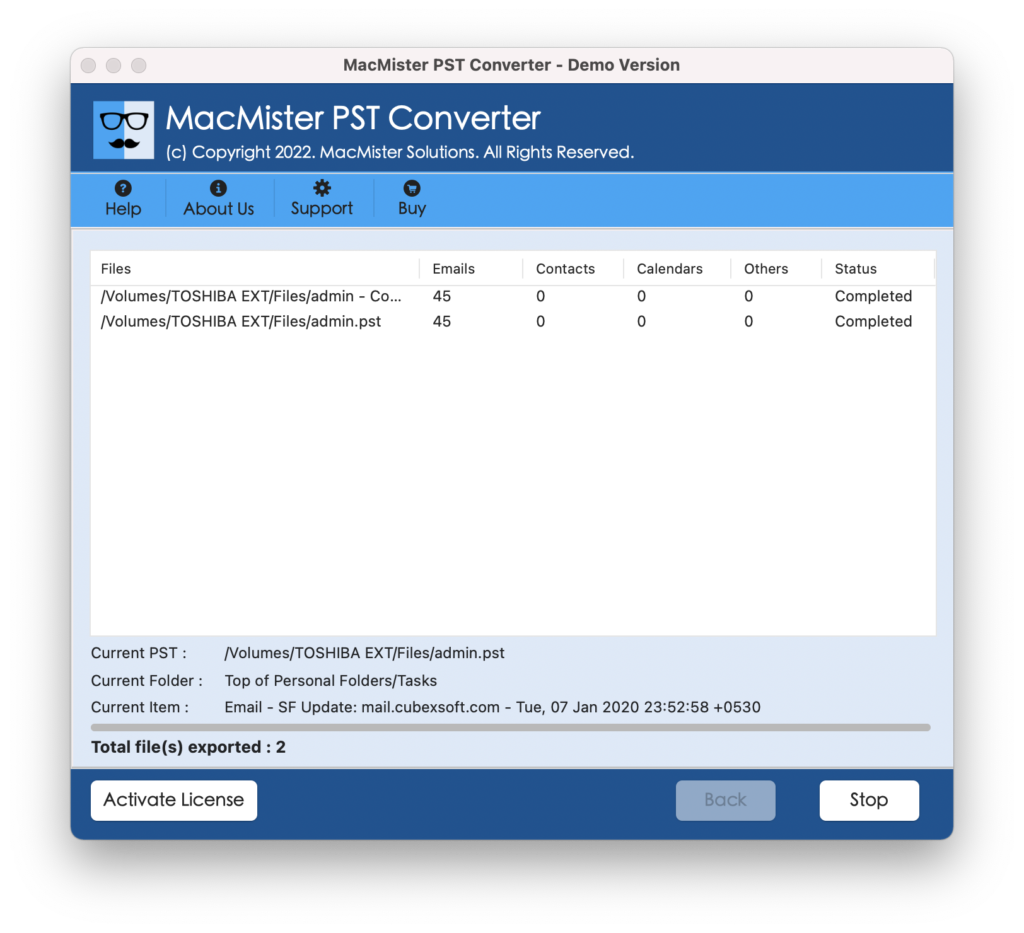
The procedure will take few seconds and then “Conversion Completed” pop-up will appear. Click on OK and go to your ProtonMail account to check your resultant files. You will see that the content is appearing with original data and formatting properties.
Why Users Prefer MacMister PST to ProtonMail Tool?
There are multiple reasons for choosing the solution and some of them are explained here:
Direct PST to ProtonMail Migration in Seconds
The software has the ability to directly import PST to ProtonMail on Mac with emails and attachments. Simply load the required PST files on the tool and select IMAP as a saving option from the list of Select Saving Options property. Apply the necessary options and click on Export. The application will start the process and complete in seconds with 100% accuracy.
Opt Dual Options to Load Necessary PST Folders
The application is equipped with dual options i.e. Add File(s) and Add Folder buttons. By clicking the Add File(s) button, you can load the necessary PST files on the tool. And, by opting Add Folder button, users will be able to load a folder containing multiple PST files on the application for batch conversion.
Supports Selective PST File Migration to ProtonMail
The software allows to import specific PST files to ProtonMail with the help of selective migration process. After the tool load PST files on the tool, each will appear with a checkbox that can be selected/deselected accordingly and then the app will be able to perform the migration as per your requirements.
Shows Live Conversion Report to track Ongoing Process
The tool will display Live Conversion Report after user clicks on the last button i.e. Export. It will show the count of files migrated, files left for migration and export status. This will help in tracking the ongoing migration progress of PST files.
Offers Multiple Saving Options other than IMAP
The application is equipped with multiple saving options other than IMAP. Users can import PST files into other file saving options as well such as PDF, MBOX, MSG, EML, EMLx, MHT, HTML, DOC, Gmail, Office 365, G Suite, and more.
Import PST File to ProtonMail on all Mac OS Versions
The utility has the ability to import PST file to ProtonMail on all versions of Mac OS. The tool has the ability to run on Mac OS Sonoma, Monterey, Big Sur, Catalina, High Sierra, etc.
Quick Note. Use TRIAL VERSION to Explore More Software Features and Options.
Epilogue
The write-up has highlighted the brilliant method to import PST file to ProtonMail with emails and attachments. The above discussed solution is safe to use and possesses fast processing that will save the time of users and delivers instant results with 100% accuracy. Download the free demo of the tool now and check the migration of the application for free. It will also help you to import 25 PST files to ProtonMail free of cost. For any assistance, contact MacMister Support.