How to Migrate from Lycos to Google Mail?
Are you searching a solution to migrate from Lycos to Google Mail? Then not to worry as the blog here explains the perfect approach for email migration. We will also mention some reasons for switching from Lycos Mail to Google Workspace account. So, read the blog further and know how to migrate from Lycos to Google Mail with ease.
Lycos Mail is a well-built web-based emailing platform introduced by Lycos Inc., an internet portal that was launched in 1994. It delivers primary email functionalities such as spam filtering, folder management, and virus scanning which is accessible through web-browser or email applications. Although, initially, it offered free accounts, but it predominantly moved to a paid model i.e. Lycos Mail Plus which provides 5 GB of storage capacity, support of POP/IMAP and ad-free experience.
Gmail, on the other hand is a popular commonly used web-based email service with features such as private mail sharing, advanced search, automated email filtering, etc. Gmail however provides wide ranging benefits due to why many IT professional prefer to switch into Google Mail environment than other email services.
Benefits of Choosing Gmail/Google Workspace over Lycos
There are multiple reasons for choosing Google Mail over other email service providers. The segment has mentioned some of the benefits here –
- Gmail offers 15 GB of free storage space which can be extended to 30 GB, 2 TB and 5 TB when a user switch to premium plans. On the other hand, Lycos provide 5 GB of mailbox storage, providing insufficient for preserve large amount of emails.
- Google shows regular security updates and new features for strong email safety such as multi-factor authentication and automated spam filtering leading the email security.
- Another common reason to migrate Lycos Mail emails to Google Mail is a perfect integration between Google Mail applications. Users can edit and display documents as well as presentations in real-time with on-the-go-accessibility.
Such reasons highlight the importance of moving Lycos emails into Google Mail account. Now, let’s explore the solutions to transfer Lycos Mail emails to Gmail profile.
How to Migrate from Lycos to Google Mail Account?
Migrate from Lycos to Google Mail Manually
- At first, browse Gmail and login using credentials.
- Go to Gear icon (Settings) appearing at the top right corner and select Settings to access the settings.
- Select Add an email account after navigating to Accounts and Import.
- Tap Next after specifying Lycos email address.
- Enter POP Server details such as port number, username and password of Lycos.
- Last, tap Add Account.
Quick Note. The process is free to use but will be difficult for non-technical users. In-depth Gmail knowledge is required to perform the process. And in case you not able to perform the task completely using free technique, then use the automated method discussed below.
Migrate from Lycos Mail to Google Mail Account Directly
The best way to migrate Lycos Mail to Google Mail account is MacMister IMAP Backup Tool Mac & Windows. The app allows users to connect with Lycos Mail account and allow users to perform the migration directly once the email account is connected. The GUI of the tool is friendly and secure. Both professional and novice users can effortlessly utilize it and migrate Lycos to Gmail with emails and attachments without data loss.
Additionally, with Gmail, the tool also offers other saving types for migration. It is built with exceptional features with the help of users can migrate from Lycos to Gmail according to the requirements. However, the app is available with a freeware version. Users can download it for free and migrate 25 Lycos Mail emails free of cost.
Step-by-Step Working Tutorial to Migrate Lycos Mail Email to Google Mail Account
Step 1. Download and launch the app on a Mac-supported system.
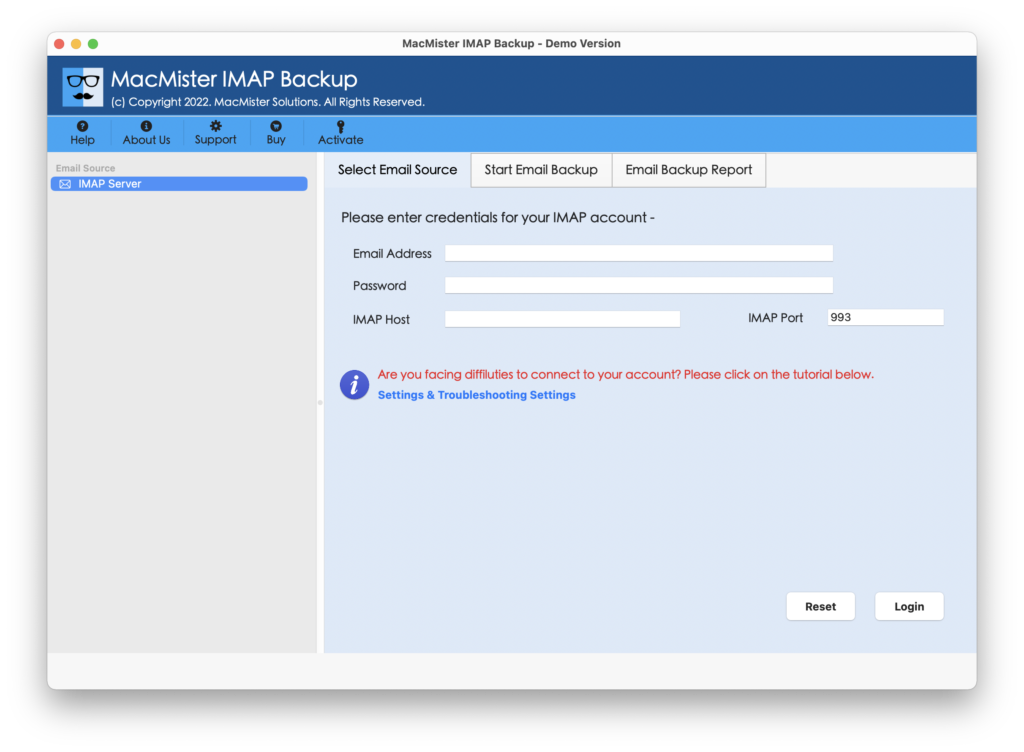
Step 2. Add Lycos Mail account details with IMAP Host and Port Number. Then tap Login button.
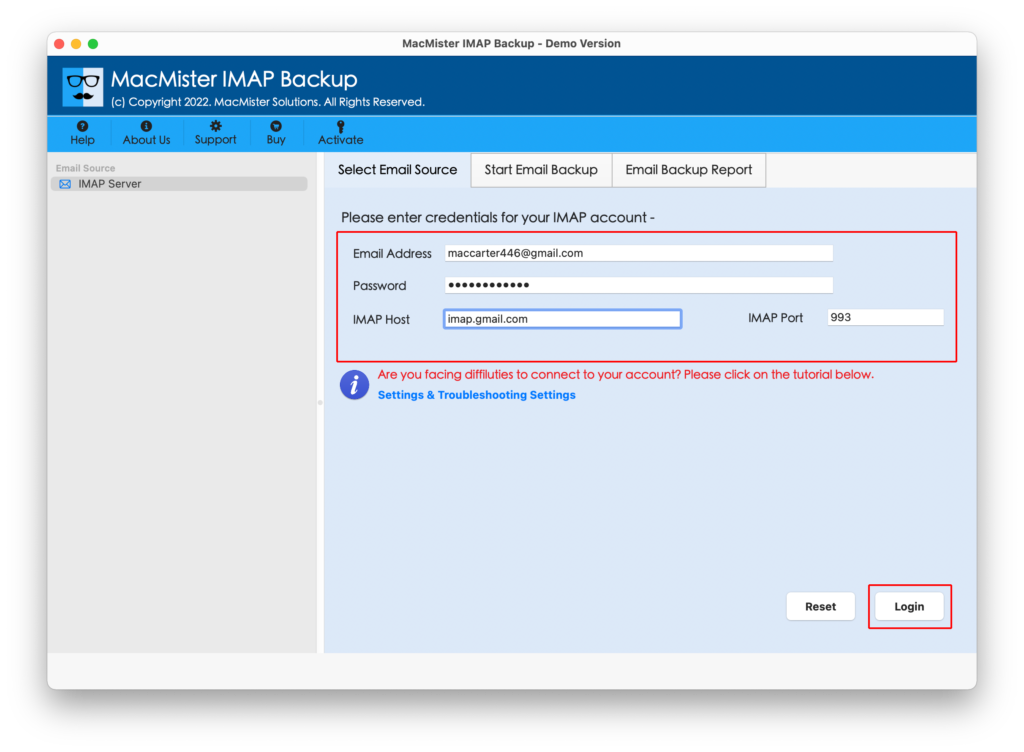
Step 3. Once Lycos account is connected, the tool start listing its mailboxes on the left pane. Verify them and move to the right-pane of the app.
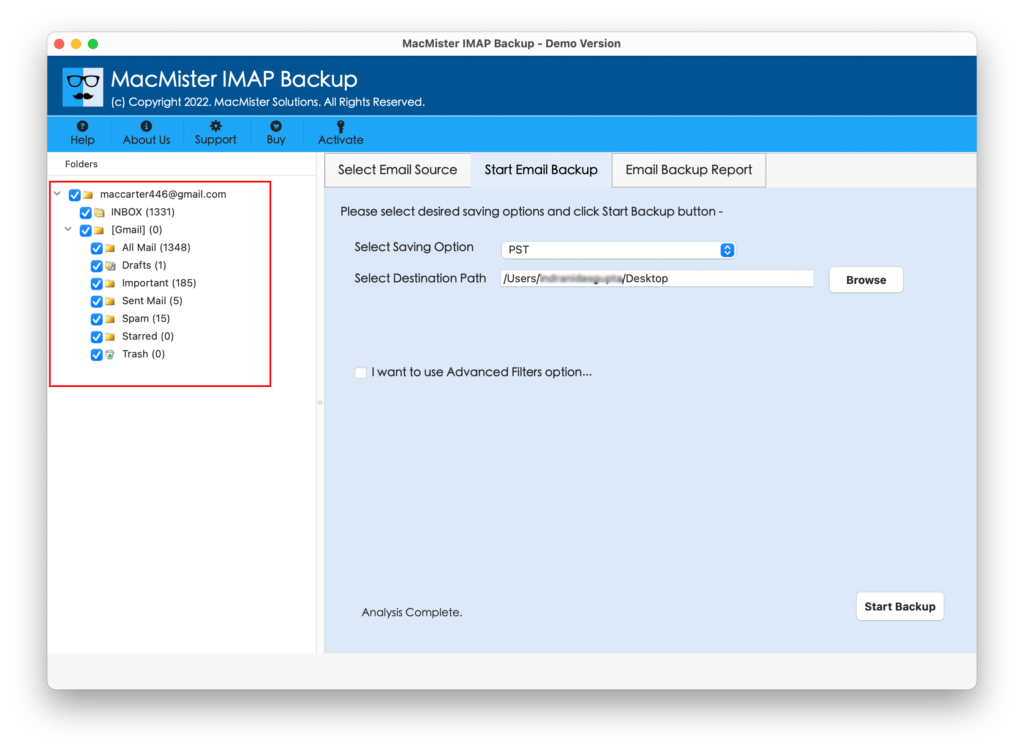
Step 4. From Select Saving Options, choose Gmail as a saving type.
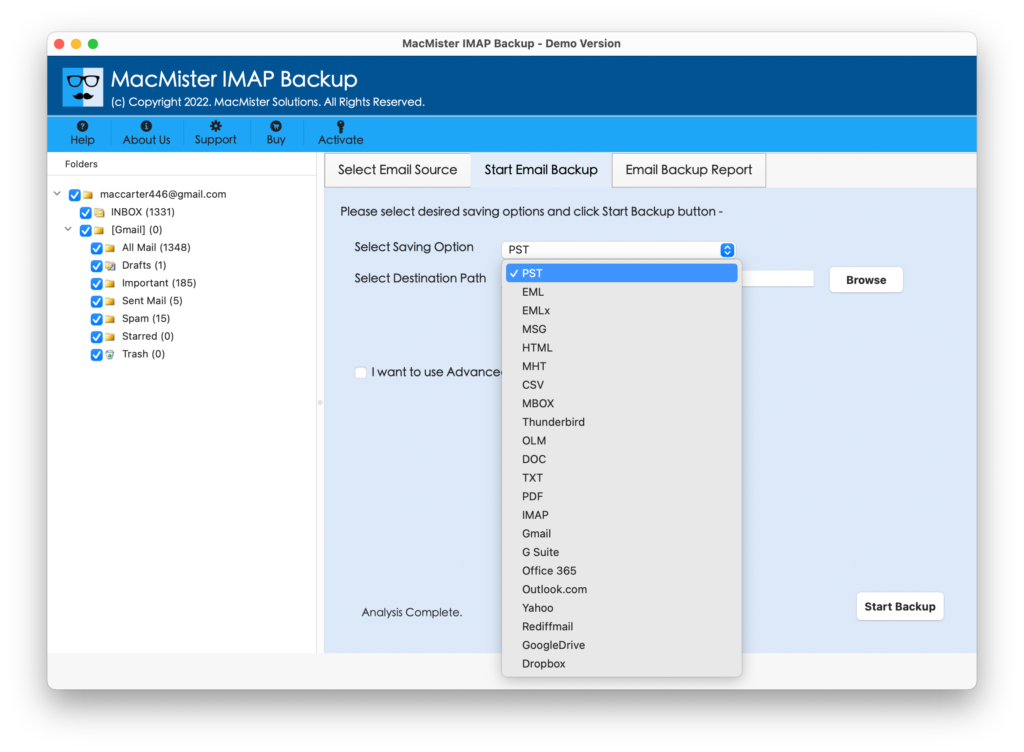
Step 5. Add Gmail credentials (email ID and app password). Set other options as per requirements and click Start Backup button.
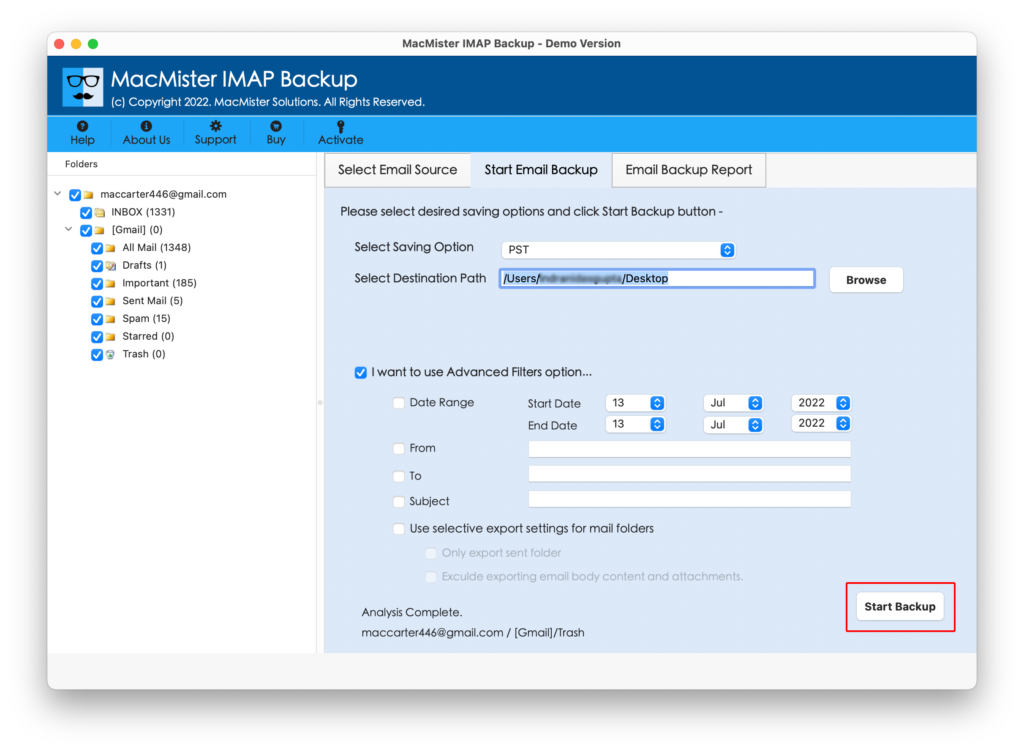
Step 6. The Email Backup Report window will generate which shows the live migration progress of Lycos Mail account.
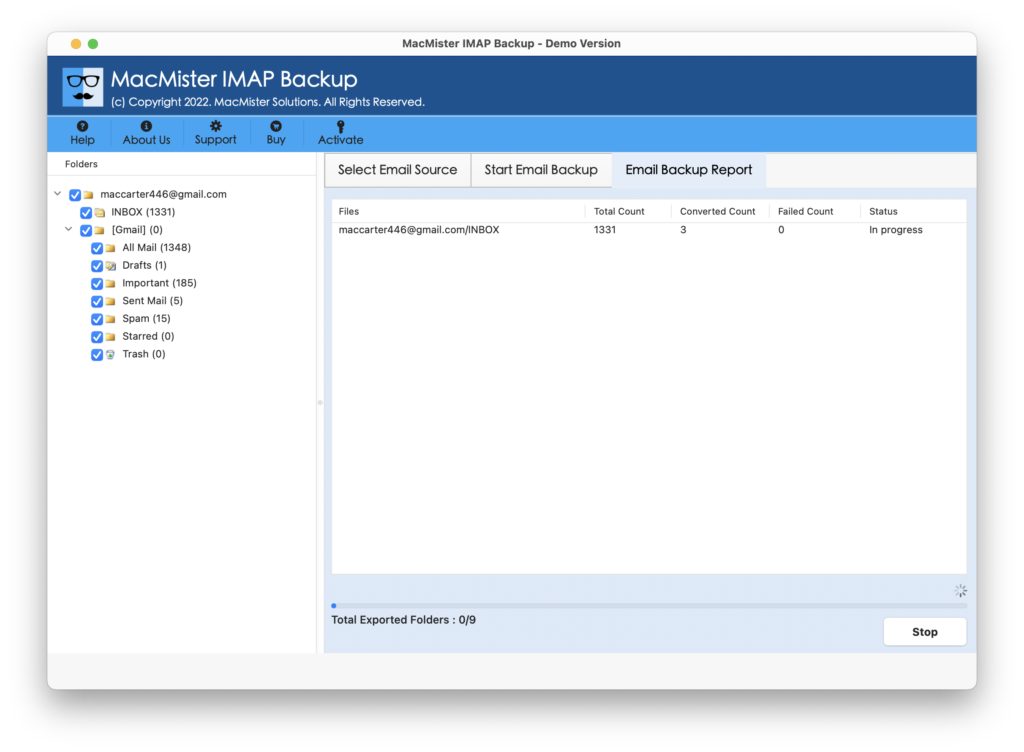
Within seconds, the procedure will end and then “Process Completed” notification will appear on the screen. Click OK and then login to specified Gmail profile to check resultant files. However, you will see that the entire email messages transferred from Lycos Mail are in original state and appearing with precise email layout and metadata properties. So, overall the direct solution will prove more suitable to non-technical users. Even, technical users who are busy with their schedules can also take help of the solution and migrate Lycos Mail emails very quickly.
Noteworthy Features of the Tool
The application is programmed with many advanced features; some of them are listed here –
- Directly transfer Lycos Mail emails into Google Mail account with attachments.
- Ensures the safety of their credentials while migrate their emails.
- Protects the originality of email messages and keeps the metadata properties intact throughout process.
- Supports 15+ more saving types other than Google Mail i.e. PST, EML, HTML, DOC, IMAP, Yahoo Mail, Office 365, and more.
- Designed with a simple and secure GUI so that all users can easily utilize it and perform the migration process with ease.
- Multiple Filter options are available that one can apply to receive desired results.
- Available for Mac & Windows OS both (all editions supported).
Epilogue
In the write-up, we have explored different ways to fix how to migrate from Lycos to Google Mail account. The manual approach is free to use but possesses difficult steps. Users need to have in-depth technical knowledge of Gmail account before implementing the process manually. The second approach i.e. MacMister IMAP Email Backup Software Mac & Windows is direct. It is paid but simple, budget-friendly, and highly secure. It not only performs the process but also ensures the account safety during migration. Anyone can operate it with ease and transfer Lycos Mail emails into Gmail account within seconds. Besides, the app has a free demo. Users can download it and check its entire functionality and features in detail for free.