How to Migrate Zoho Mail to cPanel on Mac?

Have you recently moved your accounts to cPanel from Zoho Mail? Now, do you want to migrate emails from Zoho Mail to cPanel? If yes, then no need to go anywhere else because, in the MacMister blog, we will discuss the solution that will directly migrate Zoho Mail to cPanel on Mac with all the crucial emails and attachments. Let’s understand the migration properly by understanding a query that most of users are dealing with these days.
Common Query:
Hi Everyone,
I have recently moved my account from Zoho Mail to cPanel. It was quite an easy process but the problem I am facing right now is I am not able to access important emails of my Zoho Mail account in cPanel. I am facing difficulty in getting the right solution for the migration. And, above all, I cannot afford data loss by using an unverified method. So, if anyone can recommend me suitable and secure method for the same, then it will be great. Thanks!
Zoho Mail and cPanel are both popular webmail servers that are known for managing emails on the cloud. But sometimes, users need to change their email environment for multiple reasons. The challenge they face in between this is basically data migration. Because direct accessibility of emails from one email platform to another is not possible. Thus, users need to perform the migration of their account mailboxes so that they can read the emails from one webmail server to another. Now, the main problem is finding an appropriate and secure technique to safely migrate Zoho to cPanel. So, without more ado, let’s get straight to the method and know the procedure to migrate Zoho Mail to cPanel.
How to Migrate Zoho Mail to cPanel on Mac & Windows?
Zoho Backup Tool for Mac & Windows is a direct, reliable, and effective method that easily migrates Zoho Mail to cPanel with accurate emails and attachments. The application contains a user-friendly, attractive, and intuitive working interface that any user can handle to migrate Zoho Mail emails to cPanel. And, the best thing about the solution is that it only requires the credentials of Zoho and cPanel. Once they are added, you can click the Start Backup button to start the direct migration of Zoho emails to cPanel.

Moreover, the application has rich features that are programmed according to the user’s necessities. One can apply them to get the desired outcome. In case you want to check the process for free, then make use of the freeware version of the tool.
Step-by-Step Process to Migrate Zoho Mail to cPanel
Step 1. Run Zoho to IMAP Backup Tool Mac on macOS.
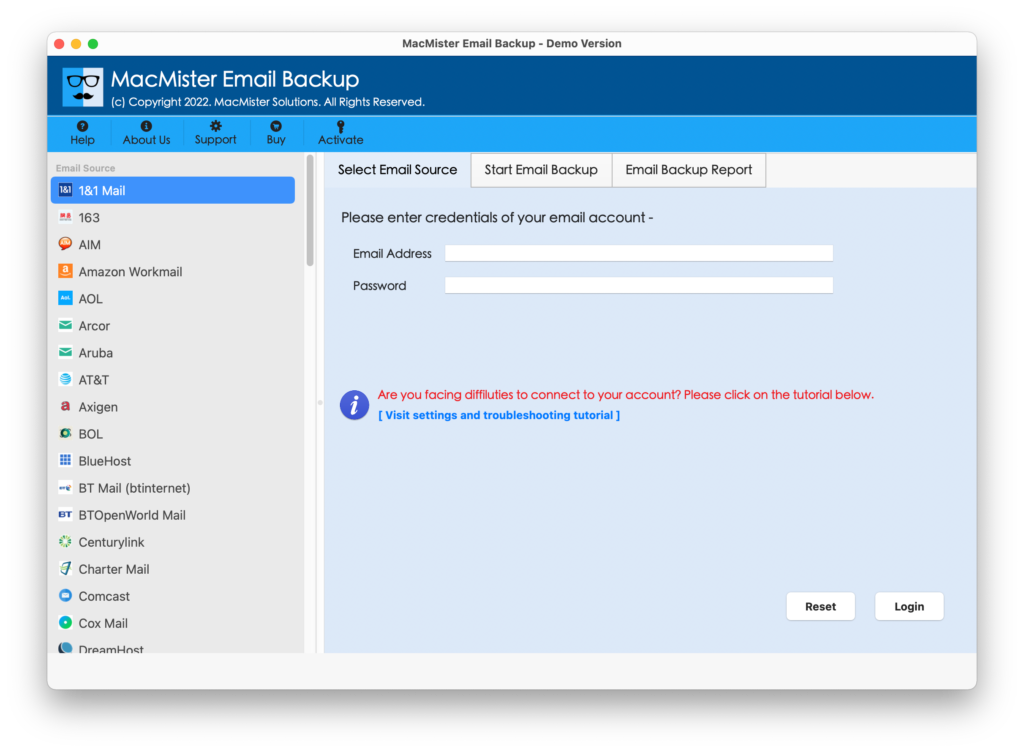
Step 2. Select the Zoho Mail option from the left webmail source list and provide the Zoho Mail credentials. After that, click the Login button.
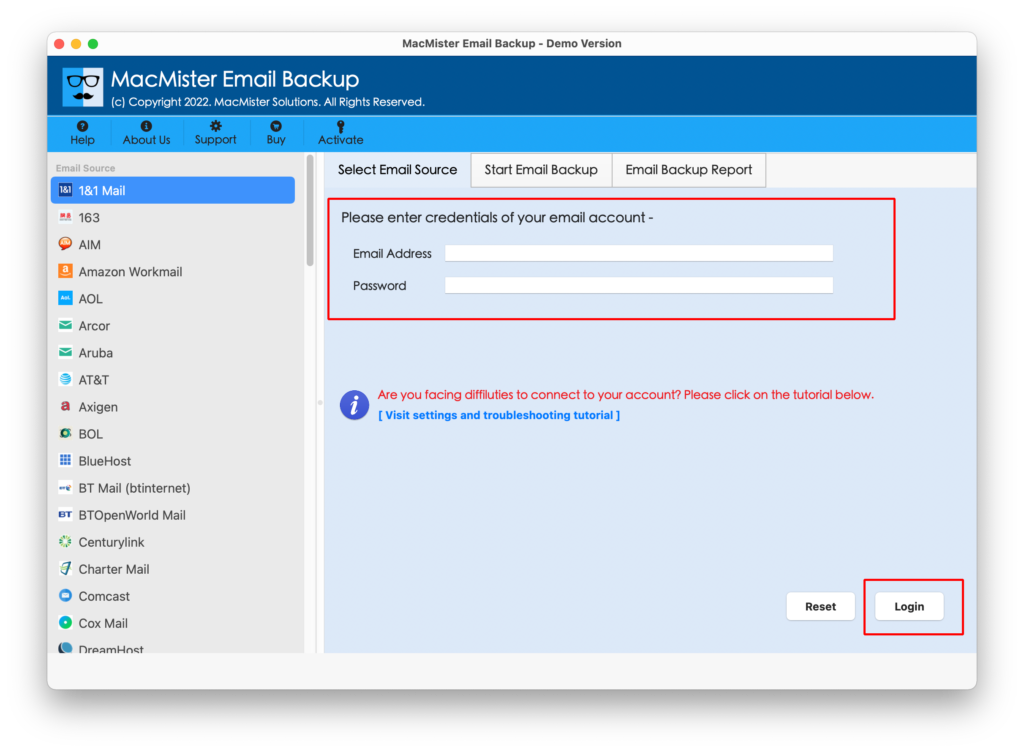
Step 3. The specified Zoho Mail account will connect with the application and start listing all its account mailboxes.
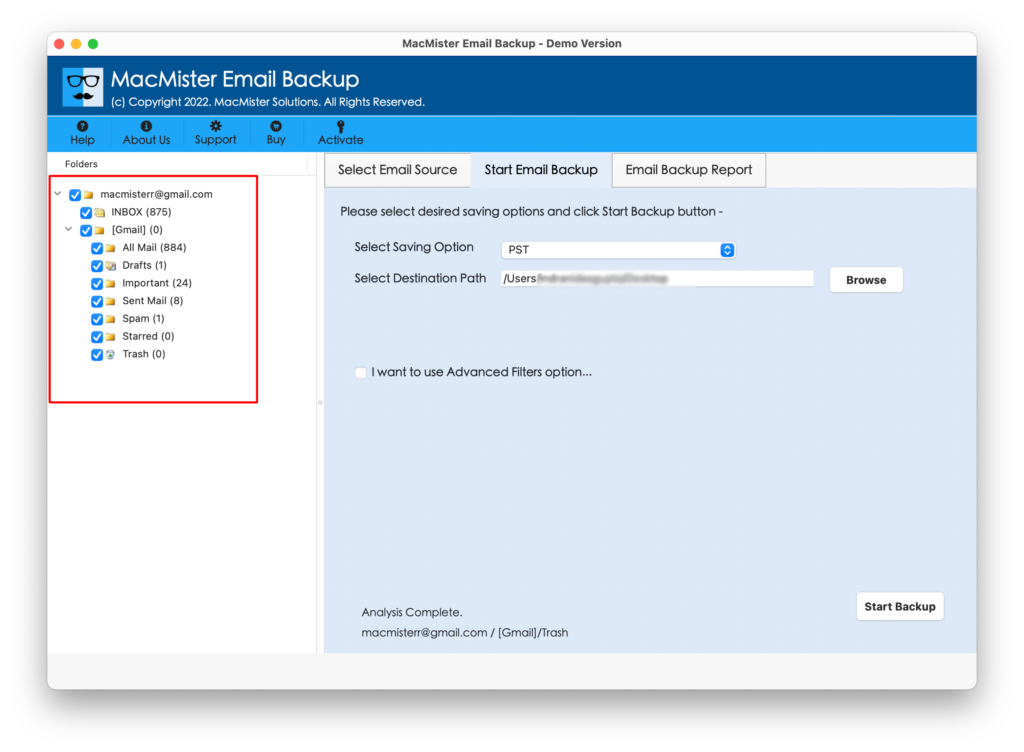
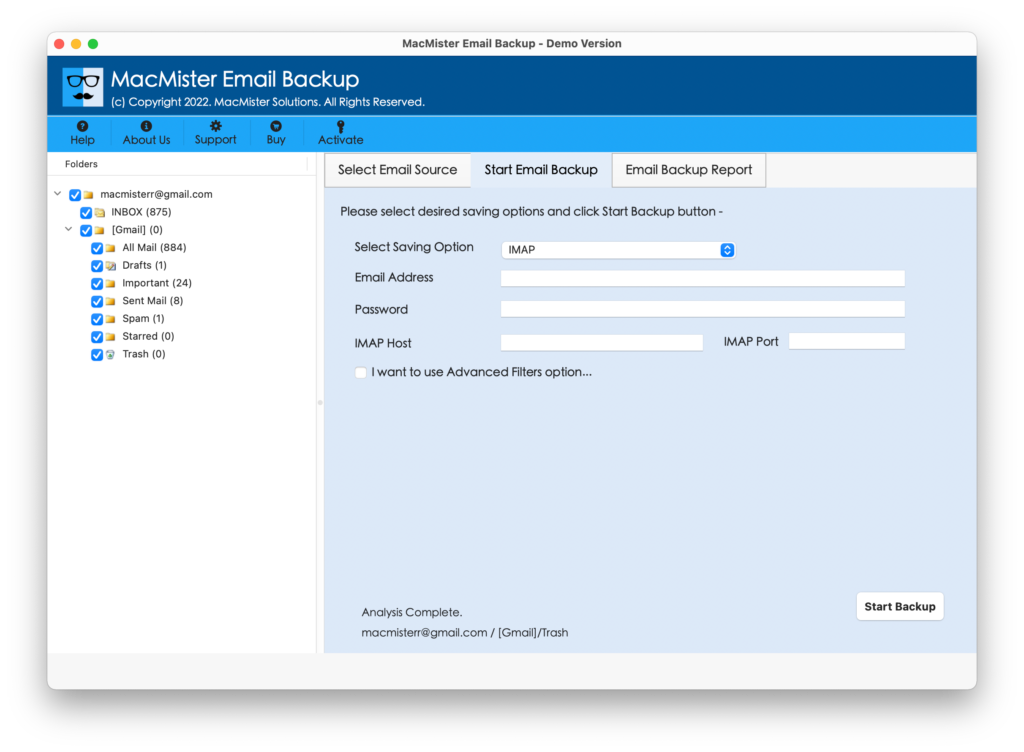
Step 4. Now, navigate to the Select Saving Option property and choose the IMAP option from the same.
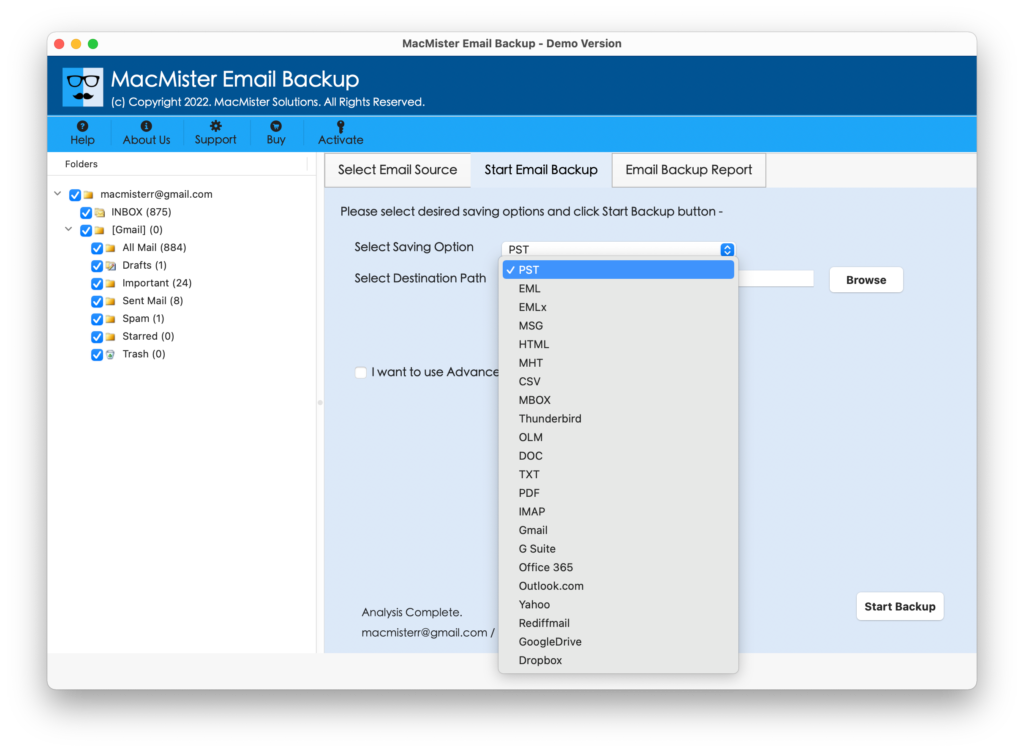
Step 5. Enter cPanel login details with its IMAP Host and Port Number. You can also apply Filters if you want to migrate selective Zoho emails to cPanel with attachments. Once done, press the Start Backup button.
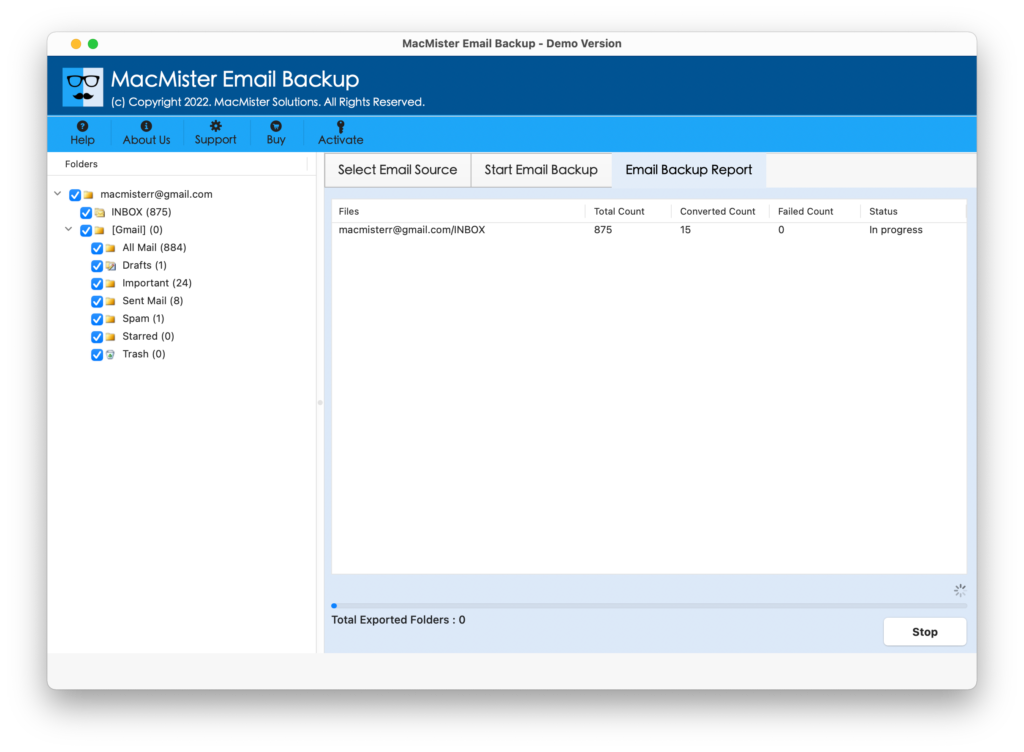
Step 6. Zoho Mail to cPanel migration process will start and the tool will show the ongoing migration detail in the Email Backup Report.
After the successful migration of Zoho Mail emails to cPanel, you will get a notification that will show a “Process Completed” message. Click OK and then go to the specified cPanel account to check the resultant data. You can now open a required file and check the accuracy of migrated emails and attachments. They will appear in their original form. Even, their related formatting properties i.e. header, hyperlinks, images, font style, etc. will remain unaltered as well during the entire process.
Why Choosing Zoho Mail to cPanel is Beneficial?
Zoho to cPanel Migration Tool has many benefits and some of them are as discussed:
Direct Zoho Mail to cPanel is Possible
The application provides a facility that help users to directly migrate Zoho Mail to cPanel on Mac. In order to do the same, simply choose Zoho Mail as a webmail source and from Select Saving Option, choose IMAP. After this, you can add the required credentials of cPanel and provide IMAP Host and Port Number accordingly. Now, go to Start Backup and start the direct migration of Zoho Mail emails to cPanel with attachments.
Utilize Filters for Selective Migration
The software provides Advance Filters property for selective migration. After you have chosen required saving type and provided details accordingly. Then, you can select the Filters option if you want to migrate selective Zoho emails to cPanel. It will include Date Range, Subject, To, From, etc. Apply them as per your requirements and migrate emails from Zoho to cPanel.
Keeps the Accuracy of Emails Intact
The utility has the ability to migrate Zoho emails to cPanel accurately on macOS X. And, it is true that the tool is simple and short but it will make sure that the user’s emails and attachments as well as formatting properties will remain original and unaltered during the process. So, once the migration process completes, users can go to a specified cPanel account to cross-check the data accuracy.
GUI is Intuitive and User-Friendly
The application is programmed with a user-friendly interface that is simple and intuitive. Moreover, the steps of the tool are easy to handle and manage. They are well-designed and any user can effortlessly make use of the same to migrate all Zoho Mail emails to cPanel effortlessly.
Migrate Zoho to cPanel on all Mac OS
The solution has the ability to migrate Zoho emails to cPanel on all macOS versions. With the help of the tool, users will be able to migrate emails from Zoho to cPanel on macOS Ventura, Monterey, Big Sur, Catalina, High Sierra, etc.
Note. Download the free demo and check out more software options.
Epilogue
The complete article here discussed an incomparable approach that directly migrate Zoho Mail emails to cPanel on Mac with attachments. The Zoho Email Backup Software Mac is a 100% secure and verified solution. Mac users can download and use the solution without doubts and migrate all emails from Zoho to cPanel. You can understand the migration steps by downloading the free demo. It will help to migrate 25 Zoho emails to cPanel with attachments free of cost.