How to Save Hotmail Email as PDF on Mac?
Are you currently searching for a method of how to save Hotmail email as PDF directly on Mac? If yes, then simply stay on the article as here you will definitely get the appropriate technique that will help you to save emails from Hotmail account as PDF with attachments on macOS X effortlessly.

Hotmail was first introduced Sabeer Bhatia and Jack Smith in 1966 in California. Year after, the company was then acquired by Microsoft and then again launched as MSN Hotmail. After that, it again rebranded as Windows Live Hotmail and then in 2013, the name changed to Outlook.com. However, the Hotmail email address are still used but the service is totally changed by Outlook.com. It includes unlimited storage, contacts, calendar, Skype, Office Online and more.
Related Blog
Many users find Hotmail a quite high rated email service. It has the facility to block users but it does not provide any control over who adds users to their contact list. In other words, anyone has the right to add a user without the user consent. Moreover, the email accounts are less protected because many users has filed complaints reporting hacking in their profiles. Thus, users look for a method that could help them keeping their data safe. So, PDF is considered as one of the most trusted and highly secure file format. Therefore, several users wants to save Hotmail email as PDF on Mac.
However, what’s most shocking is that Hotmail itself offers the technique of saving its emails into PDF format. And, in order to do the same, follow the steps –
- Open Hotmail account.
- Select the email and click More (…) option.
- Click Print and select Save as PDF option.
- Set the location by clicking Browse button and click on Save.
The process will save Hotmail emails as PDF document. Moreover, it is an effective technique as well which can work when a user has an urgency of saving the required emails locally. But, it will not be suitable when a user wants to save unlimited Hotmail emails to PDF at once. Because the procedure requires plethora of time. Thus, to save Hotmail emails as PDF in a bulk, it will be better if a user choose to perform the process by using the direct and secure solution.
Save Hotmail Email as PDF on Mac using Direct & Secure Approach
Hotmail Backup Tool for Mac is an application which has a direct facility of saving emails from Hotmail account to PDF at once. The software has a user-friendly structure and built-up with an intuitive GUI. The technical and novice users can access the tool quickly and save unlimited Hotmail email as PDF in a single time without data loss. Even, the three simple operational steps completes the conversion in few seconds.

Also, the features of the tool will help users to save Hotmail emails as PDF with attachments on Mac as per requirements. However, users can test each and every function of the software through trial edition.
Steps to Save Hotmail Email as PDF on Mac
Step 1. Run Hotmail Backup for Mac on macOS.
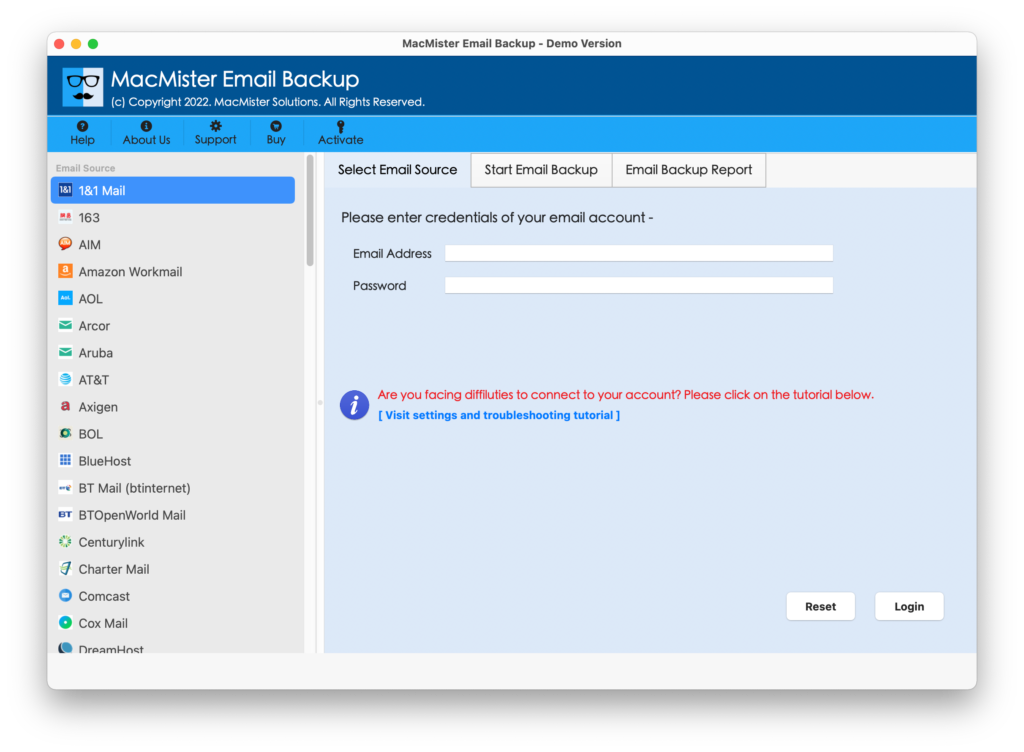
Step 2. Select Hotmail option from the left, enter Hotmail login details and click on Login button.
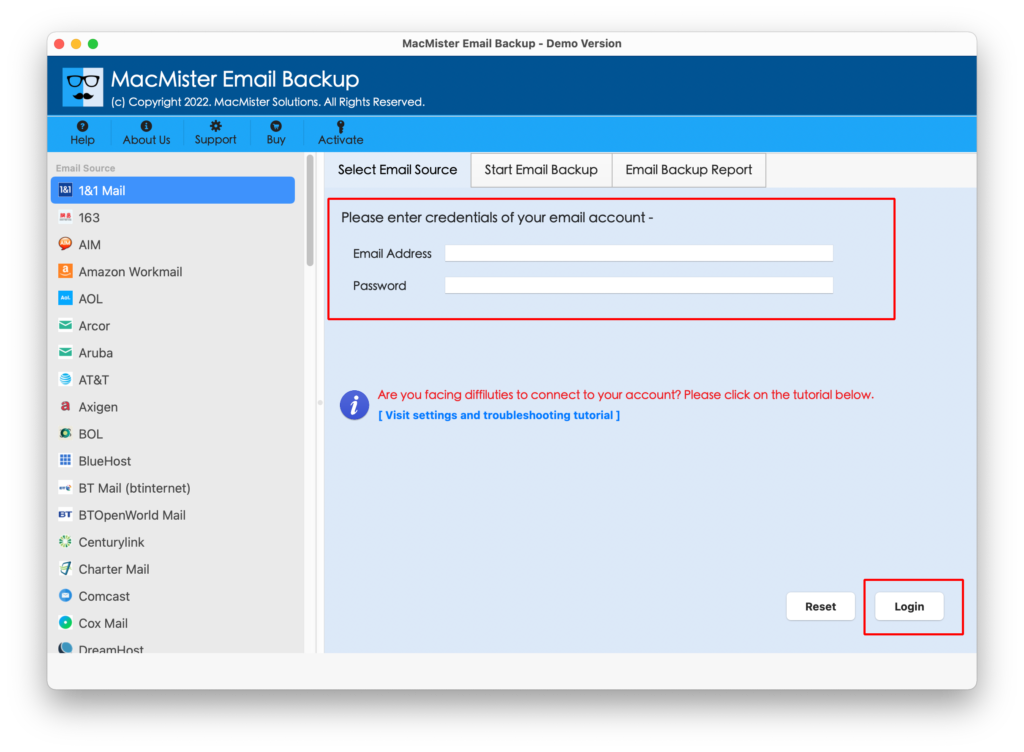
Step 3. The specified Hotmail account will connect with the tool and start displaying its entire list of folder items on the software.
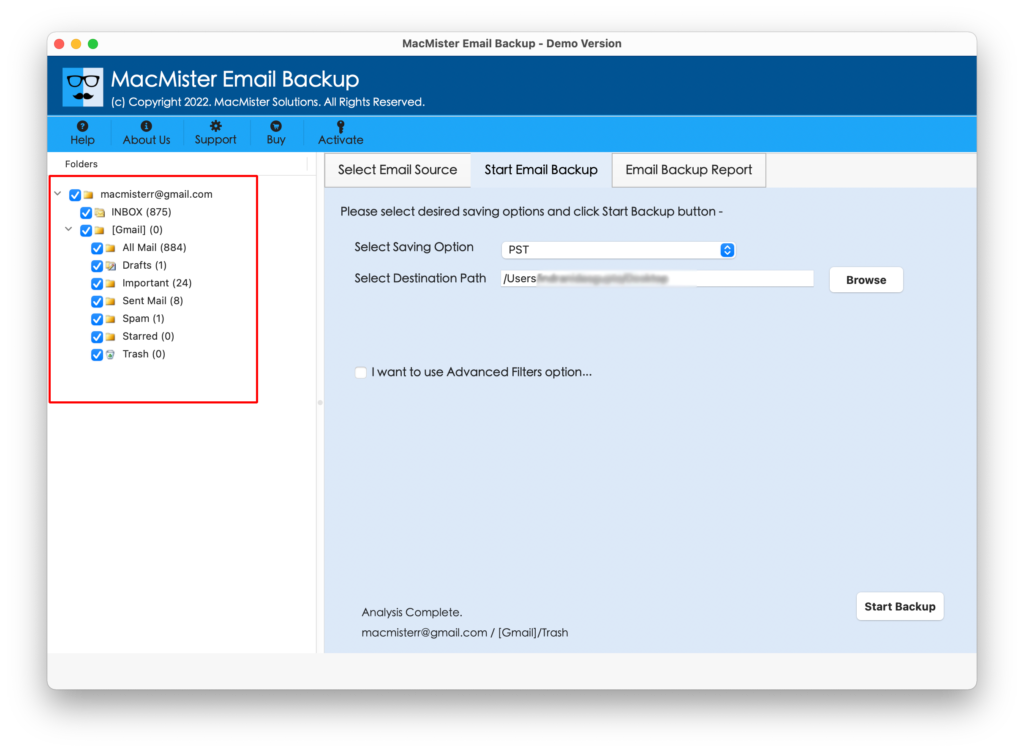
Step 4. Select PDF by taking the cursor on Select Saving Option.
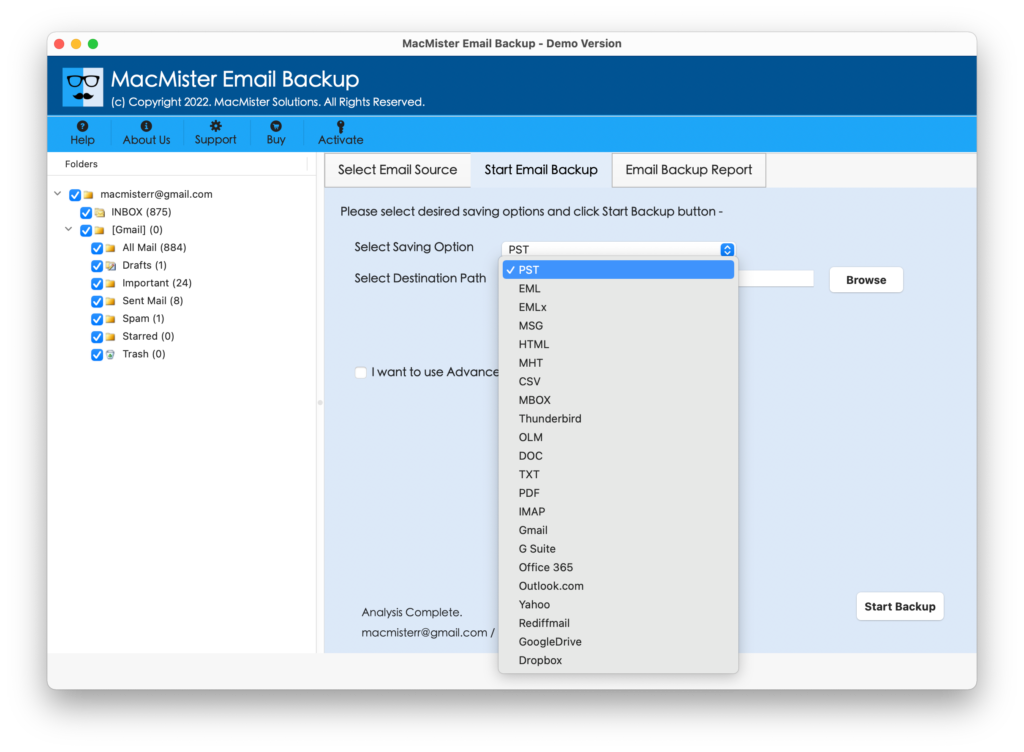
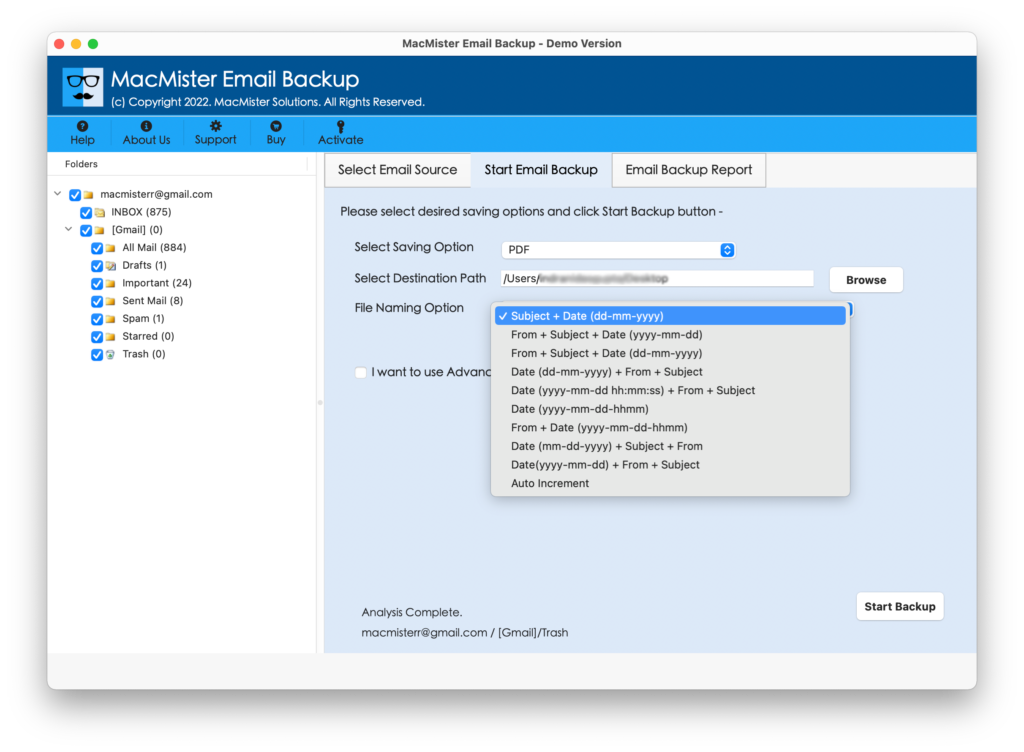
Step 5. Set different options and filters to save Hotmail email as PDF and click on Start Backup button.
Step 6. Hotmail to PDF conversion will start and shows the live process through Email Backup Report on the screen.
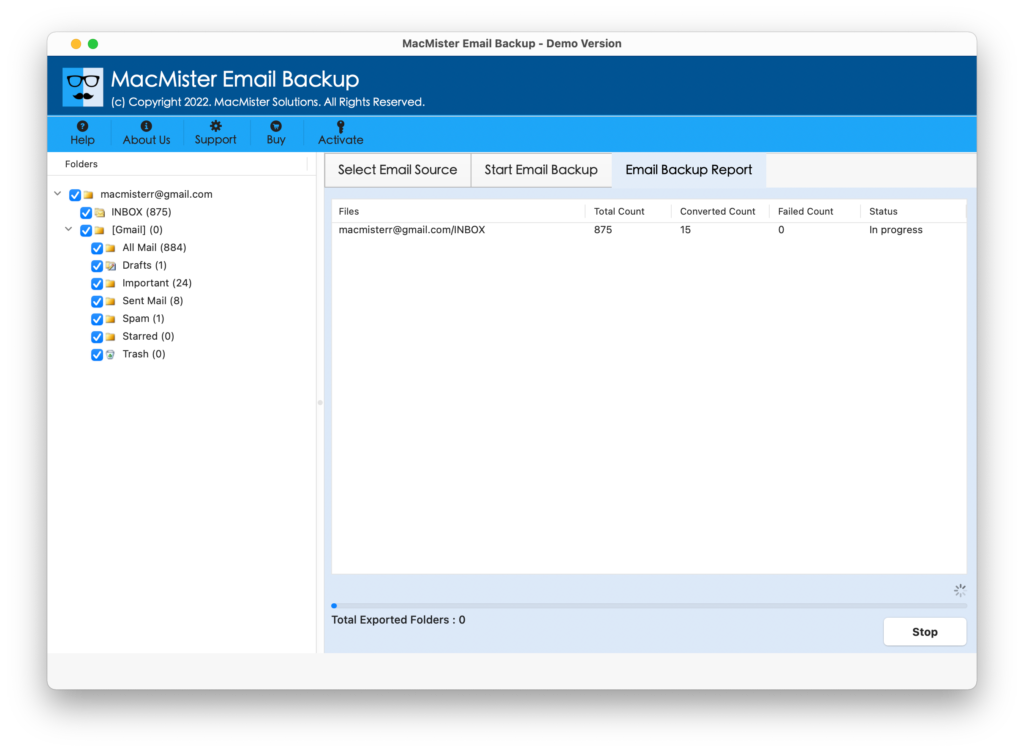
The procedure terminates with a pop-up “Conversion Completed”. Click the OK button present with the message. Now, review the entire conversion details through auto-generated log report that will show total items converted, start and end time process, saving path, saving option, etc.
However, users can now go to the selected location of resultant file and open the saved document. The data integrity and the associated content will be 100% accurate.
Why to Apply Professional Solution?
There are many reasons of choosing the direct application and some of them are discussed below –
Precisely Save Hotmail Emails as PDF in bulk
Hotmail to PDF Tool has the ability to save the entire Hotmail Inbox folder to PDF at once. When the Hotmail account gets connected with the application. Its folder items start appearing on the software pane. Each folder item has a checkbox. So, users can do the selection accordingly and perform the process in minimal time.
Avail Multiple Filters to Save Required Emails
Hotmail to PDF application has the option of Advance Filters. The property includes date range, from, subject, to, exclude items and more. However, users can apply them according to their needs and save specific Hotmail emails as PDF as per date, email address, subject, etc.
Keeps Data Integrity of Hotmail Emails Intact
Hotmail to PDF software is good in keeping the accuracy of original data intact during the process. So, when the conversion completes, go to the resultant file location, open the same and check the formatting properties. MacMister assures you that you will surely impress with the result.
Easy, Simple and Powerful User-Interface
Hotmail to PDF Tool is designed with simple, easy and powerful user-friendly environment. The intuitive and intelligible three step procedure makes the tool advance and different from other available utilities. Any technical and novice users can instantly download and use the application effortlessly.
Save Hotmail as PDF on all macOS Versions
Hotmail to PDF application is a solution that can download and run on all the earlier and latest Mac OS versions. With the help of the tool, users can save Hotmail emails as PDF on Mac Monterey, Big Sur, Catalina, High Sierra and etc.
Last Words
The article has discussed the methods to save Hotmail webmail email as PDF on macOS. If a user has few important files to download, then it can be directly done through the manual method. As the Hotmail itself has the option to save email into PDF. But, if a user has unlimited files to save into PDF document, then in such a case, it will be better if a user make use of third party professional solution for Mac. Users can even download the free demo first and save 25 Hotmail emails as PDF free of cost.