How to Save Outlook Emails to Hard Drive Mac?

Are you having PST files in a bulk on MacBook that you want to save into another file format that supports Mac hard drive? Wondering how to save Outlook emails to hard drive Mac with attachments? Searching for a safe method to perform the required task? If yes, then pause your search because the following segment will provide a solution that will help you to save Outlook emails to hard drive Mac securely without data alteration.
Why to Save Outlook Emails to Hard Drive Mac?
Microsoft Outlook is one of the most popular and most-used email clients in today’s era. It is also known as a personal information manager as it helps users to manage their day-to-day essential contact details, meetings, appointments, etc. Also, it is not designed just for the Windows platform but Mac users can also make use of the email application for data management. Both versions hold the same responsibilities. The only difference between them is the file extension. Outlook for Windows has PST as a default file format whereas Mac Outlook uses OLM file type. They both are known for storing the important data items of Outlook accounts such as emails, attachments, calendars, contacts, tasks, and notes.
Sometimes professional Mac users receive PST folders from Windows clients for multiple official reasons. And users with Outlook for Mac can access them easily in their account as the email client provides the import option through which users can effortlessly transfer PST files in the same. However, it will create a problem for those who do not use any email applications. Because PST is platform-independent. It requires Outlook support to open. And, if anyone can try to view its data right away, an error message will occur immediately. Moreover, PST file is susceptible to corruption due to which users need to quickly take their backup to save the critical database.
Some Common Reasons to Save Outlook Emails to Hard Drive Mac
There are plenty of reasons to save Outlook emails to hard drive Mac but here we have discussed some important ones:
Email Backup – Saving Outlook emails to hard drive will protect users from all sorts of data thefts and other malicious attacks.
Accessibility on Mac – Converting Outlook emails into Mac hard drive-supported file format will provide the accessibility of PST files on Mac system.
Easy information sharing – Transforming PST files to a hard drive Mac-based saving option can help in sharing the PST data easily with others.
How to Save Outlook Emails to Hard Drive Mac?
MacMister PST Converter for Mac is a powerful and cost-effective solution that allows to save Outlook emails to hard drive Mac with attachments. The application has the ability to convert PST to OLM, PDF, MBOX, MHT, HTML, DOC, CSV, and more. The GUI is easy-to-use. So, both technical and non-technical users can use the software effortlessly and perform the required task. Even, the steps are only three. They will save the time of users and help them carry out the process accurately in minimum time.

Moreover, the software possesses plenty of ultimate features with the help of Mac users can save Outlook emails to a hard drive Mac as per their requirements. And, the best thing is one can test each and every software option by downloading the free demo of the tool.
Working Steps to Save Outlook Emails to Hard Drive Mac
Step 1. Download, and run PST Converter Tool on macOS machine.
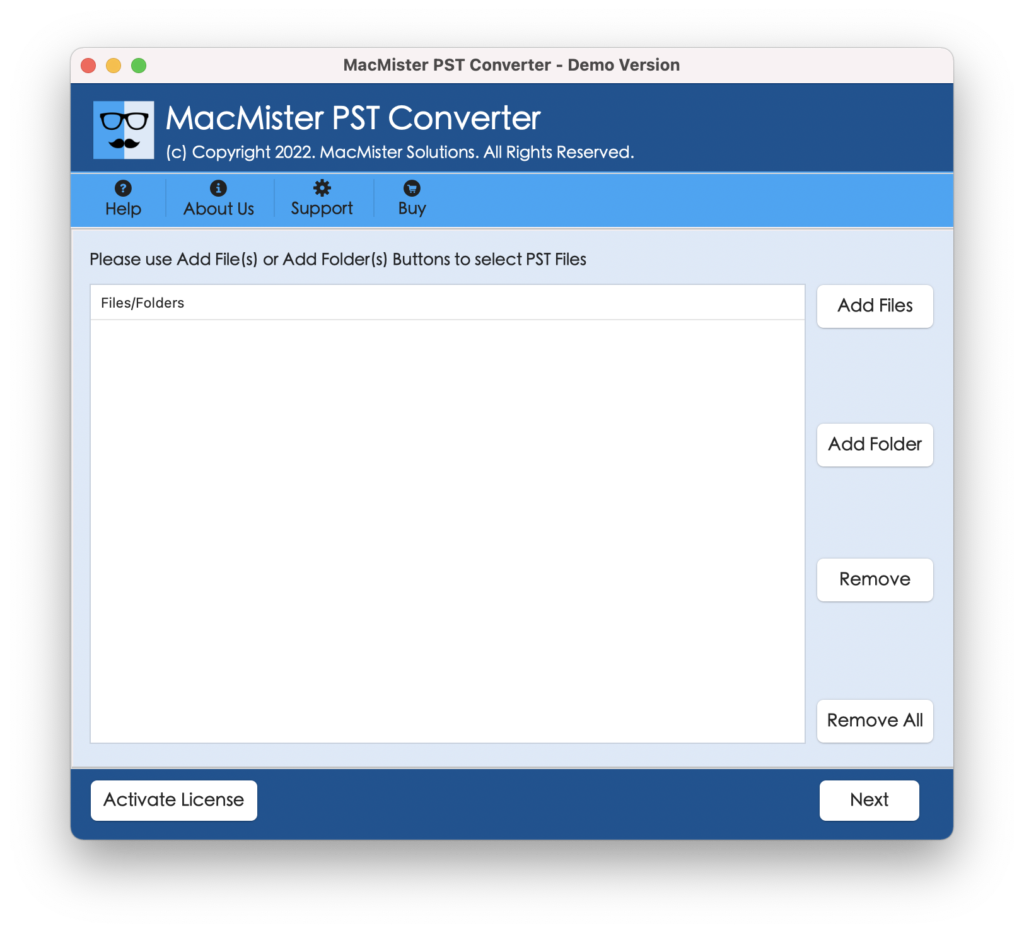
Step 2. Utilize Add File(s)/Add Folder buttons to add required PST mailboxes to the software. Click Next to continue.
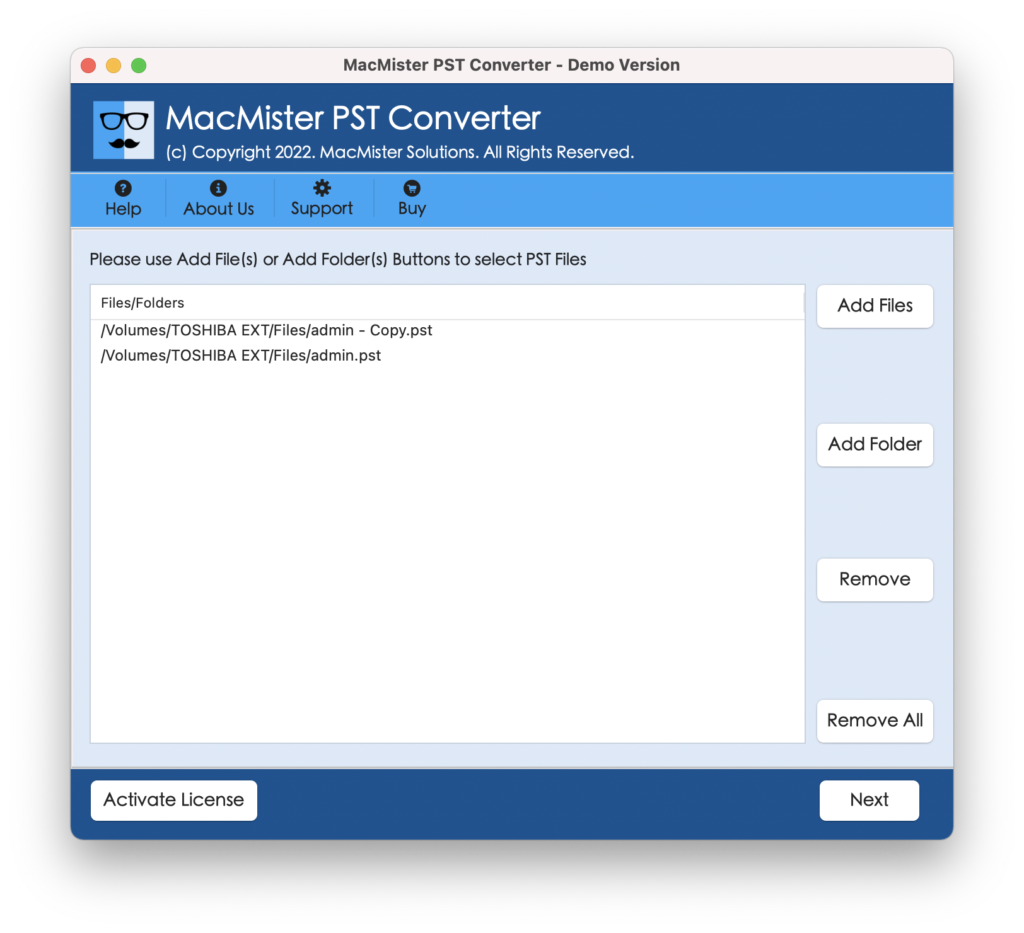
Step 3. The selected PST files will appear with checkboxes on the application. And the checkbox will help you to save selective Outlook emails to a hard drive Mac if needed. Click Next to proceed.
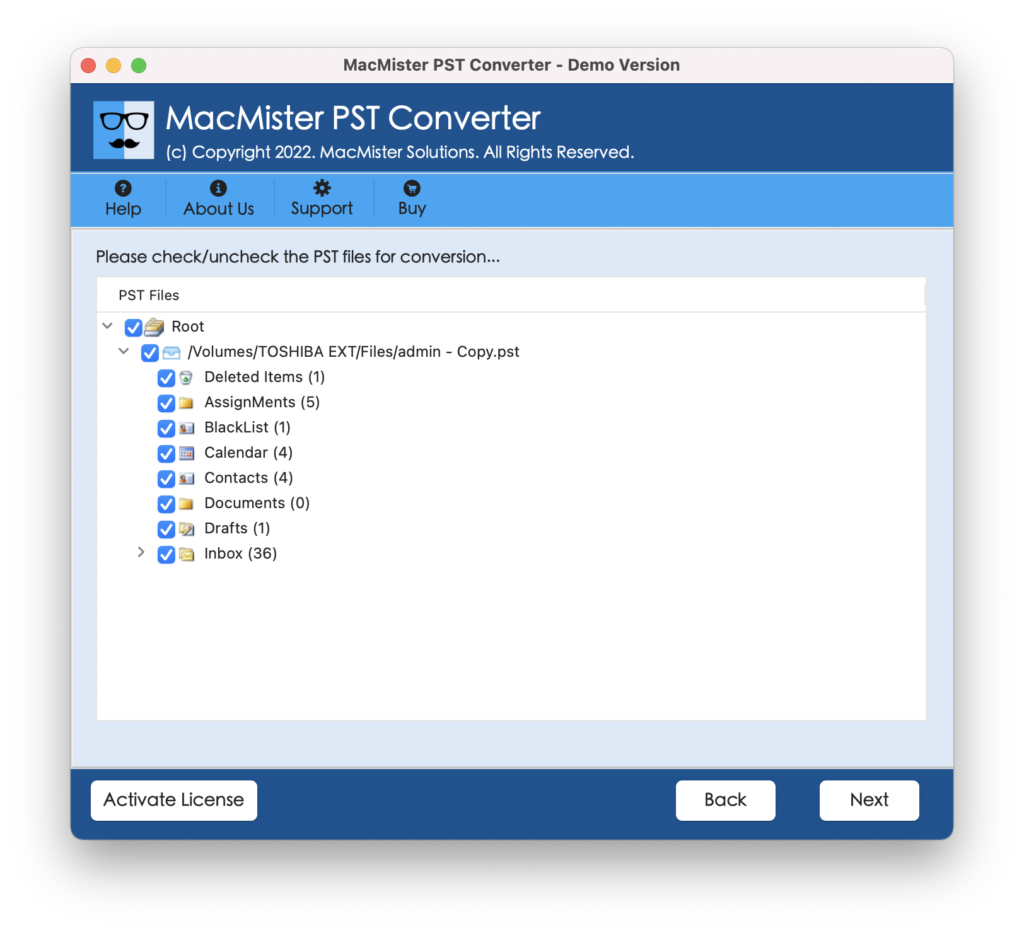
Step 4. Click Select Saving Options and choose the required saving type from the menu.
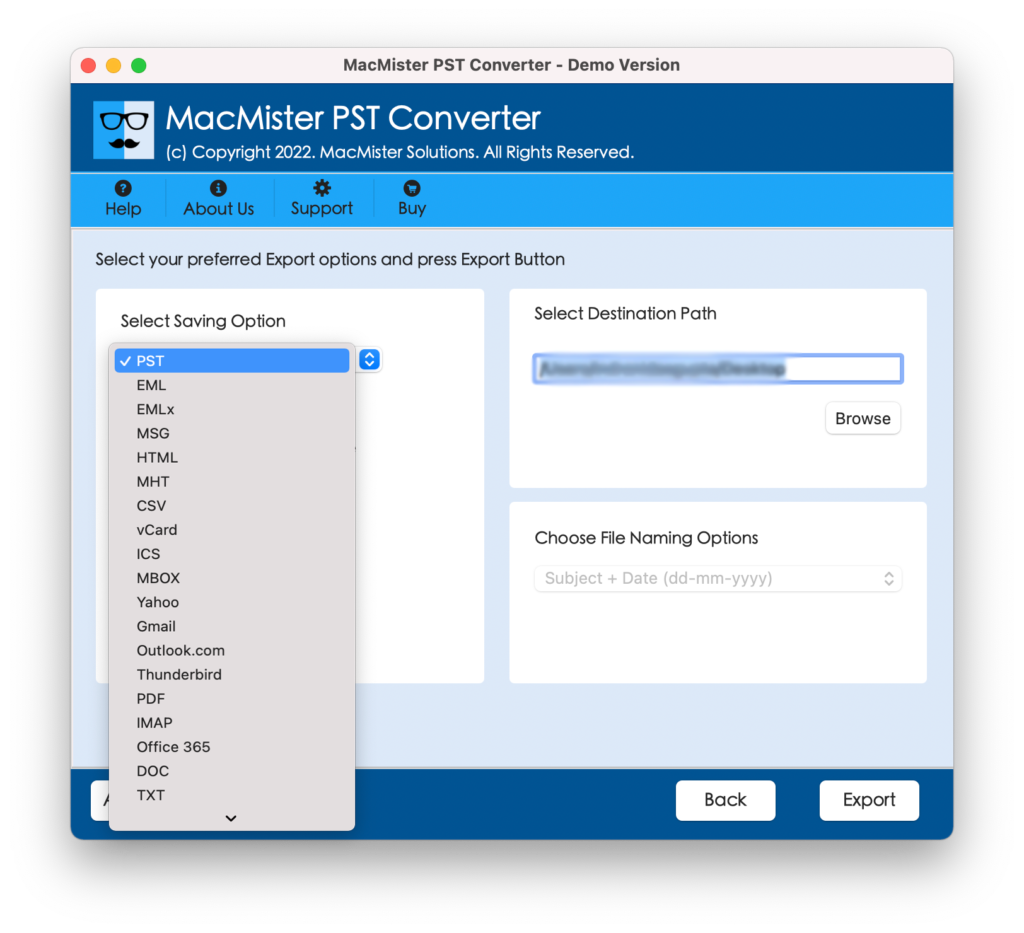
Step 5. Apply the sub-options of chosen saving type as per your requirements and click on Export.
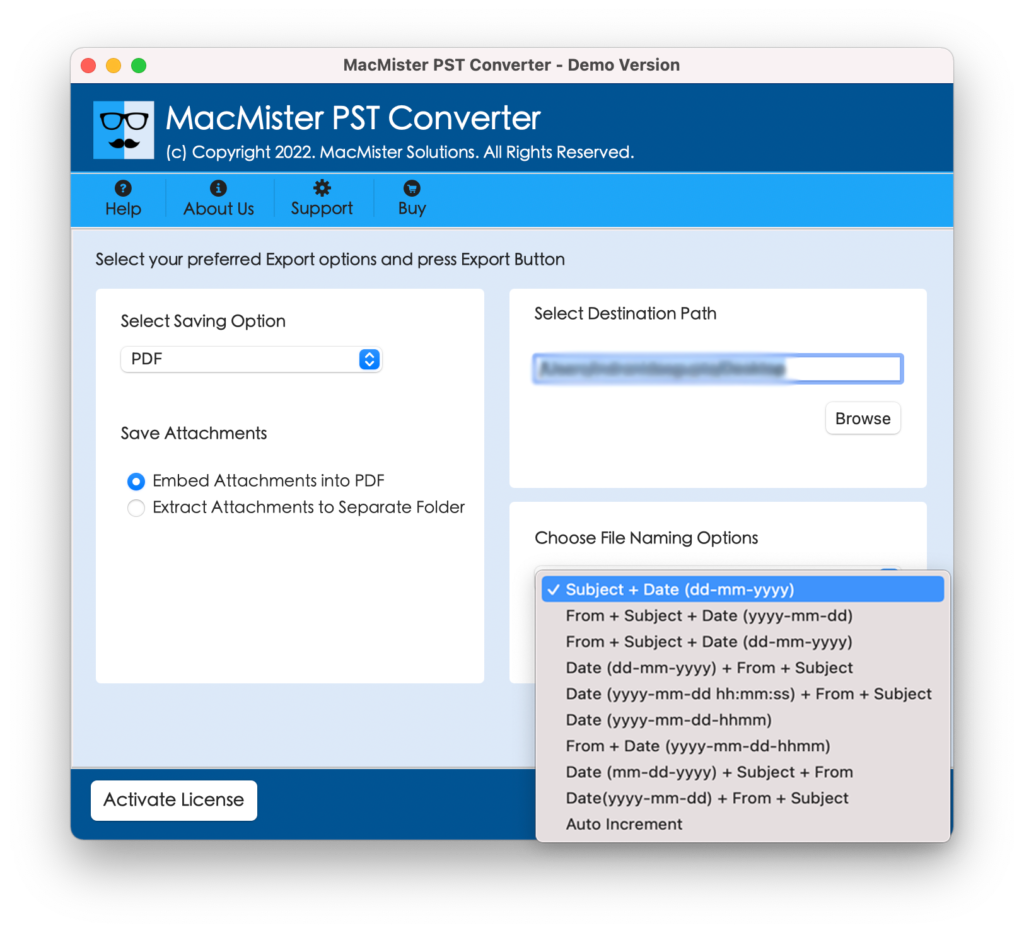
Step 6. Now, the live process will appear on the Live Conversion window. Users can even check the export status from the same.
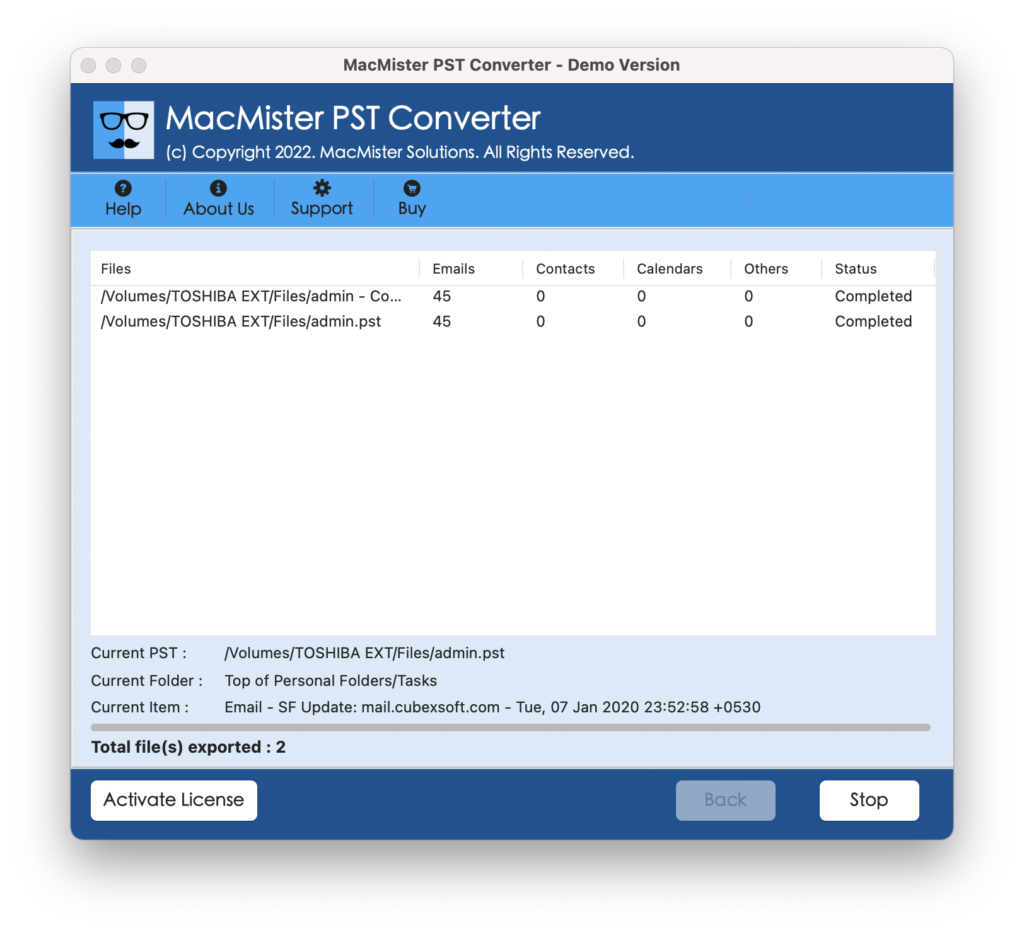
The entire task will finish within a few seconds and then the tool will show a “Conversion Completed” message. Click OK and go to the specified location to check the resultant files. After opening them, you will see that the data and data integrity of all the files is accurate.
Why to Choose Preferred Solution?
There are numerous reasons for choosing the mentioned application and some of them are:
Save Outlook Emails to Multiple Formats
The application offers multiple saving options to save Outlook emails with attachments to hard drive Mac. With the help of the tool, users can save Outlook emails to PDF, OLM, MBOX, MHT, HTML, DOC, CSV, and more.
Load Outlook Mailboxes using Dual Options
The software is equipped with dual options with the help of which users can load required Outlook mailboxes on the tool. By using Add File(s) option, users can add required Outlook PST files on the app, and Add Folder buttons will help to add a folder entirely containing unlimited PST files on the application.
Offers Simple GUI and Three-Step Process
The utility is equipped with a simple user-friendly interface and three step procedure. Anyone can operate the software effortlessly without the support of skilled professionals. Even, the three operational steps will help in completing the whole process quickly without data loss.
Save Outlook Emails at Desired Location
The application provides multiple options with every file-saving type. And one of the options is Set Destination Path which comes with a Browse button. By clicking the same, users can load the required path to save the resultant file. This will help users in accessing the resultant files after conversion immediately.
Able to Perform Process on Mac OS
The program is Mac-based and able to save Outlook emails to hard drives on any Mac OS version. Mac users can download the tool and perform the process accurately on macOS Ventura, Monterey, Big Sur, Catalina, High Sierra, etc.
Quick Note – Use FREE DEMO to Experience the Software Features & Options.
Epilogue
The complete write-up here mentioned a procedure with the help of which Mac users can efficiently save Outlook emails to hard drive Mac with attachments. The software is secure and safely implements the process within seconds. Anyone can utilize the solution and save unlimited Outlook mailboxes with 100% accuracy. However, the free demo of the tool is available with the help of which Mac users can check the process to save Outlook emails to hard drive Mac with attachments for free. For any queries, contact MacMister Support right away.