How to Transfer GoDaddy Email to cPanel Webmail on Mac & Win?

Do you want to change your webmail service for official reasons but scared of doing so? Worried about the emails stored in your old email service provider and thereby wondering how to transfer GoDaddy email to cPanel webmail on Mac with ease? Looking for a trouble-free and suitable technique for the same? No worries, just read the segment in which a solution is discussed which you can opt to accurately transfer GoDaddy email to cPanel webmail with attachments.
GoDaddy & cPanel Webmail
GoDaddy is a world’s largest domain-name registrar company, offering wide range of products and services to its clients. Their services are hosting, email hosting, website management, DNS management, and more. It has supported numerous companies in becoming more successful online.
GoDaddy webmail is one of the popular web-based email clients, an online email exchange platform that has provided ease to a lot of businesses and individuals in maintaining digital communication globally. Users can use any web-browser and access GoDaddy email account directly.
cPanel is another web email service provider which works similar to GoDaddy webmail. It is equipped with a user-friendly interface that is basic and reliable and helps users to send/receive emails securely.
GoDaddy and cPanel, both are widely used platforms but still users need to undergo migration procedure due to unavoidable circumstances.
Why to Transfer GoDaddy Email to cPanel Webmail?
GoDaddy webmail provides incredible advantages but it has some drawbacks due to users sometimes need to transfer GoDaddy email to cPanel webmail account. Some of them are highlighted here:
- GoDaddy’s spam filter feature even blocks essential email message to come through.
- The webmail does not include SSL certification with cheaper plans.
- Offers well-designed templates with limited flexibility for customization.
- Domain DNS Services and hosting domain email services is old and problematic.
- Inconsistent customer service has troubled many users.
- Slow loading of server and page, resulting poor quality of hosting services and complicated interface.
Whereas, cPanel webmail is known for offering innumerable advantages to users and some of them are mentioned below –
- Able to manage multiple business emails from single place.
- High level of website security prevents users account from malevolent activities.
- Integrated with powerful backup features with the help of users can take backup of their data anytime.
- Supports excellent Email Filter management ability for specific email accounts and entire emails of a domain.
Overall, cPanel is a beneficial and secure platform to use than GoDaddy webmail.
How to Transfer GoDaddy Email to cPanel Webmail on Mac & Win?
The simplified and quick way to transfer GoDaddy email to cPanel webmail is MacMister Email Backup Software for Mac & Windows. The application contains a user-friendly interface which technical and non-technical users find easy to operate and use. They do not need additional help to manage the application. Even, the software operational steps are limited which will save user’s time and efforts.
Moreover, the application holds plentiful features that users can apply as per their preferences to obtain the desired results. However, a freeware version is available which allows users to test the working of the software for free.
Working Steps to Transfer GoDaddy Email to cPanel Webmail on Mac
Step 1. Download and run MacMister GoDaddy to IMAP Backup Tool for Mac on macOS.

Step 2. Select GoDaddy option from the left. Enter GoDaddy credentials. Click Login.
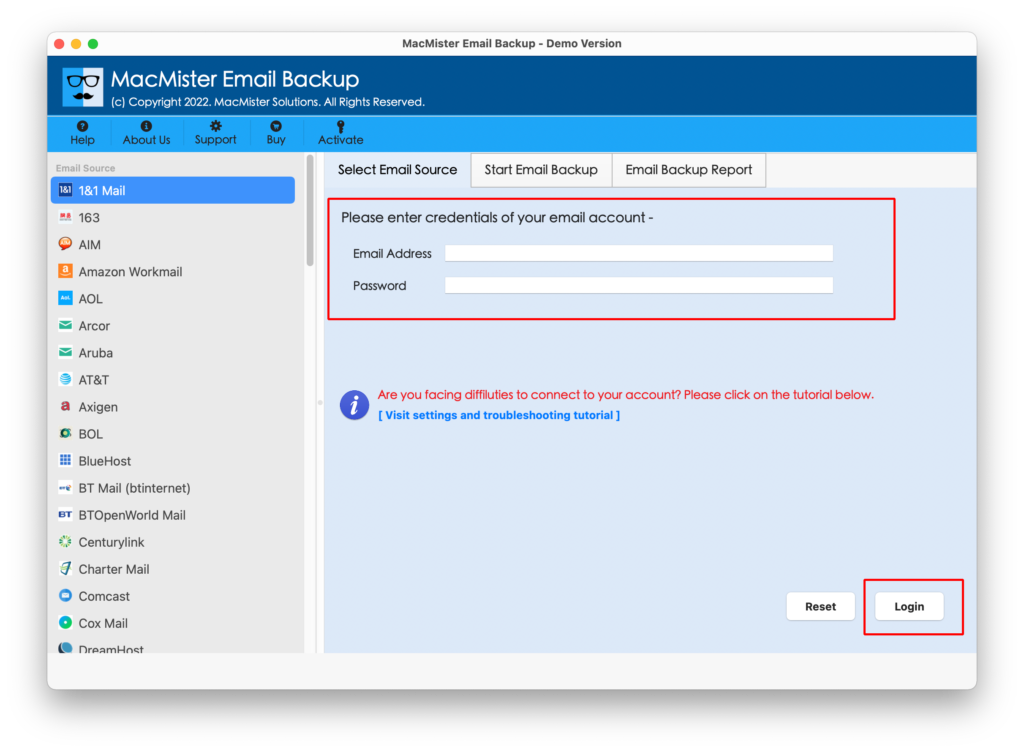
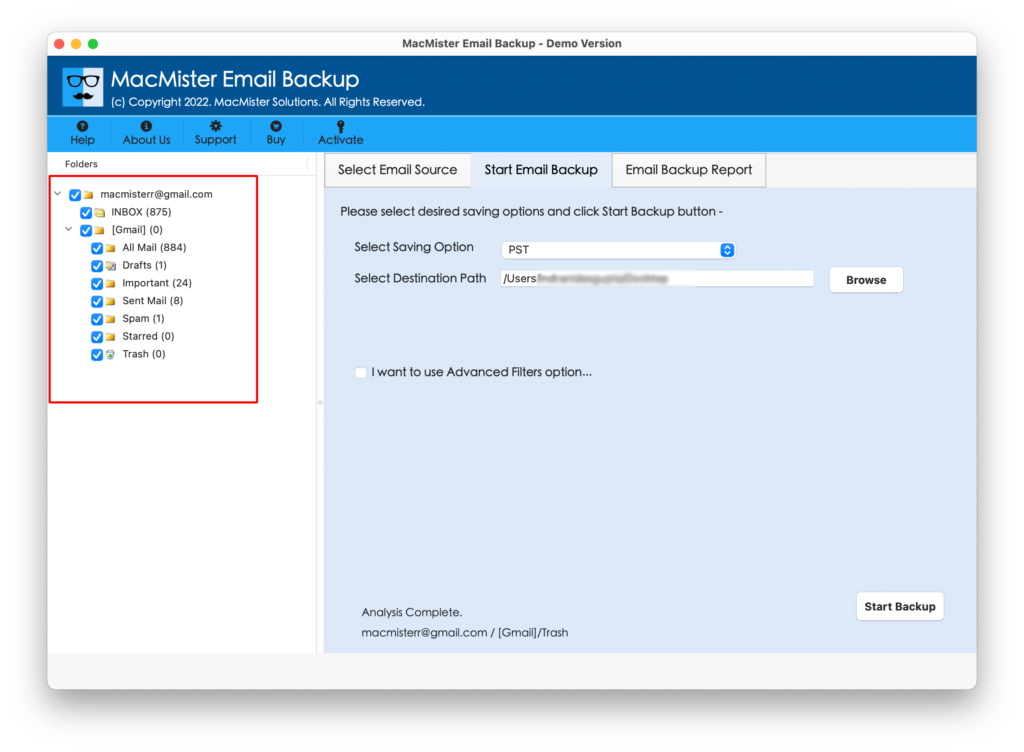
Step 3. The tool will connect to specified GoDaddy account and start showing all its account mailboxes on the left pane.
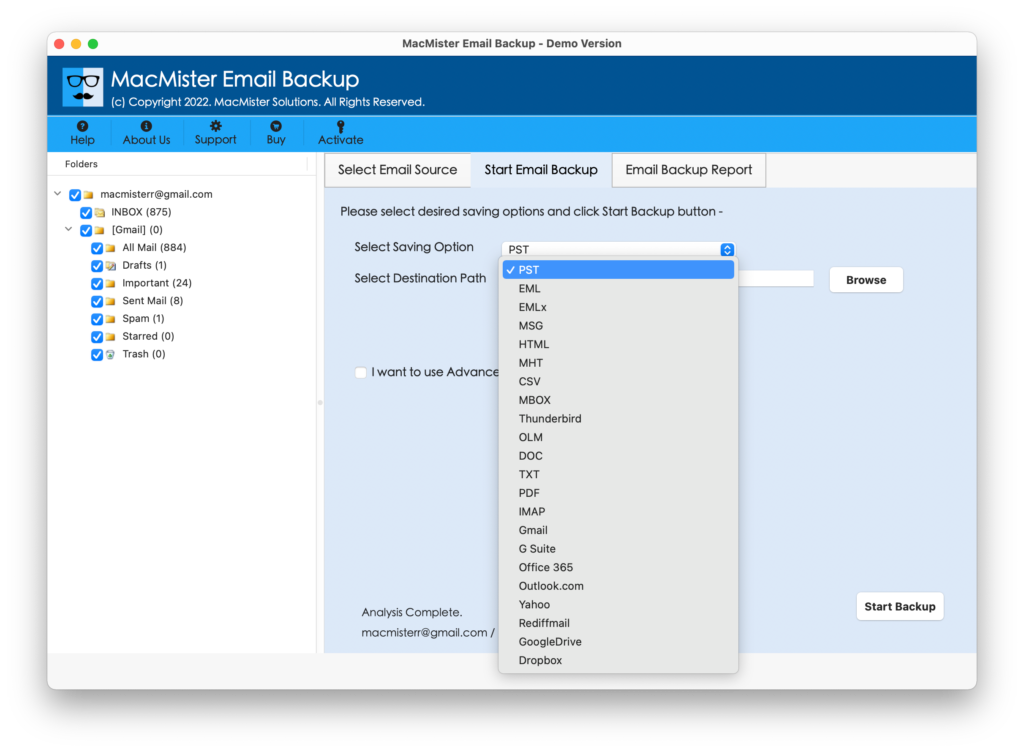
Step 4. Head towards the right pane of the app. Click on Select Saving Options. Select IMAP option.
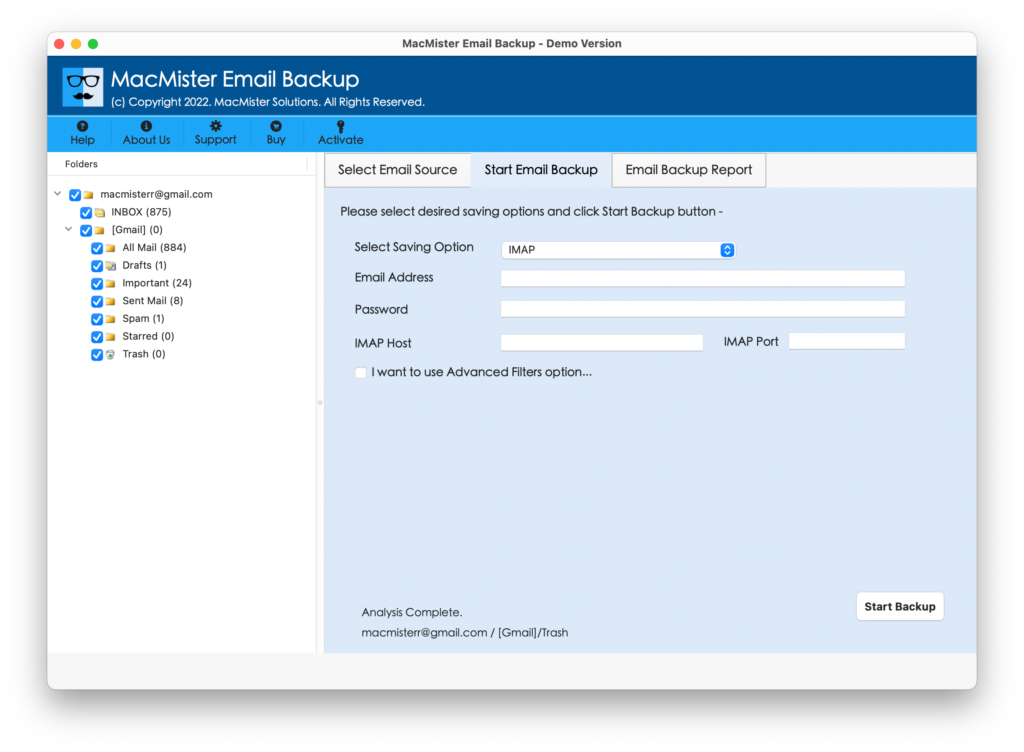
Step 5. Enter cPanel login details in email address and password with IMAP Host and Port Number. Set Filters if you want and hit Start Backup button.
Step 6. The process will start and users will be able to track the transfer process with the help of Email Backup Report as shown below –
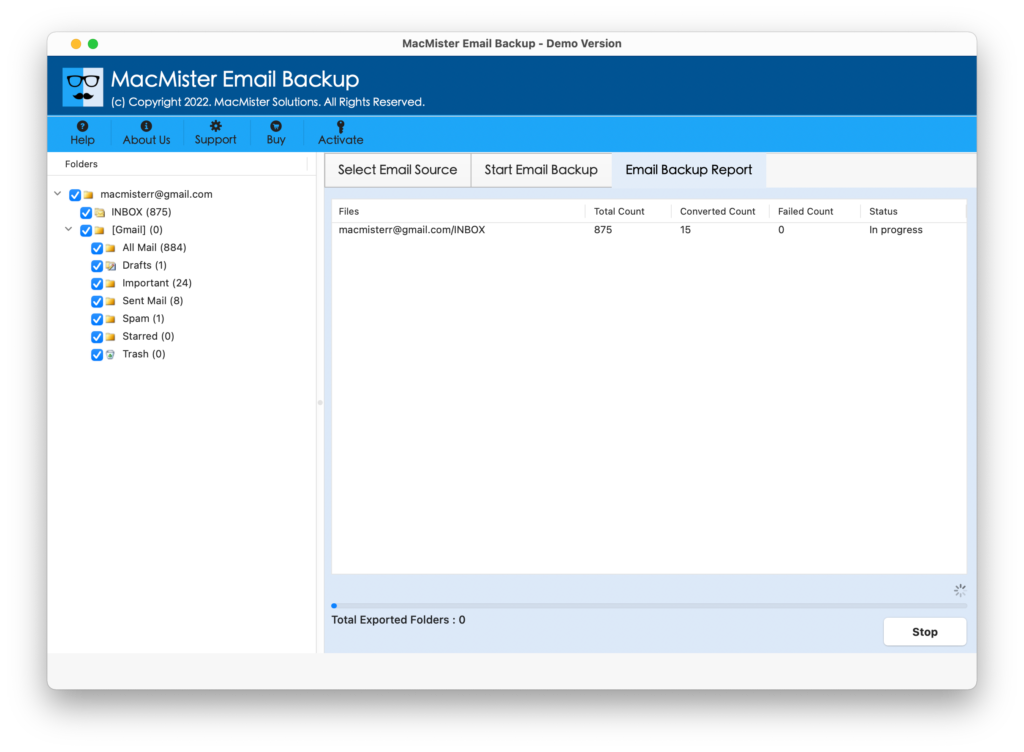
The task will finish with a notification window confirming that process is successfully completed. You may click on OK to close the message and then go to cPanel account to check the results. However, you will find no alteration in your emails and the formatting properties will also appear accurate after the process.
Why MacMister GoDaddy to cPanel Migration Tool is Preferable?
GoDaddy to cPanel is a brilliant application when it comes to transferring GoDaddy emails to cPanel account securely. It is built-up with countless features that allow users to access GoDaddy emails to cPanel account according to their necessities. Some of them are mentioned here:
- Directly transfer GoDaddy emails to cPanel with attachments.
- Provides Filters that enable users to transfer GoDaddy emails as per specific date range, month, email address, subject, etc.
- Supports 15+ saving options other IMAP for cPanel i.e. PST, PDF, MSG, OLM, EML, EMLx, MHT, HTML, DOC, CSV, TXT, Gmail, G Suite, Thunderbird, Office 365, and more.
- Protects the login details of GoDaddy and cPanel account during the process.
- Preserves the content originality and formatting properties of emails throughout the process.
- Allows to transfer GoDaddy entire INBOX folder with unlimited emails to cPanel account at once.
- Simple and friendly interface is accessible by professional and non-professional users independently.
- Displays Email Backup Report which provide the ongoing details of transfer process such as total count of emails transferred, transfer status, files left to transfer, etc.
- Able to transfer GoDaddy email to cPanel webmail account on Mac OS Sonoma and earlier versions.
Quick Note. You can explore and experience more software options and features by downloading the TRIAL EDITION of the tool.
Epilogue
The blog has provided an effective approach to resolve “how to transfer GoDaddy email to cPanel webmail account” on Mac & Windows. The above-mentioned solution possesses swift migration between GoDaddy and cPanel and guarantees accurate results in short time. The tool is available with a trial edition that users can download to check the software working for free. Also, it allows to transfer first 25 GoDaddy emails to cPanel account free of cost.