How to Transfer Windstream Email to Gmail?

Are you switching to a Gmail platform from Windstream email server? Constantly searching a solution for how to transfer Windstream email to Gmail including all the data items? If yes, then follow the write-up and you will discover manual as well as automated methods to migrate Windstream email to Gmail without data loss.
Windstream is a web-based email management application that is suitable for small, medium, and large companies. Even government agencies also make use of it to manage their emails and other data. If you compare these two email services i.e. Windstream and Gmail, then Gmail will win for sure. It is free to use, provides robust security measures, simple GUI, good storage capacity, etc.
So, in the following segment, we have presented top three solutions that will easily transfer Windstream email to Gmail with attachments. After implementing the solution discussed in the guide, one can automatically export Windstream emails to Gmail account in a fast and easy way. Without more ado, let’s explore the entire process in detail.
Solution 1. Forward Windstream Email to Gmail using Windstream Email Server
- Login to Windstream email account and select Preferences.
- Go to Mail option appearing on the left side.
- Specify Gmail email address displaying under Receiving Messages.
- Select Remove a local copy checkbox to delete email after email forwarding.
- Forward Windstream.net email to Gmail process completed successfully.
Quick Note. After finishing the forward setup, new emails will be forwarded to Gmail account from Windstream email server. This method will be failed to migrate old Windstream emails into Google Mail account.
Solution 2. Transfer Windstream Email to Gmail using Microsoft Outlook for Windows
- Go to Microsoft Outlook and configure the same using Windstream email account.
- Wait until Windstream emails synchronized with Microsoft Outlook.
- Export Windstream emails into PST using Outlook Import/Export option.
- Now use GWSMO Tool to import PST to Gmail.
However, the process is implementable but it has some drawbacks that one should review first before executing it.
- The steps are lengthy and complicated.
- Technical support is must.
- Knowledge of Windstream and Outlook is required.
- Non-professional users will find the process difficult to operate.
Solution 3. Direct Method to Export Windstream Email to Gmail
You may take help of MacMister Email Backup Software Mac & Windows Tool. The software has 30+ webmail options. One can select the desired email server option, add the credentials, select Gmail from Select Saving Options and directly export the entire list of Windstream emails into Google Mail account without data loss. Additionally, the application is simple and easy to use. Anyone can operate the steps and perform the whole task with ease.
Moreover, the tool is designed with many advanced features with the help of users can transfer Windstream email to Gmail according to the requirements. Besides, a freeware version of the app is available that one can download on any macOS for free to analyze the software process in detail free of cost.
Working Steps of the Tool to Migrate Windstream Email to Gmail on Mac
Step 1. Download and run the application on any Mac OS.
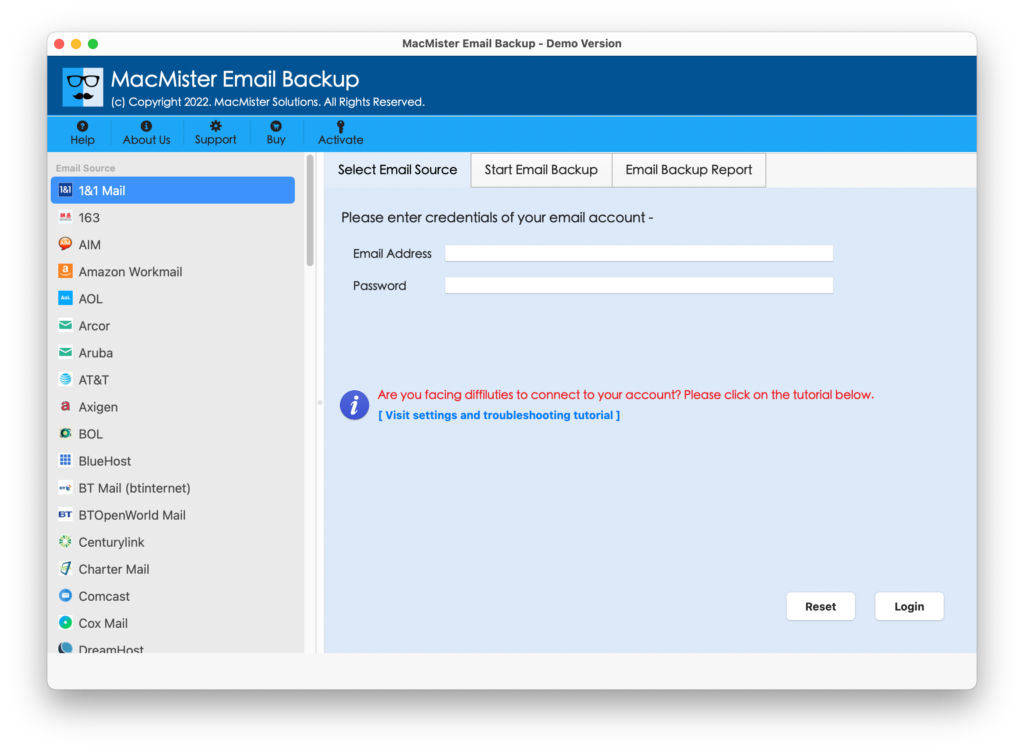
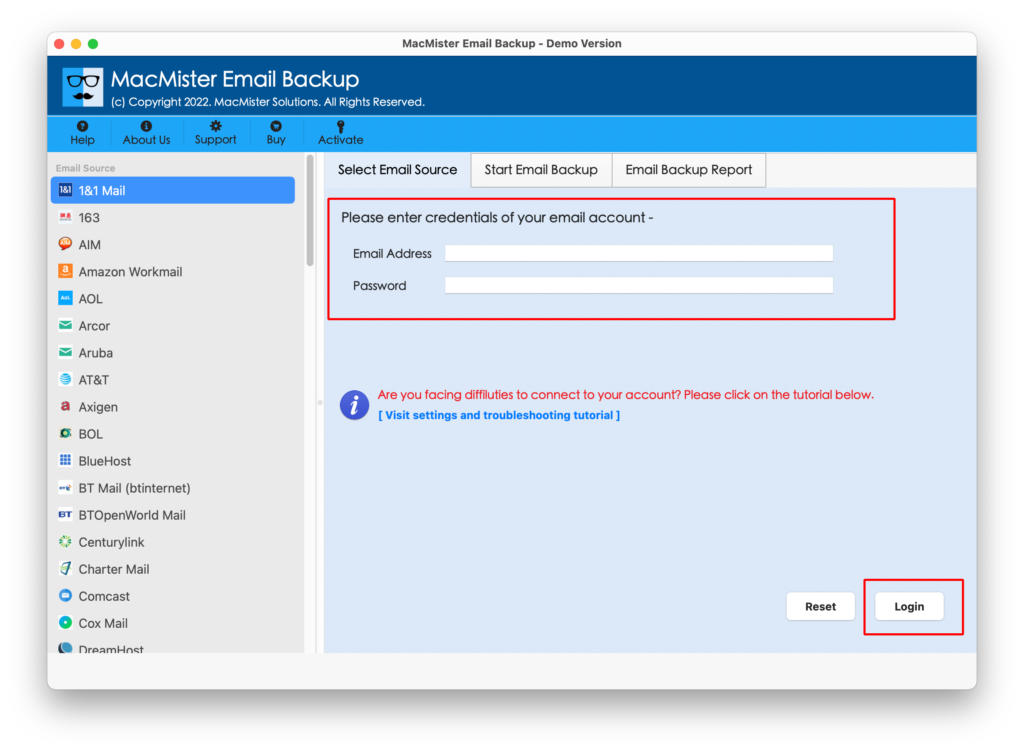
Step 2. Select the source from the left. Add the credentials. Click Login button.
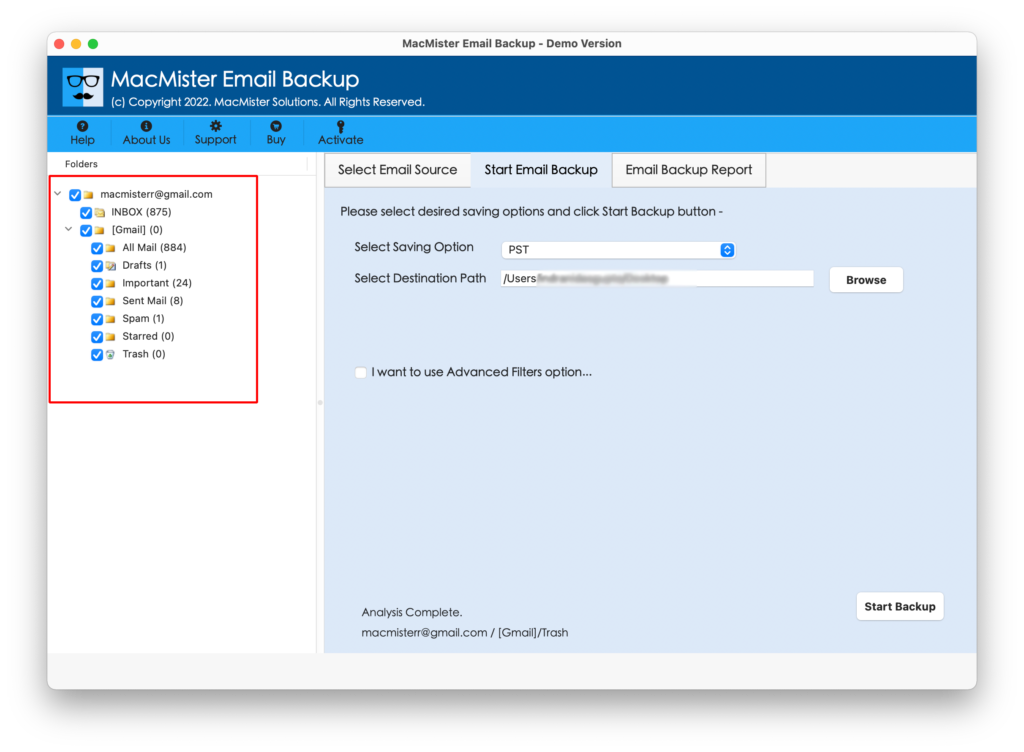
Step 3. The email account will connect with the tool and its entire list of folder items start to appear on the left pane.
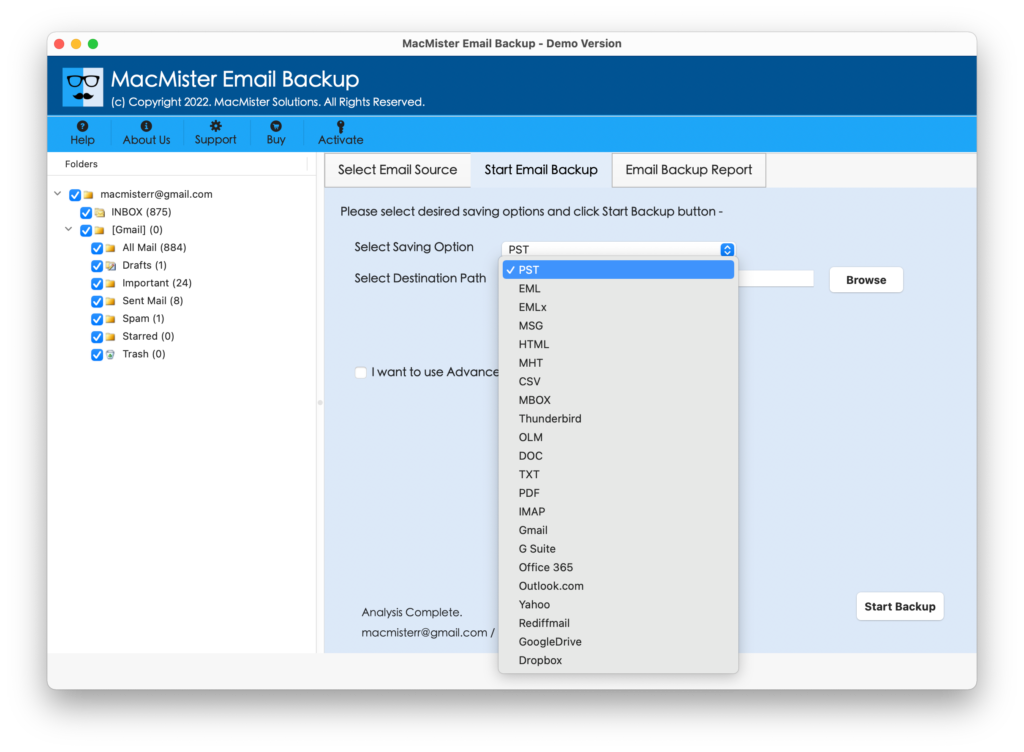
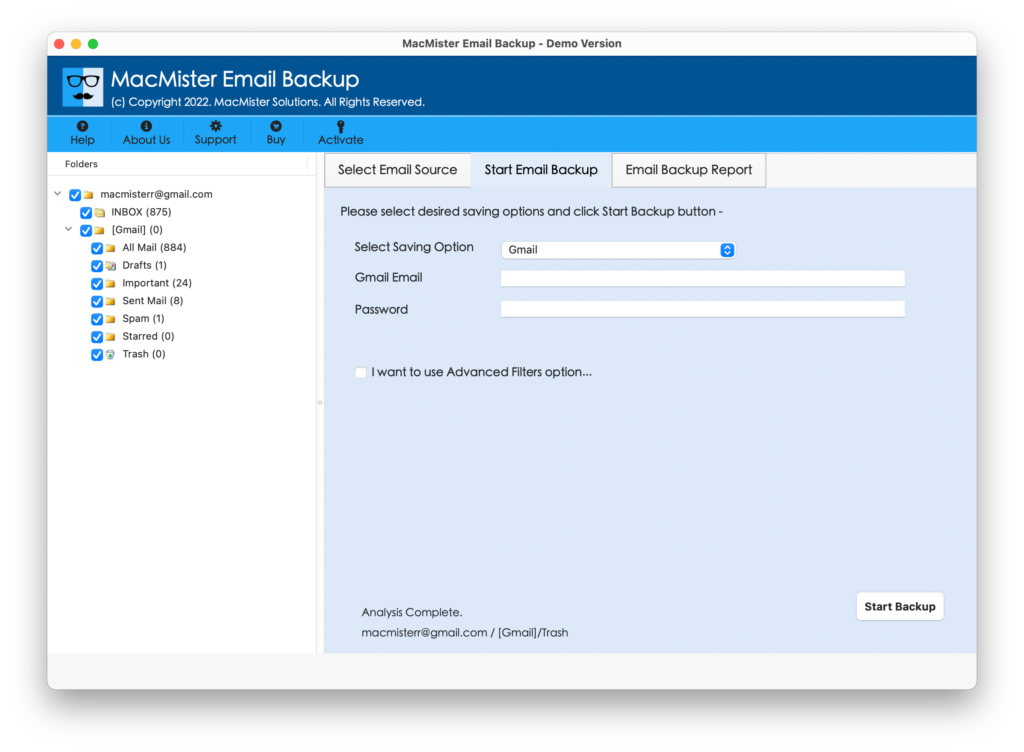
Step 4. Go to the right-side of the tool and select Gmail from the list.
Step 5. Provide Gmail login details, set required filter option (if needed) and tap Start Backup.
Step 6. The Email Backup Report will appear on the screen which shows the live migration status of Windstream emails.

In few seconds, the tool will complete the process and display “Process Completed” message on the screen. Click OK button and go to Gmail account to check resultant files. However, after viewing the necessary email, users will see that the content is totally original and accurate. Even, the layout and metadata properties will not get affected.
Benefits of Automated Solution
- Directly export Windstream email to Gmail without data loss.
- Offers 30+ webmail options and 15+ saving options.
- Preserves the originality of Windstream emails throughout process.
- The folder structure will be shown in correct order after migration.
- Includes multiple filter options such as date range, to, subject, etc. to export specific Windstream emails to Gmail account.
- Simple and friendly interface will make the process easier for all types of users.
- Help users migrating Windstream email to Gmail on the entire range of macOS including Mac OS Sequoia.
Epilogue
In the write-up, we have provided multiple solutions to fix how to transfer Windstream email to Gmail on Mac & Windows. The first two solutions possess manual steps. They are free to operate but very lengthy and time-consuming. Even, non-professional will face difficulty in operating it. One should have technical knowledge of Windstream, Outlook, and Gmail account. However, the second solution is direct, simple, and easy to use. Any user can utilize the application effortlessly and perform the process in few seconds. Moreover, it has many advanced features with the help of users can migrate Windstream emails according to the requirements. A free demo edition is also available that one can download on any macOS to experience the software working for free. It also allows transferring first 25 Windstream emails to Gmail free of cost.