How to Import Atomic Mail to Gmail?
Atomic Mail is a secure, encrypted email service introduced in 2024 and is highly known for providing privacy-focused communication without needing phone numbers or personal data to sign-up. It possesses end-to-end encryption, alias generation and zero-access storage, enabling users to transfer email messages with high anonymity. However, the email service is exceptional but it comes with several drawbacks that force users to import Atomic Mail to Gmail account.
Why to Import Atomic Mail to Gmail account?
There are several reasons for importing Atomic Mail to Gmail account; some of them are mentioned here –
- Atomic Mail makes use of a distinctive seed phrase for account recovery rather than traditional method such as phone numbers or backup emails. The approach is highly secure yet it is unforgiving. In case a user misplaces the seed phrase, they will lose access to their account permanently as there are no alternative recovery options.
- It is a new platform; its entire set of features is less wide than established competitors. It does not possesses integrated, broad productivity suite such as inbuilt cloud storage or calendars that may dishearten users searching for all-in-one, conventional experience offered by Gmail or Outlook.
- Atomic Mail is however a new emailing service in the market, thus it has less extensive history as compared to more established and mature competitors.
- Atomic Mail has comprehensive technical documentation as well as independent security audits. Both are available publicly but not readily obtainable that may cause concerns for those having severe compliance or auditing needs.
How to Import Atomic Mail to Gmail? – Smart Process
The trouble-free and effective technique to import Atomic Mail to Gmail account is MacMister IMAP Backup Tool Mac & Windows. The app is simple, effective, and easy to use. It is built with a friendly platform so that technical and novice users can implement the process with ease. Additionally, the tool possesses exceptional features that help users importing Atomic Mail emails to Gmail on Mac with attachments according to the requirements. And to explore the same, download its free demo and import 25 emails for free. To check the steps, go through the further segment.
Step-by-Step Process to Import Atomic Mail to Gmail Account on Mac
Step 1. Download, install, and run the app on a Mac-supported system.
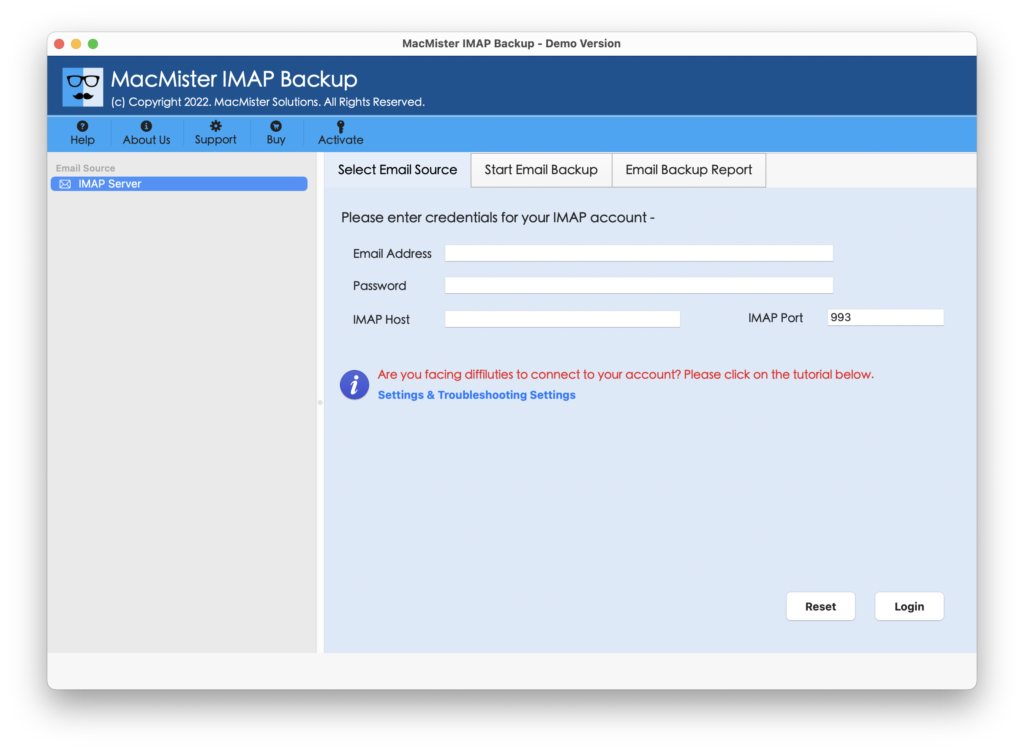
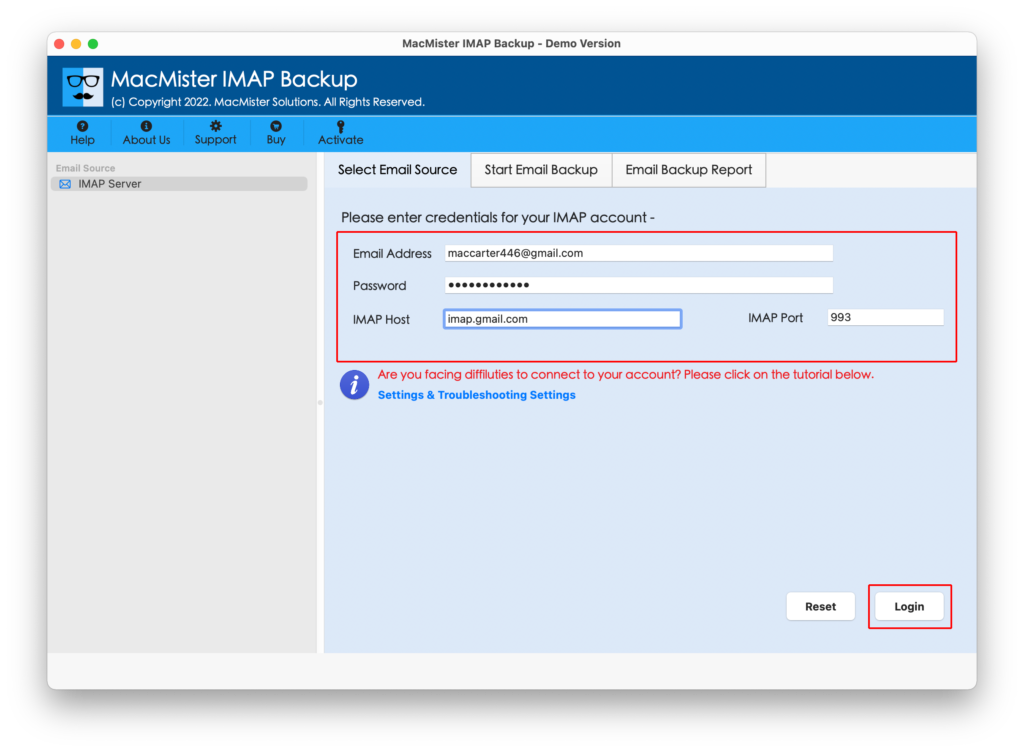
Step 2. Add Atomic Mail email server details in required fields with IMAP Host and Port Number. And click the Login button.
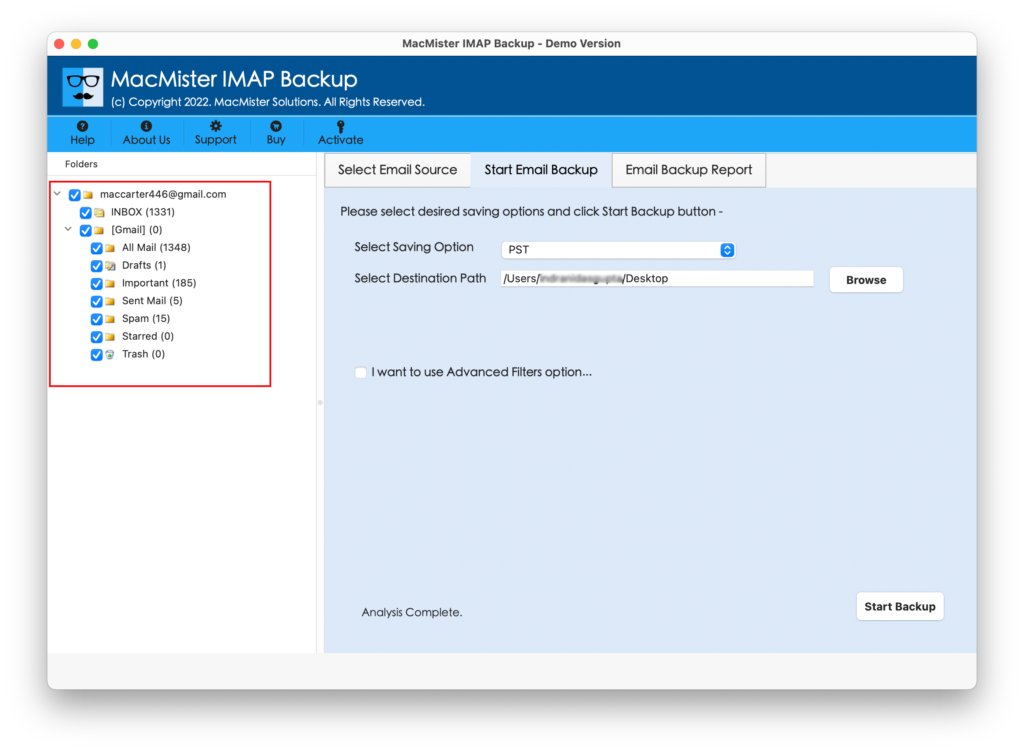
Step 3. The Atomic Mail email server account will connect with the tool and its entire list of mailboxes will appear on the left software window.
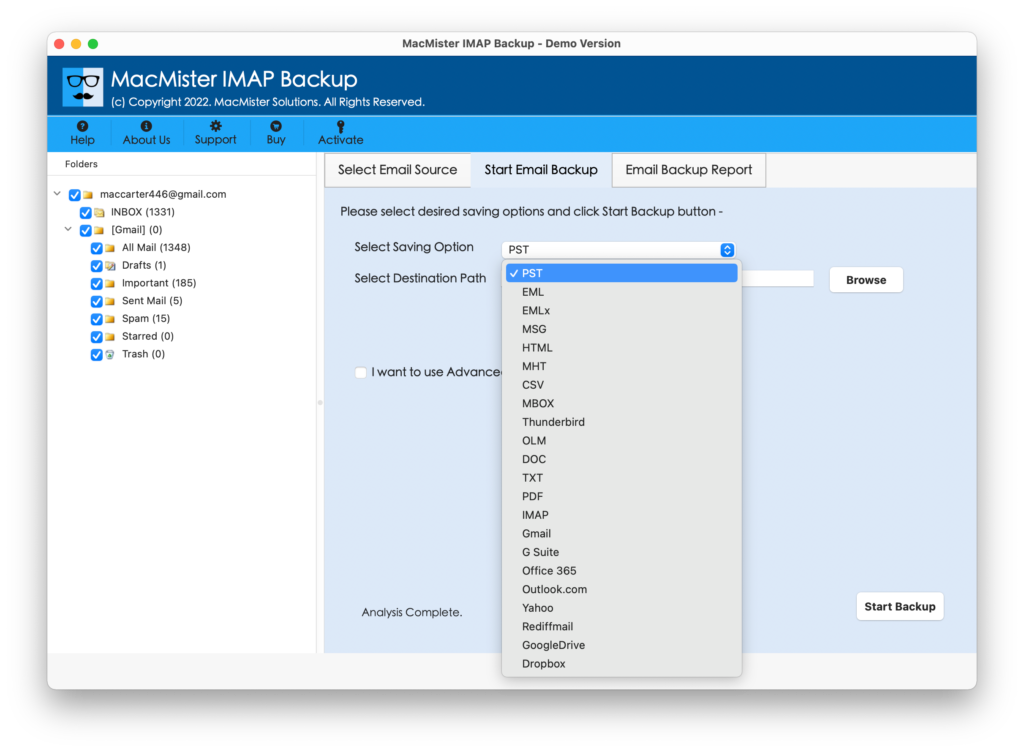
Step 4. On the right pane, click Select Saving Options, and select Gmail saving type.
Step 5. Add Gmail email ID and app password in required fields. Set sub-options accordingly and tap Start Backup button.
Step 6. The Email Backup Report window will open displaying the live import status of Atomic Mail emails.
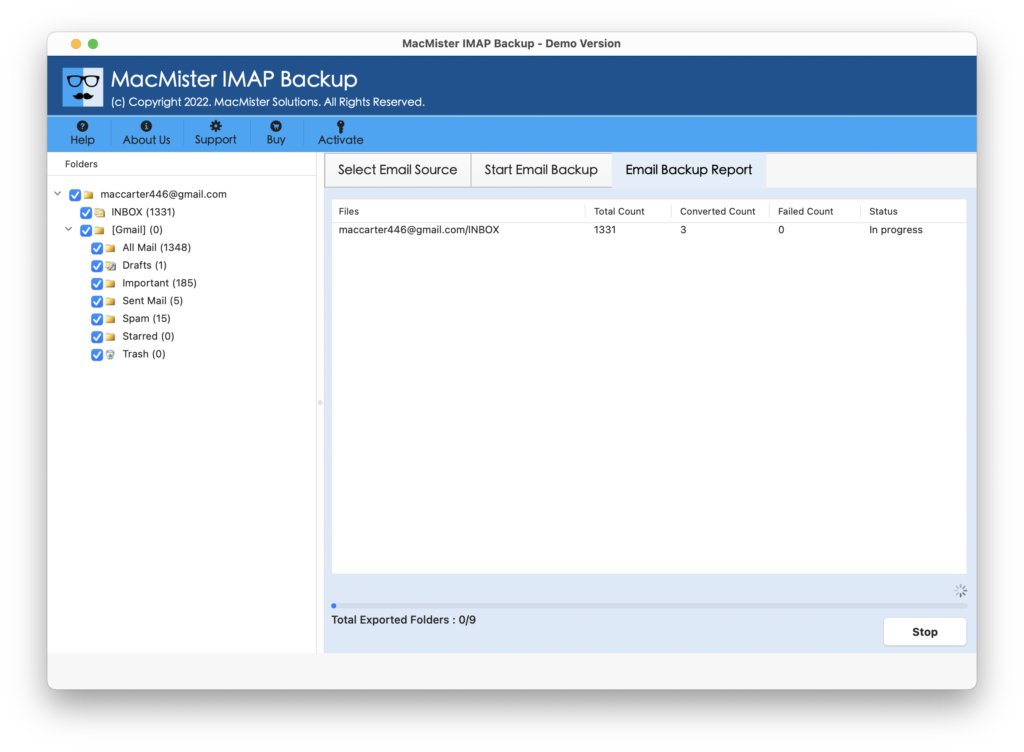
Within seconds, the process will finish with a message “Process Completed” will display on the screen. Click OK and then login to Gmail account to verify resultant files. However, you will see that the tool has precisely implemented the process. All the imported emails will display with correct and original text, email layout, and metadata properties.
Advanced Features of the Application
Directly Import Atomic Mail to Gmail Account
The tool has the ability to import Atomic Mail emails into Gmail account directly. It requires the credentials of both the accounts and once they are connected, then the tool will directly transfer emails from Atomic Mail account into Gmail profile.
Supports Multiple Saving Types other than Gmail
With Gmail, the application is programmed with 15+ more saving options such as PST, EML, HTML, DOC, CSV, Yahoo Mail, Office 365, and more. One can choose them as per their requirements and perform the import process accordingly.
Multiple Filter Options make the process Easier
The software is designed with a separate Filters segment. There are multiple filter options present which one can use to save resultant files as per the requirements. It includes to, subject, from, and other options that can be set to manage resultant files.
Programmed in Mac & Windows OS Versions
The tool is programmed in Mac & Windows versions both. Mac version is accessible by macOS users. It is supported by all the macOS versions including Mac OS Tahoe. And Windows version is accessible by Windows users supporting all the versions.
Epilogue
The write-up here discussed a powerful and trouble-free procedure to fix how to import Atomic Mail to Gmail account on Mac. MacMister Atomic Mail Email Backup Software Mac & Windows is a remarkable approach for importing emails from Atomic Mail account directly into Google Mail profile. It has over 30 email sources and 15 saving options. Users can select the required source and save the emails accordingly. Download the software freeware version and explore the process by importing 25 Atomic Mail emails for free.