How to Import Emails from Virgin Media to Gmail? – Tutorial [2024]
There are numerous email services available online; it is quite common among users to migrate their email account into another email service offering better email experience. And the same is happening between Virgin Media and Gmail. Several users moving from Virgin Media to Gmail wondering how to import emails from Virgin Media to Gmail directly. Therefore, in the blog we have will be discussing a tutorial on how to save emails from Virgin Media to Google Mail with attachments without losing data originality.
VirginMedia.com delivers Virgin Media email service, enabling users to manage email accounts that are linked to ISP subscription. However, certain limitations of Virgin Media sometimes force users to switch to Gmail environment –
- The email service provides limited storage space to store emails and attachments.
- Virgin Media is paid, which prove expensive for small organizations.
- Lacks security and advanced features which puts users account at risk.
Gmail, on the other hand offers countless beneficial features to users. Therefore, users prefer the same webmail for migrating from Virgin Media email account. Let us explore some more advantages of Gmail and check why it is better to import emails from Virgin Media to Gmail profile.
Quick Note. Get MacMister Email Backup Software Mac & Windows that provides 30+ webmail sources and 15+ saving options. Choose the required webmail and save all the necessary emails into required saving type with attachments accurately.
Advantages of Exporting Virgin Media Email to Gmail
- Gmail is introduced by Google which makes it a reliable platform among users.
- Encrypts emails in transit by utilizing TLS and two-factor authentication.
- Gmail is free to use and offers 15 GB of storage for free.
- Provides Google One subscription which helps in extending the storage capacity of Gmail account.
- Advanced Search bar allow users to find necessary emails, contacts, and other necessary stored files
- Easily accessible on all platforms and devices. Only internet connectivity is required.
- Equipped with spam filtering functionality. It automatically detects the spam or malicious emails with links and sends them directly to a Spam Folder.
- Offers variety of inbuilt tools such as Chat, Meet, Drive, Doc, etc. to make the workflow easier for professionals.
Undoubtedly, Gmail is filled with remarkable features and that force Virgin Media users to move into Google Mail.
How to Import Emails from Virgin Media to Gmail?
The easy procedure to import emails from Virgin Media to Gmail is MacMister IMAP Backup Tool Mac & Windows. The software allow users to add the IMAP details of a required IMAP account and import all the necessary emails from the same into required saving options without any trouble. The incredible solution provides user-friendly interface which simplifies the migration process for all types of users.
Additionally, the Filter options present in the tool will help users to export specific Virgin Media emails into Gmail account. Besides, users will encounter trial edition that they can download for free and import first 25 Virgin Media emails to Gmail with attachments free of cost.
Step-by-Step Process of the Tool to Import Emails from Virgin Media to Gmail on Mac
Step 1. Download, launch, and run the software on Mac.
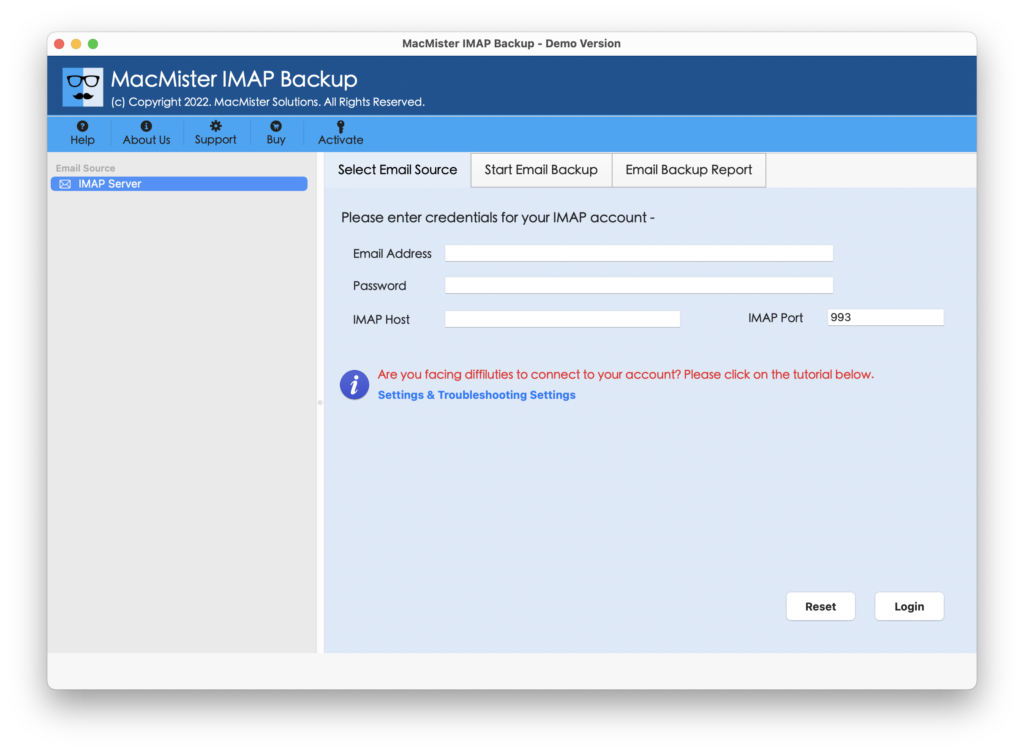
Step 2. Add Virgin Media Credentials and enter IMAP Host and Port Number in the required fields and press the Login button.
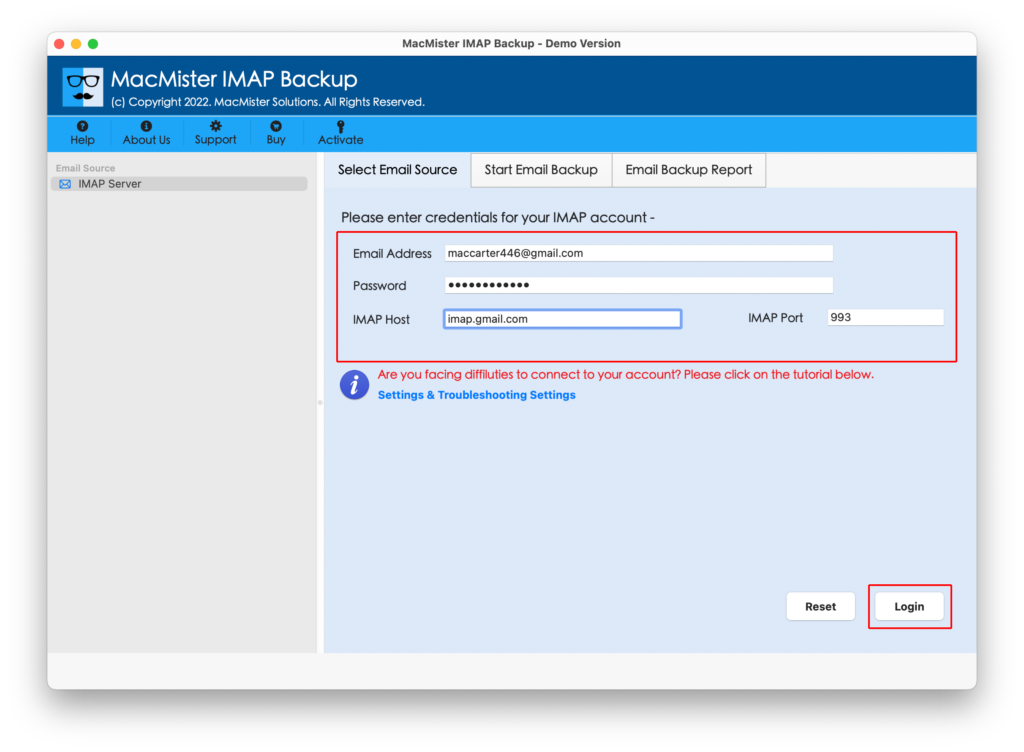
Step 3. When the Virgin Media connects with the tool, its mailboxes start to appear on the left software pane.

Step 4. Go to the right-pane of the tool, click Select Saving Options and choose Gmail option from the drop-down menu.
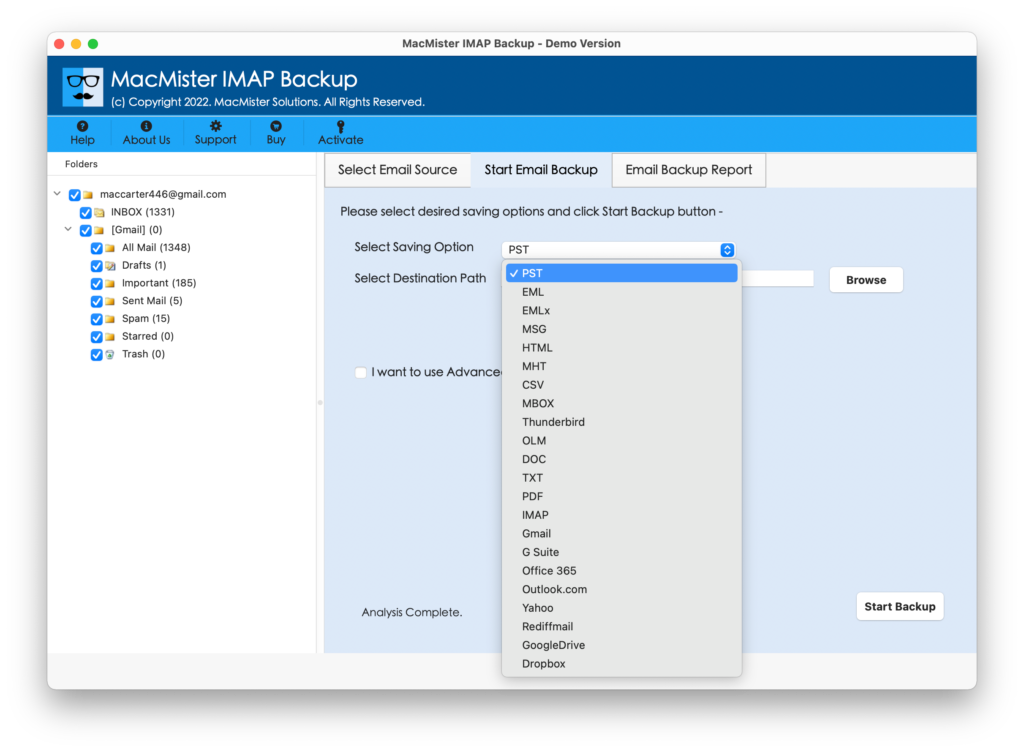
Step 5. Now, provide Gmail login details and mention the required filter if you need to save specific Virgin Media emails to Google Mail account. When done, click on the Start Backup button.

Step 6. The Email Backup Report screen will appear which provide the details of total files imported, files left for import, and migration status.
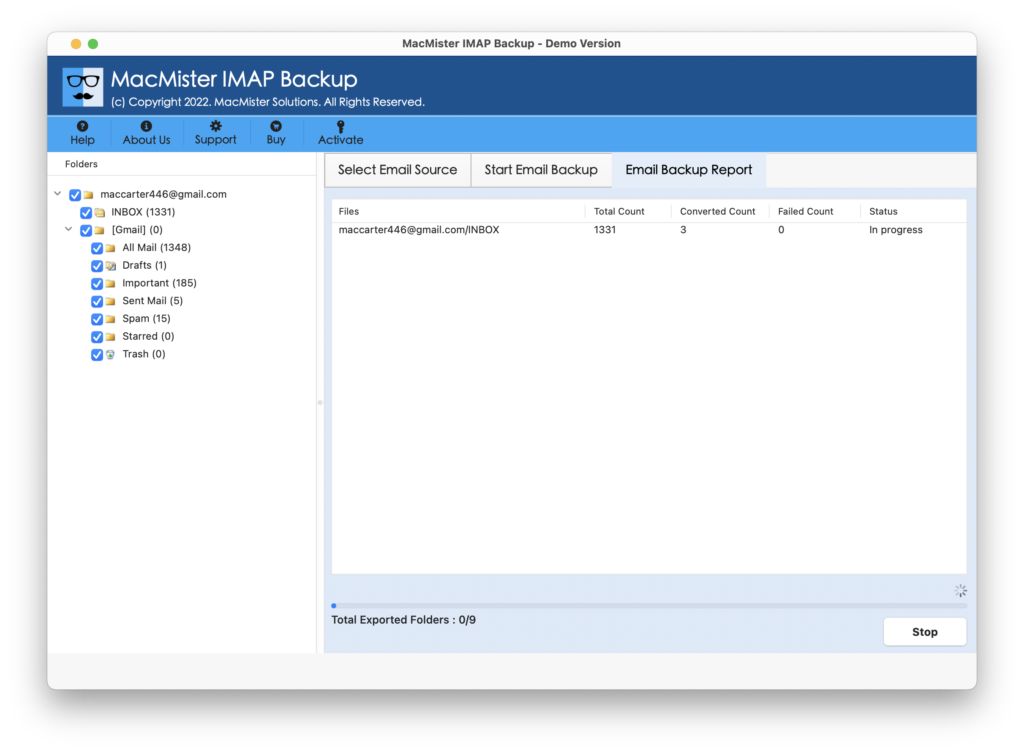
The complete process will be finished with a notification “Process Completed”. Select the OK button and login provided Gmail account to view resultant files. You will see that the tool has completed the migration process without altering the original emails, email structure, and metadata properties.
Why Users should Opt MacMister Virgin Media to Gmail Tool?
MacMister Virgin Media to Gmail is built with many remarkable features, some of them are –
- Directly import Virgin Media emails to Gmail with attachments on Mac & Windows.
- Provides multiple filter options such as date range, subject, to, etc. to export required Virgin Media files into Google Mail account.
- Includes 15+ more saving types other than Gmail such as PST, OLM, EML, HTML, DOC, CSV, Yahoo, Office 365, and more.
- Protects the original email messages, layout, and metadata properties of Virgin Media during migration.
- Designed with a friendly interface which eases the process for professional and non-professional users.
- Offers Mac & Windows software versions. Mac version is downloadable on the entire range of Mac OS including Mac OS Sequoia. Windows version is compatible with Windows 11 and earlier versions.
Epilogue
In the write-up, we have provided the best practice to fix “how to import emails from Virgin Media to Gmail” on Mac & Windows. The solution is simple, cost-effective, and secure. It also possesses easy operational environment with the help of users can perform the required process effortlessly. Moreover, the software provides many features which users can set as per their needs to import necessary Virgin Media emails to Gmail account with attachments. Also, the tool has a trial edition that users can download to explore the software steps in detail for free. It also enables to save first 25 emails from Virgin Media account to Gmail free of cost.