How to Import MBOX to Yandex Mail on Mac & Windows?
Did you recently move to Yandex Mail from a desktop-based email application? Having some archived MBOX files on the system that you cannot leave behind and thereby wondering how to import MBOX to Yandex Mail effortlessly? Searching for a safe and effective approach for the same? No worries, simply go through the segment and you will bump into a solution that will directly import MBOX to Yandex Mail with emails and attachments.
Yandex Mail is a free Russian-based email service that is introduced by Yandex itself on June 26, 2000 and considered as one of the three largest webmail services in Runet after Gmail and Mail.ru. It includes automatic spam filtering, inbuilt antivirus program and an email translator.
In 2009, it again released free service i.e. Yandex.Mail for domain where users are free to generate several emails in a single domain. In 2010, it was upgraded with spam filters and in 2011, the service added email translator and initially it only had English & Ukrainian and since 2016, it is supporting more than 40 languages.
Yandex Mail is a web-based platform and thereby importing MBOX files into Yandex Mail is a complicated process. Therefore, in the next segment we will discuss a solution that will easily import MBOX to Yandex Mail without losing data integrity.
How to Import MBOX to Yandex Mail on Mac & Windows?
The direct and simple way to import MBOX to Yandex Mail is MacMister MBOX Converter for Mac & Windows. It is an advanced and reliable application that supports 15+ popular saving options and designed with a user-friendly interface which is effortlessly operable by all types of users. Even, the tool is equipped with a three-step procedure that will save the time and efforts of users.
Moreover, the software includes incredible features which are useful in obtaining the desired results in a short time. However, the freeware version of the application is available with the help of users can test the entire procedure for free.
Working Steps to Import MBOX to Yandex Mail on Mac
Step 1. Download and run MacMister MBOX to Yandex Mail Tool on Mac OS.
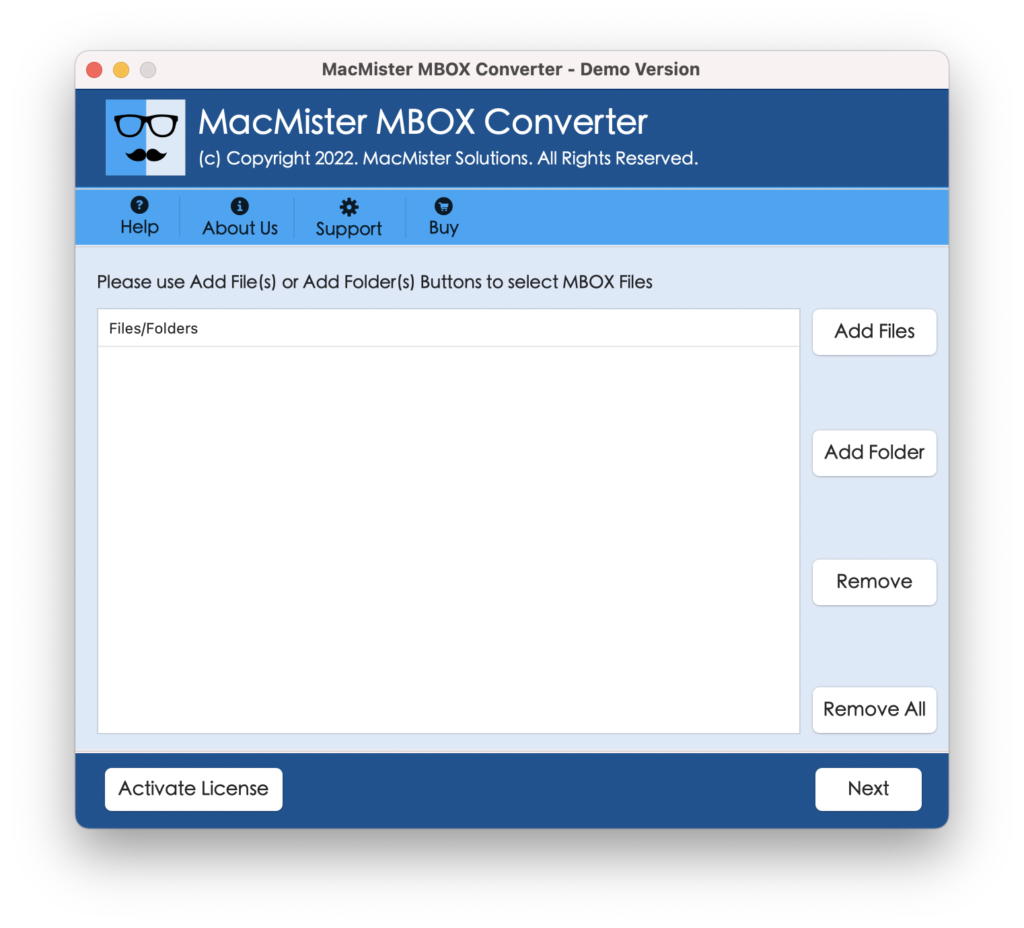
Step 2. Click on Add file(s) option to add few MBOX files on the tool or use Add Folder option in case you have a folder of unlimited MBOX files and click Next.
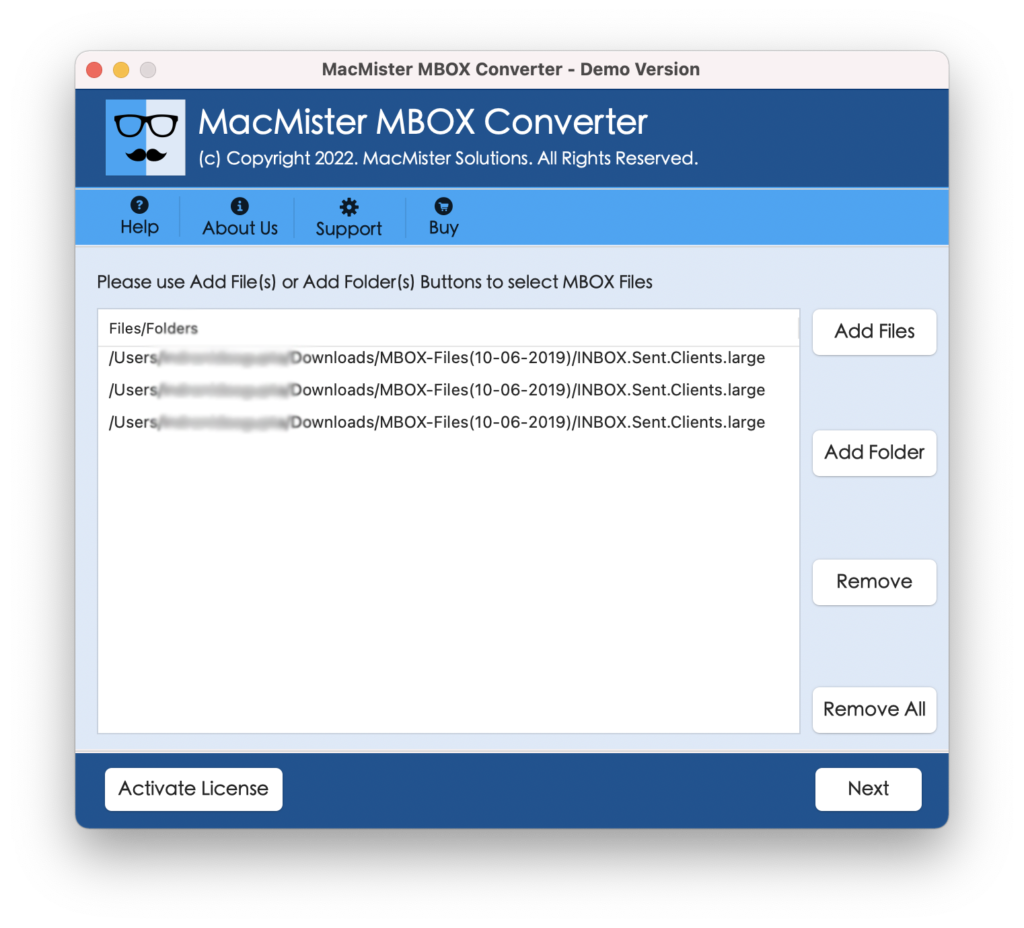
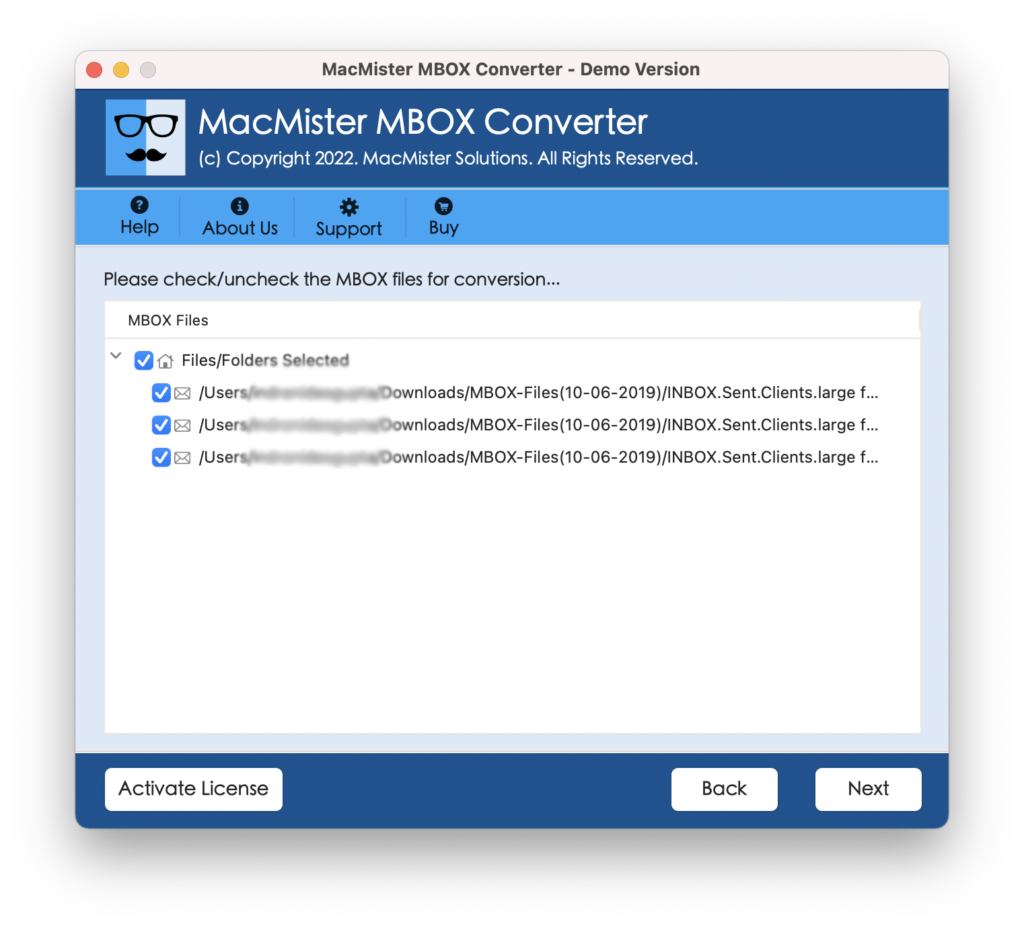
Step 3. The application start listing MBOX files with checkboxes one-by-one. However, the checkboxes will be selected by default but you can deselect them and select them again to import only selected MBOX files to Yandex Mail. Click Next to continue.
Step 4. Go to Select Saving Options and choose IMAP option from the menu.
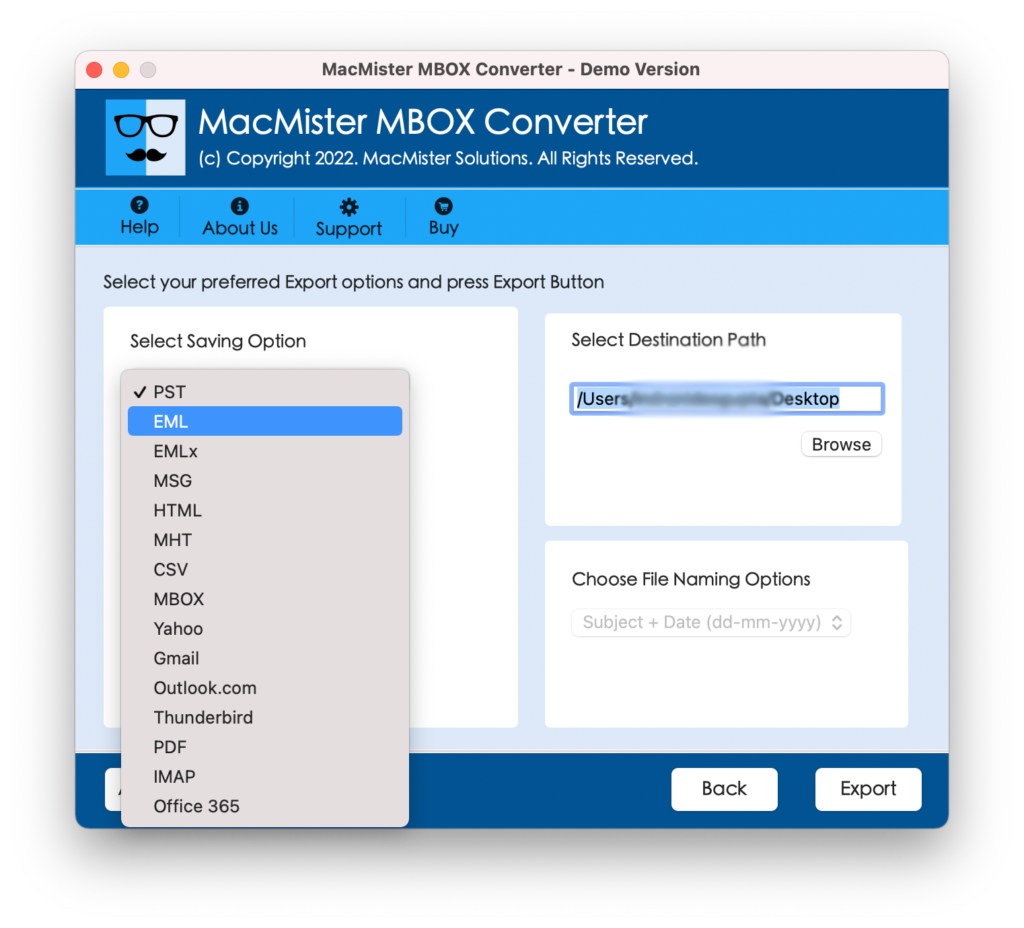
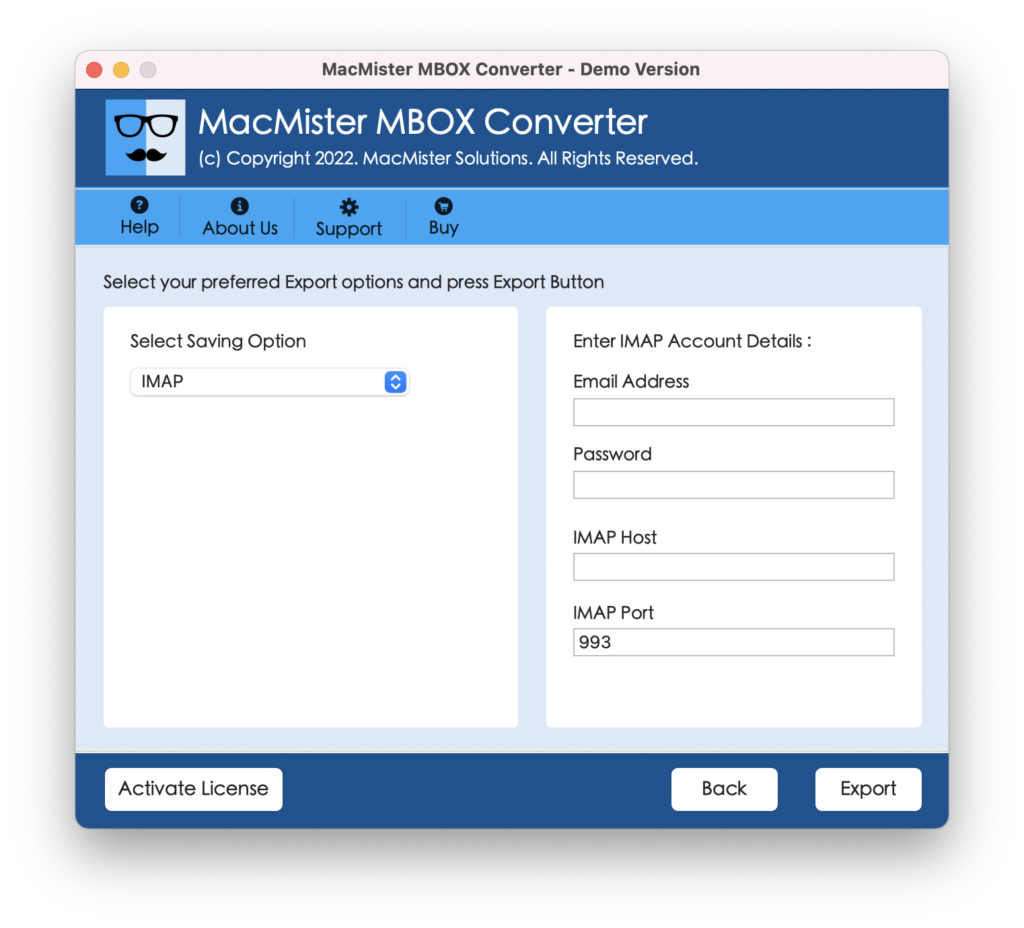
Step 5. Add Yandex Mail login details with IMAP Host and Port Number and click Export button.
Step 6. The software will show Live Conversion Window which will display the running import status of MBOX files.
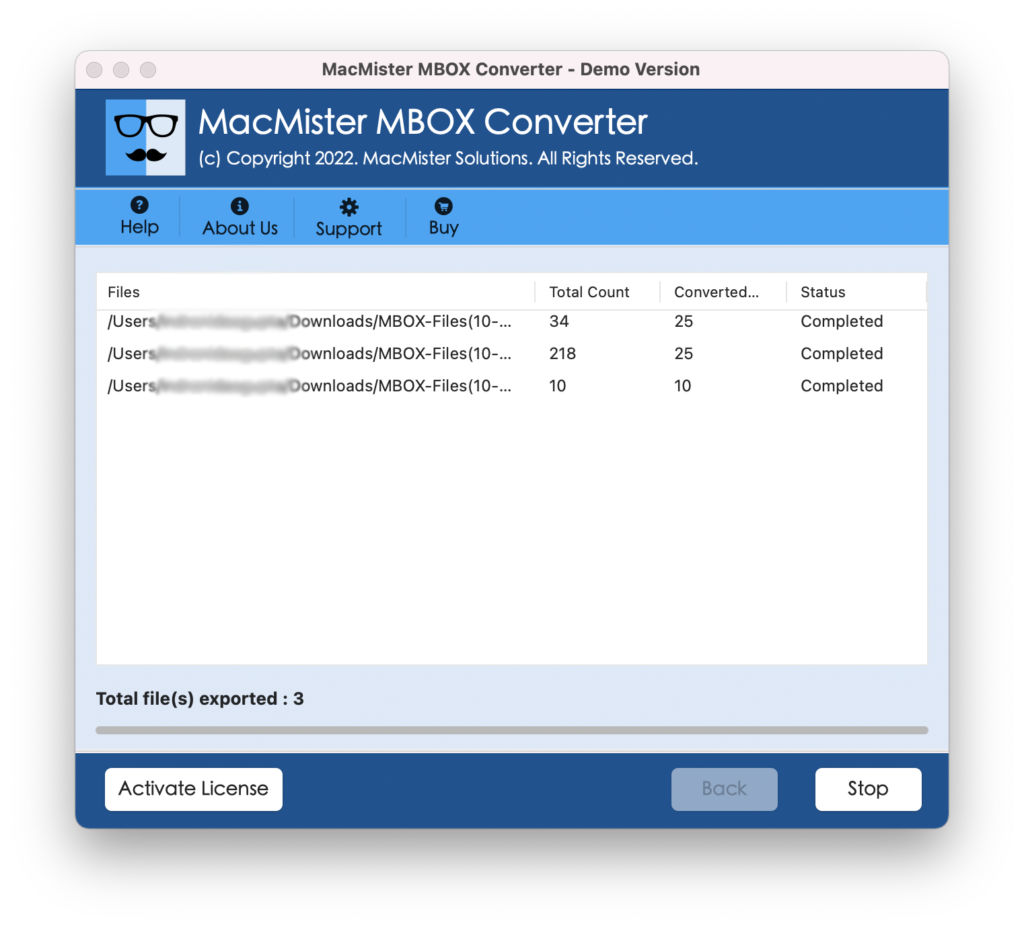
The tool will complete the process in few seconds. After this, the software will show “Conversion Completed” pop-up that confirms that the application has successfully imported MBOX files into Yandex Mail. Now, login to Yandex Mail account to check the resultant files. However, you will see that the application has correctly imported all the mailboxes. The content of emails and attachments are 100% accurate and they will appear with precise layout and formatting properties.
Why to Choose MacMister MBOX to Yandex Mail Solution?
One should definitely try MacMister MBOX to Yandex Mail solution because it is direct, keep the confidential details safe and deliver the results without alteration. It is programmed with numerous powerful features; some of them are highlighted below-
Directly Import MBOX to Yandex Mail
The application supports the direct migration of MBOX files into Yandex Mail. It offers IMAP option that users can select from Select Saving Options, provide necessary Yandex Mail details and click on Export. After this, the tool will directly import all MBOX files into Yandex Mail account.
Offers Dual Options to Add MBOX files
MacMister MBOX to Yandex Mail provides dual options to add necessary MBOX files/folders on the software. The Add File(s) option allow users to load required MBOX files on the tool and Add Folder option enable users to add entire folder carrying unlimited MBOX files on the software for batch conversion.
Batch Import MBOX to Yandex Mail
The tool provides Add Folder option with the help of users can accomplish the batch migration of MBOX files at once. To do the same, simply move the list necessary MBOX files in a single folder and upload it on the application pane with the help of Add Folder option. After this, the application will immediately list them on its pane and allow importing them into Yandex Mail all at once.
Provides 15+ Popular Saving Options
MacMister MBOX to Yandex Mail does not only contain IMAP option. It also has 15+ more saving options in which users can import MBOX files. The application allow users to import MBOX to PST Mac, EML, CSV, DOC, TXT, Gmail, Thunderbird, G Suite, Outlook.com, Office 365, Yahoo Mail, and more.
Runs on Both Mac & Windows OS
Mac users can download the application on any Mac OS version. They can import MBOX file to Yandex Mail on the entire range of Mac OS versions including Mac OS Sonoma. And, Windows users can operate the software on the earlier and latest versions of Windows OS i.e. Windows 11, 10, 8.1, 8, 7, XP, etc.
Quick Note. Download FREE DEMO to Explore more Software Features & Options.
Epilogue
The write-up here highlighted an exceptional way to fix “how to import MBOX to Yandex Mail” with emails and attachments. The solution smoothly handles the import process and guarantees accurate results in few seconds. Moreover, the application is feature-rich, thus helping users to achieve the desired task according to their requirements. The tool is also introduced with a free demo version that allow users to understand the procedure to import MBOX files into Yandex Mail for free. They will also get the chance to import first 25 MBOX emails and attachments to Yandex Mail free of cost.