How do I Import PST to Horde Webmail on Mac & Windows?
Are you a Mac user and received plenty of PST files on the system from a Windows client? But managing all emails on the Horde Webmail server? Wondering how do I import PST to Horde webmail on Mac. Searching for a safe and reliable solution to implement the required task? No worries, MacMister here discussed a wonderful technique that will perform the entire process in minimum time and help users to obtain the required results effortlessly.
Email Clients have become a necessity in today’s era. They are cloud-based and some can be installed on a local system. Microsoft Outlook is one of the widely used desktop-supported email applications. It is also known as personal information management because it helps users to manage their day-to-day important emails, contacts, calendars, appointments, schedules, etc. The email application is designed for both Mac and Windows operating systems. Both editions have distinct default file format in which user stores their data. If we talk about Windows Outlook, then it allows users to extract their account data in PST. Whereas, Mac Outlook has OLM as a default format. And, that is why, many times, Mac users receive PST files in a number from Windows users that they are unable to open on the system.
Although PST is supported by Outlook for Mac it is not necessary that every Mac user who receives PST files is working on it. Nowadays, many organizations and individuals are preferring webmail servers because they are flexible and one can access their critical files from any device at any time and from any location.
Why to Import PST to Horde Webmail?
Horde Webmail is a free, enterprise-ready, browser-based communication package. Users can organize email messages, read, or send them easily as well as effortlessly manage and share calendars, contacts, notes, tasks, files, and bookmarks with the standard compatible modules from the Horde project. Moreover, it includes extraordinary apps such as Horde IMP email client, a wiki, a groupware package that includes a calendar, tasks, and file manager, and a time as well as task tracking software.
Some of its additional features are listed here. They became the common reasons of importing PST files into the Horde Webmail server.
- Supports IMAP and POP3
- 3-pane and 3-column-layouts
- Message filtering and searching
- Create HTML message using WYSIWIG editor
- Spell Checker
- In-built viewer for attachments
- Quota support
- Message Encryption and signing of messages (S/MIME and PGP)
- Full Character Set Support for folders names & email messages.
- Download message attachments in a Zip file
- Keyboard Navigation
- View conversation messages in a thread
- Subscription to IMAP folder is present
- Shared IMAP folders
- Flexible and contains individual alias addresses
- Support mailing list headers
- Multiple message forward at once
- Option to Send Attachments as Links
How do I Import PST to Horde Webmail on Mac & Windows?
MacMister PST Converter for Mac and Windows is a solution that is simple, secure, and user-friendly. It is built-up with an environment that is accessible by all professional and non-professional users. Anyone can handle the tool without the support of experts and perform the required task in a minimum time. Even, the software’s three-step procedure will help users to import PST to Horde directly in just three seconds. The tool provides IMAP as a saving option that users can select and provide the Horde Webmail details accordingly to import PST files.
Moreover, the software supports the batch mode option. The property will save the time of users and help them to import unlimited PST files to Horde at once. Also, the application comes with plenty of wonderful features with the help of which users can execute the migration and obtain the required result as per their requirements. However, the tool has a trial version that will allow experiencing the entire task for free.
Working Steps to Import PST to Horde Webmail on Mac
Step 1. Download, install, and open PST to IMAP Migration Tool on macOS.
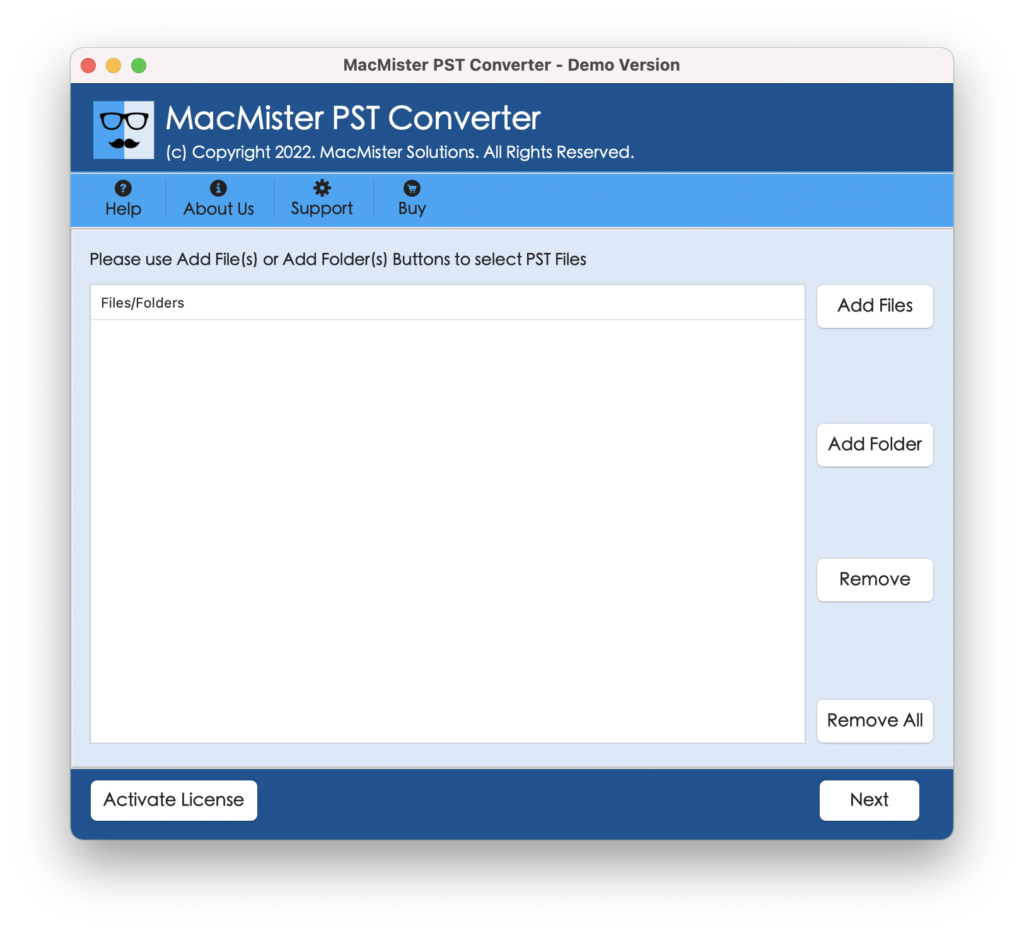
Step 2. Add PST files/folders with the help of Add File(s)/Add Folder properties and click Next.
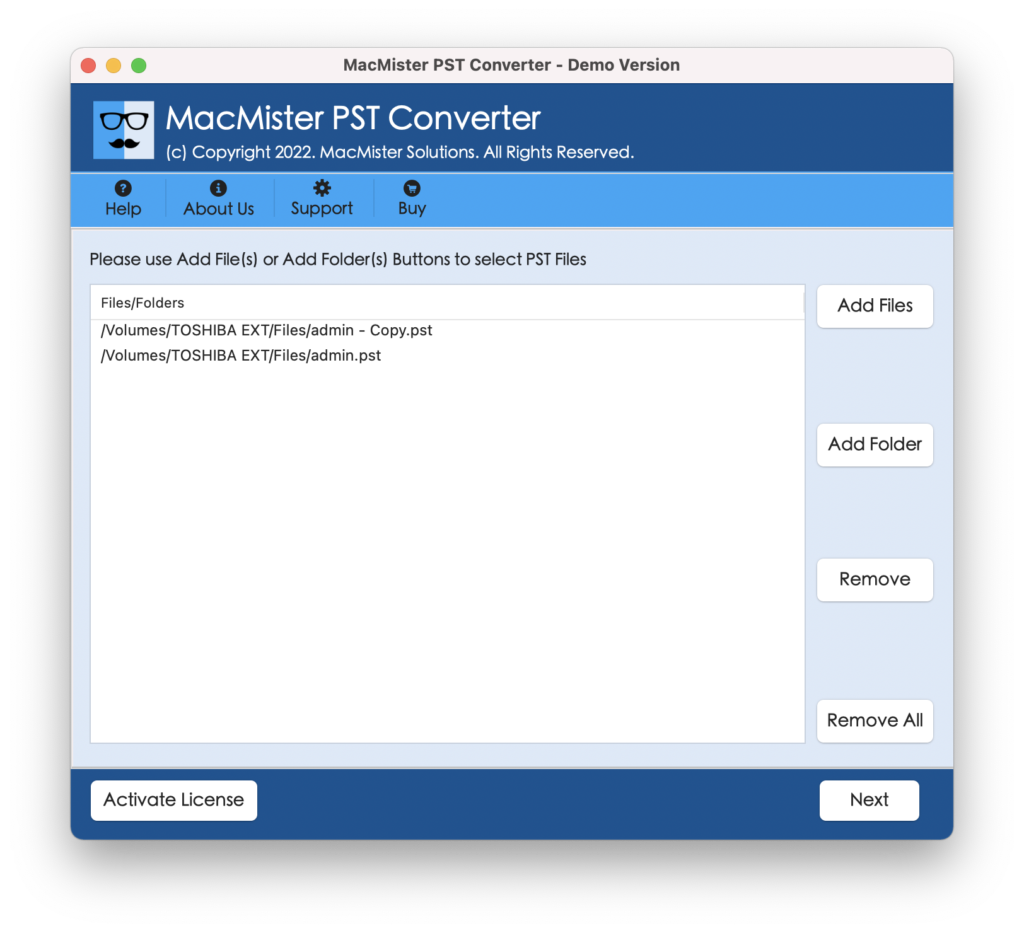
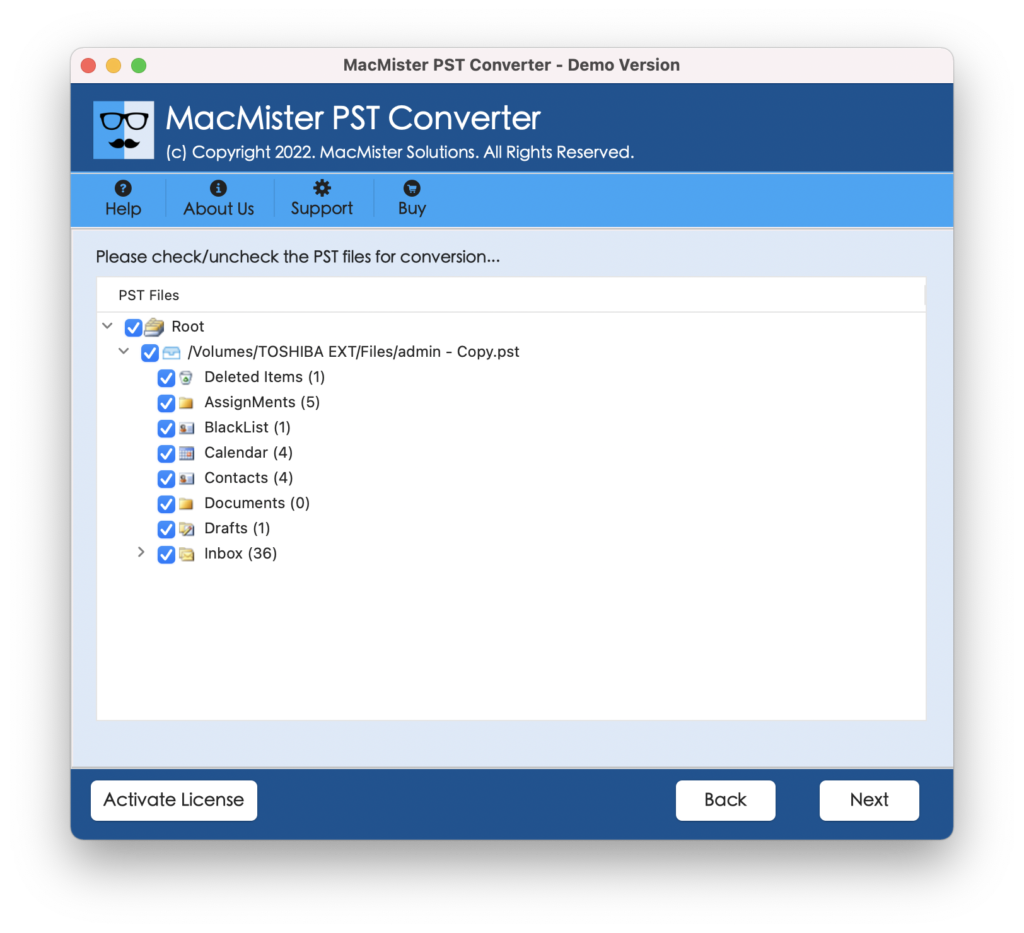
Step 3. The selected PST files will successfully list on the software pane and each will appear with checkboxes. However, users can use a checkbox to import selective PST files to Horde, if needed otherwise continue further by tapping Next.
Step 4. Pick IMAP from Select Saving Options.
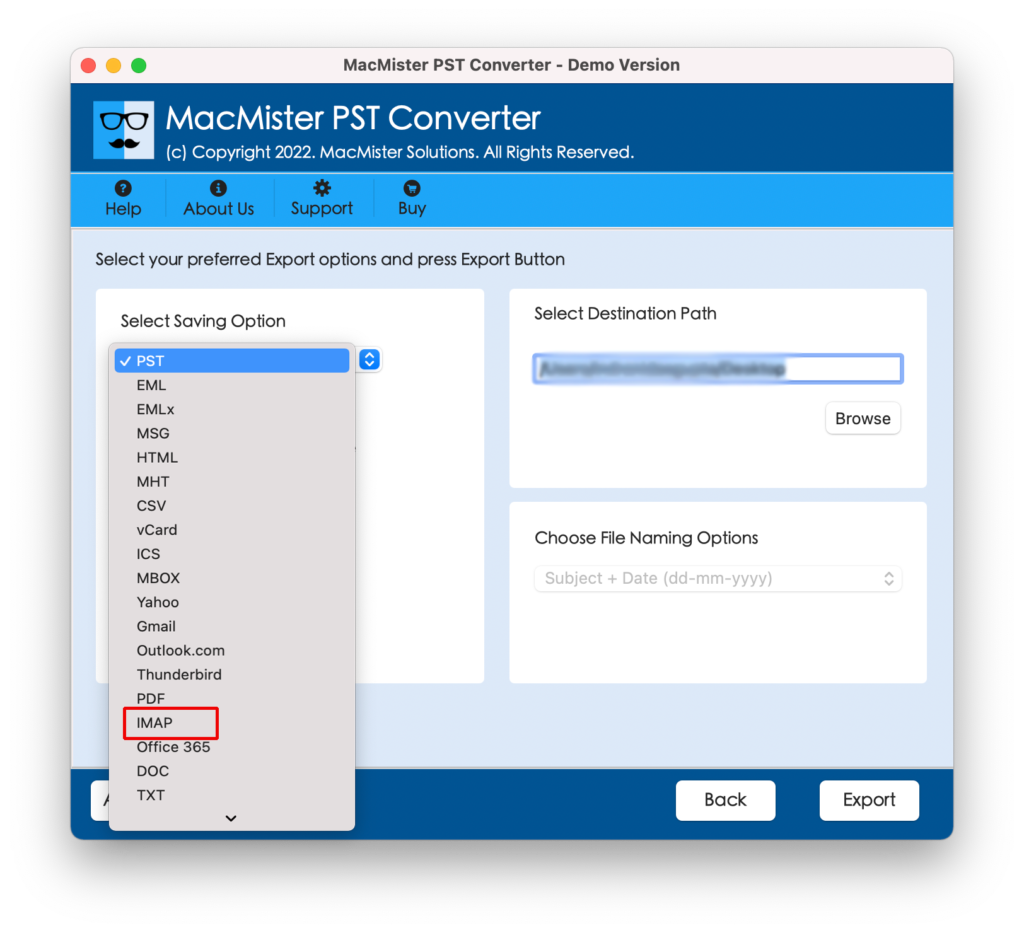
Step 5. Enter Horde credentials with its supported IMAP Host & Port Number. Last, click on Export button to start the process.
Step 6. The process will be live and the entire migration will appear on Live Conversion Window through which users can track the current export status of PST files.
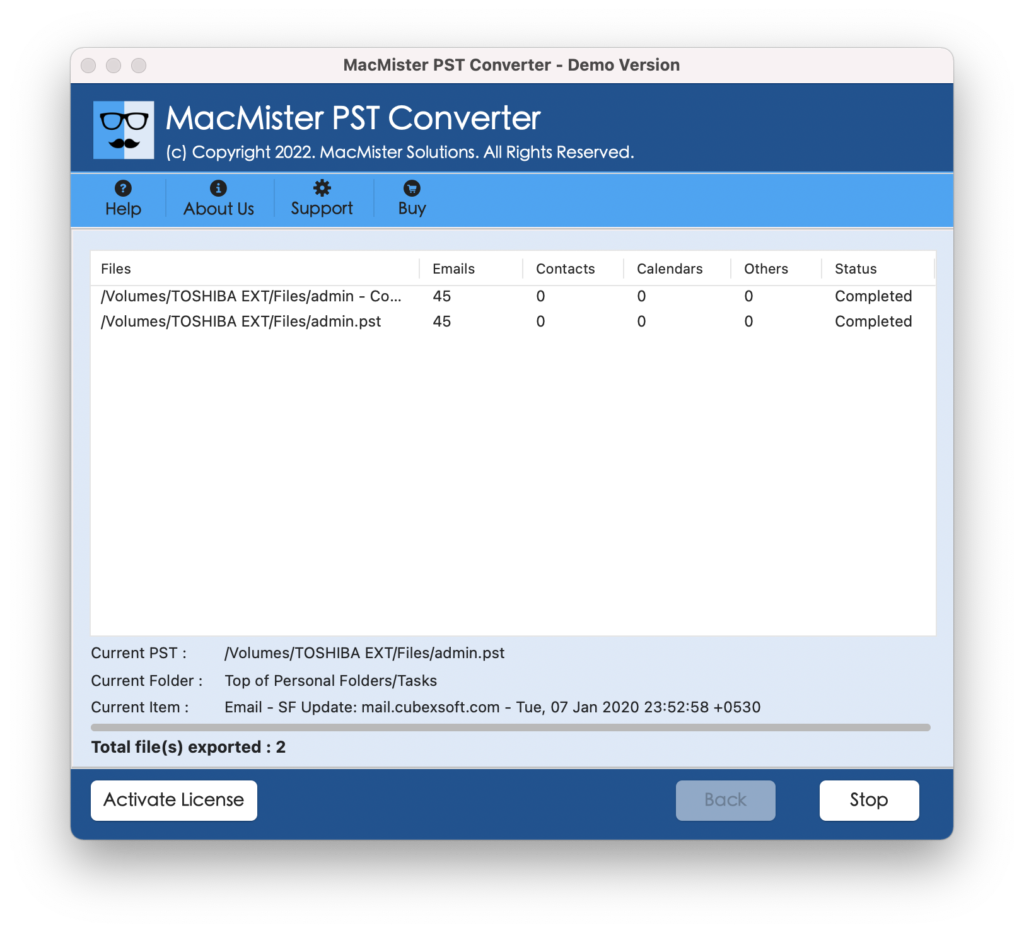
The complete process will finish within seconds and show Conversion Completed message to users. Click OK and go to the Horde webmail account to check the resultant files. However, you will see that all emails are accurately transferred and their data is appearing with precise data integrity.
Why PST to Horde is a Preferable Solution?
There are several reasons for choosing the application and some of them are:
Direct PST to Horde Migration
The software offers direct migration of PST files to Horde. And, to perform the same, simply add the required PST files to the software. Then, choose IMAP from the Select Saving Options property. Simultaneously specify the necessary details and click Export. After this, the tool will immediately move all PST files to Horde Webmail at once.
Dual Options to Load PST Files
The application is equipped with advanced dual options through which users can add required PST files/folders to the software. The Add File(s) button will allow users to add individual PST files to the software for migration. The Add Folder button helps to add an entire folder on the software containing unlimited PST files on the software.
Maintains PST File during Process
The utility maintains the content and formatting properties of PST files during the process. So, it does not matter if you are migrating a few PST files or unlimited PST files to Horde Webmail. Because the tool will make sure to protect each and every component of email throughout the migration.
Batch PST File Migration to Horde
The tool has the ability to import PST files to Horde in a batch. And, so to accomplish the task, users can take the help of Add Folder property. It allows to add a folder containing unlimited PST files on the software. Once it is done, then PST files will be listed and users can then select the IMAP option as well as set the necessary sub-options, and then click Export to implement the batch migration of PST files to Horde Webmail.
Supports all Mac & Win OS Versions
The software has the ability to import PST to Horde webmail server on both Mac and Windows OS versions. The Mac users can import PST files to Horde on macOS Ventura, Monterey, Big Sur, Catalina, etc. Windows users can download and perform the operation on Win 11, 10, 8.1, 8, etc.
Quick Note. Download the FREE DEMO to Explore More Software Features & Options.
Epilogue
The write-up here offered a safe approach to import PST to Horde Webmail with accurate emails and attachments. The PST to Horde Webmail Migration Tool is an application that is direct and keeps the data of the PST files intact throughout the process. Anyone can easily handle the app and perform the required task effortlessly. However, it comes with a freeware version which will benefit those who wants to understand the practical working of the tool for free. It allows to import first 25 files from each PST folder to Horde free of cost.