Perfect Way to Import PST to Zimbra Webmail on Mac & Windows
Are you having multiple PST files on a Mac system but using Zimbra Webmail environment for email management? Wondering how to import PST to Zimbra Webmail directly? Looking for a best and reliable way to implement the migration? If yes, then the article is here to help you out! The section has explained an incomparable method with the help of users can import PST files to Zimbra Webmail account effortlessly.
Detailed Overview of PST & Zimbra Webmail
Emails have become an essential means of communication these days as they help teams to collaborate with others in real time irrespective of location, time, or device. Millions of professionals and organizations thus require email service providers to manage day-to-day critical emails. And, one of the most popular and widely used email applications in today’s world is Microsoft Outlook. It was first designed for Windows OS and after gaining popularity from Windows users, it was then launched for macOS.
Both the versions offer same functioning and features. The only difference that one can find between them is the file format. Microsoft Outlook for Windows creates a default file in PST whereas Mac Outlook has OLM as a default storage file type. They store the important data items of the user’s profile such as emails, contacts, calendars, and other items.
However, PST files are accessible in Mac Outlook because it provides the option with the help of users can import the same without encountering any issues. But, if a Mac user has received PST files on a macOS system, then it is not necessary that a Mac user is utilizing Outlook for Mac application. Because nowadays, most users prefer cloud-based webmail servers such as Office 365, Gmail, Zimbra, Roundcube, and more.
Zimbra Webmail becoming very popular day by day. Many users are shifting their accounts from desktop-supported email applications to Zimbra webmail. Because, it is a feature-rich messaging and collaborative application that delivers reliable, high-performance email, task lists, calendaring, address book, and web document authoring capabilities. It is designed to work within Internet Browsers such as Mozilla Firefox, Microsoft Edge, and Macintosh Safari.
Reasons to Import PST to Zimbra Webmail
There are several reasons for importing PST files into the Zimbra webmail account. But, there are some major causes also due to which many users are opting for web-based email clients. Some are mentioned here:
- Zimbra Webmail plays a crucial role when it comes to organizing or deleting emails. It has advanced spam filters that help to remove suspicious emails. When a user configures spam filter settings, they can save the time spent sifting through spam email messages.
- Equipped with an inbuilt feature that helps users to create a backup of necessary emails. By enabling the option, one can set the frequency of email backup as per requirements.
- Calendars have made work easier for teams working on a project to keep track of delivery dates and project time limits.
- Document Storage is one of the useful features of Zimbra Webmail. It provides users access to store their essential data from anywhere across the globe.
How to Import PST to Zimbra Webmail on Mac & Windows?
With the help of MacMister PST Converter for Mac & Windows, users can directly import PST to Zimbra with emails and attachments. The software interface is friendly, simple, and advanced. It is built up with a platform that is manageable by all professional and non-professional users. Even, the operational steps are non-typical and time-saving. They will help in importing unlimited PST files into Zimbra webmail account in a minimum time. The application also includes an IMAP option that users can select when importing PST files into a Zimbra Webmail account.
Quick Note. The software also allows to import PST to OLM, MSG, EML, EMLx, MHT, HTML, DOC, MBOX, PDF, Thunderbird, Gmail, G Suite, Yahoo, and more.
Moreover, the application includes many features with the help of users can import PST files to Zimbra according to their requirements. However, the freeware version is also available with the help of users can test the working of the tool for free.
Working Steps to Import PST to Zimbra Webmail on Mac
Step 1. Download, install, and run PST to IMAP Migration Tool on macOS.
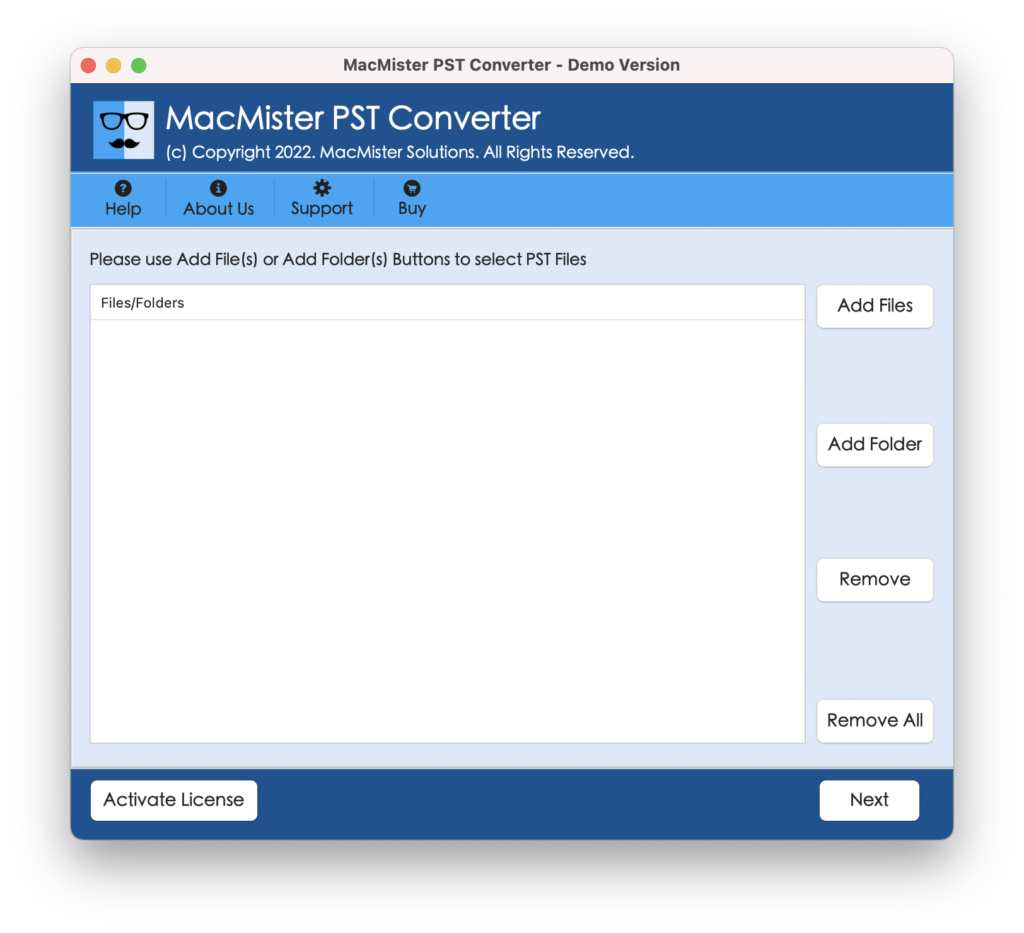
Step 2. Use the dual options i.e. Add File(s)/Add Folder buttons to add required PST files or folders on the software for migration. Click Next.

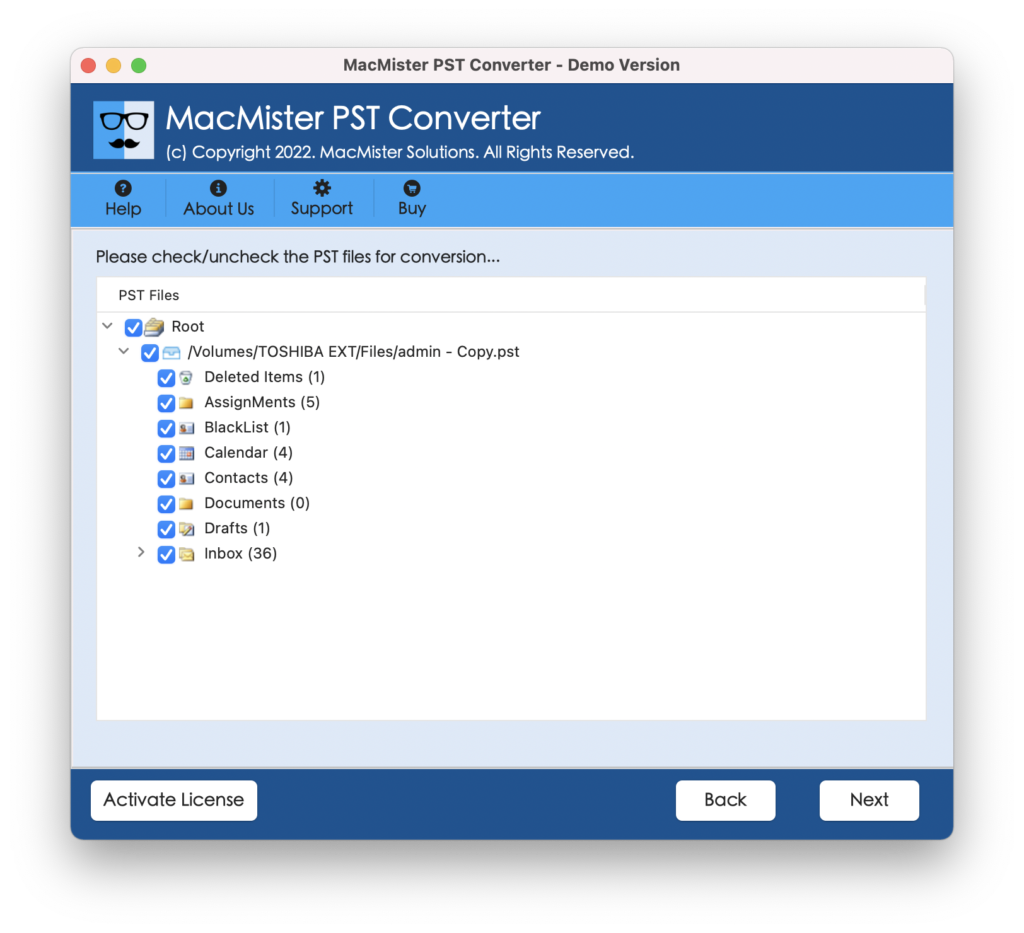
Step 3. The application will scan the chosen PST files and list them with checkboxes on the software pane. The checkbox allows users to select the required files to import into their Zimbra webmail account, if needed otherwise click on Next and continue.
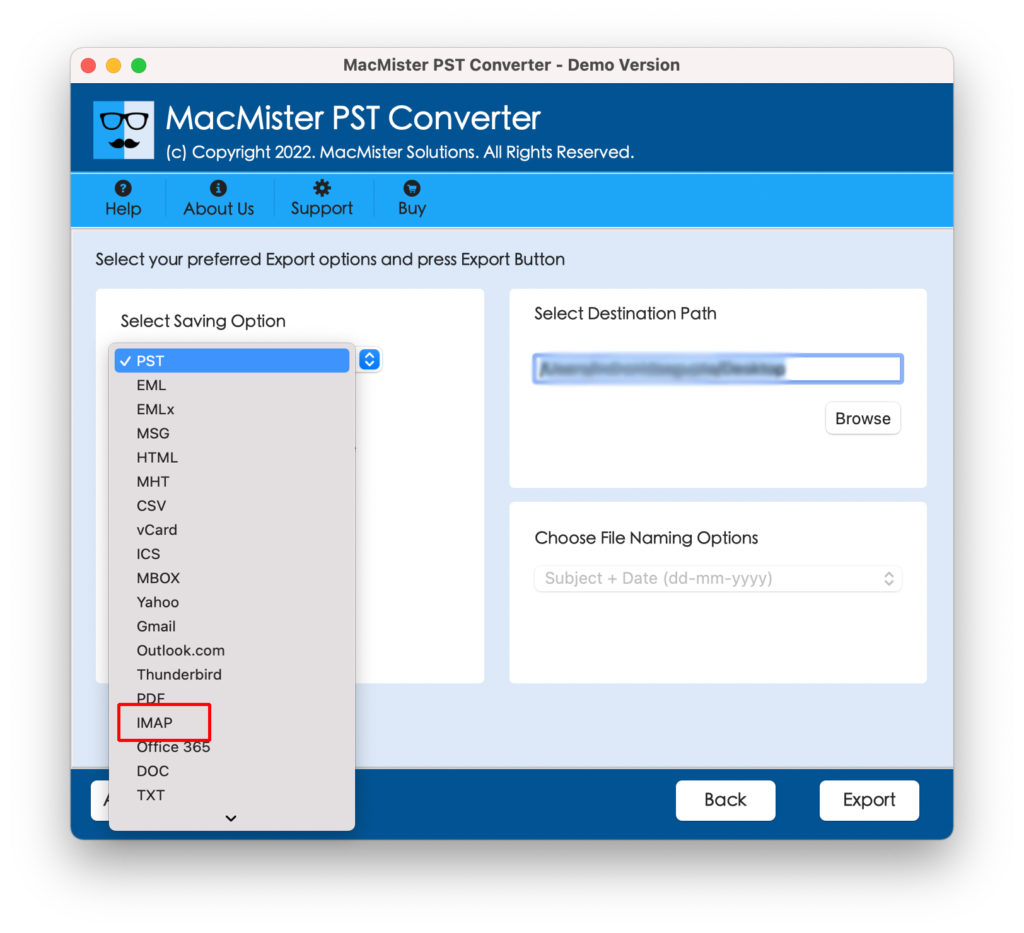
Step 4. Click Select Saving Options and select IMAP from the list displayed.
Step 5. Enter Zimbra Webmail credentials and also specify IMAP host and port number. After this, continue further by clicking Export.
Step 6. The process will start instantly and then users will receive a Live Conversion Window through which they can track the ongoing import status of PST files.
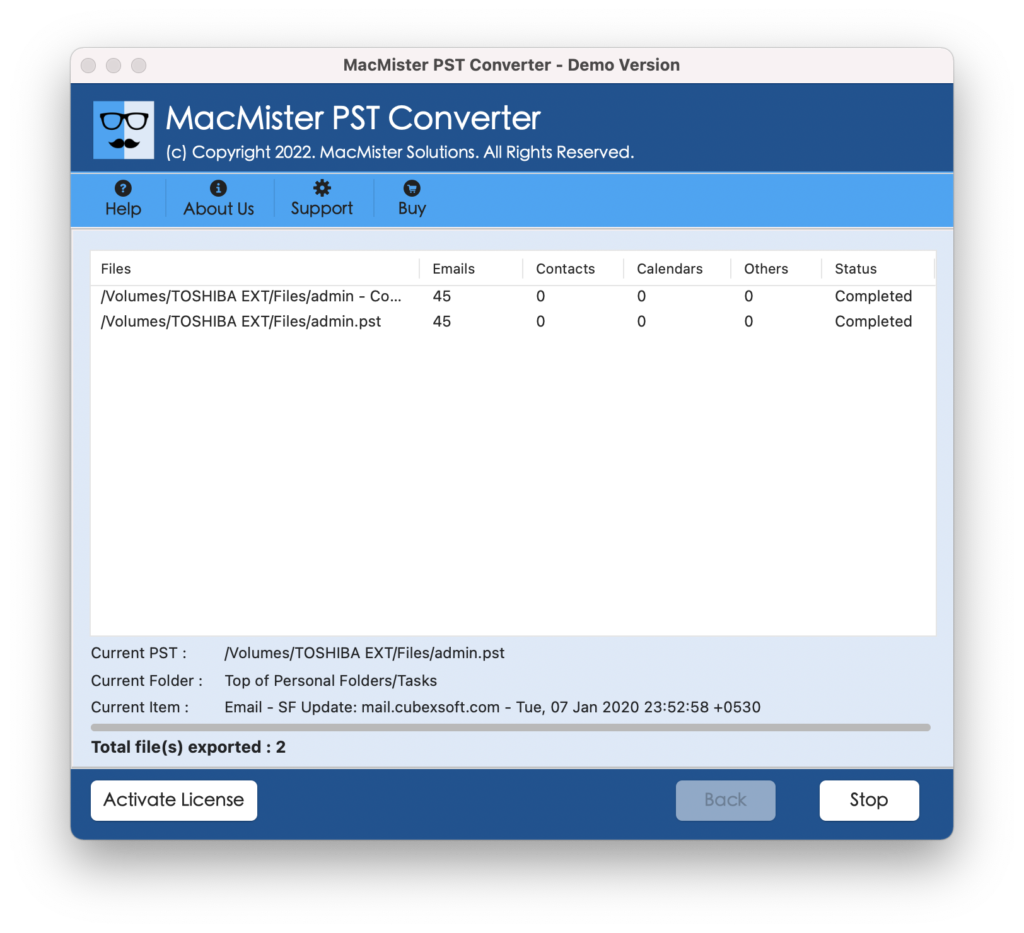
The entire procedure will take a few seconds for users to complete the entire task. And after that, users will see Conversion Completed message on the screen. Click the OK button and go to your Zimbra webmail account to check the result. However, you will see that the content of all the email messages is accurate and the formatting properties are appearing without any alteration.
Why MacMister PST to Zimbra is a Perfect Solution?
There are multiple reasons why PST to Zimbra is a perfect migration utility. Some of them are:
- Directly import PST files to Zimbra with emails and attachments.
- Ensures the safety of email messages during the entire migration.
- Includes Add File(s)/Add Folder buttons to add required files on the app.
- Keeps the folder structure and formatting properties intact.
- Built up with a simple GUI that is manageable by technical and novice users.
- Shows Live Conversion Window that is useful for tracking the import progress.
- Provides download version for Windows users to import PST to Zimbra on Win OS.
- Supports batch migration functionality without damaging the original data.
- Allows to import PST files to Zimbra on macOS Ventura and all earlier editions.
Epilogue
The blog has discussed trouble-free practices to import PST files into Zimbra Webmail account on Mac & Windows. The MacMister PST to IMAP Backup Tool for Mac is a 100% secure solution that delivers fast migration with accurate output. It provides a free download edition so that users can analyze and evaluate the working of the software for free. It also helps to import the first 25 files from the PST folder to IMAP free of cost.