How to Import MBOX to Zoho Mail Account on Mac & Windows?
Are you having several MBOX files on the Mac system that you want to import to your Zoho Mail account? And, due to this, you are continuously searching for an approach to import MBOX to Zoho Mail on Mac or Windows. If yes, then no worries, just keep reading the segment because here we have discussed the technique that is reliable and able to securely import multiple MBOX files to Zoho Mail at once.
MBOX is one of the most popular and widely used file formats. It is an extension that is supported by both Mac and Windows operating systems. Many IT professionals make use of email applications in their day-to-day lives. And, each email client has its own storage file format that stores the important data of users. MBOX is one of them. It is supported by Apple Mail, Gmail, Thunderbird, The Bat, Entourage, Eudora, and more.
At times, Mac users need to change email platforms to advance their workflow. Some will adopt cloud-based webmail’s and some will utilize desktop-supported. But, these days, people are preferring cloud email services as they are accessible anytime and one can use the same regardless of device and location. Similarly, many organizations are preferring Zoho Mail and there are many reasons behind the migration.
Why to Import MBOX to Zoho Mail Account?
Zoho Mail is a reliable and one of the most secure business email solution that is tailor-made for catering to the organization’s communication requirements. It is an incredible platform that delivers a clean, ad-free, and minimalist GUI to users with solid options that are double-geared for business use. Some of the highlights of Zoho Mail are mentioned below-
- Create your own rules to appropriately manage incoming emails and tasks. By using the rule, you can mark an email as reading or assign it to a task.
- Night Mode will help to read emails in the dark easily.
- Advance Search will help to deliver the searched email to users immediately.
- Scrub will help in stopping the INBOX work by deleting or archiving emails in a bulk.
- It will assist to reduce the notifications count that one receives when using Zoho Mail.
- Allows to make use of reusable email templates that are repeatedly sent.
How to Import MBOX to Zoho Mail on Mac & Windows Safely?
MacMister MBOX Converter for Mac is a perfect solution to accomplish the desirable result. It is user-friendly, quick, secure to use. Any technical and novice users can make use of the application without trouble and directly import MBOX to Zoho Mail with accurate emails and attachments. The tool even possesses three step procedure that will save the time of users and able to perform the bulk migration without data loss. The output will be 100% safe to use.
Moreover, the solution is equipped with features that will help users to import MBOX files to Zoho Mail according to specific requirements. However, the free demo version of the application is also available that will help users to examine and evaluate the complete migration for free.
Working Steps to Import MBOX to Zoho Mail Account on Mac
Step 1. Download and open MBOX to Zoho Migration Tool for Mac on Mac OS.
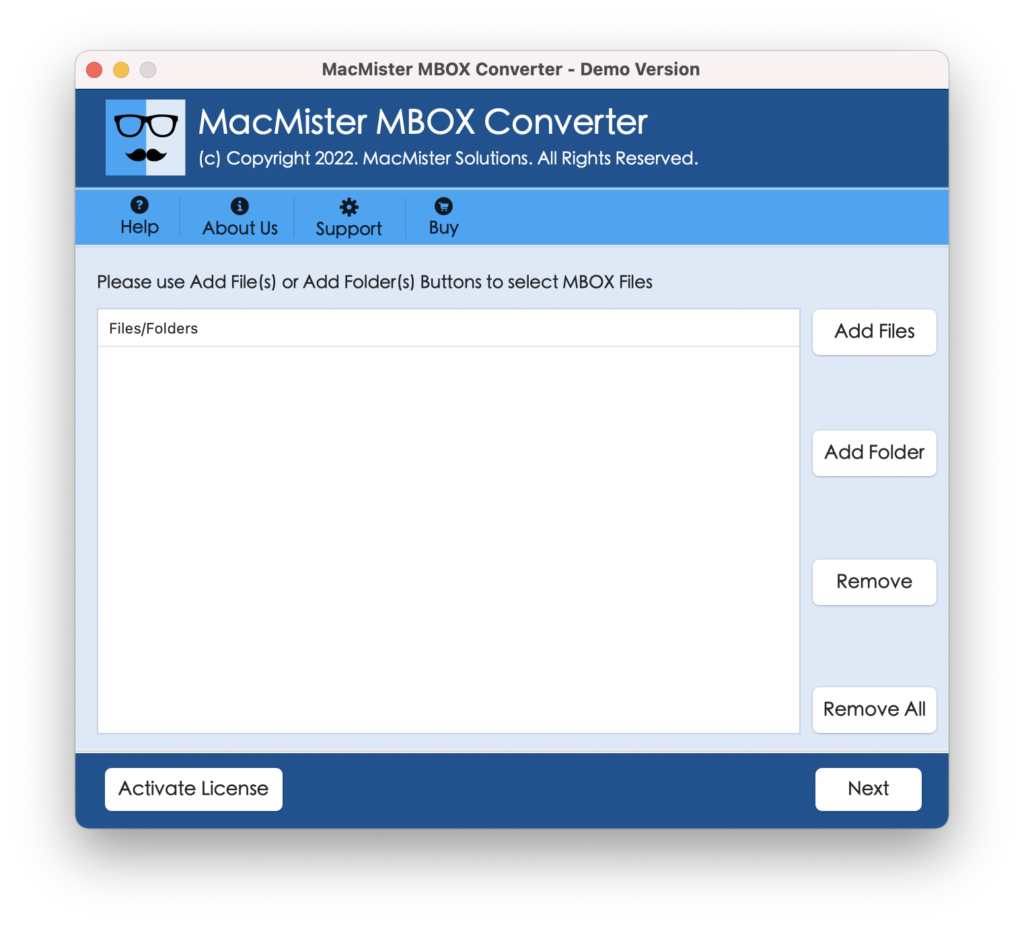
Step 2. Utilize Add File(s)/Add Folders buttons to add required MBOX files on the software to import and then press Next button.
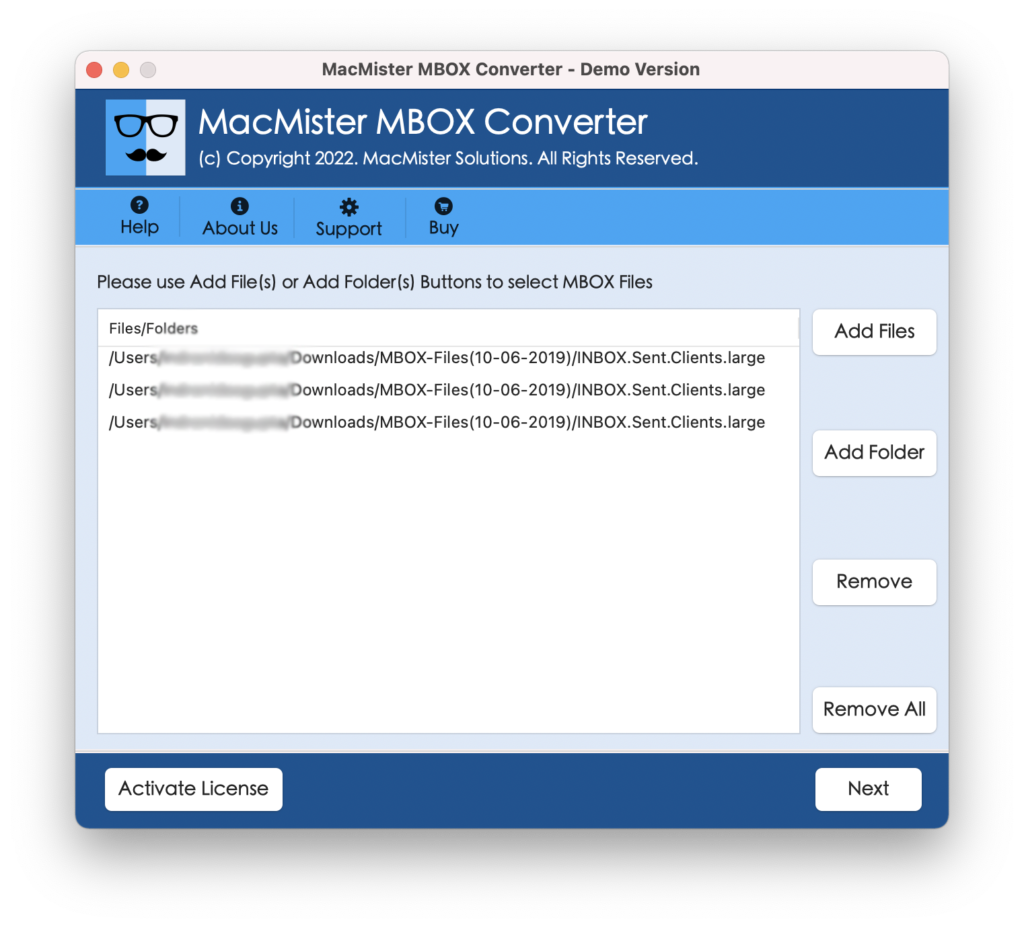
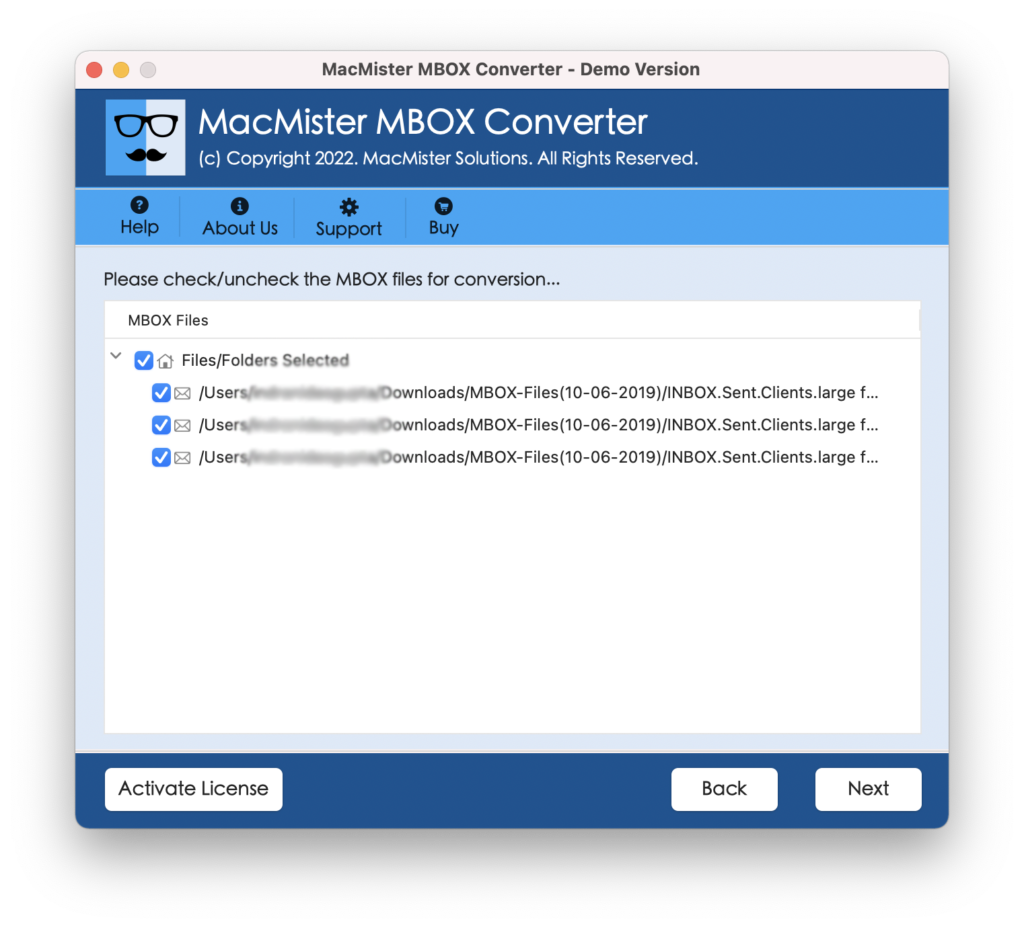
Step 3. The chosen MBOX files will appear on the tool with checkboxes. Quick Note. The checkbox will help users to import selective MBOX files to Zoho Mail if needed, otherwise click Next and continue.
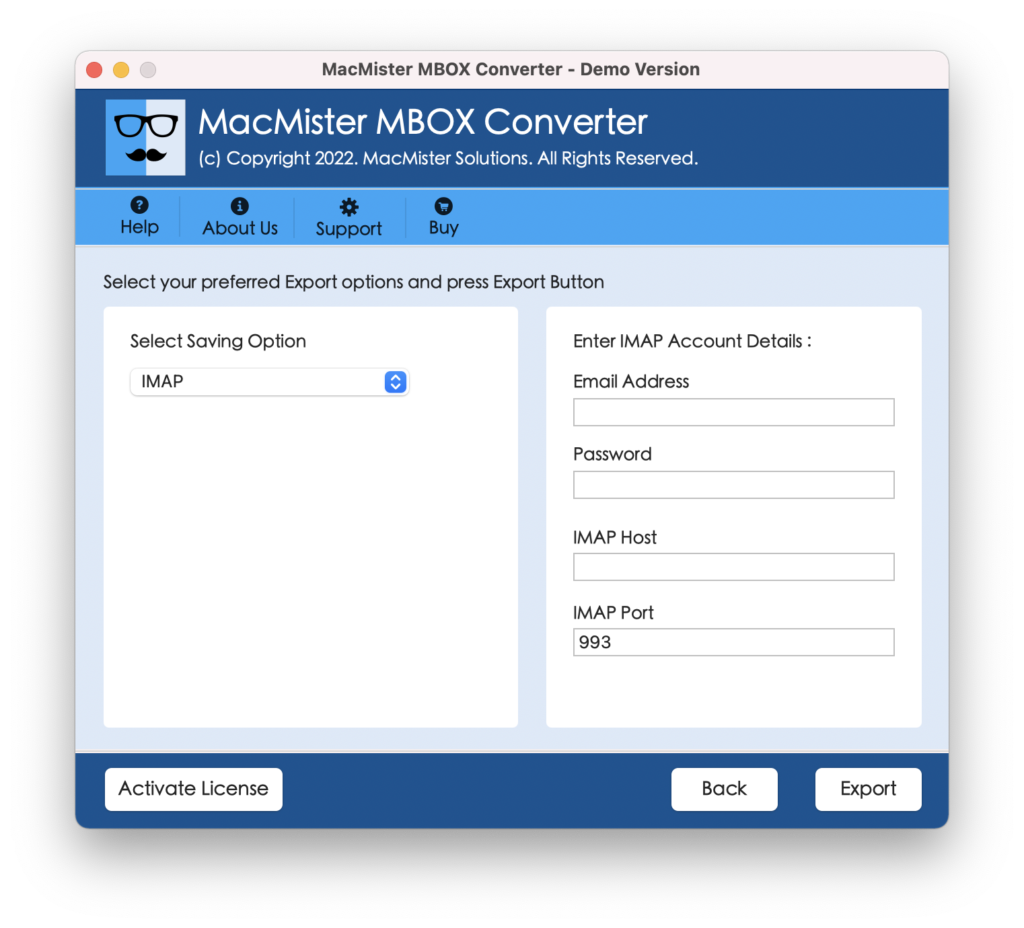
Step 4. Select IMAP as a saving type from Select Saving Options drop-down menu.
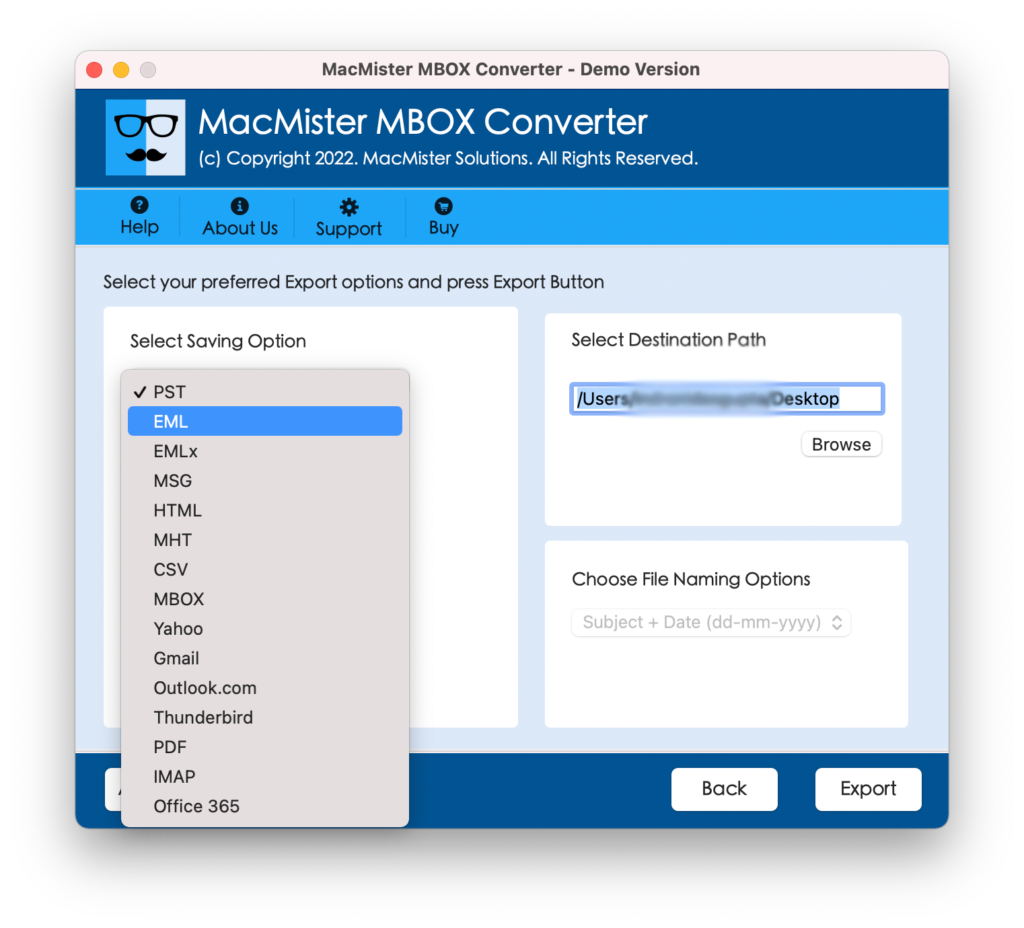
Step 5. Provide necessary details and start the import process of MBOX files using Export button.
Step 6. The process is now live and will appear on Live Conversion Window from which users can track the current progress of MBOX files.
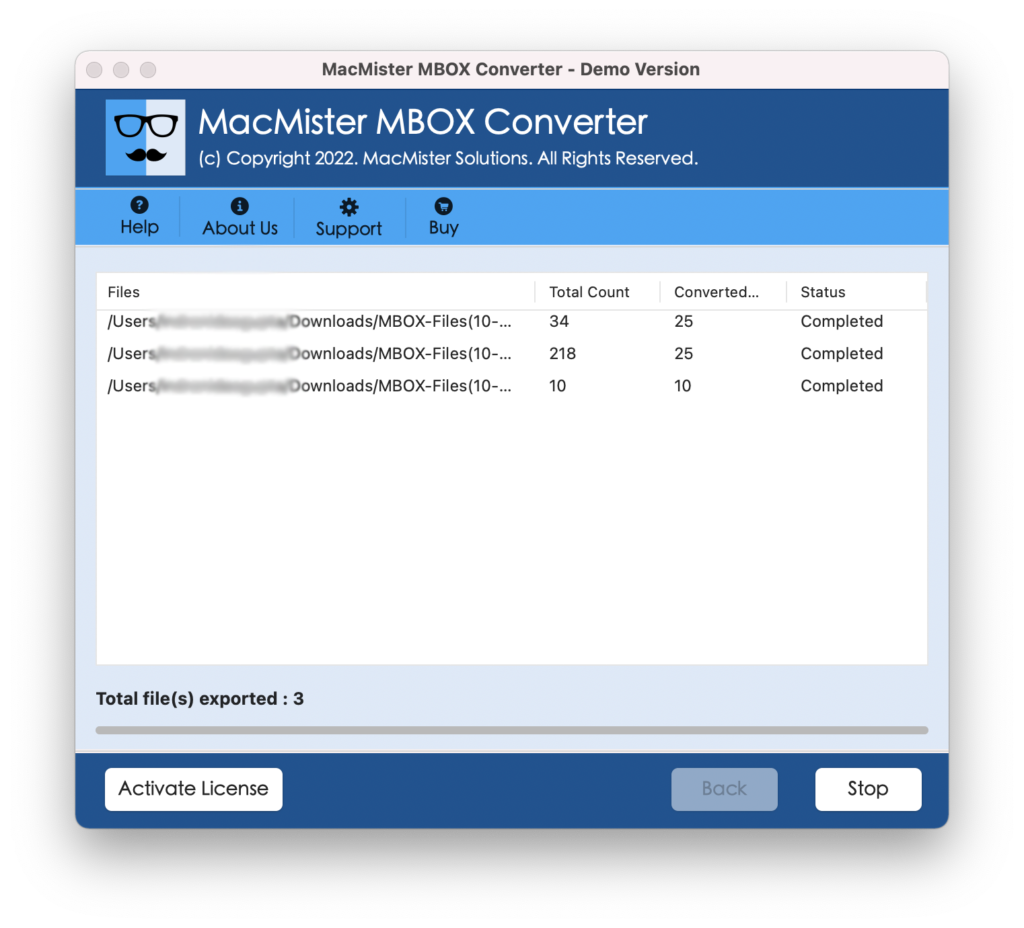
The entire procedure will end with a message “Conversion Completed”. Click OK and go to Zoho Mail account to check the resultant files. You can open the necessary email and verify its originality. However, you will see that the data is totally accurate and even the formatting properties associated with each email is appearing without any alteration.
Why to Choose MBOX to Zoho Mail Tool for Mac and Windows?
There are multiple reasons for choosing MBOX to Zoho Mail and some are mentioned here:
Direct Migration of MBOX to Zoho Mail
The utility delivers IMAP saving type and is added in Select Saving Options property. By choosing the same, users only need to provide Zoho Mail credentials with IMAP Host and Port Number. After that, click Export and the tool will directly transfer MBOX files to Zoho Mail.
Add MBOX Files using Dual Options
The software has a dual options that will help users to add necessary MBOX files/folders on the application for conversion. The Add File(s) will allow to load individual MBOX files on the tool and the Add Folders will help to add the entire folder containing multiple MBOX files on the application.
Offers Simple GUI and Three Clicks
The remarkable solution is built-up with a simple GUI and three operational clicks. All technical and novice users will be able to import MBOX files to Zoho account without the support of IT professionals. Moreover, the three clicks will perform the process instantly and ensures the smooth migration without interruption.
Maintains Data Originality during Process
The advanced program will make sure to protect the originality of MBOX files during the process. So, after the conversion completes and you go to Zoho Mail account to check the files, you will see that the emails are totally precise and the data integrity is also 100% accurate.
Import MBOX Files to Zoho on Mac & Win OS
The application has the ability to import MBOX files to Zoho Mail on both Mac and Windows operating systems. Moreover, Mac users can perform the process on Mac OS Ventura, Monterey, Big Sur, Catalina, High Sierra etc. And, Windows users will be able to import MBOX to Zoho Mail on Windows 11, 10, 8.1, 8, etc.
Note – Download the TRIAL EDITION to know more about the software procedure.
Epilogue
The write-up has discussed a technique here that will help the Mac and Windows users to import MBOX files to Zoho Mail account. The solution is verified and safe to use. Anyone can easily manage the app and achieve the desirable output in less time. However, the free demo is very useful and is only been added so that one can experience the procedural steps of the tool for free. It will help users to import first 25 MBOX files to Zoho Mail free of cost. However, one can opt the same to test the process of MBOX to PDF, PST, MSG, EML, MHT, HTML, Thunderbird, Yahoo, Office 365, and more.