How do I Migrate Amazon WorkMail to Gmail on Mac & Windows?
Are you thinking about moving to Gmail from Amazon WorkMail? Having a few essential emails stored in an AWS account? Wondering how do I migrate Amazon WorkMail to Gmail on Mac. Looking for the best way to forward Amazon WorkMail email to Gmail without facing data loss issues? If yes, then follow the segment because here we have introduced an amazing and wonderful approach that will help in migrating emails from AWS to Gmail on Mac effectively.
Detailed Overview of Amazon WorkMail and Gmail
Amazon WorkMail is a secure, managed business emailing and calendaring service that is designed by Amazon Web Services. It allows users the ability to seamlessly handle their emails, contacts, and calendar with the help of the email client of their choice including Microsoft Outlook, Android email apps, and native iOS. Even the application supports IMAP protocol or directly via a web browser. However, integration of Amazon WorkMail with the existing corporate directory, uses email journaling to fulfill compliance requirements and control both the keys that help in data encryption and the location in which data is stored.
Gmail, on the other hand, is one of the most used and popular webmail services that was introduced by Google itself in 2004. It can be accessed directly via a web browser or through an official mobile application. However, one can synchronize its services with desktop-supported email applications with the help of POP and IMAP protocols. It delivers plenty of beneficial features to users for proper data management such as organized mailbox, spam filtering, and a powerful search engine that will help in finding the required emails quickly. It also provides ample storage space in which users can store their important data files.
Why to Migrate Amazon WorkMail to Gmail/Google Mail?
There are many companies and websites that offer email services to users. So, one will have many choices when it comes to choosing the best email client. However, one of those internet-mega corporation companies is Google. It is free to use and enough for fulfilling the day-to-day requirements of users. However, the subscription is also available that can be used by those who need additional space to store their unlimited critical data.
What Makes Google Mail Better than the Rest?
Several email services are in the market other than Google Mail such as Yahoo, Proton Mail, Yandex, GMX, Outlook, Windows Live Mail, AOL and more including the account offered by ISP. So, why choose Gmail for emailing? Let’s take a look at some of its wonderful features that makes Gmail’s webmail service better than the rest.
- Gmail provides 15 GB of storage space for free to users.
- Easily search for the required email message from the list of email messages.
- Filters available i.e. filter by date, date range, sender email, label, and more that you can apply to access necessary files.
- Equipped with spam filtering that detects the spam messages and put them directly in a separate spam folder.
- Google Drive app will allow to upload required files or folders on the same and keep them safe on the cloud.
- Features like Google Meet & Google Hangout will help businesses to collaborate with others globally in real time.
- Supports Google Takeout feature that helps in downloading the required email messages from Gmail.
- Provides the support of IMAP and POP protocols for integration with multiple email clients.
There are lots of other features as well but here we have explained the most powerful ones that will give you an idea of why Gmail is better and a wise choice than other programs.
How to Migrate Amazon WorkMail Emails to Gmail on Mac & Windows?
With the help of MacMister Amazon WorkMail Email Backup Software for Mac & Windows, users can migrate Amazon WorkMail to Gmail with accurate emails and attachments. The software provides the download version for both Mac & Windows operating systems. The GUI of the tool is simple and friendly. Anyone can operate it without the expert’s help and perform the migration in a few seconds.
Moreover, the features of the tool is useful to those who want to implement the process according to their specific needs. However, the freeware version is present in the application with the help of which one can experience the entire process for free.
Working Steps to Migrate Amazon WorkMail Emails to Gmail on Mac
Step 1. Download, install, and run Amazon WorkMail to Gmail Backup Tool for Mac on macOS.

Step 2. Select the Amazon WorkMail option from the list appearing on the left. Provide the credentials in the required fields and click the Login button.
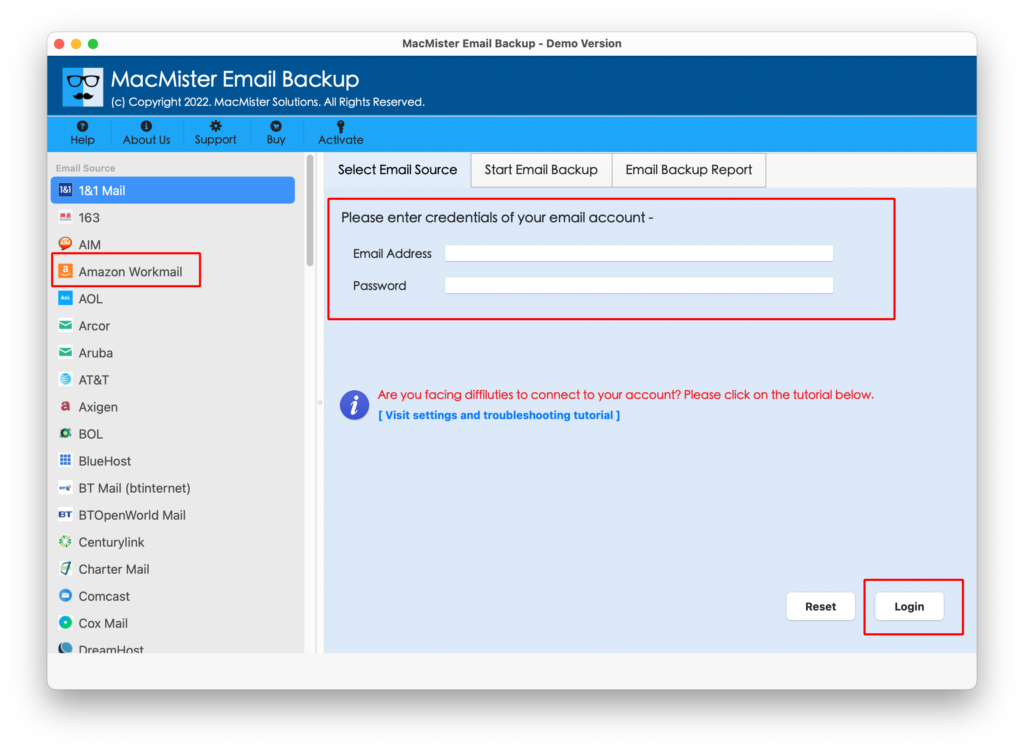
Step 3. The tool will connect with the Amazon WorkMail account and its mailboxes will start to list on the application pane.
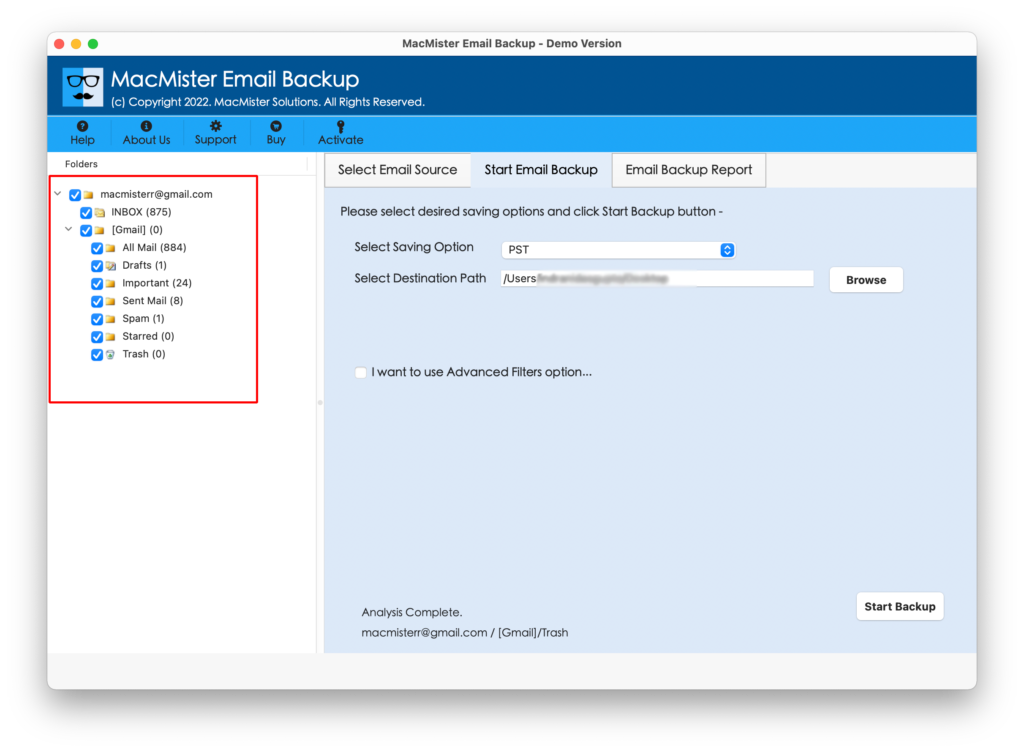
Step 4. Navigate to Select Saving Options and select the Gmail option from the list.

Step 5. You now need to enter your Gmail email address & app password. You can also set the necessary Filter and migrate specific Amazon WorkMail emails to Gmail on Mac. When done, start the migration by tapping the Start Backup button.

Step 6. The AWS to Gmail process will be live and the tool will show an Email Backup Report from which users can track the ongoing export status of Amazon WorkMail emails.
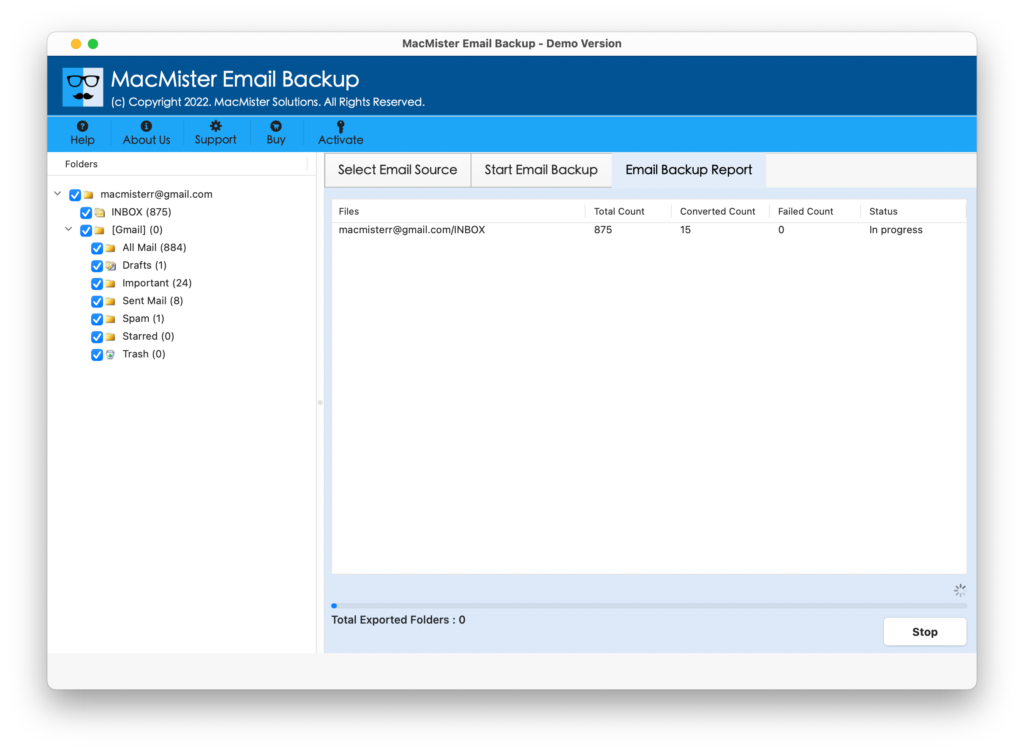
The entire migration will take a few seconds to successfully migrate Amazon WorkMail emails to Gmail on Mac. After this, users will receive Process Completed message with the OK button. Click on OK and go to Gmail account to view the resultant files. However, you will see that the data of each and every email message is accurate and all the emails are migrated with correct data integrity.
Epilogue
The entire blog has highlighted the direct procedure to migrate Amazon WorkMail emails to Gmail on Mac & Windows with attachments. The solution is friendly and can be used without any difficulty. Moreover, the results delivered by the app will be accurate and original. However, the software has a trial edition with the help of which users can check the migration steps for free. They can also migrate first 25 Amazon WorkMail emails to Gmail with attachments free of cost. For any software-related help, contact MacMister Support.