How to Migrate Emails from cPanel to Google Workspace?

Are you migrating from cPanel to Google Workspace and wondering about the secure procedure to migrate emails from cPanel to Google Workspace with attachments? Frequently searching a process for the same? No worries, read the further segment in which an advanced solution is discussed that will help to successfully migrate emails from cPanel to Google Workspace without data loss.
cPanel is basically a web hosting service with the help of users or any business that can set up a web server for a website. It is an interface that delivers accessibility as well as control of the servers that are in use.
It is also equipped with a webmail environment that allows to access important emails through any browser or computer. This is helpful as no setup is required on the system. One will be able to directly login to cPanel webmail anytime irrespective of location and device.
Different Ways to Access cPanel Webmail
There are two options to login to cPanel webmail:
Through cPanel GUI
Follow the steps to access emails from cPanel:
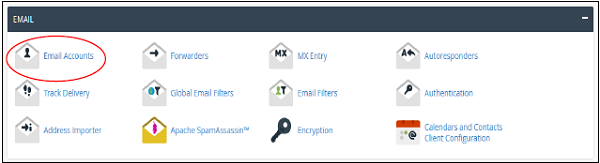
Step 1. Login to cPanel. Go to Email Accounts which will be found under the Email section.
Step 2. Scroll down until you see the list of Email Accounts.
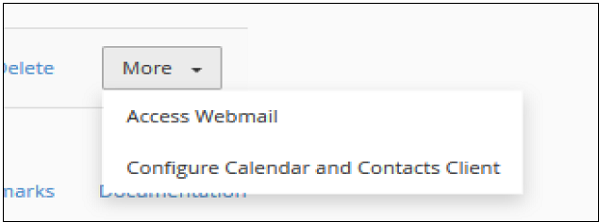
Step 3. Click on the More button appearing at the corresponding email address whose webmail needs to be accessed.

Step 4. Choose Access Webmail and the system will log you into Webmail in a new tab.
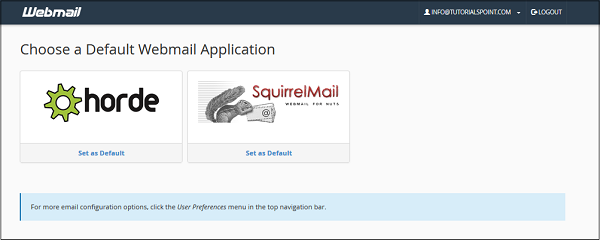
Step 5. Select the required webmail. You can even set a default webmail, so that whenever you log in next time you are automatically redirected to the already selected webmail.
Directly Access Webmail
Follow the steps to directly login to webmail without using cPanel –
Step 1. Go to https://your–domain.com:2096 or https://webmail.your–domain.com through a web browser.
Step 2. The webmail login screen will appear. Specify the email ID and password of the email account.
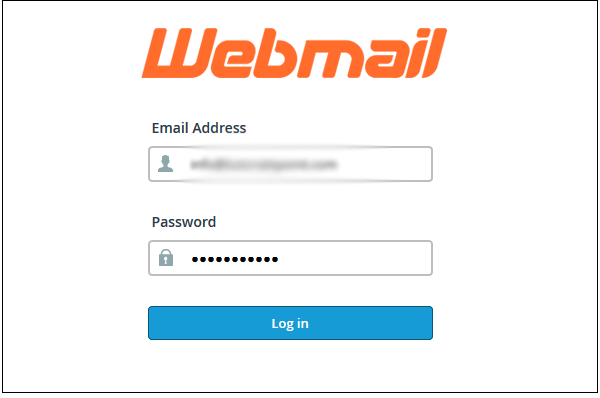
Step 3. Tap the login button into a web-based email client and you will experience the same interface as discussed in the first procedure.
People nowadays are using webmail servers because they are flexible and provide the freedom to access services from anywhere without any problem. But not every webmail is safe to use, why? Let’s discuss it!
Why Migrating from cPanel Account is Beneficial?
Although cPanel is an exceptional tool for managing server configuration in a suitable interface. But it was never meant to allow a user to use its maximum capabilities. It’s a decent idea to know about its operation but if you are running a serious e-commerce website or any marketplace, then make sure to consider it twice and only after reviewing the other services.
Reasons why cPanel is risky to use
- It creates a problem during major updates. There is a risk of data loss or even sometimes replacing the old active settings with the new ones. Settings restore is problematic in such a case as the file structure is quite complicated.
- Today server systems are configured by the automated settings control program. They will be able to regulate the behavior of both one and several servers. This is becoming highly popular due to its effectiveness. But cPanel does not support this automation as it wants to keep all the resources under its control.
- cPanel update policy is focused on stability so its servers are updated with the old and vulnerable software.
- Web interface of cPanel is a life-savior for a newbie and almost an industry standard for any software. It is suitable for simple tasks but using it for complicated doings is not possible.
cPanel is good but Google Workspace is the best. It is a platform provided by Google itself for managing the database in a large number. It offers to create a custom email for the business and include collaboration tools such as Gmail, Chat, Drive, Slides, Sheets, Sites, and more. Any business type and individual can use the Google Workspace and manage the data effectively.
How to Migrate Emails from cPanel to Google Workspace?
The best way to migrate emails from cPanel to Google Workspace is MacMister Email Backup Software Mac & Windows. The all-in-one solution has 90+ webmail sources and one of them is IMAP Server. By selecting it directly as a source, users will be able to successfully migrate emails from cPanel to Google Workspace with attachments. The GUI is straight and simple. Both technical and non-technical users can handle it efficiently and implement the migration without data loss. Even, the steps are limited which will take less time and complete the migration in a few seconds.
Moreover, the software contains advanced and extraordinary features that will help to migrate emails from cPanel to Google Workspace as per the requirements. Download the trial edition of the application to review the working of the same for free.
Working Steps to Migrate Emails from cPanel to Google Workspace on Mac
Step 1. Download and run MacMister cPanel to Gmail Backup Tool for Mac on macOS.
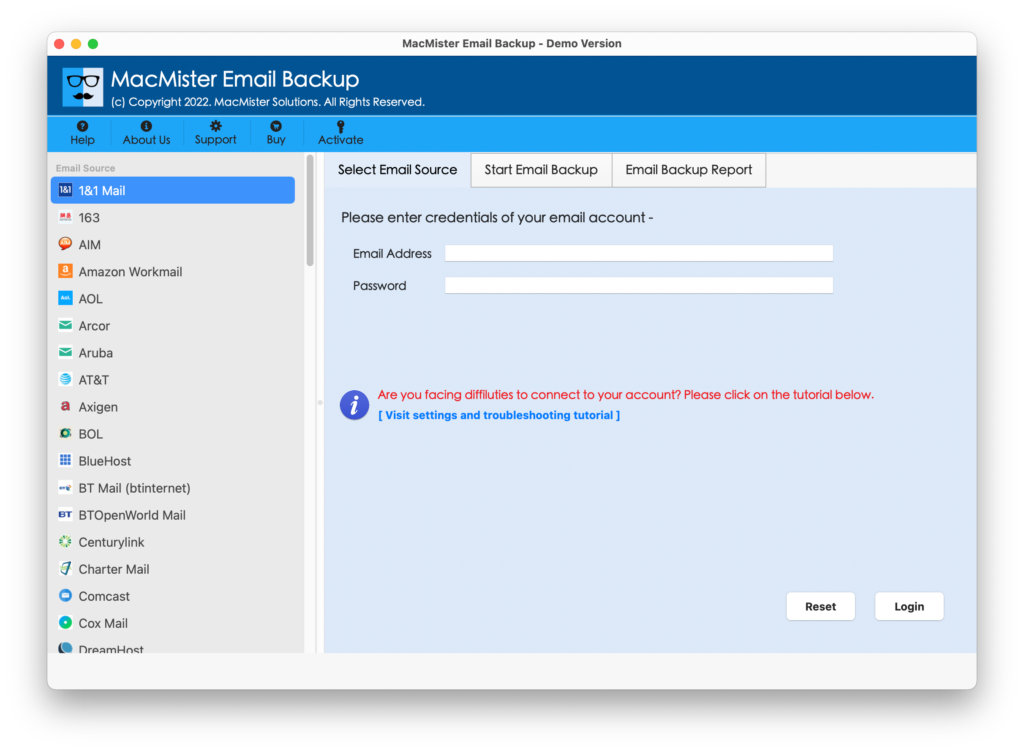
Step 2. Select the IMAP Server option as a source from the left. Enter cPanel credentials, IMAP host and port number and click on the Login button.

Step 3. cPanel account will connect with the tool and its mailboxes will start to appear on the software.
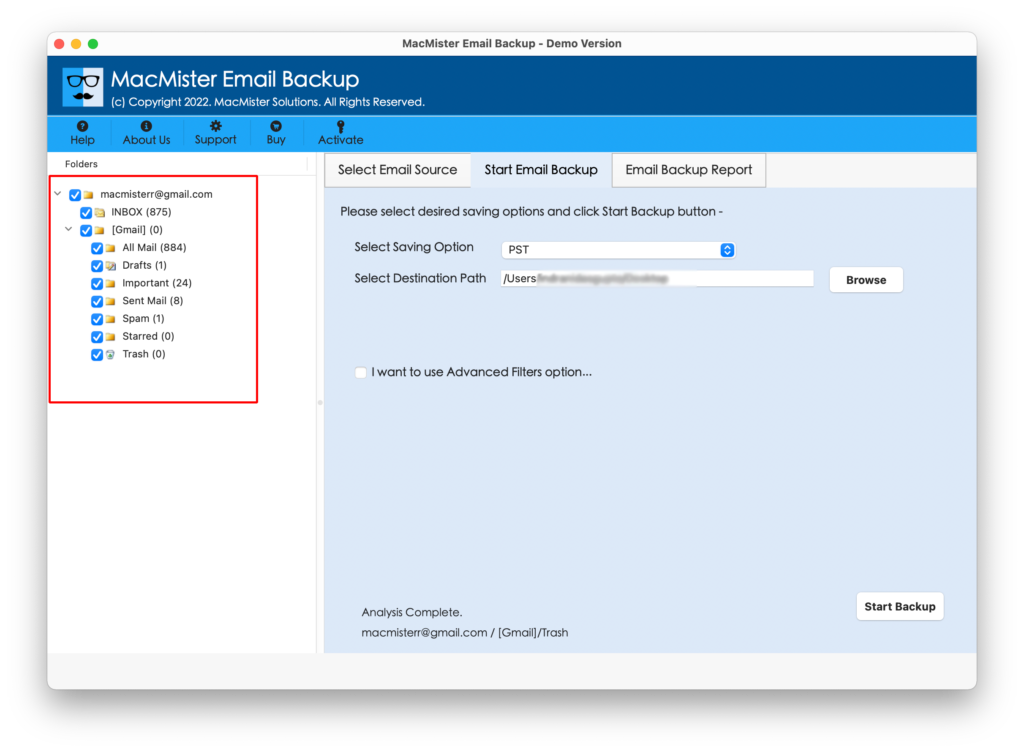
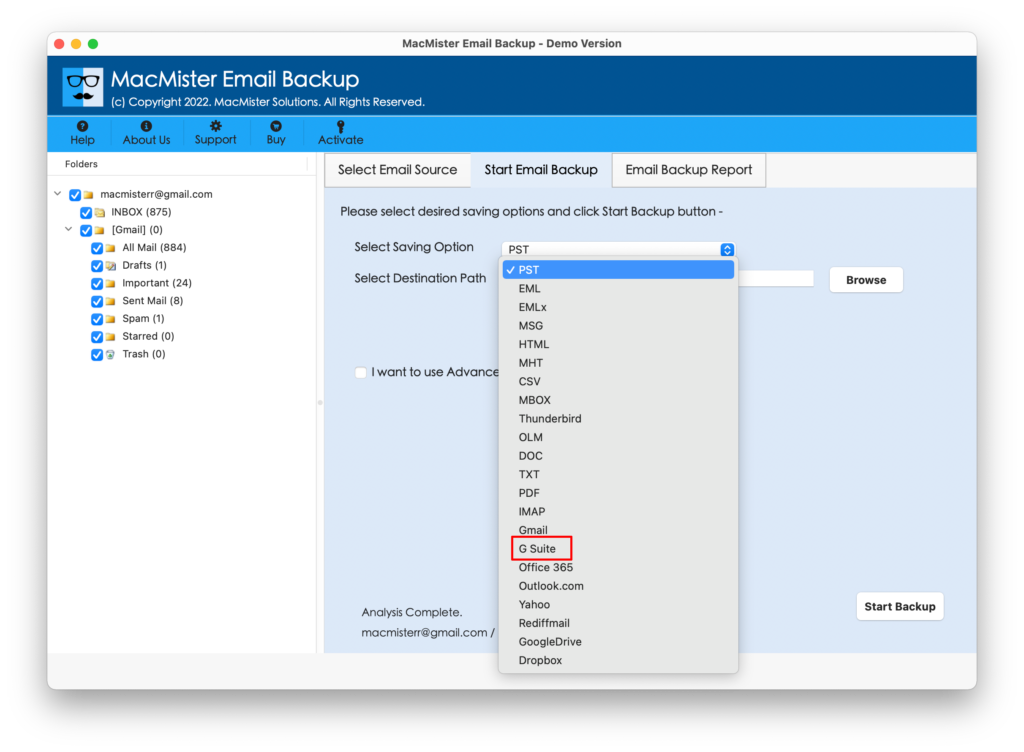
Step 4. On the right side of the software screen, click on the Select Saving Options and choose the G Suite option.
Step 5. Provide G Suite account details i.e. email address and app password. Set Filters if you need to migrate selective emails from cPanel and click on the Start Backup button.
Step 6. The process will go live and an Email Backup Report will appear that will show the ongoing migration status of cPanel emails.
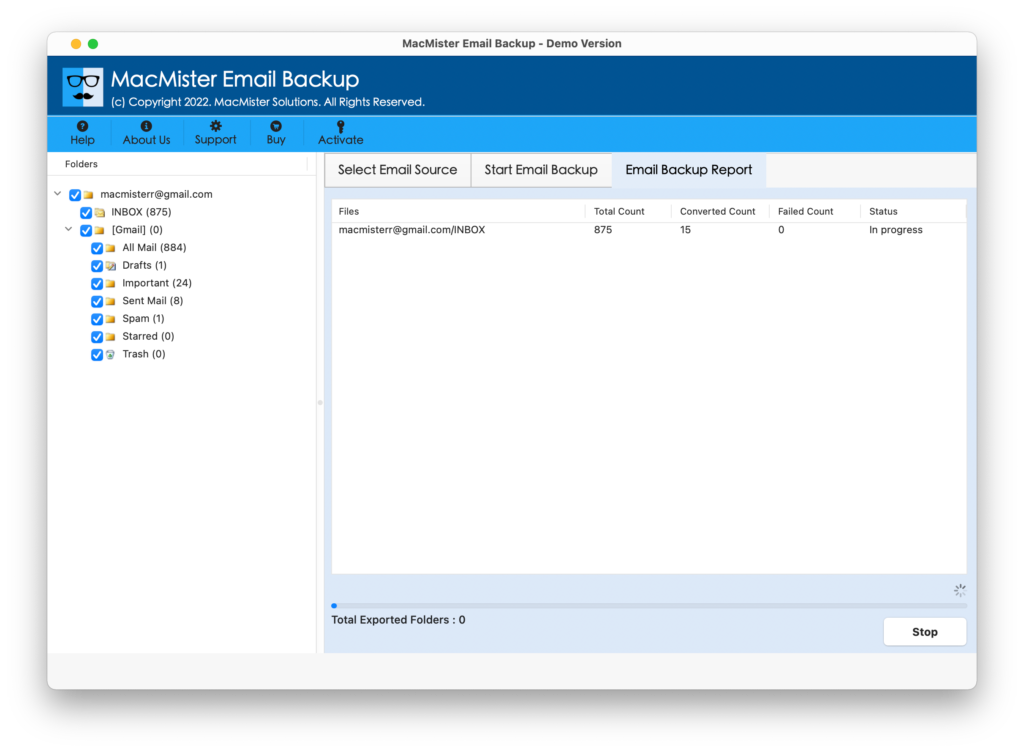
The complete task finishes in a few seconds and a “Process Completed” pop-up will appear. Click on the OK button and go to the G Suite account to view the result. However, you will see that the migration is done without any data alteration.
Epilogue
The write-up has delivered the information about cPanel webmail with both pros and cons. Moreover, it is also discussed why migrating to Google Workspace will be beneficial. So, make sure to use the solution and quickly migrate all emails from cPanel to Google Workspace without any difficulty. You can download its trial edition of the software and check the steps of the tool by migrating 25 cPanel emails to Google Workspace with attachments for free.
Quick Note. Contact MacMister Support for Software Assistance.