How to Migrate Emails from Runbox to Gmail without Trouble?

Need to move into Gmail environment from Runbox email service but worried about emails stored in Runbox profile! Thinking how to migrate emails from Runbox to Gmail with precise results in minimum time? Constantly searching for an effective and simple method for the same? If yes, then no worries just go through the segment and you will discover a solution that will directly migrate Runbox emails to Gmail with attachments accurately.
Detailed Overview of Runbox & Gmail
Runbox email service is a popular and reliable email server of Norway. It is available for users who give data security an utmost importance. Even, it delivers ad-free access via clean web interface.
Additionally, it is equipped with standard email protocols such as IMAP, POP, and SMTP. This enable users to access their email messages through different desktop-supported email applications and mobile devices.
By using Runbox webmail service, users can easily manage emails, folders, and contacts directly via browser. Also, it adds support for custom domains as well as two-factor authentication for enhanced security.
Even though Runbox excels when it comes to privacy and ease, but it somehow doesn’t offer productivity tools and smart integration that Gmail provides. Thereby, many users need to switch into Gmail to experience more incredible features and email management.
Gmail, on the other hand is a free web-based email service that Google itself offers to users. It is considered as one of the most used email services worldwide. It is recognized for its remarkable features, intuitive GUI, and trouble-free integration with variety of Google Services such as Drive, Meet, and Calendar. Furthermore, it is free to use and provides 15 GB of storage space for free. Besides, it also offers smart search capabilities, spam filtering and real-time sync across multiple devices.
Overall, Gmail is definitely an incomparable platform to manage large amount of emails online with ease.
Why to Migrate Emails from Runbox to Gmail?
Here are some reasons discussed to migrate Runbox emails to Gmail account –
- Gmail provides numerous features to users such as modern interface, advanced search tab, inbuilt tools to improve productivity such as Calendar, Drive, Sheets, Docs, and more.
- Supports Google One subscription service that will help in expanding the storage limit of Gmail account.
- Robust security options are present to protect users account such as two factor authentication, Google Prompt, passkeys, and more.
- Google Meet and Google Chat will help users to connect with each other globally.
How to Migrate Emails from Runbox to Gmail without Trouble?
The direct and simple process to migrate emails from Runbox to Gmail is MacMister IMAP Backup Tool Mac & Windows. The software allow users to add Runbox email details in required fields in order to connect with Runbox email service and once the account is established, then you will see that all its folder items start to display on the left pane of the app. Verify them, go to Select Saving Options to choose Gmail saving type, apply sub-options accordingly, and click Start Backup button. Within seconds, the migration process will finish.
The GUI of the application is friendly and secure. Both technical and non-technical users can operate the solution without issues and perform the migration with ease. Moreover, the software provides free demo version which is useful in experiencing the detailed working steps of the same for free.
Step-by-Step Working Tutorial to Migrate Emails from Runbox to Gmail on macOS
Step 1. Download and operate MacMister Runbox to Gmail Backup Tool Mac on Mac OS.
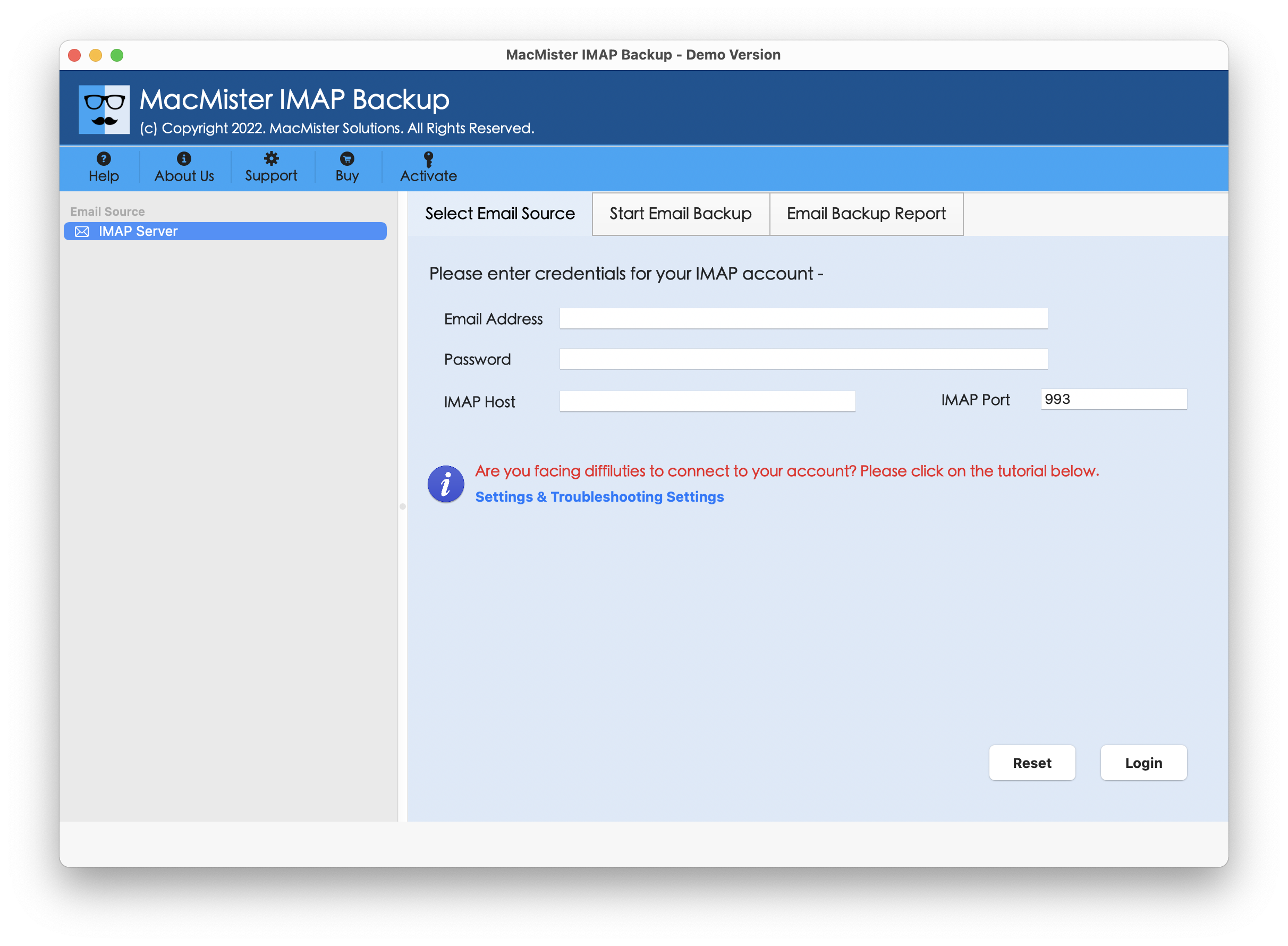
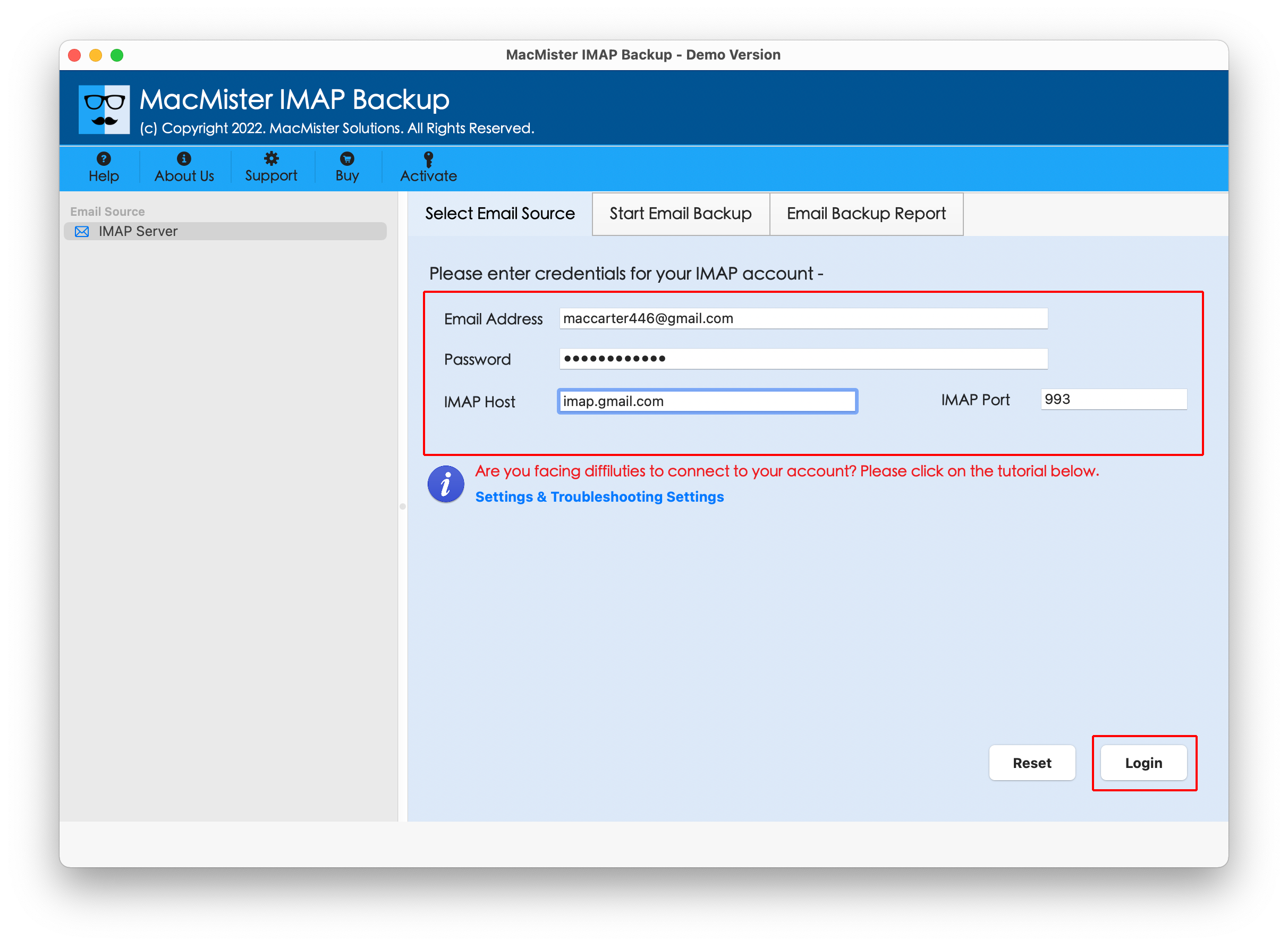
Step 2. Add Runbox credentials with IMAP Host and Port Number in required fields. Then tap Login button.
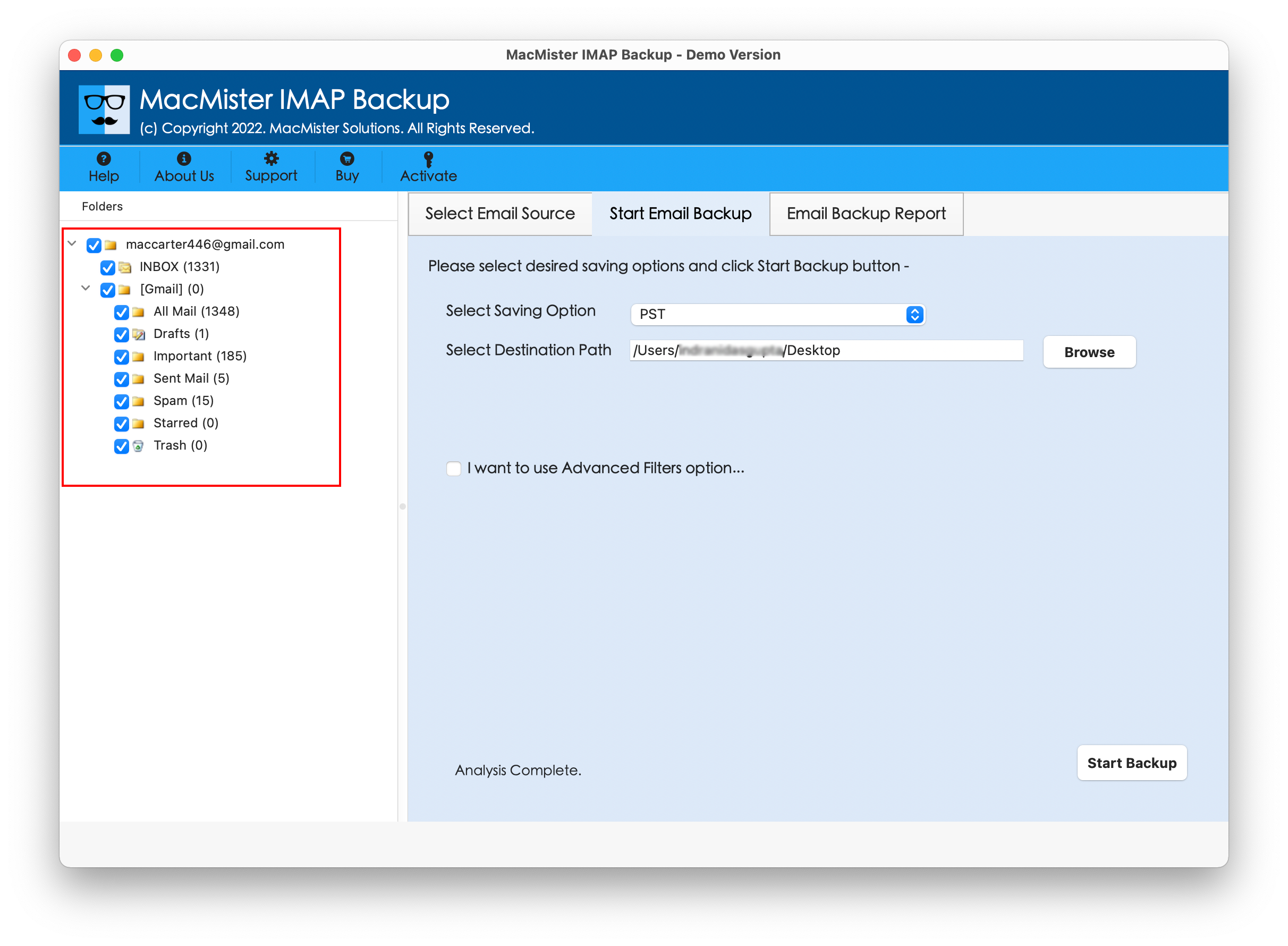
Step 3. Wait until Runbox account gets connected. Now, verify its entire folder items appearing on the left side of the tool.
Step 4. Click Select Saving Options displaying on the right and choose Gmail saving type from the list.

Step 5. Provide Gmail login details, set other options as per your requirements, and click Start Backup button.

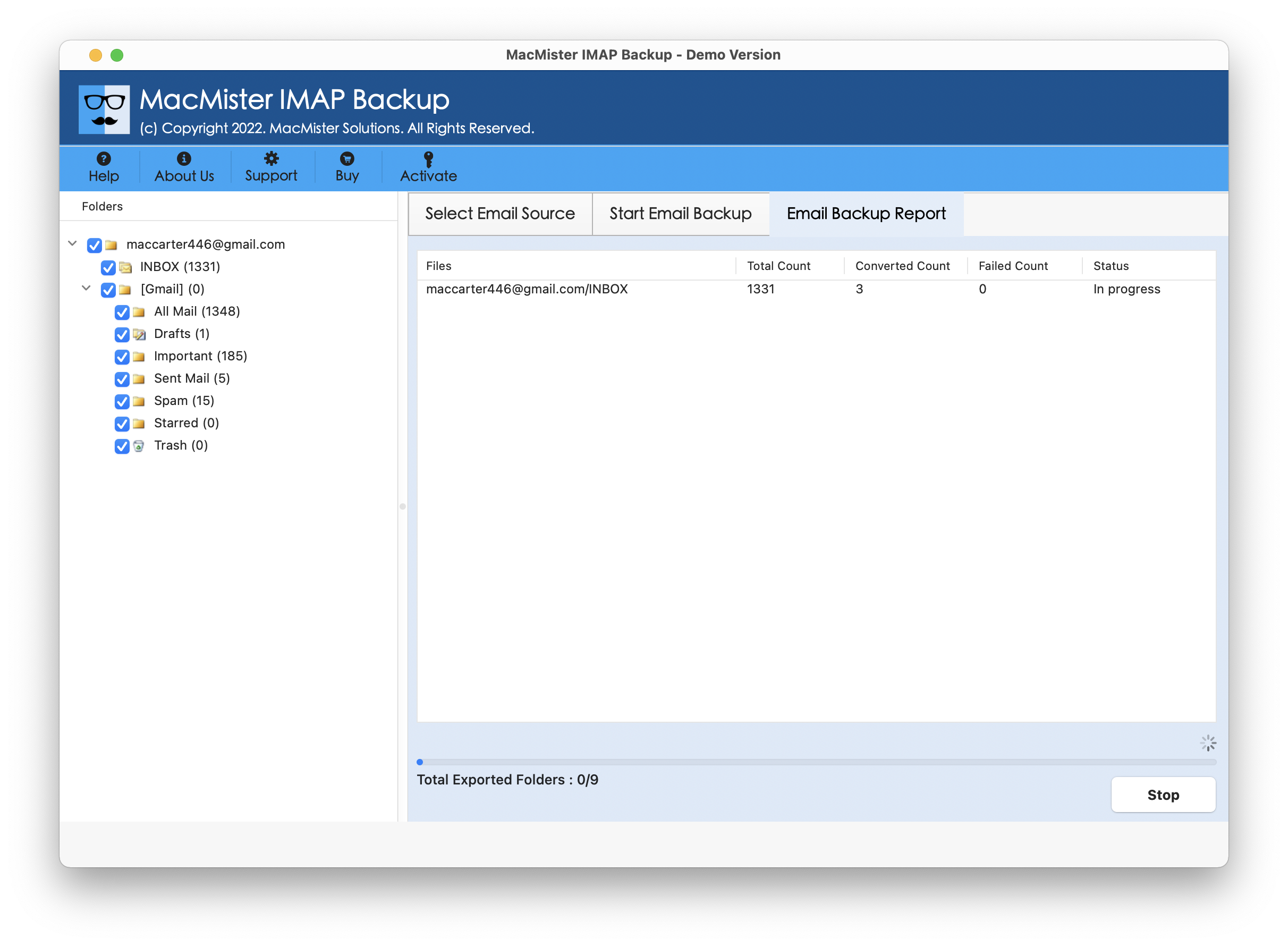
Step 6. The Email Backup Report screen will display which will provide the live migration of Runbox emails to users.
In fraction of seconds, the tool will complete the task and show “Process Completed” notification to users. Click OK button to close the same, then login to Gmail account to verify resultant files. Now, open the desired migrated email message to check if the content is appearing correctly or not. Although, you will discover that the tool has accurately migrated Runbox emails to Gmail, there will be no alterations in the originality of Runbox email content, layout, and data integrity.
Benefits of the Application
- Directly migrate emails from Runbox to Gmail with attachments.
- Able to migrate entire Runbox inbox into Google Mail at once.
- Offers multiple Filters to migrate specific Runbox emails to Gmail.
- Integrated with different saving types other than Gmail option such as PST, PDF, MSG, OLM, EML, HTML, DOC, CSV, Yahoo, Office 365, and more.
- User-friendly interface eases the migration for technical and novice users.
- Allow users to migrate Runbox to Gmail on Mac OS Sequoia and earlier versions.
- Windows users can download the Windows version of the tool and perform the migration on any Windows OS.
Epilogue
The write-up here offered a matchless technique to resolve “how to migrate emails from Runbox to Gmail without trouble”. MacMister Runbox Email Backup Software Mac & Windows safely migrate Runbox emails to Gmail account and provide the outcome without modifying the original data files. Its interface is simple and highly effective. Anyone can utilize the solution and migrate Runbox emails effortlessly. Additionally, it is programmed with amazing features which helps migrating Runbox emails to Gmail according to the requirements. Download the free demo of the application to understand its detailed working. Also, it allow users to migrate first 25 Runbox emails to Google Mail free of cost.