How to Migrate Google Workspace to Google Workspace on Mac & Win?
How to migrate Google Workspace to Google Workspace? Frequently searching for a solution on Google to accomplish the process! Looking for a trouble-free and effective solution for the same? No worries, the blog is what you need to implement the Google Workspace to Google Workspace migration. Just go through it entirely as it has explained multiple approaches that you can try to migrate from one Google Workspace account into another.
Google Workspace is a new name of G Suite which was rebranded by Google last year. One can find anything in Google Workspace and get the task done conveniently in one place. It delivers all types of productive and collaborative tools online that business team members can use to connect with each other without gathering physically.
As Google Workspace is widely used by schools and enterprises, and what if you leave school and start working in a company or move from an old organization to a new one? You cannot use the same Google Workspace account, considering the changes mentioned. Therefore, it is necessary to migrate from Google Workspace to another Google Workspace account as soon as possible.
How Can I Migrate from Google Workspace to another Google Workspace?
To migrate from Google Workspace to another Google Workspace account, you need to first download all the essential data from the old Google Workspace account and re-upload them to a new account. But, the entire process will take a lot of time and energy.
Perhaps, the “Shared with me” function in Google Drive is also useful to perform migration between Google Workspace accounts. However, even if you have permission to edit, you can only save the copied files from the original account to the new account.
So, in the article, we will easy and direct way to execute how to migrate Google Workspace to Google Workspace in the simplest ways without any downloading and uploading process. Go through the instructions mentioned in the next section and transfer the old Google Workspace account to new Google Workspace account.
How to Migrate Google Workspace to Google Workspace?
One of the powerful and safe ways to migrate from one Google Workspace account to another is MacMister Email Backup Software for Mac & Windows. The software is advanced yet easy to use. Any individual can effortlessly handle the application and perform the migration between Google Workspace accounts without expert support. Even, the operational steps are simple and non-typical. They will save time and help users import unlimited Google Workspace emails with attachments at once.
Moreover, the software is introduced with plenty of features that users can apply to receive the desired outcome. And most importantly, it has a trial edition that is useful in experiencing the complete migration process for free.
Working Steps to Migrate from Google Workspace to Google Workspace on Mac
Step 1. Download and open MacMister Google Workspace Backup Tool for Mac on macOS.
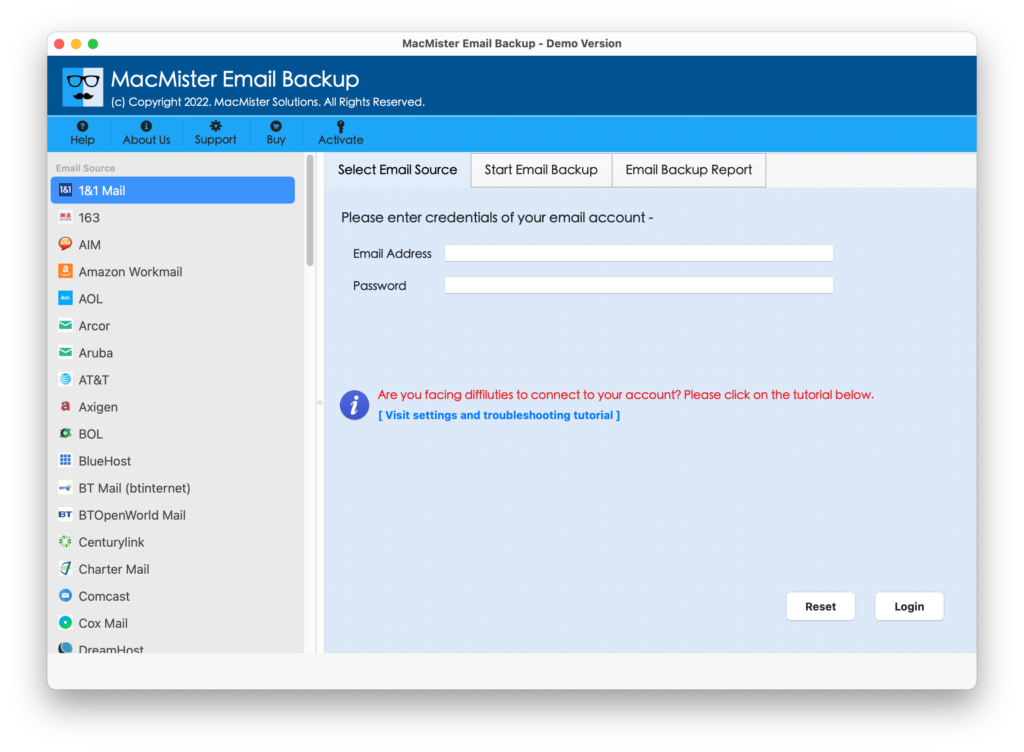
Step 2. Choose the G Suite option as a source appearing on the left. Enter G Suite login details and click on the Login button.
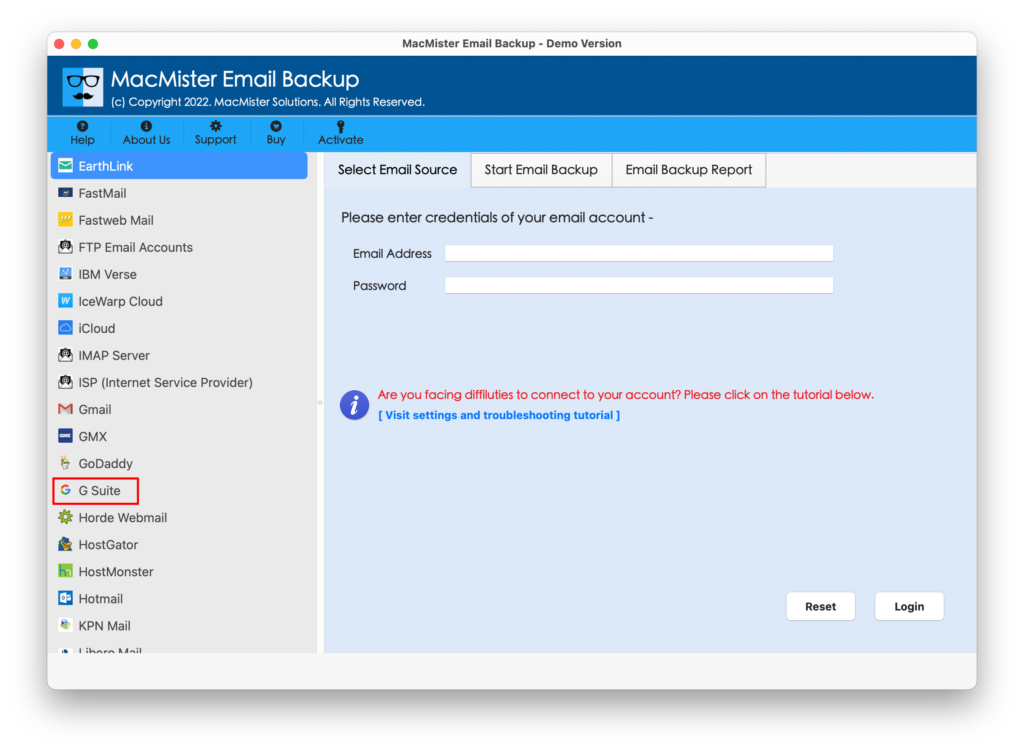
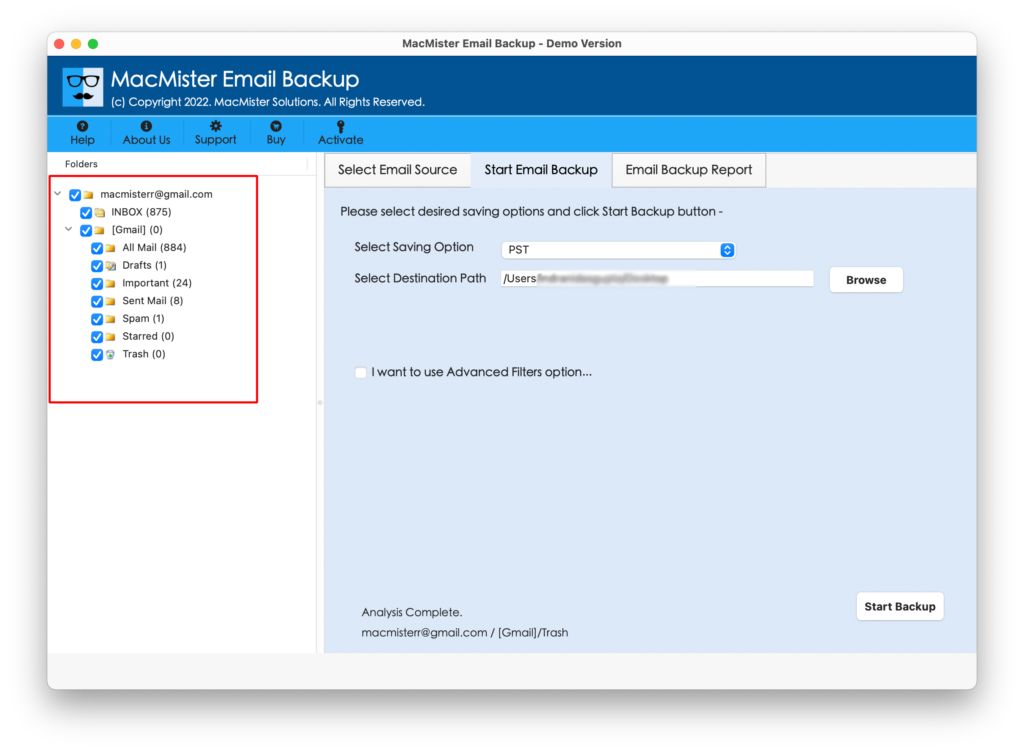
Step 3. G Suite successfully connected to the application and its mailboxes start displaying as a list on the software pane one-by-one.
Step 4. On the right side of the software window, click Select Saving Options and choose G Suite from the menu.
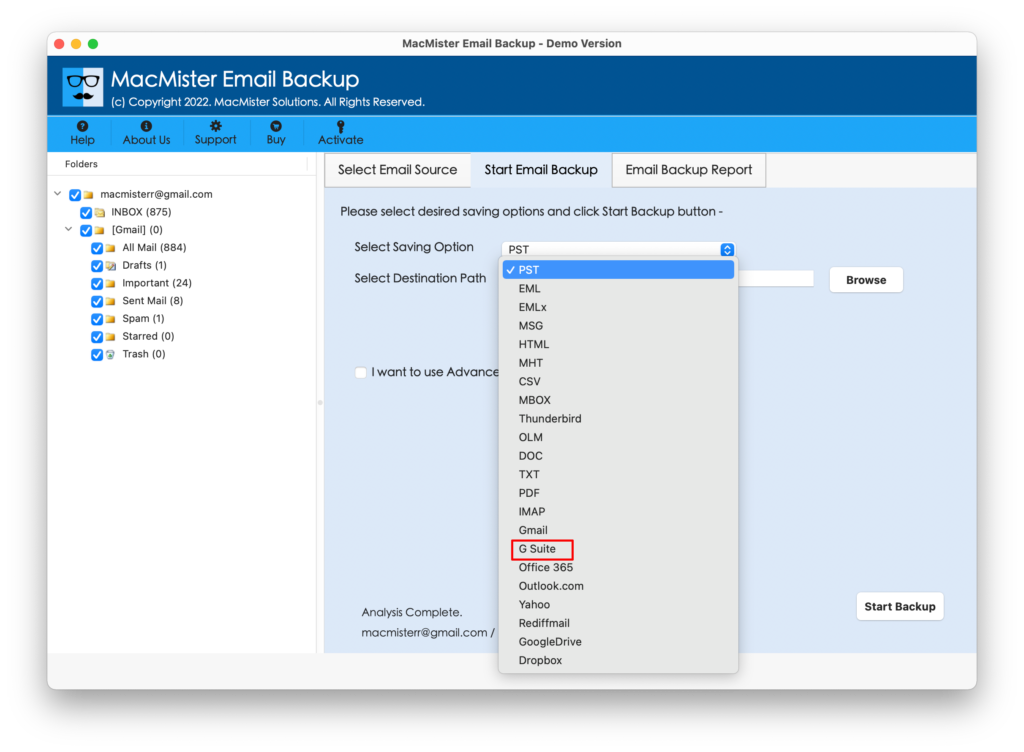
Step 5. Provide G Suite account credentials and opt for Filters if you want to move specific Google Workspace account emails to another Google Workspace account. Last, press the Start Backup button to start the migration.
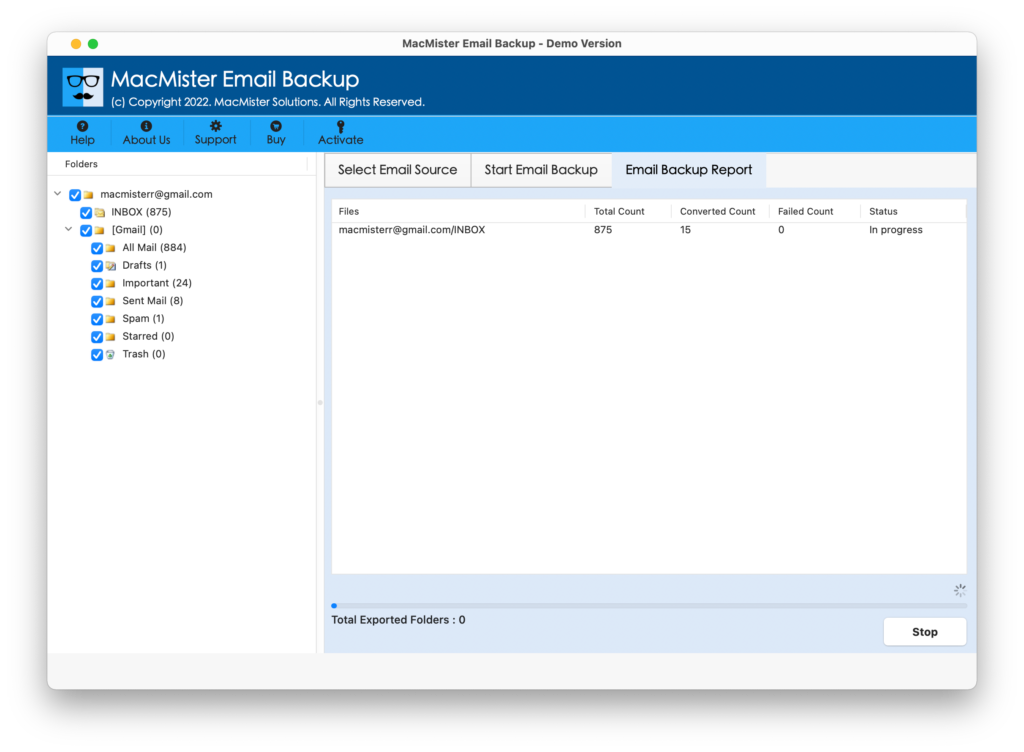
Step 6. The Google Workspace to Google Workspace migration process is live and the application will show the live report to users. This will show the ongoing migration progress of Google Workspace emails.
The migration process will end with a message showing “Process Completed”. Click the OK button and go to the specified G Suite (Google Workspace) account to check the resultant files.
You can open the necessary email message and verify the content’s originality. However, you will see that the content is completely accurate and appears with correct metadata properties.
Why MacMister Google Workspace Migration Tool is Expert’s Choice?
There are plenty of reasons why one should choose the MacMister Google Workspace Migration Tool and they are listed below –
Directly Migrate Google Workspace to Google Workspace
The Google Workspace Migration Tool has the ability to directly migrate from Google Workspace to another Google Workspace account. Just choose G Suite as a source and destination option and after this, the tool will right away start the migration process and directly transfer all Google Workspace emails to another Google Workspace account easily.
Use Advanced Filters to Migrate Specific Workspace Mails
The application is equipped with Advanced Filters options with the help of users who can transfer specific mail from one Google Workspace account to another. It includes filters such as date range, to, from, subject, and more. Users can use them as per requirements and do the selective email migration without any error.
Easy-to-use and Simplified Platform for Effortless Migration
The Google Workspace Migration Tool is programmed with a friendly interface and easy-to-use operational environment. No professional expert’s help would be needed by the user to accomplish the process. Any individual can operate it independently and migrate from Google Workspace to another Google Workspace account.
Track Live Migration Progress of Workspace Emails
The software has an Email Backup Report screen which shows the live migration progress after the user clicks on the Start Backup button to start the process. This provides the details of the total items migrated, total items left for migration, and status. Users can use it to keep track of email migration.
Migrate Google Workspace to Workspace on Mac & Win
The Google Workspace Migration Tool has the ability to migrate Google Workspace to Google Workspace on any Windows and Mac OS version. Windows users can download the tool and perform the process on Windows 11 and earlier versions. Mac users can download the tool and migrate Google emails on macOS Ventura and all previous versions.
Quick Note. Download the TRIAL VERSION and Explore More Software Features.
Epilogue
The write-up has highlighted the direct solution that is safe and simple to manage. Anyone can access the software and handle the complete migration independently. It is fast, reliable, and cost-effective. Moreover, it has a free demo so that users can check the working steps of the tool for free. Also, one can transfer 25 emails from one Google Workspace email to another account.
Quick Note. For any assistance, contact MacMister Support anytime.