Fantastic Technique to Migrate iCloud to Office 365 on Mac Directly

Are you one of those users who wants easiest technique to migrate iCloud to Office 365? However, the process is not intimidating as it seems. By implementing the right method, one can securely migrate iCloud to Office 365. Thus, not to go anywhere because MacMister is here to help you out!

Numerous Apple Mail users saves their data on iCloud. As an exceptional cloud-based platform, iCloud has the ability to backup and synchronizes user’s data from time to time. It includes emails, iWork application data, photos, calendars, and even Health data. Although, iCloud could be the proficient solution for most of the users who needs limited features. But, if we talk of large businesses, then Office 365 is a prior choice for them. It is a subscription-based program which offers advanced features and remarkable services. With Microsoft Office 365 app, businesses can establish full control of user access and devices and inspire users to access powerful tools and features to manage database appropriately. So, in the article, our main focus will be to discuss a solution to migrate iCloud to Office 365 on Mac.
Overview – iCloud & Office 365
iCloud was introduced by Apple Inc. on 12th October 2011. It gives the facility of creating a free account where one can store all their items such as mails, photos, contacts, calendar, etc. Moreover, it is secure and safely manage the unlimited data of users on cloud. Due to this, lot of users uses iCloud app to conquer daily tasks. But, there is one drawback as well. It only provides 5GB data storage for free which is not enough for most of the companies. And, if your data exceeds, then you need to buy license for it. Therefore, many organizations are switching to Office 365 environment due to its wonderful subscription plans and the storage capacity it offers.
Office 365 is a known cloud-based application which is designed by Microsoft Corp. It is a copy of Microsoft Office Suite desktop. The Microsoft 365 provides the accessibility of documents, emails, apps (Word, Excel, PowePoint, etc.) from any location and device. Moreover, the advance collaboration feature will help to connect with entire team at one time. Apart from this, one will find a lot more other wonderful features that eases the task for large organizations and help in managing the large data on cloud safely.
Some Common Reasons to Add iCloud to Office 365
- iCloud Mail is generally for home-based or individual users. But, Office 365 is for both professional and personal use.
- Office 365 provides strong security measures and delivers secure environment for data storage.
- Microsoft 365 supports multiple platforms such as Web Browser, Android app, Windows Phone app and iPhone app.
- MS Office 365 offers facility of email encryption. Whereas, iCloud is lacking in this feature.
How to Migrate iCloud to Microsoft Office 365 on Mac?
To migrate iCloud to Office 365 on Mac, download iCloud Backup Tool. The all-in-one technique which directly migrate iCloud data to Office 365. The application is approachable and can be accessed by all home and professional users. Even, the steps designed by MacMister are very easy to operate.

The features and options programmed in the application will help users to accomplish the required task. And, to view each and everything of the software, make use of free demo now. By installing it on your Mac system, you will be able to check the migration procedure of iCloud to Microsoft 365 free of cost.
Procedural Steps to Add iCloud to Outlook 365
Step 1. Run iCloud Data Backup Tool on macOS.
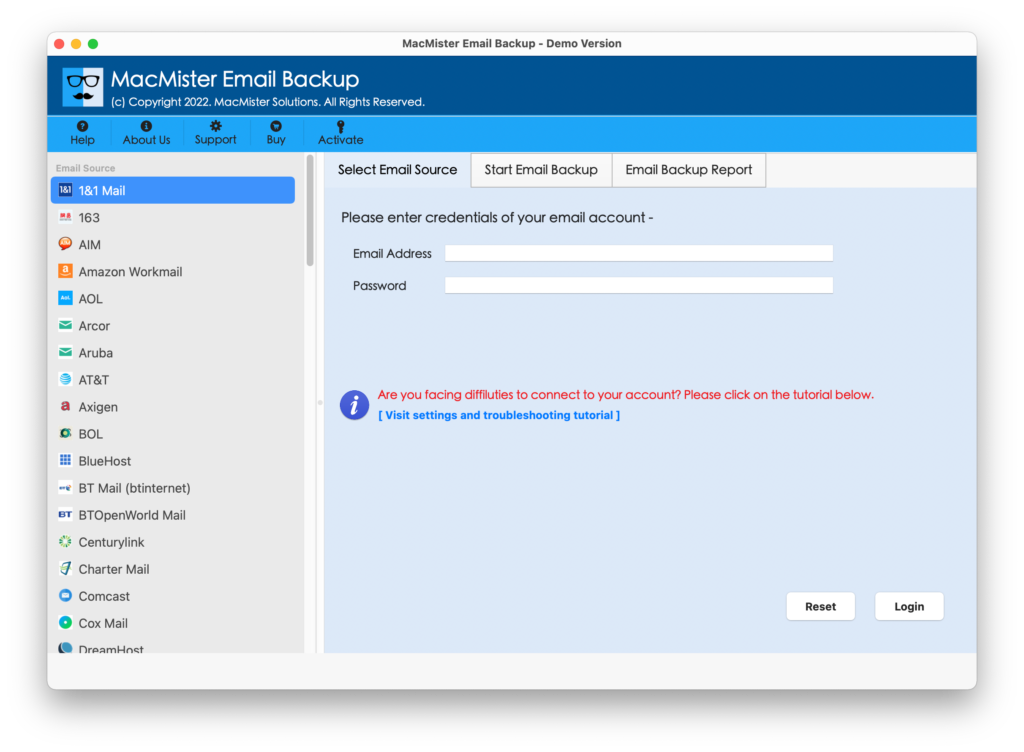
Step 2. Select iCloud option from the left pane. Enter iCloud login details and click on Login.

Step 3. Tool connect to specified iCloud account and start listing all its files with checkboxes.

Step 4. Click Select Saving Option and choose Office 365 from the list.
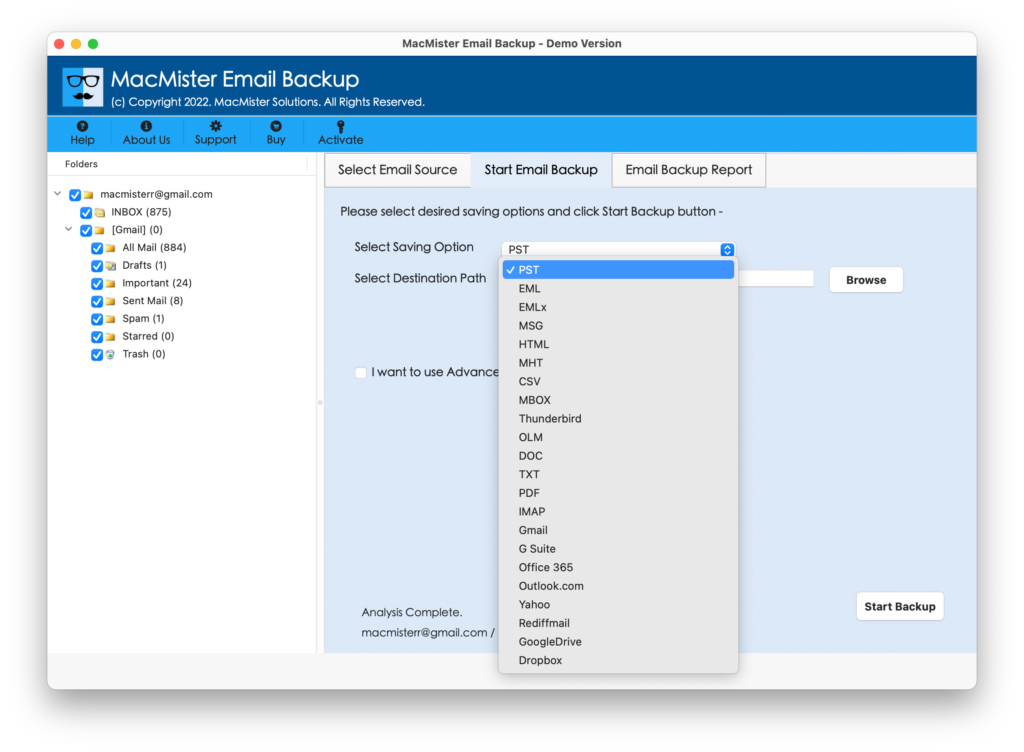
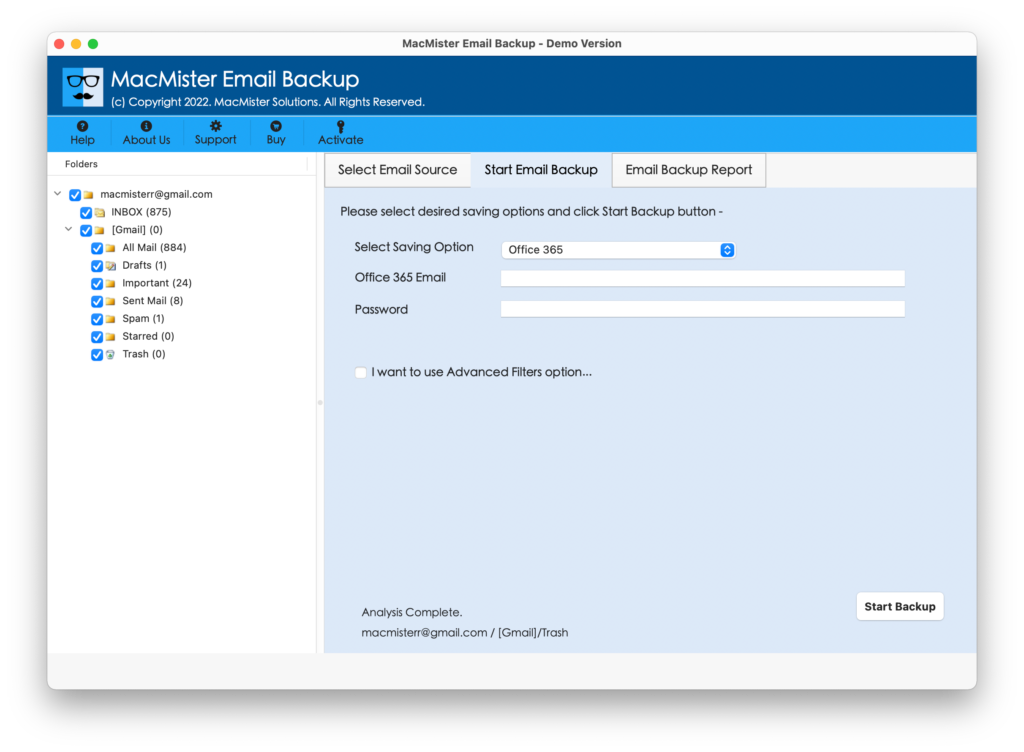
Step 5. Enter Office 365 login details in which you want to migrate iCloud mails and press Start Backup button.
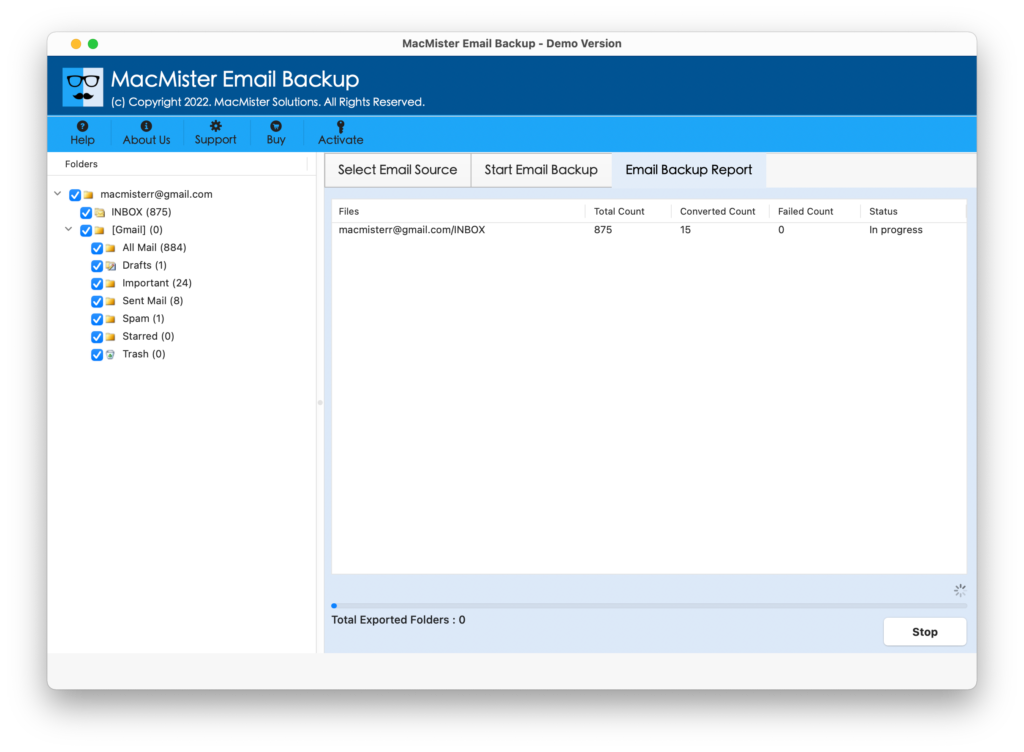
Step 6. Process will run and shows live Email Backup Report on the screen. It will display the migration status.
When all files are transferred successfully to Office 365, tool will show the Conversion Completed message with OK button. Click on it to close the dialogue box.
Now check the process details through Log Report that will be generated automatically by the tool. After this, navigate to Office 365 account that you specified during migration. Login with the credential and check the output. The accuracy will be maintained by the tool throughout process. Still, if you face any issue, you can immediately contact our support team.
Fantastic Features of iCloud to Office 365 Tool
- Keeps iCloud data secure when migrating iCloud files to Outlook 365 account.
- Advance Batch Option helps to migrate multiple iCloud data to Office 365 at once.
- Direct migration facility available as only login details are needed of both the apps.
- Preserves the file data integrity and folder structure during the process.
- The easy GUI will implement the complete process in few simple steps.
- Delivers the facility to migrate selective iCloud files to Office 365 without data loss.
- In-built Email Backup Report window will show the live iCloud to O365 process.
- Able to perform the process on Mac Monterey, Big Sur, Catalina, etc.
Conclusion
The article discussed a magnificent approach to add iCloud to Office 365. The solution gives desirable output and completes the process in few seconds. Even, the data quality remain safe during the migration. Download the free demo of the app now and migrate 25 iCloud files to Outlook 365 free of cost.