Outlook not recognizing PST File! – [SOLVED]
Do you want to import Microsoft Outlook account to a new PC or on a different OS platform? Then, be cautious! You may face “Outlook not recognizing PST file” error when uploading PST to new Outlook. This happens as the error notifies that the PST file is corrupt. So, here we have discussed some simple and easy techniques to fix the issue. Follow the various troubleshooting methods to make Outlook recognize PST file.
PST is a Personal Storage Table. It is Outlook data file that preserve all the messages, calendar events and other items in MS Outlook and other Microsoft software such as Exchange client & Windows messaging. The main aim of PST is to deliver end-users with a way to generate local archives of their server-based email.
Reasons Responsible for Outlook not Recognizing PST File Error
The situation arises when Outlook does not recognize PST and this declares that PST file is damaged. It generally happens while trying to move the file from one system to another. As a result, Outlook fail to recognize .pst files. When this occurs, neither open, scanpst.exe nor import will able to recognize it.
Well, no need to worry at all as here we will be offering solutions to resolve the issue. But before discussing them, let’s explore some factors that are responsible for Outlook not recognizing PST file error.
Methods to Resolve Outlook does not Recognize PST File
Upgrade MS Outlook
Upgrading Microsoft Outlook from previous version to new version is one of the causes of PST corruption. This arises when some files are not properly updated. During the process, some older files get corrupted and become inaccessible. It is also possible that you are having ANSI PST file, so make sure to upgrade it as well and then upload the same to Outlook. This will fix the issue and Outlook will be able to detect PST file.
Reduce Large Size PST
Microsoft Outlook storage space sometimes gets extended due to large size PST file. This at times corrupt .pst files. So, you may split PST file to prevent from further file corruption.
In such a case, affected files generally become inaccessible. In case the damage is severe, then make use of any repair tool to fix the issue.
File Sharing over Not Secure Network
Sharing files through insecure network can lead to corruption. It is simple to avoid the issue but somehow many users get victimized of it. If the corruption is severe, then make sure to render unapproachable files.
Damaged Hard Drive
Damage hard drive will prevent users from accessing PST files which can also cause “Outlook not recognizing PST file” error. Additionally, if it is severe then ScanPST Tool won’t be of any help.
What Steps to take if ScanPST unable to Recognize PST File?
There is no appropriate manual method present to fix Outlook PST file problems. However, it is essential to first repair PST file to resolve the issue. The only way left is to use automated tool. And one such app is MacMister PST Converter for Mac & Windows. It is one of the effective tools that cannot fix the corruption but prevent PST files from further damage. Using the app, one can backup PST to 15+ saving types such as PDF, EML, HTML, DOC, IMAP, Yahoo Mail, Office 365, Gmail, and more. Its simple and easy GUI will ease the procedure for technical and novice users.
Moreover, the tool has exceptional features that enable users to implement the task according to the requirements. To know the process in detail, download the free demo version and check the process by saving 25 PST files for free.
Working Steps of the app
Step 1. Install and load .pst files using Add File(s)/Add Folder buttons.
Step 2. The tool will list .pst files. Simply verify them and tap Next to proceed.
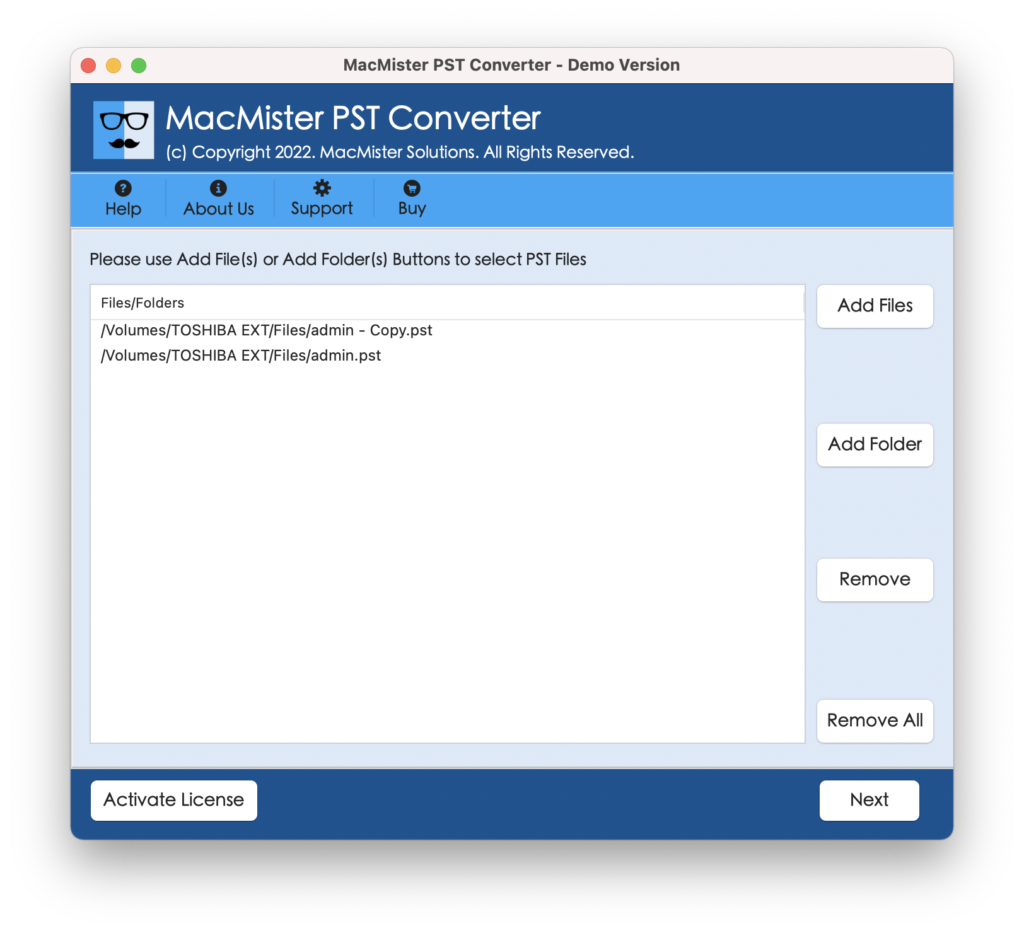
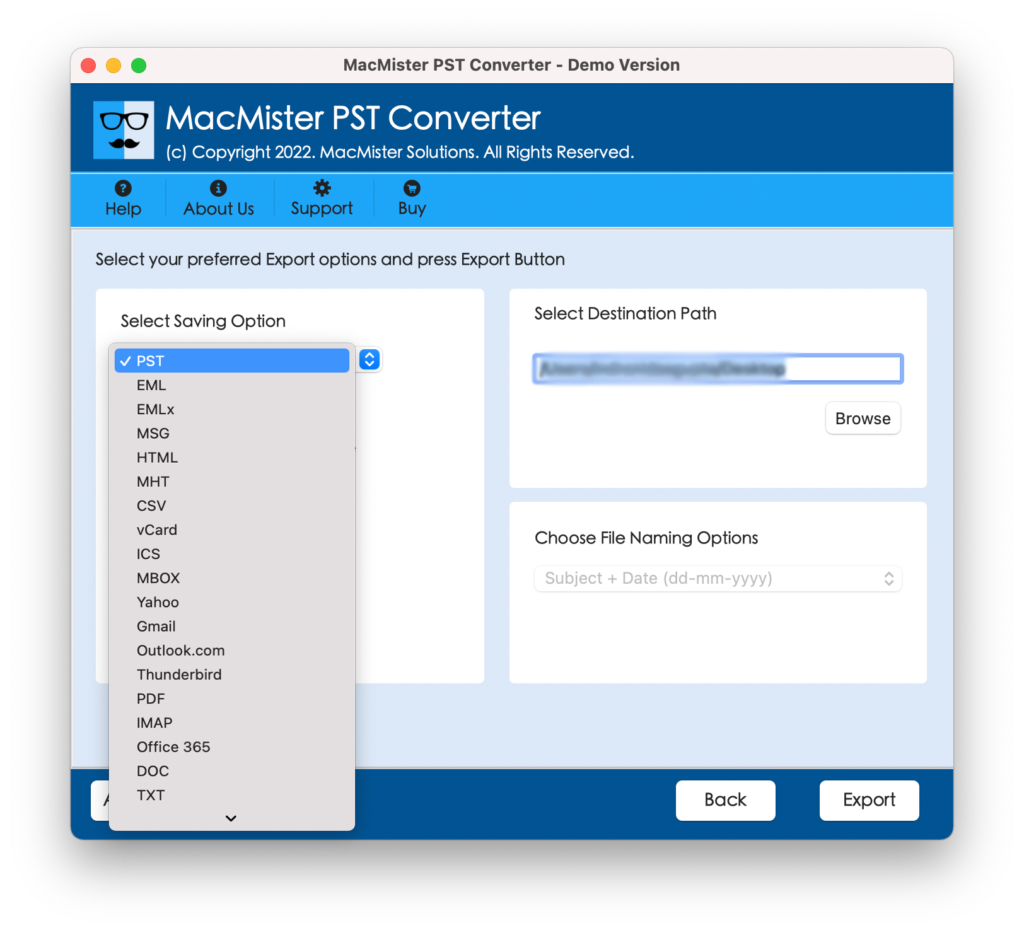
Step 3. Choose the required saving type from Select Saving Options.
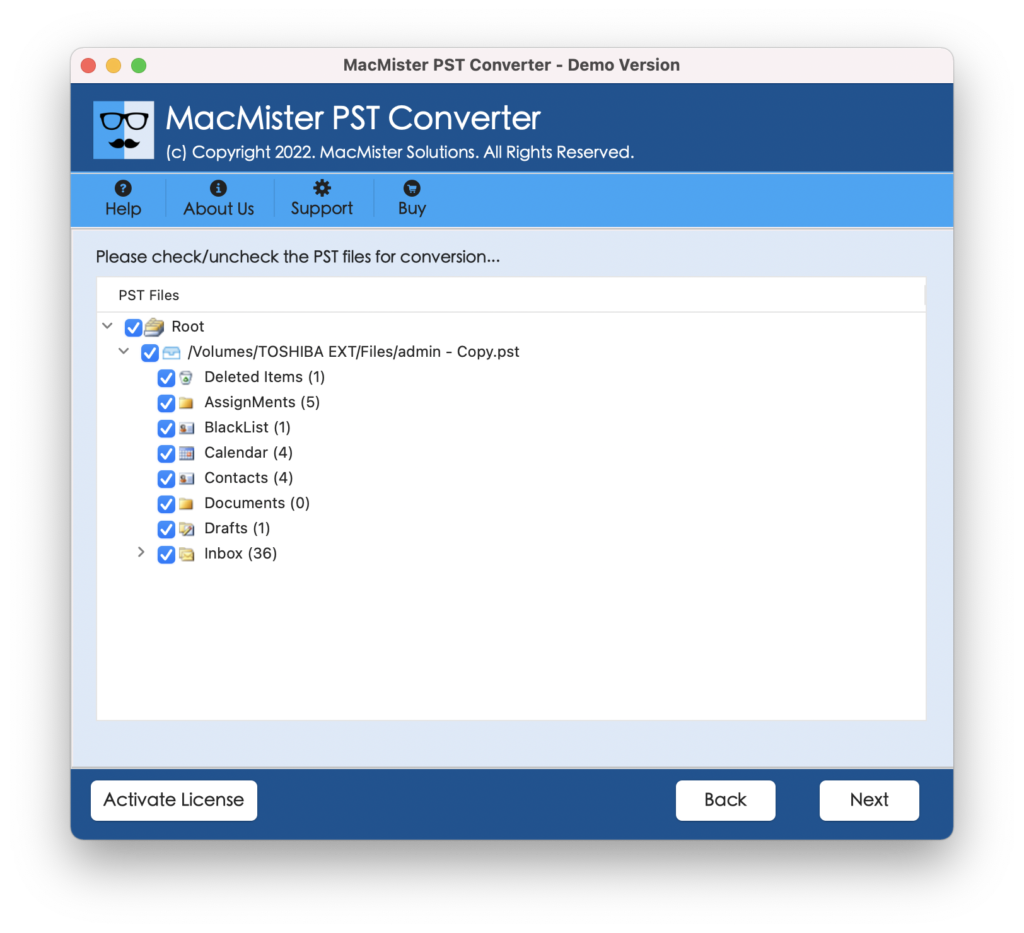
Step 4. Apply sub-options as per requirements and click Export.
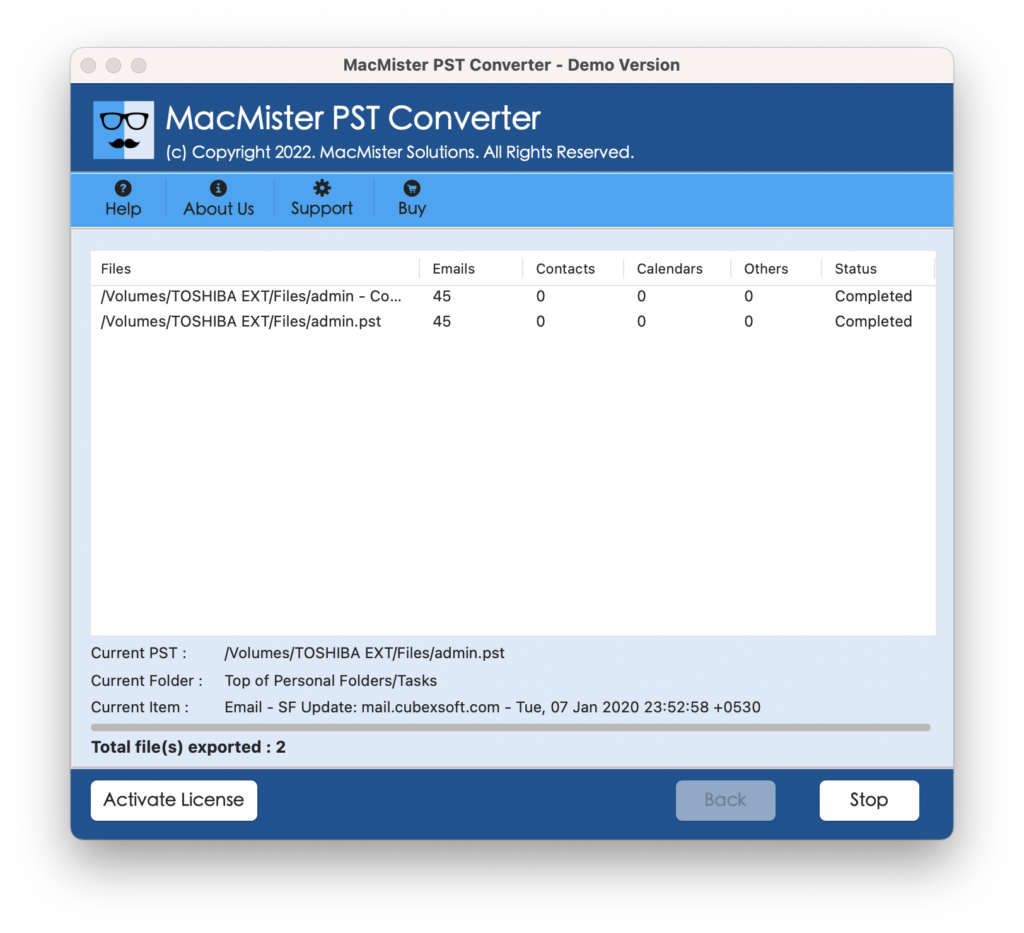
Step 5. Track the backup status using the Live Conversion Report appearing on the screen.
Why to Choose Automated Solution?
There are many reasons for choosing automated tool; some of them are discussed below –
- Able to backup PST files in bulk.
- Supports Mac & Windows operating systems.
- Designed with Add File(s)/Add Folder buttons to upload .pst files.
- Available with 15+ saving types such as PST, EML, HTML, DOC, Yahoo Mail, Office 365, etc.
- Protects the original data saved in PST file during backup.
- Keeps the metadata properties intact while performing conversion.
- Able to handle backup of large .pst files with ease.
Epilogue
The above discussed write-up has provided some solutions to fix Outlook not recognizing PST files error. However, check the case first and implement the same in Outlook account. This will fix the unrecognized issue related to Outlook .pst files. Also, we have delivered the best way to fix the issue with the causes causing the error. Hope, the article will help in resolving Outlook unable to recognize .pst file.