How to Export or Add Postbox Email to Outlook PST File?
Are you trying to migrate Postbox to Outlook and thereby wondering how to add Postbox email to Outlook PST safely? Searching for an instant and effective solution for the same? Not to worry, just go through the write-up and you will encounter a solution that will help you to directly export or add Postbox email to Outlook PST on Mac & Windows with attachments in few seconds.
What is Postbox and Reason to Export Postbox Email to Outlook PST?
Postbox is a desktop-supported email client for both Mac & Windows OS. It works fast, save your time, and helps you to get more tasks done with ease. The email application is easy-to-use and contains the simplicity of Mac Mail but supports more power and features to manage large workloads that are presented within a clean, crisp interface that’s a delight to use. The intuitive search views advanced tagging, macros to carry out everyday actions, full suite of keyboard shortcuts, lightning-fast search, good speed, and more takes Postbox email platform to another level.
The only reason why sometimes users need to export Postbox email to Outlook PST is due to the change of their employment or change within the organization. Otherwise, Postbox is a wonderful desirable email client platform.
Microsoft Outlook is similar to Postbox. The main difference between both the email applications is their different supported file formats. Postbox generally store users email files and attachments in MBOX whereas, Outlook keeps users data items in PST. Therefore, to export Postbox email to Outlook, one need to perform the conversion between these file format. But, the challenge is how to add Postbox mailbox to Outlook. Let’s understand the process in detail.
How to Export or Add Postbox Email to Outlook PST File?
The simple and effective way to add Postbox email to Outlook PST file is MacMister MBOX to PST Converter for Mac and Windows. The software supports batch mode property that save users time by exports unlimited Postbox mailboxes to Outlook PST at once. It possesses a friendly interface and self-navigational steps that any user can easily operate and perform the necessary process effortlessly. Even, the limited steps take minimum time of users, allowing them to complete the entire conversion quickly.
Moreover, the application contains several powerful features that are helpful in obtaining the desired results. However, if you want to test the process, then you can download the free demo version and export first 25 Postbox emails to PST with attachments free of cost.
Working Steps to Add Postbox Email to Outlook PST on Mac
Step 1. Download and run the solution mentioned above on Mac platform.
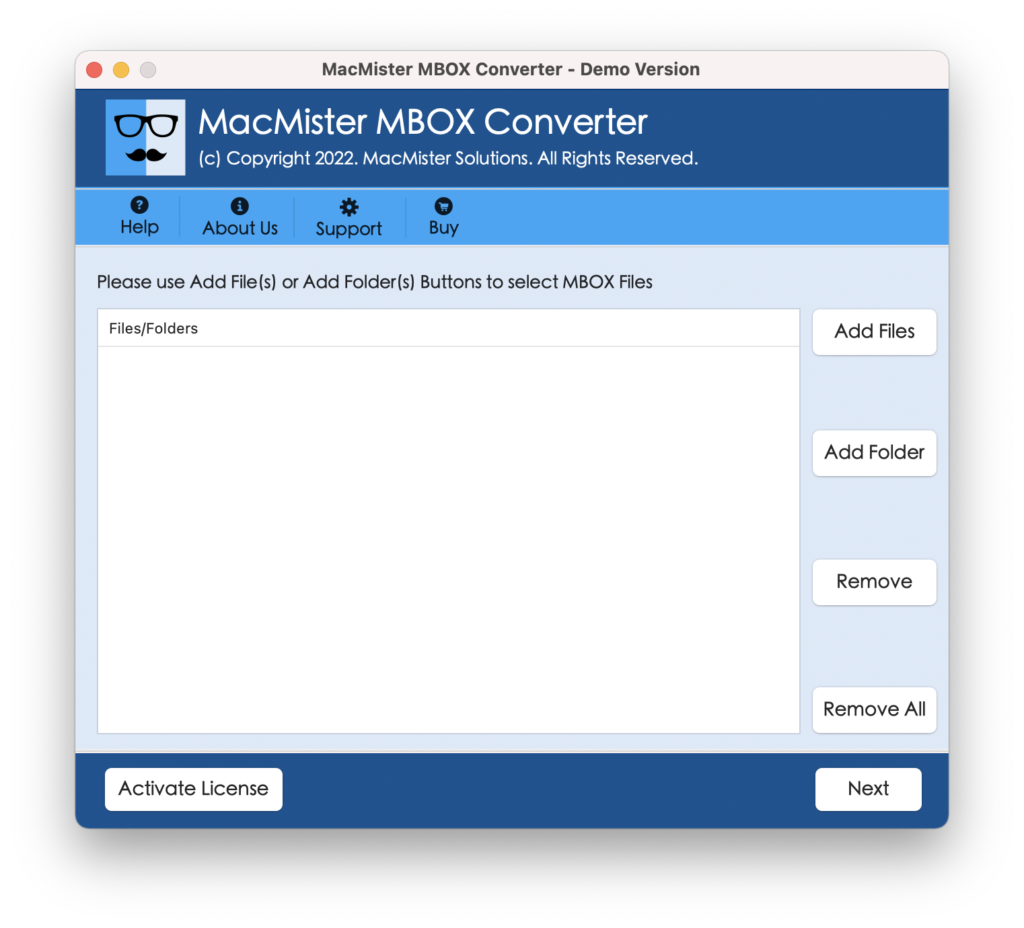
Step 2. Load Postbox mailboxes on the tool with the help of Add File(s)/Add Folders option. By clicking Add File(s) option, users can add necessary Postbox mailboxes on the tool and Add Folders help users to add Postbox mailboxes folders on the app for batch conversion. Click Next to continue.
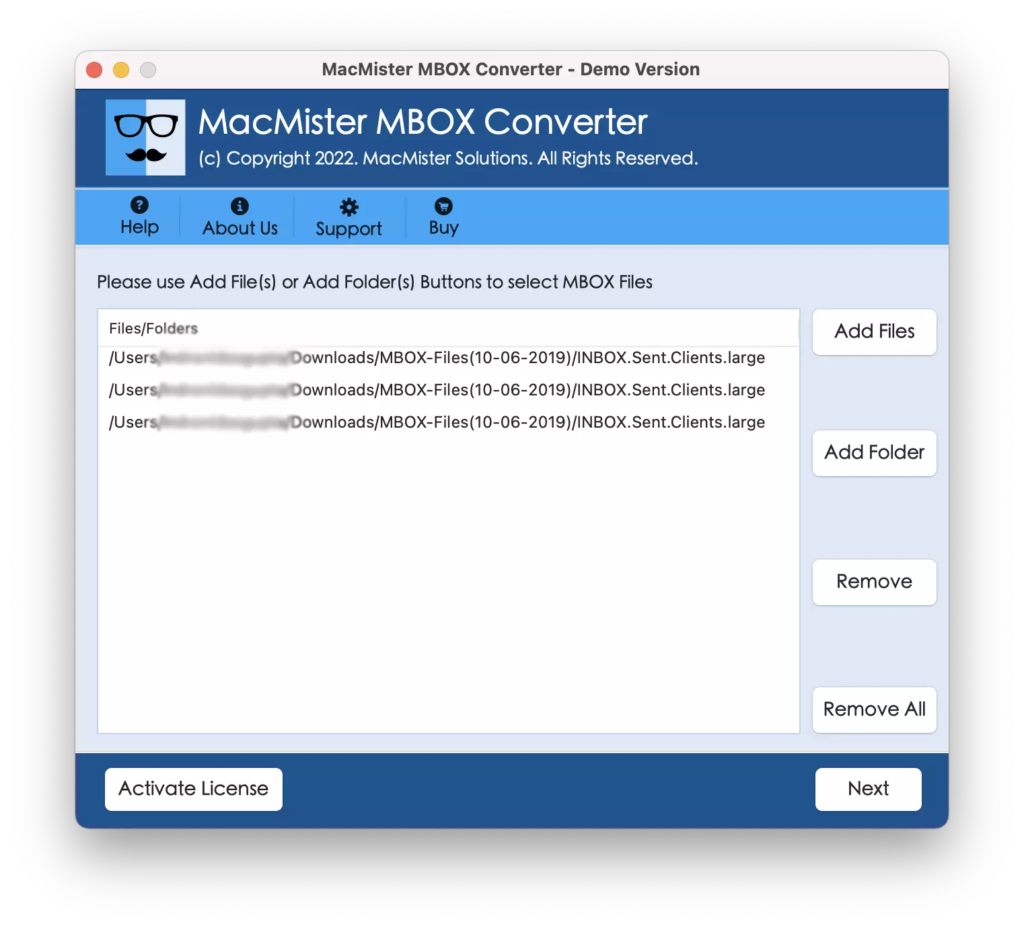
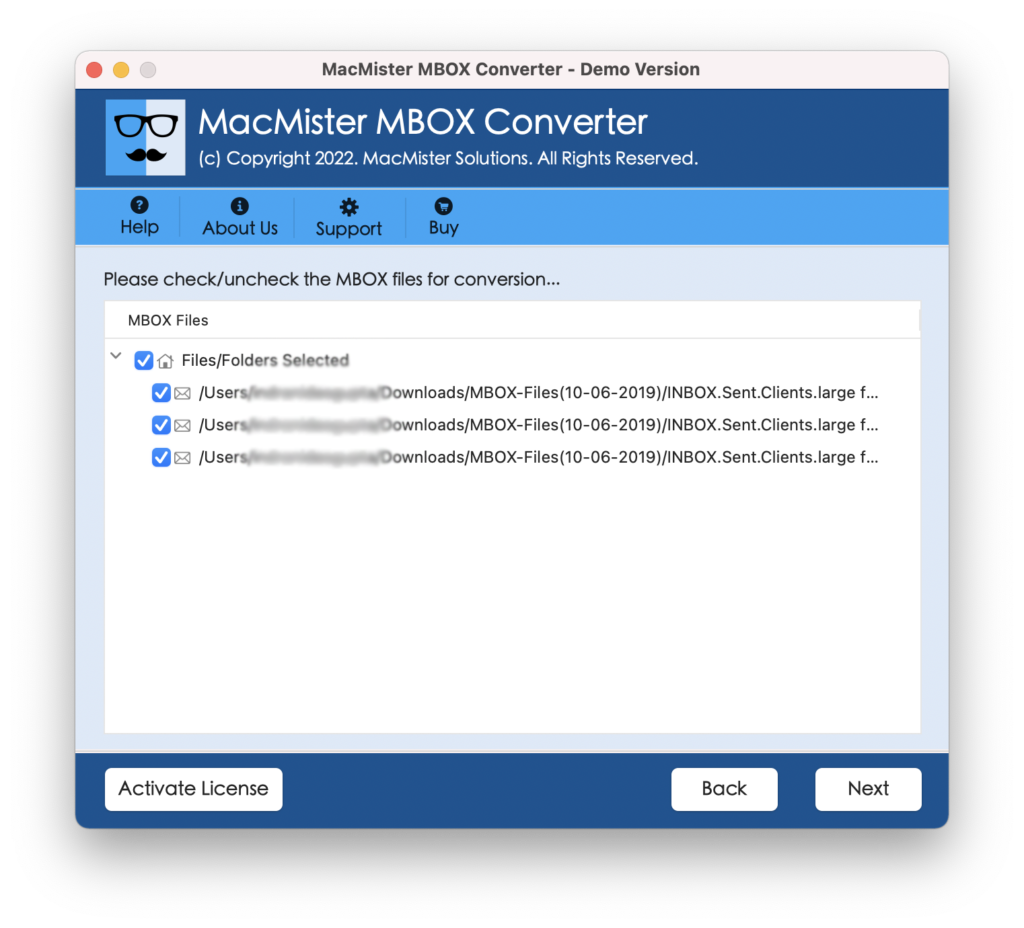
Step 3. The tool starts loading Postbox mailboxes with selected checkboxes one-by-one. However, you can use the checkbox to export selected Postbox mailboxes to PST if you need otherwise click Next to continue.
Step 4. Click on the Select Saving Options and select PST file format from the menu.
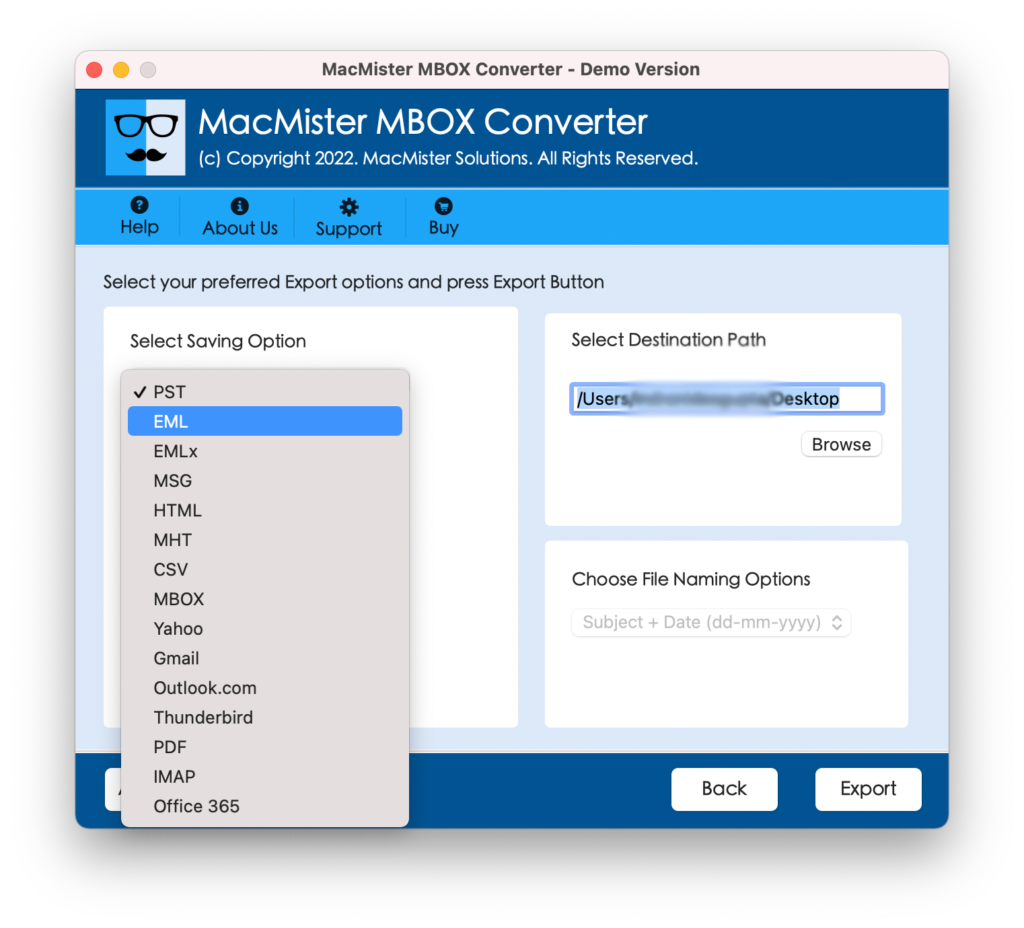
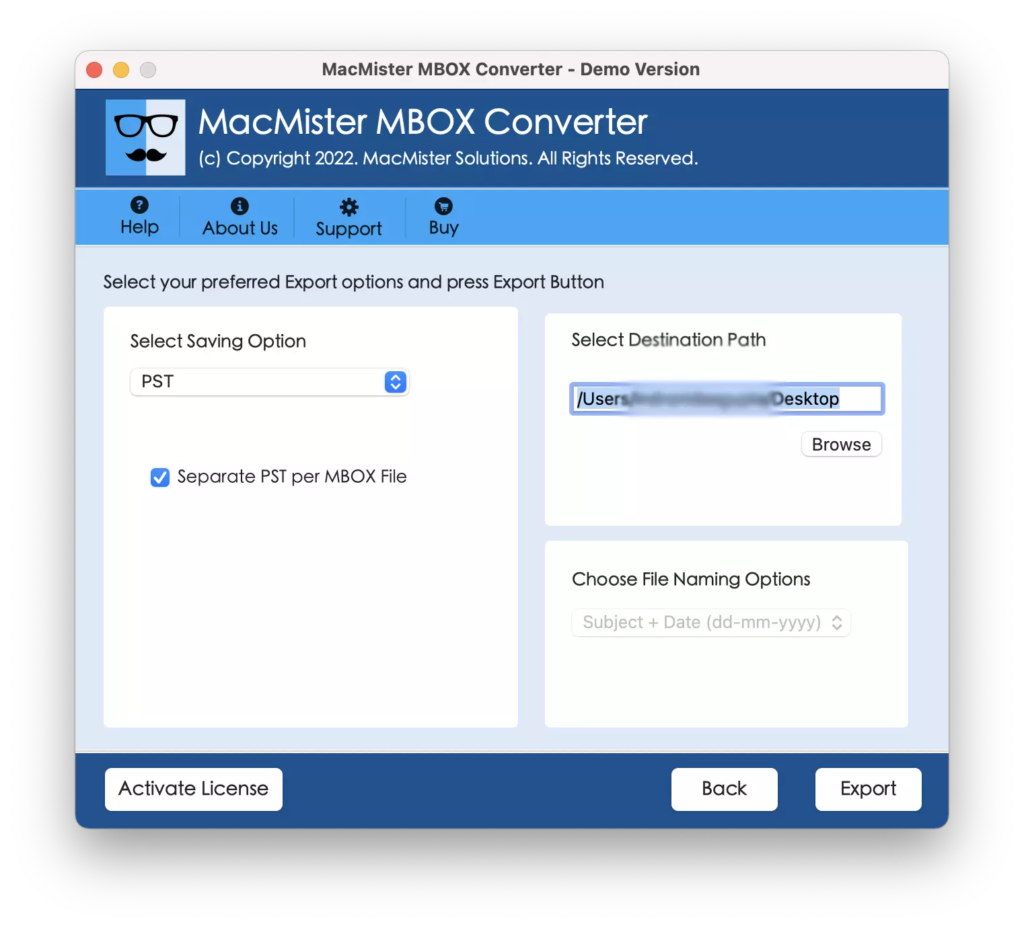
Step 5. Apply the options of PST according to your requirements and click on Export to start the conversion of Postbox mailboxes.
Step 6. The conversion will immediately start and the tool will display live process that will show the entire process details to users.
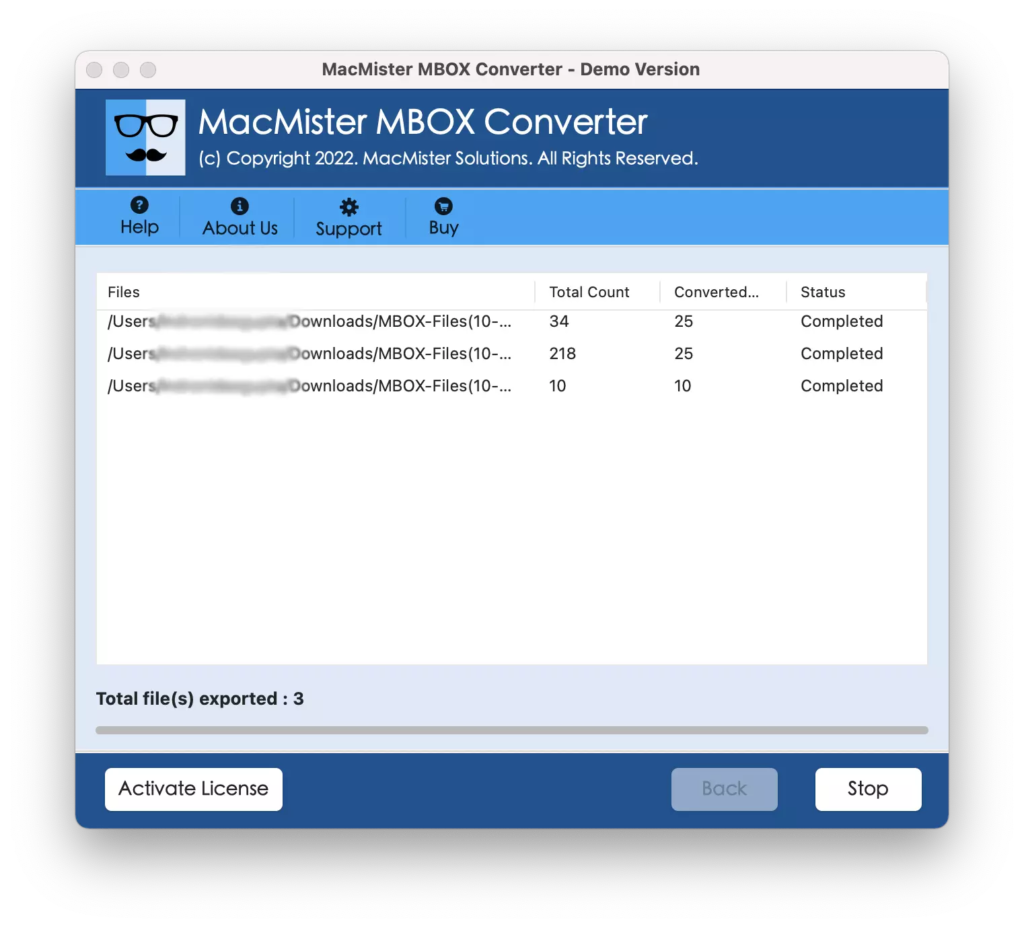
In few seconds, the application will finish the process and show “Conversion Completed” message to users. However, it is a confirmation message that the tool will generate after it converted all Postbox mailboxes to PST successfully. Now, users can move all the exported files to Windows and import PST files into Microsoft Outlook.
Why MacMister Postbox to Outlook is a Preferable Solution?
MacMister Postbox to Outlook is an advanced and outstanding solution that precisely performs the conversion and guarantees accurate results in minimum time. It has been introduced with variety of solid features that provide the desired outcome to users. Some of them are:
- Export Postbox mailboxes to Outlook PST in bulk at once.
- Makes sure that the conversion is done with emails and attachments.
- Provides Add File(s)/Add Folder options to upload necessary Postbox mailboxes on the software.
- Supports 15+ more options other than PST i.e. EML, EMLx, MHT, HTML, DOC, IMAP, G Suite, Yahoo, Outlook.com, Gmail, and more.
- Maintains the Postbox mailbox database throughout the process i.e. content, data integrity, and email file layout.
- Inbuilt Live Conversion Window which shows ongoing conversion details of Postbox mailboxes.
- Designed with an intuitive interface that any user can operate with ease.
- Mac users can download the Mac version of the app on all Mac OS versions Mac OS Sonoma.
- Windows users can access Windows software version on Windows 11 and all earliar versions.
Quick Note. Download FREEWARE VERSION to check all Software Options for FREE.
Epilogue
The article here provided easy and safe method to fix “how to export Postbox email to Outlook PST” on Mac & Windows. MacMister MBOX Converter for Mac is all-in-one solution that takes care of batch process of Postbox mailboxes at once without data alteration. It performs the entire process quickly and delivers the accurate and desired results in a short amount of time. And if somebody wants to check the conversion, then it can be done with the help of free demo version of the software. It allows to export first 25 Postbox emails to Outlook PST free of cost.