How Postbox Export Emails to PDF on Mac & Windows?
Do you have some essential Postbox emails which you want to export into PDF? Wondering how Postbox export emails to PDF on Mac & Windows with attachments correctly? Looking for a simple and effective solution to implement the required task? Not to worry because in the article you will get to experience an outstanding approach that will precisely export emails from Postbox to PDF with attachments in a few seconds. But first, let’s learn about Postbox and why it is essential to export Postbox emails to PDF.
What is Postbox and why users want to export emails from Postbox to PDF?
Postbox is a desktop-supported email client, feed reader, and news client that is compatible with both Mac & Windows OS. It is a simple, clear, and powerful email application that maintains all the multiple email accounts in one place. It is equipped with innovative features, fast search, easy organization, and a user-friendly interface. Also supports synchronization with top-level webmail services such as iCloud, AOL, Yahoo, Outlook, Office 365, Fastmail, ProtonMail, and more.
PDF, on the other hand, is not any email service but a format that stands for Portable Document Format. It is a reliable, secure, and free-to-use document file type that cannot be easily modified and is mostly used for printing and sharing. Some of its uses with examples are mentioned below:
- PDF is useful when a user want to keep the original formatting of a document file intact. For e.g. if a resume is created by using a Word document and then saved into PDF, the recipient will be able to use the same fonts and layout that the sender have used.
- At times users need to send some essential documents electronically so PDF is a perfect option for the same. However one needs to make sure that the file should appear in the exact layout after being received by the recipient.
- Every now and then, users need a file that can keep their content safe and protected. Thus, PDF provides the option of passwords, digital signatures, and watermarks which safeguard the content of PDF files from theft and other malicious activities.
Overall, PDF is a perfect choice when it comes to securing the essential database.
Where Postbox Store its Files?
Before starting the conversion of Postbox emails, it is first necessary to identify the location of Postbox mailboxes before exporting them into PDF.
Default location on Windows
- Users\username\AppData\Roaming\Postbox\Users\username\AppData\Roaming\PostboxApp
Default Location on Mac OS
- ~your home folder/Library/Application Support/Postbox
- ~your home folder/Library/Application Support/PostboxApp
MBOX files without any extensions i.e. Sent, Inbox, Drafts, and more you will encounter. However, take care of all these files as they carry the important emails of Postbox that are required for conversion.
How Postbox Export Emails to PDF on Mac & Windows?
The easiest and simple way for Postbox export emails to PDF is MacMister MBOX to PDF Converter for Mac & Windows. The software is user-friendly, effective, and reliable. Any technical and non-technical users can independently perform the operation and smoothly export all emails from Postbox to with attachments in a few seconds. The app also supports batch mode option that allows users to batch Postbox export emails to desired format at once. Even, the steps are minimum, allowing users to accomplish the process successfully in a matter of seconds.
Moreover, users will experience countless beneficial features that helps in exporting Postbox emails to PDF as per necessary requirements. However, it also offers a free demo version that is useful to test the process of Postbox export emails to PDF for free.
Working Steps for Postbox Export Emails to PDF on Mac
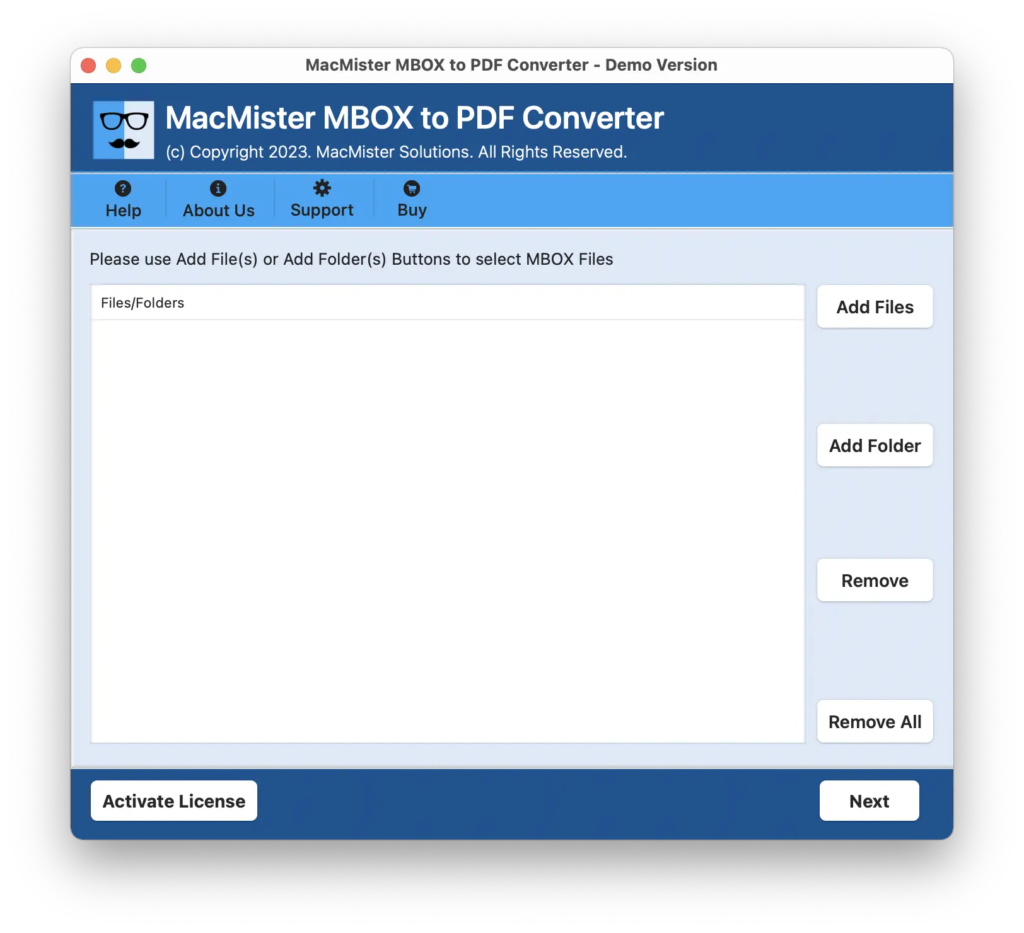
Step 1. Download and run the app on your Mac.
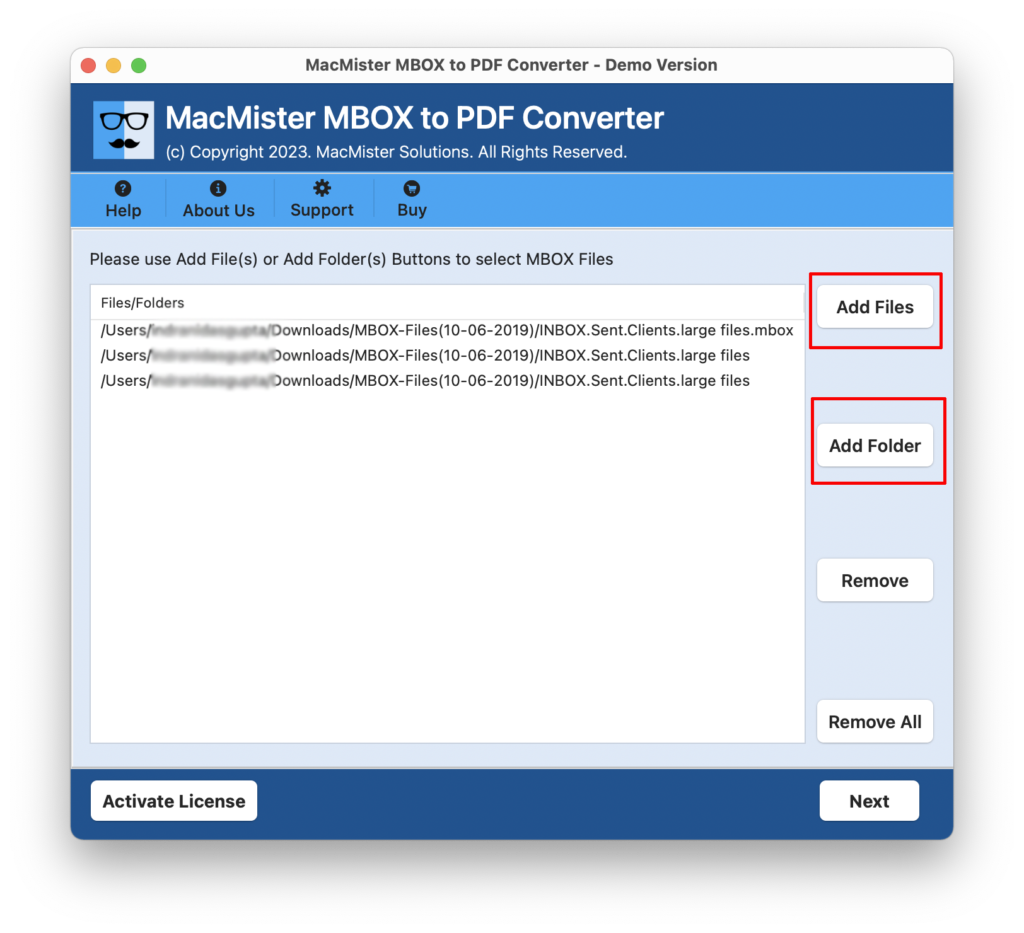
Step 2. You can use Add File(s) to add few essential Postbox MBOX files on the tool. Or, click the Add Folder option in order to add Postbox MBOX files folder on the app for unlimited conversion at once. Choose the required option and click Next.
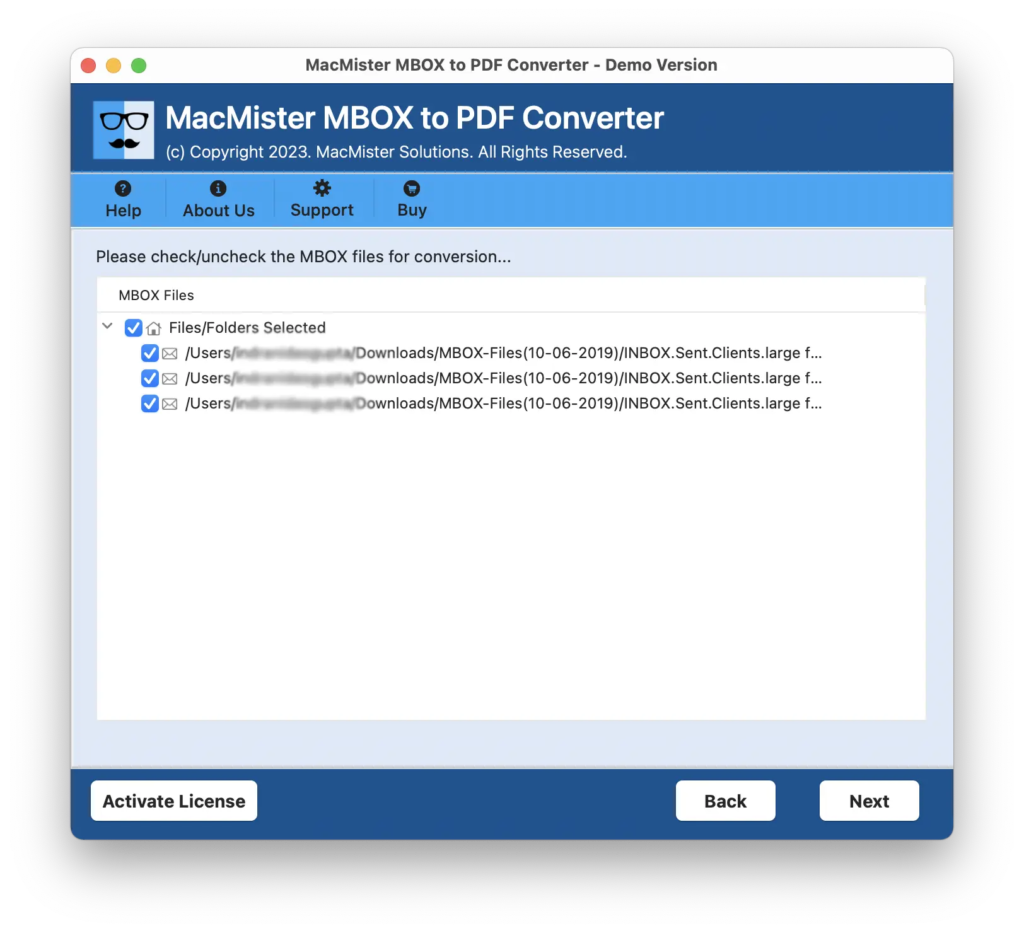
Step 3. The application will load Postbox MBOX files with checkboxes that are selected by default. However, the checkboxes can help you to export selected Postbox emails to PDF, if needed otherwise click Next to proceed.
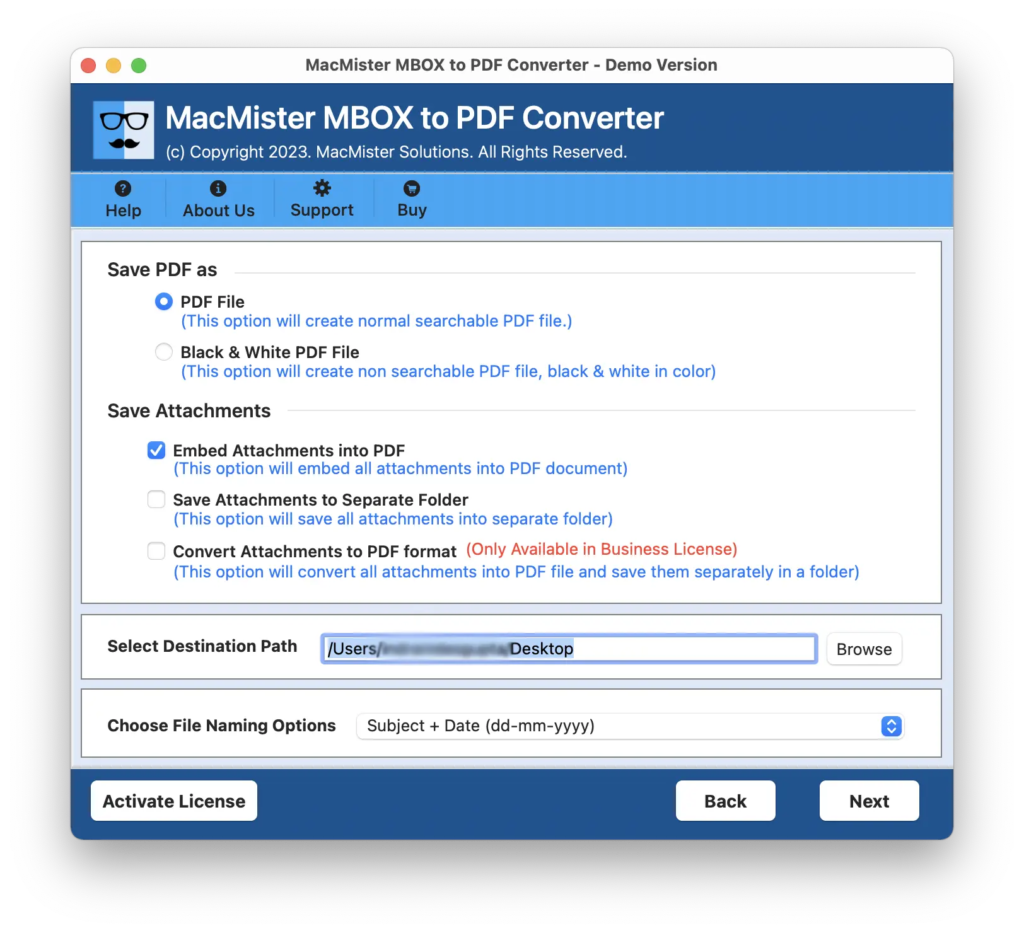
Step 4. Now set the options appearing to save PDF file according to your requirements such as black & white colour, convert attachments to PDF, save attachments to separate folder, embed attachments to PDF, and more. Click Next to continue.
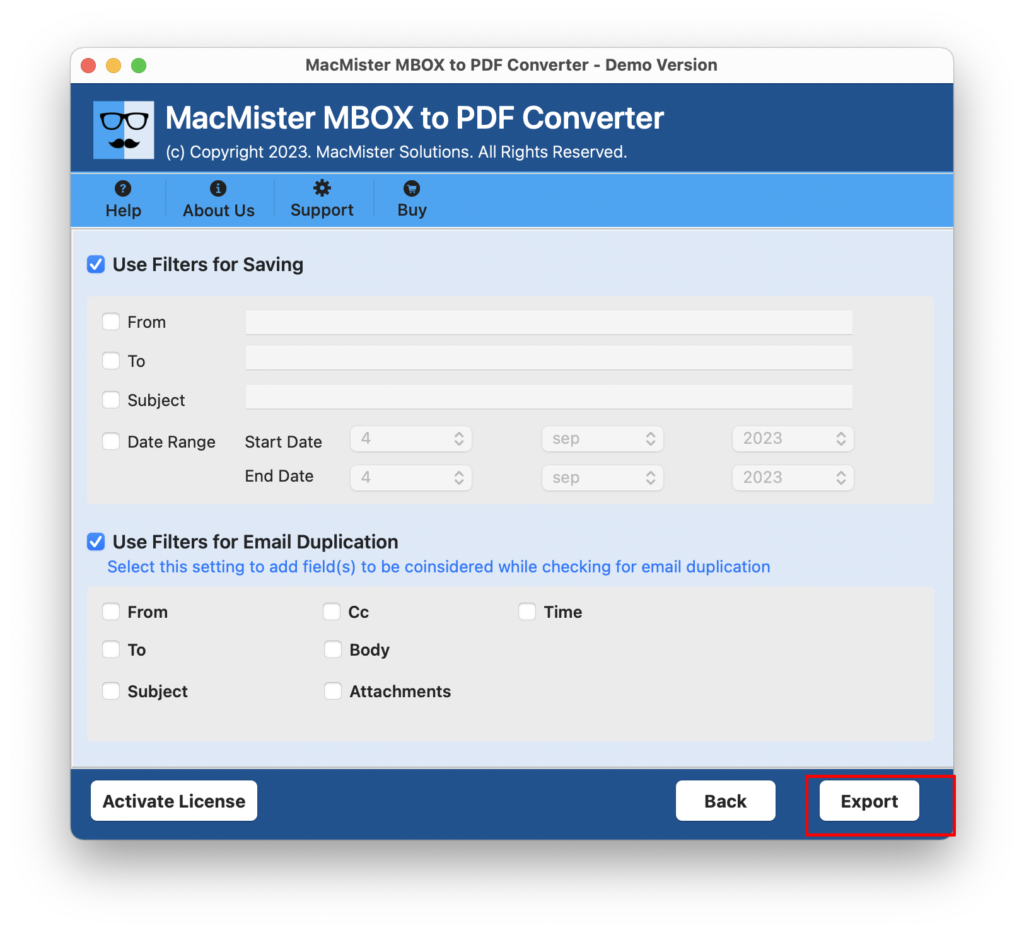
Step 5. You can also use Filters that are available for email duplication and specific email files conversion. Last, click on Export button to start the export process of Postbox emails with attachments.
Step 6. The conversion will start and the live process will appear on the screen. However, you can track the export status of Postbox mailboxes.
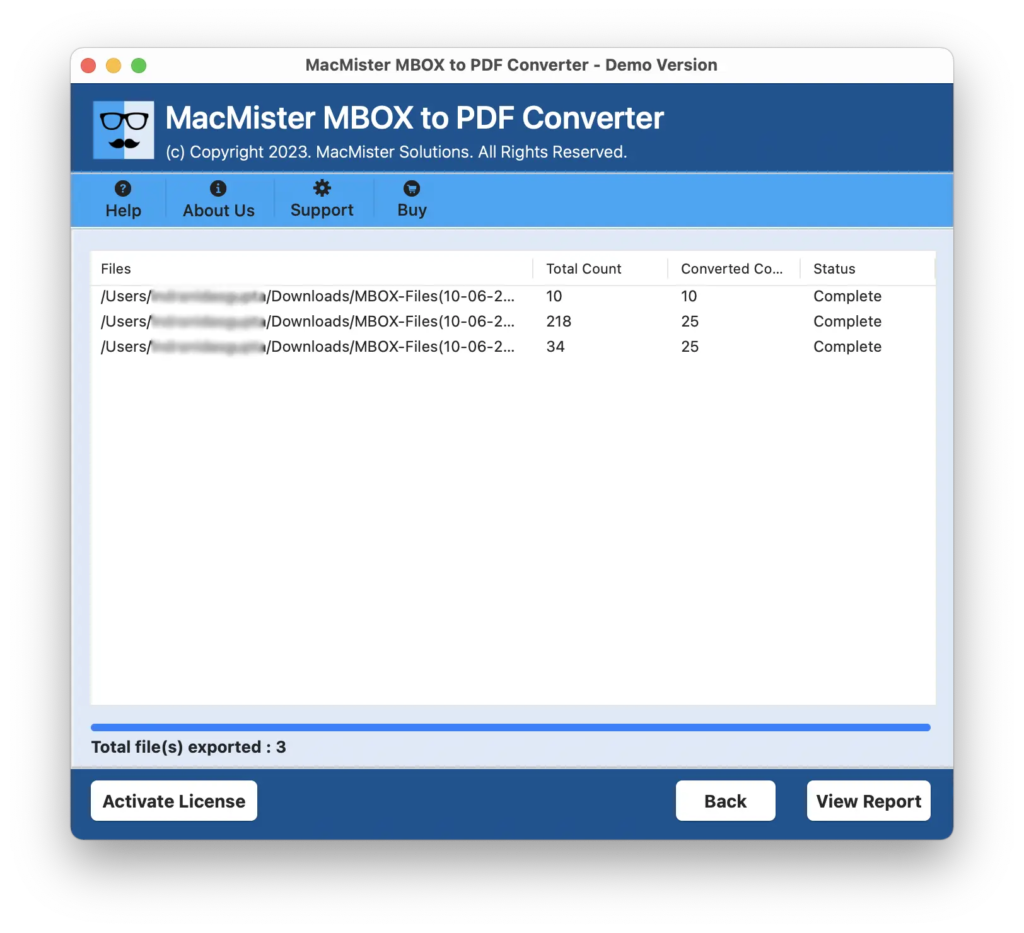
The entire process will end with a pop-up message notifying that the conversion of Postbox emails into PDF is successfully completed. Tap OK to close the message and then navigate towards the location where PDF files are saved. Now, open the required PDF document to verify the content and you will see that files are converted without data alteration. The content is appearing correctly with accurate layout and formatting properties.
Epilogue
The write-up here provided a remarkable method to fix “how Postbox export emails to PDF” on Mac and Windows. The tool we have discussed above is completely safe to use. Thus, Mac users can download the app on any Mac OS version and export emails from Postbox to PDF in three seconds. Also, the application contains an intuitive environment that is easily operable by all types of individuals without any difficulty. However, users who test the whole process, they can download the trial edition and export the first 25 Postbox emails to PDF free of cost.
Quick Note. Try MacMister MBOX Converter for Mac to export Postbox emails into 15+ saving options other than PDF. Download the app and convert Postbox email messages to PST, MBOX, EML, EMLx, MHT, HTML, DOC, CSV, Thunderbird, Yahoo, IMAP, Outlook.com and more. Get its free demo now and export first 25 emails of Postbox into desired saving option for free.