Know-How Purelymail Forward to Gmail with Emails and Attachment
Thinking about switching to Gmail platform from Purelymail email server due to official reasons but worried about crucial emails stored in Purelymail email account! Wondering how Purelymail forward to Gmail can be performed with emails and attachments correctly? Looking for a smart, simple and effective method for the same? Looking for a powerful and safe solution for the same? Then no worries at all because in the write-up we will be exploring a solution that will precisely forward Purelymail emails into Gmail without data loss.
Overview – Purelymail & Gmail
Purelymail is a budget-friendly straightforward email hosting service that mainly focuses on important email functionalities. It is equipped with custom domain support, pay-as-you-go model, unlimited storage and users and more that makes it a perfect data management platform for both personal and business users. The email service supports IMAP, POP3 as well as Roundcube Webmail interface. Even, the SpamAssassin functionality with automated learning is available for managing spam effectively. Besides, SSL encryption and at-rest encryption protects users messages from malicious attacks.
Undoubtedly, Purelymail email service is built with exceptional features that make the email service a remarkable email management platform but somehow it is not as advanced as Gmail email server. Gmail is free web-based email program which is offered by Google itself for managing large emails on a regular basis. The email program is recognized for its friendly GUI, great storage capacity, powerful inbuilt apps, and integration with different Google services. Additionally, Gmail security features such as Google Prompt, 2-step Verification, Passkeys, and more help users account from hacking and other harmful encounters that cause data theft and loss.
Reasons to Perform Purelymail forward to Gmail Account with Emails
Both are wonderful email services and they both manage large emails with ease. But Gmail is one step ahead of Purelymail email service. It gets upgraded with many advanced features every year. Some of its beneficial features are listed here –
- Google Mail is completely free of cost and is easily accessible from anywhere anytime as it only required good internet connection.
- Delivers good amount of storage space to store emails which minimizes the requirement of archiving and deleting messages.
- Supports easy integration with Google apps such as Drive, Calendar, and Chat.
- Offers advanced spam filtering technique which helps in redirecting the spam emails directly to Spam folder, making sure to keep the inbox clean and organized.
- Inbuilt Search feature will help users searching the specific email message within inbox containing unlimited emails.
- Features such as Labels and threaded conversations help organizing and managing email files effectively.
- POP and IMAP protocols supports which help Gmail profile sync with different desktop-supported email applications.
How Purelymail forward to Gmail with Emails and Attachments Correctly?
The direct and simple procedure to forward Purelymail webmail emails to Gmail is MacMister IMAP Backup Tool Mac & Windows. The solution allow users to provide the login details of Purely email account in required fields with its respective IMAP host and Port number. Once the account is established, then select Gmail from Select Saving Options, apply sub-options accordingly and click Start Backup button. Within seconds, all the emails from Purelymail will move to Gmail account with attachments.
Furthermore, the software includes remarkable features that help users forwarding Purelymail emails to Gmail according to the requirements in order to attain desired results. However, a freeware version of the tool is also present that is downloadable on any Mac OS for free and allows to forward first 25 Purelymail emails free of cost.
Step-by-Step Tutorial to Forward Purelymail emails to Gmail Profile on Mac
Step 1. Download, launch, and run the application on a Mac-supported system.
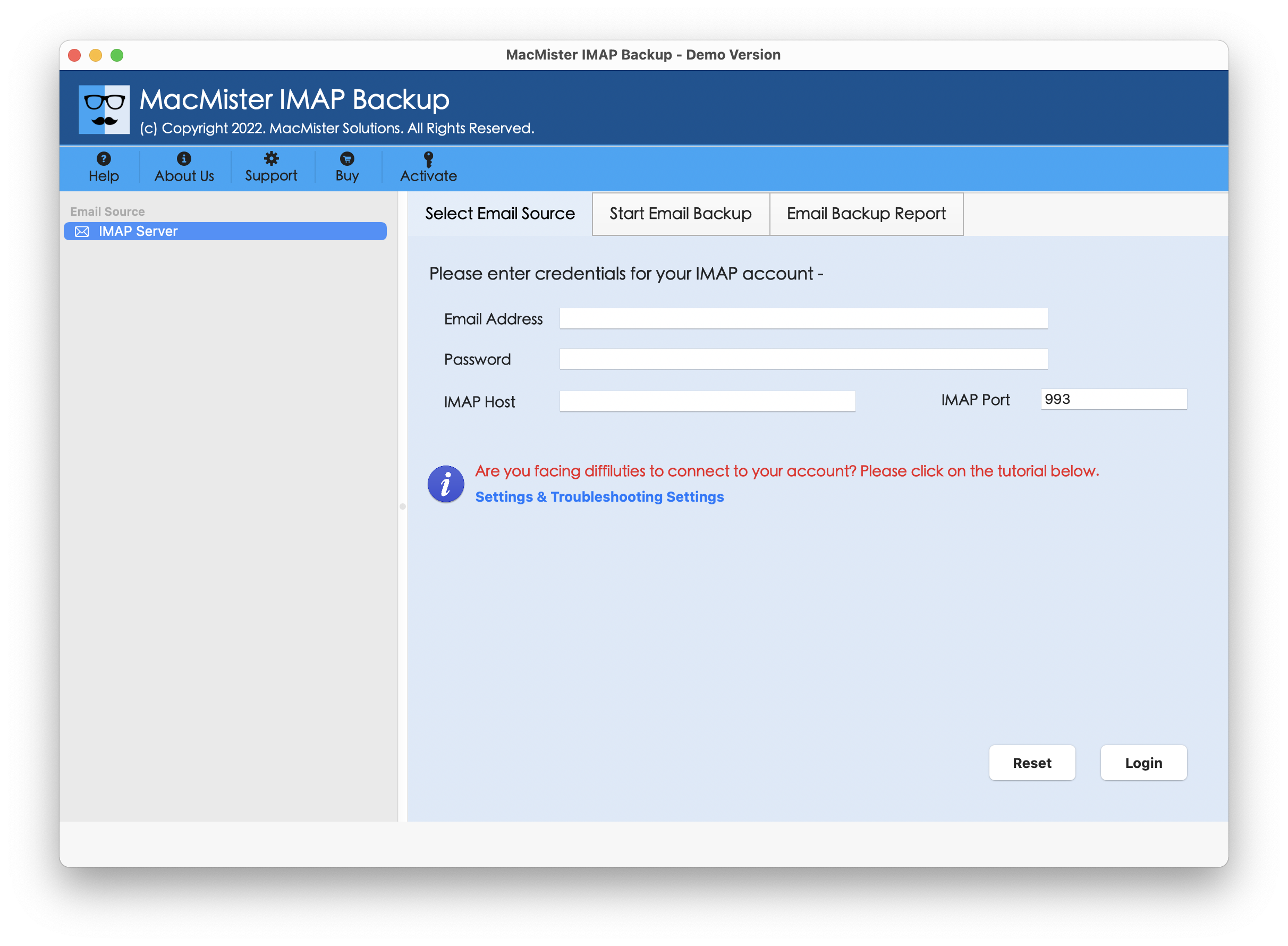
Step 2. Add Purelymail credentials with IMAP host and Port number. Click Login button.
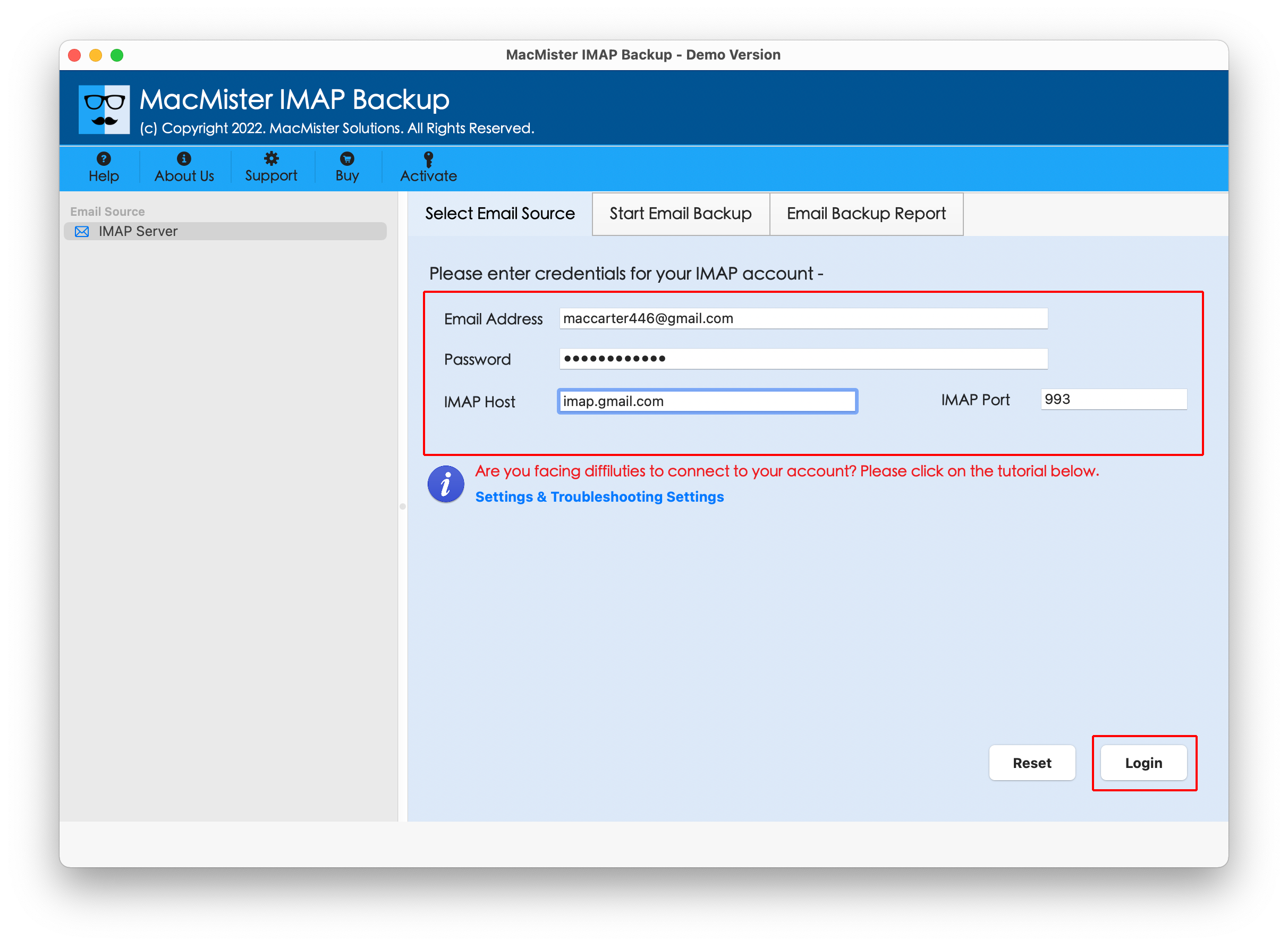
Step 3. The application will connect with Purelymail profile and list its items on the left pane of the software.
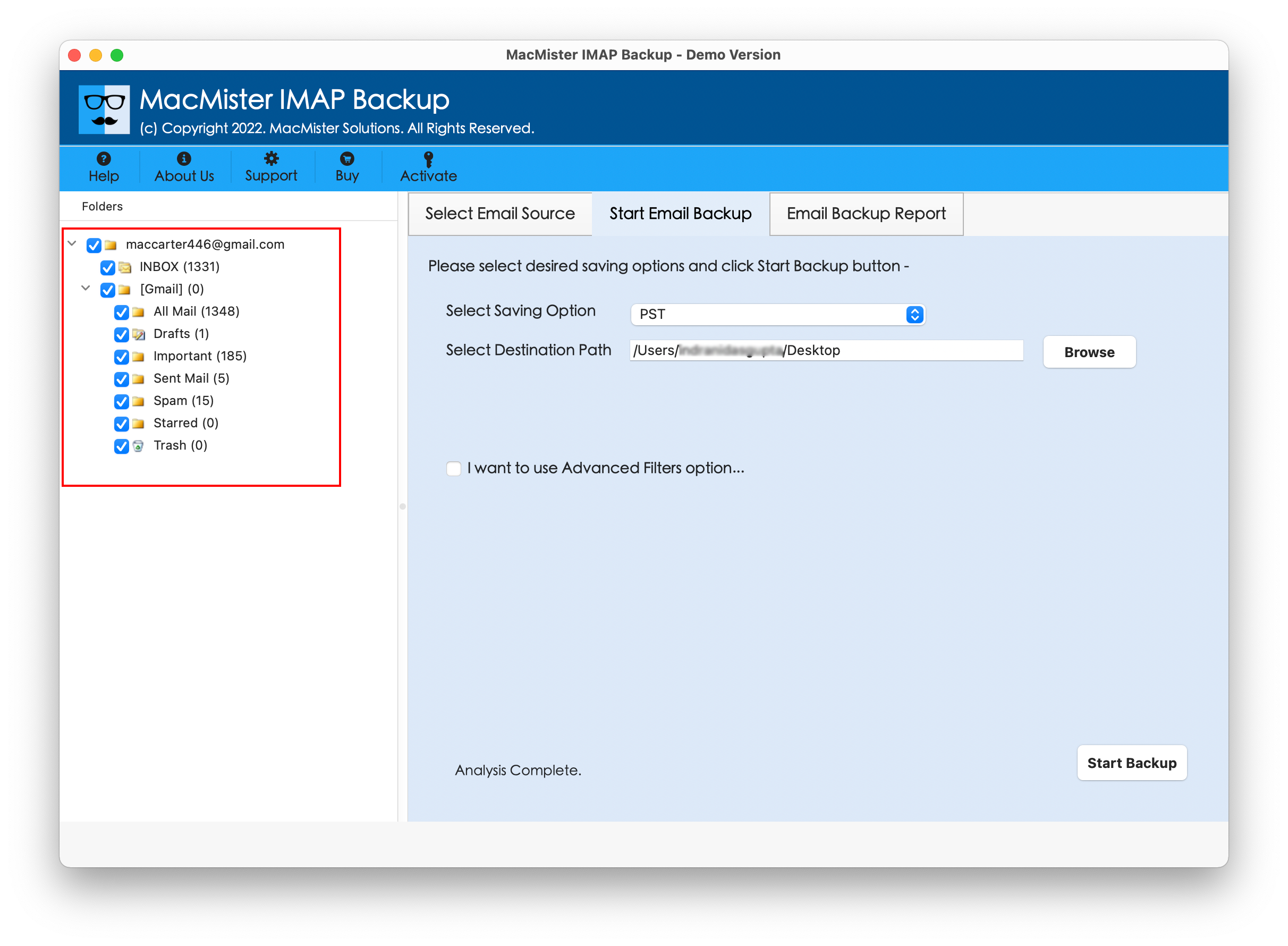
Step 4. Navigate towards right-side of the app, click Select Saving Options, pick Gmail saving type.

Step 5. Enter Gmail login details such as email ID and app password; apply filter types to forward specific Purelymail emails, if required. Then, click Start Backup button.

Step 6. The app will show Email Backup Report that displays the live forwarding status of Purelymail email to Gmail account.
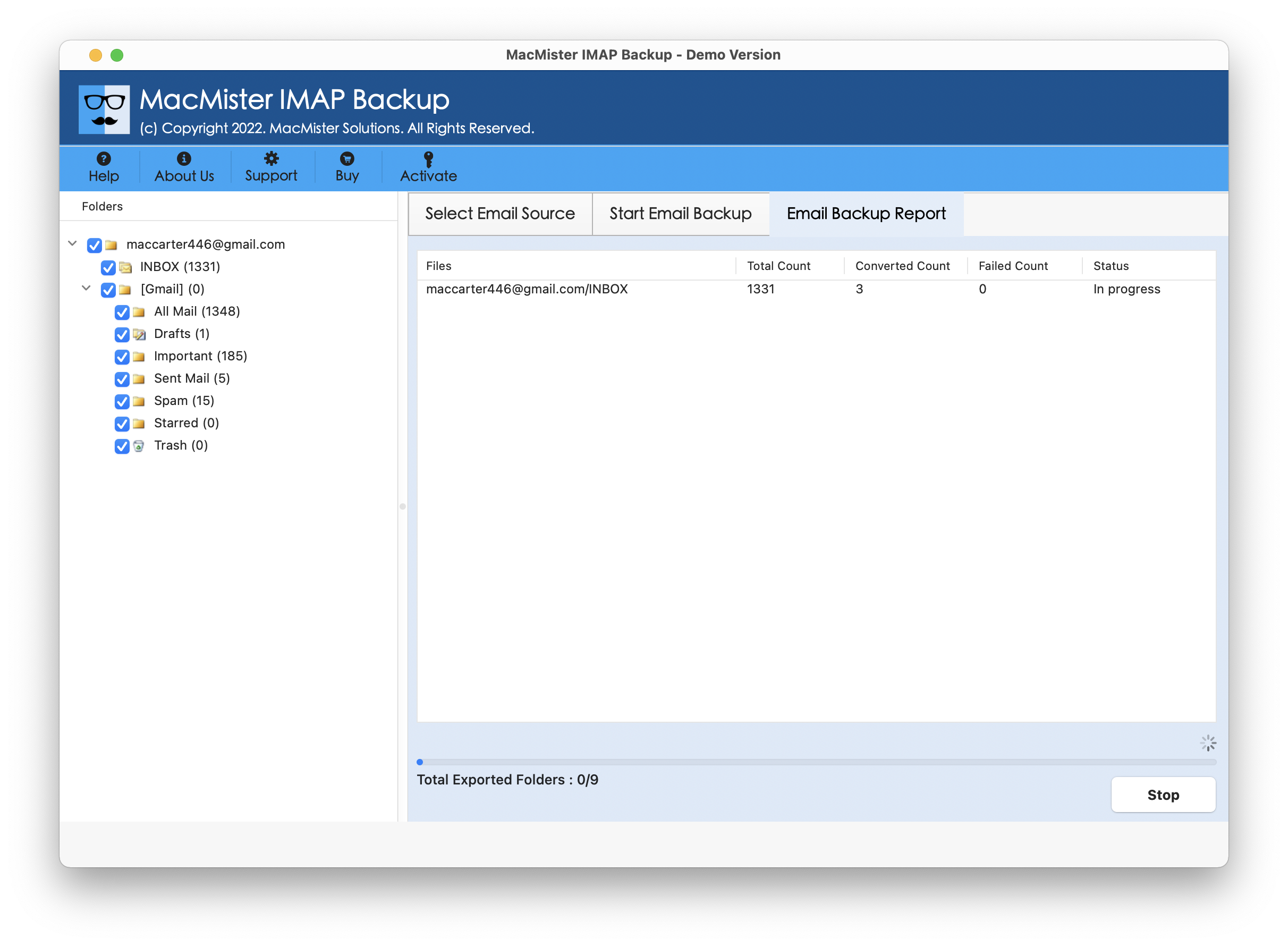
Within seconds, the tool will complete the task and then “Process Completed” notification will open on the screen. Click OK button to close the dialogue box, and then login to mention Gmail account to verify resultant files. However, after viewing the desired forwarded email, you will see that the application has accurately implemented the task. The email content and formatting properties of every email file will remain preserved after the process.
Benefits of the Application
- Directly perform Purelymail forward to Gmail on Mac & Windows with emails and attachments.
- Offers multiple Filter options such as date range, to, subject, etc. to forward specific Purelymail emails to Google Mail account.
- Protects the credentials of Purelymail and Gmail account when forwarding Purelymail emails.
- Includes several saving types other than Gmail such as PST, PDF, MSG, EML, HTML, DOC, CSV, Yahoo, Office 365, and more.
- The original email text and data integrity of each Purelymail email will remain preserved during the process.
- Enable users to forward Purelymail webmail emails to Gmail on Mac OS Sequoia and earlier versions.
Epilogue
The blog here described an exceptional technique for Purelymail forward to Gmail with emails and attachments. The solution highlighted above i.e. MacMister Purelymail Email Backup Software Mac & Windows is quite friendly and highly effectual. It possesses a GUI that is operable by all professional and novice users with ease. Moreover, the tool is programmed with filter options such as date range, to, subject, etc. that allow users forwarding specific Purelymail emails to Gmail account without data loss.
Besides, the software has incredible features that help users forwarding Purelymail email messages to Gmail according to the requirements. However, it is available with a free demo edition. Users can download the freeware version on any Mac OS and understand the whole processing of the application for free. It also allows to forward first 25 Purelymail emails for free.