How to Switch from Rogers to TELUS with Emails on Mac & Win?

If you are moving to TELUS from Rogers email service and unsure of a solution that could help you to switch from Rogers to TELUS webmail! Then no worries anymore, because in the article we have discussed a trouble-free method that will help you to securely switch from Rogers to TELUS with precise emails and attachments. Although, migration from one webmail to another is quite troublesome as so many crucial emails are stored in our email account. But here the write-up will ease your worries and provide you the exact solution you needed to move from Rogers to TELUS webmail.
Overview
Rogers email is a leading email service provider which works similar to other available email servers. It allows users to manage sending/receiving emails online. The interface is user-friendly which makes the email management easier for all types of users. Besides, the sudden occurrences of unexpected situations force users to switch from Rogers to a different webmail.
TELUS Email is another commonly used webmail service which also has a TELUS internet subscription. It is powered by Google’s G Suite and equipped with the following features –
- TELUS helps protecting the data and privacy.
- 15 GB of storage is enough to carry 200,000 emails.
- Supports integration with many email applications email.telus.net or the Gmail app on a mobile device.
- 24/7 support service is available for customers.
- Help users to access TELUS webmail on mobile devices.
- Work faster with less reloading of the complete page.
Therefore, switching to TELUS from Rogers is beneficial. But how to transfer Rogers email to TELUS Mail, let’s explore the entire process in detail without more ado.
How to Transfer Rogers Email to TELUS Webmail?
The simple way to transfer Rogers email to TELUS is MacMister IMAP Backup Tool Mac & Windows. The application has intuitive interface which any user can easily manage to operate the required task. It allows users to connect with Rogers email account and directly transfer its entire emails into TELUS with attachments accurately. Besides, the software includes three operational steps that will help users completing the entire process in minimum time.
Furthermore, the tool is programmed with numerous features that users can apply to obtain the necessary results. However, a freeware version of the software is also available with the help of users can experience the working steps of the tool in detail for free.
Working Steps to Transfer Rogers Emails to TELUS on Mac
Step 1. Download, install, and open the software on macOS.
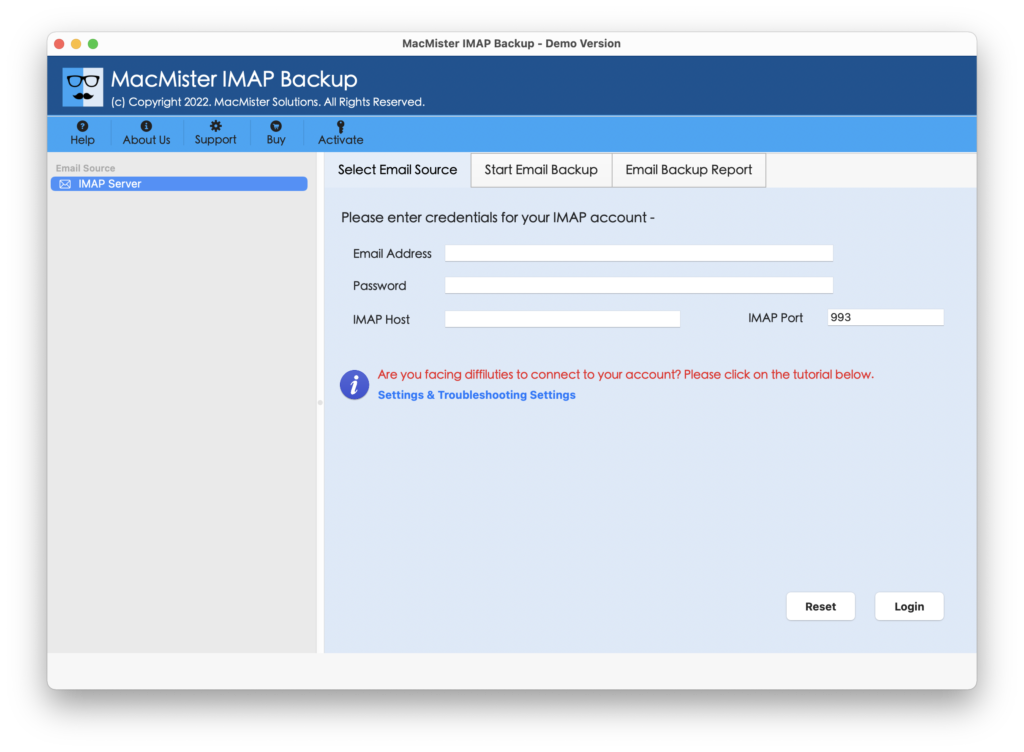
Step 2. Add Rogers email account with IMAP Host and Port Number and click the Login button.
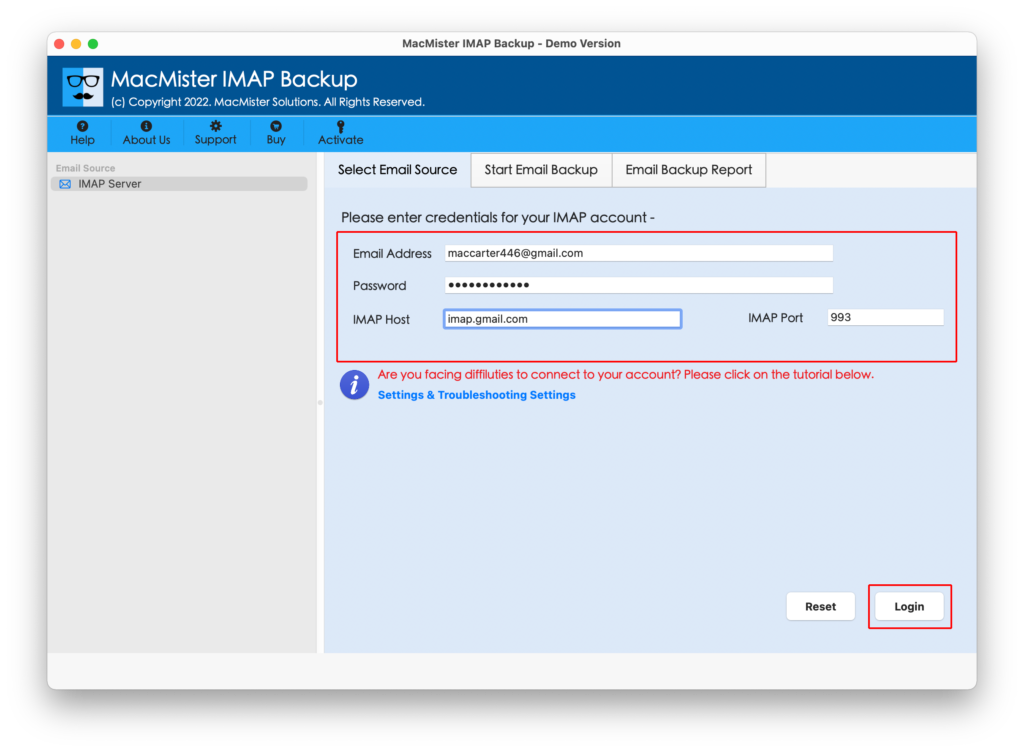
Step 3. The Rogers email account will connect with the tool and list its mailboxes on the left software pane.
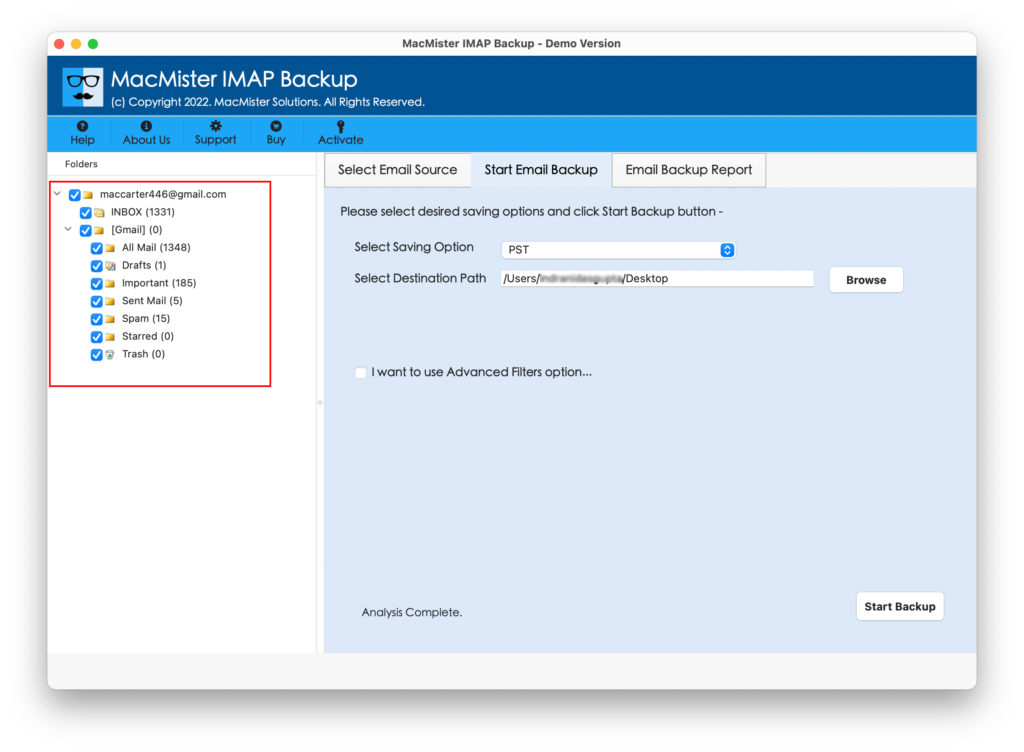
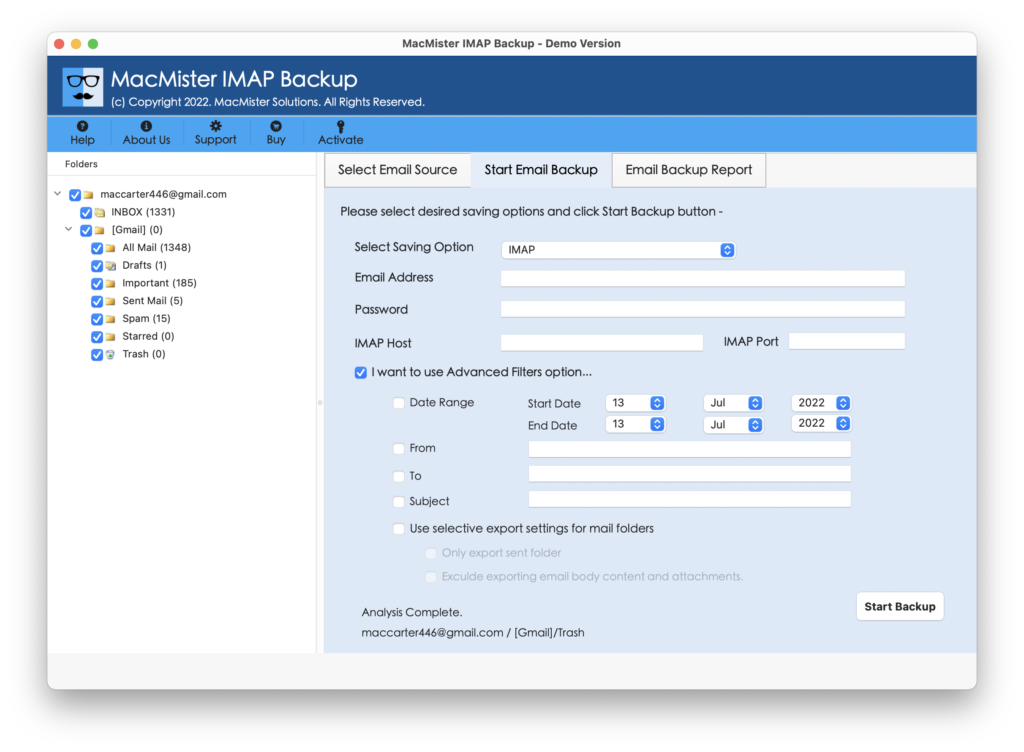
Step 4. Now, go towards right, tap Select Saving Options and choose IMAP option from the drop-down list.
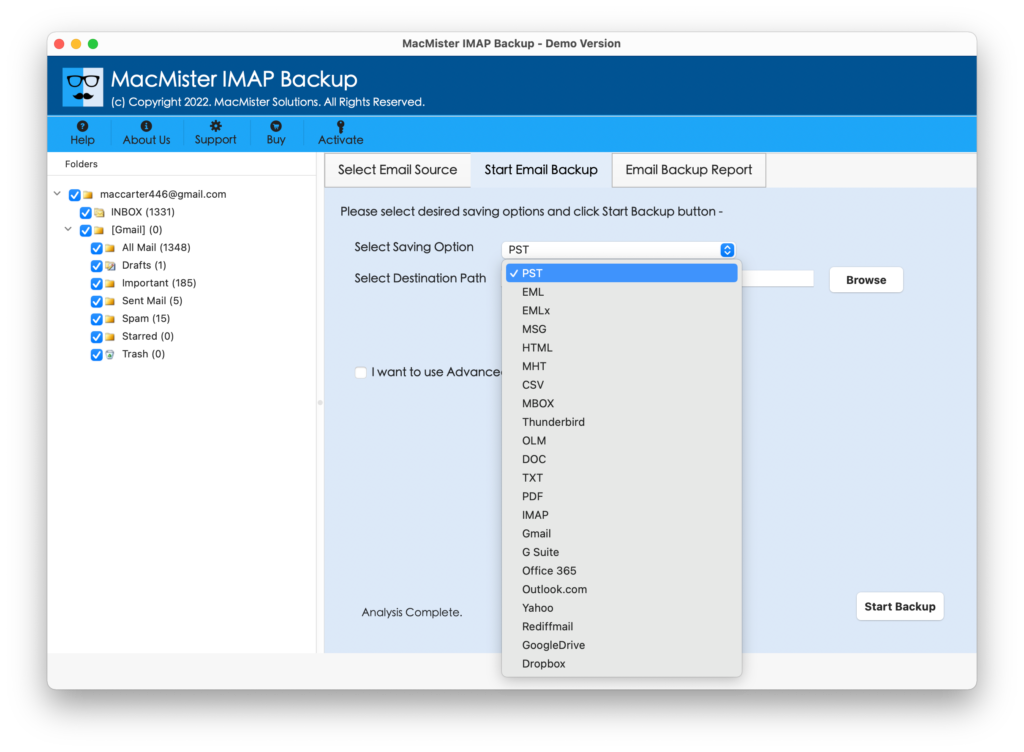
Step 5. Add login details of TELUS webmail with its IMAP host and port number. You may use Filters if you want to import specific Rogers emails to TELUS email account. At last, tap Start Backup button to initiate the migration process.
Step 6. The Email Backup Report will appear which shows the live migration progress of Rogers emails to TELUS email account.
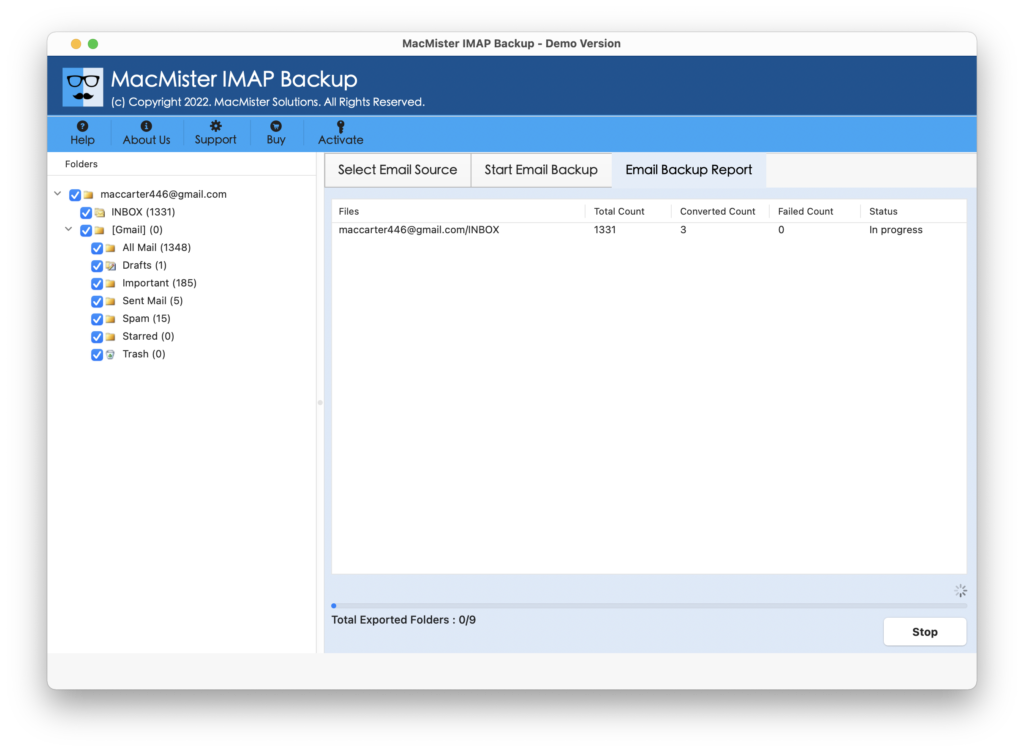
In few seconds, the process will finish and a “Process Completed” pop-up will appear on the screen which confirms that the software has successfully transferred Rogers emails to TELUS. Click on the OK button and login to TELUS webmail account to verify the results. You will see that the tool has performed the migration accurately. The entire email messages will appear with precise content, layout, and metadata properties.
What are the Benefits of choosing MacMister Rogers to TELUS Tool?
MacMister Rogers to TELUS is a perfect solution for migrating Rogers emails to TELUS webmail service. It is designed with several features which will help users attaining the desired results. Some of them are mentioned below –
- Directly transfer Rogers email to TELUS with attachments on Mac.
- Offers multiple Filter options such as date, subject, to, etc. to transfer specific Rogers emails to TELUS email account.
- Able to add entire Rogers inbox folder to TELUS at once.
- Supports 15+ saving options other than IMAP such as PST, OLM, EML, MSG, Office 365, Gmail, and more.
- Simple and friendly GUI eases the process for all types of users.
- Protects the Rogers email content, email structure, and metadata properties throughout process.
- Provides Mac & Windows software versions so that both Mac & Windows users can use the app to transfer Rogers email to TELUS webmail.
Epilogue
In the segment, we have discussed a remarkable method to resolve “how to switch from Rogers to TELUS” with emails and attachments on Mac & Windows both. The solution mentioned above is safe, stress-free, and highly reliable. Its intuitive environment is operable by all types of users effortlessly. Additionally, the advanced features of the application will help users to transfer Rogers email to TELUS according to specific requirements. However, a free demo of the software is available that users can download to check the software working in detail for free. It also allows migrating first 25 Rogers emails to TELUS webmail free of cost. Quick Note. Users can also try MacMister Email Backup Software Mac & Windows which offers 30+ webmail sources from which users can download necessary emails and save them into 15+ saving options with ease.