How to Directly Add ProtonMail to Zoho Mail on Mac & Windows?
Are you moving your email account to Zoho Mail from ProtonMail? Now wondering how I can access emails stored in the Proton Mail account in Zoho Mail? Searching for a direct technique to directly add ProtonMail to Zoho Mail? No worries, read the blog and you will find a method that will help you to successfully transfer all emails from Proton Mail to Zoho Mail with attachments on both Mac & Windows.
ProtonMail is considered as one of the secure email service providers which is equipped with plentiful free storage and integrated services with heightened privacy and security features. It is known for providing 1 GB of free storage to users when they sign-up initially. And, also offers the paid version that delivers up to 500 GB of storage. However, the paid version is basically suitable for large businesses that wants to deal with several emails on a daily basis.
Is Zoho Mail better than Proton Mail?
Every webmail server has both pros and cons. But, the cons should be the ones that should not affect the workflow of individuals.
Undoubtedly, ProtonMail is a great email service provider when it comes to email security. It includes complete privacy and anonymity, strong encryption and security as well as private correspondence.
Despite its ample security benefits, ProtonMail is not the flexible an email service as it seems. It has some drawbacks that cause a lot of trouble. Some of them are:
- Proton Mail users can only send 150 emails per day. If they want to exceed the limit, then they need to purchase the subscription which has a limit of approx. 1000 emails per day.
- Offers only 500 MB of cloud storage which is quite less as compared to other webmail providers.
- Minimum organizational tools with no flags and filters. It cannot be used by those who are well-organized.
Zoho Mail is another one of the most secure and reliable solutions that is tailor-made to fulfill an organization’s communication requirements. It has several beneficial aspects that are useful for all types of individuals and organizations.
Benefits of using Zoho Mail
- Offers custom email address that increases the brand visibility as well as credibility.
- Capable of adding multiple domains, users, and alias addresses for a single user under the same organization.
- Provides integrated calendar to manage events, contacts to manage personal and official connections, tasks to handle workload, notes, and bookmarks to manage important webpages, directly via inbox, making users more productive.
- Supports third-party integrations and allows users to create their own with the help of Zoho Mail’s code-free developer space.
- Equipped with collaborative features – Zoho Mail Stream, a social media-style integration platform, connects with colleagues by @tagging in emails, folders, and drafts.
- Include services such as out-of-office settings and custom email signatures. Also offers enterprise-ready email which is scalable and customizable.
- Provides S/MIME, Huge Attachment capabilities, spam processing, white labeling, and more.
That is why, many users nowadays are running towards Zoho Mail from ProtonMail.
How to Add ProtonMail to Zoho Mail on Mac & Windows?
The best and most secure way to add Proton Mail to Zoho Mail is MacMister ProtonMail Backup Tool for Mac & Windows. The software is user-friendly and provides the direct option to add Proton Mail to Zoho Mail account. Anyone can operate it without any difficulty and perform the migration without data loss. Even, the steps are easily manageable and capable of finishing the process in minimum time.
Moreover, the application contains features with the help of users who can add ProtonMail to Zoho Mail according to their requirements. One can download the free demo of the software to check the working of the tool for free.
Working Steps to Add Proton Mail to Zoho Mail on Mac
Step 1. Download and run MacMister ProtonMail to IMAP Backup Tool for Mac on macOS.
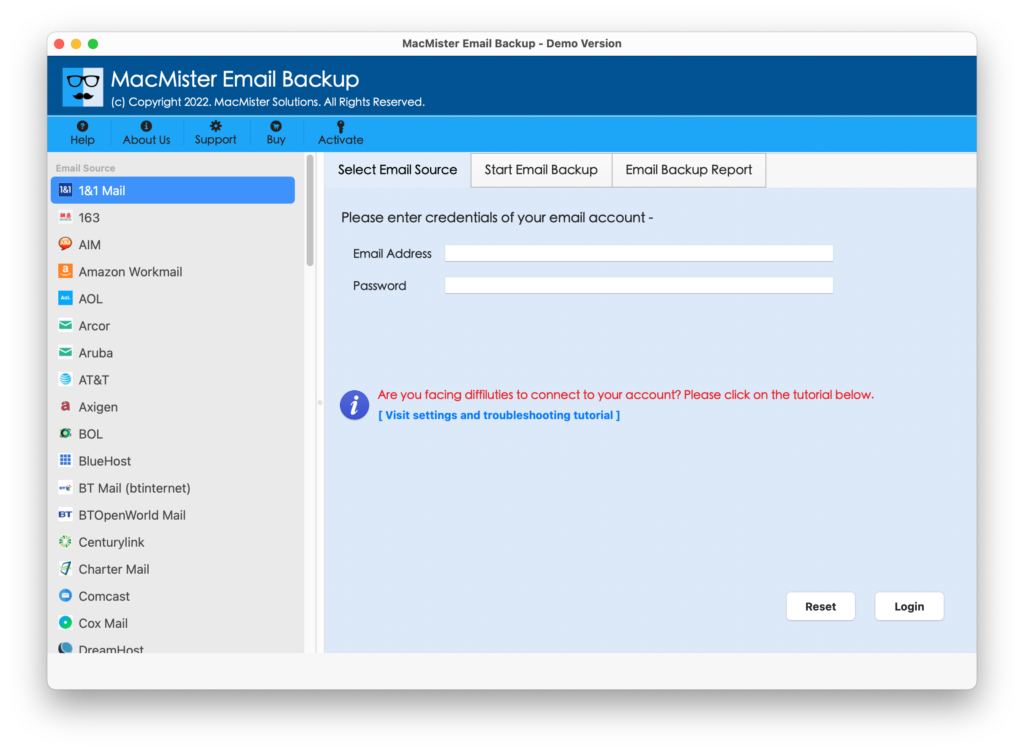
Step 2. Select Proton Mail option from the left. Provide the necessary details of Proton Mail account and click Login button.
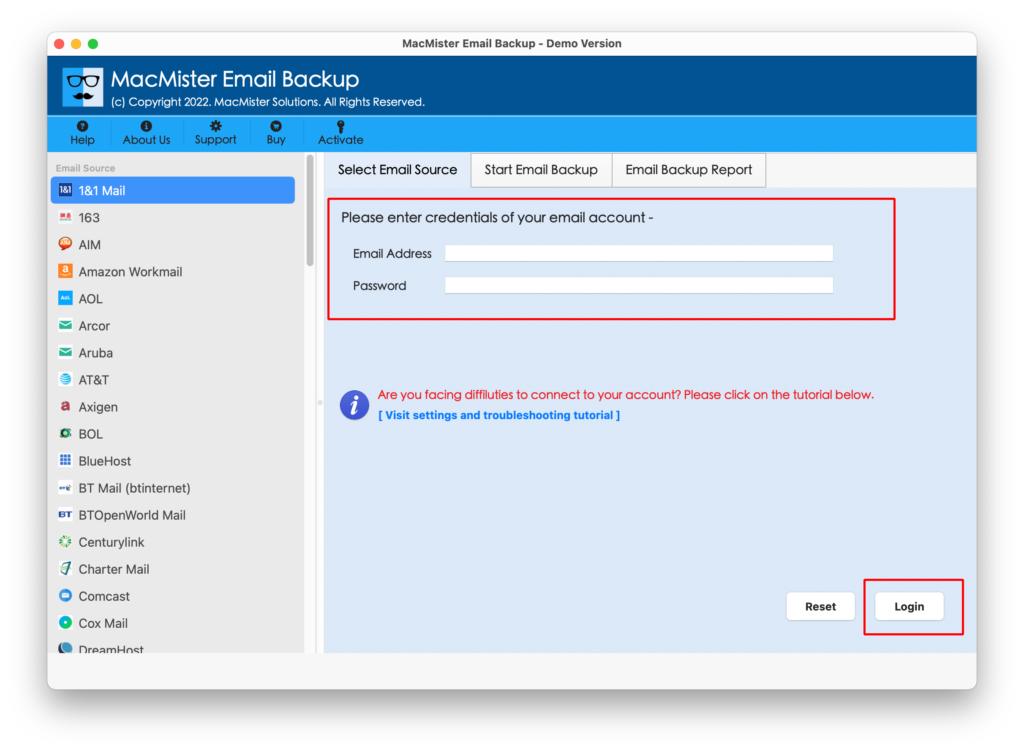
Step 3. The ProtonMail account will connect with the tool and its mailboxes will also start to appear on the software panel.
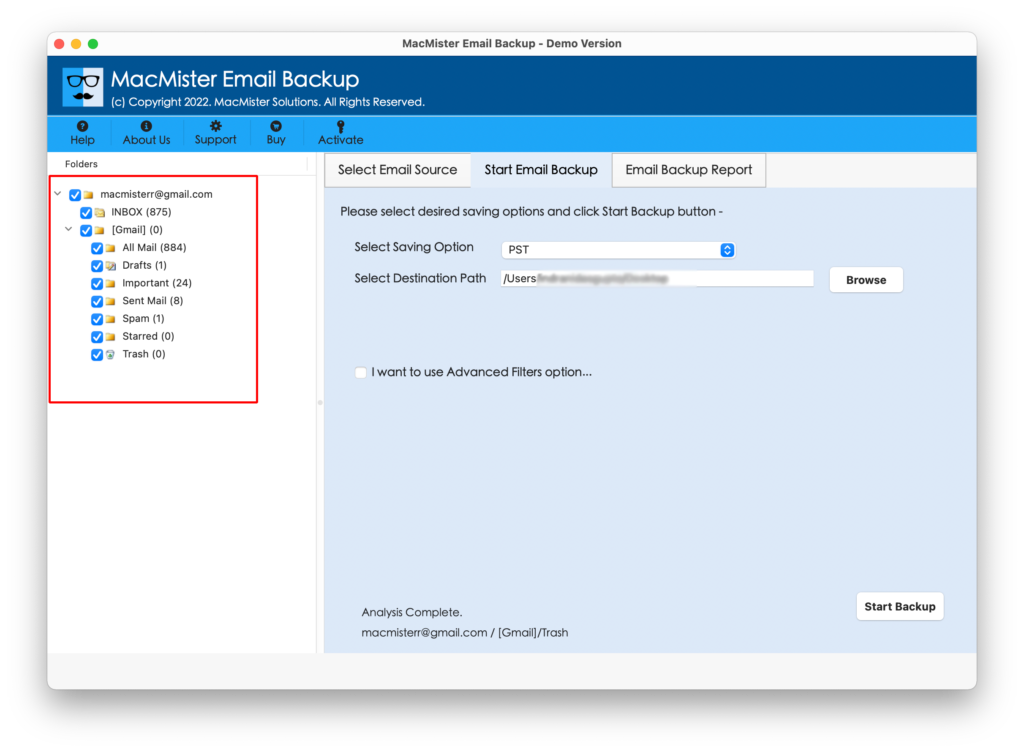
Step 4. On the right side, click Select Saving Options and choose IMAP from the list.
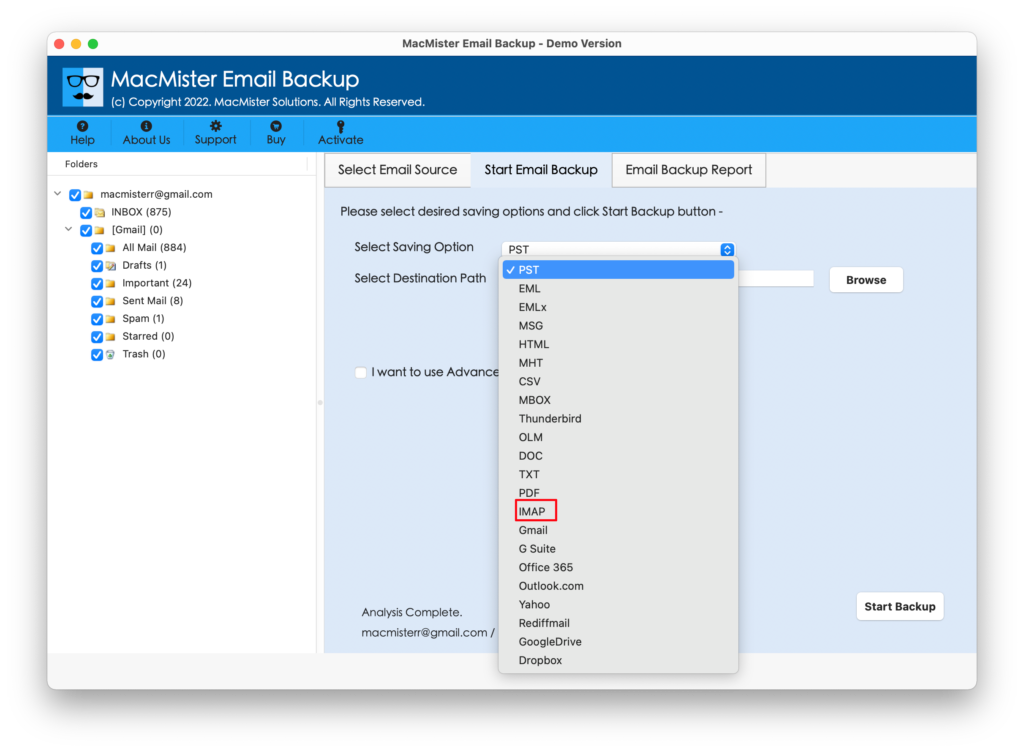
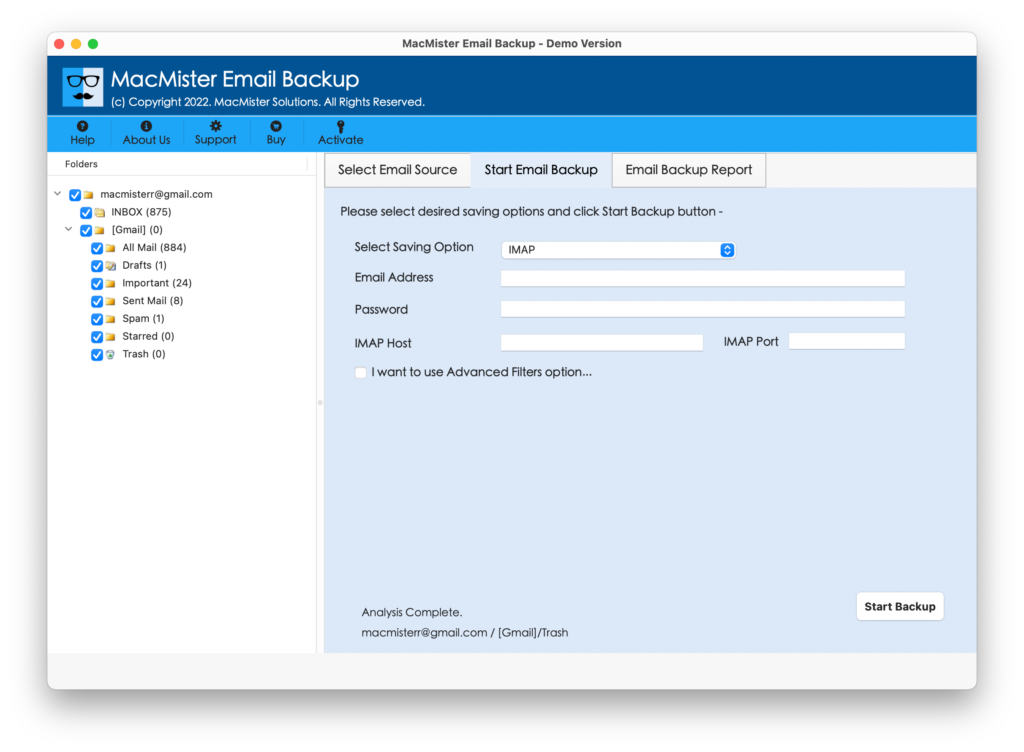
Step 5. Provide the Zoho Mail account details with IMAP Host and Port Number. You can also use Filters if you want to add specific Proton Mail emails to Zoho Mail. Then, click Export button.
Step 6. The migration procedure is live and Email Backup Report will appear showing the ongoing migration status of Proton Mail emails.
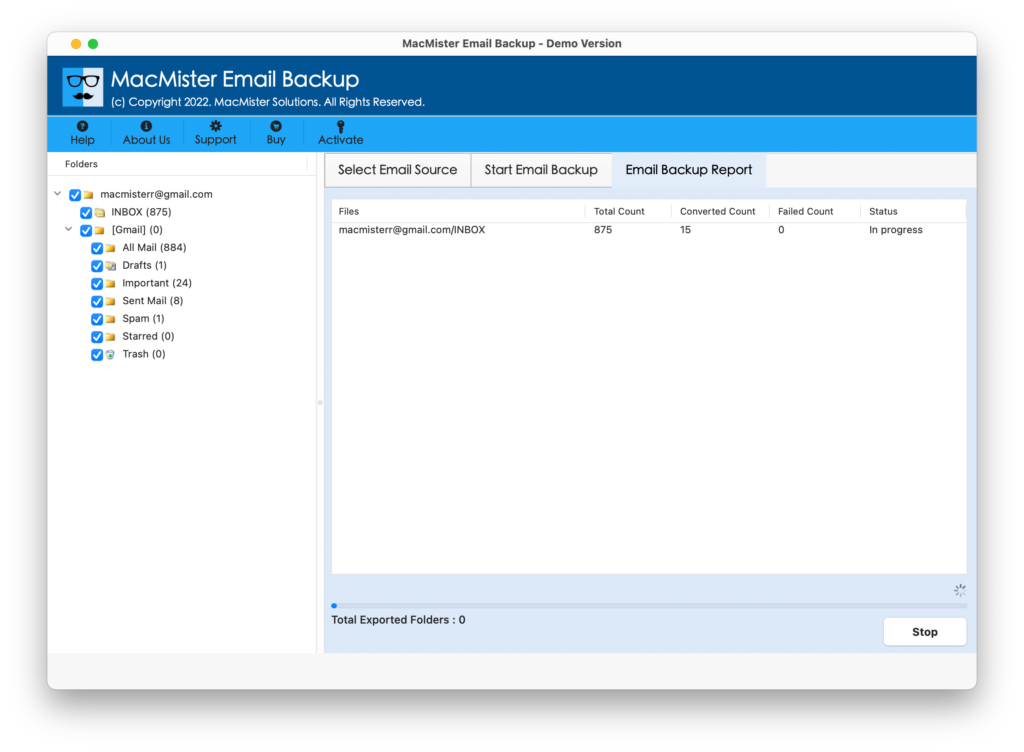
The process will complete in a few seconds and then the “Process Completed” pop-up will be received by users. Just click on OK and go to Zoho Mail account to check the resultant files. However, you will see that all the migrated emails are accurate and appear with precise formatting properties as well as folder structure.
Why Proton Mail to Zoho Mail Migration Tool is Preferable?
There are plenty of reasons for choosing the application and some of them are discussed below-
- Directly add Proton Mail to Zoho Mail with emails and attachments.
- Maintains the originality of Proton Mail emails throughout the process.
- Use multiple Filters to add necessary ProtonMail emails in Zoho Mail.
- Keeps the folder structure secure and intact when performing migration.
- Capable of transferring unlimited ProtonMail emails at once.
- Provides the live backup report that helps in tracking the migration status.
- A simple and friendly GUI is accessible by professional and non-professional users.
- Save the time and energy of users by delivering limited operational steps.
- Allows to add Proton Mail to Zoho Mail on macOS Sonoma and earlier versions.
Quick Note. Download TRIAL EDITION to learn more about Software Options and Features
Epilogue
The write-up has discussed the trouble-free approach to add ProtonMail to Zoho Mail account with emails and attachments. The MacMister ProtonMail Email Backup Software Mac is a wonderful unique tool that takes create of the entire migration with ease. It supports a quick migration process and instant delivery of results. Download the trial edition of the software and check the step-by-step working for free. Moreover, it will allow you to add 25 ProtonMail emails to Zoho Mail free of cost.