How to Convert Sylpheed Email to PDF on Mac & Windows?
Did you extract essential Sylpheed mailboxes recently? Want to convert them into PDF but wondering how to convert Sylpheed email to PDF on Mac with ease? Searching for a secure and effective solution for the same? Then no worries just go through the article and you will come across a solution that will help you to precisely convert Sylpheed email to PDF with attachments accurately.
What are the reasons to convert Sylpheed Email to PDF?
Sylpheed is an open-source email application which is compatible with multiple platforms i.e. Windows, Mac, UNIX, Linux, etc. It is considered a lightweight, friendly, easy-to-use and feature-rich email platform. Moreover, the email client is equipped with an intuitive GUI, supports keyboard-oriented operation and can be widely used from beginners to power users.
Sylpheed offers a way out to export mailbox into MBOX by using File menu. Simply select Export to mbox file… option and select a folder to export into MBOX and simultaneously select or specify a name of MBOX file you need to generate.
MBOX is usually a commonly used file format and is supported by large number of email applications and Sylpheed is one of them. It is a single database file that stores all email messages and attachments of a user account.
Although, users can use any text-editor to open MBOX file, still some people prefer to convert them into PDF.
Why users prefer PDF to convert Sylpheed mailboxes?
PDF (Portable Document Format), originally created by Adobe which is used to display “Read-Only” documents that are easily accessible on devices such as PCs, tablets, mobiles, and laptops. Moreover, it can be viewed by multiple web-browsers without the support of additional viewer tool.
PDF has several benefits; some of them are mentioned here:
- It is one of the trusted document formats as mostly used by legal professionals as they are easily recognizable in court.
- Restrict viewing by applying username and password.
- Show PDF content with the same layout on all devices.
- Easily compress large file without affecting its originality.
- Includes digital signature, watermarks, and password to protect the document.
How to Convert Sylpheed Email to PDF on Mac & Windows?
The easy and effective way to convert Sylpheed email to PDF is MacMister MBOX to PDF Converter Mac & Windows. The application is equipped with a batch mode option that allows users to batch convert Sylpheed emails and attachments into PDF format at once. Moreover, it is designed with a friendly and intuitive interface and thereby all professional and non-professional users can operate it independently and able perform the conversion without any issues.
There are also plentiful features available that you will encounter while using the tool to convert Sylpheed email to PDF. However, a free demo is also available that can be used to check the conversion steps of the application for free.
Working Steps to Convert Sylpheed Email to PDF on Mac
Step 1. Download and run MacMister Sylpheed to PDF Converter on Mac OS.
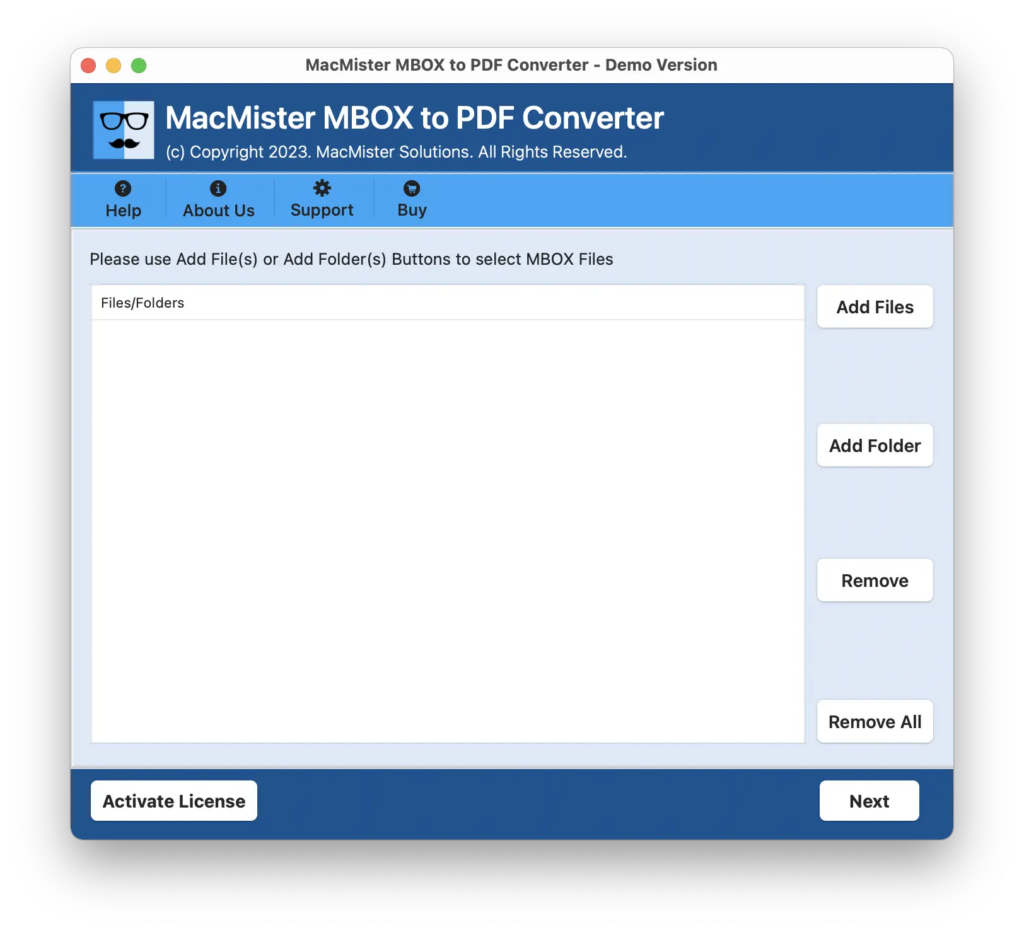
Step 2. Add Sylpheed MBOX files on the tool with the help of Add File(s) and Add Folder options. The Add File(s) option will add necessary Sylpheed mailboxes on the tool and the Add Folder allow users to add a folder with unlimited Sylpheed mailboxes on the tool for batch conversion. Click Next to continue.
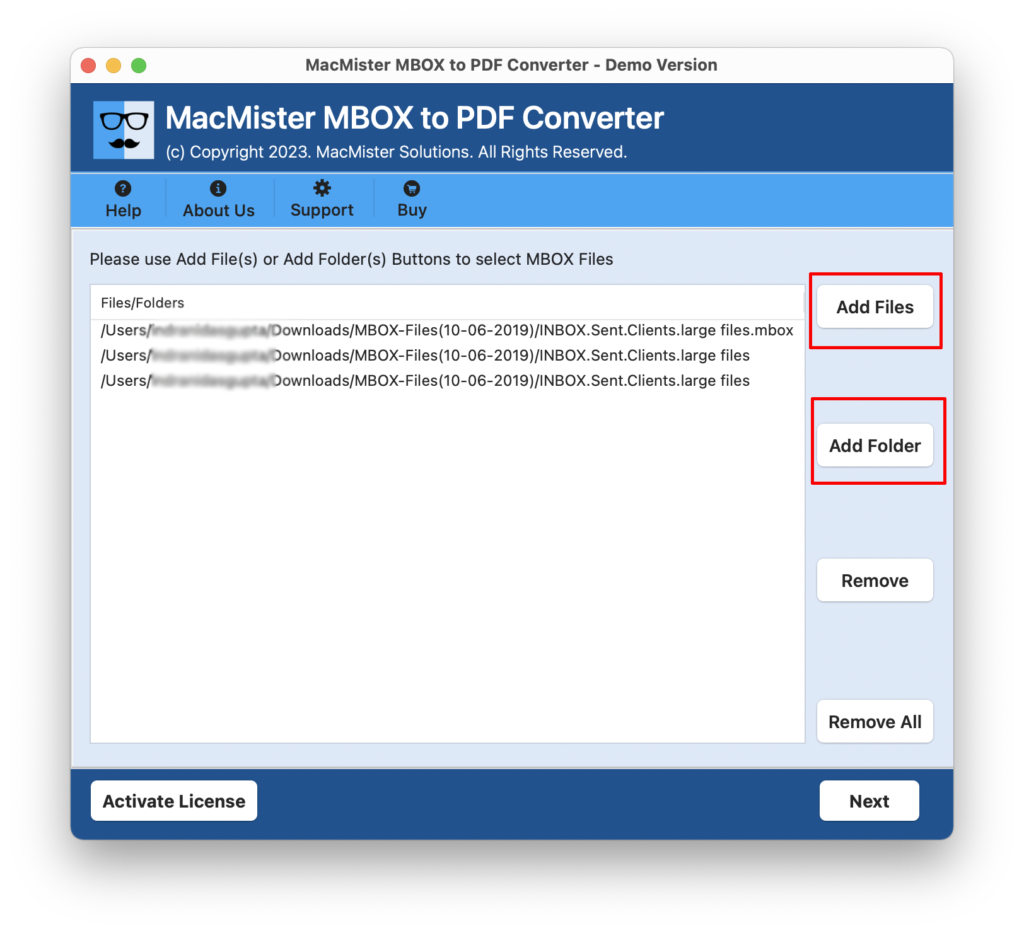
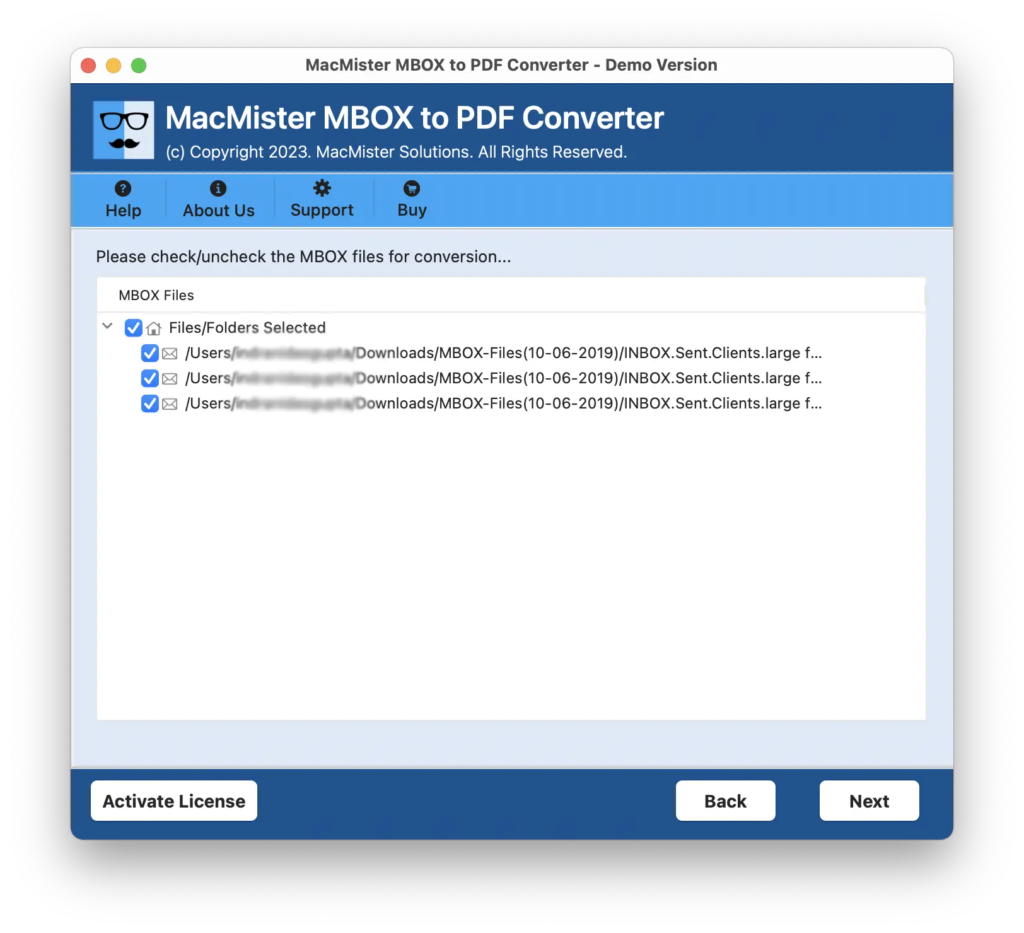
Step 3. The application will show Sylpheed mailboxes with selected checkboxes one-by-one. However, you can use checkboxes to convert selected Sylpheed emails to PDF on Mac. Click Next to continue.
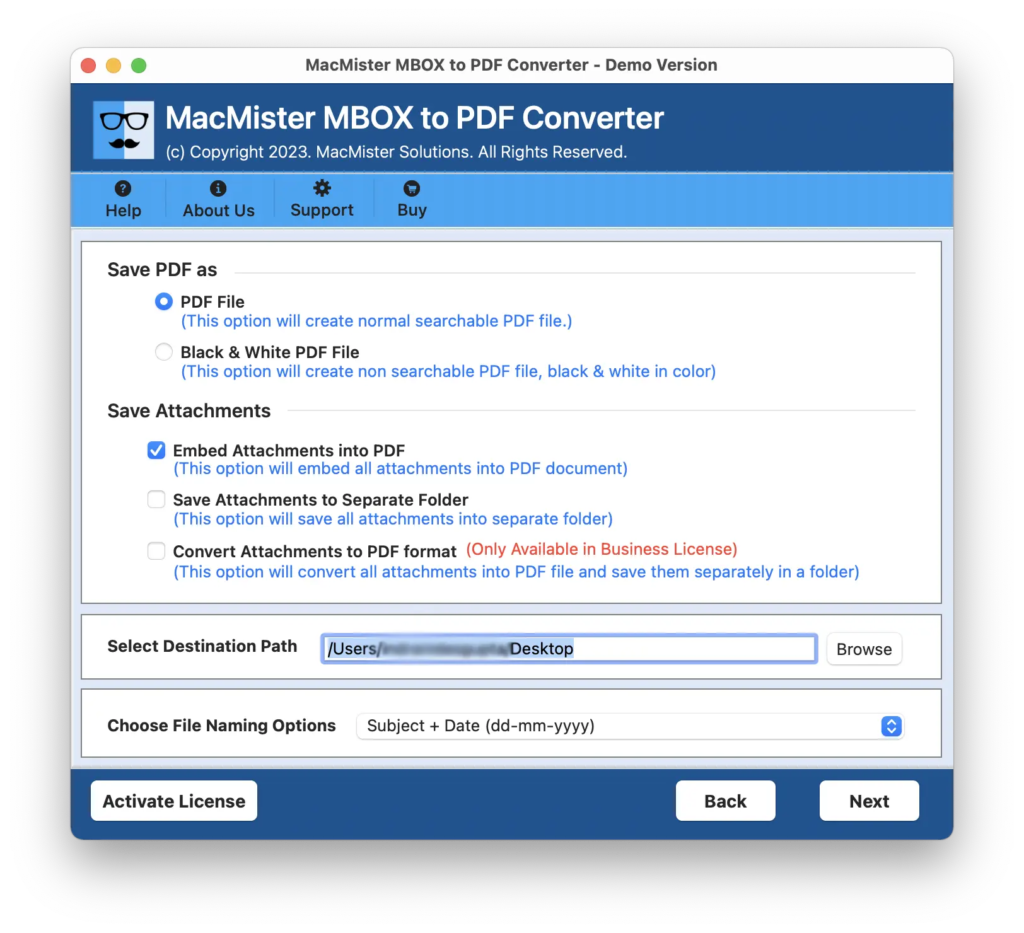
Step 4. Now, apply PDF options according to your preferences such as black & white colour option, save PDF file, convert attachments to PDF, embed attachments to PDF, save attachments to separate folder, file naming options, and more. Click Next to continue.
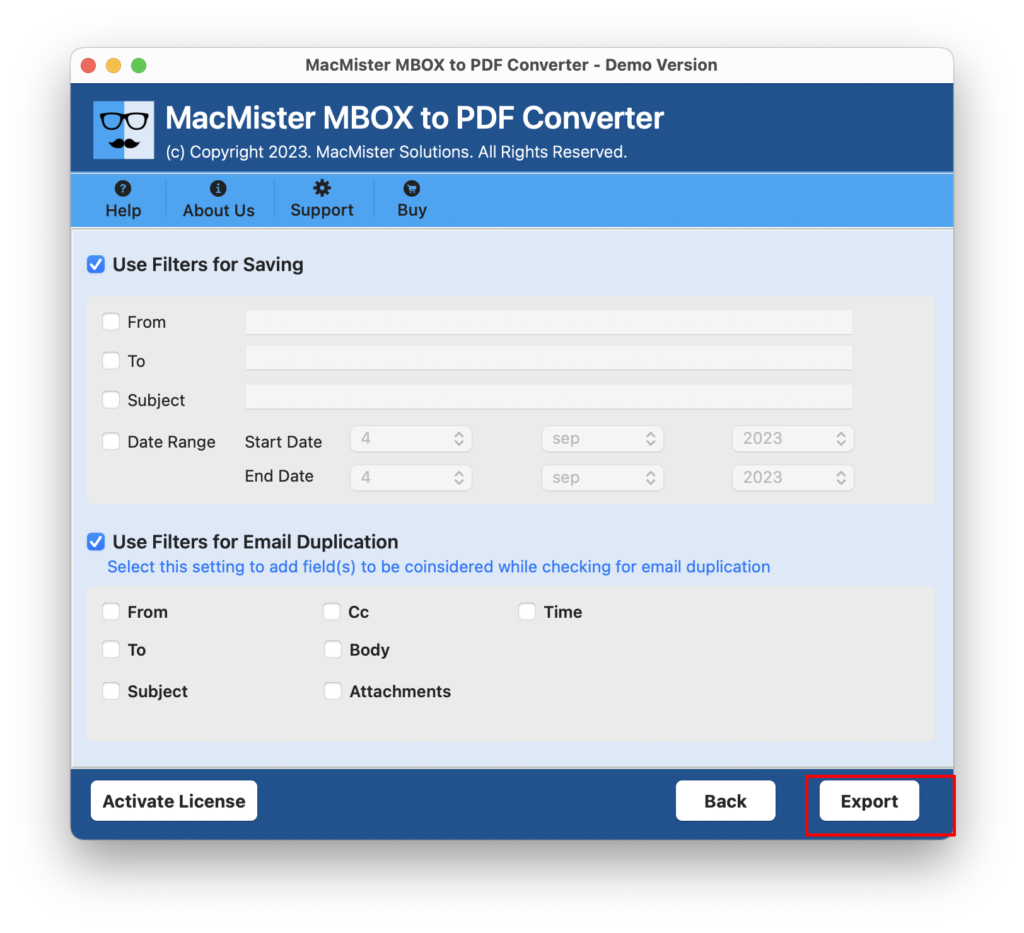
Step 5. Utilize Filters for email duplication or to convert specific Sylpheed emails to PDF. At last, click on Export to start Sylpheed to PDF conversion.
Step 6. The application will show Live Conversion Report that displays the current conversion details of Sylpheed email files.
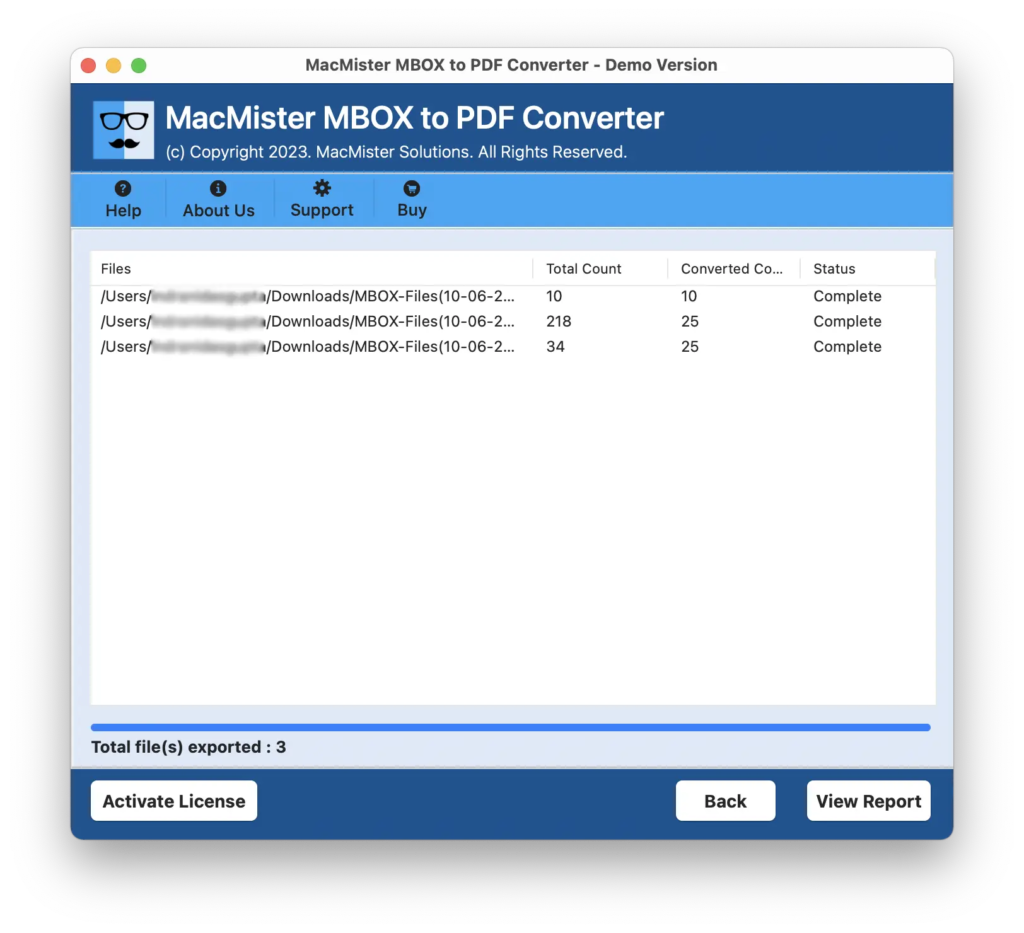
The entire task will successfully finish with a notification confirming that the Sylpheed emails are successfully converted to PDF format. After this, click OK button and then go to the location where all resultant files are saved. However, you can open the required PDF document to check if the files are properly converted or not. And you will see that the email messages are accurately converted. Even its formatting properties and layout are also appearing without any alteration.
Why to choose MacMister Sylpheed to PDF Converter?
MacMister Sylpheed to PDF Converter is a remarkable application to convert Sylpheed unlimited emails and attachments into PDF on Mac & Windows. The tool is build with numerous powerful features so that users can use them as per their requirements and receive desired results with 100% accuracy. Here, we have discussed some of them:
- Batch convert emails from Sylpheed to PDF with attachments at once.
- Introduced with dual options to add Sylpheed mailboxes i.e. Add File(s)/Add Folders.
- Offers variety of options to save email attachments i.e. save email attachments to separate folder, embed email attachments to PDF, and convert email attachments to PDF.
- Provides black & white color option to save Sylpheed emails in PDF accordingly.
- Includes different Filters for implementing specified email conversion and for email duplication.
- Supports multiple naming options to arrange resultant files for ease of access.
- Mac users can run Mac version of tool on all Mac OS versions including Mac OS Sonoma.
- Windows users can utilize Windows version of the application on any Windows OS including Windows 11.
Epilogue
In the write-up, we have highlighted an exceptional way to convert Sylpheed email to PDF on Mac & Windows. The solution is completely safe and easy-to-use. It handles the batch process with ease and delivers accurate results in minimum time. The application also possesses variety of features that helps in attaining the desired outcome. Moreover, it is available with a trial edition so that users can test the software steps for free. Also, users can convert first 25 Sylpheed emails to PDF with attachments on Mac free of cost.