How to Export Emails from ProtonMail to PDF on Mac & Windows?
Do you want to download some of your essential Proton Mail emails in a secure file format? Wondering how to export emails from ProtonMail to PDF on Mac & Windows effortlessly? Searching for a safe and powerful solution for the same? Not to worry, follow the article and you will encounter a solution that will precisely save ProtonMail emails to PDF with attachments in a few seconds.
PDF or Portable Document Format is one of the oldest and most widely used file formats. The files are mostly popular for their flexibility. In other words, users can open and view PDF data with the correct layout on any device from anywhere anytime.
PDF is a supported format of Adobe Reader and was created by Adobe in 1991. The main purpose of file is to help businesses share documents electronically. It was a revolutionary file format as it allowed users to add complex formatting and layout to their documents, making them easily viewable on the screen.
Some Common Benefits of using PDF File
Easy Accessibility on any Device
PDFs are considered as one of the universal file formats because they are easily accessible on any computer or device and the entire credit goes to PDF format open-source. In other words, any user can transform their essential files into PDF files without needing any additional tools. Moreover, there are some browsers offer in-built support of PDF so that users can read PDF files online.
Preserves Original Formatting Properties
PDF files show the document with correct formatting properties including fonts on any platform. This means, that PDFs will appear in an exact way on a laptop, smartphone, or tablet.
PDF Files are Easy to Navigate & Use
PDF has a user-friendly interface that delivers easy-to-use and easy-to-navigate functions to its users. Even, non-technical users can easily access the information they require within PDF. Moreover, the files can be easily navigated with the help of a variety of devices.
PDFs are secure and highly confidential
PDF files are encrypted which means that only authorized users will be able to access the content saved in the document. Additionally, PDF provides options to protect PDF documents i.e. digital signatures, passwords, and watermarks.
How to Export Emails from ProtonMail to PDF on Mac & Windows?
The simple and easy way to export emails from ProtonMail to PDF is MacMister ProtonMail MBOX to PDF Mac & Windows Converter Tool. With the help of the tool, users can batch export Proton Mail emails to PDF on Mac or Windows at once keeping the original data preserved and protected. The software is user-friendly and thus any professional and non-professional users can operate it without requiring expert’s assistance. Also, the steps are minimal which will save users time, helping them to perform the unlimited process quickly and effortlessly.
Moreover, the tool is built up with many advanced features so that users can export ProtonMail emails to PDF according to their requirements. And if someone wants to understand the process in detail, then a free demo is available that allows to print the first 25 ProtonMail emails as PDF free of cost.
Working Steps to Export Emails from ProtonMail to PDF on Mac
Step 1. Download and run the ProtonMail to PDF solution on your Mac (any version).
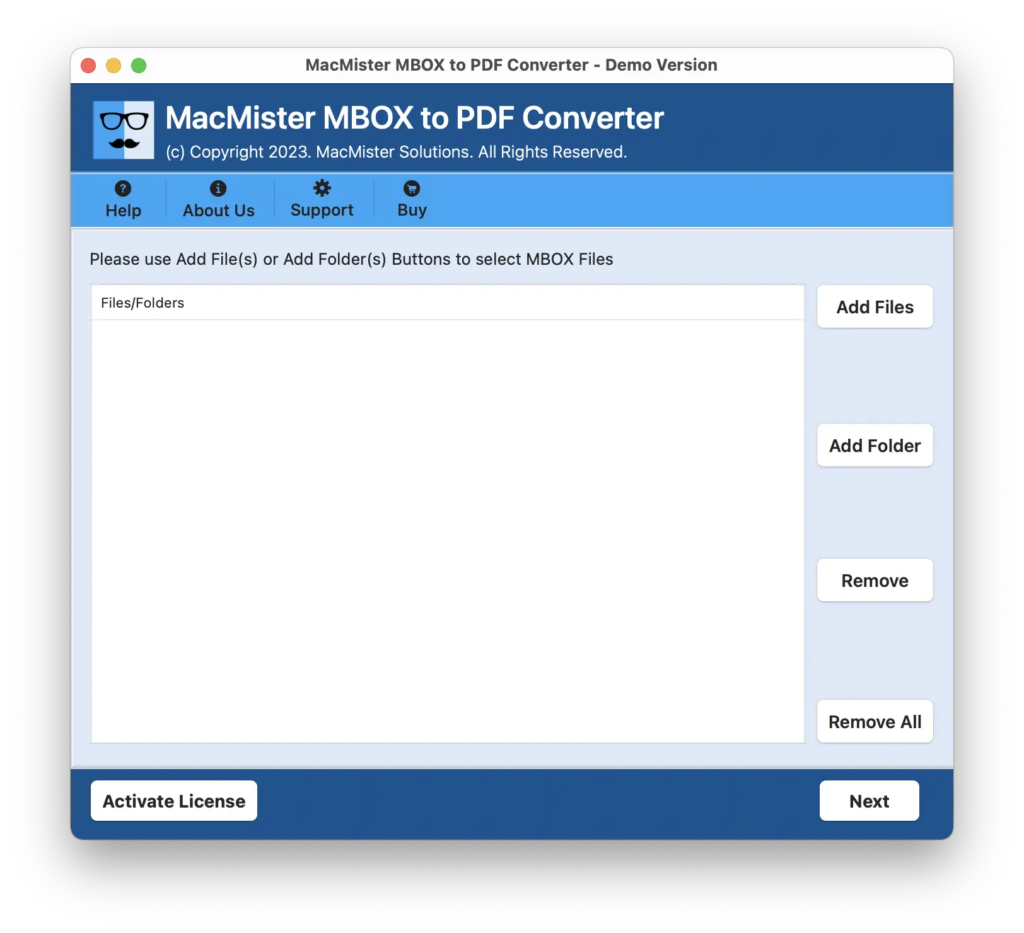
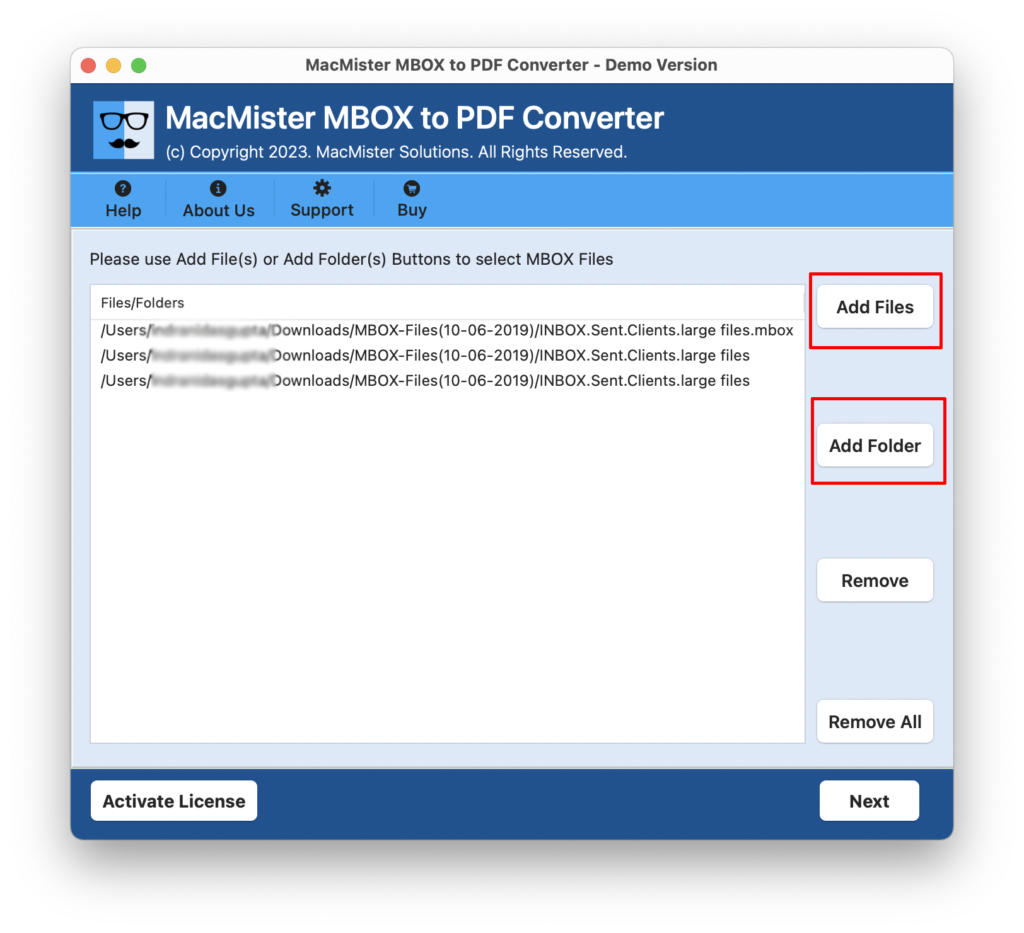
Step 2. Add ProtonMail MBOX files on the software with the help of Add File(s) or Add Folder options. If you have few ProtonMail mailboxes, then use Add File(s) option. Or in case you have unlimited Proton Mail files folder, then click Add Folder option. After this, click Next.
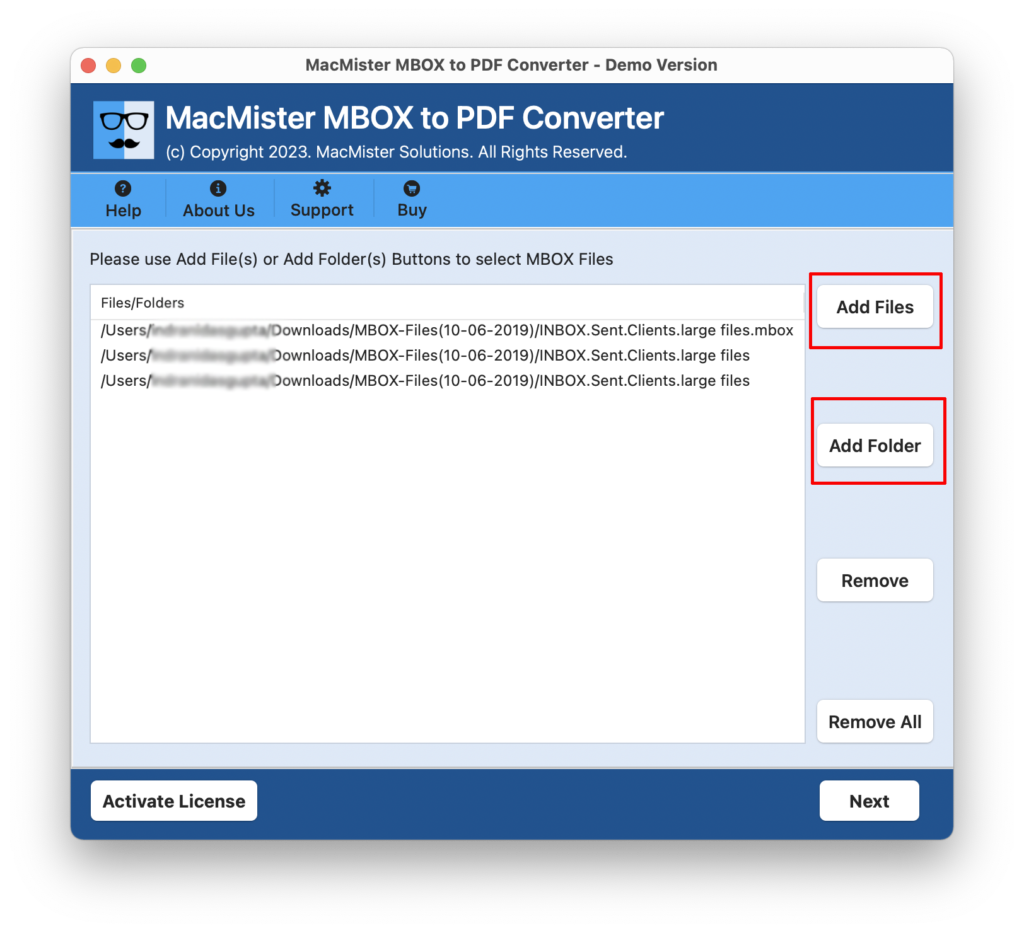
Step 3. The tool start adding ProtonMail mailboxes on the software pane with selected checkboxes one-by-one. However, you can deselect all the checkboxes and select again as per your requirements to export selected ProtonMail emails to PDF, if required. Click Next and move to next step.
Step 4. Apply PDF options according to your requirements – save PDF file, black & white colour, save attachments to separate folder, embed attachments to PDF, file naming options, set destination path, and more. Click Next.
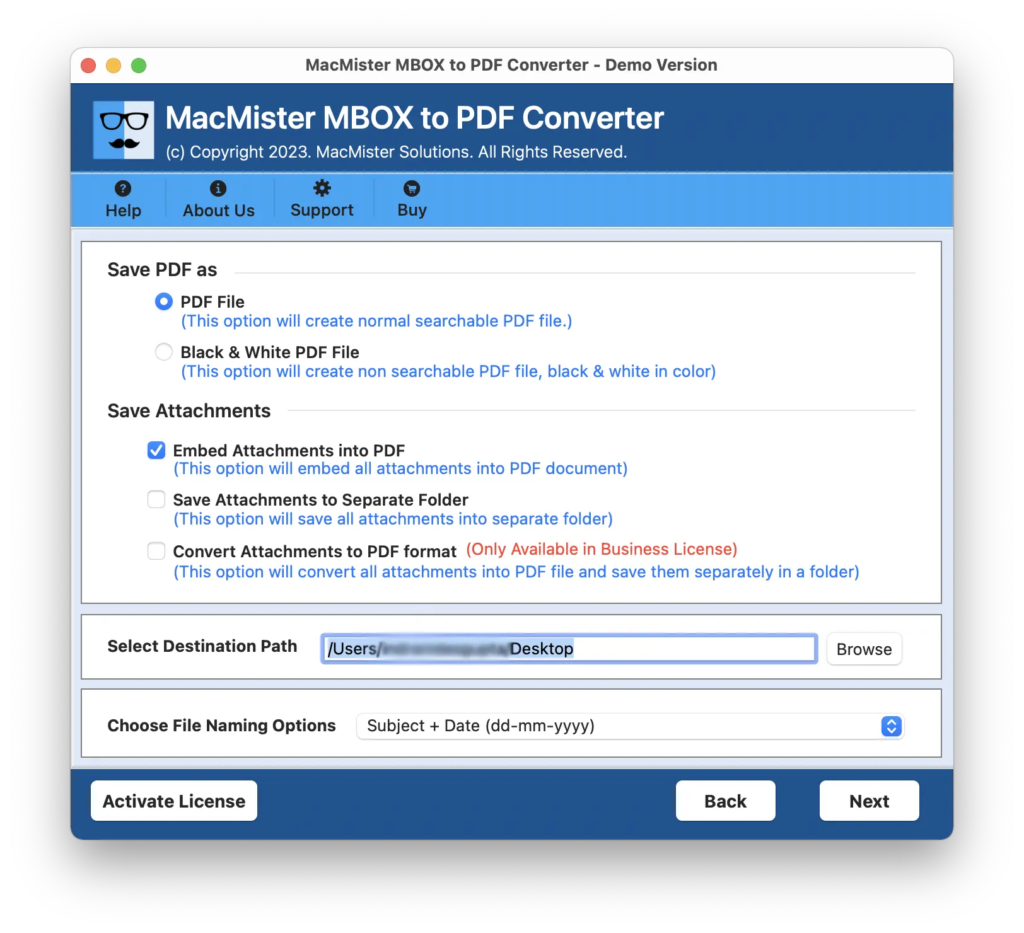
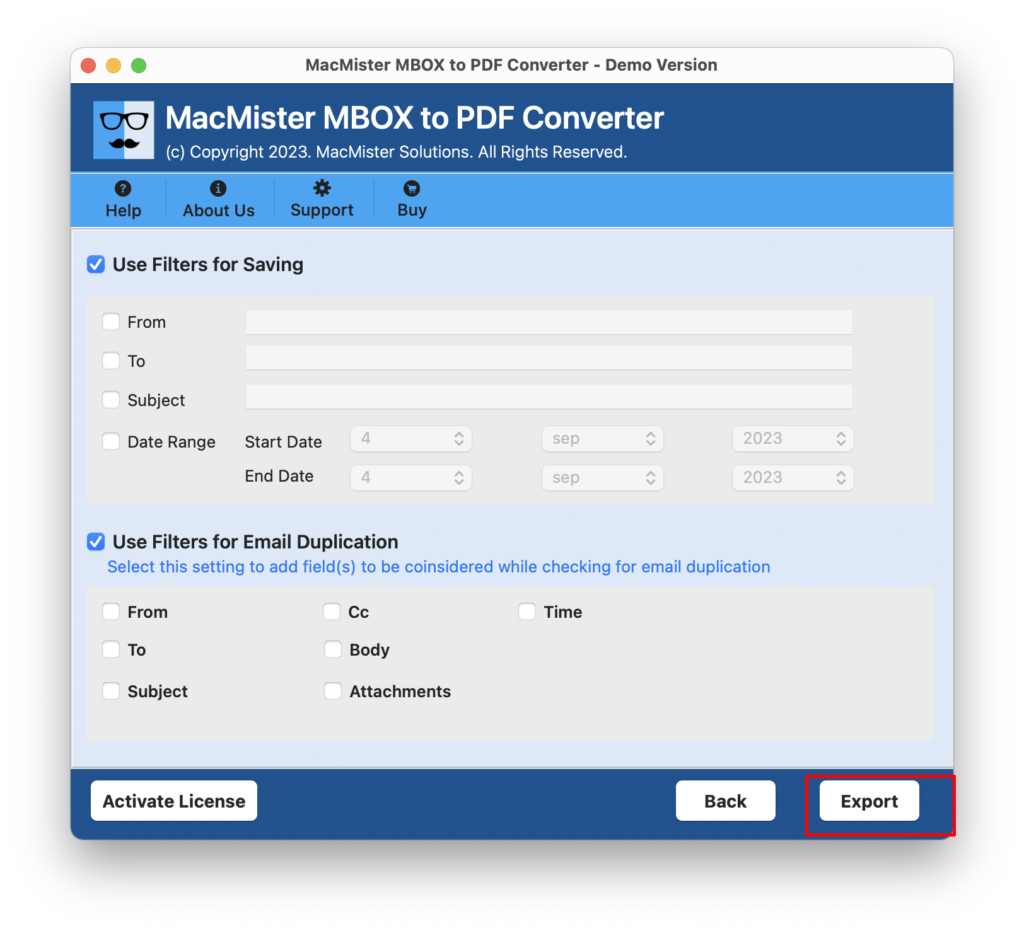
Step 5. You can use Filters as per your choice and click on Export to start the mailbox conversion of ProtonMail.
Step 6. The software will show Live Conversion Report that displays the current conversion progress of ProtonMail mailboxes.
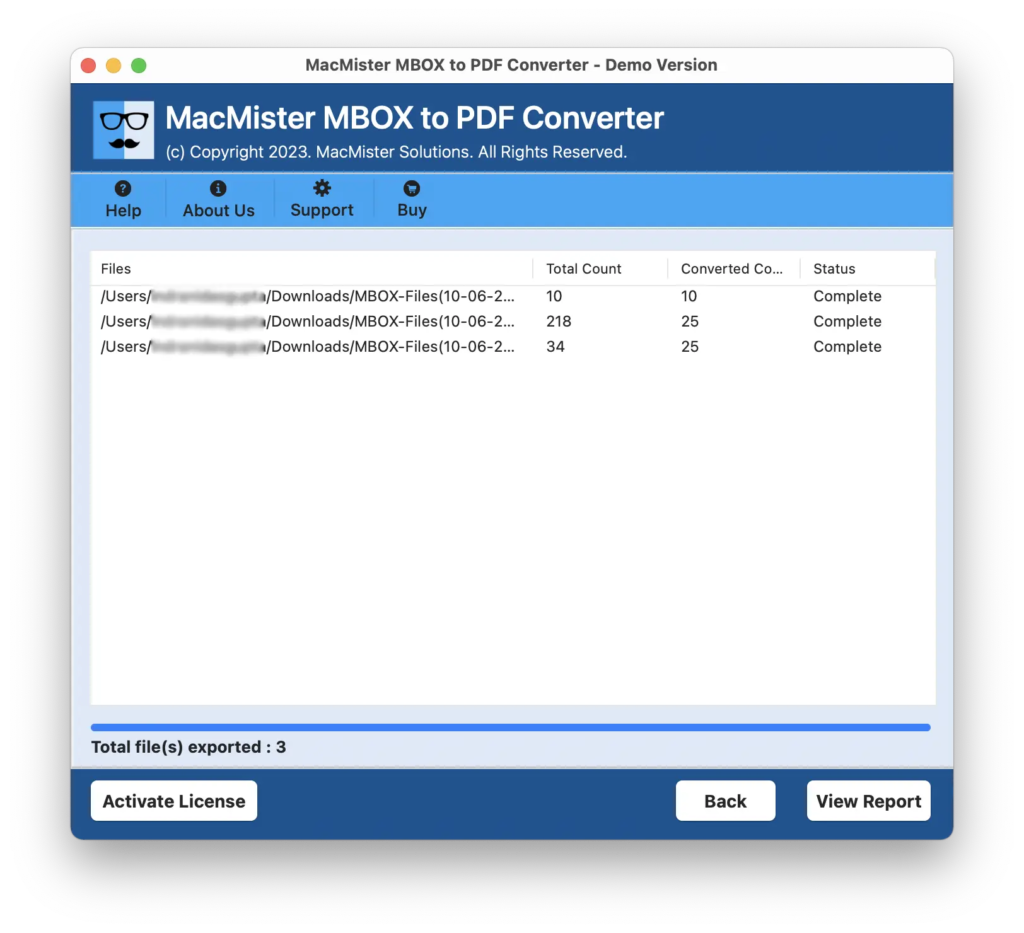
The entire procedure will finish with a pop-up window confirming that the process is completed successfully. Tap OK and open the required PDF location to check the result. However, you will see that the application has performed the conversion accurately. The content, layout, and formatting properties will appear without any alteration.
Why MacMister ProtonMail to PDF Converter is a Recommended Tool?
MacMister ProtonMail to PDF Converter is an advanced and incredible way to export and save ProtonMail emails to PDF with attachments. It is programmed with many beneficial options that make the process easier for users and help them to perform the conversion of ProtonMail emails as per their requirements. Some of them are:
- Batch export emails from ProtonMail to PDF with attachments at once.
- Equipped with two options to add ProtonMail mailboxes i.e. Add File(s)/Add Folders.
- Offers multiple options to save attachments of emails i.e. save attachments to separate folders, embed attachments to PDF, and convert attachments to PDF.
- Includes black & white color option to save emails of ProtonMail in PDF in black and white layout.
- Supports multiple Filters for selective conversion and for email duplication.
- Provides a variety of file naming options to organize resultant files for easy accessibility.
- Mac users can access the Mac software version and export ProtonMail emails to PDF on Mac.
- Windows users can download and use the Windows software version to export emails from ProtonMail email to PDF.
Epilogue
The write-up here provided a cost-effective and safe solution to fix “how to export emails from ProtonMail to PDF” with attachments on Mac & Windows. The solution is easy to use and delivers instant outcomes with 100% accuracy. However, users can download its free demo and test the conversion of ProtonMail emails for free. It also allows you to print the first 25 ProtonMail email messages as PDFs free of cost.
Quick Note. Download MacMister MBOX Converter for Mac to export all MBOX-supported email client mailboxes into 15+ saving options. The application will transform MBOX files into commonly used file-saving options such as PST, EML, EMLx, MHT, HTML, DOC, IMAP, Thunderbird, Gmail, G Suite, and more.