How do I Import MBOX to Foxmail on Mac & Windows?

Are you having numerous MBOX files on your MacBook that you wish to transfer into Foxmail account? But unsure about how do I import MBOX to Foxmail on Mac or Windows effortlessly? Looking for a simplified procedure to carry out the necessary process with ease? Not to worry, as this article provides a solution that will directly import MBOX to Foxmail including emails and attachments.
Why Importing MBOX to Foxmail is Difficult Process?
Foxmail is a free lightweight email service provider that is equipped with several wonderful features including the ability to manage multiple email accounts at once. The email client is compatible with POP3 accounts, Hotmail accounts, HTML email, and mailbox encryption. It also provides notepad button that allows users to take the recording of notes while working.
MBOX, on the other hand is a popular file format that is compatible with multiple email applications and one of them is Apple Mail. It is considered an archive file for Apple Mail as it known for storing the list of users essential email messages with attachments.
However, most of the Apple Mail users keep taking the backup of their important files from time-to-time in MBOX format. Also they sometimes have to switch onto a different email platform for many reasons. One of them is change of employment. Every company uses an email application that suits their current requirements. Thereby, whenever users move from one company to another, they face several challenges. The files they have extracted from their previous email client will not be accepted in new email program. Because, every email service provider has a different way of storing the data. So, most of the times users face difficulties when they try to access MBOX files into Foxmail account as no there is no manual solution available and in the end they have to opt for a professional tool which will safely import all MBOX emails and attachments into Foxmail on Mac.
How do I Import MBOX to Foxmail on Mac & Windows? – [2024 Solution]
The direct process you can use to import MBOX to Foxmail is MacMister MBOX Converter for Mac & Windows. The application contains a friendly interface that technical and non-technical users can handle without any issue and directly transfer all MBOX files into Foxmail at once. Even, the software operational steps are limited in number which will save users time and efforts.
Moreover, the software contains variety of incredible features which can be applied according to specific requirements by users to gain the desired results. However, you can experience the whole process by downloading the trial edition of the software.
Working Steps to Import MBOX to Foxmail on Mac
Step 1. Download and run MacMister MBOX to IMAP Migration Tool for Mac on Mac OS.
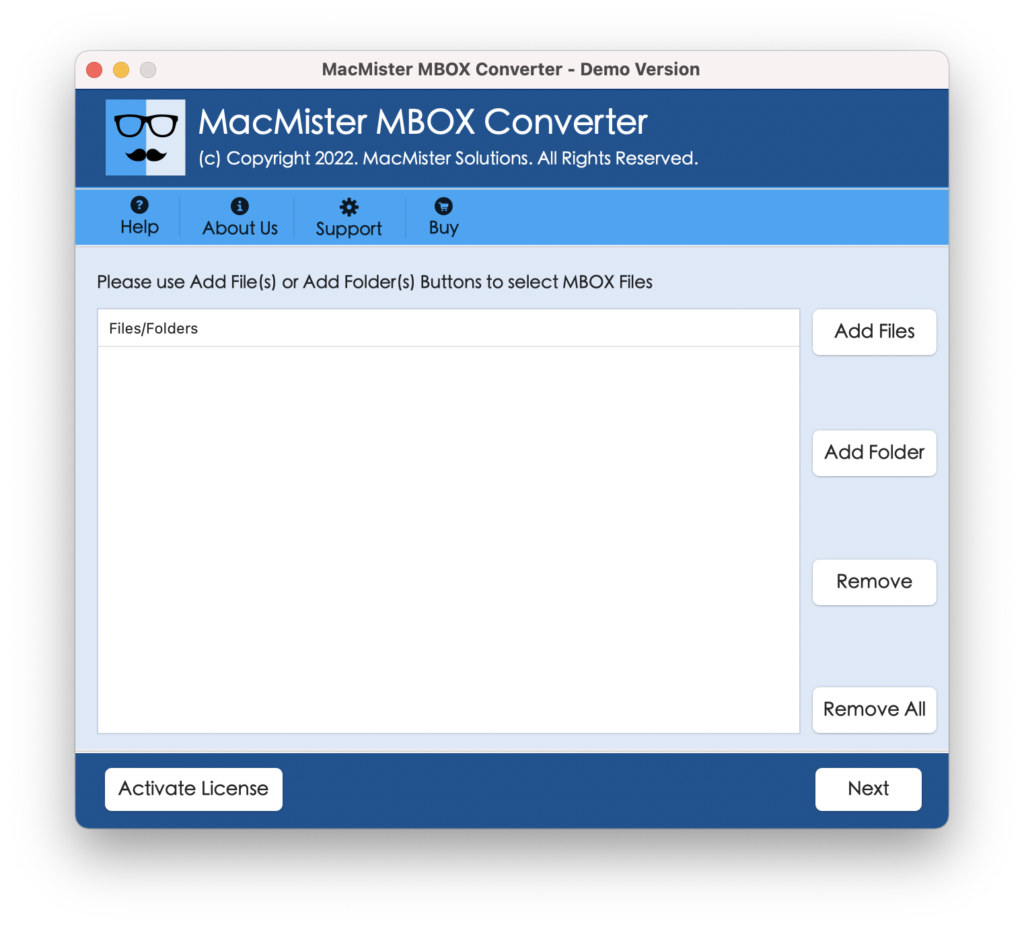
Step 2. Make use of dual buttons (Add File(s)/Add Folder) to add few MBOX files on the tool or an entire folder carrying unlimited MBOX files. Click Next to continue.
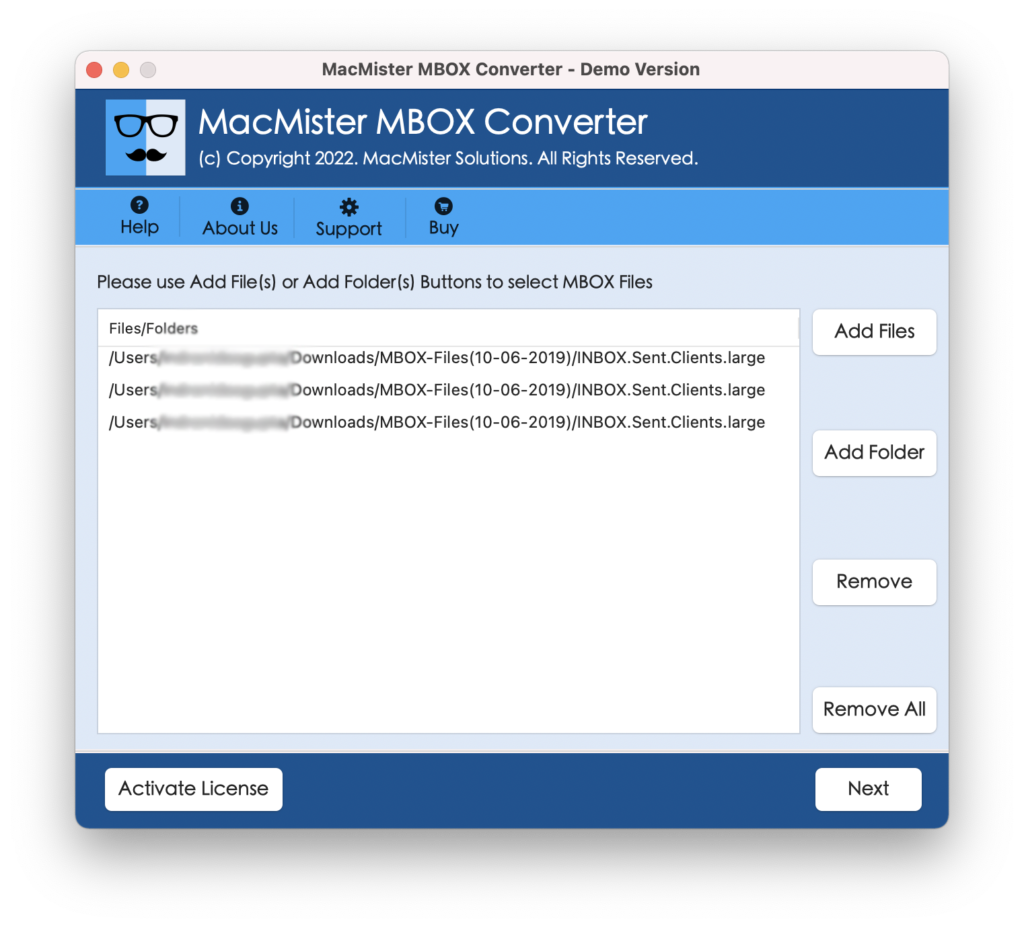
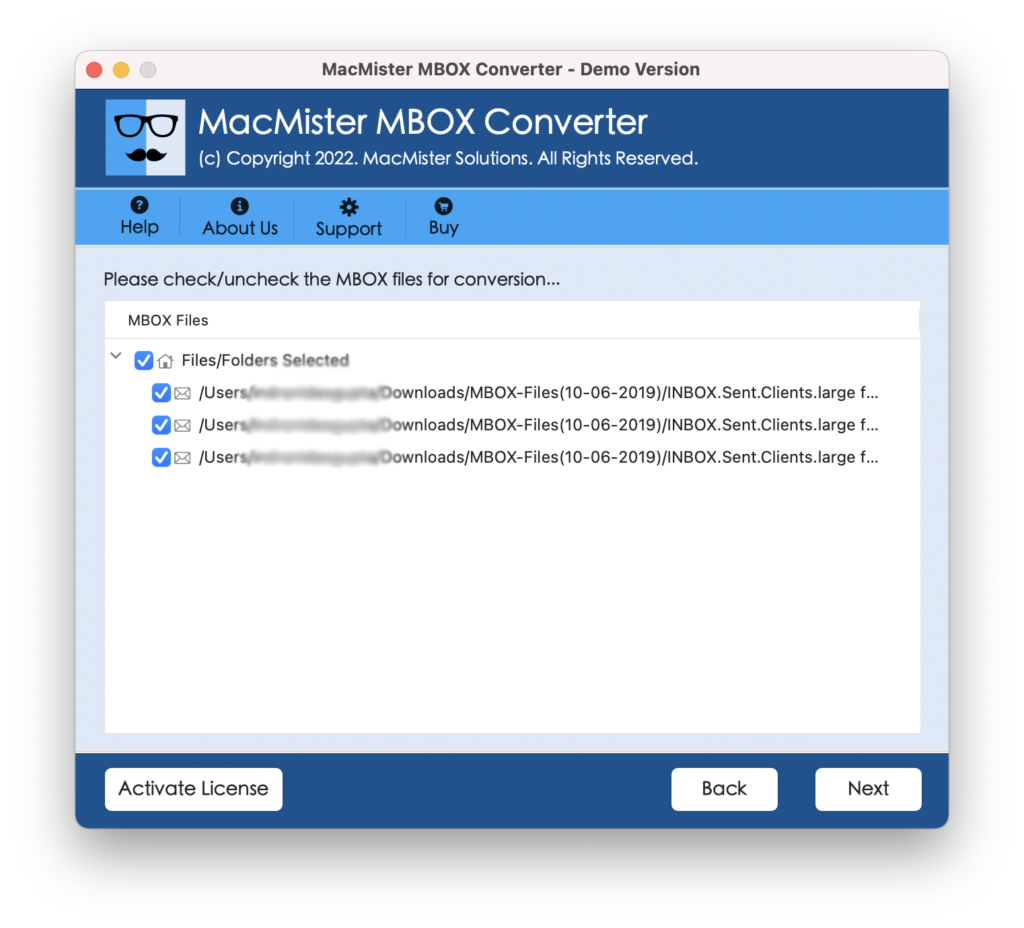
Step 3. The software now starts adding chosen MBOX files on the tool one-by-one with checkboxes. By default, all checkboxes will be selected but you can deselect them and select them as per your requirements to import selective MBOX emails and attachments into Foxmail. Click Next to continue.
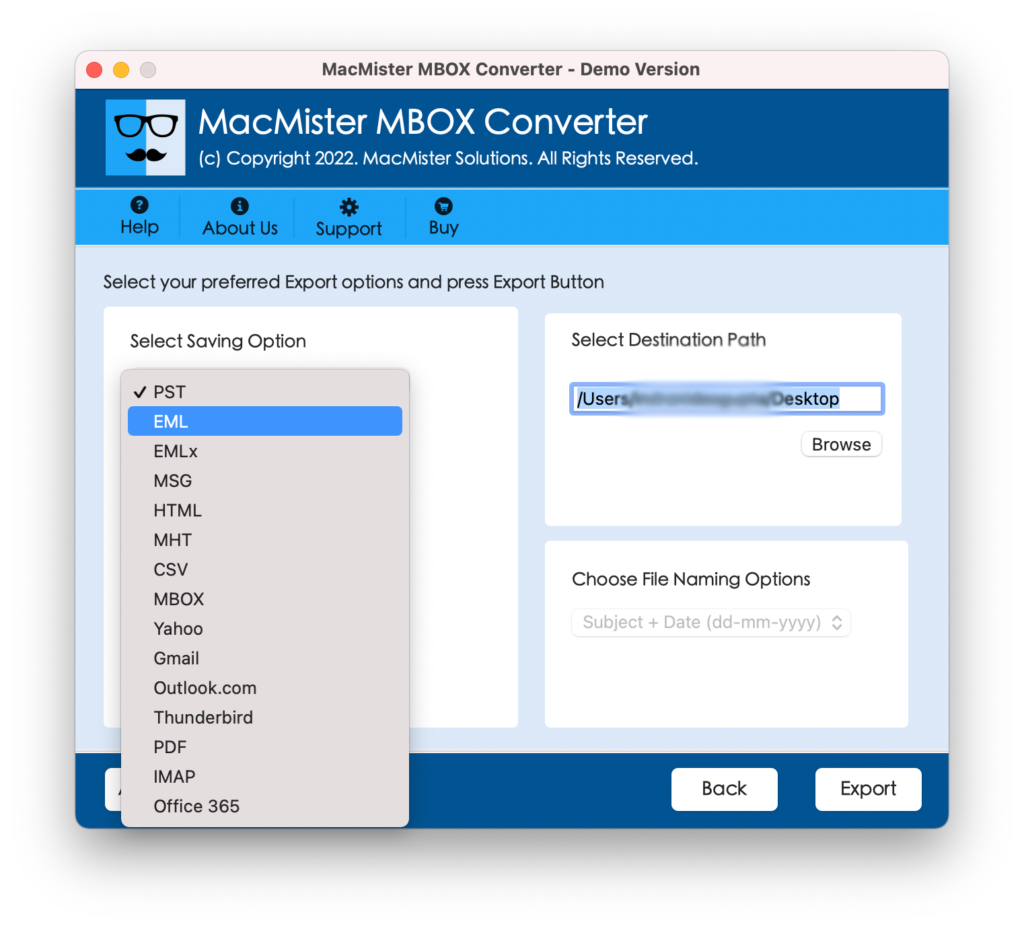
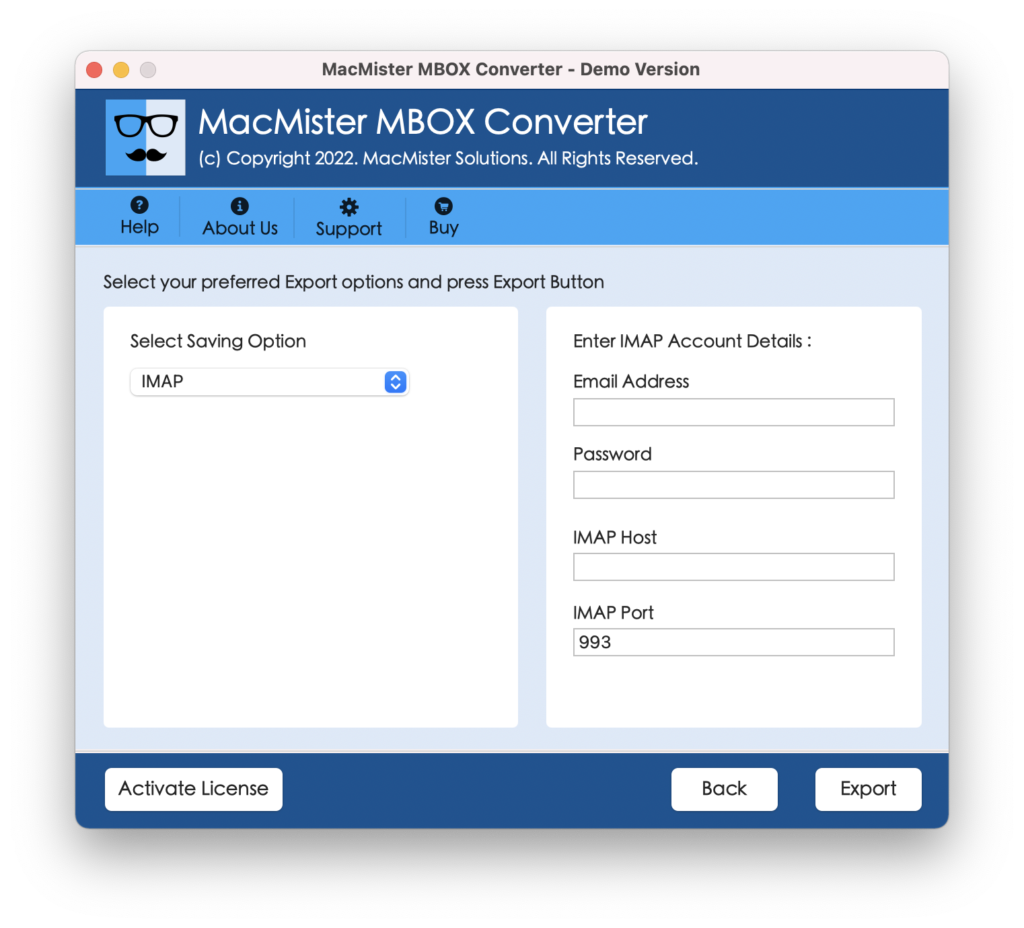
Step 4. Click Select Saving Options and select IMAP option from the menu.
Step 5. Specify Foxmail login details with IMAP Host and Port Number and tap Export button to start the process.
Step 6. You can now view the live migration process of MBOX to Foxmail on your screen. Also, you can track the current export status of MBOX files.
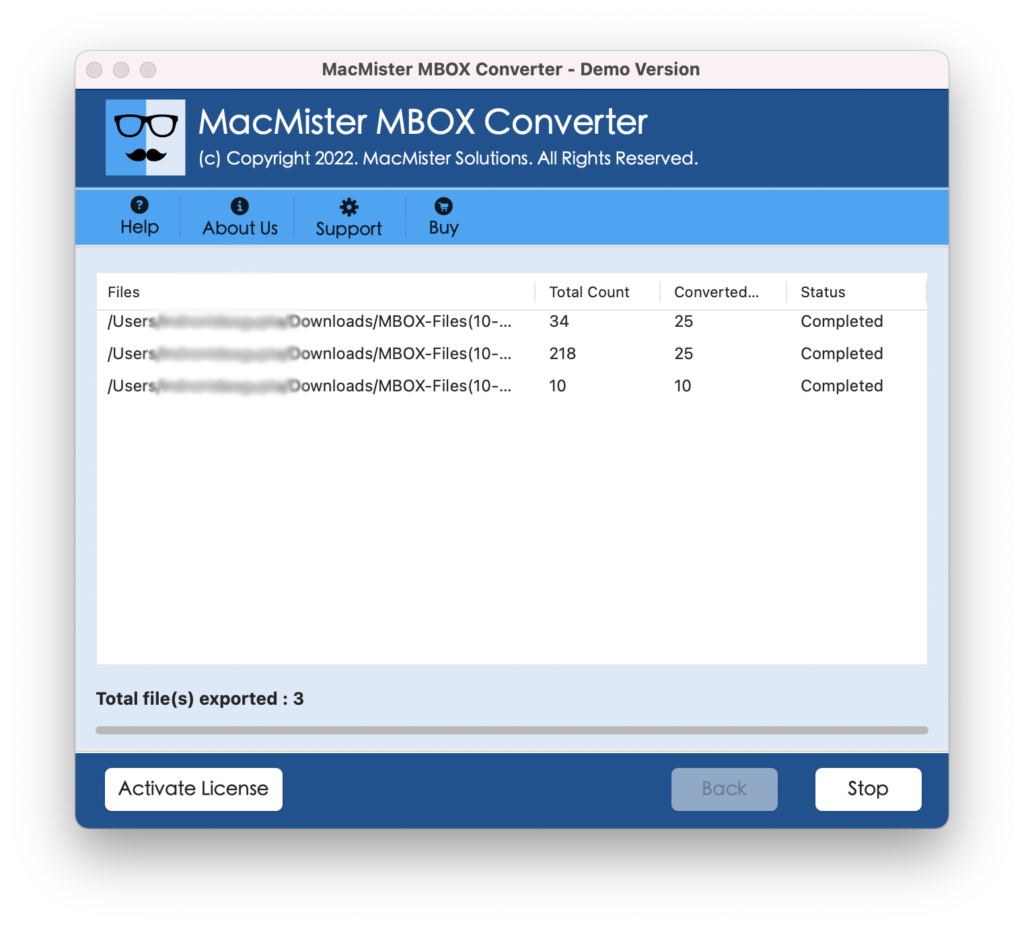
In few seconds, the tool will finish the process and then show “Conversion Completed” pop-up on your screen. Click on OK and login to Foxmail account to verify the results. However, you will see that the resultant files are accurate. They will appear with correct email content and formatting properties. Even, the tool will transfer MBOX files to Foxmail with altering the folder structure.
Why MacMister MBOX to Foxmail is a Most Used Solution?
MacMister MBOX to Foxmail is a safe tool to use. It takes care of users requirements by implementing smooth migration of MBOX files with 100% accurate results. Moreover, it is built with numerous beneficial features that help users to attain the necessary output. Some of them are:
- Directly import MBOX to Foxmail with emails and attachments.
- Offers simple interface which is accessible by professional and non-professional users.
- Protects the IMAP details of IMAP account during the process.
- Load MBOX files with checkboxes so that you can import selective MBOX files into Foxmail instead importing the entire list.
- Easily handle the migration of large MBOX files without data loss.
- Preserves the content originality and formatting properties of MBOX emails throughout the process.
- Besides IMAP, the tool also import MBOX to PST, EML, EMLx, MHT, HTML, DOC, Thunderbird, Gmail, Yahoo, Outlook.com and more.
- Keep folder structure of MBOX file in correct order after conversion.
- Display Live Conversion Report that allows users to track the current export status of MBOX files.
- Capable to import MBOX to Foxmail on Mac OS Sonoma and earlier versions.
Quick Note. Download FREE DEMO to Explore all Software Features & Options for FREE.
Epilogue
The write-up here delivers an outstanding solution to resolve “how do I import MBOX to Foxmail?” The above-mentioned methodology is simple and effective and also guarantees accurate results in a short time. Anyone can independently operate the software and handle batch process with ease. You can utilize the trial edition of the application to check the software working for free. Moreover, it allows you to import first 25 MBOX emails and attachments to Foxmail free of cost.