How to Convert MSG to EML on Mac?
Are you working on a Mac platform and received some important MSG files from a Windows client? Unable to find a secure and strong solution for the same! If yes, then keep going with the MacMister article because in the blog we will be discussing the right method that will help in transforming the MSG data to EML on Mac OS X with 100% accuracy.
MSG and EML are very popular file formats that are known for storing single email messages of email accounts. MSG is a file extension of Microsoft Outlook for Windows and EML is a file type for multiple email clients. And, there are plenty of email applications (both Windows and Mac supported) that creates EML file when saving a single important email file.
However, MSG is a format that is not compatible with Mac OS X and thus it is the main issue that many Mac users face. Because many times they receive MSG files from Windows users but are unable to read their content due to incompatibility. Mac is a platform that supports email applications that are configured with different algorithms and thus uses different file formats to save email files. Therefore, sometimes the conversion between files is the last option for users who urgently wants to access MSG files in EML format.
How to Convert MSG to EML on Mac?
MSG Converter for Mac is a suitable option for all those who need to convert multiple MSG files to EML on Mac at once. The software is advance, reliable and secure to use. Moreover, it is specially introduced for Mac users who wants simple and time-saving application. Even, the GUI of the application is complex-free and equipped with three step procedure. It will deliver the quick result and shows the output with 100% originality.

The solution has lots of valuable features with the help of which one will be able to convert MSG to EML as per requirements. However, one can download freeware version of the software and test the conversion process of MSG files to EML for free.
Steps to Convert Multiple MSG Files to EML on Mac
Step 1. Open MSG to EML Converter for Mac on Mac OS X.
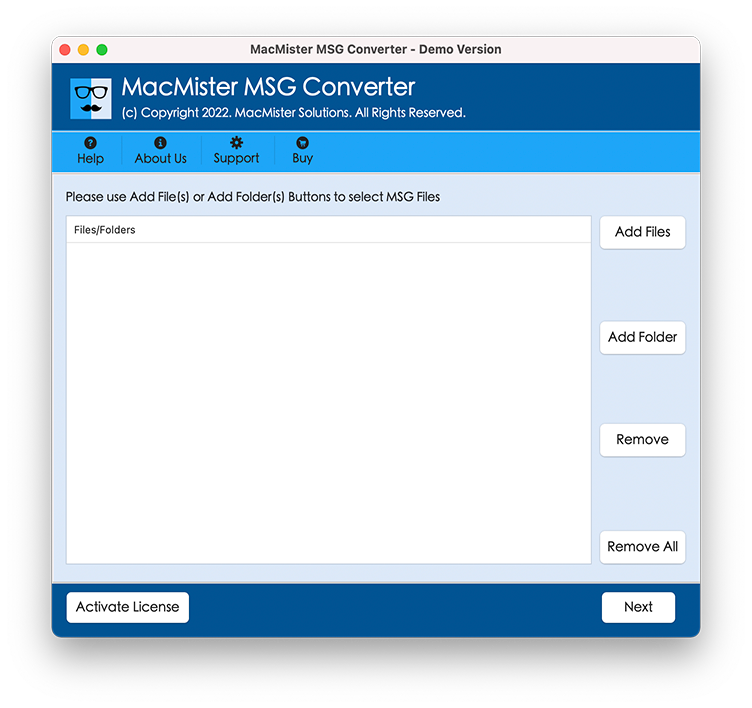
Step 2. Load the necessary MSG files and folder on the tool by using Add File(s) and Add Folder buttons and click Next.
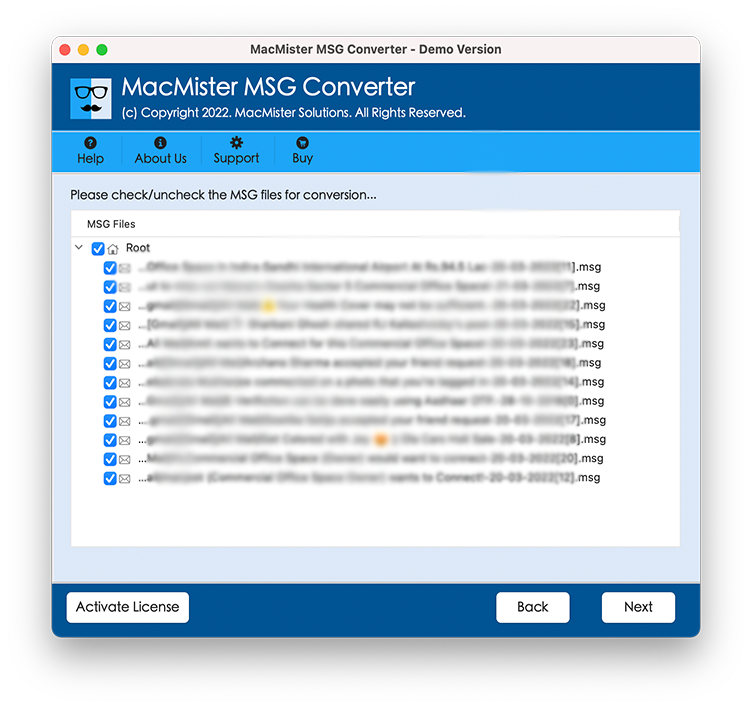
Step 3. The selected MSG files will appear on the tool as a list. Moreover, they will be displayed with checkboxes so that one can perform selective conversion, if needed. Click Next.
Step 4. Select EML Format from Select Saving Option.

Step 5. Apply the EML sub-options as per requirements and start the conversion by tapping Export button.
Step 6. MSG to EML process will be live and users can track the live conversion as well-
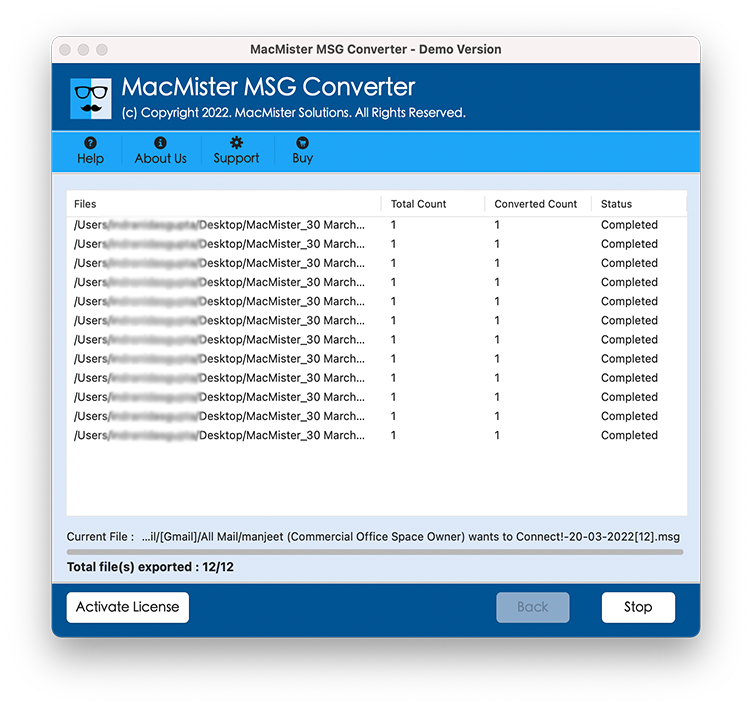
The process will successfully end with “Conversion Completed” message. Click OK and then go to EML file location and import the same into required email client application on Mac. The conversion will be performed smoothly and carries out the output without damaging the original data & formatting properties like font style, images, hyperlinks, etc.
Why to Choose MSG to EML Software?
There are many advantages for choosing the application and some of them are:
Convert Multiple MSG Files to EML in Batch
The application has Add Folder property that help users to perform the conversion of multiple MSG files to EML in batch. And, to use the option, simply create a new folder and keep all the necessary MSG file folders in the same. After that, upload the same by taking help of Add Folder button. Now, continue with the batch conversion and save your time.
Save Resultant EML Files at Desired Location
The MSG to EML Tool offers Set Destination Path option that allow users to browse the required location and set the same on the tool. The property will provide the ease to users as they will not be able to search the resultant data here and there. They can directly navigate to the chosen path and access the EML file.
Get Help of Dual Options to Load MSG Files
The software provides two important options on the launch screen i.e. Add File(s) and Add Folder. The Add File(s) option will allow users to upload the important MSG files individually on the tool for conversion. And, the Add Folder will help users to load the complete folder containing multiple MSG files folder for conversion.
Preserves the Accuracy of MSG Files Database
The MSG to EML Tool takes the responsibility of the entire conversion process. It is not limited to the conversion of MSG files to EML but also keeps the track on the file originality during the process. So, if you are worried about any data loss or data alteration issues then drop all the related baggage right here. Because, the application has the ability to perform the batch process with accurate result.
Hassle-Free Interface and Operational Steps
The utility possesses hassle-free GUI and easy operational steps. Anyone can operate the tool in a snap without needing help from well-skilled professionals. Moreover, the steps are short and complex-free. By tapping three simple clicks one will be able to convert MSG files to EML within seconds without data loss.
Convert MSG to EML on Mac OS X (all Versions)
The application is quite flexible and capable of converting multiple MSG files to EML on all Mac OS versions. Users can implement the conversion process perfectly on Mac OS Ventura, Monterey, Big Sur, Catalina, High Sierra.
Note. Download free demo and know more features of the application for free.
Final Thoughts
The MacMister blog has discussed the powerful approach to convert MSG to EML on Mac OS X. The solution discussed in the blog is safe and recommended. The output will be 100% accurate. Download free demo now and check the step-by-step working of the software. It allows to convert first 25 MSG files to EML free of cost. For any queries, contact MacMister Support.