How to Download all Emails from Rediffmail to Outlook?
Are you changing your email platform, moving to Outlook from Rediffmail? But worried about confidential emails stored in Rediffmail account and wondering how do I download all emails from Rediffmail to Outlook with attachments? Looking for a trouble-free and safe solution for the same? Not to worry, just read the segment and you will come across a solution that will successfully download all emails from Rediffmail to Outlook with attachments.
Overview of Rediffmail Webmail
Rediffmail is a known webmail service that enables users to access emails from any device anytime using an internet connection. It is introduced by Rediff.com, an Indian news, information, entertainment, and online commerce platform and currently, it has more than 100 million users worldwide. It is equipped with features like virus scanning, spam protection, sending/receiving attachments, etc. Not only this, it has a support of protocols like POP3, IMAP, and SMTP with the help of users can synchronize its services on many other desktop-supported email applications. But still, these features are not enough as compared to other webmail services. For e.g.
- Rediffmail doesn’t have auto-save email addresses if someone wants to use it for future, even from the sent emails.
- It has spam filtering but sometimes it shows spam messages in the main INBOX folder.
- No option to permanently delete spam emails from the INBOX.
- It does not offer address autocomplete or search from past emails and address book.
- Not having permanent marking of spam.
- It does not have enough storage space and whenever the storage is full of the recipient, Rediffmail will unable to send any more emails and as the sent message will bounce back to the sender.
- One can send attachment of up to 25 MB size.
However, Webmail email services are gaining popularity a lot of these days because of their flexibility and portability. But it is also true that they are susceptible to malicious attacks and offers low storage space as compared to desktop-based email clients.
Why Outlook is a Preferable Desktop Supported Email Client Application?
Microsoft Outlook is a multi-faceted business and personal email management platform that is completely independent to use. It provides the freedom to switch between different accounts quite easily as well as offers the ability to work with multiple other businesses and productivity apps. Moreover, as a Personal Information Manager, it is capable to precisely manage contacts, calendar events, tasks, and notes across different devices. Some of its benefits are:
- Launched for both Mac & Windows platforms.
- Easily send, receive, forward, and reply to emails.
- Save attached files to favourites in Outlook which you can access anytime later with ease.
- Supports Cleanup Conversation Tool that search for emails that are redundant in conversation, folder/subfolder and then delete them or transfer them into another folder.
- Track events, meetings, appointments in a snap in Outlook’s calendar.
Overall, Microsoft Outlook is an amazing platform to opt if you are looking for a desktop-based email application.
How to Download all Emails from Rediffmail to Outlook?
The easy and precise way to download all emails from Rediffmail to Outlook is MacMister Email Backup Software Mac & Windows Tool. The application is easy, effective, and reliable to use. It has a simplified platform that technical and non-technical users can effortlessly operate and download all emails from Rediffmail to Outlook with attachments. Even, the operational steps are short which will save the time of users, helping them to finish the migration in seconds.
Moreover, the software is designed with a lot of features that can be used by users to attain the desired results. And in order to check the same, users can download the trial edition of the tool and experience the functioning of the app for free.
Working Steps to download all Emails from Rediffmail to Outlook on Mac
Step 1. Download and run MacMister Rediffmail to PST Converter Tool on Mac.
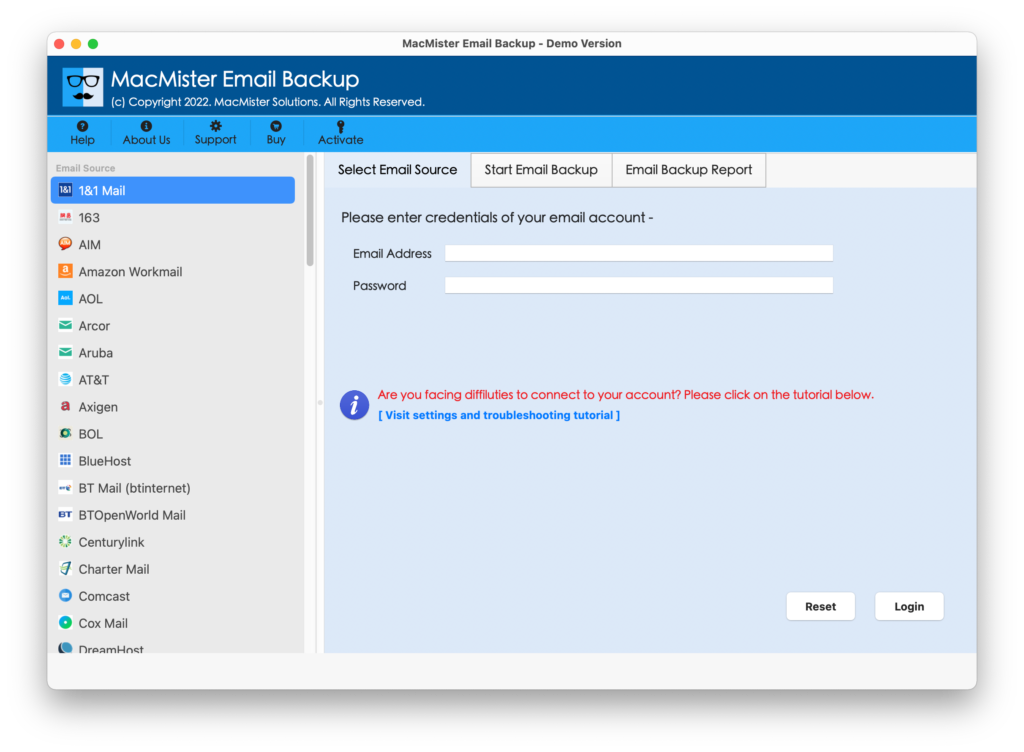
Step 2. Go to the left, select Rediffmail option, enter the necessary credentials and press Login button.

Step 3. Rediffmail account will connect with the tool and its mailboxes quickly appear on the software left panel.
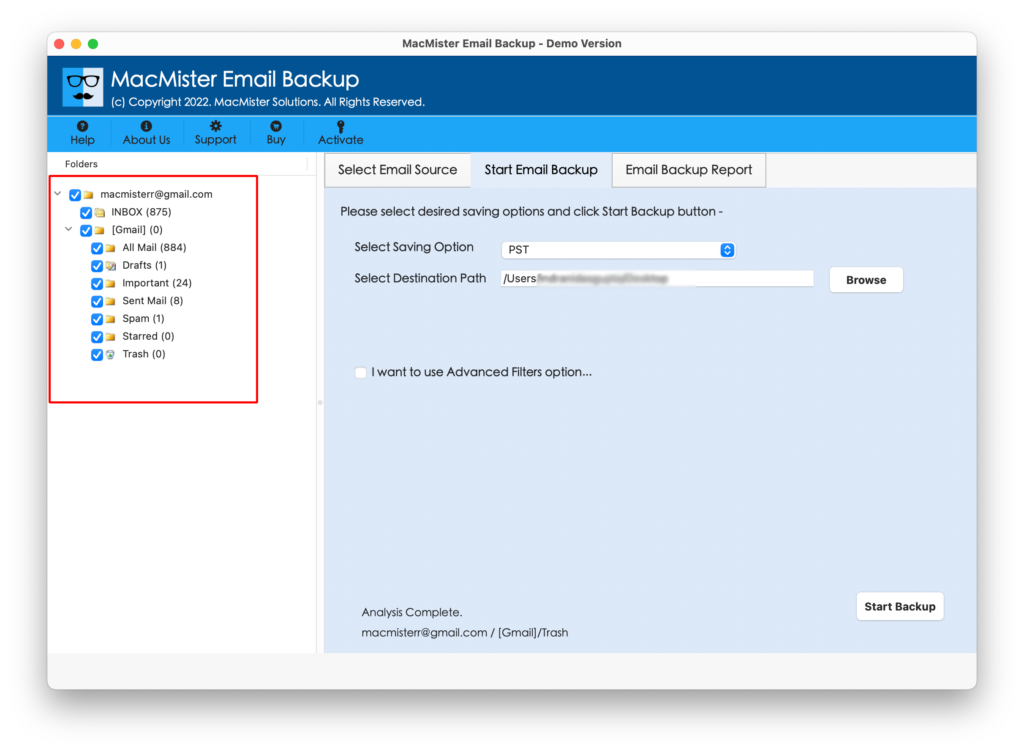
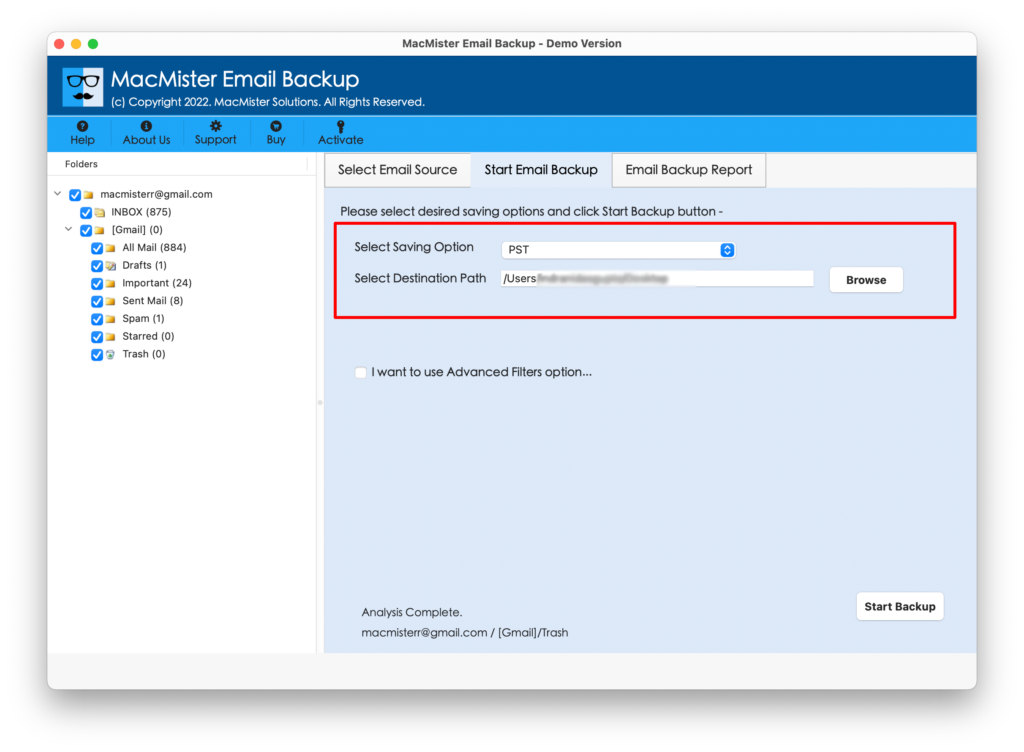
Step 4. Navigate towards right-side and click on the Select Saving Options to choose PST or OLM format.
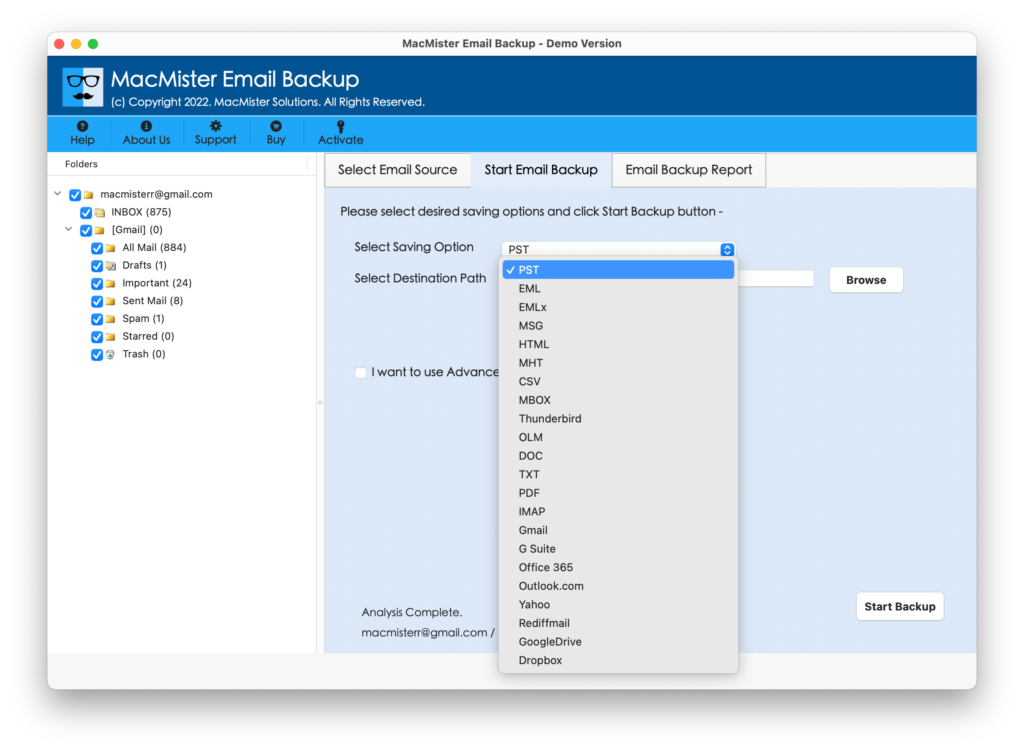
Step 5. Set the options appearing under chosen file format as per your requirements. Apply Filters if you want and press Start Backup button.
Step 6. The process will run and an Email Backup Report appears that displays the current migration progress of Rediffmail emails.
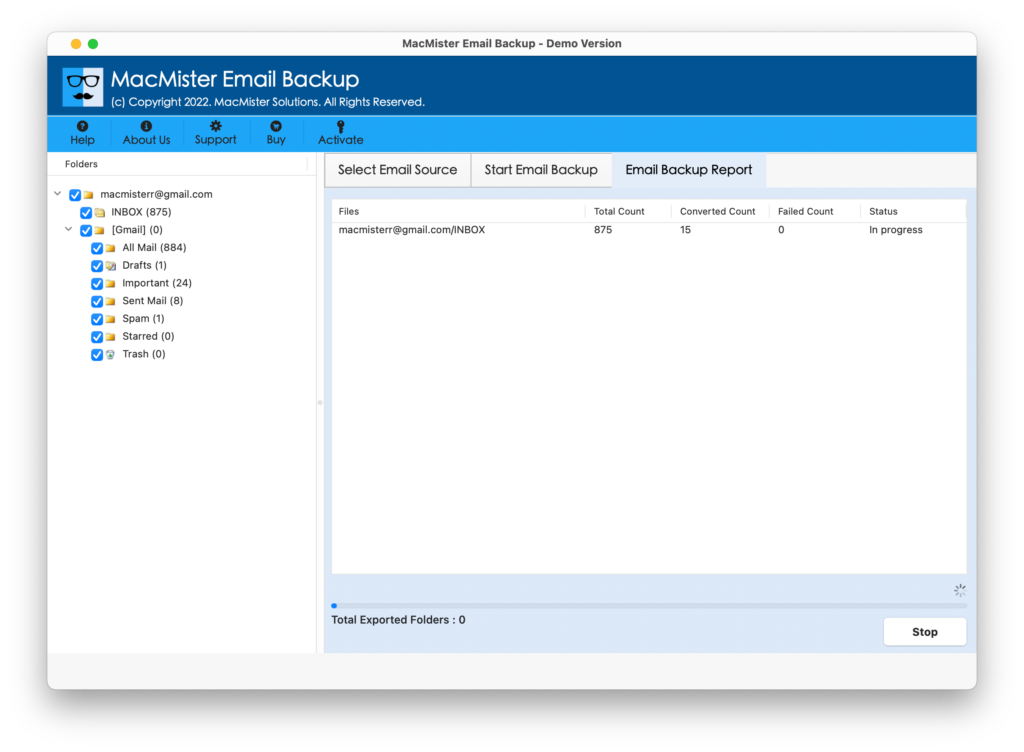
The entire task takes minimum time to finish and after that users will come across of notification confirming that backup is successfully completed. Now, click on OK and import the resultant files in a required Outlook email client.
Why MacMister Rediffmail Backup Tool is a Helpful Tool?
The software is secure and cost-effective. Any user can handle it without any external support and perform the process with ease. Also, it has plentiful features that help users to gain the required results in a short time. Some of main ones are discussed here –
- Directly download all emails from Rediffmail to Outlook with attachments.
- Provides different software versions for Mac & Windows operating systems.
- Simple interface and easy operational environment can be effortlessly accessed by all technical and novice users.
- Capable to download the entire Rediffmail INBOX folder to Outlook at once.
- Supports PST and OLM file formats to download Rediffmail email messages.
- Protects the confidential details of Rediffmail account during the entire process.
- Maintains the content originality and shows all email messages with accurate formatting properties.
- Shows Email Backup Report screen that displays the ongoing backup progress of Rediffmail emails.
- All versions of Windows and Mac OS are supported by the tool.
Quick Note. To understand more features and options, download FREE DEMO now!
Epilogue
In the write-up we have focused on the solution to resolve “how to download all emails from Rediffmail to Outlook”. MacMister Rediffmail to OLM Converter is a powerful solution which takes care of the entire migration without passing any error. Anyone can handle it and perform the task easily. Also, a freeware version is available that allows to check the whole migration for free. And to do the same, one can download first 25 Rediffmail emails to Outlook with attachments free of cost.