How to Import PST File in Roundcube on Mac & Windows?
Do you want to upload some critical PST files into Roundcube account for official reasons? But not able to find the right solution for the same? Wondering how to import PST file to Roundcube easily and safely? Frequently searching for a smart and powerful approach for the same? Not to worry, simply read the article carefully and you will come across a solution that will help you to securely import PST file to Roundcube on Mac in bulk with emails and attachments. But first, let us discuss the benefits to import PST to Roundcube.
Roundcube is a webmail platform and PST is a desktop-supported file format of Outlook. That is why importing PST files to Roundcube is not an easy task. Because, PST is considered as one of the essential files as it contains users critical email files, contacts, tasks, calendar events, and more. Thereby, one should first create appropriate strategy before taking any impulsive action. Also, it is recommended to go with the method which is free from any type of complexity as well as guarantee the safety of PST data.
What are the benefits to Import PST File in Roundube?
There are many benefits of importing PST files into Roundcube platform, some of them are explained below –
- Users can easily access the emails stored in Roundcube from anywhere anytime.
- Supports integration with variety of email service providers.
- Customization options are available for webmail interface.
- Equipped with a clean, maintained and intuitive environment, making easy for both professional and non-professional users to navigate and use all its functionalities effortlessly.
- Offers industry-standard encryption protocols such as TLS/SSL to safeguard the data while protecting the confidential emails. It also includes authentication features ensuring that only you have the access of your account, giving the assurance that your important data is safe.
- Also webmail services offer large storage space, allowing users to store their unlimited crucial files on cloud securely.
How to Import PST File in Roundcube?
There are basically two methods to import PST file in Roundcube –
- Manual Method
- Direct and Time-Saving Method
Manually Import PST File in Roundcube Webmail
The manual procedure asks to convert PST to MBOX and import then import the same into Roundcube webmail. Once you have received MBOX files, now follow the below steps to import PST to Roundcube.
Step 1. Open Roundcube and click the gear icon appearing at the bottom right of the webmail.
Step 2. Go to Folder menu and select Import Messages option.
Step 3. A pop-up will appear through which users need to upload the files in Roundcube. Click on Browse and select the file to import.
Step 4. After the files are selected, tap OK button and then the Roundcube start uploading and importing the necessary files.
Directly Import PST File in Roundcube Webmail
The direct way to import PST file in Roundcube webmail is MacMister PST Converter for Mac & Windows Tool. The application has the ability to batch import PST files to Roundcube webmail at once with emails and attachments. It is programmed with a user-friendly interface so that any professional and non-professional can manage it easily and perform the migration in minimum time.
Moreover, users will come across many features and options with the help of users can import PST file in Roundcube according to their specific requirements. Also, a freeware version of the software is available with the help of users can check the software working for free.
Working Steps to Import PST File in Roundcube on Mac
Step 1. Download and open MacMister PST to IMAP Migration Tool for Mac on your Mac.
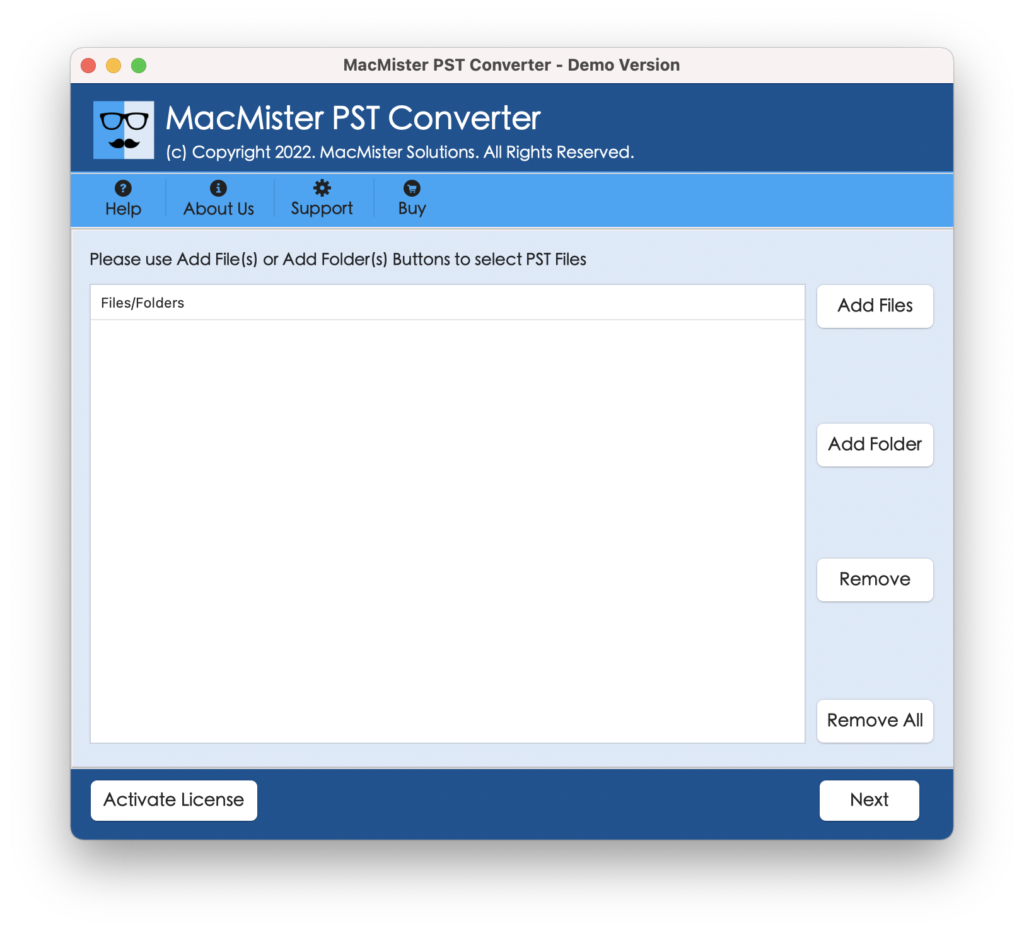
Step 2. Upload PST files folder on the software by utilizing Add File(s)/Add Folder options and click Next.
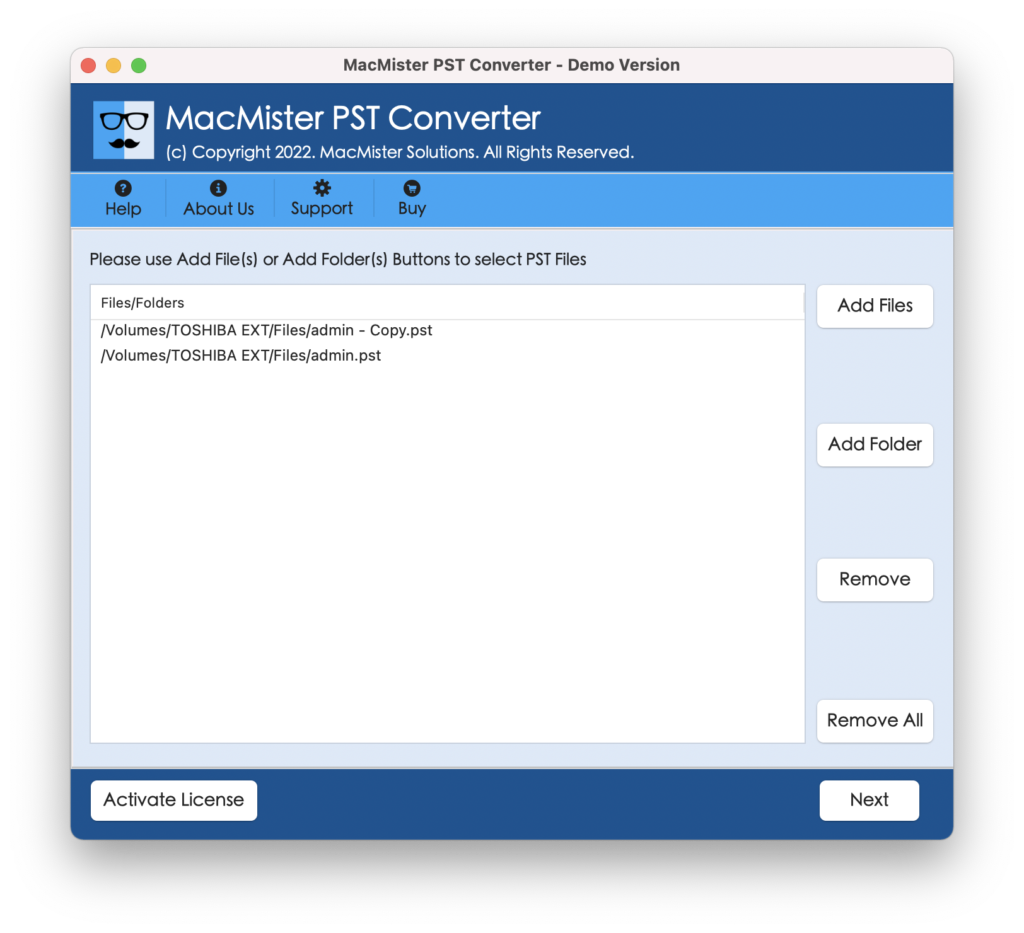
Step 3. The software start appearing PST files with selected checkboxes one-by-one. However, users can take help of a checkbox to discard the unnecessary files from the process and import only selected PST files into Roundcube. Click Next to continue.

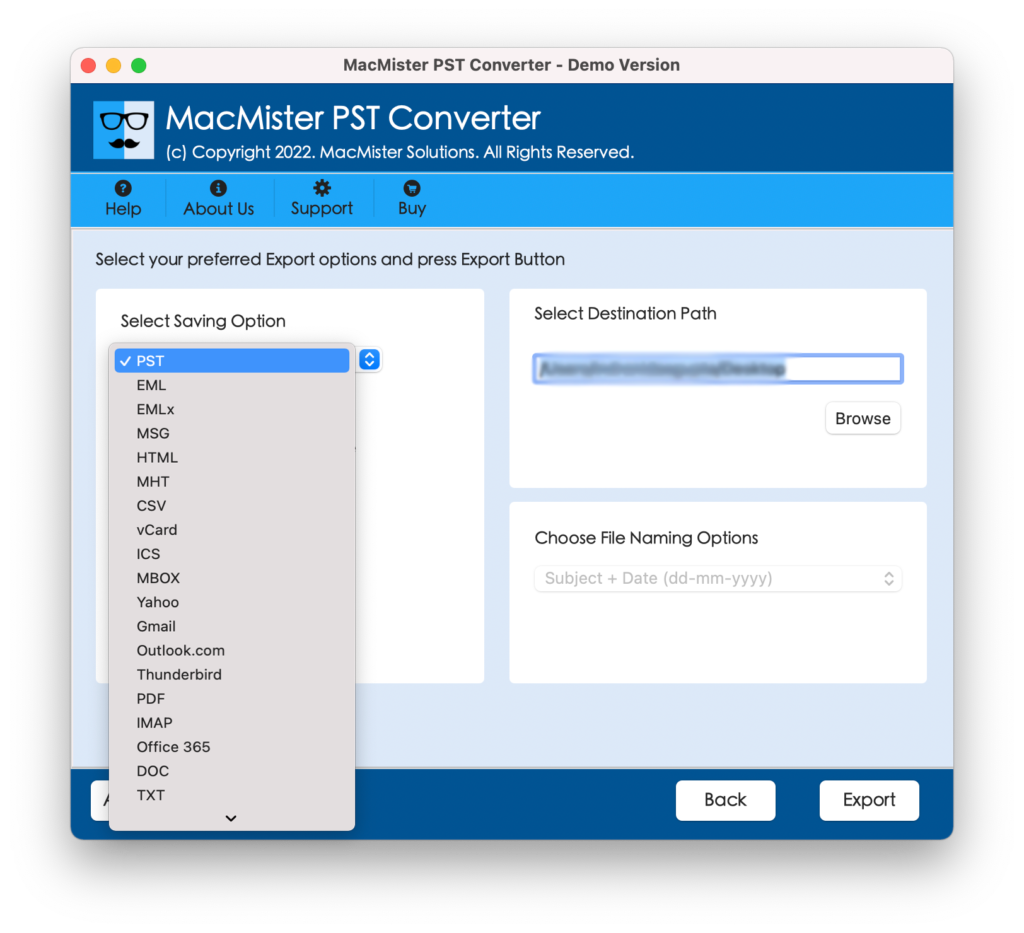
Step 4. Click Select Saving Options and select IMAP Option from the menu.
Step 5. Provide Roundcube login details with IMAP host and port number and click Export button.
Step 6. The software will start the process and show Live Conversion Report that provides the current export progress of PST files.
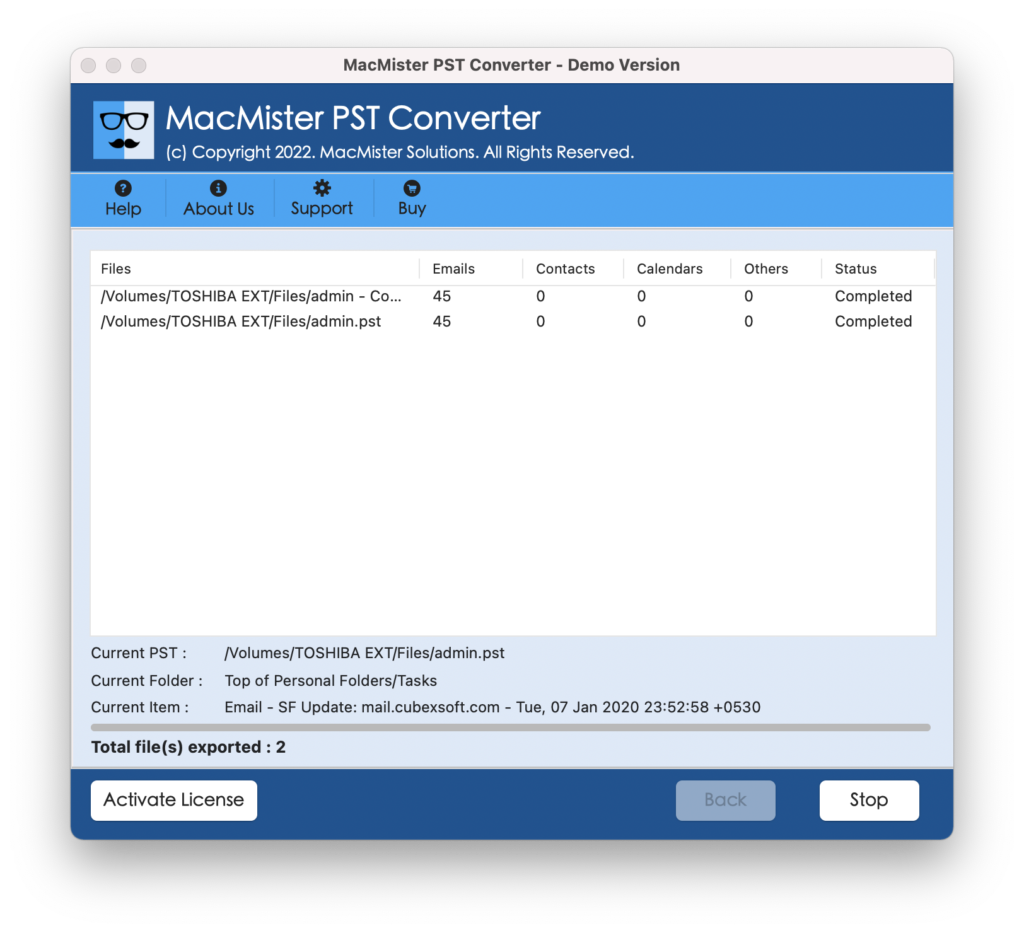
In few seconds, the conversion will finish and then “Conversion Completed” notification will appear confirming that the process is completed successfully. Click OK and then login to Roundcube webmail to verify the outcome. However, you will see that the PST files are accurately transferred. They will appear with correct folder structure, layout and email content.
Why one should choose MacMister PST to Roundcube Tool?
MacMister PST to Roundcube is not just a simplified approach but also makes sure to protect the original data of PST files during the process. It is launched with plentiful features, some of them are discussed below –
- Directly import PST file in Roundcube with emails and attachments.
- Protects the Roundcube credentials while importing PST into Roundcube.
- Offers Add File(s)/Add Folders option to add essential PST files on the application for migration.
- Also supports 15+ more saving options other than IMAP such as OLM, PDF, EML, EMLx, MBOX, MHT, Gmail, G Suite, Yahoo, Thunderbird, and more.
- Simple and friendly interface is easily manageable by all types of users.
- Provides three-step process that takes only few seconds to successfully import multiple PST files to Roundcube.
- Includes batch mode option that allows to batch import PST to Roundcube at once.
- Keeps the formatting properties and email content intact throughout the process.
- Introduced with both Mac & Windows OS version, supporting entire range of editions including the latest.
Epilogue
The write-up has highlighted multiple methods to fix “how to import PST file in Roundcube” on Mac & Windows. In the first method, we have discussed manual approach that is free but suitable for few PST files. Also, the steps are lengthy and thus can take a lot of time to finish the batch process. Whereas, the second method is direct and has the ability to safely import unlimited PST files to Roundcube at once. Moreover, it has a free demo that can be used to check the working of the tool for free. It allows to import first 25 PST files to Roundcube free of cost.