How to Import OLM to GoDaddy Webmail on Mac & Windows?

Are you wondering how to quickly import OLM to Godaddy webmail with all the emails and attachments safely? Continuously looking for a simplified and effective approach for the same? No worries at all because in the write-up we have mentioned a powerful strategy that will resolve the issue, help you to successfully import OLM to GoDaddy with ease.
Several Mac users make use of Outlook for Mac email client to manage day-to-day email communication. The email client provides users the ability to securely save their email account data locally in .olm format. It is a file which contains the entire data items of Outlook email application such as emails, calendar events, contacts list, journals, notes, tasks, etc.
GoDaddy Webmail, on the other hand is an easy and fast way to access the emails whenever needed from anywhere using any system or device. All the email messages are stored in GoDaddy webmail server that become easily accessible whenever connected with the internet. Users only need to go to any web-browser and sign-in to webmail by specifying the necessary credentials.
What are the advantages of importing OLM to GoDaddy Webmail Account?
Importing OLM to GoDaddy webmail has many benefits, some of the major ones are discussed here-
- GoDaddy webmail offers robust security to its users to prevent their account from malicious activities.
- Provides 30 GB of storage space as well as scalability services to enhance business productivity.
- Designed with modern webmail portal that is mobile-friendly and easily integrated with any email application.
- Support online calendar so that users can manage all the important events easily and schedule the meetings accordingly.
How to Import OLM to GoDaddy Webmail on Mac & Windows?
The direct secure way to import OLM files into GoDaddy webmail account is MacMister OLM Converter for Mac & Windows. The software allows users to easily batch import OLM files to GoDaddy webmail at once with accurate email messages and attachments. The tool is introduced with a simplified and friendly platform so that all types of users can easily operate it and complete the entire migration in minimum time.
Moreover, users will encounter variety of incredible features and options due to users can import OLM to GoDaddy webmail as per their necessary preferences. Also, there is freeware version as well which allows users to test the working steps of the tool for free.
Working Steps to Import OLM File in GoDaddy Webmail on Mac
Step 1. Download and open MacMister OLM to GoDaddy IMAP Backup Tool for Mac on your Mac.
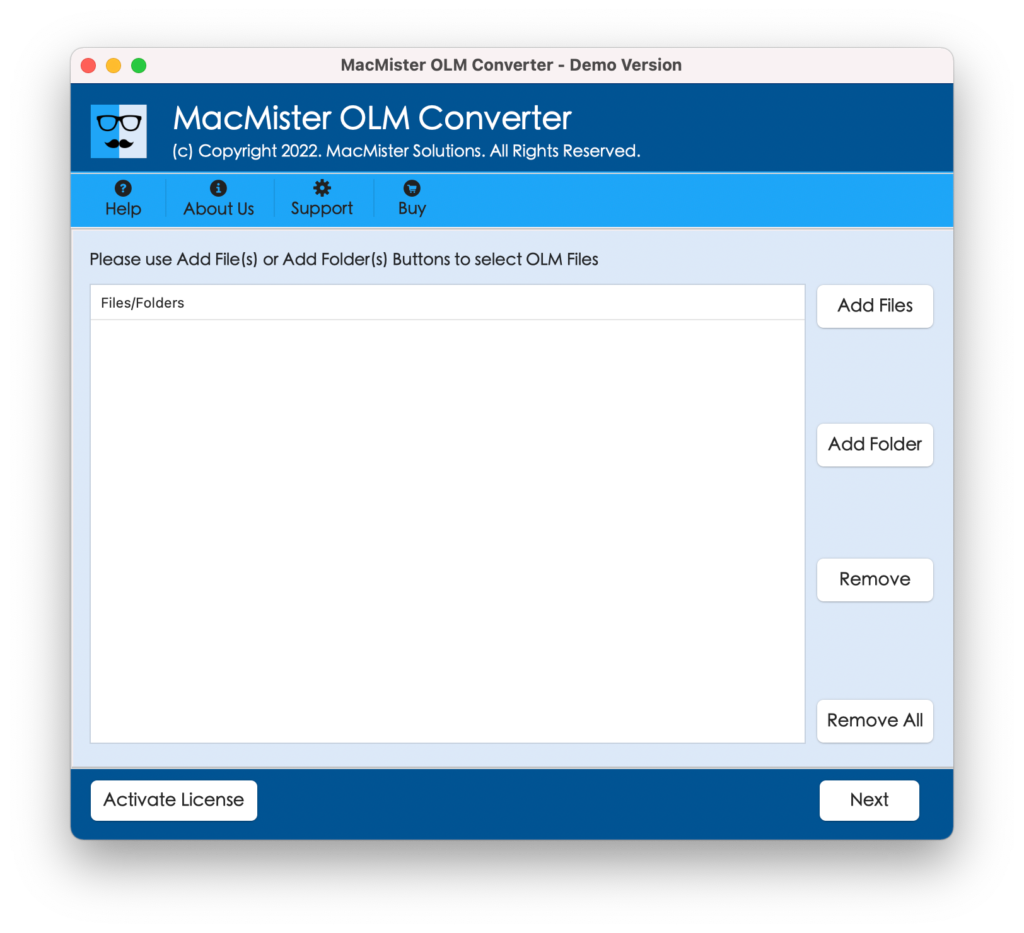
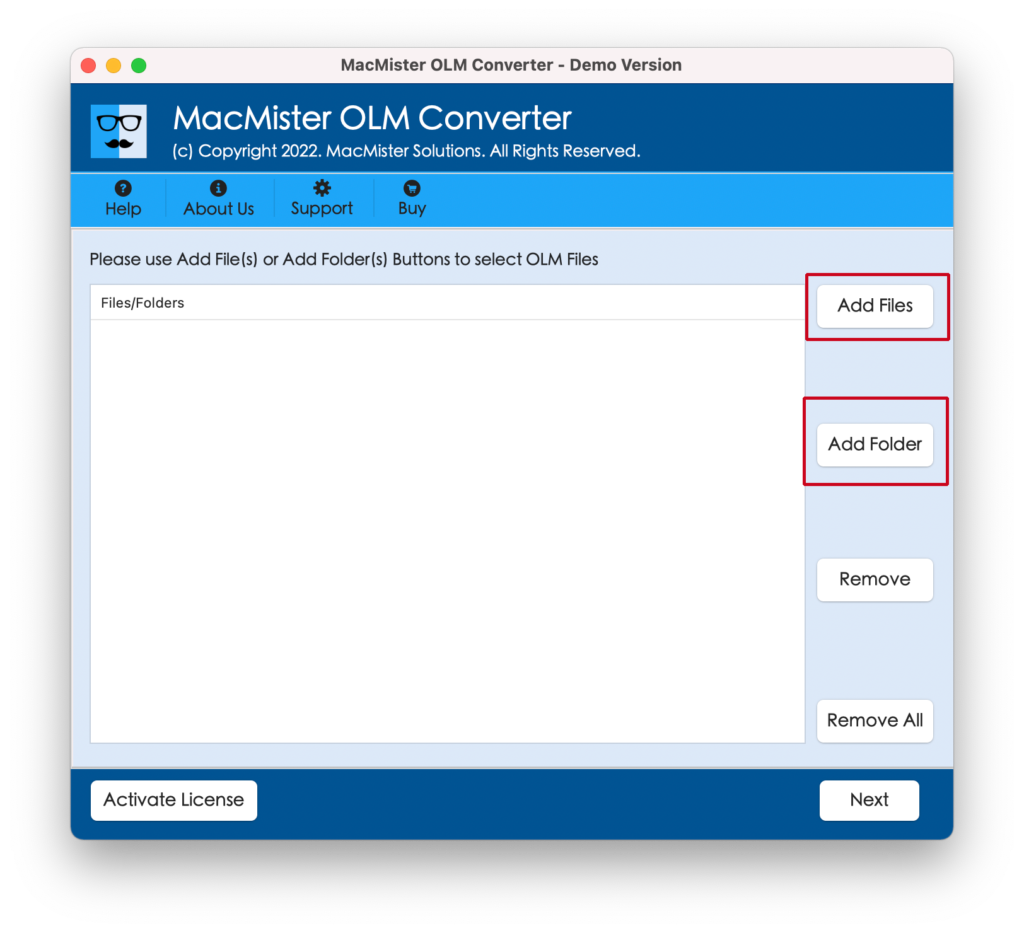
Step 2. Load OLM files folder on the application by choosing the desired option i.e. Add File(s)/Add Folder options. If you click Add File(s) option, you will be able to add necessary OLM files on the tool and if you click Add Folder option, then you can add OLM files folder to batch import OLM files into GoDaddy account at once. After this, click Next.
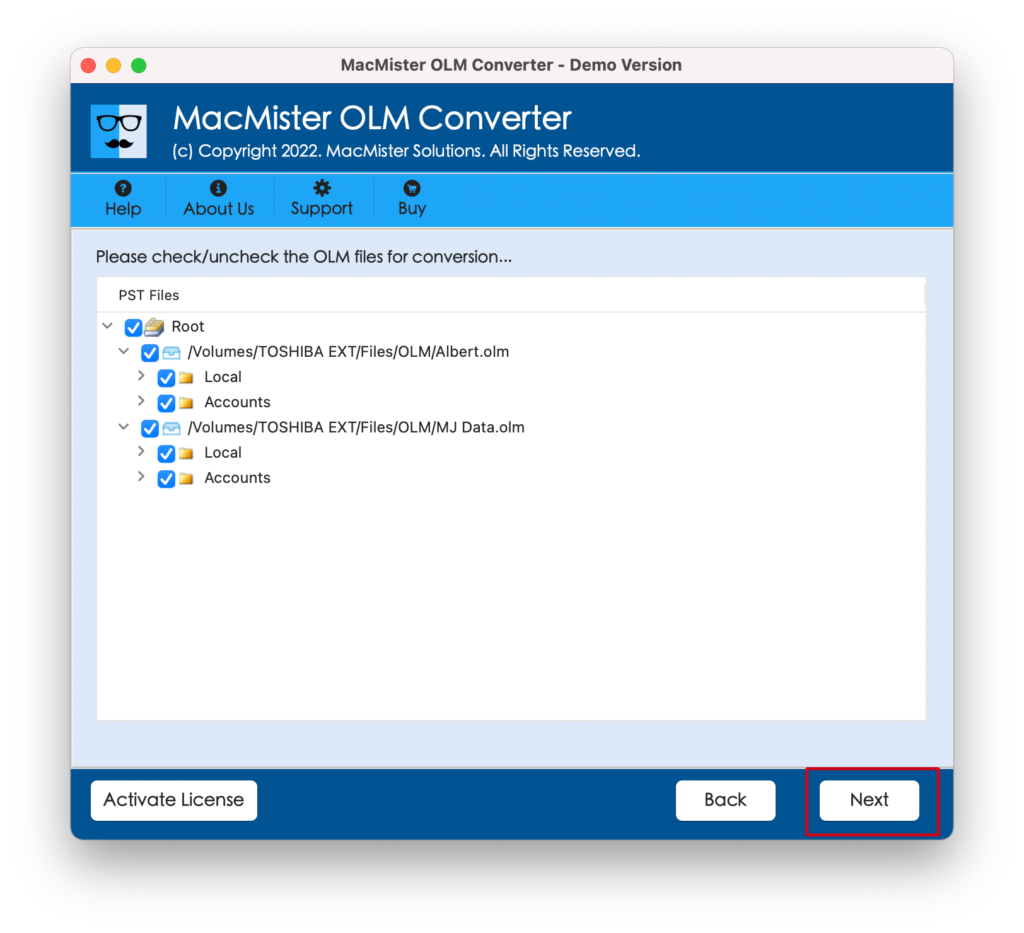
Step 3. The tool now shows OLM files one-by-one on the screen with selected checkboxes. However, the checkboxes will provide the advantage to users to import only selected files into GoDaddy webmail, if required. Click Next to continue.
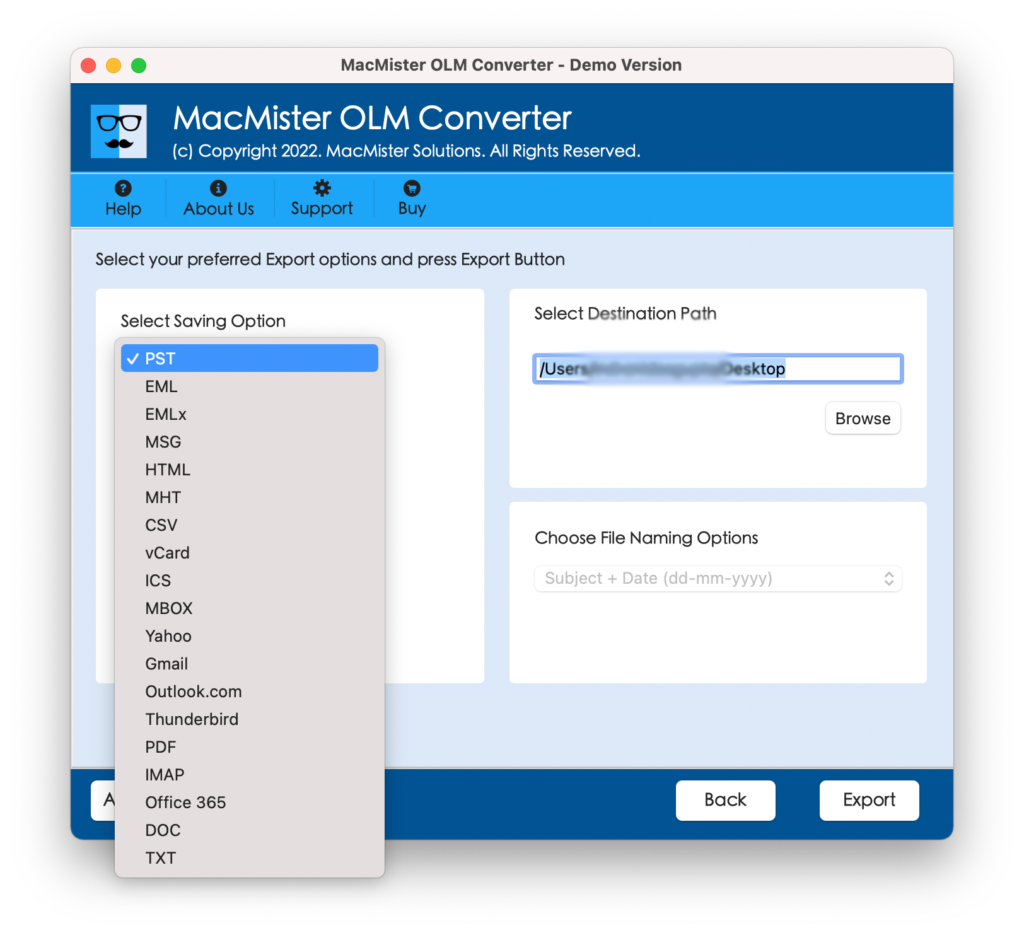
Step 4. Tap Select Saving Options and pick IMAP saving type from the menu.
Step 5. Provide GoDaddy webmail credentials as well as its IMAP host and port number and hit Export button to start the import process.
Step 6. The application will open Live Conversion Report that will show the current import progress of OLM files.
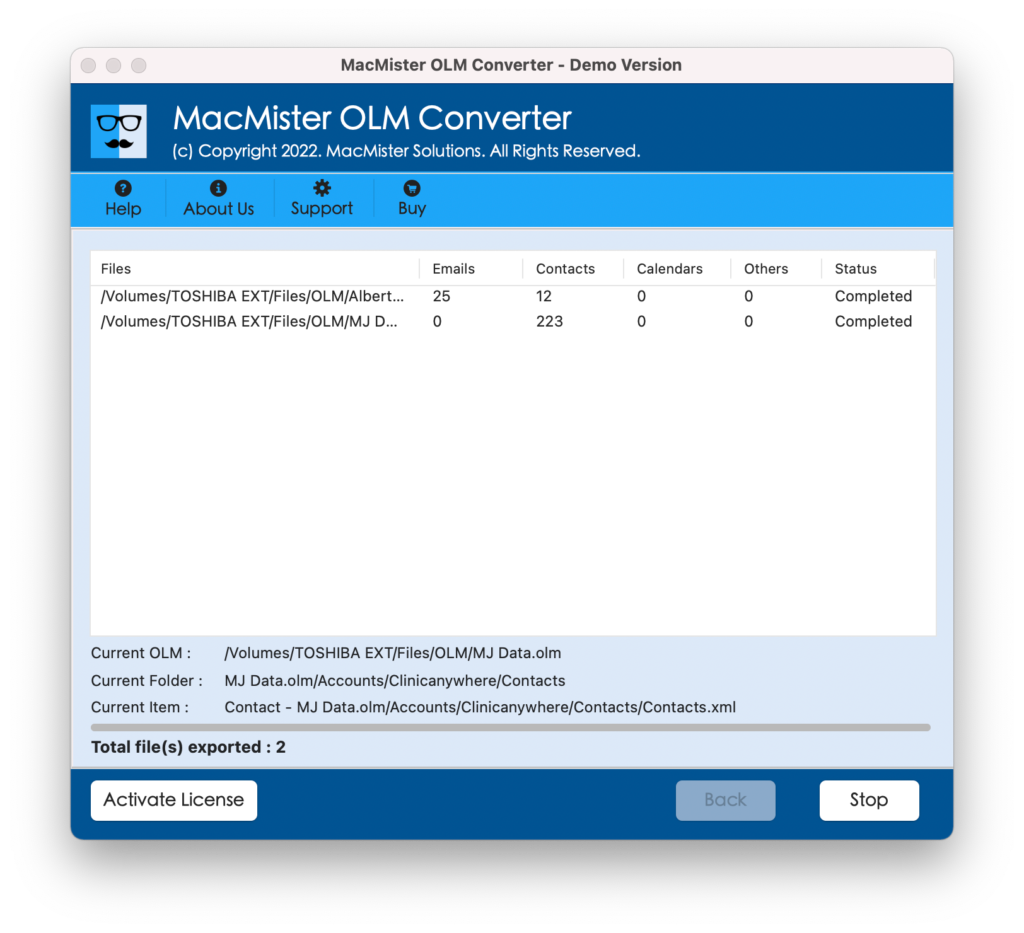
The conversion will finish in few seconds with a pop-up notification confirming that the import process OLM files to GoDaddy webmail is completed successfully. Click the OK button and then login to GoDaddy webmail account to check the results. However, you will see that the application accurately imported OLM files. In other words, the OLM files will appear with precise email content, exact layout, and preserved metadata properties.
Why Users should choose MacMister OLM to GoDaddy Tool?
MacMister OLM to GoDaddy not only import OLM files to GoDaddy account but also ensures the safety of OLM data during the process. Simultaneously secures the login details of GoDaddy account. However, the tool is designed with powerful features, some of them are discussed below –
- Able to directly import OLM file in GoDaddy webmail with emails and attachments.
- Safeguard the GoDaddy email credentials while uploading OLM files to GoDaddy account.
- Allows users to load OLM files of their choice by making use of Add File(s)/Add Folder options.
- Equipped with 15+ more saving options besides IMAP such as PST, CSV, DOC, MHT, HTML, PDF, MBOX, Thunderbird, IMAP, Gmail, G Suite, and more.
- Offers intuitive and user-friendly interface which is easily accessible by all types of users effortlessly.
- Includes minimal steps that save users time and efforts, allow them to accomplish the unlimited process quickly.
- Provide batch mode functionality with the help of users can batch import OLM emails and attachments to GoDaddy email account at once
- Maintains the OLM email message details and formatting properties during the process.
- Compatible with Mac & Windows OS versions as Mac users can use the app on any Mac OS including Mac OS Sonoma. And, Windows users can operate the process on any Windows OS version including Windows 11.
Epilogue
The write-up here mentioned an outstanding way to import OLM to GoDaddy account with emails and attachments on both Mac & Windows. The solution is reliable and makes sure to securely import unlimited OLM emails and attachments to GoDaddy webmail at once. The results will be delivered with 100% accuracy. Also, users will get additional benefit of free demo that can be downloaded and use to experience the migration of OLM files for free. It also allows to import first 25 OLM email messages with attachments to GoDaddy free of cost.