How to Import OLM to Roundcube on Mac & Windows? – [2024 Solution]
Are you moving to Roundcube from Outlook email client on your Mac system? But now wondering how to import OLM to Roundcube directly with emails and attachments? Searching for a quick fix to access OLM files into Roundcube webmail on Mac? Not to worry because in the write-up we have highlighted a solution that will help you to directly import all OLM files into Roundcube account at once.
Why Users are importing OLM to Roundcube Webmail?
Roundcube is a free webmail email service that utilizes AJAX Technology. It is free open-source software with a desktop-like user-interface that is easy-to-install and configures and also runs on a standard LAMPP server. The browser-based platform is known for sending/receiving or managing large number of emails with ease. It is equipped with features like:
- Drag & Drop message management.
- Support for MIME & HTML messages.
- Multiple Sender Identities.
- Canned Response templates.
- Support of IDNA & SMPTUTF8.
- Spell Checking & IMAP Folder Management.
- Support for external SMTP server & access control lists (ACL).
- Advanced Import/Export functions and Plug-in API for flexible extensions.
- Message and contact searching.
- Available in more than 80 languages.
- Three column view and attachment preview.
However, webmail services are getting popular day-by-day because they are easily accessible from anywhere anytime. Users can open any web-browser and extract their important emails from Roundcube directly.
That is why nowadays people with desktop applications are migrating to webmail servers.
OLM is Outlook for Mac archive file that stores users’ important emails, contacts, calendars, and other items. It is Outlook-supported file format which users cannot easily transfer in Roundcube. Thus, it is must to opt for a safe solution that will help you to directly import OLM emails and attachments into Roundcube account.
How to Import OLM to Roundcube on Mac & Windows?
The simple and effective way to import OLM to Roundcube on Mac & Windows is MacMister OLM Converter for Mac & Windows application. The application possesses friendly and intuitive interface which is easily accessible by professional and non-professional users. The utility allow users to choose IMAP as a saving option and quickly import unlimited OLM files into Roundcube account at once.
Moreover, the software provides features which helps in attaining the desired results without any difficulties. However, you may download the trial edition to experience the complete working process of the application for free.
Working Steps to Import OLM to Roundcube on Mac
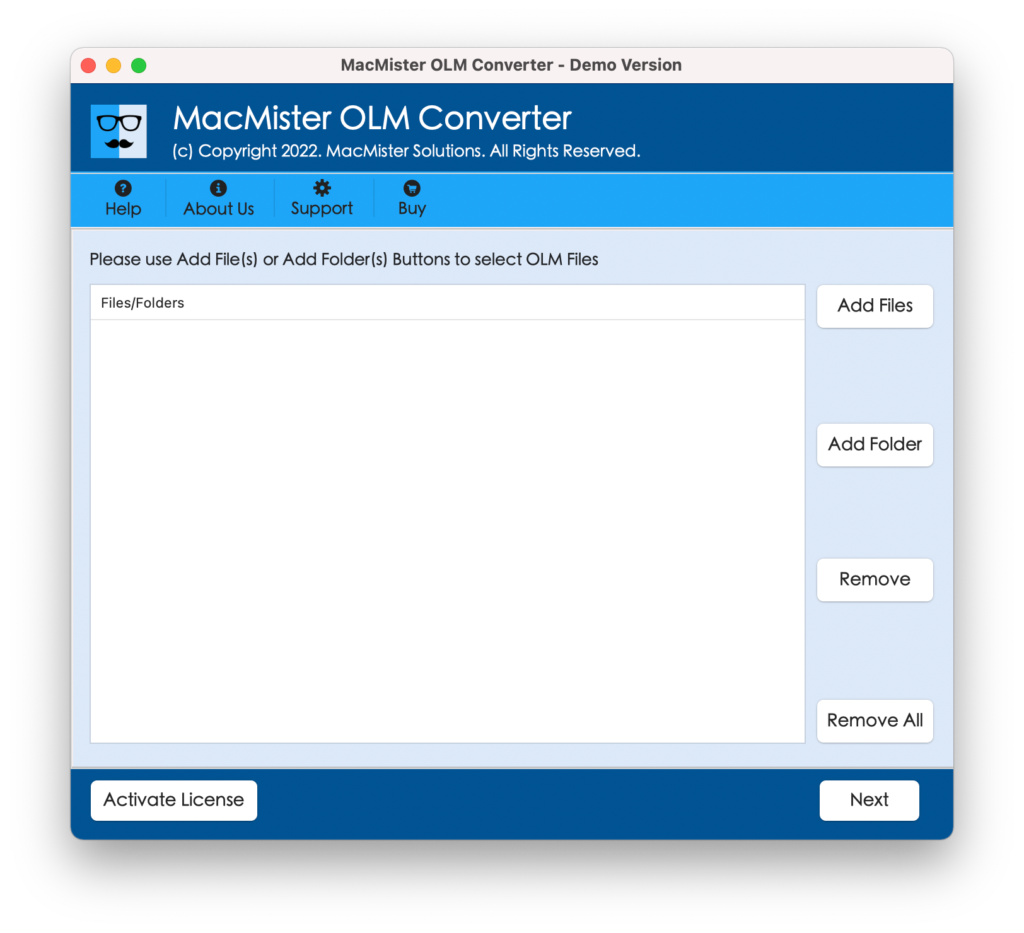
Step 1. Download and run MacMister OLM to IMAP Migration Tool for Mac on your Mac device.
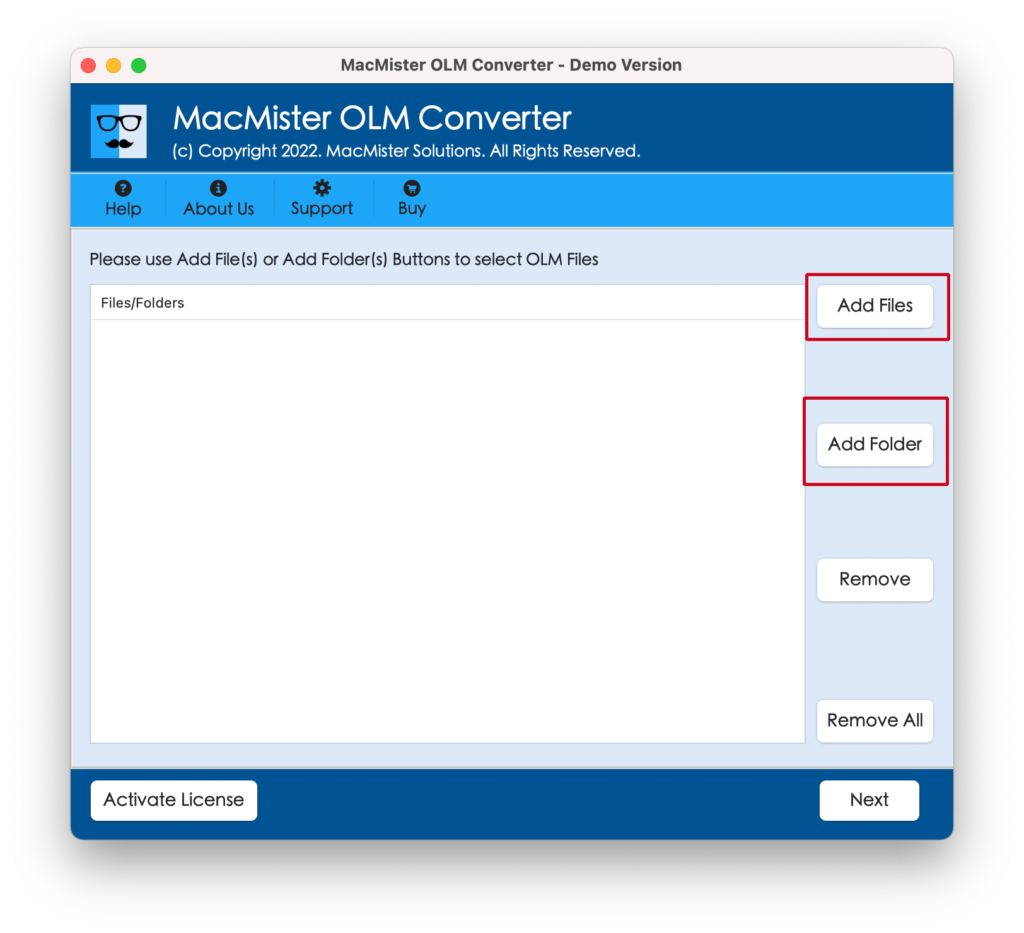
Step 2. Load necessary OLM files with the help of dual options i.e. Add File(s) and Add Folder buttons. With the help of Add File(s) option, users can add individual OLM files on the tool. Add Folder allows adding entire folder containing all the necessary OLM files on the application for batch conversion, if required. Click Next to proceed.
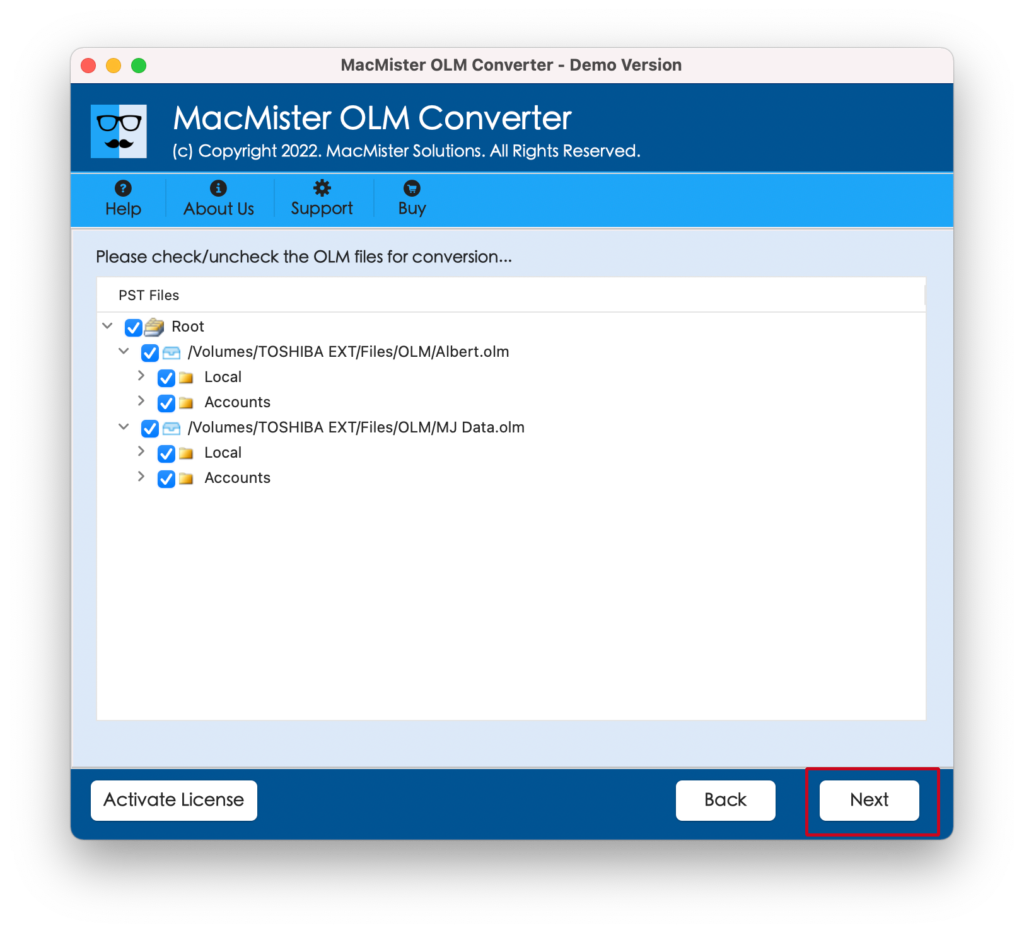
Step 3. The software now displays OLM files with checkboxes one-by-one on the screen. By default they are selected, but you can deselect them and do the selection as per your preferences for selective OLM file migration. Click Next to continue.
Step 4. Click on the Select Saving Options and select IMAP option from the menu.
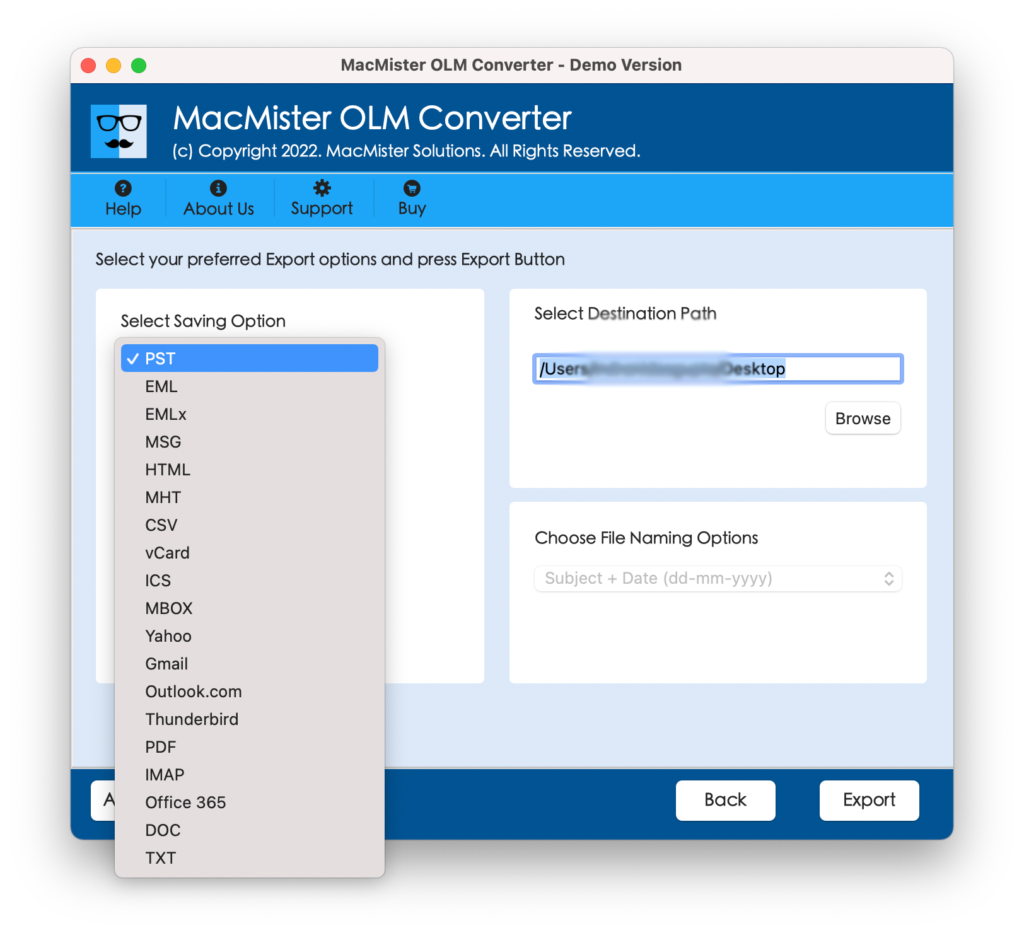
Step 5. Add Roundcube details including IMAP host and Port Number and click on Export to start the process.
Step 6. The migration procedure will start and users will see Live Conversion Report that shows the current migration status of OLM files.
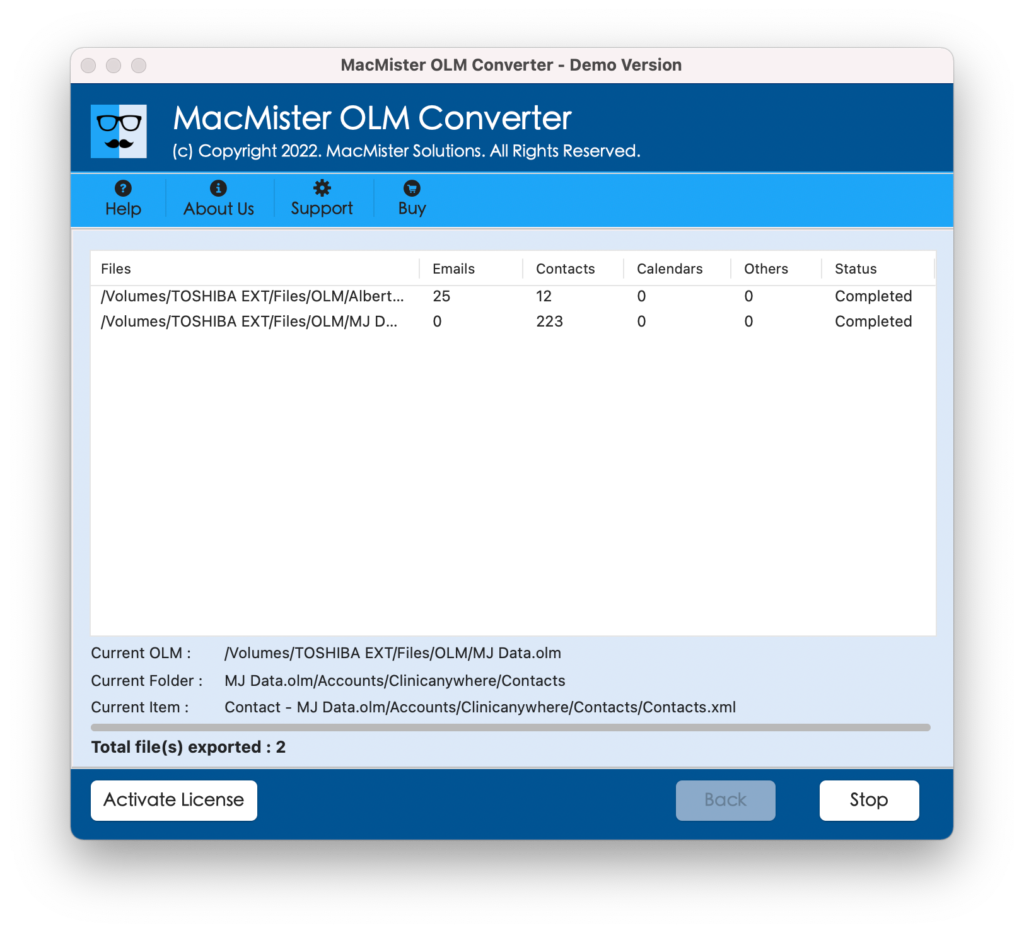
The process will finish and a message will appear on your screen confirming that the conversion is completed successfully. Click on OK and go to your Roundcube account to check the resultant files. However, you will find no alternation in your email messages. The metadata properties are also precise.
Why MacMister OLM to Roundcube Tool is a Best Choice?
MacMister OLM to Roundcube Tool is a recommended application for every user who wants to securely import OLM files into Roundcube account. It has a lot of benefits and some of them are mentioned below –
Directly Import OLM Files into Roundcube Webmail
The application provides the direct functionality to import OLM files into Roundcube account. Just add necessary OLM files on the tool and choose IMAP as your saving option. After this you can click on Export to start the direct migration of OLM files to Roundcube.
Add OLM Files on the tool with the help of Dual Options
The software is programmed with dual options i.e. Add File(s) and Add Folder buttons. By using the Add File(s) button, users can add important OLM files on the tool whereas Add Folder allows adding the entire folder carrying unlimited OLM files on the application for batch conversion.
Supports 15+ More Saving Options other than IMAP
The utility not just supports the migration of OLM files into Roundcube but also allows importing OLM into 15+ other saving options. It includes PST, PDF, MSG, EML, EMLx, MHT, HTML, DOC, CSV, IMAP, Thunderbird, Gmail, G Suite, Office 365, Thunderbird, and more.
Perfectly built with a Simple and User-Friendly Interface
The tool is designed with a simple and friendly interface. Users with professional and non-professional skills can handle the entire process independently and perform the migration without facing any issues.
Use OLM to Roundcube on both Mac & Windows Versions
MacMister OLM to Roundcube Tool offers Mac & Windows versions. So, Mac users can utilize the software on Mac OS Sonoma and all the earlier Mac OS versions. And, Windows users can download and import OLM files to Roundcube on Windows 11, 10, 8.1, 8, etc.
Quick Note. Download FREE DEMO to Experience all Features & Options for FREE.
Epilogue
The write-up here provided a brilliant method to import OLM to Roundcube on Mac & Windows. The above solution is certified and 100% safe to use. Both Mac & Windows users can download the respective software versions and perform the process in few seconds. The output will be accurate and precise. It has a free demo which will allow you to understand the complete process for free. Moreover, the freeware version will help you to import first 25 OLM emails and attachments into Roundcube free of cost.