How to Import OST File in Outlook 2016 Mac?
Worrying about OST files stored on your Mac machine? Not able to find an appropriate technique to import OST file in Outlook 2016 Mac? No worries because MacMister OST Converter is here to resolve all your issues.
Microsoft Outlook is considered as one of the most essential email client for large organizations. It works as a Personal Information Manager because the email client manages the day to day database of users very well. The email client uses two file formats to save user mailbox folder i.e. OST and PST. OST is an Offline Storage Table and PST stands for Personal Storage Table. At times, users look to save important emails of Outlook as a backup. And thus, they will be saved with .ost extension.
Also Read
However, many users wants to change or move onto a different OS due to official requirements. And, there are numerous organizations who are shifting to Mac operating system from Windows to experience a unique interface. But, each operating system is programmed with different specifications and so the supported email applications. Undoubtedly, Outlook also runs on Mac and it works exactly the same as Windows Outlook. The only difference is in their file formats. As Windows Outlook uses OST and PST and Mac Outlook stores all user mailboxes in OLM file type. And, to access Windows Outlook OST file in Outlook Mac 2016, one need to perform the migration process.
How to Import OST File in Outlook 2016 Mac?
OST Converter for Mac is a secure, smart and all-in-one solution that allows to directly batch import OST file in Outlook 2016 Mac at once. The software possesses intuitive and a friendly GUI approach that any technical and non-technical users can use to import OST file in Outlook 2016 Mac. The three easy step process save user’s time and carry out the entire conversion without data loss.

Moreover, the features provided by the remarkable application give users the choice to import OST file in Outlook 2016 Mac as per requirement. Check out the entire functioning of the application by downloading the trial edition.
Steps to Import OST File in Mac Outlook 2016
Step 1. Run OST to OLM Tool for Mac on macOS.
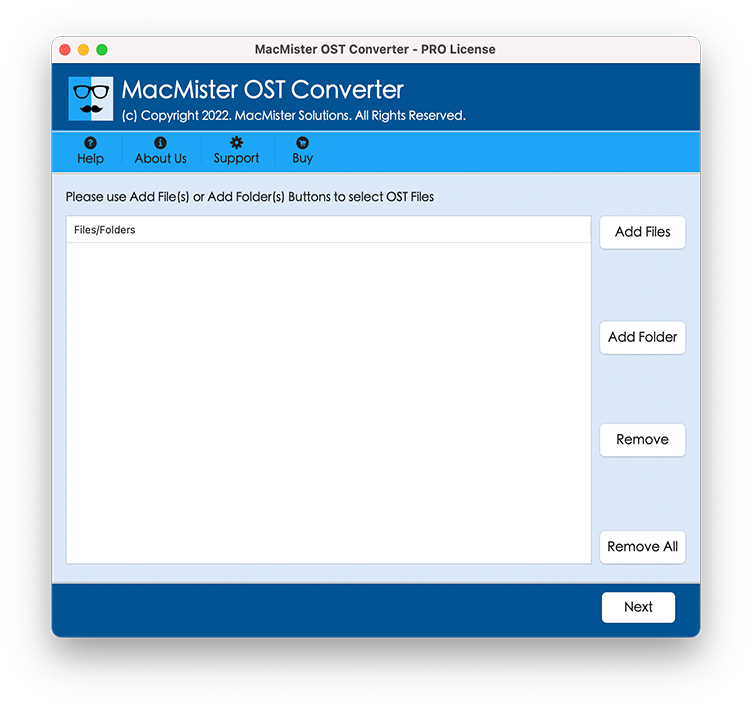
Step 2. Load OST mailbox files with the help of Add Files and Add Folder button and click Next.
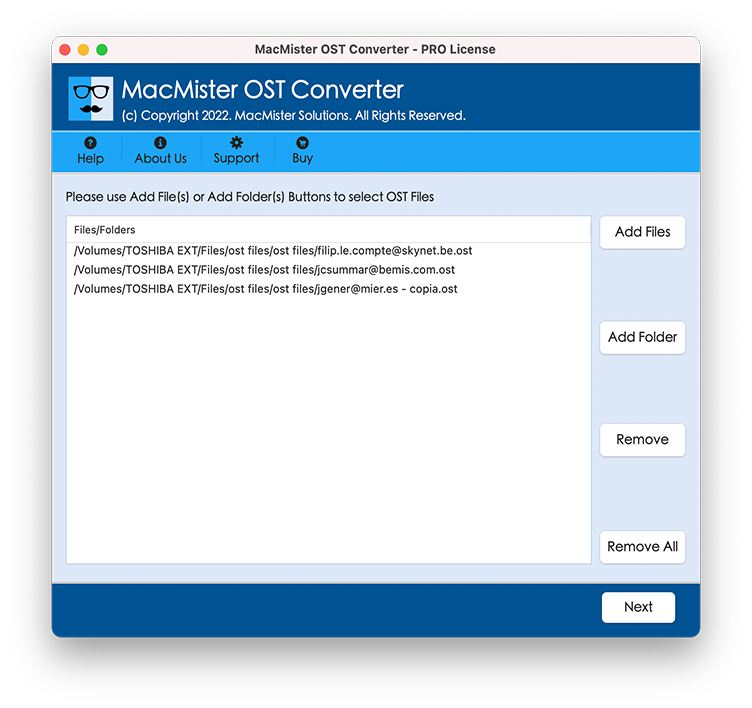
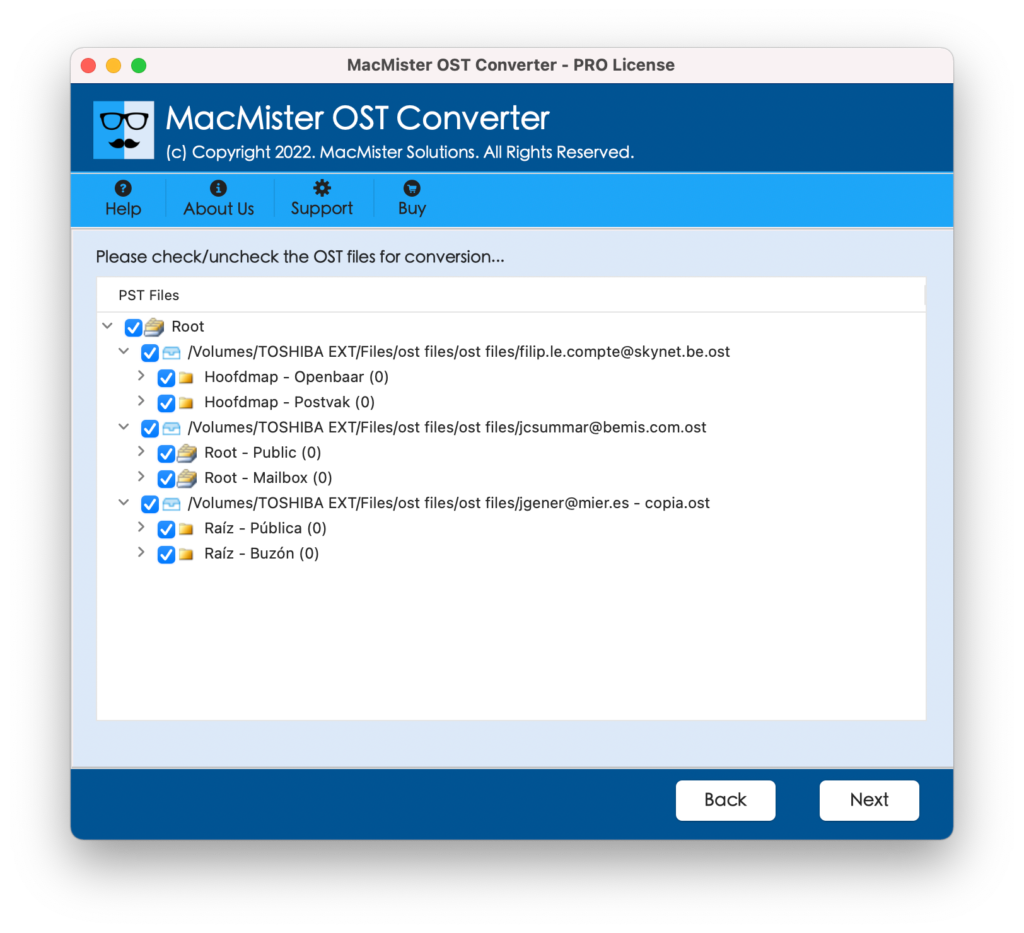
Step 3. OST files start loading and appear with checkboxes. The checkbox help in selective OST file conversion if needed by a user otherwise click Next.
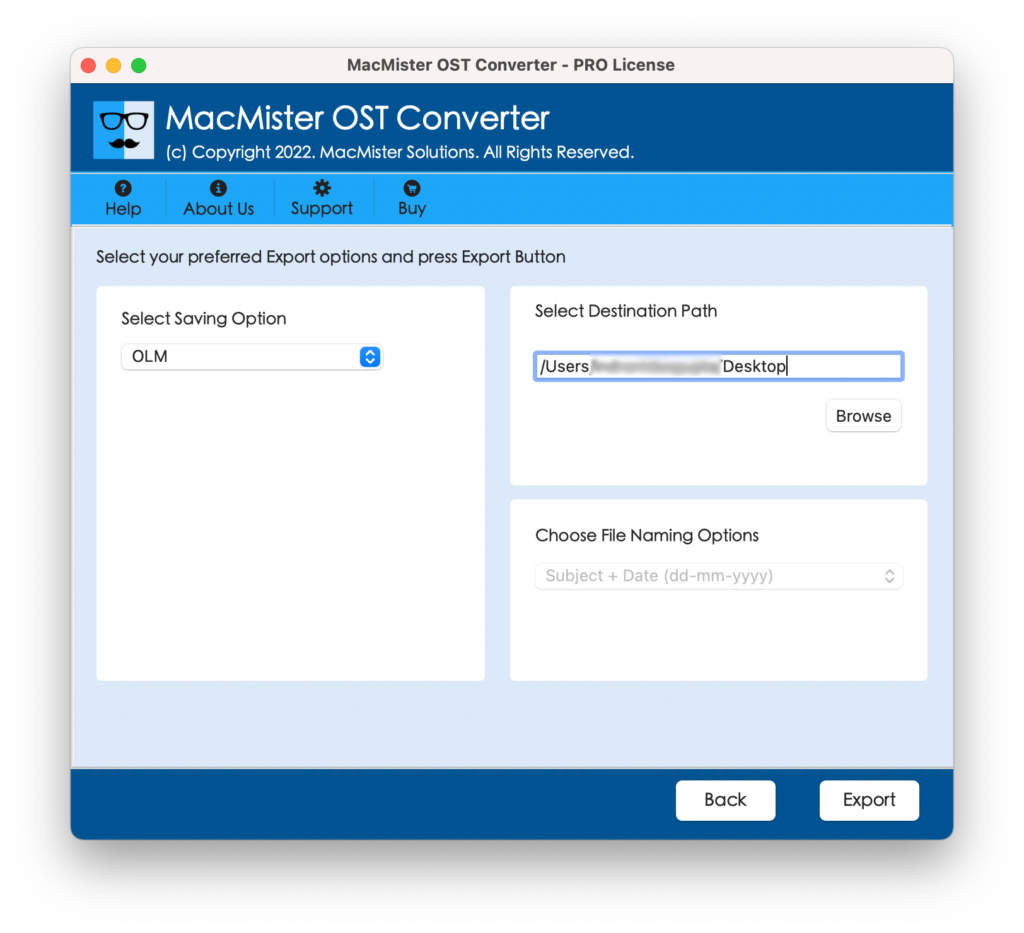
Step 4. Go to Select Saving Option and select required saving type.

Step 5. Provide the sub-options of a chosen type as per requirement and click Export.
Step 6. You can now check the Live Conversion of the process that will display the related details. You can see the status of total items converted and items left for conversion.
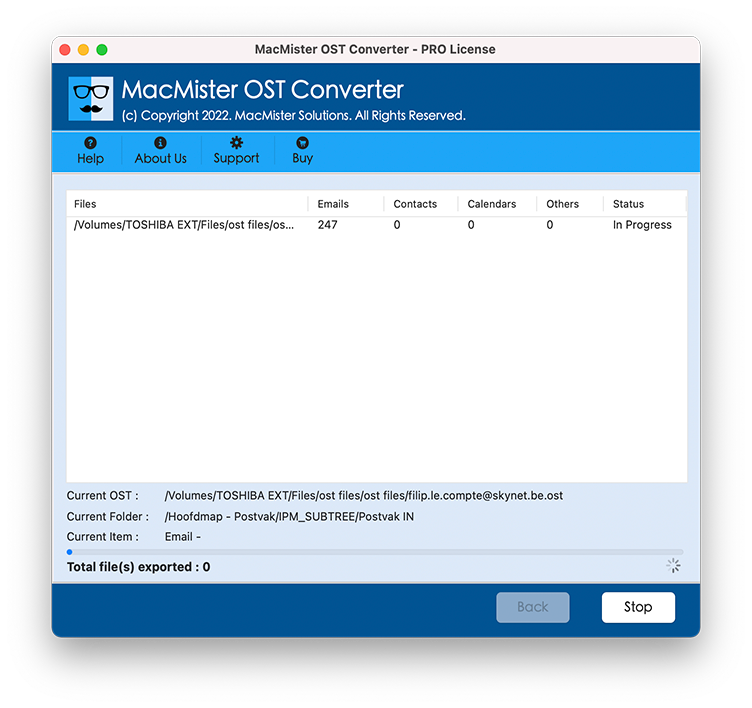
The entire process will take few seconds to complete. Once all files are transferred, you will receive a message by the tool on your screen “Conversion Completed”. Click on OK and exit. Now, visit the location of the resultant file and verify the result. Each and every little detail and formatting properties of the email content will be 100% accurate.
Attributes Overview of the All-in-one Solution
Batch Export of OST to Outlook 2016 Mac
The solution delivers Add Folder option to achieve the required task. And in order to take the benefit of the same, just keep all the desired OST mailboxes in a single folder and load with the help of Add Folder. No matter how many files are there, tool will load all of them and export OST to Outlook 2016 Mac at once.
Provides Direct Conversion Facility to Users
The software possesses direct conversion facility to users. The tool delivers IMAP Server saving option. By selecting the same, provide the related details of Outlook 2016 Mac and the app will then import OST file to specified Outlook 2016 Mac account without data loss.
Carry out the entire Migration in Just 3 Steps
The application comes with user-friendly and feasible interface that any user and organization can use to transfer OST folders to Outlook for Mac 2016. The utility is designed with three steps process. Just upload required OST files, choose saving option and click Export. It will save your time and completes the entire migration safely.
Avail Dual Options to Upload OST Mailboxes
The advance tool is programmed with Add Files and Add Folder buttons. The Add Files option will allow to load required OST files for migration into Mac Outlook 2016. And, the Add Folder option will help to add the entire OST folder for batch export in a single time.
Export OST Mailboxes on all Mac OS Versions
The utility has the ability to export OST mailbox folders to Outlook 2016 Mac on all Mac OS versions. You are free to operate the tool and implement the import process on Mac Monterey (macOS 12), Big Sur (macOS 11), Catalina (macOS 10.15), Mojave (10.14), High Sierra (macOS 10.13) and etc.
Note. To check more features of the software, download the free demo and import 25 files from each OST mailbox free of cost. Moreover, if you any guidance, you can contact MacMister support team anytime.
Conclusion
The complete article provided the guidance on how to import Windows Outlook OST files to Outlook for Mac 2016 directly on macOS. The OST to OLM Converter for Mac is a reliable, safe and wonderful application for transferring unlimited OST database into Mac Outlook directly at once. Moreover, the few easy steps will save your time and gives 100% accurate output.