How to Import PST File to Roundcube Webmail Easily?
Did you unexpectedly receive PST files from a client due to immediate requirement? But utilizing Roundcube webmail and not Microsoft Outlook for data management? Wondering how to import PST file to Roundcube webmail in a safe way? No worries, because in the blog we will be discussing the method that will surely help you to import PST file to Roundcube in few seconds. But first, let’s check out the reasons responsible for importing PST files into Roundcube account.
Overview
Emails are playing a crucial role nowadays. Without the email application, company cannot survive. And so, more and more email clients are launching day-by-day, delivering the powerful environment for good business workflow.
Some email applications supports desktop and some directly work on cloud. However, the cloud-based services are more in use these days. Because companies are finding them flexible and it provides them ease to access the essential emails whenever needed.
So, if we talk about PST and Roundcube, then one is desktop-supported file format and another is a webmail service. Both are completely opposite. And, one cannot directly open PST file into Roundcube account without performing the migration.
Why to Import PST File to Roundcube?
There are plenty of solutions available on Google. But, it is essential to proceed with the one that is certified and guarantees accurate results. However, there is no manual method present for process execution. Therefore, one will only left with the third-party software.
PST (Personal Storage Table) is a default storage file type of Windows Outlook. It contains all the necessary database of user’s account such as email messages, calendars, contacts, tasks, and notes. It is considered as one of the most secure and powerful file format. And, there are more than millions of Windows Outlook users who saves their database in PST file to safeguard confidential information.
The only drawback with PST file is that it is platform-dependent. Users with no Outlook email client find difficulty in accessing the data of PST file.
Roundcube Webmail is a free open-source webmail service that has desktop-like GUI. It is easy to install/configure and perfectly runs on standard LAMPP server. Not only this, the webmail delivers n number of features to users such as drag-and-drop message management, threaded message listing, spell checking, canned response templates, in-built caching for quick mailbox access, unlimited users and messages, and more.
How to Import PST File to Roundcube Webmail?
With the help of MacMister PST Converter for Mac & Windows, users can directly import PST file to Roundcube webmail with emails and attachments on both macOS and Win OS. The software is introduced with a friendly GUI so that all types of individuals can utilize it independently and perform the migration without the need of well-skilled professionals. Even, the features are incomparable. Users can apply them according to their requirements and import PST file to Roundcube webmail accordingly.
Moreover, the application has short and non-typical steps that will save the time and energy of users and in few seconds, successfully import all PST files to Roundcube. However, users can download the trial edition of the software and check the migration steps of the tool for free.
Working Steps to Import PST File to Roundcube Webmail on Mac
Step 1. Download and run PST to IMAP Migration Tool for Mac on a macOS.

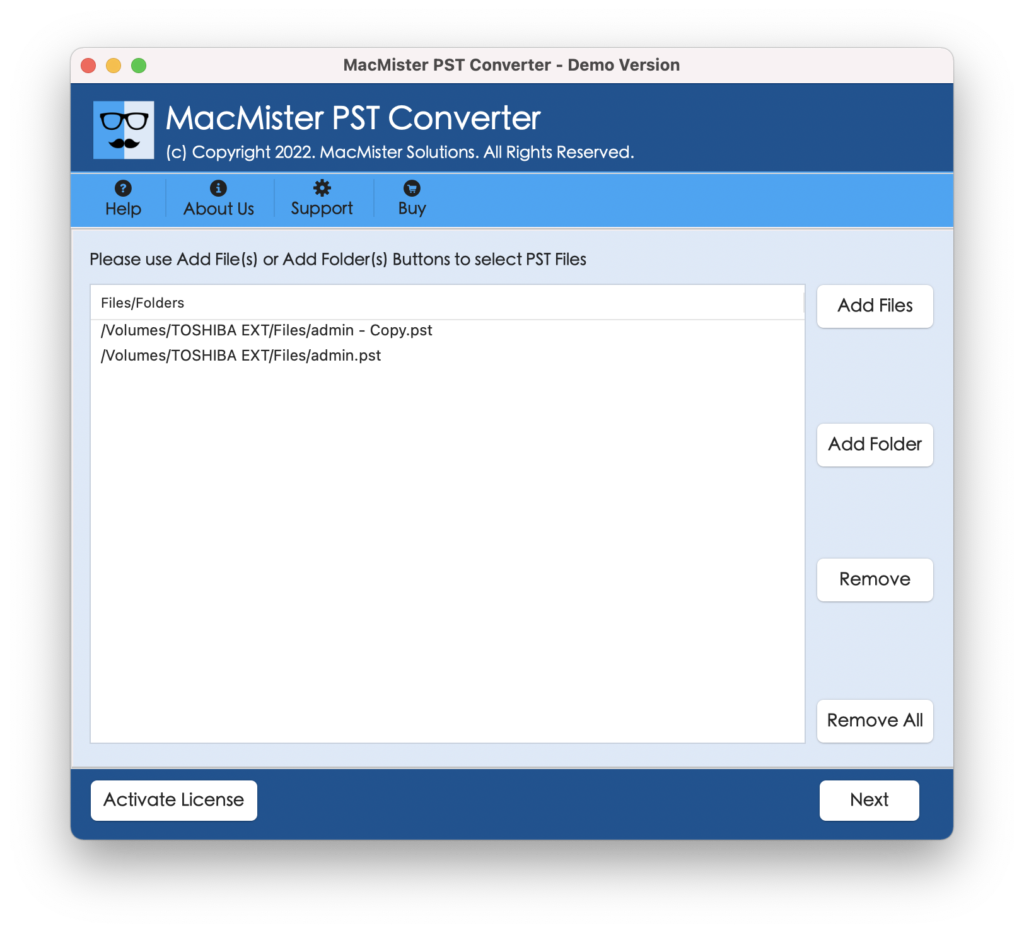
Step 2. Add the necessary PST files on the tool by making use of dual buttons i.e. Add File(s)/Add Folder. Click Next and continue.
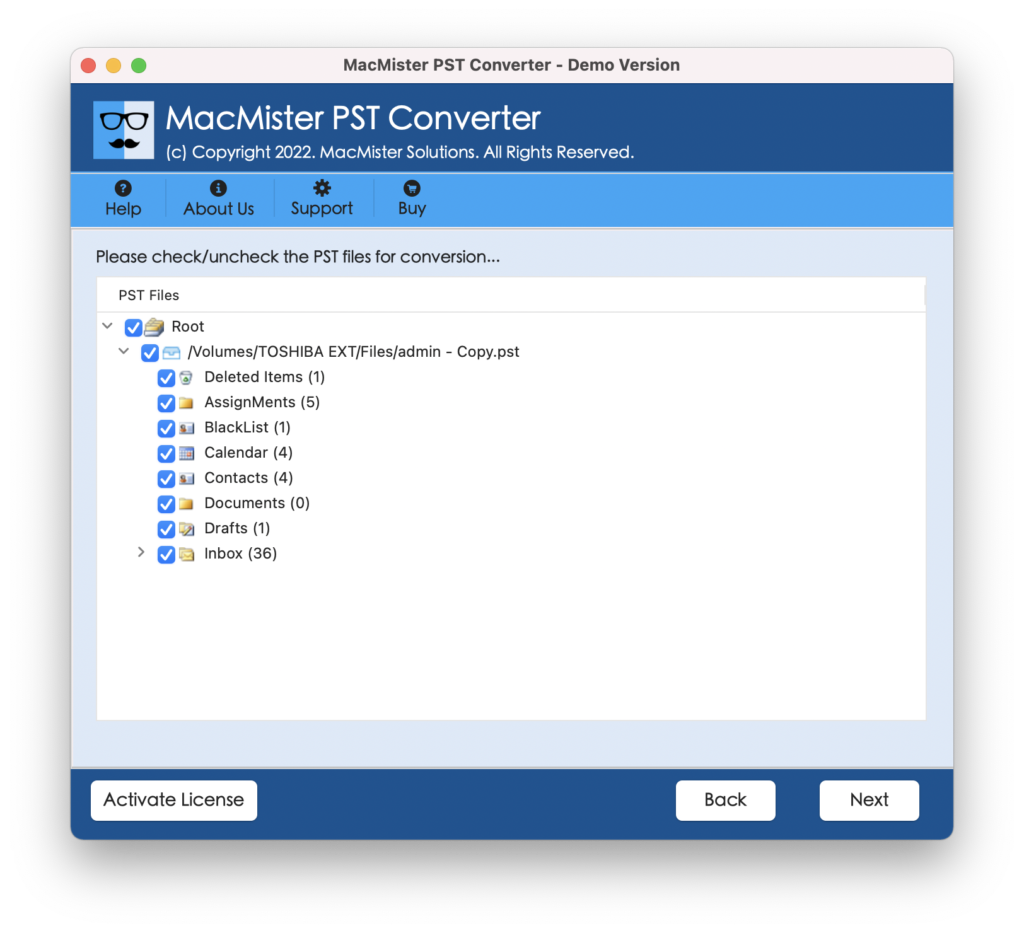
Step 3. The software now list PST files one-by-one with checkboxes. And, the checkbox is useful to import specific PST files to Roundcube account. The function will help those users who are looking to perform selective migration. Press the Next button to proceed.
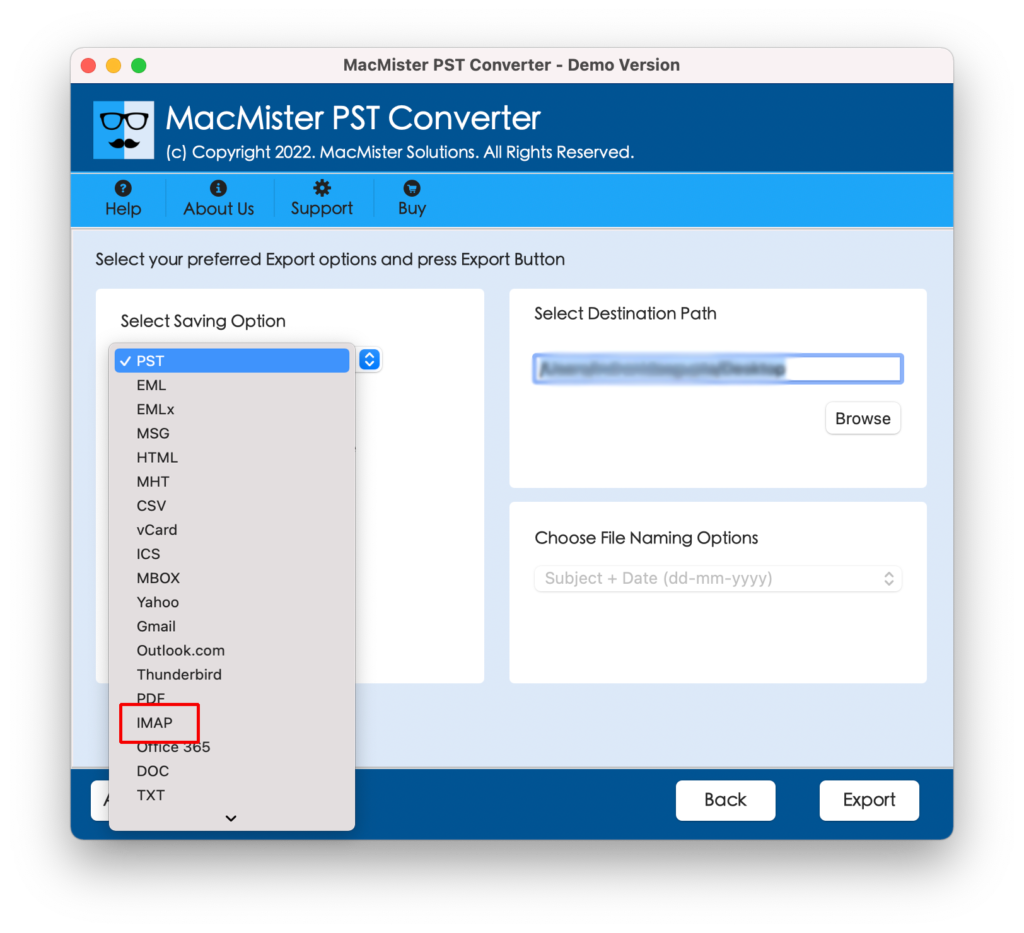
Step 4. Click the Select Saving Options and select IMAP Server option from the list.
Step 5. Provide Roundcube account credentials with IMAP Host and Port Number and then click the Export button.
Step 6. The migration process is now live and the tool will display Live Conversion Window that will show the ongoing migration progress of PST files.
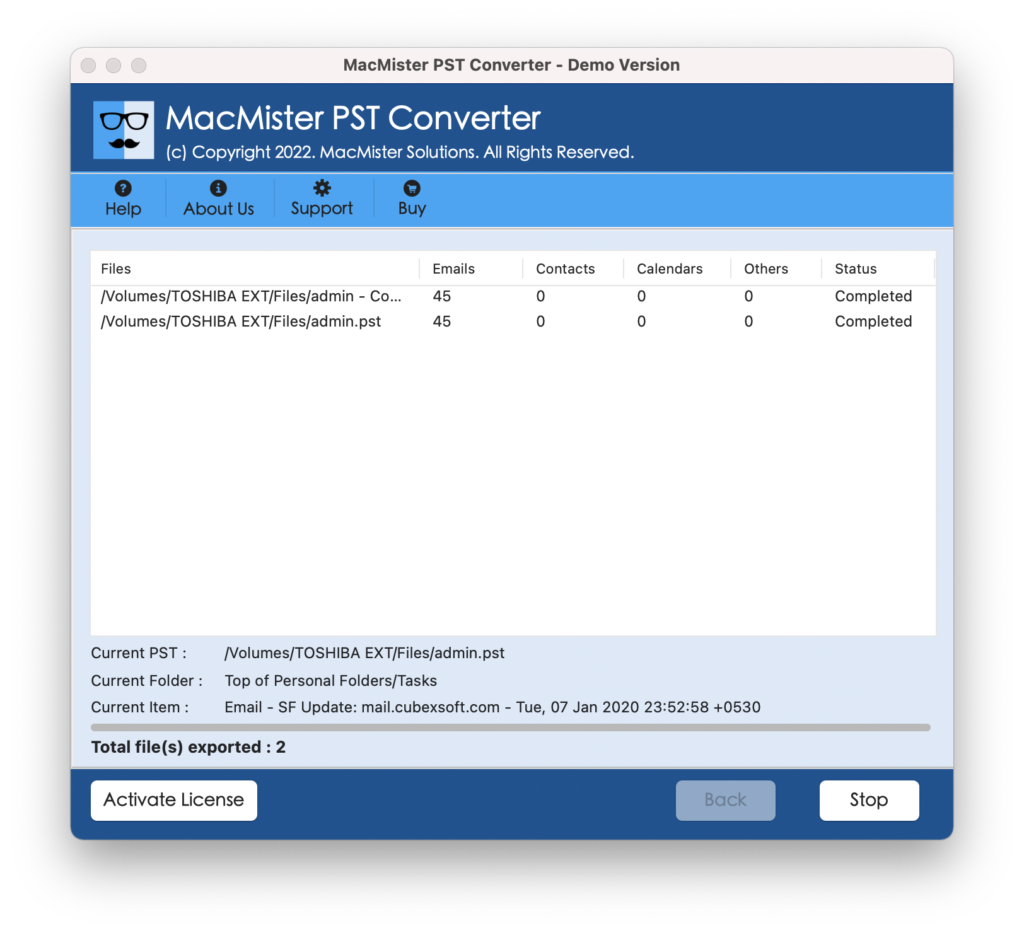
The software will finish the whole task in seconds and users will see Conversion Completed message on their screen. Click the OK button and then go to Roundcube account to check the migrated files. However, the files will be accurately transferred and users will see no change in the content as well as formatting properties.
Why MacMister PST to Roundcube Migration Tool is Preferable?
There are multiple reasons for choosing the application and some of them are:
- Directly import PST emails and attachments to Roundcube on any macOS.
- Supports dual options i.e. Add File(s)/Add Folder buttons to add necessary PST files on the app for migration.
- Programmed with a friendly GUI and so technical and novice users can effortlessly operate it.
- Handles the entire migration with care and delivers instant as well as accurate result in a short time.
- Includes batch mode function with the help of users can transfer unlimited PST files to Roundcube account at once.
- Keeps the metadata properties and folder structure accurate and intact throughout the process.
- Displays Live Conversion Window that will show the ongoing migration progress of PST files to users.
- Apart from IMAP Server, supports 15+ other saving options such as PST, PDF, MSG, EML, EMLx, MHT, HTML, TXT, DOC, Office 365, Thunderbird, Gmail, G Suite, and more.
- Allow users to download the app and perform the migration on macOS Ventura, Monterey, Big Sur, Catalina, etc.
Quick Note. Download the TRIAL EDITION and Explore more Software Features.
Epilogue
The write-up has explained the potent method to import PST file to Roundcube on Mac & Windows. The PST Email Migration Tool for Mac & Windows is a safe solution with fast processing. Anyone can manage the app and perform the process with 100% accuracy. It is highly recommended by experts as the solution is certified and trouble-free. Moreover, the application is built-up with a free demo so that users can check the migration procedure for free. Also, one will be able to migrate first 25 PST files to Roundcube webmail free of cost.