How to Import PST to Google Workspace on Mac & Windows?
Do you want to transfer essential PST files to Google Workspace immediately? Wondering how to import PST to Google Workspace with accurate emails effortlessly? Searching for a stress-free solution to implement the required process? Not to worry, read the article in which you will discover a solution that will quickly import all PST files to Google Workspace with the correct email content and folder structure. But first, let’s clarify why users are moving to Google Workspace.
Why Google Workspace is gaining popularity?
Today’s digital era is completely dependent on email platform for communication. Numerous users make use of a specific email client to exchange or share critical files with others who are residing in different corners of the world. One can say that email applications have made work easier for businesses. They can now easily connect and collaborate with easily without travelling. Moreover, a lot of people keep switching from one platform to another to experience enhanced functionality and features. Nowadays, many are moving to cloud-based applications like Google Workspace from desktop-supported email clients.
Google Workspace is a hub of cloud-supported tools and services for productivity and collaboration. It is equipped with apps and services such as Google Mail, Google Docs, and Google Sheets that help individuals, organizations, and businesses to fulfill necessary requirements.
- Communication Tools such as Google Mail, Google Meet, and Chat help users to connect in real time.
- Collaboration Tools including Google Docs, Slides, Sheets, and Forms allow users to manage their data online.
- Other tools such as Calendar, Drive, Currents, Bots, Keep, and Sites help in organizing large amount of data with ease.
How to Import PST to Google Workspace on Mac & Windows?
The easiest method to implement the process is MacMister PST Converter for Mac & Windows. The application is programmed with a friendly interface that professional and non-professional users can smoothly use. Even, the minimum operational steps will take less time and energy of users. They will get the freedom to batch import PST files to Google Workspace in a matter of seconds. Besides Google Workspace, you can use the app to import PST data items into 15+ other saving options including MBOX, MSG, EML, EMLx, CSV, MHT, OLM, Yahoo, IMAP, Outlook.com, and more.
Moreover, users will find several remarkable features in the application with the help of they can import PST to Google Workspace according to their requirements. However, you may download the trial edition and experience the working of the tool for free.
Working Steps to Import PST to Google Workspace on Mac
Step 1. Download and run PST to Gmail Migration Tool on your Mac system.
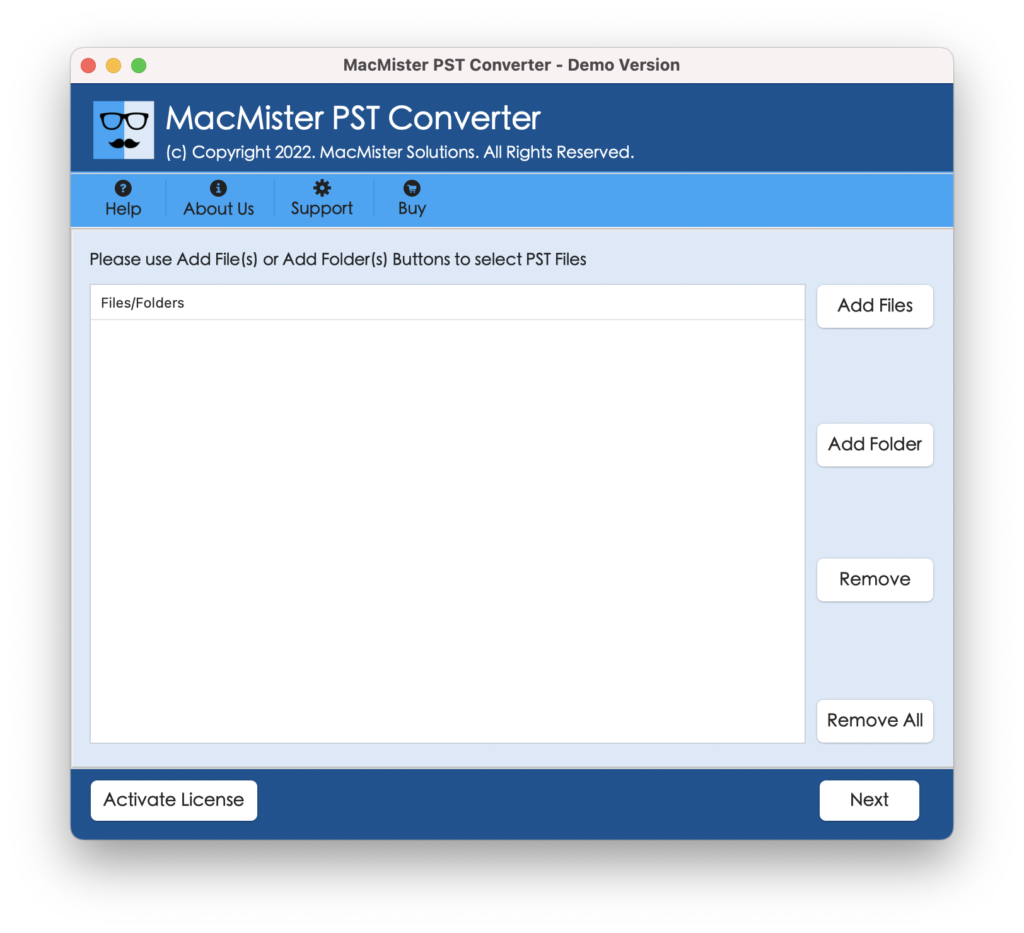
Step 2. Utilize Add File(S) button to add PST files on the application or click Add Folder button to upload a folder carrying multiple PST files on the tool and click Next.
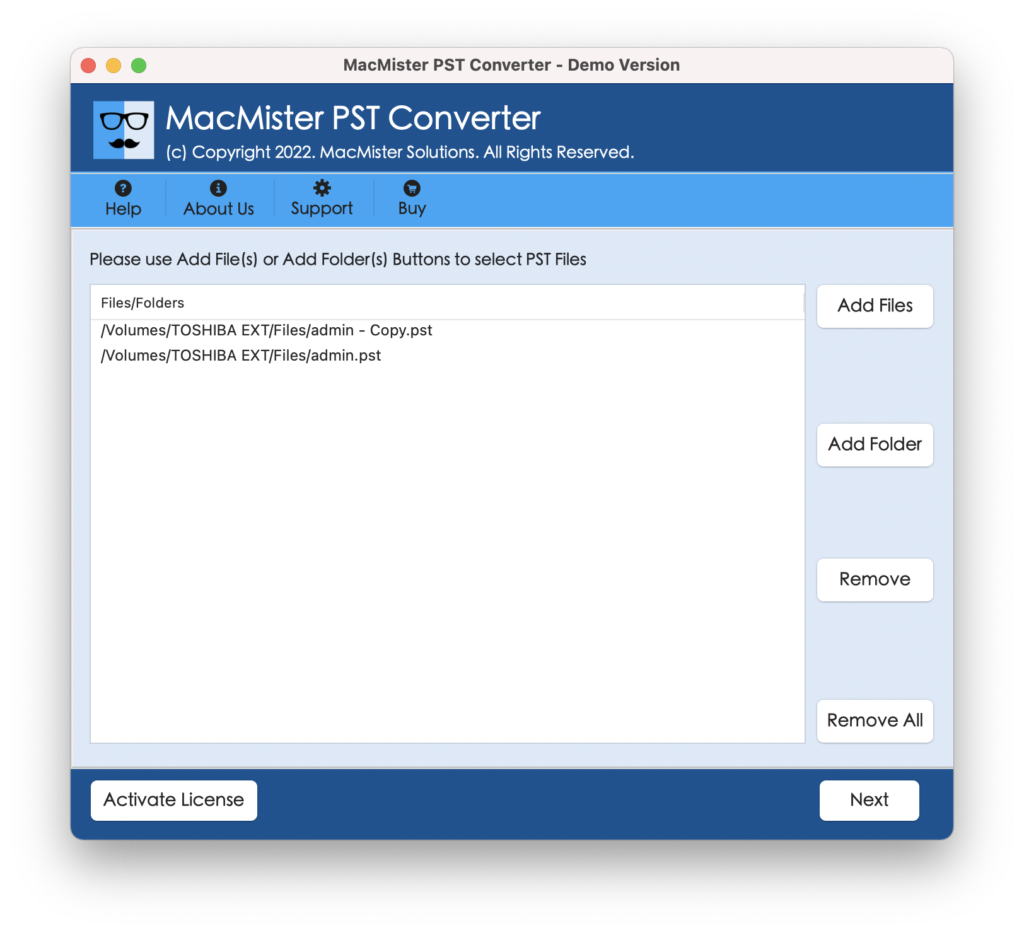
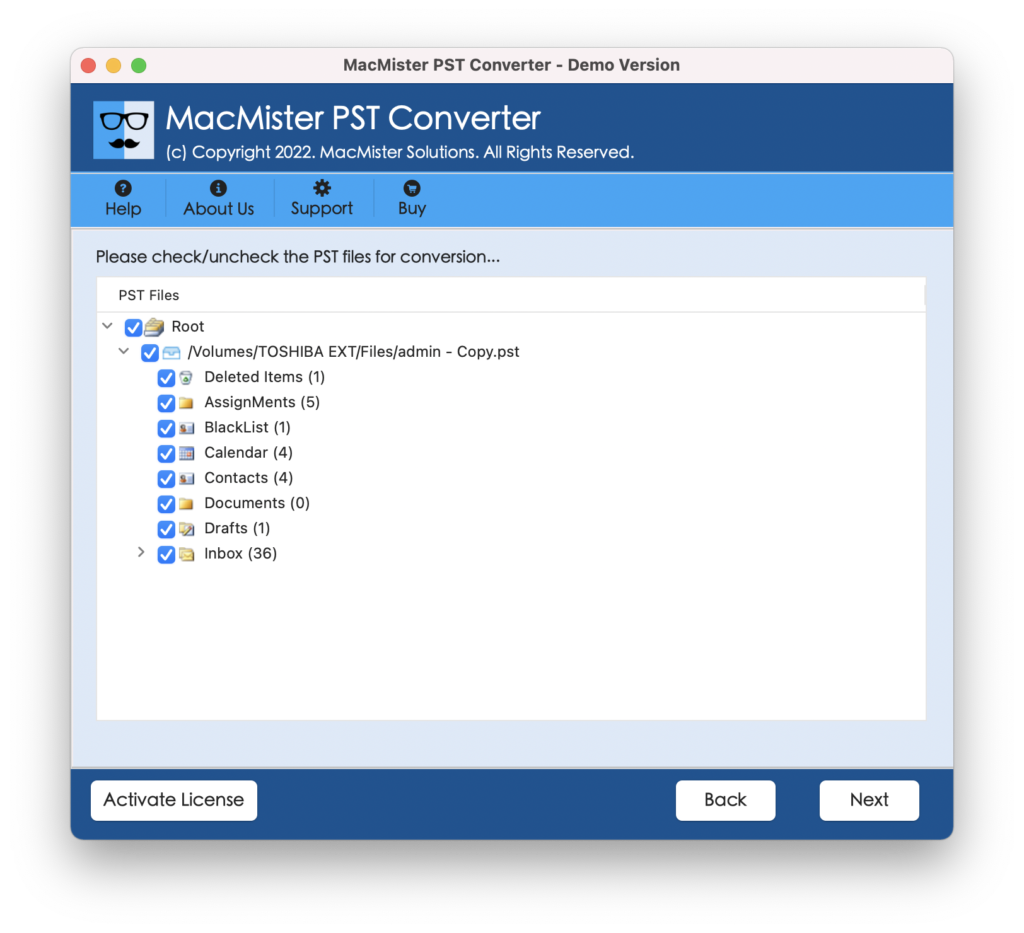
Step 3. Now, the software start showing the list of PST files on the screen with checkboxes that are selected by default. You can deselect them and select them again according to your priority to import selected PST files to Google Workspace. Click Next to proceed.
Step 4. Click on Select Saving Options and select Google Mail option from the menu.
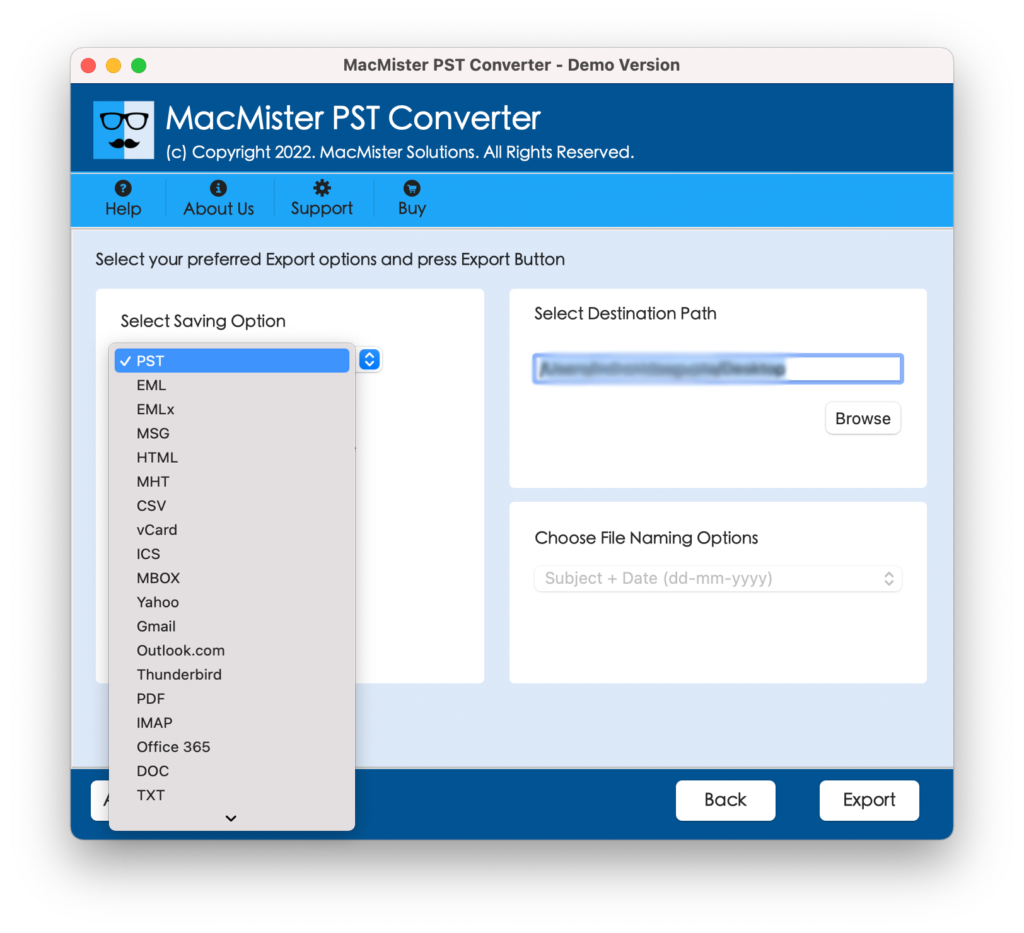
Step 5. Specify Google Workspace email address and app password in the fields and click on Export.
Step 6. The tool will start the conversion and a Live Conversion Report will appear that shows the ongoing import progress of PST files.

The process will finish with a pop-up notification confirming that the migration is successfully completed. Tap OK and go to destination to verify resultant files. However, you will see that the imported data is 100% accurate and the folder structure is also appearing in correct order.
In other words, you can completely rely on the application and perform the process in a way you want.
Why Users Should Opt MacMister PST to Google Workspace Tool?
MacMister PST to Google Workspace is an effective tool to import PST files to Google Workspace environment. It is built with many features and options which are useful in obtaining the desired results. Some of them are mentioned below –
Batch Import PST Files to Google Workspace
The tool includes Add Folder option that allows to upload a folder having unlimited PST files on the application. Once the files are loaded, users can import all PSTs to Google Workspace at once.
Use Dual Options to add PST Files on the Tool
The application provides Add File(s) and Add Folder buttons. Users can choose the necessary option and add PST files on the tool accordingly for direct migration.
Directly Import PST Data to Google Workspace
The software can import PST data to Google Workspace directly. After adding the necessary PST files to the tool, you can select Gmail from the Select Saving Options property, add Google Mail credentials, and start the process.
Supports Simple and Friendly User-Interface
The tool is programmed with a simple and friendly environment. Thereby, professional and novice users find its operational steps easy and time-saving.
Preserves Folder Structure & Content Accuracy
The application ensures the safely of PST database during the process. After the process complete and users visit to specified account, they will see that the entire folder structure is correct and the content of email messages, contacts, calendars, tasks, etc. appearing without any modifications.
Track Live PST Migration to Google Workspace
After you click on Export button, the tool will show Live Conversion Process with the help of you can track the current migration status of PST files.
Download the app on Mac & Windows OS
The software is available in Mac & Windows versions. So, Mac users can download the Mac version of the tool and download the same on any Mac OS version including Mac OS Sonoma. Whereas, Windows users can download the Windows version of the app and utilize the same on any Windows OS including Windows 11.
Epilogue
In the article, we have highlighted a quick methodology to import PST to Google Workspace on Mac & Windows with emails and attachments. The above-mentioned technique is reliable and ensures the safety of Google Workspace login details during the process. Moreover, the app guarantees smooth and secure migration of unlimited PST files to Google Workspace. However, you download the trial edition of the app and test the software procedure for free by importing first 25 PST files into Google Workspace free of cost.