Quick Migration from Office 365 to iRedMail with MacMister
Are you migrating to iRedMail from Office 365 and worried about the old data stored in Office 365 account? Looking for a best procedure to implement the migration of mailboxes from Office 365 to iRedMail environment? If yes, then the blog will give you exactly what you are looking for. Just read the segment carefully and follow the instructions given to successfully migrate all old emails from Office 365 to iRedMail account on Mac & Windows accurately.
Office 365 and iRedMail are widely used cloud-based webmail servers that businesses rely on for managing their daily email communications. These webmail applications offer easy accessibility, allowing users to log in to their accounts through any web browser without the need for software installation. This flexibility is particularly beneficial for individuals who frequently travel for various official purposes. In contrast to desktop-supported programs, cloud services like Office 365 and iRedMail provide a more convenient and adaptable solution.
Why Migration from Office 365 to iRedMail is needed?
Office 365 was originally created for enterprise use, but over time it has become available to organizations of all sizes. This is because smaller organizations also wanted to have access to the same competitive advantages as larger enterprises. In Office 365, users can utilize services such as Exchange, SharePoint, Lync, and Office web apps. The premium edition of Office 365 includes additional applications such as Microsoft Access, Word, Publisher, Outlook, MS Excel, and One Note (although One Note is not available on Mac OS).
Office 365 has many advantages and that is why millions of users have access to it. But, there are some drawbacks due to which users are migrating to iRedMail from Office 365.
- The biggest disadvantage is installing each and every app that Office 365 offers. For e.g. if you use SharePoint or not but still have to download it.
- Internet connectivity is a must to access up-to-date files.
- Office 365 has strict safety and management regulations to protect the information but sometimes they interfere with the business’s daily activities.
- Microsoft continuously rolls out updates with advanced features that get only compatible with devices that are capable of taking the burden of the sophisticated piece of software.
- Not all the functionality is useful as most people only use 20% of the functionality.
Why iRedMail?
iRedMail is a fully featured open-source functional solution for the organization of your own mail server. It contains an easy-to-use environment that is equipped with a variety of powerful features. This is a unique solution that simplifies a mail server’s rather delicate and time-consuming installation.
- It stores personal data on the hard disk, so one can control the email security and inspect the transition log.
- Maintains an unlimited amount of mail accounts properly.
- The data will remain secure and protected.
- End users are able to use email services through secure connections (POP/IMAP/SMTP over TLS, webmail with HTTPS).
- Provides functional solutions such as anti-spam and antivirus utilities.
- Allows to work with suitable backend instruments such as OpenLDAP, MySQL, MariaDB, and PostgreSQL.
How to Migrate from Office 365 to iRedMail on Mac & Windows?
By using MacMister Office 365 Backup Tool for Mac & Windows, users can directly migrate Office 365 mailboxes to iRedMail in bulk at once. The software is simple, reliable, and cost-effective. Its friendly GUI allows both professional and non-professional users to use the app effortlessly and perform Office 365 to iRedMail migration without any trouble. The steps are also non-typical and will migrate Office 365 emails to iRedMail in a few seconds.
Moreover, the solution contains lots of features that are advanced and will be able to carry out the entire migration as per specific needs. However, the trial edition is available that users can use to test the migration steps for free.
Working Steps to Migrate from Office 365 to iRedMail on Mac
Step 1. Download and run Office 365 to iRedMail Backup for Mac Tool on any Mac OS.
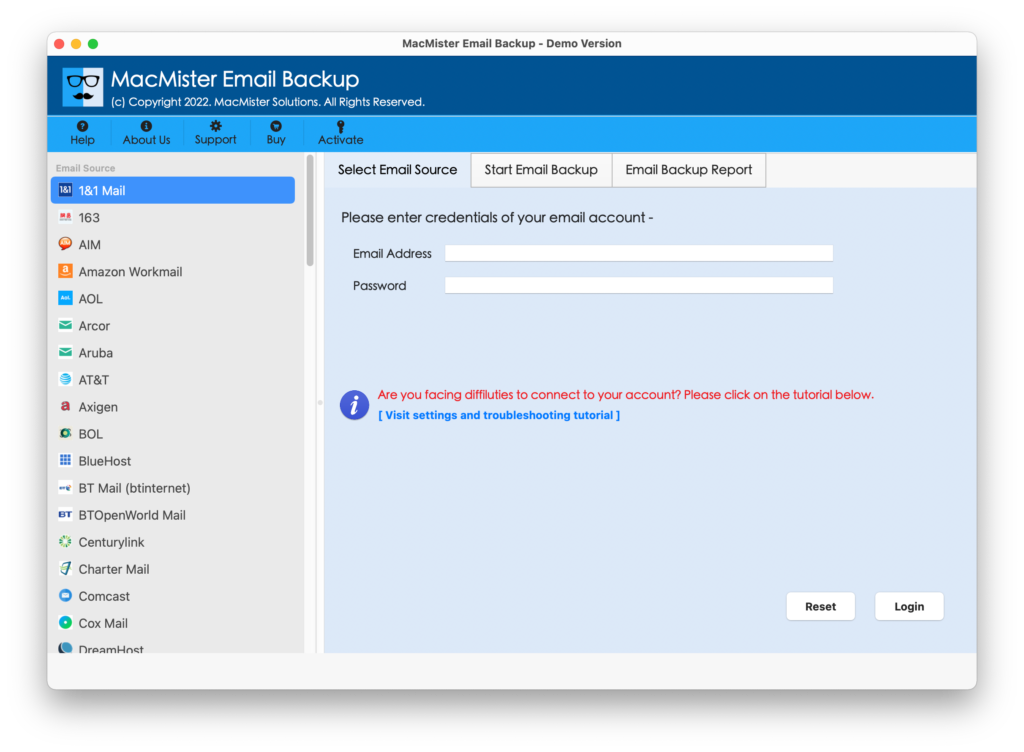
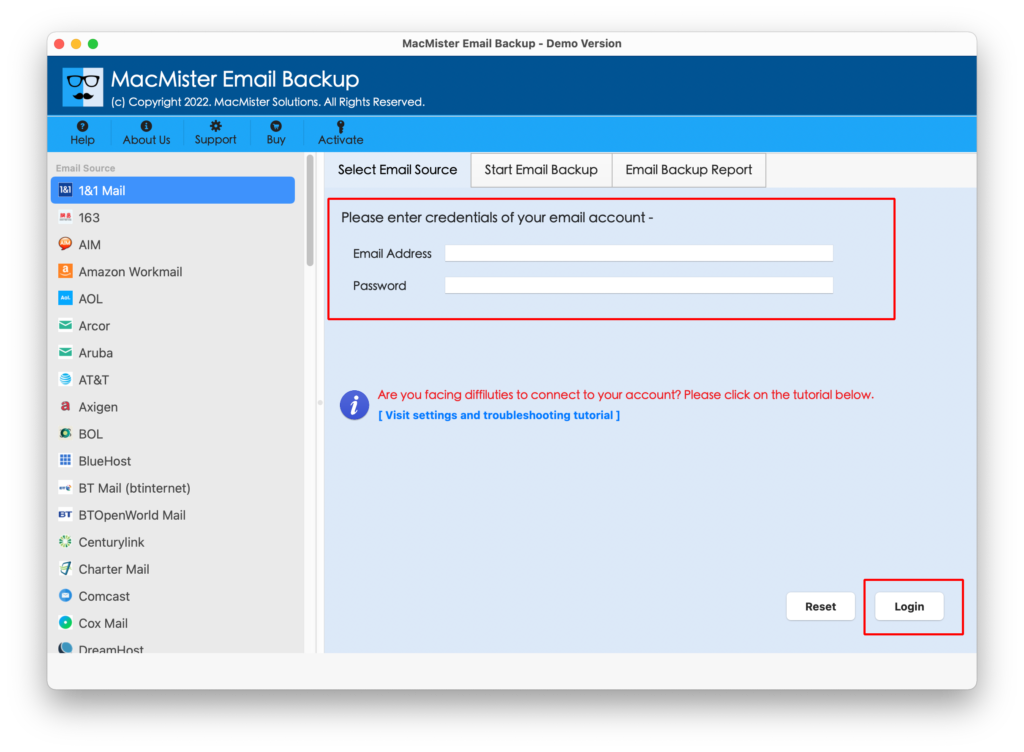
Step 2. Select the Office 365 option from the left and enter Office 365 email ID well as password in the required fields. Click Login.
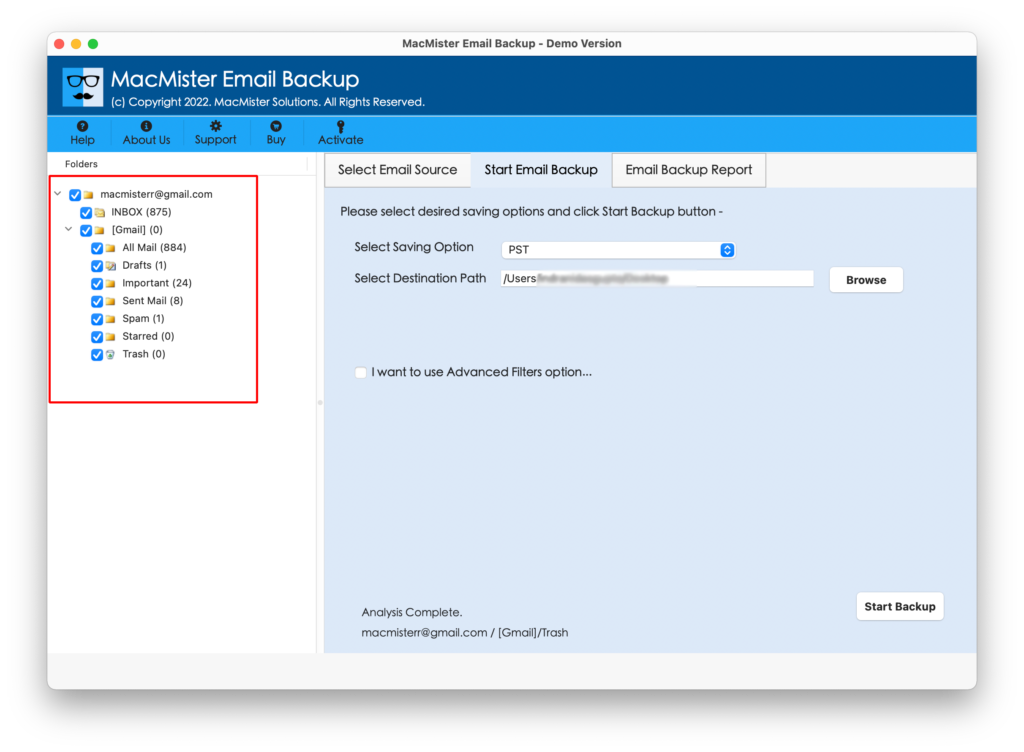
Step 3. The tool will connect with a specified Office 365 account and start listing Office 365 mailboxes on the software.
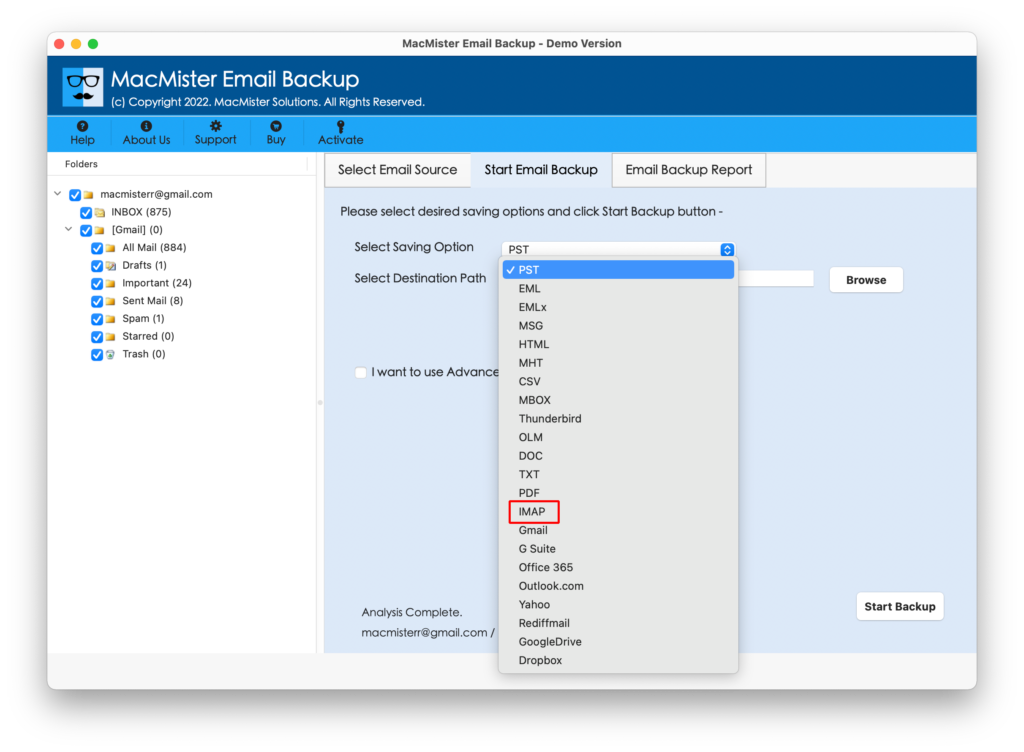
Step 4. Click Select Saving Options and choose IMAP from the list.
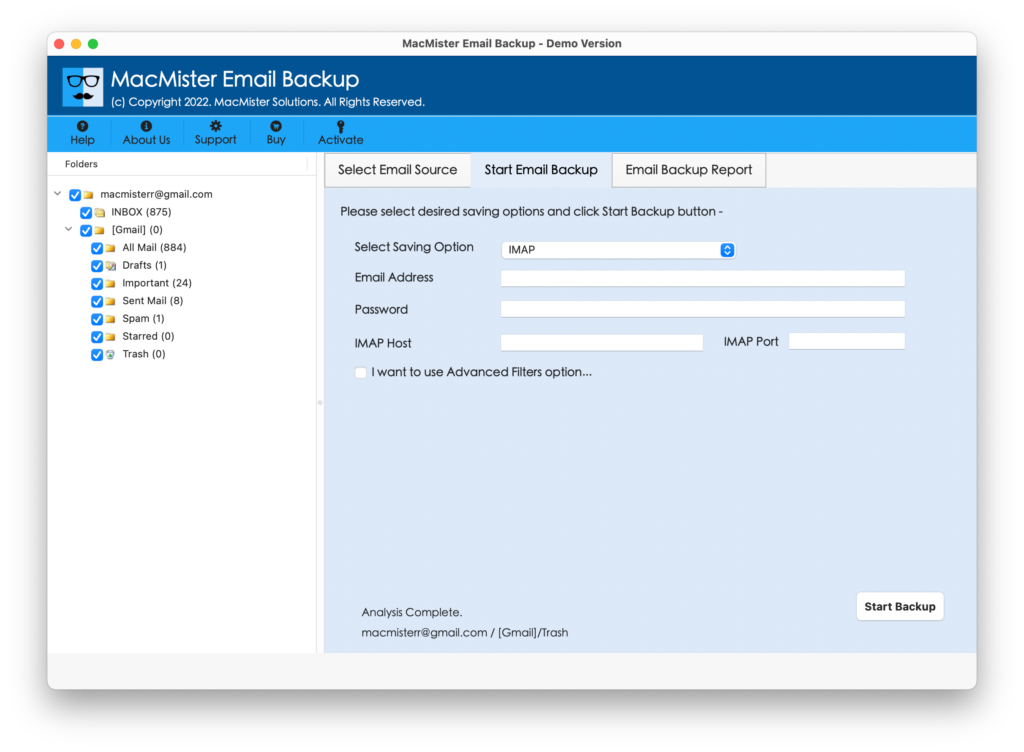
Step 5. Enter iRedMail credentials with IMAP Host and Port Number. Also, set Filters if you want to migrate the required Office 365 database to an iRedMail account. Last, click on the Export button.
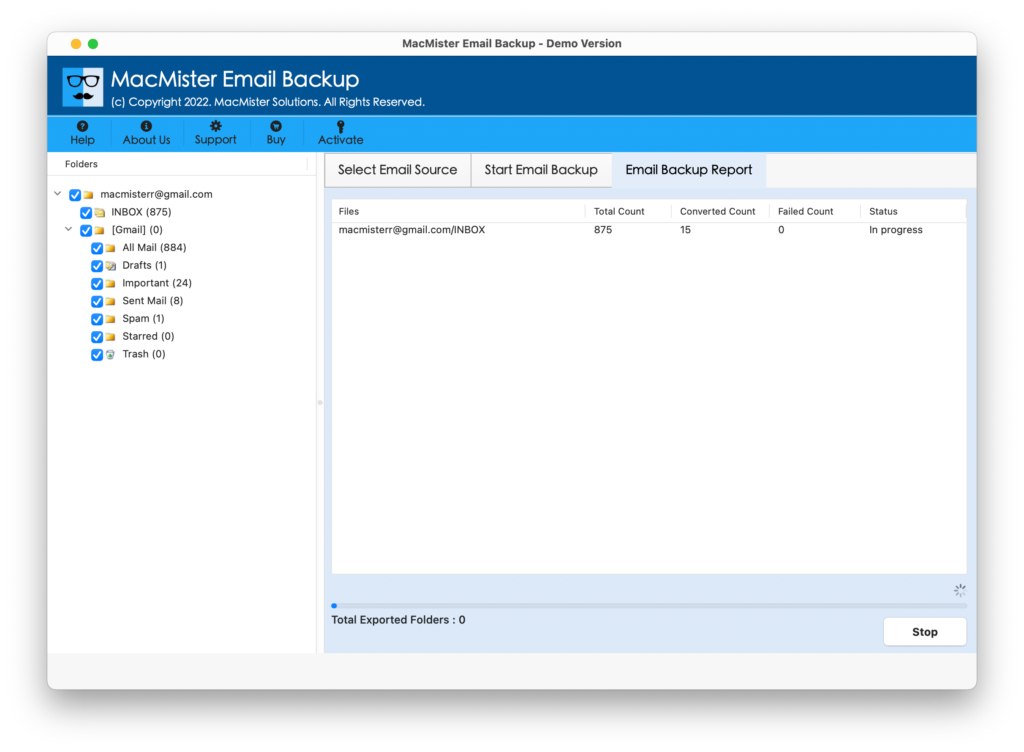
Step 6. The process will be live and the tool will show an Email Backup Report that will show the ongoing export progress of Office 365 mailboxes.
The application will finish the procedure in a fraction of a second and then users will see the “Process Completed” message on the screen. Click the OK button and go to the iRedMail account to check the results. However, you will see that the email messages are accurate and they are appearing with precise formatting properties.
Why Choosing Office 365 to iRedMail is Beneficial?
There are many reasons why an Office 365 to iRedMail account is a must-have utility. Some of its solid beneficial features are mentioned here:
- Directly perform the migration from Office 365 to the iRedMail account within seconds.
- Offers advanced Filters that will help users to migrate specific Office 365 mailboxes to iRedMail.
- Supports a user-friendly platform that any user can manage easily and accomplish the migration without encountering any difficulty.
- Provides Email Backup Report Window that will show the ongoing migration progress of Office 365 mailboxes.
- Maintains the originality of Office 365 email messages and keeps their formatting properties intact throughout the process.
- Capable to migrate Office 365 to iRedMail on macOS Ventura, Monterey, Big Sur, Catalina, High Sierra, etc.
Quick Note. Download FREE DEMO for Complete Software Evaluation and Analysis.
Epilogue
The blog has discussed an advanced approach for executing Office 365 to iRedMail migration with emails and attachments. The Office 365 Email Backup Software Mac is fast, safe, and effective. It will save time and do batch migration at once with 100% accuracy. However, you can test the working of the tool by downloading the free demo. It will allow to migrate first 25 Office 365 emails & attachments to iRedMail account for free.