Incomparable Way to Export SeaMonkey Mail to Outlook on Mac
Here, users will get the exceptional solution to export SeaMonkey Mail to Outlook on Mac or on Windows. So without more ado, follow the blog and let the guidance guide you on how to export SeaMonkey Mail to Outlook on Mac easily.
Related Post
SeaMonkey is a widely used application suite that contains web-browser, IRC chat, newsgroups, email, feed client, etc. It is a descendant of a Netscape family that supports message filter, address book, search option, multiple accounts and more. It is quite known for delivering high quality updates and its platform-independent ability. In other words, users can use SeaMonkey Mail not only on Mac, but also on Windows, Linux and many more other operating systems.
How to Export SeaMonkey Mail to Outlook?
SeaMonkey Mail does not offer any manual technique to export SeaMonkey Mail into a different email client or file format. Thus, in order to migrate SeaMonkey to Outlook, one need to make use of a solution that directly and easily transfers all SeaMonkey Mail mailboxes into Outlook at once.
In the following section, we have discussed two steps with the help of which users can effortlessly access SeaMonkey account data in Outlook on Mac. Implement both the steps properly and obtain the required result.
- Step 1. Extract mailboxes from SeaMonkey default location.
- Step 2. Export extracted SeaMonkey mailbox into Outlook.
Step 1. Extract SeaMonkey Mail Account Mailbox Data
Most of the email applications has a default folder location where they store the associated mailbox database. However, before starting the export process of SeaMonkey to Outlook on Mac, let us first navigate to the default stored location of SeaMonkey. Follow the steps for the same:
- Open SeaMonkey Webmail.
- Choose email folder containing email messages.
- Take the cursor to View Settings for Account and then Server Settings.
- Copy the path and paste the same on finder.
The complete list of folders and sub-folders of SeaMonkey account will appear with .mbox extension.
Step2. Export SeaMonkey to Outlook for Mac and Outlook for Windows
With the help of MBOX Converter for Mac, users can successfully move unlimited SeaMonkey mailboxes to Outlook for Mac and Outlook for Windows. The software includes the saving options list from which users users can select the required file type such as PST or OLM and export SeaMonkey data without any issue. The application has a simple three migration steps and equipped with a friendly GUI that technical and novice users can trouble-free make use of to export SeaMonkey emails to Outlook.

The features added in the software are very unique and incomparable as compared to other applications. Users can apply each and every option precisely to receive the desired outcome. However, one can download freeware version of the tool and explore the complete software functioning free of cost.
Steps to Transfer SeaMonkey Emails in Outlook Mac & Windows
Step 1. Run SeaMonkey to Outlook Converter Mac on macOS.
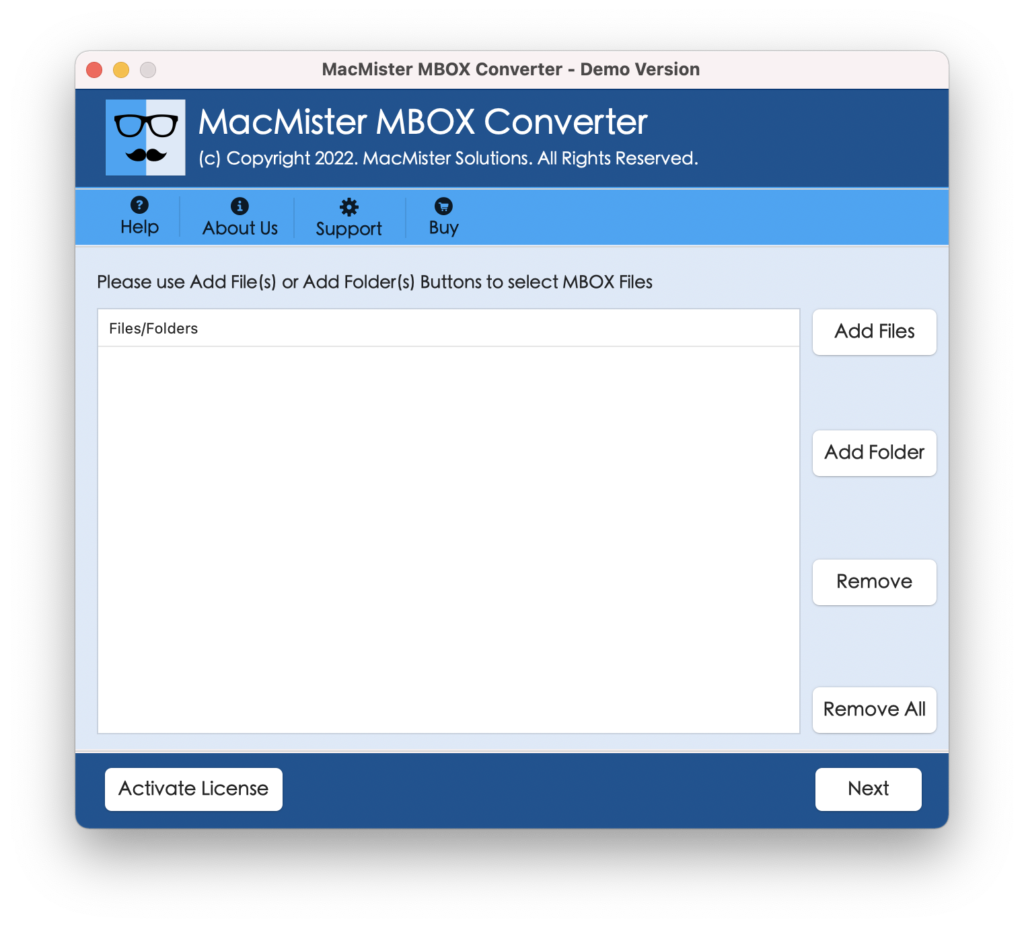
Step 2. Users will now see two options i.e. Add Files and Add Folder. They can click on the required button and load SeaMonkey account data accordingly. Now, click on Next.
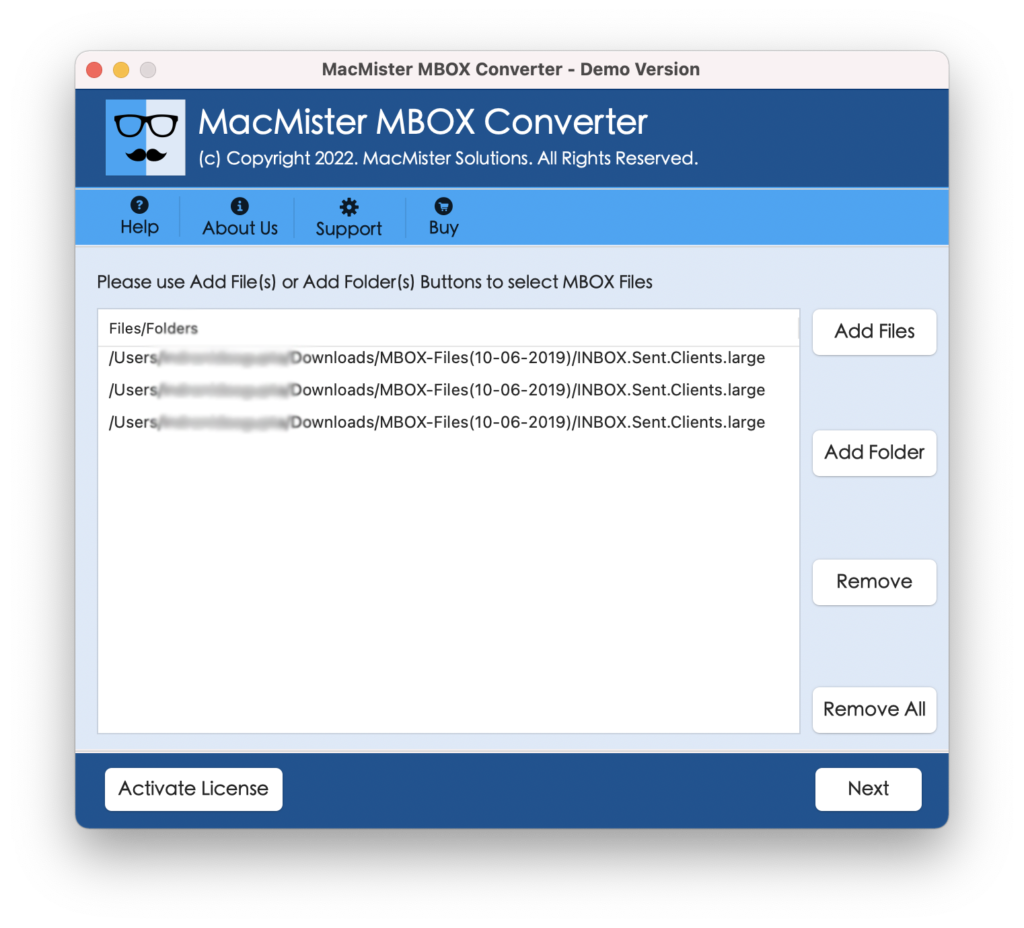
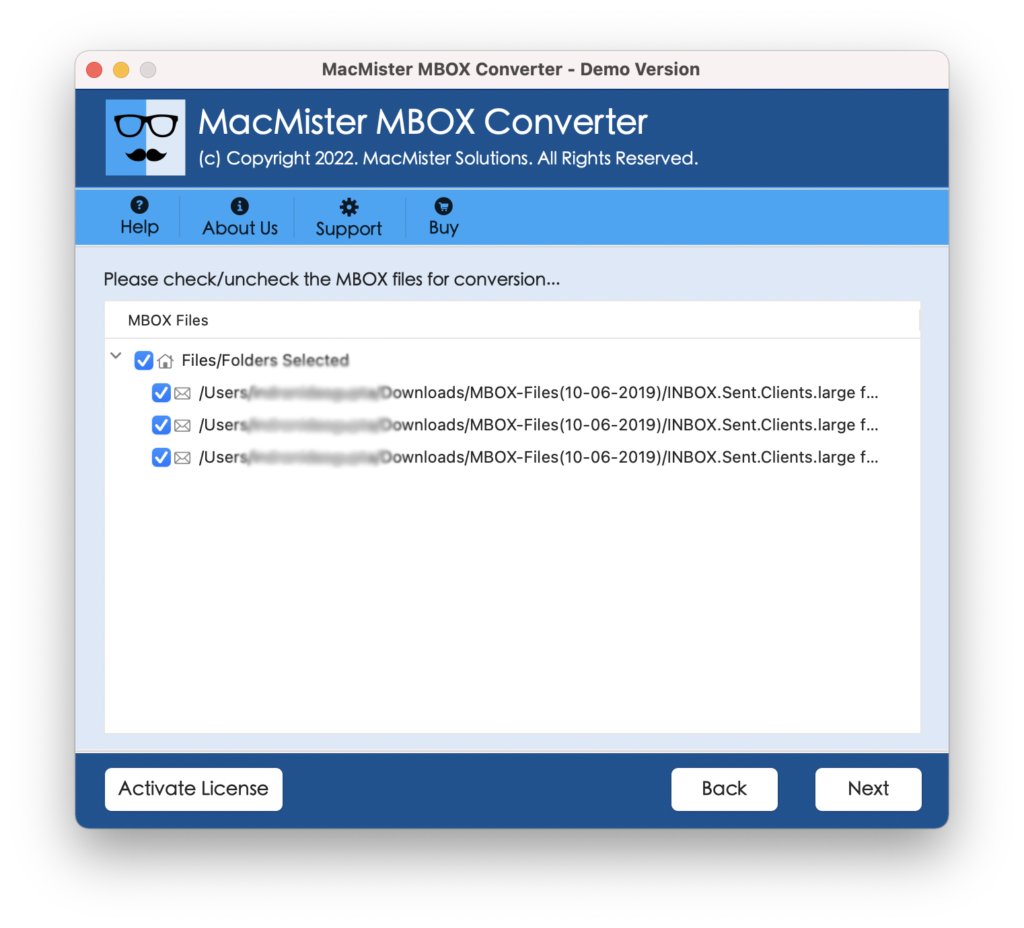
Step 3. SeaMonkey Mail account files or folders will list with checkboxes and with the help of these checkboxes, one can perform selective conversion as well. Click Next.
Step 4. Choose PST or OLM format by clicking Select Saving option.
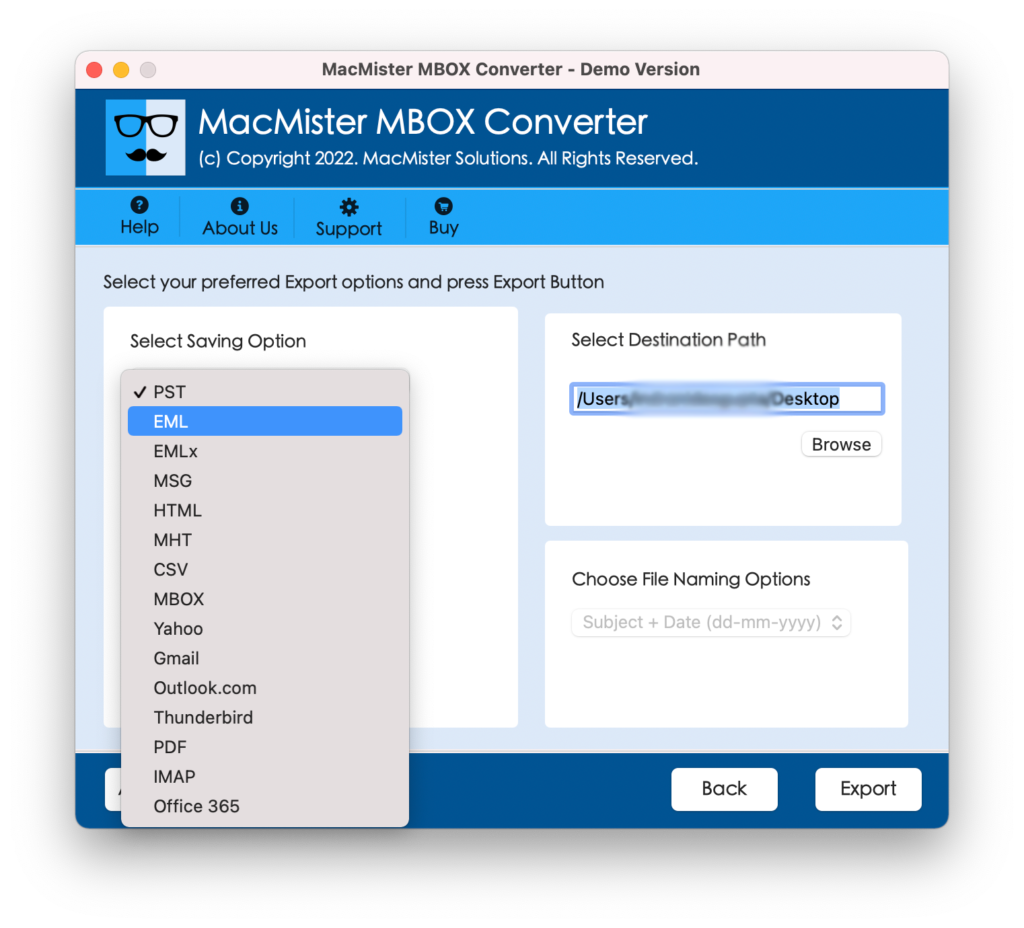
Step 5. PST and OLM will offer different and unique sub-options. So, applying them accordingly will help users saving the resultant data as per need. Click Export.
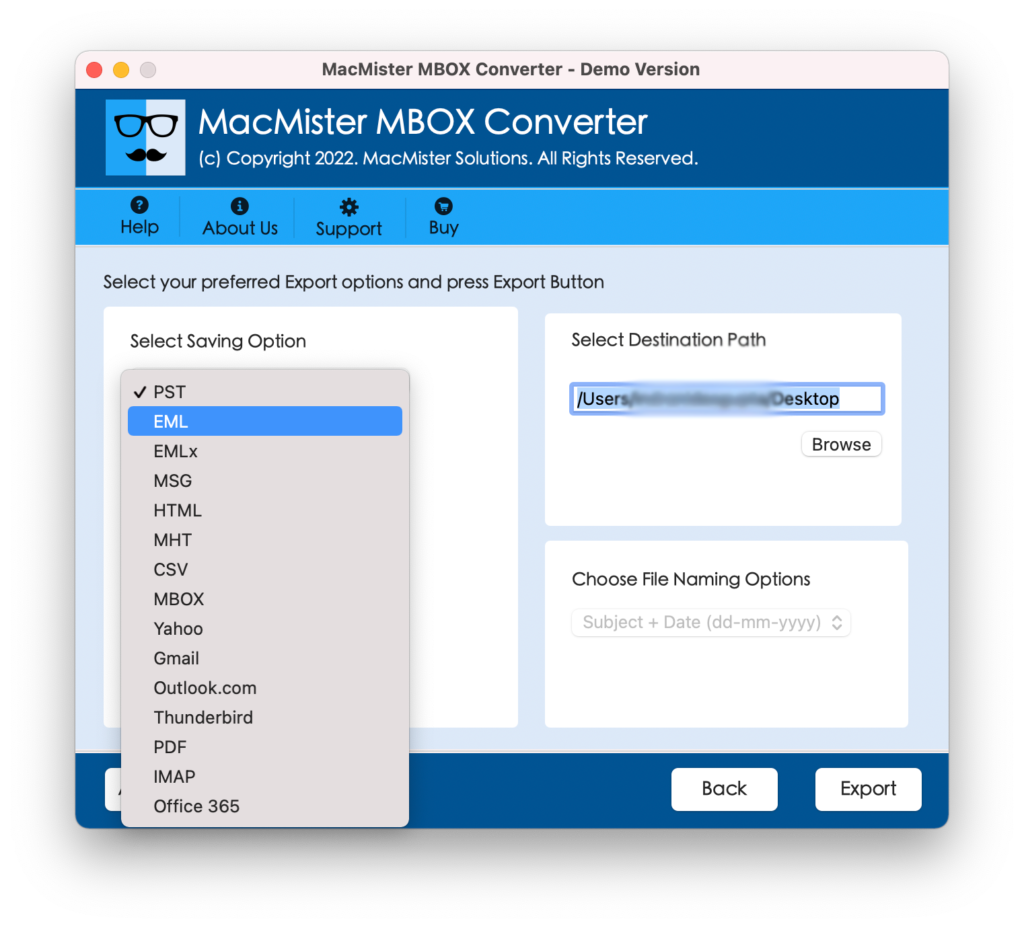
Step 6. The conversion process will start right after user clicks on Export button. Also, users can track the status through Live Conversion Window as appearing –
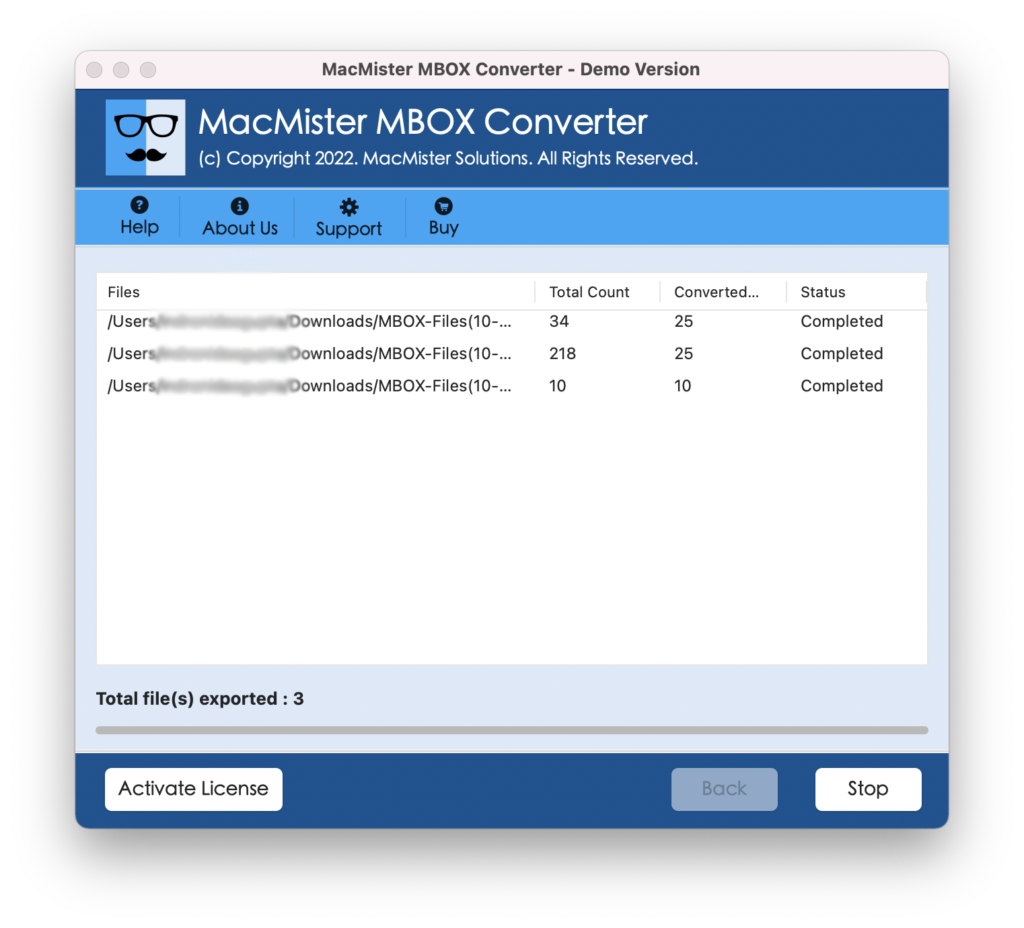
The process will successfully completes when it will show “Conversion Completed” message on the screen.
Reasons to Opt SeaMonkey to Outlook Tool for Mac
There are several reasons to use SeaMonkey to Outlook Tool for Mac and some of them are as listed:
Batch SeaMoneky Emails to Outlook at Once
SeaMonkey to Outlook Tool has batch mode facility. And, this will achieve by using Add Folder button. Users can create a folder and store all the necessary SeaMonkey email sub folders in the same and list the same on the software using Add folder button. Tool will read every file and export the entire folder with unlimited folders to Outlook at once.
Three Easy Step Process with an Intuitive GUI
The SeaMonkey Mail to Outlook application is programmed with simple steps and an intuitive GUI. Technical and novice can operate the tool without getting any guidance and able to perform the process in seconds. Users simply need to load the required SeaMonkey files >> select saving option >> click Export. By clicking three simplified steps, users can receive SeaMonkey data in Outlook.
Supports PST and OLM Formats to Export Emails
SeaMonkey to Outlook supports PST and OLM file formats to export SeaMonkey emails to Outlook. If a user wants to export SeaMonkey emails into Outlook Windows, then a user can select PST file format. And, if a user wants to access SeaMonkey emails in Outlook Mac, then one can make use of OLM file format.
All Earlier & Latest Outlook Versions Supported
Users can implement the process for any Outlook version. With the help of the software, users will be able to transfer SeaMonkey emails to Outlook Mac 2019, 2016, 2013, 2011, etc. On the other hand, all Outlook Windows editions are supported i.e. Outlook 2019 and all other previous editions.
Track Live Status of the Process using Live Screen
When a user clicks on Export button, the application will show Live Conversion screen. It will display the live migration process of SeaMonkey Mail to Outlook. Users can track the count of items converted, items left and status of conversion.
Final Thoughts
The mentioned blog provided the all-in-one solution which will help users to export unlimited SeaMonkey emails to Outlook Mac and Outlook Windows. The software possesses easy steps that are secure, reliable and guarantees accurate migration. The free demo of the tool is available that will be beneficial for those who need to test the software. The freeware version of the tool will allow users to export 25 SeaMonkey emails to Outlook with attachments free of cost.